



A form is usually the last thing standing between a visitor and whatever you actually want them to do: buy something, sign up, ask a question. Optimizing that form means…
Table of contents
Every website visitor who leaves without converting is revenue you never see. And the tool you use to capture their information, a chatbot or a form, changes whether they stay or bounce.
The chatbots vs forms debate isn’t about picking a winner. It’s about knowing which method fits your audience, your budget, and your conversion goals.
Forms have driven lead generation for decades. Chatbots are catching up fast, with platforms like Intercom, Drift, and HubSpot pushing conversational interfaces into every industry. Both collect data. Both feed your CRM. But the user experience they create couldn’t be more different.
This guide breaks down conversion rates, implementation costs, data accuracy, and real performance benchmarks so you can decide what actually works for your site.
What Are Chatbots and Web Forms
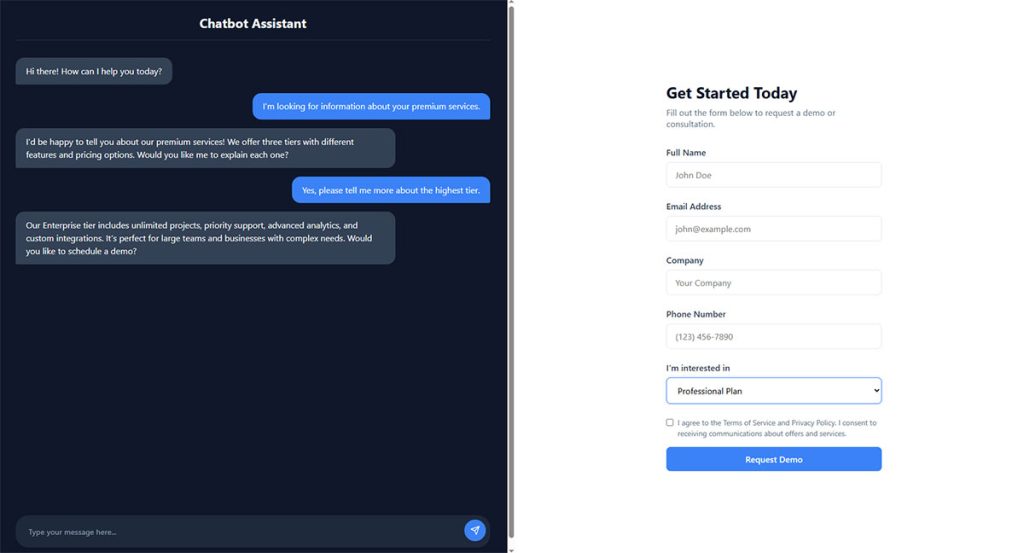
A chatbot is a conversational interface that collects user input through dialogue. It asks questions one at a time, responds to answers, and adjusts the next prompt based on what it learns during the interaction.
A website form is a structured input interface with predefined fields. Name, email, phone number, message box. The user fills them out and hits submit.
Both tools collect data. Both live on websites and landing pages. But the way people interact with them could not be more different. One feels like a conversation. The other feels like paperwork.
Chatbot platforms like Intercom, Drift, and Tidio process user input through natural language processing. They guide visitors step by step through a qualification or support flow. Some are rule-based (scripted decision trees), while others run on AI models that interpret free-text responses.
Forms show up in contact pages, checkout flows, lead generation funnels, and support portals. You’ve seen them everywhere. Jotform, Typeform, Gravity Forms, and HubSpot all offer form fields that map directly into CRM systems with zero middleware.
The overlap is what makes this comparison tricky. Both capture leads. Both feed data into Salesforce or HubSpot. But the mechanics of how a visitor moves through each experience create very different outcomes in conversion rate, data quality, and user satisfaction.
Rule-Based Chatbots vs AI Chatbots
Rule-based chatbots follow scripted paths. If user says X, respond with Y. They’re predictable and cheap to maintain. Think of the bots on most small business sites that ask “What brings you here today?” and offer three clickable options.
AI-powered chatbots use large language models to interpret intent. Juniper research shows chatbot intent recognition accuracy hit 95% in 2024, up from 80% in 2020. They handle unexpected questions, remember context across multiple turns, and feel closer to talking with a real person.
The cost difference is real, though. Rule-based bots cost almost nothing to run. AI chatbots charge per conversation or per message, and those costs add up fast on high-traffic sites.
Static Forms vs Multi-Step Forms
A static form dumps every field on the screen at once. Name, email, company, phone, message, budget range, timeline. It looks long. It feels long. And Zuko Analytics data shows only 45% of people who view a form actually complete it.
Multi-step forms break that wall of fields into smaller chunks. One question per screen, a progress bar at the top, and conditional logic that skips irrelevant fields based on earlier answers.
HubSpot data shows multi-step forms convert 86% higher than single-step versions. They borrow the chatbot’s trick of progressive disclosure without needing any AI infrastructure behind them.
How Users Interact with Chatbots vs Forms
The core difference is cognitive load.
Forms ask users to scan all fields, decide what goes where, and type structured answers into boxes. That sounds simple until you’re on a phone with a tiny keyboard, squinting at a dropdown menu with 40 options.
Chatbots guide the interaction sequentially. One question, one answer, next question. The user doesn’t need to figure out what the form wants from them. The bot just asks.
Conferbot research on 1,247 businesses found that users answer 5-6 qualifying questions in a chat that they’d refuse to answer in a form. The conversational format makes data collection feel like help, not homework.
Conversation Flow vs Field-by-Field Input
Chat interaction pattern: Bot asks a question. User responds in their own words. Bot interprets, confirms, and moves to the next topic. The whole thing takes 1-2 minutes, and most of that is spent getting actual value (answers, recommendations, routing).
Form interaction pattern: User reads labels, fills fields, re-reads to check for errors, then submits. Zuko Analytics reports the average form takes 3 minutes and 21 seconds to complete for checkout flows. Simpler contact forms take about 1 minute and 35 seconds.
The Freshworks team found that chatbot average response time clocks in at 9.3 seconds, compared to 39 seconds for a human through live chat. Forms don’t respond at all until a team member picks up the submission.
Drop-Off Behavior and Where Users Abandon
FormStory data paints a clear picture: security concerns cause 29% of form abandonments. Form length accounts for another 27%. And 67% of visitors who hit any usability issue in a form will leave and never come back.
Chatbots have their own abandonment problems. Users bail when the bot gives irrelevant answers, loops on a misunderstood question, or feels too scripted. But the drop-off happens differently. People tend to disengage mid-conversation rather than at a specific field.
Password fields are the single worst offender in forms, with a 10.5% mean abandonment rate according to Zuko. Email fields (6.4%) and phone number fields (6.3%) follow close behind. Making the phone field optional nearly doubles completion rates, per Feathery research.
Mobile Interaction Differences
Zuko’s benchmarking data shows desktop users complete forms at a 47% rate compared to just 42% on mobile. That 5-point gap gets wider on complex forms.
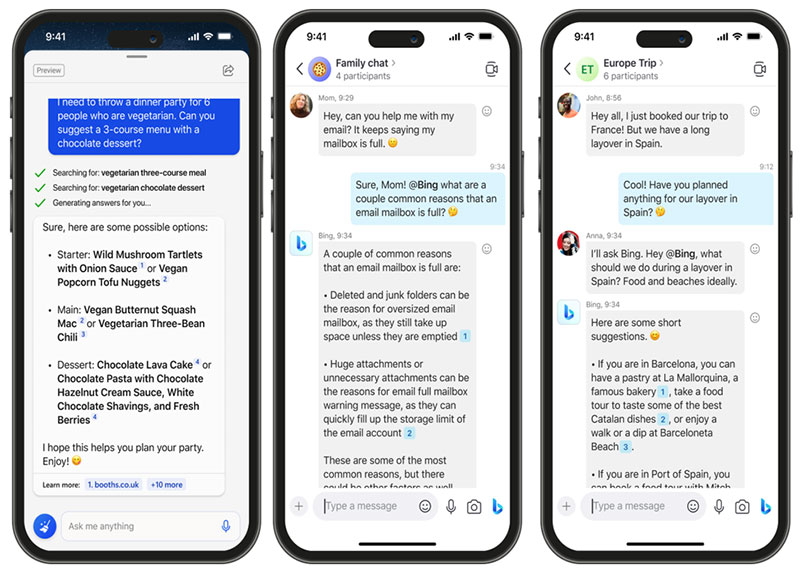
Chatbots actually perform better on mobile. The chat bubble interface is thumb-friendly. Users tap responses or type short messages. No pinching, no zooming, no hunting for the right dropdown option.
Tinyform found that 82% of users expect to complete tasks on mobile devices. Solid mobile forms need single-column layouts, large tap targets, and native keyboards for specific input types. But even with those optimizations, the small screen still creates friction that chat interfaces mostly avoid.
Lead Generation Performance Comparison
Dashly’s 2025 data puts it bluntly: businesses using AI chatbots see 3x better conversion into sales than those relying on website forms alone.
But that number needs context.
The comparison isn’t always apples to apples. Chatbot conversion rates measure people who chose to engage in a conversation. Form conversion rates measure everyone who saw the form, including passive visitors who were never going to fill anything out.
Elfsight’s analysis of 400 companies across 25 industries found chatbots achieve a 14.8% conversion rate among engaged visitors, while traditional web forms hit a 6.6% median. Different denominators, but still a meaningful gap.
Chatbot Conversion Rates by Industry
| Industry | Chatbot Conversion Lift | Key Driver |
|---|---|---|
| E-commerce | Up to 30% | Product recommendations, cart recovery |
| SaaS / B2B | 3× over forms | Lead qualification, demo booking |
| Insurance | 83% satisfaction | Claims processing, application support |
| Healthcare | 10% instant increase | Appointment scheduling |
Marketing LTB research shows chatbot-led funnels convert 2.4x higher than traditional web forms across all industries. The gap widens in B2B, where 58% of companies already use chatbots compared to 42% of B2C brands.
DemandSage data adds that e-commerce chatbots cut cart abandonment by 20-30% through timely reminders and personalized prompts. That’s revenue recovery, not just lead capture.
Form Conversion Rates by Form Length
3 fields or fewer: Highest completion rates. HubSpot’s research consistently shows this is the sweet spot for landing page forms.
4-7 fields: Workable for qualified lead capture, especially with conditional logic that hides irrelevant fields. Expect moderate drop-off.
8+ fields: Completion rates tank. The average lead generation form has 11 fields (Pagewiz data), but that doesn’t mean it should. Each additional field after three reduces conversion by roughly 2-5%.
CXL research found that inline form validation reduces errors by 22% and cuts completion time by 42%. Small UX improvements like this close some of the gap between forms and chatbots. Your form design choices have a direct line to your conversion numbers.
Data Collection Accuracy and Structure
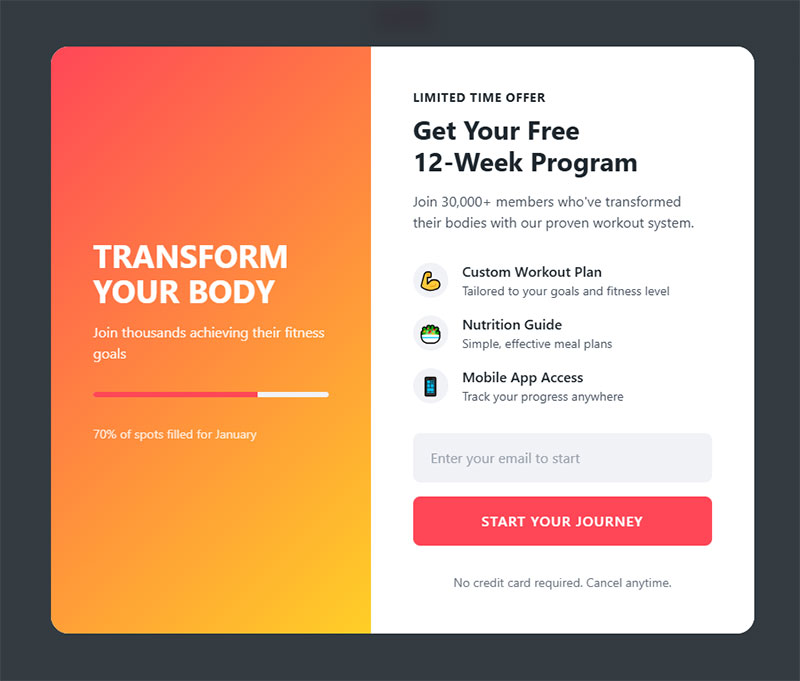
Forms win on data cleanliness. That’s just the reality.
When a form field says “Email,” users type an email. When it says “Phone,” they type a phone number. Client-side and server-side validation catches typos before they reach your database. The data arrives structured, labeled, and ready for CRM ingestion.
Chatbots collect data through conversation, which means free-text parsing. A user might say “call me at five five five, twelve thirty-four” instead of typing 555-1234. The bot has to interpret that, extract the number, and format it correctly. NLP accuracy for top bots reaches 93% according to Marketing LTB, but that still means 7 out of every 100 data points could come through garbled.
CRM Integration and Data Mapping
Forms map 1:1 to CRM fields. The “Company Name” field in your Gravity Forms or WPForms setup feeds directly into the “Company” field in Salesforce or HubSpot. No parsing, no middleware, no interpretation needed.
Chatbots need middleware to translate conversation data into structured records. Platforms like Zapier bridge this gap, but there’s always a translation layer. And when a user gives an unexpected answer (“I work at, well, it’s kind of a startup”), the bot has to decide what to do with that.
Baymard Institute research shows that 88% of checkout forms don’t include a single combined “Name” field, creating unnecessary friction. Forms have their own data structure problems, but they’re problems you can fix with better form UX design.
Error Rates and Validation
CXL data shows inline validation reduces form errors by 22%. That’s a straight improvement in data quality just by telling users “this doesn’t look like a valid email” before they hit submit.
Chatbots validate differently. They confirm back: “Just to confirm, your email is [email protected]?” This works, but it adds friction to the conversation. And if the bot misinterprets a response, the user might not catch the error.
For businesses where data accuracy matters more than engagement (think GDPR compliant forms, financial applications, medical intake forms), traditional forms with proper validation are still the safer choice.
Implementation Complexity and Cost
A WordPress form can be live in 15 minutes. Install a plugin, drag some fields, embed it on a page. Done.
A chatbot takes weeks. You need to map conversation flows, write scripts, train the AI (if it’s AI-powered), integrate with your CRM, test edge cases, and iterate based on real conversations. The Leadgen Economy estimates initial deployment at 3-6 months for a properly configured chatbot with CRM integration.
Platform Costs Compared
| Solution Type | Typical Cost | Setup Time |
|---|---|---|
| Form builders (Jotform, WPForms, Gravity Forms) | $0–$99/month | Minutes to hours |
| Rule-based chatbots (ManyChat, Tidio) | $19–$99/month | Days to weeks |
| AI chatbots (Intercom, Drift, Zendesk) | $74–$500+/month | Weeks to months |
DemandSage data shows the average cost of a chatbot interaction sits at $0.50, compared to $6.00 for a human customer service interaction. The savings are real at scale. But you need the volume to justify the setup costs. That setup gets even quicker with AI form management in WordPress, where an assistant builds and edits the form for you from a plain-language request.
Free WordPress form plugins handle basic contact and lead capture without any monthly expense. For small businesses running lean, that’s hard to argue with.
Maintenance and Ongoing Optimization
Forms are mostly set-and-forget. You update them when your offer changes or when you want to optimize forms based on A/B test results. The maintenance load is minimal.
Chatbots need constant attention. Conversation scripts go stale. New product features require updated bot training. Edge cases surface weekly. Jotform’s 2026 research shows that 57% of companies report significant chatbot ROI within the first year, but that ROI depends on ongoing optimization effort.
Took me a while to appreciate this when I first started comparing the two. The upfront cost of a chatbot is just the beginning. The real expense is the person (or team) who keeps it running well.
When Chatbots Outperform Forms
Chatbots win when the interaction needs to be dynamic, personalized, or available outside business hours.
Harvard Business Review research found that companies are 7x more likely to qualify a lead when they respond within one hour. The average B2B lead response time without chatbots? 42 hours. Chatbots collapse that gap to near zero.
Customer Support Triage
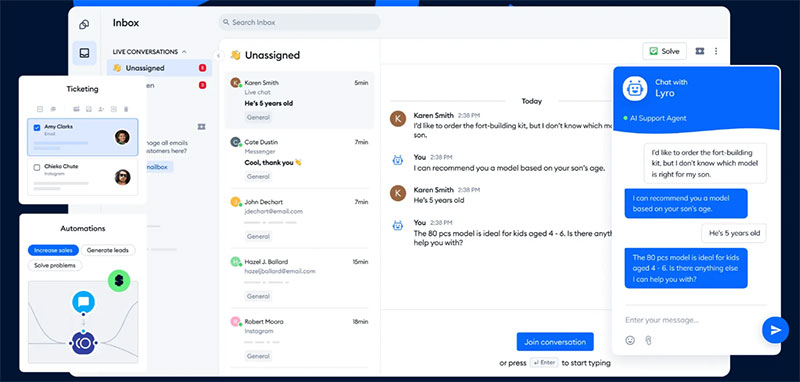
Image source: Tidio
When visitors arrive with a question, they don’t want to fill out a contact form and wait two days for a reply. They want an answer now.
Gartner’s 2025 research shows AI-powered chatbots now resolve 75% of inquiries without human intervention. The remaining 25% get routed to the right team member with full conversation context attached. No lost details, no “can you explain your issue again?”
Zoom reported a 19-point increase in customer satisfaction scores after deploying their AI virtual agent, jumping from 55% to 74% CSAT.
E-commerce Product Recommendations
A form can’t ask follow-up questions. It can’t say “based on what you told me about your budget, here are three options that fit.”
Chatbots handle this naturally. They ask about preferences, narrow options, and suggest specific products. DemandSage reports that e-commerce chatbots increase average order value by 15% through conversational upsells. Marketing LTB adds that 31% of shoppers add products after chatbot recommendations.
After-Hours Lead Capture
Tidio’s 2024 survey data shows 82% of users would use a chatbot rather than wait for a human agent. And 62% of consumers prefer chatbots over waiting in line for human support, according to a Drift study.
Forms sit there passively at 2 AM. They collect a name and email, but they don’t qualify the lead, answer questions, or book a meeting. A chatbot can do all three while your team sleeps.
For industries with high-consideration purchases (insurance, finance, real estate), that after-hours availability translates directly into pipeline. Leads that would’ve bounced at midnight instead get qualified and routed before your sales team’s morning coffee.
High-Friction Industries
Insurance: Master of Code reports that chatbots manage 80% of inbound inquiries in insurance, with 83% customer satisfaction. Complex application processes become guided conversations.
Healthcare: 72% of US medical practitioners report patients use chatbots for appointment scheduling (G2 data, 2023). The healthcare lead generation process benefits from conversational guidance through intake questions that would otherwise require lengthy forms.
Finance: Chatbots handle everything from loan pre-qualification to account inquiries. The guided format reduces anxiety around form security concerns that cause 29% of traditional form abandonments.
When Forms Outperform Chatbots
Forms don’t need to justify their existence. They’ve been converting visitors into leads since the early days of the internet, and they still work.
Ruler Analytics data shows the average form conversion rate across 14 industries sits at 1.7%. That doesn’t sound like much until you realize it’s passive, always-on, zero-maintenance lead capture running on every page.
Simple Contact and Newsletter Signups
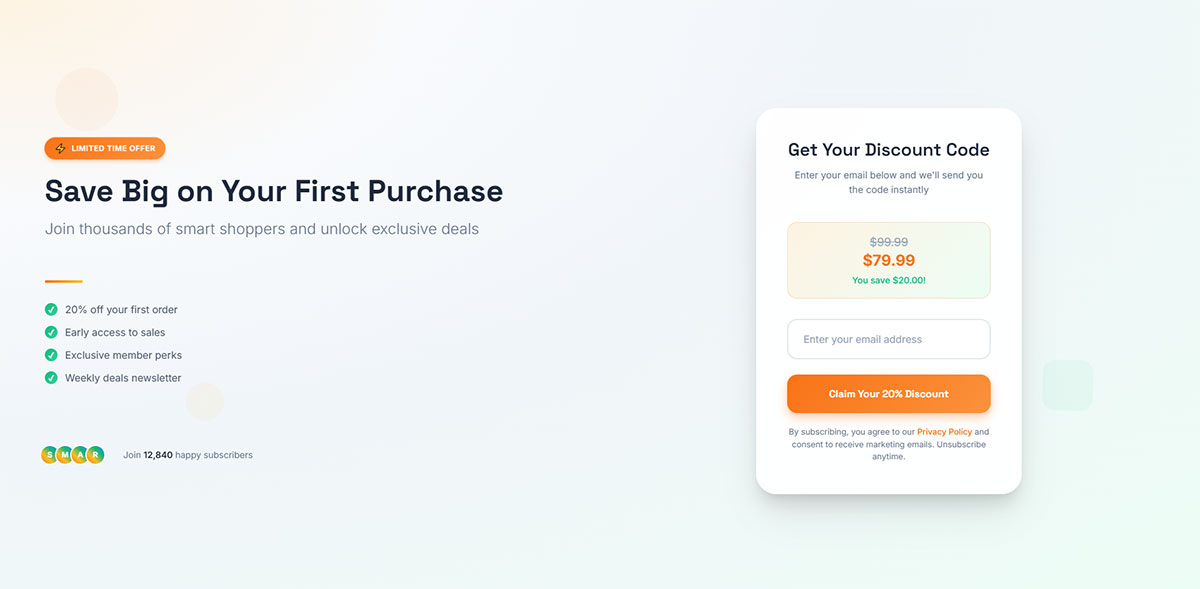
A two-field subscription form (name and email) needs no conversation. No qualifying questions, no branching logic, no AI.
Zuko Analytics shows that contact forms convert only 9% of viewers to completions. But the ones who do complete it are genuinely interested. That self-selection is the form’s quiet advantage.
Adding a chatbot to a simple newsletter signup is overkill. Like hiring a concierge to hand someone a business card. Charity and community events that rely on structured attendee data and accessibility requirements are better served by traditional registration forms.
Legal and Compliance Contexts
When you need explicit, field-level consent, forms are the only reliable option. GDPR requires clear documentation of what data was collected and when the user consented.
Key compliance requirements forms handle well:
- Timestamped consent checkboxes
- Specific opt-in language per data category
- Documented record of what the user agreed to
Chatbot conversations can capture consent, but the audit trail gets messy. You end up digging through transcripts instead of checking a clean database field. IBM’s 2024 data shows organizations using AI in workflows save $2.2 million on breach costs, but that savings depends on proper data handling from the start.
Bulk Data Entry and File Uploads
WordPress forms with file upload handle resume submissions, document attachments, and multi-file uploads cleanly. Try asking a chatbot to accept a PDF. It either can’t, or it requires a clunky workaround.
Registration forms for events, courses, and membership portals need structured data entry across many fields. Zuko data shows application forms hit a 75% completion rate among starters, the highest of any form type.
SEO-Indexed Landing Pages
Forms live inside crawlable HTML. Search engines can see the page content surrounding a form, which helps with rankings.
Chatbot widgets load via JavaScript. The conversation content isn’t indexed. For businesses relying on organic traffic to drive conversions, the contact us page with a well-designed form still outperforms a chatbot-only approach for search visibility.
Using Chatbots and Forms Together
The best-performing websites don’t pick one or the other. They run both.
Jotform research shows 55% of marketing teams report better lead quality through chatbot automation. But 50% of marketers still consider forms their highest-converting lead generation tool, according to industry data. The two approaches cover different parts of the funnel.
Hybrid Patterns That Work
| Pattern | How It Works | Best For |
|---|---|---|
| Pre-qualify then form | Chatbot asks 2–3 screening questions, then loads a short form | B2B lead generation |
| Form with chat backup | Standard form on page; chatbot triggers if user stalls | High-value conversions |
| Exit-intent chatbot | Bot activates when a visitor attempts to leave a form page | Recovering abandoners |
| Chat-embedded micro-form | Small form appears inside the chat window after a value exchange | Progressive profiling |
The pre-qualify-then-form approach is surprisingly effective. Elfsight research found that asking for minimal information first, then collecting details on return visits, increases completion rates by 35%.
Exit-Intent Triggers on Underperforming Forms
Your landing page form converts at 6%. That means 94% of visitors leave without converting.
An exit intent popup with a chatbot catches some of those abandoners. Instead of showing another form (which they already ignored), a conversational prompt asks “Quick question before you go. What were you looking for?”
DemandSage data shows chatbots recover up to 35% of abandoned shopping carts through timely reminders and prompts. The same principle applies to form abandonment pages.
Platform Examples
HubSpot runs both native forms and its Breeze AI chatbot from the same CRM. Every interaction, whether from a form submission or chat conversation, feeds into the same contact record and triggers the same workflows.
Intercom supports A/B testing between bot performance and live agent interactions, letting teams compare when automation works and when human intervention improves outcomes. Drift’s integration with HubSpot syncs chatbot-captured leads directly into CRM sequences alongside form submissions.
The Zapier layer connects everything else. A contact form template in WPForms pushes data to the same Salesforce pipeline that Tidio or ManyChat feeds into.
Measuring Results: Metrics That Matter for Each Method
You can’t compare chatbots and forms using the same metrics. They measure different things.
Tidio’s research found that only 44% of companies actually track their chatbot analytics. That means the majority of businesses running bots have no idea if they’re working. The same is true for forms. Most companies look at total submissions and call it a day.
Form Metrics
Completion rate: Percentage of visitors who submit the form after viewing it. Zuko’s benchmark is 45% across all industries.
Field drop-off rate: Which specific field causes people to quit. Password fields lose 10.5% of users. Phone number loses 6.3%.
Time to complete: Checkout forms average 3 minutes 21 seconds. Registration takes about 1 minute 35 seconds. Shorter is almost always better.
Track these at the field level, not just the form level. Knowing your overall completion rate is useful. Knowing that 37% of people bail when asked for a phone number (Feathery data) is actionable. Improving your form abandonment rate starts with this kind of granular analysis.
Chatbot Metrics
| Metric | What It Measures | Benchmark |
|---|---|---|
| Containment rate | Queries resolved without human help | 65%+ is excellent |
| Deflection rate | Support tickets avoided | ~50% industry standard |
| Bot accuracy | Correct intent recognition | 80%+ target |
| Escalation rate | Handoffs to human agents | ~32% average |
Gartner’s Uma Challa noted that support leaders struggle to identify actionable chatbot metrics, which limits their ability to track ROI. The solution is tying every chatbot metric back to a business outcome: leads captured, tickets deflected, revenue influenced.
A/B Testing Both Simultaneously
Run your form conversion optimization test the right way. Show 50% of traffic a form and 50% a chatbot on the same page. Measure the same outcome (lead captured, meeting booked, purchase completed).
Intercom and Drift both support this kind of split testing natively. For WordPress sites, combine an interactive form with a chatbot widget and let your analytics decide the winner.
Chili Piper’s 2025 benchmark report found that adding instant meeting scheduling after form submission doubles the inbound conversion rate, from 30% to 66.7%. Sometimes the biggest improvement isn’t choosing between a chatbot and a form. It’s what happens right after someone hits submit.
Choosing Between a Chatbot and a Form
This isn’t an either/or question for most businesses. But if budget forces a choice, start with what matches your resources and audience.
Decision Factors
Traffic volume: Below 1,000 monthly visitors, a chatbot’s cost rarely justifies itself. A well-designed lead generation form captures the same leads at a fraction of the cost.
Query complexity: If visitors arrive with straightforward needs (pricing info, newsletter signup, contact request), forms handle it. If they need guidance, product matching, or qualification before they even know what to ask, chatbots earn their keep.
Team capacity: Chatbots need someone to monitor conversations, update scripts, and retrain AI models. If your team is already stretched thin, a form builder with conditional logic gets you 80% of the conversational benefit at 20% of the effort.
Industry-Specific Recommendations
SaaS and B2B: Chatbot for demo booking and qualification. Form for content downloads, webinar registration, and gated resources. SaaS lead generation typically needs both. Chili Piper data shows only 8% of top B2B SaaS companies have scheduling on their forms, a missed opportunity.
E-commerce: Chatbot for product recommendations, order tracking, and cart recovery. Forms for account creation, checkout, and post-purchase surveys. DemandSage reports that 80% of e-commerce businesses will use chatbots by 2025.
Healthcare: Chatbot for appointment scheduling and FAQ handling. Forms for patient intake, insurance verification, and GDPR-compliant data collection. G2 data shows 72% of US medical practitioners report patients already use chatbots for scheduling.
Local services: Start with forms. Local business lead generation rarely has the traffic volume to justify chatbot investment. A clean contact us page template with a simple form outperforms a poorly configured chatbot every time.
The Budget-to-Benefit Framework
Under $50/month: Use a WordPress contact form plugin with conditional logic. Add a free-tier chatbot (Tidio or HubSpot) for after-hours coverage if you want.
$50-200/month: Combine a form builder with a rule-based chatbot. Use the chatbot for qualification and the form for structured data capture. This range covers most small businesses.
$200+/month: AI-powered chatbot (Intercom, Drift, Zendesk) integrated with your CRM. Forms still handle compliance, file uploads, and structured workflows. At this tier, the question shifts from “which one” to “how do they work together.”
Whatever you pick, measure it. Run it for 30 days. Look at the numbers. Then decide if the tool is earning its spot or just adding complexity without moving your conversion benchmarks.
FAQ on Chatbots Vs Forms
Are chatbots better than forms for lead generation?
It depends on your traffic and budget. Chatbots convert 2-3x higher among engaged visitors, according to Dashly data. But forms still capture quality leads passively at lower cost, especially for simple signups and content downloads.
Can I use chatbots and forms on the same page?
Yes. Many businesses run a form as the primary capture method and trigger a chatbot when visitors show exit intent or stall on the page. HubSpot, Intercom, and Drift all support this hybrid approach natively.
Which is cheaper to implement?
Forms win on cost. A WordPress form plugin costs $0-99 per month with minimal setup. AI-powered chatbots from platforms like Intercom or Zendesk start at $74+ monthly and need ongoing script maintenance.
Do chatbots hurt SEO?
Chatbot widgets load via JavaScript, so conversation content isn’t crawled by search engines. Forms embedded in HTML are fully indexable. For organic search visibility, keep your landing page forms in place alongside any chatbot widget.
Which produces cleaner data for CRM systems?
Forms produce more structured data because field validation catches errors before submission. Chatbots rely on natural language processing to parse free-text responses, which means occasional formatting issues when syncing to Salesforce or HubSpot.
What conversion rate can I expect from each?
Zuko Analytics benchmarks show forms convert about 45% of viewers who start filling them out. Chatbots achieve around 14.8% among users who engage in conversation, per Elfsight research. Different denominators make direct comparison tricky.
Are chatbots good for mobile users?
Generally, yes. Chat interfaces are thumb-friendly and sequential. Zuko data shows mobile form completion rates lag desktop by 5 percentage points. Chatbots close that gap because users tap short responses instead of typing into small fields.
When should I avoid using a chatbot?
Skip chatbots for compliance-heavy workflows, file uploads, bulk data entry, and simple two-field signups. Legal contexts requiring explicit field-level consent (like GDPR) are better served by structured forms with timestamped checkboxes.
How do I measure chatbot performance vs form performance?
Track different metrics for each. Forms need completion rate, field drop-off rate, and time to complete. Chatbots need containment rate, escalation rate, and bot accuracy. Then compare both on shared outcomes like leads captured.
Can a chatbot replace my contact form entirely?
Not recommended. Chatbots work best as a complement. Some visitors prefer typing into fields without a conversation. Tidio research shows 46% of customers still prefer human agents. Offer both options and let your visitors choose.
Conclusion
The chatbots vs forms question doesn’t have a single right answer. It has a right answer for your specific situation, your traffic volume, your team size, and your customer engagement goals.
Forms give you structured data, lower costs, and simple implementation through tools like Gravity Forms, WPForms, or Typeform. They work. They’ve always worked.
Chatbots give you real-time qualification, after-hours lead capture, and conversational experiences that reduce form abandonment. Platforms like Tidio, ManyChat, and Botpress keep getting better at it.
The smartest approach is running both. Let your chatbot handle visitor engagement and qualification. Let your forms handle structured data collection, compliance, and file uploads.
Test everything. Track your completion rates, containment rates, and cost per lead across both channels. Then double down on whatever your numbers actually support.