




Every input box on a page is doing one job: catching a single piece of data before it moves anywhere else. A name, a date, an email address. Type it,…
Table of contents
Most WordPress attacks don’t start at the login page. They start at a form, because a form is the one part of a site built to accept whatever a stranger decides to type into it. Plugins like WPForms, Gravity Forms, and Contact Form 7 run that exchange on most WordPress sites, which is exactly why contact pages, registration flows, and payment forms end up on the attack surface list.
Sucuri’s 2023 Hacked Website and Malware Threat Report, released in 2024, found that 13.97% of compromised websites carried at least one vulnerable plugin or theme at the point of remediation.
A good chunk of that risk lives at the form layer. It’s usually the plugin doing the most direct work with whatever a visitor types in.
What Is WordPress Form Security?
General WordPress hardening locks down the site perimeter: logins, file permissions, the dashboard. SSL protects the connection itself, nothing more. Form security is neither of those. It covers the exchange that happens the moment someone hits submit, what they typed into a field, what they attached as a file, what gets written to your database a second later.
If you’re still getting familiar with what are WordPress forms, think of them as the interface between a visitor and your database, and form security as the lock sitting on that interface.
The actual threats aren’t exotic, and they don’t show up one at a time. Spam and bot submissions clog up your inbox. Cross-site request forgery rides on a session that’s already logged in. SQL injection and cross-site scripting slip through fields nobody bothered to sanitize. And file uploads get dressed up as ordinary attachments. Handle those four and you’ve covered most of what actually gets thrown at a WordPress form.
What Are the Main Security Risks to a WordPress Form?
The same problems keep showing up, but they don’t hit every form the same way.
| Risk | What It Targets | Typical Entry Point |
|---|---|---|
| Spam | Comment and submission volume | Open text fields |
| CSRF | Authenticated user sessions | Forged form requests |
| Injection (SQL/XSS) | Database and rendered pages | Unsanitized text fields |
| Malicious upload | Server file system | File attachment fields |
Attack surface also shifts by form type. A payment form and a simple newsletter opt-in don’t carry the same risk profile, which is why reviewing the different types of forms on your site matters before you lock anything down.
Some numbers make the scale clearer. Patchstack’s 2025 report found that 43% of new WordPress vulnerabilities disclosed in 2024 required no authentication at all to exploit. Cross-site scripting alone accounted for 47.7% of new vulnerabilities documented that year, the largest single category. And in October 2024, Wordfence received a report of a missing-authorization vulnerability in WPForms, a plugin installed on more than 6 million sites.
That last one is worth sitting with. A plugin used by millions still shipped a real gap, which says something about the baseline every form owner is working with.
How Does a WordPress Nonce Prevent CSRF Attacks on a Form?
Picture a logged-in WordPress user with a request buried in a page they never meant to trust, riding their own browser session to do something on your site without their knowledge. That’s cross-site request forgery, and it’s the exact thing a WordPress nonce exists to stop. A nonce is a one-time, form-specific token that proves a submission actually came from your site rather than a forged link somewhere else.
Wordfence disclosed CVE-2025-11705 in 2025, and it’s worth knowing.
The affected security plugin checked its nonce correctly on every request, yet still let subscriber-level accounts read sensitive files like wp-config.php, because the code never verified whether that account actually had permission to run the function in the first place.
A valid nonce only confirms origin, not permission, and the two checks have to run together. That’s the actual lesson from CVE-2025-11705.
wp_nonce_field at Render
The token gets created the moment the form loads. WordPress’s wp_nonce_field function drops a hidden input into the markup, containing a hashed value tied to the current user session and a specific action name.
- Generated fresh for each form render
- Tied to a specific action, like “submit_contact_form”
- Expires automatically, typically within 12 to 24 hours
wp_verify_nonce at Submission
When the form comes back, the wp_verify_nonce function checks the submitted token against what the server expects.
A mismatch means the request gets rejected before any data touches the database, no matter how convincing the rest of the submission looks. This single function call is what separates a genuine form submission from a forged one.
How Does Input Sanitization Stop Injection Attacks on a Form?
Skip sanitization on a form field and you’ve basically left a door open for two of the more damaging attack types on the web. Sanitization is what closes it, by stripping or encoding anything in a submitted field that could be read as code instead of plain text.
SQL injection lets malicious input manipulate a database query directly. Cross-site scripting works differently: a script gets stored somewhere on the site and later runs in another visitor’s browser entirely, not the one who submitted it.
OWASP ranks injection third on its Top 10 list of critical web application risks, a category that folds in both SQL injection and XSS (OWASP Top 10:2021).
A real case makes this concrete. Wordfence tracked a pre-authentication SQL injection vulnerability in the Contact Form CFDB7 plugin in 2025, tracked as CVE-2025-4665, which let attackers manipulate database queries without ever logging in.
WordPress’s own defense here is the sanitize_text_field function. It strips tags, trims whitespace, and removes line breaks and extra spaces from any text field before that data gets written anywhere.
Pair it with server-side validation, because a check that only runs in the visitor’s browser can be skipped by anyone who disables JavaScript or submits the form directly.
The difference between the two approaches is covered in more depth in this piece on client-side vs server-side form input validation.
General form validation best practices apply here too. Required fields, format checks, and length limits all reduce what a malicious payload can do even before sanitization runs.
What Are the Best Methods to Stop Spam Submissions on a WordPress Form?
No single spam method catches everything on its own. Most secure setups stack two or three of these together, pairing silent bot traps with something visible for the traffic that gets through.
Honeypots are close to free: invisible to real visitors, no added friction, and they catch the lazy, unsophisticated bots reliably. The catch is that a scraper sophisticated enough to render JavaScript can spot a hidden field and just skip it. CAPTCHA and reCAPTCHA take the opposite trade.
They block scripted bots and a good share of click-farm submissions, but only by putting a visible step in front of a real visitor, and older CAPTCHA versions in particular are a genuine pain on mobile.
Akismet’s own blog reports the service has blocked more than 500 billion pieces of spam since launch, filtering both comments and form submissions across millions of sites.
Honeypot Fields
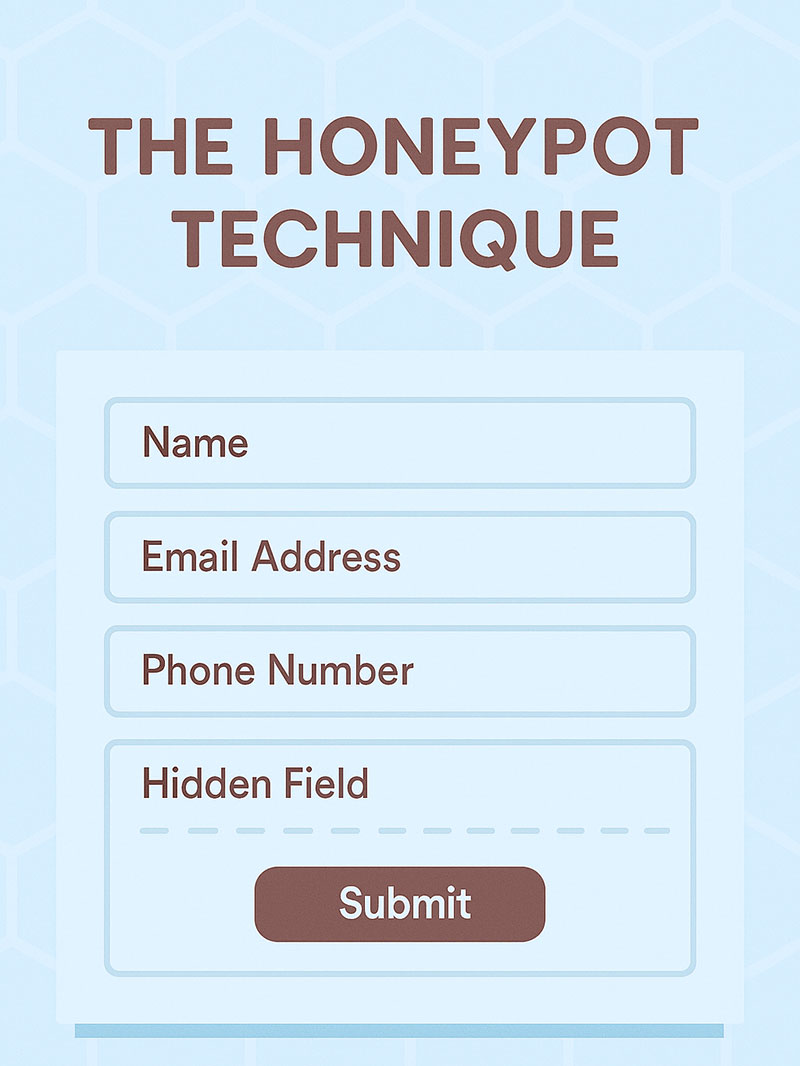
Bots fill in every field they find, including ones a real visitor never even sees. That’s the whole mechanic behind a honeypot field.
It sits right there in the markup, hidden with CSS, so a screen reader or a sighted visitor never interacts with it at all.
If that hidden field arrives with data attached, the submission gets silently discarded before it reaches your inbox.
The full mechanics are worth reading if you want to know exactly what is a honeypot and how it fools a scraper.
CAPTCHA and reCAPTCHA
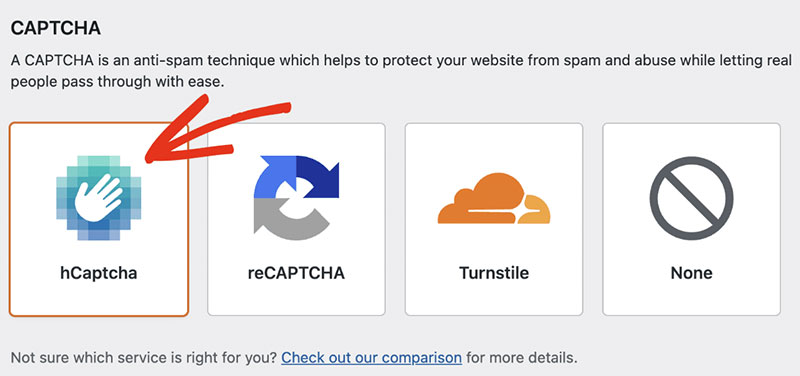
Google’s reCAPTCHA v3 is the one most sites end up using. It scores behavior in the background, no visible challenge most of the time. hCaptcha does roughly the same job without sending visitor data to Google, which matters if that’s a concern for your site. Cloudflare Turnstile is the newer option, a lightweight browser check that barely registers as a widget at all.
reCAPTCHA v3 works quietly. It scores each visitor from 0.0 to 1.0 based on behavior, and low scores get challenged or blocked without ever showing a checkbox.
Setup takes a few minutes once you know the process for how to add reCAPTCHA to a WordPress contact form.
Third-Party Spam Filtering Services
Every submission gets checked against a shared database of known spam sources before it ever touches your site. That’s the basic idea behind cloud-based spam filtering.
Akismet is the most common example, shipping pre-installed with WordPress core and cross-referencing IP addresses, email patterns, and content signatures across every site it protects. CleanTalk and Antispam Bee do something similar, with smaller databases and their own quirks about what counts as spam.
None of these require a visible challenge, which keeps completion rates for real visitors untouched.
How Do You Secure File Uploads Submitted Through a WordPress Form?
A file upload field is the riskiest single component you can add to a WordPress form. It gives a visitor a direct channel to place a file on your server, and if that channel isn’t locked down, the file doesn’t even have to look suspicious to cause damage.
Locking one down comes down to a handful of things working together: checking what a file actually is rather than trusting its extension, capping size well below your server’s PHP upload_max_filesize setting, blocking script execution inside the folder where uploads land, and scanning for malware before anything gets stored permanently.
Patchstack disclosed an unauthenticated arbitrary file upload vulnerability in the StoryChief plugin in August 2025, the kind of flaw that lets an attacker place a file on the server without ever logging in. That’s the exact failure mode MIME type restriction and directory permissions are built to close.
Extension checks alone aren’t enough. Renaming a PHP file to end in .jpg fools a check that only reads the file name. A real MIME type check reads the file’s actual contents to confirm what it is.
If your form needs to accept large attachments, review how to increase the WordPress upload size safely rather than raising limits blindly across the whole site.
Building the field itself is more straightforward. Most teams either use a form plugin’s built-in file field or follow a guide for setting up a WordPress form with file upload from scratch.
How Does Encryption Protect Data Submitted Through a WordPress Form?
Intercept the connection between a visitor’s browser and your server on a form without encryption, and you’d see the field values in plain text, a password, a payment detail, a health question, all readable. Encryption is what scrambles that into nonsense for anyone in between.
SSL and TLS certificates make this possible. The certificate encrypts the connection at the transport layer, which is why every page that includes a form should run under HTTPS, not just the checkout or login page.
Let’s Encrypt, the nonprofit certificate authority, reported serving more than 700 million websites by the end of 2025. Encrypted page loads across the web rose from 39% in 2015 to more than 95% today, according to Let’s Encrypt’s own annual report.
A free certificate from an authority like this removes cost as an excuse for running a form over plain HTTP.
Encryption doesn’t do everything, though. It won’t protect data once it’s sitting in your database (that needs encryption at rest, a separate control), and it can’t stop a malicious script from reading form values before they’re ever submitted. It’s also not a substitute for input sanitization or nonce verification. A perfectly encrypted connection can still carry a malicious payload straight through it.
Treat HTTPS as one layer, not the whole defense.
Which WordPress Form Plugin Offers the Strongest Security Features?
The five most-used WordPress form plugins all cover the basics. Where they differ is what ships by default versus what you have to bolt on yourself.
| Plugin | Built-in Spam Defense | CSRF/Nonce Handling | Pricing Model |
|---|---|---|---|
| WPForms | Modern anti-spam token, no honeypot needed | Native WordPress nonce | Free + paid tiers |
| Gravity Forms | Built-in honeypot, official Akismet add-on | Native WordPress nonce | Paid only |
| Contact Form 7 | None built in, needs a third-party plugin | Native WordPress nonce | Free |
| Ninja Forms | Built-in honeypot field | Native nonce, patched CSRF history | Free + paid add-ons |
| Formidable Forms | Built-in honeypot field | Native nonce | Free + paid tiers |
Contact Form 7 is the outlier on spam. It ships with a keyword and IP disallowed list, plus native reCAPTCHA v3 support since version 5.1, but has no honeypot of its own. More than 10 million sites run it, according to the plugin’s own listing in the official WordPress.org directory.
Gravity Forms goes furthest on the CSRF side, pairing WordPress’s native nonce system with a “Require user to be logged in” form restriction that keeps unauthenticated visitors from reaching a protected form at all. Its Web API layers OAuth authentication on top of that for external connections.
Picking between them usually comes down to budget and how much you want configured out of the box.
Start with WPForms vs Gravity Forms if budget is the deciding factor.
Check Gravity Forms vs Contact Form 7 if you’re weighing free against paid more directly.
How Do You Manage Plugin Vulnerabilities and Security Patches?
New WordPress vulnerabilities surface every week, not every quarter. Treating a plugin update as optional maintenance misreads how fast this moves.
WPScan maintains a vulnerability database you can query directly or through a scanner, and Patchstack tracks disclosures the same way, sometimes issuing a virtual patch ahead of an official fix. Wordfence takes a slightly different approach, pairing a firewall with its own vulnerability feed rather than just cataloging what’s out there.
Patching isn’t automatic just because a fix exists. More than half of the plugin developers Patchstack contacted in 2024 had not shipped a fix before the vulnerability was publicly disclosed, per Patchstack’s 2025 security report.
Abandoned plugins compound the problem. Patchstack reported 827 vulnerable plugins and themes to the WordPress team in 2023, and 481 of them were pulled from the repository for being abandoned rather than fixed.
A plugin with no recent updates is a bigger risk than its current vulnerability count suggests, since nobody is watching for the next one.
How Do You Keep Form Submission Data Compliant With GDPR?
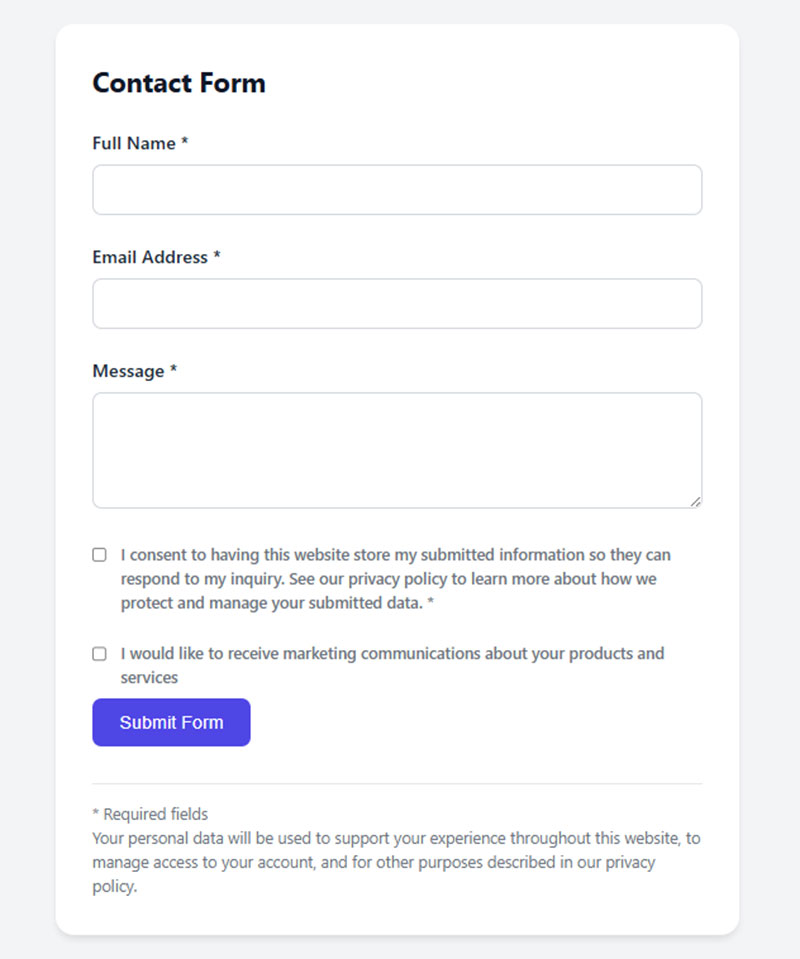
GDPR compliance starts with what a form asks for, not what happens to the data afterward.
Article 7 sets the bar here, and it’s fairly specific. Consent has to be demonstrable, not assumed from silence or a pre-ticked box. The request needs to stand apart from the rest of the page, written in plain language, not buried in a wall of terms. And visitors have to be able to withdraw consent as easily as they gave it.
The stakes are not theoretical. The CMS GDPR Enforcement Tracker Report 2025 counted 2,245 fines issued since 2018, totaling roughly EUR 5.65 billion, with an average fine around EUR 2.36 million.
Getting a form actually compliant means a few separate pieces working together.
- A separate, unchecked consent checkbox for each distinct purpose
- A stated retention period, after which entries get deleted automatically
- Role-based access so only people who need entry data can see it
- A process for handling deletion requests tied to specific submissions
Templates for the consent piece exist, so you’re not writing checkbox language from scratch.
A guide on how to create GDPR compliant forms covers the technical setup.
A set of GDPR consent form examples shows working checkbox language you can adapt.
How Do You Secure a WordPress Contact Form Step by Step?
Order matters here. Doing these out of sequence usually means redoing one of them later.
- Choose a form plugin with native nonce support and either a built-in or add-on spam layer
- Confirm every text field runs through server-side sanitization, not just client-side validation
- Add a honeypot field or a behavioral CAPTCHA like reCAPTCHA v3
- Restrict any file upload field by MIME type, size, and destination folder permissions
- Put the form page behind HTTPS, with no mixed-content warnings anywhere on it
- Add a GDPR-compliant consent checkbox if the form collects personal data
- Set a recurring schedule to check for plugin updates and known vulnerabilities
Most misconfigurations happen at step two and step four. Teams sanitize the fields they remember and skip the ones added later, like a file upload field bolted onto an existing form.
If you’re building the plugin selection in step one, a rundown of the major WordPress contact form plugins is a reasonable starting point.
For the spam layer in step three, a dedicated guide on how to stop spam from WordPress contact forms covers combinations beyond what’s listed here.
When Does WordPress Form Security Fail or Not Apply?
None of the methods above help once a form lives outside WordPress entirely.
A form embedded from an external SaaS tool submits straight to that provider’s servers, bypassing WordPress nonces, sanitization functions, and file upload rules altogether.
Caching creates a quieter failure. Gravity Forms’ own documentation warns that pages requiring login must stay out of full-page caching, because a cached nonce goes stale and legitimate submissions start failing CSRF checks for reasons that have nothing to do with an attack.
Headless WordPress setups run into a similar problem, since the form submits through a decoupled front end that never touches the standard WordPress request cycle at all. Stacking every method at once is its own mistake too: it can slow a form enough to hurt completion rates without actually improving security much. And treating one security plugin as sufficient is worth a second look, since the CVE-2025-11705 case earlier in this piece shows a plugin can enforce a check correctly and still miss the permission behind it.
Security measures reduce risk. They don’t eliminate the need to watch what’s actually happening on the form.
FAQ on WordPress Form Security
What Is the Difference Between Form Security and General WordPress Security?
General WordPress security hardens the whole site: logins, two-factor authentication, file permissions, and the admin dashboard. Form security narrows to one channel, the data exchange at submission. A field can stay exposed on a fully hardened site if nonce checks or sanitization never run.
Is a Security Plugin Necessary If the Form Plugin Already Has Spam Protection?
Spam protection and site-wide security cover different problems. A honeypot or CAPTCHA stops junk submissions, not SQL injection or brute-force login attempts. A dedicated security plugin like Wordfence or Patchstack closes gaps a form plugin was never built to cover.
Does a Contact Form Need Its Own SSL Certificate?
No separate certificate is required. One SSL or TLS certificate covers the entire domain, encrypting every page that loads under HTTPS, contact form included. What matters is confirming the specific page holding the form actually loads under HTTPS, not just the homepage.
Can a Free WordPress Form Plugin Be Secure?
Price has no direct bearing on security. Contact Form 7 is free and widely used, yet relies on the same native WordPress nonce protection as paid alternatives. Update frequency and how fast a developer patches vulnerabilities matter more than price.
How Often Should Form Security Software Be Updated?
Check for plugin updates at least weekly, and apply critical security patches the same day they’re released. Wordfence and Patchstack both push real-time vulnerability alerts. Waiting for a scheduled monthly cycle leaves a documented, publicly known flaw live on the site.
Does Adding CAPTCHA Reduce Form Conversion Rates?
Visible CAPTCHA challenges add friction, and some visitors abandon a form rather than solve one. Behavioral options like reCAPTCHA v3 or Cloudflare Turnstile score risk in the background instead, blocking bots without a visible checkbox and keeping completion rates closer to an unprotected form.
What Should You Fix First in WordPress Forms?
WordPress form security improves fastest when nonce verification and input sanitization get fixed before spam filters or encryption, since those two controls stop database compromise and forged submissions, the two failures that turn one unpatched field into full site compromise.
A defensible sequence follows severity, not install order. Nonce verification and sanitization come first, since those are what stop outright compromise. Spam filtering and file upload limits come second, since they’re about stopping abuse rather than takeover. Encryption and GDPR consent come last, because by that point you’re protecting data you already decided to collect.
Patchstack’s State of WordPress Security report found a weighted median time to first exploit of five hours, with half of high-impact vulnerabilities attacked within twenty-four.
Fixing every control before launch delays a release, while sequencing the two highest-severity items first ships a defensible form within days.
Cost stops mattering once that order is followed, which makes comparing the best free WordPress form plugins the next step.