





Black Friday 2026 is on Friday, November 27, with Cyber Monday following on November 30. For WordPress site owners it’s the one week a year when the plugins and services…
Table of contents
Most volunteer forms get built the night before an event, by whoever has a free evening and a Google account. That’s fine for a first pass. The emergency contact and the waiver are the lines that tend to get skipped, and they’re the two you’ll want the day something goes wrong.
A ready-made volunteer registration form captures a volunteer’s contact details, availability, emergency contact and consent in one submission. Nonprofits, schools, hospitals and event teams use them so a sign-up becomes a roster entry without anyone retyping it. Printed sheets, Word files, fillable PDFs and online forms all work. Online forms send responses straight to a spreadsheet, and builders differ on signature support.
The federal Volunteer Protection Act of 1997 shields the volunteer from liability for harm caused on behalf of a nonprofit, but it leaves the organization’s own liability untouched (42 U.S.C. 14503). A waiver still matters.
What should a volunteer registration form template include?
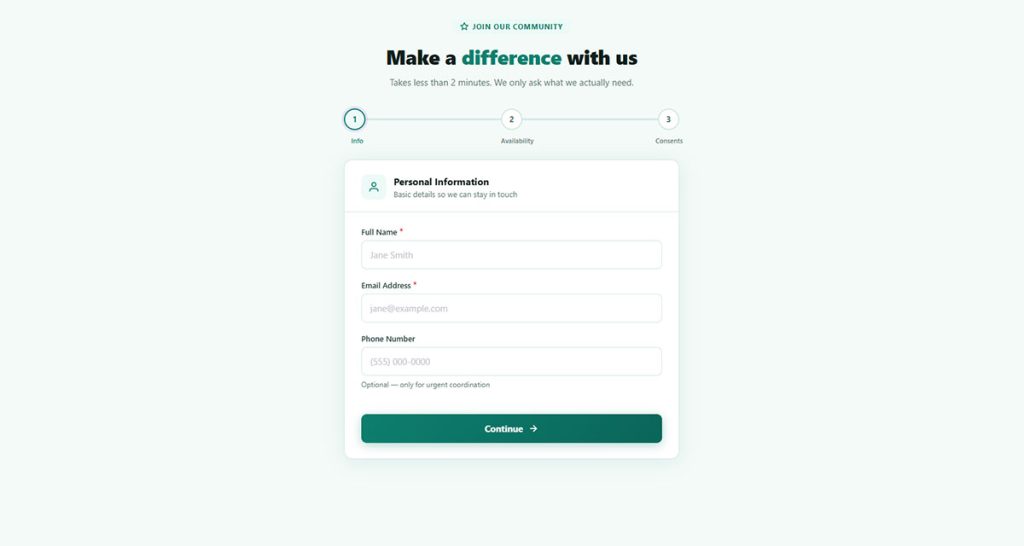
The form has to say who the volunteer is, how to reach them, when they can work and who to call if they get hurt on shift. In field terms, that comes out as contact details, date of birth, emergency contact, availability, skills and interests, and a consent signature.
Everything else waits until a specific role demands it. Each extra question costs completions, so cutting form abandonment starts with cutting fields, not redecorating the page.
| Field | Level | Why it is there |
|---|---|---|
| Name, email, mobile phone | Required | Roster entry and shift reminders |
| Date of birth | Required if minors or screening apply | Triggers guardian consent and background checks |
| Emergency contact (name, relationship, phone) | Required | Someone to call if a volunteer is hurt on shift |
| Availability by day and shift | Required | Scheduling |
| Skills, languages, preferred role | Recommended | Matching people to tasks |
| Home address | Optional | Needed only for mailings or screening |
Identity and contact fields
Name, email and phone are non-negotiable. Date of birth does double duty. It tells you when a guardian signature is required, and screening providers ask for it, which is why the Sierra Vista, Arizona volunteer application marks date of birth as required for the background check.
Pick the input type for each question on purpose, because the kind of field behind each question decides how clean the roster stays. A phone number typed into a free-text box comes back in a different format every time.
Availability, skills and preferred roles
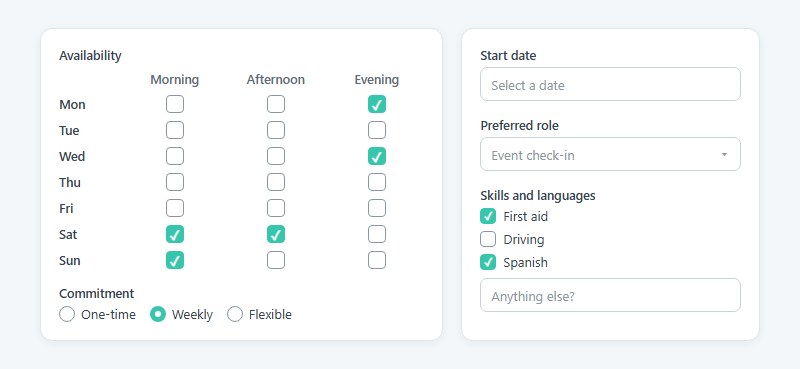
Free-text availability produces answers like “weekends, mostly”, which nobody can schedule against.
Checkboxes per day work better, with each day split into morning, afternoon and evening. Add a commitment question with one-time, weekly and flexible as the choices, plus a start date field, since people often sign up weeks ahead. Skills and languages can be checkboxes with one short free-text line underneath. For preferred role, use a dropdown that mirrors the jobs you actually staff.
A role nobody can fill only creates sign-ups you cannot place.
Role-specific questions by setting
Orlando Health’s adult volunteer application, a hospital example, asks for the volunteer’s doctor and the doctor’s phone number. For disaster relief, Jotform’s volunteer form guidance adds health status and certification checkboxes.
A one-day event form can stop at name, contact details and shift. Add questions only when a role carries a physical, medical or licensing requirement.
Volunteer Registration Form Templates by Use Case
Nonprofit Organization Volunteer Form
See the Pen
Volunteer Registration Form – Nonprofit Template (Multi-Step) by Bogdan Sandu (@bogdansandu)
on CodePen.
One-Time Event Volunteer Sign-Up Form
See the Pen
Volunteer Registration Form – One-Time Event by Bogdan Sandu (@bogdansandu)
on CodePen.
Youth Volunteer Registration Form (with Parental Consent)
See the Pen
Youth Volunteer Registration Form with Parental Consent by Bogdan Sandu (@bogdansandu)
on CodePen.
Medical or Healthcare Volunteer Form
See the Pen
Medical & Healthcare Volunteer Registration Form by Bogdan Sandu (@bogdansandu)
on CodePen.
Volunteer Registration Form – Multi-Step
See the Pen
Volunteer Registration Form – Multi-Step with Micro-interactions by Bogdan Sandu (@bogdansandu)
on CodePen.
Which template format works best: paper, fillable PDF, Word or online form?
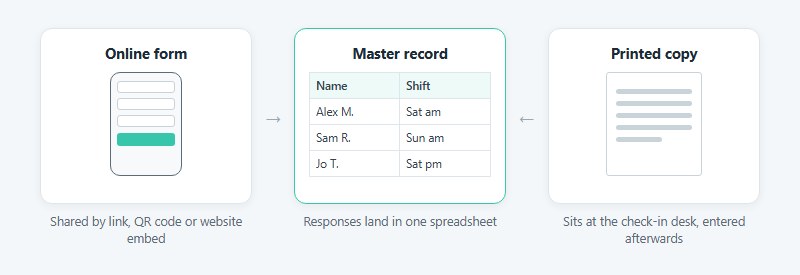
Online forms work best for most programs, since responses land in a spreadsheet instead of a stack of paper. Printed sheets and fillable PDFs still win at door sign-ups and at sites without Wi-Fi. They also win wherever a waiver needs ink.
| Format | Editing | Signature | Responses |
|---|---|---|---|
| Printed sheet | Redesign and reprint | Ink on the page | Retyped by hand |
| Word template | Edit in Word, one copy per volunteer | Print and sign, or type a name | Arrive as attachments |
| Fillable PDF | Fields built in Acrobat | Signature field available | Emailed back or collected through Distribute |
| Online form | Edit once, live for everyone | Depends on the builder | Spreadsheet or CSV export |
Printed sheets cost the least to run and the most to process. Design tools like Canva make a nicer sheet, but nothing written on paper reaches a database. Word templates are easy to adapt. Collecting them is the tedious part, because every reply comes back as an attachment someone has to open.
Adobe’s Acrobat Prepare Form tool turns a Word file or a scan into fillable fields, signature fields included. Acrobat is a subscription product, though Adobe offers a free trial.
An online form is shared by link, QR code or website embed, and most volunteers open it on a phone. Check it against mobile form design rules before the QR code goes on a flyer.
In practice a hybrid wins. The online form is the master record, a printed copy sits at the check-in desk, and someone enters those sheets afterwards.
Which form builder suits a volunteer registration form template?
For most volunteer programs, Google Forms or the free tiers of Jotform and Cognito Forms are enough. If the program already runs on a WordPress site, IvyForms keeps sign-ups on that site. The choice turns on signature support and monthly response caps, not on how the form looks.
All limits below are as published on each vendor’s pages in November 2026.
IvyForms
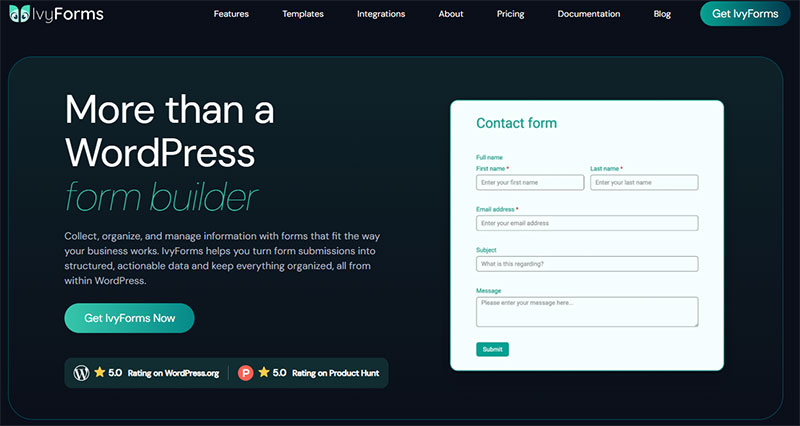
IvyForms is a WordPress form builder plugin, so the form lives on your own site and submissions are managed from the WordPress dashboard. There’s a free version to download. Paid plans are sold by number of domains (Essentials covers 1, Growth covers 3, Agency and Elite cover unlimited), not by monthly entries (IvyForms pricing page).
That last part matters for a busy drive. Nothing on the pricing page ties your plan to how many volunteers sign up in a month.
The two features a volunteer form leans on hardest sit in Pro. The signature field lets volunteers draw a signature with a mouse or finger, with undo and clear controls, and its documentation marks it Pro-only. The same goes for smart logic, which shows or hides fields based on earlier answers (the guardian section for minors, for example).
Integrations listed include Google Sheets, Mailchimp, Stripe, PayPal and Zapier, plus webhooks and a REST API. Elite is a one-time lifetime purchase, and every paid plan carries a 15-day money-back guarantee.
It suits organizations that want volunteer data on their own site instead of a third-party account. The downside is obvious: no WordPress site, no IvyForms.
Google Forms
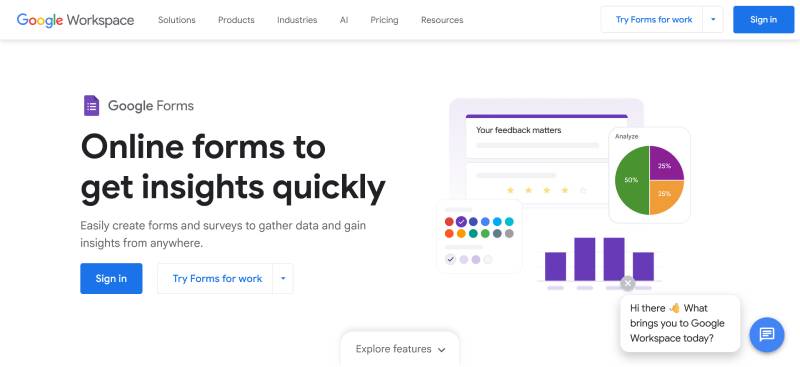
Free and familiar, and where most small programs start. A multiple-choice answer can send a responder to a different section of the form, which is how a guardian section appears only for minors (Google Docs Editors Help). The catch is that the question-type menu has no signature field, and a file upload question forces responders to sign in to a Google Account.
It suits small programs that accept a typed name plus a consent checkbox. If the missing signature field or the sign-in wall is a dealbreaker, the alternatives to Google Forms are the next stop.
Microsoft Forms
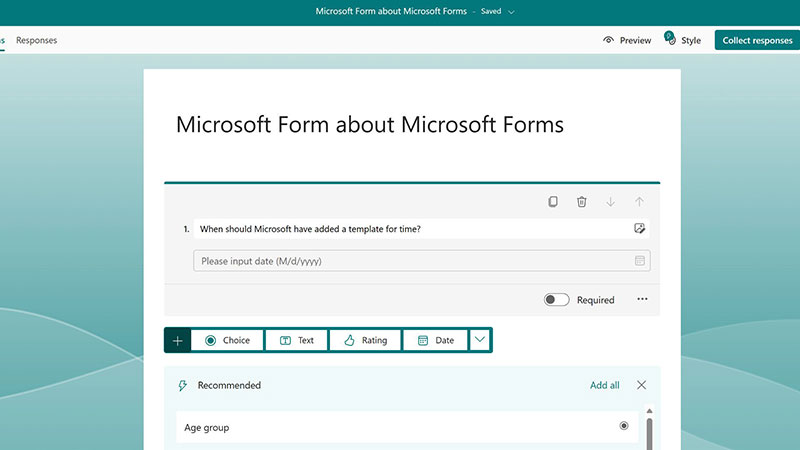
Microsoft Forms has the highest response ceiling in this list, but only on an organization account. Business and education accounts accept up to 5,000,000 responses per form, while a free personal account closes at 200 (Microsoft Support), which steady sign-ups can reach sooner than you’d expect.
Worth a look if your organization is already on Microsoft 365.
Jotform
Jotform’s free Starter plan allows 100 submissions a month and puts Jotform branding on every form (Jotform pricing page).
E-signature documents count against a separate monthly cap, 10 on Starter, so a waiver sent out for signing uses one each time.
Nonprofits get 50 percent off the Bronze, Silver and Gold plans, which softens the jump when the free caps run out.
On the plus side there’s a library of volunteer registration templates and a built-in signing product. The downsides are the branding on the free plan and a monthly ceiling that’s tight for busy programs.
Cognito Forms
Cognito Forms’ free Individual plan caps entries at 100 a month (Cognito Forms pricing page), which works out to about three sign-ups a day. You can build as many forms as you like, even on the free plan, but only Enterprise is unlimited on entries.
Electronic signatures start on the paid Pro plan, so check that before you plan a waiver around it.
Typeform

Typeform is the most polished form in this list and has the least usable free plan for this job.
Its Help Center caps free accounts at 10 responses a month across all forms, so a volunteer drive stops accepting sign-ups after the tenth. That’s a shame, because the one-question-at-a-time layout is pleasant to fill in and there’s a ready volunteer registration template. If the cap rules it out, the Typeform alternatives are worth a look.
Formstack
Formstack’s bundled Suite (forms, documents and unlimited eSignatures) starts at $250 a month on annual billing, or $299 on monthly billing, per its pricing page.
That price only makes sense for programs that want forms, documents and unlimited eSignatures in one bundle. Everyone else pays for features a volunteer program never touches. (Salesforce-native forms are a separate Formstack offering with custom pricing, not part of Suite.)
The upside is unlimited eSignatures. The downside is the price.
If you run a WordPress site and want drawn signatures without a monthly signing cap, IvyForms Pro is the pick. If you expect under 100 sign-ups a month and a checkbox waiver is enough, Google Forms covers it. Online waivers with signatures and no website of your own point to Jotform’s free plan, as long as you stay within its 10 signed documents a month, or a paid tier once volume grows.
Which waivers and consent clauses belong on the form?
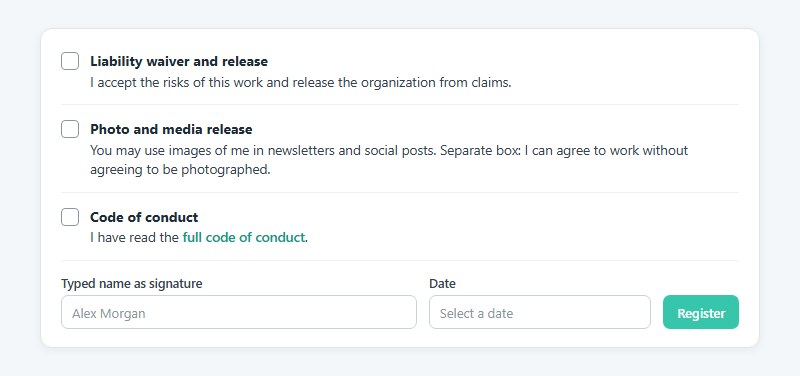
Most volunteer forms need a liability waiver and release, a photo and media release, a code of conduct acknowledgment and a dated signature. Parental consent for minors comes on top of that, and it gets its own section below.
The liability waiver and release has the volunteer accept the risks of the work and release the organization from claims. It matters most for physical tasks, events and driving. IvyForms has a volunteer event participation waiver form you can adapt.
The photo and media release is permission to use images in newsletters and social posts. Keep it a separate checkbox so a volunteer can agree to work without agreeing to be photographed. If you’d rather collect it on its own, start from a photo and video consent form.
For the code of conduct, link the full policy and add a checkbox confirming it was read.
A typed name works as the signature on most online forms, though some agencies still ask for ink. A drawn signature field, like the Pro one in IvyForms, lets volunteers sign with a mouse or touchpad instead.
Jotform’s own volunteer form guidance tells readers to consult an attorney before using any such form. That advice applies to every downloaded waiver.
What the Volunteer Protection Act of 1997 covers
The federal law shields the volunteer, not the organization. Under 42 U.S.C. 14503, a volunteer of a nonprofit or governmental entity is not liable for harm caused by an act or omission on its behalf when conditions are met, including that the volunteer acted within the scope of their responsibilities (Cornell Legal Information Institute).
The same statute says it does not affect the liability of the nonprofit or government entity itself.
It carves out serious misconduct, including hate crimes, as well as convicted crimes of violence and sexual offenses. It also leaves state laws that give volunteers more protection untouched (Public Law 105-19, section 3).
So in practice the waiver still matters, since the statute leaves the organization’s own liability alone.
At what age can minors volunteer, and what does the form need?
No single age applies. Published forms from six organizations put the age for volunteering without a guardian between 13 and 16, and each asks for a parent or guardian signature below 18.
Here is what each one says.
- The Maine Organic Farmers and Gardeners Association lets volunteers aged 13 and older work without a guardian. Ages 10 to 12 need a guardian aged 21 or older on shift, at a ratio of 1 adult to 2 children (MOFGA, 2019 consent form).
- The City of Los Altos accepts volunteers aged 13 and above with a parent signature on its permission form.
- The City of Torrance requires participants aged 14 or under to be accompanied by an adult, and asks for a parent-signed waiver from everyone aged 18 and under.
- The Town of Dover, New Jersey sets 16 as the minimum age to volunteer independently (2026 application), and St. Petersburg College requires volunteers to be at least 16.
- In the UK, Teenage Cancer Trust invites volunteers aged 16 and 17 to work independently at its events, with parental consent on the sign-up form.
Read together, the forms show the threshold is a risk call each organization makes, not a shared rule. Set yours by task, and do not copy a neighbor’s number.
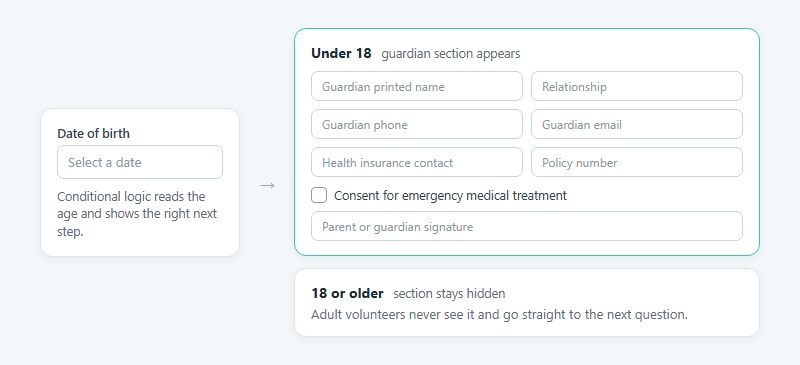
The guardian section needs fields of its own.
- Parent or guardian printed name, relationship and signature
- Guardian phone and email (the Town of Dover form asks for both)
- Consent for emergency medical treatment, as on the Alachua County Volunteer Services form
- Health insurance contact and policy number, where the program requires them (San Jose State University’s release does)
Use conditional logic that reveals the guardian section only when the date of birth shows an age under 18, so adult volunteers never see it.
Online-only has a limit here. The City of Grand Prairie requires a hand-signed parent consent form for volunteers under 18, so a checkbox does not satisfy it.
Some programs add a gate before a minor starts. St. Petersburg College keeps the consent form on file and requires a passed background screening first.
When do volunteers need a background check, and how does the form ask for consent?
Screening follows the role, not the volunteer. Anyone who works alone with children, vulnerable adults, cash or vehicles gets a check, while a one-day event helper usually does not.
Virginia Commonwealth University shows the pattern. Its Protection of Minors background check pages point departments to Sterling Volunteers to screen volunteers and employees, so the trigger is contact with minors rather than the title on the form.
Roles that screen usually deserve a fuller application than a sign-up form, and starting layouts for a longer application form save the redesign.
What the consent line on the form should and should not say
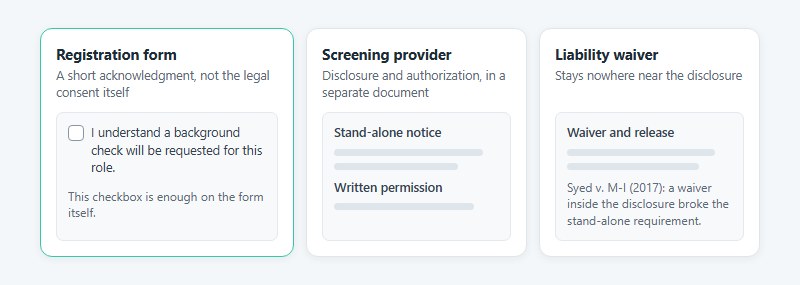
The registration form carries a short acknowledgment, not the legal consent itself.
The joint FTC and EEOC guide on background checks requires the notice to be written, in a stand-alone format, and kept out of any application. Written permission from the person is a separate step.
On the form itself, a checkbox saying the volunteer understands a background check will be requested for the role is enough. The disclosure and authorization the screening provider supplies go in a separate document. And the liability waiver stays nowhere near it, because the Ninth Circuit held in Syed v. M-I (2017) that a waiver inside the disclosure broke the stand-alone requirement.
One question stays open. The FTC and EEOC guide is written for employers and never mentions volunteers, while screening vendors such as Asurint treat volunteer organizations as users of consumer reports, with adverse-action notice duties when they act on a report.
Follow the stand-alone rule anyway, and ask the provider which authorization form it requires.
Providers and what they cost
In the United States, published Sterling Volunteers prices disagree. WSU Extension’s Pierce County Master Gardener program lists $14 per screen, while Virginia Commonwealth University lists $19 for its Level 2 search.
Prices follow the package, so confirm the current rate for the check level your role needs. A volunteer can also pay $4 for Sterling’s Fast Pass to share a completed check with another organization for up to one year, according to VCU.
In the United Kingdom, the Disclosure and Barring Service charges nothing for Standard and Enhanced checks on eligible volunteer positions, while a Basic check costs 20 pounds for every applicant, volunteers included (GOV.UK, updated 5 October 2026).
The organisation submitting the application may add an administration fee. The free route also excludes anyone who is paid, on a work placement, or on a course leading to a full-time qualification.
References
Ask for references only on roles that screen. A name, the relationship and one way to reach each reference is enough.
How should a volunteer registration form handle personal data?
Collect only what the role needs. Tell volunteers why you’re collecting it and how long you’ll keep it, and delete on schedule.
GDPR: purpose, consent text and retention
GDPR sets no fixed retention period. Article 5(1)(e) says personal data may be kept no longer than necessary for its purpose, so the period is yours to choose and document (ICO guidance on storage limitation).
Article 13(2)(a) covers the other side. You have to tell the volunteer the retention period, or the criteria used to set it, when you collect the data. State it in the privacy line beside the submit button, and use the guide to building a GDPR-compliant form for the wider checklist.
For the consent checkbox wording, real GDPR consent form examples show how other organizations phrase it. Borrow the structure, then rewrite the purpose line for your own program.
CCPA: when it applies to a volunteer program
The California Consumer Privacy Act covers for-profit businesses that do business in California and meet a threshold based on annual revenue, the volume of consumers’ data processed, or the share of revenue earned from selling or sharing data (California Civil Code 1798.140). A standalone charity usually falls outside it.
There’s one exception worth knowing. The statute’s definition of a business also reaches an entity that controls or is controlled by a covered business, shares its branding and shares consumers’ personal information with it.
A volunteer program run by a for-profit company needs its own CCPA check. A standalone charity’s usually does not.
Storage, access and copies
Every copy of a response is another place to delete from: the form tool, the exported spreadsheet, the roster database. Limit access to coordinators, not the volunteer group chat.
Leave off any field that no decision uses. Collect date of birth only where age or screening drives a decision, and health details only for roles with a medical requirement. Set one review date per record type.
Retention can also happen by accident. When total submission storage runs out, Jotform deletes the oldest response to make room (Jotform pricing FAQ), which can erase a waiver you still need.
How to set up the form and move responses into a volunteer roster
The order matters here. Test before the public link goes out, and set up routing before the first real sign-up.
- Build or clone the template and mark the required fields, including the consent checkbox and a guardian section for minors.
- Add the signature method your builder supports, or a typed name plus checkbox where it does not.
- Test on a phone with a dummy volunteer, enter a wrong date format on purpose, and confirm the notification reaches the coordinator’s inbox.
- Publish by link, QR code or website embed.
- Turn on a confirmation message.
- Connect responses to the roster: a CSV export for small programs, a Google Sheets integration for a live sheet, an automation into Airtable for larger ones.
- Enter paper sign-ups within the week and check the roster for duplicates.
The confirmation message is a volunteer’s first contact with the program, so what a good submission confirmation says is worth getting right. Say what happens next and who to contact, and mention when the first reminder arrives.
A public sign-up link draws bots as well as volunteers, so apply form spam prevention tactics before the link goes out.
Limits of the free automation stack
Mailchimp’s Free plan caps at 250 contacts and 500 sends a month (with a limit of 250 a day) and excludes automation flows (Mailchimp pricing page, as of November 2026). That rules out an automatic welcome email per sign-up. Use the form builder’s own confirmation email and keep Mailchimp for newsletters.
Zapier is tight in a different way. The Free plan includes 100 tasks a month, two-step Zaps and 15-minute polling (Zapier pricing page, as of November 2026).
A two-step Zap uses one task per sign-up, so 100 sign-ups a month use it up. A new volunteer can also appear in the roster up to 15 minutes late.
Airtable is gentler about its limit. On the Free plan, reaching the record or attachment limit deletes nothing, but new records stop until you upgrade (Airtable pricing FAQ).
When does a form template stop being enough?
A form and a spreadsheet stop being enough when scheduling, hour tracking and repeat registrations take more of the coordinator’s week than recruiting does. Below that point, the template is the right tool.
Signs the form has hit its ceiling
You’ll know when shifts get filled by email and matched by hand, the same volunteer shows up in the sheet more than once, waivers differ per event and nobody knows which version someone signed, or a funder asks for hours and the answer lives in someone’s notes.
Platforms fill those gaps. VolunteerHub lists automatic duplicate detection, per-event hour tracking and event-specific electronic waivers (an optional add-on on its entry plan) in its feature list.
Platforms to compare
| Tool | Best for | Pricing basis |
|---|---|---|
| SignUpGenius | Shift and slot sign-ups | Free plan with ads; paid tiers remove ads and branding and add administrators (January 2026) |
| Golden | Growing programs that want unlimited volunteers | Free plan with 5 admins; Professional at $100 a month billed annually |
| VolunteerHub | Event-heavy programs with CRM sync | Plus from $143 a month billed annually, plus a set-up fee |
VolunteerHub counts only active volunteers against its plan limit. Anyone with no event sign-up in twelve months drops out of the count (VolunteerHub pricing page).
Golden’s own page disagrees with itself on one point. Its comparison table lists background checks and waivers on the free plan, while its feature list marks them paid, so confirm the terms before screening depends on it.
When a platform is the wrong move
Stay on a form and spreadsheet if it’s a single event with one coordinator and sign-ups that fit a free tier. Once shifts span several programs, or more than one coordinator edits the same roster, or funders start asking for hours, it’s time for a platform.
Before paying for a form builder’s higher tier, price a volunteer platform’s free plan. It often buys the scheduling and hour tracking the form was never built for.
Volunteer Registration Form Templates FAQ
What is the difference between a volunteer registration form, an application form and a sign-up sheet?
An application form adds references and an approval decision on top of the basics, while the registration form itself just records who the volunteer is and what they agree to. A sign-up sheet is the one that assigns people to specific shifts or tasks. Plenty of programs run all three in sequence.
Should a volunteer registration form ask for a Social Security number?
No. Leave it off the registration form, because the FTC tells businesses not to keep sensitive personal information they have no legitimate business need for.
The screening provider requests it on its own secure page when a package needs one. Kentucky Cooperative Extension requires it for Sterling’s Overnight Volunteer package and makes it optional for the Standard package.
Does a volunteer have to sign, or is a checkbox enough?
A checkbox is enough when it records intent to sign. ESIGN defines an electronic signature as a sound, symbol or process adopted with intent to sign the record (15 U.S.C. 7006(5)).
Label the box as a signature, for example “By checking this box I sign this waiver”, and keep the timestamp with the response.
Can Google Forms collect a legally valid e-signature on a waiver?
Yes, through a workaround. Pair a consent checkbox with a required typed-name question, and the response timestamp shows when the volunteer signed.
A drawn signature needs Google’s eSignature in Docs and Drive, which is limited to eligible Workspace editions, or a third-party add-on.
Choosing the First Volunteer Registration Form Template
Start with one online volunteer registration form template that carries a consent checkbox and an emergency contact, then add layers as roles demand them. Size, role risk and budget set the order. That usually runs from an online form on a free tier, to a background check step for screened roles only, and then to a roster platform once shifts and hours outgrow the sheet.
The sequence follows the cost of error. A missing consent record is hard to repair later, while a missing platform only costs coordinator time.
Automation caps arrive before storage caps. At one task per sign-up, Zapier’s free tier syncs 100 volunteers a month, yet Mailchimp’s free plan holds 250 contacts.
The cost is a weekly manual roster check. Both limits were current on 4 November 2026, so recheck them before building.