




The best AI plugins for WordPress connect a site’s dashboard, page builder, or database to a machine learning model, turning a plugin that follows fixed rules into one that writes,…
Table of contents
Google Forms hits a wall the moment you need a payment field, a calculated total, or branding that is yours. That is when people start searching for Google Forms alternatives.
That wall arrives faster than most expect. WebTechSurvey detects Google Forms on 59.6 million live websites, and plenty of those owners are already shopping.
What follows are the ones worth switching to, starting with IvyForms. Pricing in this category moves often, so confirm current numbers on each vendor’s page before you commit.
What Is a Google Forms Alternative?
Any builder that reproduces the core functions (form creation, response collection, response storage, sharing controls) while removing at least one structural limit counts as an alternative. Thin conditional logic, no native payment field, Google-branded design, and gaps in compliance coverage are the limits doing the pushing.
Google Forms is not a small player you can dismiss. WebTechSurvey detects Google Forms on 59.6 million live websites, and 6sense counts over 593,000 companies using it as a survey tool.
The broader category is growing around it. Dataintelo values the online form builder software market at $3.8 billion in 2025, heading toward $8.9 billion by 2034 at a 10.1% CAGR.
Full Replacement vs Partial Substitute
Not every tool that collects responses is a replacement. Some are front ends for a database you already run.
| Category | Examples | What you get |
|---|---|---|
| Full replacement | IvyForms, Jotform, Tally, Fillout | Standalone builder, logic, own storage |
| Partial substitute | Airtable Forms, Notion Forms | Form as a front end for existing records |
| Ecosystem mirror | Microsoft Forms | Same simplicity, different lock-in |
Switching cost is the variable most comparisons skip. If your responses already feed Google Sheets dashboards, moving to a builder without Sheets writeback creates work nobody budgeted for.
What Google Forms Still Does Better
Unlimited free responses, for one. No monthly submission cap, at any volume, forever. Nothing else on this page matches that.
The Sheets pipeline is native too, so responses land in a linked spreadsheet with zero configuration. And quiz grading comes built in with auto-scored answer keys, which is why education dominates its user base (6sense lists Education as the top segment).
Where it stops: no payment field, no calculated fields, branding you cannot remove, and a file upload question that forces every respondent to sign in to a Google account with no workaround. That last one kills public job applications and client document collection. Different types of forms hit that wall at different speeds.
IvyForms: the WordPress-native option — not a Google Forms clone
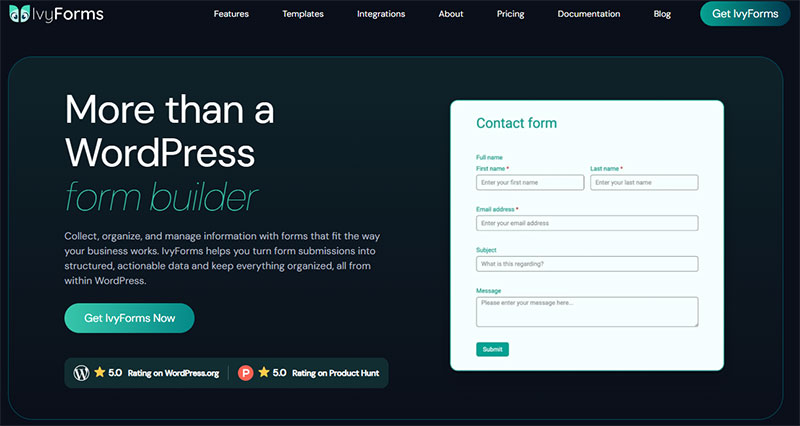
If your forms live on a WordPress site, Google Forms always feels bolted on: it’s an embedded iframe and your data sits in Google Drive. IvyForms keeps everything native — branded forms in your theme, entries in your own database, with a Google Sheets sync if you still want data in a sheet. It also comes from Melograno, the studio behind wpDataTables and Amelia, so entries can flow straight into wpDataTables as live, sortable tables or into Amelia to power bookings — native, same-team integrations Google Forms can’t match. That said, Google Forms wins on being instant, free and effortless for quick standalone surveys.
| Google Forms | IvyForms | |
|---|---|---|
| Price | Free | Free; paid from €29/yr |
| WordPress-native | No — embedded iframe | Yes |
| Where data lives | Google Drive | Your WordPress database |
| Design & branding | Limited Google styling | Full control, matches your theme |
| Logic & workflows | Basic branching | Conditional logic, multi-page, payments |
| Ecosystem | Google Workspace | Native wpDataTables & Amelia integrations |
| Best for | Quick internal surveys, collaboration | Customer-facing forms on WordPress |
Honest trade-off: for a throwaway survey or a shared team form, Google Forms is quicker and free — no contest. IvyForms is the better home only if the form belongs on your WordPress site and you want to own the data.
If you do go with IvyForms and plan to stick around, the €399 Elite Lifetime licence (early-bird; reg. €997) is hard to argue with — unlimited sites, every current feature and everything still on the roadmap, with no yearly renewals.Keep it on your site: see IvyForms plans → or download free →.
Core feature set
One-screen form creation with real-time preview, so you are not toggling between builder and front end.
- Conditional logic that shows or hides fields based on what someone enters
- Multi-page forms with a progress indicator
- Product, Quantity, and Total fields for order and payment forms
- File upload with a configurable save destination
- Google Sheets integration, plus wpDataTables reporting
- Embeds through Gutenberg, Elementor, or Divi
Spam handling uses reCAPTCHA plus a honeypot field, which covers most of the bot traffic that hits WordPress contact forms daily.
IvyForms Pricing and Free Plan Limits
IvyForms installs free from the WordPress plugin repository. There is no monthly submission cap, because the entries live in your database rather than on someone else’s meter.
Practically, that means a form collecting 20,000 responses costs the same as one collecting 20. On Jotform that same volume sits well past the Gold tier.
You pay for it elsewhere, though. The hosting, the backups, and the uptime are yours to manage. A hosted SaaS builder absorbs all three.
Who IvyForms Fits Best
Agencies and site owners already running WordPress get the most out of it, since the form is part of the site rather than an iframe pasted into it.
Poor fit if you have no WordPress install. There is no standalone hosted version, so a marketing team on Webflow or Squarespace should look at Tally or Fillout instead.
Honest limitation: the field library is smaller than Jotform’s decade-old catalog, and reviewers on WordPress.org have flagged that. The plugin ships updates frequently (Google Sheets integration and 21 new theme templates landed in recent releases), but a competitor founded in 2006 has simply had more time.
Which Form Builders Replace Google Forms Feature for Feature?
Jotform, Typeform, Tally, Fillout, Microsoft Forms, and Zonka Feedback all work as standalone replacements. What separates them is the free response ceiling, how deep the logic goes, and whether removing branding costs money.
| Tool | Free responses | Standout | Weakness |
|---|---|---|---|
| Jotform | 100/month | 10,000+ templates | Tight free tier |
| Typeform | 10/month | One question per screen | No logic on free, caps at every price |
| Tally | Unlimited | Free plan covers almost everything | No HIPAA or SOC 2 |
| Fillout | 1,000/month | Native database writeback | Unlimited needs the top tier |
| Microsoft Forms | 200/form (personal) | Excel-native output | Hard per-form ceiling |
Jotform
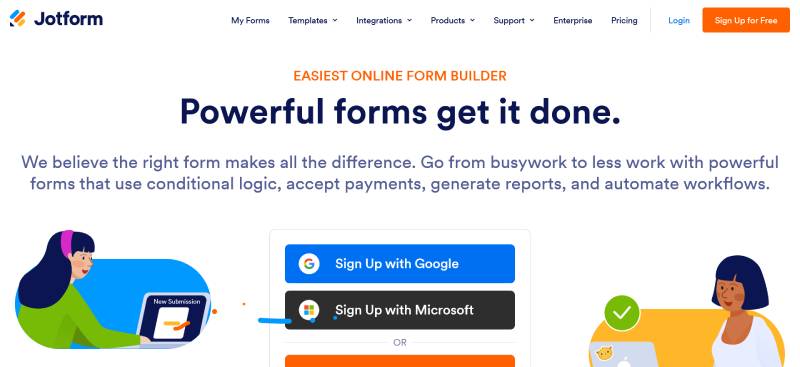
Over 10,000 prebuilt forms sit in the template library, the largest in the category by a distance.
The free tier gives you 5 forms, 100 monthly submissions, 500 total submission storage, 100 MB space, and Jotform branding on everything. Paid starts at Bronze, which lifts you to 25 forms and 1,000 monthly submissions with the branding gone.
Jotform is also PCI DSS Service Provider Level 1 compliant, which is rare among general purpose builders. Founded in 2006 and now past 35 million users, it has the deepest catalog here by a wide margin. Teams weighing options against Jotform usually cite the free tier, not the feature set.
Typeform
Typeform cut its free plan from 100 responses per month to 10 in February 2026, a 90% reduction with no advance notice.
Read the free tier carefully before you build on it. Alongside the 10-response cap, it limits questions per form and excludes conditional logic, integrations, and webhooks. It is a demo tier, not a working one.
The one-question-per-screen format is the reason people pay anyway, and Typeform’s own data supports it. Across 2.6 million forms and 568 million submissions in 2023, the platform averaged a 47.3% completion rate against an industry average nearer 21.5%.
That format genuinely helps with form abandonment. Paid tiers run Basic at $25/month annual, Plus at $50, and Business at $83, each one effectively a response bucket of 100, 1,000, and 10,000. Branding removal starts at Plus, not Basic, which surprises people mid-signup. Anyone shopping alternatives to Typeform is usually reacting to the response ceiling.
Tally
Unlimited forms. Unlimited submissions. Free.
Tally’s free plan includes conditional logic, file uploads, e-signatures, Stripe payments, calculations, and native Notion, Sheets, and Airtable sync, all under a fair usage policy rather than a fixed number. In practice, solo creators and small teams run thousands of submissions a month without hitting a wall.
Pro sits at $24/month on annual billing for custom domains and branding removal. The company is bootstrapped and based in Belgium, which becomes relevant in the compliance section below.
Fillout
The free plan runs unlimited forms with 1,000 submissions per month, plus conditional logic, payments, file uploads, and REST API access.
Where it separates from Tally is integration depth. Fillout writes back to Airtable, Notion, HubSpot, Salesforce, and SmartSuite without Zapier sitting in the middle.
Paid tiers step from $15/month (Starter, 2,000 responses) to $75 to $89/month for unlimited responses.
One thing to know before you commit: Fillout’s parent company renamed itself Zite on 9 March 2026 and now leads with AI no-code app building. Fillout stays at fillout.com as its own product under that umbrella, with existing accounts untouched, and the company reports the form builder crossing $5 million ARR and 10,000 paying customers. The product is not going away, but the company’s centre of gravity has shifted, which is worth weighing on a five-year decision.
Microsoft Forms
Microsoft Forms is the Office 365 mirror image of Google Forms, and it carries the same shape of limits in a different place.
Response ceilings depend entirely on your account. Microsoft 365 Apps for business and Office 365 Education get 5,000,000 per form. GCC High and DoD get 50,000. Paid personal accounts get 1,000, and free personal accounts get 200.
Then there are the hard caps sitting on top: 400 forms per user (recycle bin included), 200 questions per form, and 200,000 characters across all responses to one form.
Once a form hits its cap it stops accepting responses permanently, and there is no setting to raise it. The workaround is structural. Duplicate the form before you get close, then merge results in Excel. That fixed ceiling is the reason most searches for something other than Microsoft Forms start after a survey has already died mid-campaign.
What Are the Best Free Google Forms Alternatives?
Tally is the only mainstream builder offering unlimited free responses. Fillout allows 1,000 per month, Jotform 100, Cognito Forms 100 entries, and Typeform 10. Response caps, not feature lists, are what break most free-tier migrations from Google Forms.
| Tool | Free monthly responses | Logic on free | Branding on free |
|---|---|---|---|
| Tally | Unlimited (fair use) | Yes | Yes |
| Fillout | 1,000 | Yes | Yes |
| Jotform | 100 | Yes | Yes |
| Cognito Forms | 100 entries | Yes | Yes |
| Typeform | 10 | No | Yes |
The Cap Nobody Reads Until It Bites
Monthly response limits and total storage limits are different numbers. Jotform’s free plan allows 100 submissions a month but stores only 500 entries total, and past that the oldest entry gets deleted to make room.
Jotform also disables every form in the account when the monthly quota runs out, not just the form that hit it.
Signature and payment counts run on separate meters again. Jotform’s Starter plan caps signed documents at 10 per month and payment submissions at 10 per month, independent of the 100-submission allowance.
Storage and File Uploads
Free upload space is where quotas disappear fastest. Jotform’s Starter plan includes 100 MB, which is roughly 30 phone photos from a job application form.
Tally allows file uploads up to 10 MB per file on free, with unlimited uploads reserved for Pro.
Google Forms stores uploads in the form owner’s Drive, capped at 10 files per question, and every uploader needs a Google account.
Which Alternatives Handle Payments and Order Forms?
Cognito Forms, Jotform, Paperform, and Tally all accept payments natively through Stripe, PayPal, or Square. Google Forms has no payment field at all. What separates them is fee stacking, since some builders add a platform cut on top of the gateway’s processing fee.
Gateway Support and Fee Stacking
Cognito Forms connects natively to Stripe, PayPal, and Square, and handles tiered pricing, discount codes, and partial payments without add-ons.
Jotform supports 40+ gateways, but a per-transaction platform fee applies on Bronze and partial fees on Silver, sitting on top of whatever the gateway already charges.
Tally runs Stripe checkout with no additional Tally transaction fee, and it is included on the free plan. Typeform is Stripe only, and the respondent gets redirected away from the form to pay, which is a real drop-off point.
Order Forms and Line Items
Order forms need arithmetic, not just a price field. Cognito Forms handles per-line pricing, conditional totals, tax calculations, and repeating “add another” sections natively, which is the pattern most builders make painful.
Paperform runs an Excel-style calculation engine across 5 payment gateways at $49/month for Agency, with no per-seat pricing.
On WordPress, IvyForms exposes Product, Quantity, and Total fields directly in the builder, so a WordPress payment form stays on your own domain instead of bouncing buyers to a vendor URL.
Cognito’s own reviewers flag the catch. Payment processor fee plus Cognito’s fee stack, and the effective take rate stings on low-value transactions. Anyone comparing Cognito Forms against other options should run that math before launch.
Which Form Tools Meet HIPAA, GDPR, and SOC 2 Requirements?
Free Google accounts are never HIPAA compliant, under any configuration. Paid Google Workspace plans cover Forms under a signed BAA, but the product still lacks per-submission audit trails, e-signatures, and session timeouts. Jotform, Formstack, and Cognito Forms sign BAAs on specific paid tiers.
HIPAA-Compliant Form Builders
The BAA is a legal instrument, not a feature. Signing one does not add audit logging to a product that never had it.
| Tool | HIPAA tier | Cost |
|---|---|---|
| Cognito Forms | Enterprise only | $129/month |
| Jotform | Gold and above | $129/month |
| Typeform | Enterprise only | Custom |
| Formstack | Enterprise, annual contract | $300+/month |
Formstack also carries FERPA and FedRAMP coverage, which matters for school districts and federal contractors more than for clinics.
EU Data Residency and GDPR Handling
Tally is Belgium-based, EU-hosted, and sets no cookies by default, so the compliant configuration is the starting position rather than something you build toward.
Jotform offers EU server selection (Frankfurt) plus field-level encryption and a dedicated GDPR center. Typeform provides both EU and US data centers, though residency guarantees sit at the Business and Enterprise levels.
SOC 2 Type II sits with Jotform, Formstack, and Paperform. Tally does not carry it, which rules the tool out of many procurement reviews regardless of its GDPR posture.
Consent language is the piece teams forget. Storage location means nothing if the checkbox above the submit button does not meet the standard for GDPR compliant forms.
Which Alternatives Offer Advanced Logic and Calculations?
Cognito Forms and Paperform lead on calculated fields, both running formula engines that handle conditional totals, scoring, and tax math. Fillout and Tally include conditional branching on their free plans. Typeform gates calculator fields behind the $83/month Business tier.
This is the ceiling that pushes power users off Google Forms, which only skips between sections and cannot compute anything.
Branching Depth
Real branching means field-level visibility rules, not just page jumps.
- Fillout and Tally: field-level show and hide on free plans
- Cognito Forms: conditional logic plus repeating sections on every tier
- IvyForms: field visibility driven by earlier answers, plus multi-page splitting
- Typeform: logic starts on paid plans only
- Google Forms: section skipping only
If the concept is new, start with how conditional logic works before comparing tools on it. The form builders that support conditional logic differ more in depth than in whether they have it.
Calculated Fields and Formulas
Cognito’s formula language covers per-line pricing, conditional totals, and complex scoring, and reviewers rate it best in class at the price. The catch is a real learning curve for non-technical users.
Paperform supports decimal calculations (10.25, 6.5), which pricing and measurement forms need and integer-only fields quietly break.
Typeform makes you pay for the privilege. Calculator fields require Business at $83/month, so a form that computes a quote costs more than three times the entry tier.
Multi-Page Forms and Save-and-Resume
Splitting a long form into steps helps, though less dramatically than the headline numbers suggest. Benchmark data puts multi-step forms roughly 14% ahead of single-page forms carrying the same total field count, with the biggest gains on longer B2B forms.
Cognito Forms and Fillout both support save-and-resume, letting someone return to a partial entry days later. Tally reserves partial submissions for Pro.
Prefilled URL parameters and hidden fields matter just as much for returning users, since they cut re-typing on forms people have already half-completed. Worth reviewing multi-step form examples before splitting a long form, because more steps is not automatically better. Split where the logic changes, not to pad a progress bar.
What Are the Open Source and Self-Hosted Options?
LimeSurvey, Formbricks, HeyForm, OpnForm, and Form.io are the open source builders worth running yourself. License cost is zero for all of them. The real bill is infrastructure, and a 1 vCore, 2 GB VPS at $10 to $15 per month covers Formbricks, OpnForm, or HeyForm at moderate traffic.
Every one of them needs a real server with a database. None run as a static site.
| Tool | Stack | Built for |
|---|---|---|
| LimeSurvey | PHP/Yii, MySQL or PostgreSQL | Academic and market research |
| Formbricks | Node, PostgreSQL, AGPLv3 | In-app and website feedback |
| HeyForm | Node, MongoDB | Conversational forms |
| Form.io | Node, JSON schema | Embedded enterprise apps |
Where each one earns its keep
LimeSurvey has shipped since 2003 and handles quotas, panel integrations, offline collection, and exports in SPSS and Stata formats. The install is heavier and the interface looks its age.
Formbricks fires event-triggered surveys inside your product through a 7 KB SDK, which is a different job from sending a questionnaire by email.
Form.io generates a REST API from the form definition and supports field-level encryption, useful when the form is a component inside an application rather than a standalone page.
The maintenance you are signing up for
Self-hosting moves cost from per-response billing to your own time. Backups, TLS renewal, database upgrades, and input sanitization all become your problem.
The math still favors self-hosting at volume. HeyForm’s own hosted Basic plan runs $15/month for 5,000 responses, and LimeSurvey Cloud starts around 29 euros per month, which is roughly what a VPS costs with no response ceiling attached.
Which Form Builders Fit Inside Existing Workspaces?
Airtable, Notion, Coda, ClickUp, and Zoho all ship native form views that write directly into records you already maintain. They cost nothing extra on plans you pay for anyway. The tradeoff is thin design control, weak logic, and record ceilings that have nothing to do with form volume.
Airtable Forms are not a separate product. They are a form view on a base, which is why Netflix and GitHub teams use them without adopting another vendor.
Airtable Forms
The free plan gives unlimited forms, but 1,000 records per base, 5 editors, and 1 GB of attachments.
That record cap is the real limit, and it is per base rather than per workspace. A lead form and an event form each get their own 1,000.
Team pricing sits at $20 per editor per month on annual billing ($24 monthly), with Business at $45. Read-only viewers stay free on every plan.
Notion, Coda, and ClickUp
Notion charges $10 per user per month with no record limits, half of Airtable’s Team seat, and its forms write straight into a database you already query.
Coda Pro matches Notion at $10 per user. ClickUp sits lower at $7 per user and turns a submission into a task in a list, which suits IT and ops intake more than marketing capture.
All three fall down in the same places. No payment fields, minimal styling control, and logic that stops well before what Cognito Forms or Fillout offer.
Zoho Forms
Zoho Forms gives 500 submissions per month on free, more than Jotform or Wufoo, along with 3 forms, 1 user, and 200 MB of storage.
Conditional logic, approval workflows, and payment gateways all sit behind the Basic tier at $12 per month. Stripe, PayPal, Razorpay, and 2Checkout connect from there.
It earns its place when Zoho CRM, Books, and Sign already run the business. Outside that stack, the value drops sharply.
How Do WordPress Form Plugins Compare to Google Forms?
WordPress form plugins store entries in your own site database and charge an annual license instead of a per-response fee. WPForms passed 6 million active installations, the largest footprint in the category. Gravity Forms runs $59 to $259 per year with no free tier at all.
Yale, UNICEF, and Nike all run Gravity Forms, which says more about its reliability than any feature list.
| Plugin | Entry price | Free version |
|---|---|---|
| WPForms | $59/year | Yes (Lite) |
| Gravity Forms | $59/year | No |
| Fluent Forms | $63/year (first year) | Yes |
| IvyForms | Free | Yes |
License Cost vs Per-Response Pricing
The pricing models are not comparable on sticker price. A $59 annual license covers unlimited entries. Jotform’s Bronze plan costs roughly $34 to $39 per month for 1,000 submissions.
Renewal is where budgets break. WPForms discounts heavily in year one and reverts to full price after, while Gravity Forms holds renewal pricing steady year over year.
Fluent Forms sells lifetime licenses with a breakeven around 3.5 years, which matters for agencies running the same stack across 20 sites. Anyone weighing alternatives to Gravity Forms usually starts from that renewal math.
What the Free Versions Actually Include
WPForms Lite covers unlimited forms, core fields, hCaptcha, Cloudflare Turnstile, and reCAPTCHA, plus Stripe payments carrying a 3% transaction fee.
Fluent Forms ships conditional logic and entry management in its free build, which is unusual, and loads under 30 KB of frontend assets.
IvyForms includes conditional logic, multi-page splitting, and order fields at no cost. A wider survey of free WordPress form plugins shows how far the free tiers now stretch, and the gap between WPForms and Gravity Forms narrows once add-on costs enter the picture.
Performance and Security Tradeoffs
Every plugin adds frontend weight. Gravity Forms commits to WCAG 2.1 AA, which matters more than load time for public sector and university sites.
Spam handling shifts to you. Akismet, hCaptcha, or a honeypot field, configured per form rather than handled by a vendor.
You also inherit patching. Form security on WordPress depends on update discipline that a hosted builder handles silently. Picking between WordPress contact form plugins is partly a question of who you trust to ship patches quickly.
How Do You Migrate Existing Google Forms Responses?
Form structure and response history migrate separately, and most people discover this halfway through. Jotform and Fillout both import Google Forms questions automatically. Neither carries over your existing submissions. Responses move only through the linked Google Sheet, exported as CSV or XLSX.
Exporting the Response History
Open the form, go to Responses, and link a Google Sheet if one does not exist yet.
From Sheets, use File then Download and pick CSV or Microsoft Excel. That file is your entire history.
Jotform’s own support confirms the limitation. The direct submission import was removed because forms with high submission counts failed during transfer, so the CSV route through their Import Submissions tool is the supported path now.
What Imports Cleanly and What Does Not
Fillout reads labels, multiple-choice options, workflows, and email notification settings during import. Backend settings do not come along.
- Question text, field types, and choice options migrate without trouble
- Branching rules, themes, and notification recipients get rebuilt by hand
- Response history, file uploads, and form design do not migrate at all
Moving to Microsoft Forms is worse. Responses, branching logic, themes, and file uploads all fail to transfer directly, leaving copy and paste through Word as the practical route.
Handling Live Forms and Stored Files
A public form URL cannot be redirected. Google Forms has no forwarding setting, so keep the old form open in read-only mode while the new one collects.
File uploads sit in a Drive folder tied to the original form owner’s account. Download that folder before you delete anything, since the responses spreadsheet stores links rather than files.
The sequence that works: export CSV, import the form, rebuild logic, test with 5 submissions, then switch the shared link. Reversing steps 3 and 5 is how campaigns lose data.
How Do You Choose the Right Google Forms Alternative?
Monthly response volume, logic depth, payment need, compliance requirement, pricing model. Volume rules out the most tools fastest. A form expecting 2,000 responses a month eliminates Typeform’s free tier, Jotform’s free tier, and Fillout’s free tier in one step.
Cost per 1,000 Responses
| Tool | Plan for 1,000/month | Monthly cost |
|---|---|---|
| Tally | Free | $0 |
| Zoho Forms | Basic | $12 |
| Fillout | Starter (2,000 cap) | $15 |
| Jotform | Bronze | $34 to $39 |
| Typeform | Plus | $50 annual, $79 monthly |
WordPress plugins sit outside this table entirely. A $59 annual license works out to under $5 a month with no cap, which is why the comparison usually ends there for site owners.
Matching the Tool to the Job
For healthcare intake, Cognito Forms Enterprise or Jotform Gold both sit at $129/month with a BAA. Free Google accounts are disqualified outright, and patient intake forms need e-signature and audit trail support Google Forms does not have.
Ecommerce orders point to Cognito Forms for line items and tax math, or Paperform if the decimal calculations matter.
Event registration runs fine on Tally’s free plan at volume, though a WordPress event registration form makes more sense when tickets and the site live on the same domain.
Research surveys belong on LimeSurvey, for quotas and SPSS export. Start from how a survey form gets built before choosing the platform.
When Staying on Google Forms Is Correct
Internal use, no payments, no PHI, everyone already signed in to a Google account, and nobody cares about branding.
Education is the clearest case. 6sense lists Education as the top segment among Google Forms users, and the quiz grading plus unlimited free responses genuinely beat every paid tier on this page for that job.
What triggers a switch is a specific blocker rather than general dissatisfaction. A payment field you cannot add, a sign-in wall on file uploads, a compliance requirement, or a calculation the tool refuses to run.
FAQ on Google Forms Alternatives
What is the best free Google Forms alternative?
Tally, for raw volume. Its free plan carries unlimited forms and unlimited submissions under fair use, plus conditional logic, e-signatures, and Stripe payments. Fillout comes second at 1,000 responses monthly with deeper database writeback.
Is IvyForms free to use?
Yes. IvyForms installs free from the WordPress plugin repository with no monthly submission cap, because entries sit in your own site database rather than a vendor’s meter. You need a WordPress install to run it.
Can Google Forms accept payments?
No. Google Forms has no payment field and no gateway integration. Cognito Forms, Jotform, Paperform, and Tally all connect natively to Stripe, PayPal, or Square, with Cognito handling tax math and line-item totals.
Is Google Forms HIPAA compliant?
Free Google accounts never are. Paid Workspace plans cover Forms under a signed BAA, but the product still lacks per-submission audit trails, e-signatures, and session timeouts. Cognito Forms and Jotform sign BAAs at $129 monthly.
Does Google Forms have a response limit?
No monthly cap exists, which remains its strongest advantage. Microsoft Forms caps at 200 responses per form on free personal accounts. Typeform allows 10 monthly responses, Jotform 100, and Zoho Forms 500.
Why did Typeform cut its free plan?
Typeform reduced free responses from 100 to 10 per month in February 2026, without advance notice. The free tier also excludes conditional logic and integrations, so it now works as a demo rather than a usable plan. Paid tiers start at $25 per month.
Can I move my existing responses to a new tool?
Only through the linked Google Sheet, exported as CSV or XLSX. Jotform and Fillout import questions and form structure automatically, never submissions. Jotform removed direct submission import because high-volume transfers kept failing.
Which alternative has the deepest conditional logic?
Cognito Forms and Paperform lead on formulas, covering per-line pricing, conditional totals, and scoring. Fillout and Tally include field-level branching free. Typeform gates calculator fields behind its $83 monthly Business tier.
Why does Google Forms force respondents to sign in for file uploads?
Google ties every upload to an authenticated account, and no setting disables it. External clients without Google accounts hit a wall. A WordPress form with file upload accepts anonymous submissions instead.
Is Jotform or Tally the better Google Forms replacement?
Jotform wins on templates (over 10,000), payments, and HIPAA coverage. Tally wins on price, with unlimited free responses against Jotform’s 100 monthly cap. Tally carries no SOC 2 certification, which blocks many procurement reviews.
Should I use a WordPress plugin instead of a hosted form builder?
Use a plugin if forms live on your own domain and volume is high. A $59 annual license beats per-response SaaS pricing fast. WordPress survey plugins cover longer questionnaires too.
Conclusion
Picking among Google Forms alternatives comes down to one blocker, not a feature scorecard. Name the thing Google Forms will not do, then buy the cheapest tool that does it.
IvyForms covers that for WordPress sites with no monthly submission limit. Tally handles volume, Cognito Forms handles order math, and Jotform handles compliance.
Run a real test before switching. Publish the new form, collect 20 live submissions, then check entry storage, notification emails, and the mobile layout before you retire the old link.
Then keep improving it. A white label form with clean field validation still loses people, so treat form optimization as ongoing work rather than a launch task.