




The best AI plugins for WordPress connect a site’s dashboard, page builder, or database to a machine learning model, turning a plugin that follows fixed rules into one that writes,…
Table of contents
Caldera Forms stopped receiving updates in April 2022. The project is closed, the listing is gone from the WordPress plugin repository, and the last version tested against WordPress dates back to 2021.
If it still runs on your site, every unpatched flaw stays open. Patchstack’s State of WordPress Security in 2026 found that 91% of new WordPress vulnerabilities sit in plugins.
Prices below include renewal figures, not just the first-year sticker. Several of these plugins roughly double in year two, which is the part most comparison posts skip.
What Is Caldera Forms and Why Was It Discontinued?
Saturday Drive acquired CalderaWP in August 2019. The sunset was announced in early 2021, and the project closed for good in April 2022. Before that, the React-based drag and drop builder had passed 200,000 active installs, which is why so many sites still have it sitting in wp-content.
No security patches. No bug fixes. No compatibility work for current WordPress or PHP releases.
It was also pulled from the WordPress.org repository, so sites running it get no update notice of any kind. That is the quiet part. Nothing in your dashboard will ever tell you.
| Date | Event |
|---|---|
| August 2019 | Saturday Drive acquires CalderaWP |
| Early 2021 | Sunset announced publicly |
| December 31, 2021 | Support and updates end |
| April 5, 2022 | Closure post published, project retired |
| January 2024 | Caldera-to-Ninja Forms conversion tool deprecated |
What Happened to Caldera Forms Pro and Its Add-ons
Everything went with it. The product line included a Pro version plus a library of free and commercial add-ons covering payment processors and marketing integrations, and none of it survived.
Saturday Drive did offer discounted Ninja Forms licenses to users willing to convert, along with an auto-conversion plugin. That tool was deprecated in January 2024 and gets no support or updates now. Caldera’s own closure page says manual migration is required.
Add-ons that talk to third-party APIs break first. Payment gateways deprecate old API versions on their own schedule, and an unmaintained add-on has nobody left to update the call.
Is It Safe to Keep Running Caldera Forms?
No.
Patchstack recorded 11,334 new WordPress vulnerabilities in 2025, a 42% jump on 2024’s 7,966, with 91% of them sitting in plugins and 9% in themes. Only a handful were found in WordPress core.
- 43% of plugin flaws need no authentication at all to exploit (Patchstack)
- 46% of vulnerabilities disclosed in 2025 had no developer patch available at the time of disclosure
- The weighted median time from public disclosure to first exploitation attempt was five hours, with roughly half attacked inside 24 hours
- Highly exploitable vulnerabilities grew 113% year over year
That last set of numbers is the real argument. “Just keep your plugins updated” falls apart when there is nothing to update to, and it fails completely on a plugin that stopped shipping updates four years ago. Abandoned plugins never get flagged inside your dashboard, which is exactly the trap Caldera users sit in. Treating form security on WordPress as a maintenance item rather than a one-time setup task is the fix.
What Makes a Form Plugin a Direct Replacement for Caldera Forms?
Feature parity is the easy part to check and the least interesting. Conditional logic, calculations, multi-page forms, file uploads, entry storage, developer hooks. Most of the plugins here tick those boxes somewhere in their pricing table. What separates a real replacement from a downgrade is where those boxes sit, and whether you can actually get your old data across.
Things worth checking before you commit:
- Entry storage. Caldera saved submissions for free, and several successors lock entry management behind a paid tier.
- Rules that show or hide fields based on input are free in Fluent Forms, $59/year in Gravity Forms, $99/year in Ninja Forms, and $199.50 first year in WPForms.
- Accepting documents through a WordPress form needs size limits and file type controls, not just an upload button.
- Spam protection through reCAPTCHA, hCaptcha, Turnstile, or a honeypot field, ideally built in rather than bolted on.
- Mail delivery, which is its own rabbit hole. Notification failures usually trace back to how WordPress handles outgoing mail rather than the form plugin.
Front-end weight belongs on the list too. Zuko Analytics benchmarking puts view-to-completion at 45%, with desktop at 47%, mobile at 42%, and tablet at 41%. Anything that slows the render costs submissions.
Migration route matters more than any single feature, honestly. Only one plugin still offers a working one-click Caldera import. Everything else means exporting entries to CSV and rebuilding the form by hand.
One more thing people skip when they are focused on features: blocking spam before it hits the inbox. Caldera’s anti-spam add-ons stopped updating in 2022, so those filters have been degrading quietly ever since.
How Do the Top Caldera Forms Alternatives Compare?
The realistic replacement range covers IvyForms, Ninja Forms, Fluent Forms, WPForms, Gravity Forms, Formidable Forms, Contact Form 7, and Jotform. Four of them include entry management with no upgrade required. Only one still offers a functioning assisted Caldera migration.
Starting with the ones that give you something usable for free:
| Plugin | Entries in free version | Conditional logic | Caldera route |
|---|---|---|---|
| IvyForms | Yes, in Lite | Pro tier (Smart Logic) | CSV plus rebuild |
| Fluent Forms | Yes | Free tier | Built-in Migrator |
| WPForms Lite | No | Paid tier | CSV plus rebuild |
| Contact Form 7 | No, needs Flamingo | Extension only | Manual rebuild |
And the ones where the free tier is really just a trial:
| Plugin | Entry price | Logic tier | Caldera route |
|---|---|---|---|
| Ninja Forms | Free core | $99/year (Plus) | Manual rebuild, tool retired |
| Gravity Forms | $59/year | Every license tier | GravityImport CSV |
| Formidable Forms | Free core | Basic tier | CSV plus rebuild |
| Jotform | Free tier, 100 submissions/month | Included | Form URL import, unreliable |
Contact Form 7 still sits above 10 million installs and WPForms above 6 million. Install count tells you nothing about fit.
If budget is the hard constraint, start with the free WordPress form plugins that keep submissions inside your own database.
IvyForms: one modern place to land after Caldera (with some migration effort)
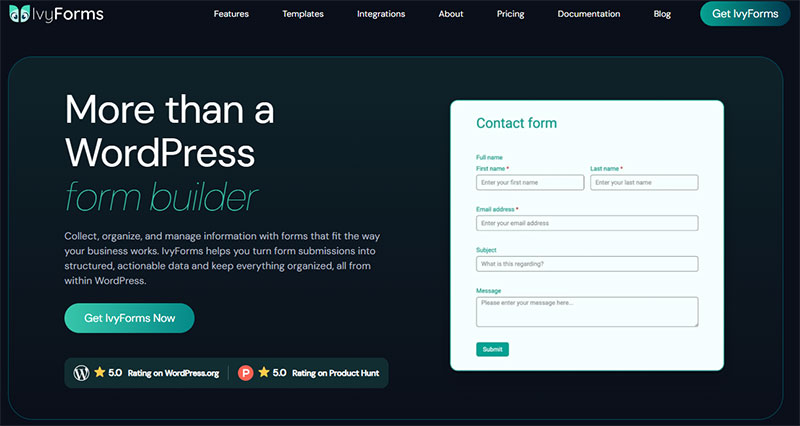
Caldera Forms was retired in 2022 and no longer gets security patches, so staying put is a real risk — migrating is the only sensible move. IvyForms is an actively developed, modern builder that covers what Caldera users relied on (conditional logic, multi-page forms, file uploads, payments) with a free tier to start. It’s backed by Melograno, the team behind Amelia and wpDataTables, which means native integrations most form plugins can’t offer — entries into wpDataTables as live tables, or into Amelia for bookings. The honest part: there’s no direct import, so rebuilding forms takes some effort, and IvyForms’ community is smaller than the big incumbents you’ll also be considering.
| Caldera Forms | IvyForms | |
|---|---|---|
| Status | Discontinued (2022), unsupported | Actively developed |
| Price | Was free (now a security risk) | Free; from €29/yr |
| Builder | Legacy grid builder | Modern drag & drop + live preview |
| Modern features | Frozen at 2022 | Conditional logic, multi-page, payments, REST API |
| Ecosystem | Abandoned | Native wpDataTables & Amelia integrations |
| Migration | — | No one-click import; manual rebuild |
| Lifetime option | — | €399 one-time |
Honest trade-off: any maintained plugin beats an abandoned one, so weigh IvyForms against the other active builders in this list too. IvyForms stands out on modern features and a low entry price — just budget time to rebuild your forms, since there’s no automated Caldera import.
Since you’re rebuilding anyway, it’s a good moment to lock in long-term value: the €399 Elite Lifetime plan (early-bird; reg. €997) covers unlimited sites, every feature and all future updates for one payment — and with an active team behind it, you won’t be migrating away from an abandoned plugin again.
Land somewhere maintained: see IvyForms plans → or download free →.
Lite covers more than most free tiers.
- Entry management, filtering, and a Results tab inside the builder
- 15 standard fields including Text, Email, Paragraph, Phone, Name, Address, Radio, Checkbox, Dropdown, Rating, Slider, HTML, Date, and Time
- reCAPTCHA, hCaptcha, and Cloudflare Turnstile for spam filtering
- wpDataTables integration for turning entries into tables and charts
- MCP integration for AI agents on WordPress 6.9 and above
- Role and user based permissions, plus GDPR compliance tooling
Behind the Pro license sit Smart Logic conditional rules, multi-page forms, conversational form layouts, Google Sheets integration, webhooks and REST API, digital signature, Mailchimp, and advanced fields including Password, Datetime, Rich text, Product, Quantity, and Total. Survey fields such as Likert scale and NPS are Pro as well.
Release pace has been quick. Version 1.1 added a slider field, a GDPR consent field for compliance work, and the MCP integration. Version 1.2 brought file uploads plus the Product, Quantity, and Total fields for order forms. Version 1.3 is the current release, adding Google Sheets integration, an applications and careers template category, and 21 new form themes.
Why IvyForms Suits Former Caldera Forms Users
Entries stay free. Submission counts show on the All Forms dashboard, unread entries get visually marked, and the Results tab lives inside the builder itself rather than in a separate menu.
Caldera stored entries at no cost. Losing that on migration is the complaint most people hit first, usually about ten minutes after installing something else.
Default styling stays neutral and inherits your theme, with modern hooks like :focus-visible and reduced-motion support for anyone doing custom form design work.
IvyForms Pricing and Free Tier Limits
Lite is free on WordPress.org with no credit card. Pro sells only through ivyforms.com across four tiers, Essentials (1 domain), Growth (3 domains), Agency (unlimited domains), and a lifetime Elite plan, with annual or lifetime licensing and a 15-day money-back guarantee.
The honest limitation is that the plugin is genuinely new. It sits at roughly 800 active installs, so the third-party extension ecosystem is nowhere near what a ten-year-old competitor has built up. More to the point for this article: payment gateways, calculations, Zapier, and Slack are all still listed as coming soon. If you are rebuilding a Caldera payment form, look elsewhere for now.
Also worth knowing, Lite must stay installed for Pro to run. Both plugins live on the site together.
Ninja Forms
Ninja Forms was the official migration destination for Caldera, built by the same parent company. It keeps a free core plugin and prices features through 40+ add-ons, sold individually or in three membership tiers.
The migration argument no longer holds, though. Saturday Drive’s auto-conversion plugin was deprecated in January 2024 and receives no support or updates. Moving to Ninja Forms today means rebuilding by hand, exactly like every other plugin here except Fluent Forms. Shared ownership is a historical footnote at this point.
Cost breaks down like this. Core is free on unlimited sites, with submission management, 28+ fields, calculations, and repeater fields. Plus runs $99/year for 3 sites and 16 add-ons, including Conditional Logic, File Uploads, Multi Step Forms, and Layout & Styles. Pro is $199/year for 20 sites and 28 add-ons, adding Stripe, HubSpot, Salesforce, and Zapier. Elite is $499/year for unlimited sites and every add-on.
A 40% first-year discount runs on all tiers, so year one lands at $59.40, $119.40, and $299.40 respectively. Renewals go back to full price.
Notification delivery trips people up after migration. Ninja Forms not sending email is nearly always an SMTP problem rather than a plugin bug.
Worth saying plainly: plenty of teams end up evaluating other options in the Ninja Forms bracket once the add-on invoices start stacking.
Fluent Forms

Fluent Forms carries the strongest free tier of any WordPress form plugin, and it is now the only one here with a working one-click Caldera import. Conditional logic, full entry management, conversational forms, multi-column layouts, all free. Competitors reserve most of that for paid plans.
The migration route is the headline. Fluent Forms ships a Migrator under Tools that imports forms and entries from Caldera Forms, Contact Form 7, WPForms, Gravity Forms, and Ninja Forms. Import all forms at once or pick specific ones, then click Import Entries to bring the submission data across. Nothing else on this list moves Caldera structure with fewer manual steps in 2026.
The free version includes conditional logic and entry storage together, multi-column layouts, and spam protection.
The pricing gap is stark. Gravity Forms charges $59 per year for logic, Ninja Forms $99, WPForms $199.50 first year. Fluent Forms charges nothing.
Paid plans list at $79 per year for a single site, $159 for 5 sites, and $299 for unlimited, with lifetime licenses at $349, $599, and $899. Seasonal discounts routinely bring those down, most recently to $279 for the single-site lifetime. Every paid feature is included at every paid tier, so the only difference between Single Site, Agency, and Unlimited is how many sites you can activate on.
WPManageNinja’s wider ecosystem (FluentCRM, FluentSMTP, Fluent Support) makes it a self-hosted stack rather than a standalone form builder with conditional logic.
The interface packs a lot into each screen. Give yourself a day or two before judging it.
WPForms
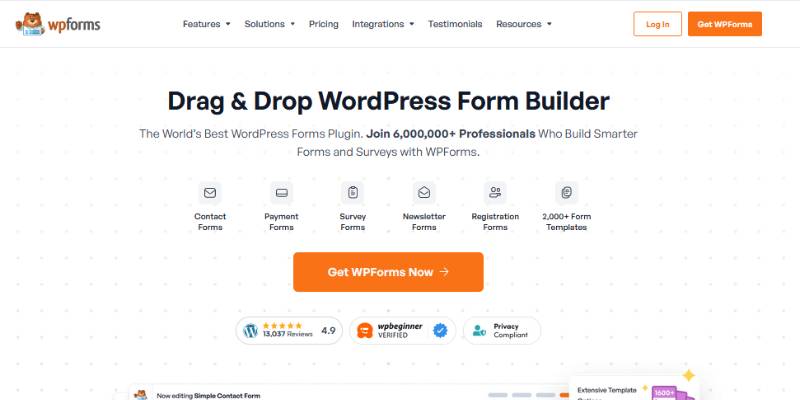
At 6+ million active installs, WPForms has the largest template library and add-on ecosystem here. It also has the steepest climb to reach Caldera feature parity.
Lite gives you the same builder as Pro, Stripe payments, Akismet with CAPTCHA support, and the AI builder. What it does not give you is entry storage in the dashboard, conditional logic, or fee-free payments (Lite adds a 3% surcharge on top of Stripe’s own fees).
Pricing runs Basic $49.50 then $99, Plus $99.50 then $199, Pro $199.50 then $399, Elite $299.50 then $599. That introductory discount runs more or less permanently, and the renewal roughly doubles. Budget against the renewal figure, not the sticker.
Add-on depth is the real draw. User Journey tracks visitor behavior without Google Analytics, and the form abandonment add-on saves partial entries automatically, which is the kind of thing you only appreciate after losing a month of half-finished quote requests.
The trade-off is simple enough. Best ecosystem, highest total cost, and enough gated features that comparing WPForms alternatives before committing tends to save money.
Gravity Forms
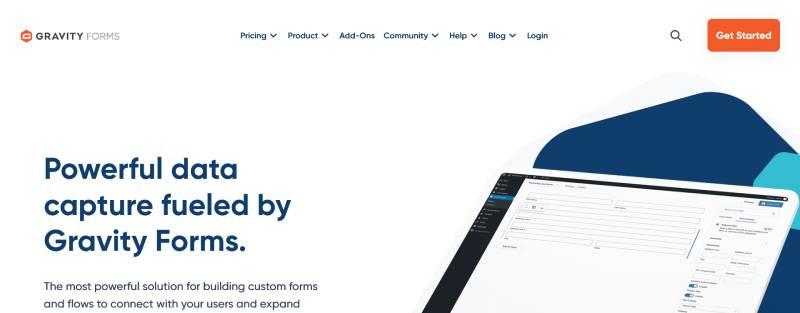
No free version exists. Gravity Forms sells three license tiers and nothing else, which is unusual now but keeps the pricing honest. For Caldera users who wrote custom code, this is the closest match to what they had: a REST API, an extensive hook system, an Add-On Framework, and a documented CSV entry migration path through GravityImport.
Licensing runs Basic at $59/year for 1 site, Pro at $159/year for 3 sites, and Elite at $259/year for unlimited sites.
Renewal pricing stays flat year over year, which almost nobody else does. A three-year Pro build runs $477 total against $997.50 for the equivalent WPForms Pro path.
One catch bites people badly. An expired Gravity Forms subscription cannot be restarted. Per Gravity’s own documentation, you buy a new license and re-key your sites.
What Caldera developers get back:
- Conditional logic on every tier, driving fields, pages, routing, and notifications
- Native payments through Stripe, PayPal, Square, and Mollie from the Pro tier
- 32 official add-ons at the Elite tier
- Gravity Flow for multi-step approval workflows (third-party, sold separately)
Note that Gravity does not sell official add-ons individually. If you need one, you buy the tier that includes it. Third-party extensions like GravityView, Gravity Flow, and Gravity Perks add $99 to $349 per year on top of that.
Since version 2.5 the plugin has been built against WCAG 2.1 AA, with ARIA labels, keyboard navigation, and focus management handled at code level. Anyone serious about accessible form markup will notice the difference immediately.
No front-end data display without GravityView, though. If that gap matters to your build, weighing Gravity Forms alternatives before buying a license is the cheaper move.
Formidable Forms

Formidable sits at 300,000+ active installs and is the application-building option rather than the contact-form option. Calculated fields, repeater fields, cascading lookups, and Views for front-end submission display make it the natural home for those complex Caldera builds that were never really forms at all.
Views is the differentiator. Submitted data renders on the front end as directories, listings, or event calendars with no third-party add-on. Gravity Forms cannot do that natively.
Pricing follows the aggressive first-year discount pattern, with renewals at roughly double:
| Plan | First year | Renewal | Adds |
|---|---|---|---|
| Basic | $39.50 | $79 | Conditional logic, multi-page forms |
| Plus | $99.50 | $199 | Views for front-end data display |
| Business | $199.50 | $399 | Payments, quizzes, calculators, PDFs |
| Elite | $299.50 | $599 | Every add-on, WooCommerce, AI generation |
It earns its price on quote calculators and mortgage tools, member directories and listing sites, scoring systems, and application review workflows.
The learning curve is the honest downside. That application-building layer is overkill for most people, and the sheer number of form fields and settings screens backs that up.
Teams stuck between the two extremes usually end up reading a Gravity Forms and Formidable Forms comparison and picking based on whether front-end data display matters to them.
Contact Form 7

Free, above 10 million active installs, and built on hand-written markup rather than a visual builder. No drag and drop. No entry storage. No conditional logic without third-party extensions.
It is also now in feature freeze. At WordCamp Asia 2026 in Mumbai, creator Takayuki Miyoshi confirmed on stage that version 6.2 is the final feature release. Security patches and bug fixes continue indefinitely, but no new features, integrations, or modernization are planned. His successor project, Contactable.io, is targeted at 2028 and will ship as a RESTful API rather than a plugin. Miyoshi’s own framing was that the practical implications for production sites were “nothing special,” and he is not abandoning the plugin. Still, moving off one frozen plugin onto another is a strange migration plan.
What it costs you instead of money:
- Entry storage requires the separate Flamingo plugin
- Spam filtering means bolting on Akismet, reCAPTCHA, or a honeypot extension
- Conditional logic is an extension, not a feature
Manual markup carries an accessibility cost too. The WebAIM Million 2026 analysis found 33.1% of form inputs across the top million home pages were not properly labeled, and unlabeled inputs appeared on 51% of pages, up from 48.2% a year earlier. Hand-coded markup is exactly where that happens.
The advantages are real, though. Zero cost, minimal front-end weight, complete control over output.
Mail delivery is the most common support thread by a distance. Contact Form 7 not sending email almost always traces to server mail configuration rather than the plugin.
Coming from Caldera’s visual builder, the workflow downgrade is steep. Most people who try it end up scanning Contact Form 7 alternatives within a month.
Jotform
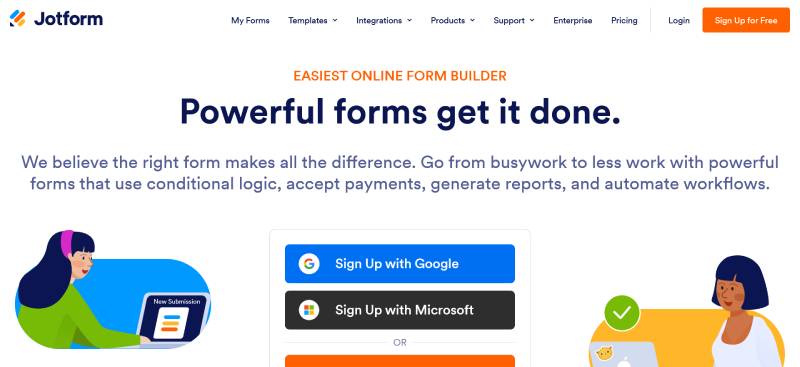
Jotform is hosted, with a WordPress plugin and an embed block. Submission data lives on Jotform’s servers rather than your WordPress database, and that is the whole trade-off for Caldera users.
| Plan | Price (billed annually) | Forms | Submissions/month | HIPAA |
|---|---|---|---|---|
| Starter | Free | 5 | 100 | No |
| Bronze | $34/month | 25 | 1,000 | No |
| Silver | $39/month | 50 | 2,500 | No |
| Gold | $99/month | 100 | 10,000 | Yes |
Cost scales with volume rather than features, which is the opposite of every WordPress plugin above.
Four limits worth knowing before you sign up:
- Every plan below Enterprise is single-user. Three team members means three subscriptions.
- Starter caps monthly form views as well as submissions, and every page load counts against the view limit
- Starter also carries a lifetime cap of 500 stored submissions, separate from the monthly limit
- HIPAA sits at Gold, so healthcare teams have no budget option
Payment processing adds no platform surcharge on paid plans. You pay Stripe at 2.9% plus $0.30 and nothing extra to Jotform, though payment submissions carry their own separate monthly caps, well below the general submission limits.
Jotform advertises a form URL import for Caldera. It depends on the form being publicly reachable and frequently fails. Treat it as a nice-to-have rather than a migration plan.
Losing database ownership is the part people regret. If that surfaces after signup, the JotForm alternatives worth checking are the self-hosted ones.
How Do You Migrate Caldera Forms Data to a New Plugin?
Export entries to CSV from the Caldera Forms Entries screen, document each form’s structure, import or rebuild in the new plugin, then replace shortcodes site-wide. Four steps, and Fluent Forms is the only destination with a functioning automated import.
Export first. Deactivating Caldera before pulling the CSV means losing every submission stored in its tables.
| Destination | Import route | Manual work |
|---|---|---|
| Fluent Forms | Built-in Migrator, forms and entries | Low |
| Gravity Forms | GravityImport, CSV entry importer | Medium |
| Jotform | Form URL import, often fails | Medium to high |
| Ninja Forms | Conversion tool retired January 2024 | High |
| Everything else | CSV plus manual rebuild | High |
GravityKit documents the Gravity route as a multi-step process where GravityImport builds the new form from the CSV structure. It requires a paid GravityImport license on top of the Gravity Forms license.
What Does Not Transfer Automatically
Conditional logic rules never survive a CSV move. Neither do notification recipients, redirect URLs, or payment gateway credentials.
Screenshot every form’s settings tabs before you start. Field types, required flags, email routing. All of it is faster to photograph than to reconstruct from memory two days later.
Add-on configurations are gone permanently. Caldera’s marketing and payment add-ons stopped shipping in 2022, so there is nothing left to export from them.
Testing Checklist Before Deleting Caldera Forms
Run these in order:
- Submit each rebuilt form and confirm the notification lands (check spam)
- Verify the confirmation message or redirect fires correctly
- Reconnect spam protection and test with a deliberate junk submission
- Re-authorize Stripe or PayPal and run a $1 test transaction
- Search the database for leftover
[caldera_form]shortcodes
Analytics breaks quietly during migration, which nobody notices until the monthly report looks wrong. Old form IDs feed your goals, so submission tracking in Google Analytics needs remapping before conversion data goes dark.
Last step, drop the leftover Caldera database tables and the orphaned add-on options rows.
Which Caldera Forms Alternative Fits Which Use Case?
Budget and build complexity decide it. Free-tier entry storage points to IvyForms or Fluent Forms, migration speed points to Fluent Forms, add-on depth points to WPForms or Gravity Forms, and front-end data display points to Formidable.
| Situation | Pick |
|---|---|
| Zero budget, entries needed | IvyForms or Fluent Forms |
| Fastest migration off Caldera | Fluent Forms |
| Agency and client sites | Gravity Forms |
| Calculators and directories | Formidable Forms |
| Single static contact form | Contact Form 7 |
Three-year cost matters more than sticker price. A site needing logic, file uploads, and Stripe runs $477 on Gravity Forms Pro against $997.50 on WPForms Pro, and roughly $237 on Fluent Forms at $79 per year. Fluent Forms’ $349 single-site lifetime license undercuts all three past year five.
Free tiers change that math entirely when entry storage is included.
Sorted by what the forms actually do:
- Lead capture and inquiries, where most WordPress contact form plugins handle it at the free tier
- Feedback and research, where you should compare WordPress survey plugins instead, since Likert and NPS fields are not standard
- Ticketing and signups, where a WordPress event registration form needs payments plus entry limits
Zuko’s benchmarking puts overall view-to-completion at 45%, with desktop at 47% and mobile at 42%. Among people who actually start filling a form in, about two thirds finish. Whichever plugin you land on, mobile rendering is where submissions leak.
Pick the one whose free tier covers your current build, then upgrade when a specific feature blocks you. Buying a license before rebuilding a single form is how people end up paying $399 renewals for features they never turned on.
Common Questions About Caldera Forms Alternatives
Is Caldera Forms still safe to use in 2026?
No. It was retired in April 2022 and receives no security patches, bug fixes, or WordPress compatibility updates.
Patchstack’s 2026 report found that 91% of new WordPress vulnerabilities live in plugins, and that 46% of them had no patch available at disclosure. Abandoned plugins never get patched at all.
What is the best free Caldera Forms alternative?
IvyForms Lite and Fluent Forms both include entry storage at no cost, which Caldera also did. Fluent Forms adds free conditional logic and a working Caldera importer, making it the stronger free pick for most migrations.
WPForms Lite and Contact Form 7 are free but store no submissions in your WordPress dashboard without an upgrade or add-on.
Can I migrate Caldera Forms entries automatically?
Realistically, only to Fluent Forms. Its built-in Migrator imports both Caldera forms and their entries in a few clicks.
The official Ninja Forms conversion tool was deprecated in January 2024 and no longer works. Gravity Forms can import a CSV of entries through the paid GravityImport add-on. Everything else needs a CSV export plus a manual rebuild.
Does Caldera Forms still work after WordPress updates?
Sometimes, until it doesn’t. The plugin was last tested against WordPress versions from 2021, so PHP 8.x deprecations and core changes break features unpredictably.
Payment and marketing add-ons fail first when third-party APIs deprecate old versions.
Which Caldera Forms alternative has conditional logic in the free version?
Fluent Forms includes conditional logic free. Gravity Forms includes it on every paid tier starting at $59 per year, Ninja Forms charges $99 through its Plus membership, and WPForms gates it at $199.50 for the first year.
IvyForms handles it through Smart Logic rules, which sit in the Pro tier rather than Lite.
How much do Caldera Forms replacements cost per year?
Free to $599. Gravity Forms runs $59 to $259 with flat renewals, Fluent Forms lists at $79 to $299 with lifetime options, Ninja Forms runs $99 to $499, and WPForms runs $49.50 to $299.50 in year one before renewing at $99 to $599.
Renewal pricing roughly doubles at WPForms and Formidable, so check it before buying.
Will my Caldera Forms shortcodes still work?
No. Every [caldera_form] shortcode stops rendering once you deactivate the plugin, leaving blank spaces on live pages.
Search your posts, pages, and widget areas for leftover shortcodes before deleting anything.
Do the alternatives handle spam as well as Caldera did?
Better. IvyForms, Fluent Forms, and WPForms include reCAPTCHA, hCaptcha, or Turnstile natively, while Contact Form 7 needs extensions.
Caldera’s anti-spam add-ons stopped updating in 2022, so stopping spam on WordPress contact forms gets harder every month it stays installed.
Can I keep file uploads after switching?
Yes, though uploaded files stay in your uploads directory while the form record moves separately.
Large attachments also depend on the WordPress upload size limit, which is a server setting rather than a plugin feature.
Should I move to a hosted form builder instead?
Only if you want submission data off-site. Jotform charges by volume, starting free at 100 monthly submissions, with HIPAA available at the $99 per month Gold tier.
Self-hosted plugins keep entries in your own database.
Conclusion
Every viable Caldera Forms alternative here beats an abandoned plugin, though the shortlist narrows fast once free entry management and a workable migration route become the filter.
Fluent Forms is the pragmatic default in 2026. Submissions stay in your own database, conditional logic costs nothing, and it is the last plugin standing with a one-click Caldera importer that actually works. IvyForms matches the free entry storage with a cleaner builder, but logic and multi-page forms live in Pro, and payments have not shipped yet.
Gravity Forms and Formidable only earn their renewal price on payment workflows, calculated fields, and front-end data display.
Contact Form 7 deserves its own note. It entered feature freeze in 2026, so migrating to it now means trading one static plugin for another.
Do the swap this week rather than next quarter. With a median of five hours between disclosure and exploitation, an unpatched drag and drop form builder sitting on a live site is a standing invitation.
After the rebuild, spend an hour tightening how your forms perform. Field count and mobile rendering shift completion rates further than any plugin badge.