





The best AI plugins for WordPress connect a site’s dashboard, page builder, or database to a machine learning model, turning a plugin that follows fixed rules into one that writes,…
Table of contents
Contact Form 7 runs on more than 10 million WordPress sites and stores none of their submissions. If the email fails, the lead is gone for good.
That gap, plus the 2026 feature freeze at version 6.2, is why people are hunting for Contact Form 7 alternatives right now.
Ten plugins are ranked below, starting with IvyForms. Plugin pricing shifts regularly, so confirm current rates on each vendor’s page before buying.
What Is a Contact Form 7 Alternative?
Any WordPress form plugin that takes over CF7’s shortcode-based output, mail handling, and submission processing with its own system qualifies. The ones worth switching to also add entry storage, a visual builder, and native spam filtering.
The category splits into 3 replacement types: drop-in plugin replacements that live entirely inside WordPress, hosted form services embedded through an external script, and block-native builders that output forms through the Gutenberg editor.
| Replacement type | Where data lives | Typical example |
|---|---|---|
| Drop-in plugin | Your WordPress database | IvyForms, Fluent Forms |
| Hosted service | Vendor servers | HubSpot Forms |
| Block-native builder | Your database, block markup | SureForms, Forminator |
Judge any candidate on entry storage, visual builder, spam filtering, integration count, and licensing model. Those five attributes decide almost every switch.
Contact Form 7 sets the baseline. It is free, released under GPLv2, sits at over 10 million active installations on WordPress.org, and was written by Takayuki Miyoshi. It stores nothing, builds nothing visually, and hands you a textarea full of markup.

Worth being precise here, because the word “alternative” gets stretched. CF7 add-ons are not alternatives. Flamingo, CFDB7, and CF7 Skins all depend on Contact Form 7 being installed. They patch gaps. They do not replace the plugin.
If you are still working out what WordPress forms actually do under the hood, that background makes the rest of this comparison easier to follow. The broader field of contact form plugins for WordPress is wider than the ten tools ranked below.
Which Contact Form 7 Alternatives Perform Best?
Each entry below lists builder type, entry storage, spam method, and the specific Contact Form 7 gap it closes. Rankings weight the gap-closing first and the install count second.
WPForms

WPForms sits at over 6 million active installations, the largest of any form builder in the WordPress plugin directory. BuiltWith data puts it on 1.12% of the top 1 million websites.
Built by Awesome Motive. The full-screen builder pulls you out of the WordPress admin clutter, which beginners consistently like.
Template library runs past 2,000 pre-built forms. WPForms Lite is genuinely usable for a basic contact form, though Lite’s Stripe support carries a 3% surcharge.
Renewal pricing is where people get caught. Basic starts at $49.50 and renews near $99. Our full breakdown of WPForms against Contact Form 7 covers the migration specifics.
Fluent Forms

Conditional logic and entry storage both ship in the free tier. That combination is the whole pitch, and it works.
The pricing contrast on that one feature is stark. Gravity Forms charges from $59/year for conditional logic, Ninja Forms $99/year, WPForms $199.50/year. Fluent Forms gives it away.
Built by WPManageNinja under founder Md Shahjahan. Late entry to the market, which let it copy the good architectural decisions and skip the bad ones.
Migrator tool imports forms and entries from WPForms, Gravity Forms, and Ninja Forms directly. Benchmark tests routinely rank it among the lightest plugins in the category.
Notification settings are fiddly. Several reviewers flag them.
IvyForms: a visual, data-storing upgrade (that isn’t free forever)
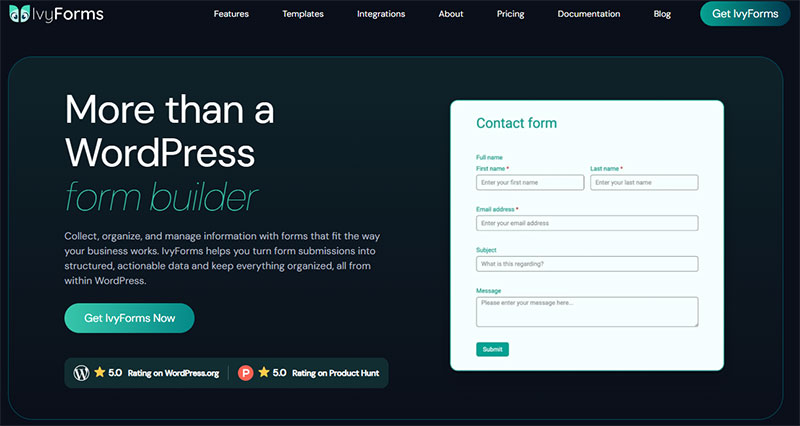
Contact Form 7 is free, featherweight and everywhere — but it’s markup-driven and stores nothing by default. IvyForms is the opposite: a drag-and-drop builder with entry management, built-in spam protection and modern form types. The honest catch is that CF7 is genuinely free and has a decade of community snippets behind it, while IvyForms’ best features sit in paid plans.
| Contact Form 7 | IvyForms | |
|---|---|---|
| Price | Free | Free; paid from €29/yr |
| Form building | Markup & shortcodes | Drag & drop + live preview |
| Entry storage | None by default | Built in |
| Spam protection | Manual reCAPTCHA/Akismet | reCAPTCHA, hCaptcha, Turnstile built in |
| Modern forms | Basic only | Multi-page, conversational, conditional logic |
| Footprint & community | Ultra-light, massive user base | Heavier; small community |
Honest trade-off: if you’re comfortable in code and only need a lightweight contact form, CF7 is hard to beat and costs nothing. IvyForms makes sense the moment you want a visual builder, stored entries and smarter forms — and you can still start on its free tier.
Because IvyForms comes from Melograno — makers of Amelia (bookings), wpDataTables (data tables) and Trafft (scheduling) — its integrations are first-party, not bolted-on. wpDataTables can turn your form submissions into interactive, filterable tables in a few clicks, and Amelia can pull form data into appointment booking, giving you a connected data-and-scheduling stack rather than a patchwork of unrelated plugins.
At €399 once, the Elite Lifetime plan is arguably the best value in the category: you get every current Pro feature plus everything on the roadmap — Zapier, Slack, more payment gateways, calculations and more — with no annual renewals, ever. Given how quickly Melograno ships (and our track record maintaining Amelia, Trafft and wpDataTables for years), betting on that pipeline for a one-time €399 is an easy call.
Move beyond code: see IvyForms plans → or grab it free →.
Gravity Forms
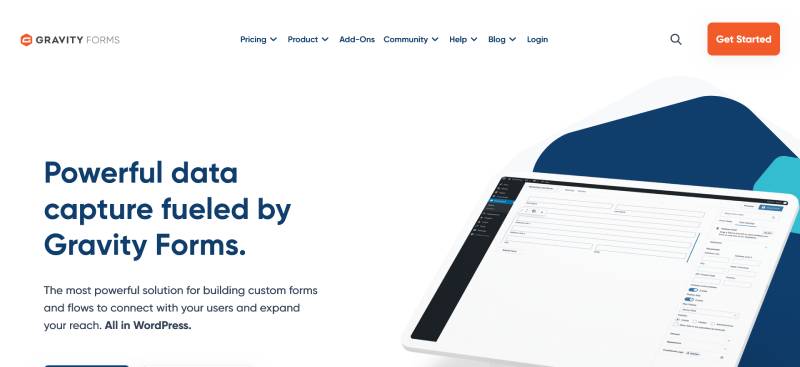
No free version exists. Basic runs $59/year for one site, Pro $159/year for three, Elite $259/year for unlimited.
Since version 2.5 the plugin has been built against WCAG 2.1 AA accessibility standards, with proper ARIA labels, keyboard navigation, and focus management. For nonprofits and organizations receiving federal funding, that matters legally.
Nonprofit pricing is $129/year for the Elite equivalent across three sites.
The add-on ecosystem is the deepest in WordPress. It is also the reason the plugin feels dated compared to newer builders. See the head-to-head with Contact Form 7 for the workflow differences.
Formidable Forms

Formidable is an application framework wearing a form plugin’s clothes.
Calculated fields, front-end data display through Views, member directories, and scoring systems all ship in the paid tiers. Over 200,000 professionals use it, per the vendor’s own count.
The Business tier costs $159.60 the first year and $399 on renewal, including User Registration.
The learning curve is steeper than every other plugin on this list, because most of the power is aimed at data applications rather than contact forms.
If you need a contact form, this is overkill. If you need a mortgage calculator that writes results to a searchable front-end table, nothing else comes close.
Forminator

WPMU DEV launched Forminator in 2018. It now sits at over 600,000 active installations with a 4.8 out of 5 rating.
The free version is unusually generous: Stripe and PayPal with no plugin-side transaction fee, conditional logic, file uploads, quizzes, polls, and calculation fields.
Pro is not sold standalone. Access comes through a WPMU DEV membership at $15/month, which bundles Smush Pro, Hummingbird Pro, Defender Pro, and hosting tools.
Field editing happens in modal windows, which adds clicks. Our Forminator and WPForms comparison covers the builder differences across 12 categories.
Ninja Forms

Roughly 1 million active installations of the free core plugin, with 30+ million lifetime downloads.
Pricing is modular. Buy add-ons individually from $29 for a single site, or pick one of four tiers running $99 to $499 per year.
For agencies, Ninja Forms Pro covers 20 sites for $119.40 the first year and $199/year on renewal. A lifetime membership runs $2,499.
Publishing a form is clumsier than it should be. The Publish button inside the builder does not embed the form anywhere. You hunt for a shortcode and paste it manually, same as CF7.
Everest Forms

Beginner-focused, with a free version on WordPress.org that handles more than basic contact forms.
Paid plans start at $69/year. Payment processing requires the $149 tier.
Login and registration forms are where it lands well against the field.
Add-on depth is thin compared to Gravity Forms or Formidable, so complex workflows hit a ceiling quickly.
HubSpot Forms

The only hosted option in this ranking. Submissions land in HubSpot CRM, not your WordPress database.
It fits teams already running HubSpot as their CRM, where form data needs to trigger workflows and lifecycle stages automatically. It is the wrong choice for anyone who cares about data ownership, since entries live on vendor servers and your data residency picture changes entirely.
The embedded script also loads external JavaScript on every page carrying a form, and HubSpot branding stays on every free-tier form.
Kali Forms
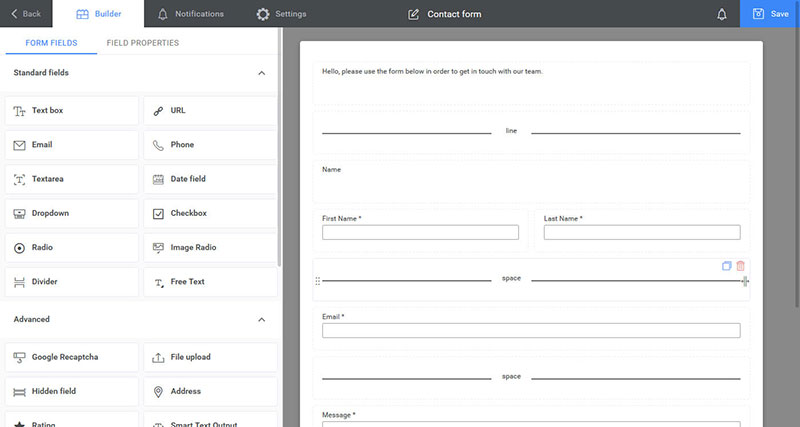
Built on React, which gives it a fast admin interface and clean multi-column layouts with drag-resizable field widths.
Pricing sits at roughly one-half to one-third of what comparable plugins charge for the same feature set.
Spam protection is solid without bolting on a separate CAPTCHA plugin.
Smallest community of the ten. Documentation and third-party tutorials are correspondingly sparse.
What Are the Limitations of Contact Form 7?
No entry storage, markup-only editing, global asset loading, add-on dependency for standard features, and a documented remote code execution flaw. Each one pushes a different type of site owner toward a replacement.
Submissions exist only in email
CF7 stores nothing. A submission gets composed into an email, handed to wp_mail(), and forgotten.
If the mail fails, the lead is gone permanently. There is no record, no retry, no log.
Flamingo patches this by writing entries to the database, but one reviewer on WordPress.org reports it only captures messages sent through PHP mail and misses submissions routed through an external SMTP server.
Email delivery breaks quietly
The root cause is that wp_mail() calls PHP’s mail() function, and many hosts disable it outright to stop spam originating from their servers.
Shared hosting IPs make it worse. Thousands of sites send from the same address, and plenty of those addresses end up on blocklists.
CF7 fails at the sending step with no useful error message. The fix is SMTP, either through WP Mail SMTP or an equivalent, and it is the single highest-impact change for a site with missing form mail.
Our guide to diagnosing Contact Form 7 delivery failures walks through the full checklist, and the WordPress email configuration guide covers the SMTP side.
Form building happens in a textarea
There is no drag-and-drop. You write shortcode tags into a plain HTML field, then copy a matching mail tag into the Mail tab so the value reaches your inbox.
Get one tag name wrong and the field submits silently as empty.
Developers who know the syntax find this fast. Clients handed a CF7 admin screen do not.
Assets load on every page
CF7 enqueues its CSS and JavaScript sitewide by default, including on pages with no form.
The plugin author’s stated reason is technical: a plugin cannot reliably detect at load time whether a page contains a form, since themes embed forms through shortcodes, PHP functions, and Ajax calls.
Fixing it means adding define('WPCF7_LOAD_JS', false); and define('WPCF7_LOAD_CSS', false); to wp-config.php, then re-enqueueing conditionally in functions.php. PagePipe measured the plugin adding 42.8 milliseconds of site drag in aggregate testing.
Standard features require third-party add-ons
Conditional logic, multi-step forms, expanded file upload handling, and payment fields all live outside the core plugin.
Each add-on is a separate maintenance surface, a separate update cycle, and a separate potential conflict.
The 2020 file upload vulnerability
CVE-2020-35489 affected every version below 5.3.2. Filenames containing special characters bypassed sanitization, letting unauthenticated attackers upload PHP web shells and achieve remote code execution.
Astra Security researcher Jinson Varghese Behanan reported it. Miyoshi patched it in version 5.3.2, released December 17, 2020.
At disclosure, Search Engine Journal reported 70% of the 5 million sites then running the plugin were on 5.3.1 or older.
The flaw is long fixed. The reason it still matters is exposure math: a plugin on 10 million sites makes every one of its bugs a mass event. That is worth weighing alongside general form security practices on WordPress.
How Do Contact Form 7 Alternatives Compare on Features?
Feature gaps concentrate in conditional logic, payment fields, calculations, and front-end data display. Everything else has become table stakes, since every plugin ranked above ships a visual builder, entry storage, and native spam filtering.
| Plugin | Conditional logic | Multi-step | Payments |
|---|---|---|---|
| IvyForms | Pro | Pro | Square, Pro tiers |
| Fluent Forms | Free | Free | Paid |
| Forminator | Free | Free | Free, no plugin fee |
| WPForms | $199.50 tier | Paid | Lite with 3% fee |
| Gravity Forms | $59 Basic | $59 Basic | $159 Pro |
Conditional logic placement
Fluent Forms and Forminator give it away free. Everyone else charges, and the price varies by a factor of three across vendors.
This single feature decides more purchases than any other, because showing and hiding fields based on user input is what separates a contact form from an intake workflow.
Contact Form 7 has none of it without an add-on.
File upload handling
CF7 handles a single file, sized by your PHP configuration, with no interface for allowed types beyond a shortcode attribute. IvyForms Pro added multiple files, upload limits, and allowed file type controls in version 0.4, released June 2026, and Gravity Forms includes multi-file upload right in Basic.
Upload directory protection differs by plugin, which matters more than the field count. Our walkthrough on building a WordPress form with file upload covers the server-side settings.
Block editor and page builder output
| Plugin | Gutenberg block | Elementor | Shortcode |
|---|---|---|---|
| IvyForms | Yes | Yes | Yes |
| Forminator | Yes | Yes | Yes |
| Contact Form 7 | No | Via widget | Yes |
CF7 remains shortcode-only. Every modern replacement ships a native block.
Survey and data fields
Likert scale and Net Promoter Score fields arrived in IvyForms Pro 0.4, alongside Rich Text and Date & Time fields.
Formidable and Gravity Forms both handle surveys through paid add-ons. Forminator includes quizzes and polls free.
Nobody does this in Contact Form 7 without writing custom markup by hand.
What Do Contact Form 7 Alternatives Cost?
Entry prices run from $0 to $79 per year for a single site, but the number that matters is the renewal. WPForms and Formidable roughly double at renewal. Gravity Forms and Fluent Forms hold their rate. Lifetime licenses eliminate the question entirely.
| Plugin | Entry price | Renewal | Lifetime |
|---|---|---|---|
| Gravity Forms | $59/yr, 1 site | Same rate if renewed on time | No |
| Fluent Forms | $79/yr, 1 site | Same rate | From $299 |
| WPForms | $49.50 Basic | ~$99 | No |
| Formidable | $159.60 Business | $399 | No |
| Everest Forms | $69/yr | Varies | No |
Three-year cost, which is where the gap shows
Gravity Forms Pro totals $477 over three years. WPForms Pro totals $997.50 for the same period.
That $520 difference buys nothing extra in features. It is purely a renewal-structure artifact.
One condition on the Gravity Forms figure: the rate holds only if you renew before the license expires. Let it lapse by a day and the loyalty discount is gone permanently, which pushes that three-year total up.
Ninja Forms sells a lifetime membership at $2,499, which breaks even against its $499/year Elite subscription at roughly the five-year mark.
IvyForms tiers
Free covers entry management, the drag-and-drop builder, all three CAPTCHA options, wpDataTables integration, standard fields and templates, and the GDPR field.
Above that, Essentials covers 1 domain, Growth covers 3, and Agency goes unlimited on annual billing. Elite is the lifetime option: unlimited domains, one payment, every future feature included.
Payments run through Paddle with a 15-day money-back guarantee, no questions asked. Early-access pricing is flagged as temporary on the vendor’s own pricing page.
Which free tiers actually work
Forminator’s free version is the most complete on this list. Stripe and PayPal with no plugin-side transaction fee is not something competitors match.
Fluent Forms free includes conditional logic and entry storage, the two features most sites need past a basic contact form.
WPForms Lite is trial-shaped by comparison. Useful, but the feature ceiling arrives fast.
The wider set of free form plugins for WordPress includes options that never appear in paid comparison charts.
How Do These Plugins Handle Spam?
Automated traffic overtook human traffic in 2024 for the first time, at 51% of all internet traffic, with bad bots accounting for 37% (Imperva 2025 Bad Bot Report). Form endpoints are a primary target, and CF7’s default protection is thin.
What Contact Form 7 offers
Since version 5.1, CF7 has leaned on Google reCAPTCHA v3 as its main defense, with optional Akismet integration.
Both require configuration. Neither is on by default.
Third-party plugins fill the rest. Antispam for Contact Form 7 uses on-page and off-page bot traps plus a Bayesian filter called B8, with no keys or registration needed.
Methods available across alternatives
- Honeypot fields, which are hidden inputs that only bots fill in
- Time-based checks that reject submissions completed faster than a human could type
- Keyword blocklists and country blocking
- Cloudflare Turnstile and hCaptcha as privacy-friendlier CAPTCHA replacements
IvyForms includes reCAPTCHA, hCaptcha, and Turnstile in the free tier. Kali Forms handles spam without requiring a separate CAPTCHA plugin.
The honeypot technique costs nothing in user friction, which is why it belongs in every setup regardless of what else you run. Modern headless-browser bots can detect and skip hidden fields, so pair it with a time check rather than relying on it alone.
The reCAPTCHA privacy problem
Google reCAPTCHA collects hardware and software information from the visitor’s device and sends it to Google for analysis, which makes it a non-essential tracker under EU rules.
French regulator CNIL has enforced this directly. In March 2023 it fined e-scooter company Cityscoot €125,000 in total, of which €25,000 was specifically for deploying reCAPTCHA at account creation, login, and password recovery without informing users or obtaining consent under Article 82 of the French Data Protection Act. The remaining €100,000 covered unrelated geolocation and processor-agreement failures.
The reasoning matters more than the number. Cityscoot argued the tool was strictly necessary for authentication security, which would have exempted it from consent. CNIL rejected that, because reCAPTCHA also served purposes beyond delivering the requested service. A separate decision fined NS Cards France €105,000 on partly similar grounds.
Which creates a bind worth stating plainly. Gate the script behind consent, and a bot that never consents never gets blocked.
Turnstile and hCaptcha sidestep most of this. So do server-side methods. Our rundown of CAPTCHA replacements covers the trade-offs, and there is a separate guide on stopping spam on WordPress contact forms for setups already committed to CF7.
CAPTCHA carries a performance cost
OOPSpam’s 2026 testing measured what these scripts do to a page.
Adding hCaptcha to a Forminator form pushed load time from 221ms to 355ms. Page resources jumped from 1.8 MB to 4.2 MB, with network requests nearly doubling.
Turnstile on Fluent Forms was worse in their test: 226ms to 1.84 seconds.
Which means spam protection and page speed are the same decision, not two separate ones.
How Do Form Plugins Affect Page Speed and Core Web Vitals?
Two things do the damage: unconditional asset loading across the whole site, and external CAPTCHA scripts. The plugin’s own CSS and JavaScript weight is a minor factor by comparison, rarely exceeding 130KB combined.
| Plugin | CSS | JS | Conditional loading |
|---|---|---|---|
| WPForms | ~38KB | ~65KB | Yes |
| Forminator | ~47KB | ~82KB | Yes |
| Contact Form 7 | Sitewide | Sitewide | Manual code only |
Asset loading is the real variable
A 38KB stylesheet on one contact page is irrelevant. The same stylesheet on 400 pages is a different conversation.
Modern builders detect the shortcode or block and enqueue accordingly. CF7 does not, which is why the wp-config constants exist.
Disabling CF7 assets does not stop reCAPTCHA or Turnstile from loading globally. Those need dequeueing separately.
What the benchmarks actually found
Site Speed Steps ran GTmetrix, Pingdom, and PageSpeed Insights five times each against a clean install. Desktop scores with CF7 installed were near-identical to baseline.
Mobile scores dropped.
PagePipe’s aggregate testing put CF7 at 42.8 milliseconds of site drag, against 79.6ms for Yoast SEO.
So the plugin alone is not the problem. Fifteen plugins each loading unconditionally is the problem.
Core Web Vitals exposure
A form above the fold competes directly for Largest Contentful Paint. A form anywhere on the page competes for Interaction to Next Paint if it ships heavy JavaScript.
This is not a small stake. LCP is the metric most sites fail, with only 62% of mobile origins recording a good score against 77% for INP and 81% for CLS.
jQuery dependency matters here too. Plugins built on vanilla JavaScript avoid a render-blocking library that many themes already load twice.
Fluent Forms consistently benchmarks among the lightest. IvyForms measured around 170 KiB of server memory in independent reviewer testing.
How to test your own setup
Install one plugin on a clean WordPress instance with a default theme. Add a single form. Run PageSpeed Insights five times and average the results.
Then add the CAPTCHA and run it again.
The delta between those two runs is usually larger than the delta between any two form plugins on this list.
Which Integrations Do Contact Form 7 Alternatives Support?
Integration depth splits between native connections written by the plugin vendor and bridge connections routed through Zapier or webhooks. Native mapping is tighter. Bridge connections cost money per task and add a failure point between the form and the destination.
| Plugin | Native connections | CRM tier |
|---|---|---|
| Fluent Forms | 60+ external tools | All paid tiers |
| WPForms | 10+ email, 4 CRMs | Top tier only |
| Gravity Forms | Add-on marketplace | Basic for HubSpot |
| IvyForms | wpDataTables, Amelia, Mailchimp | Pro tiers |
CRM connections and where they hide
WPForms puts Salesforce, HubSpot, ActiveCampaign, and Webhooks on the top license tier, well above the $199.50 Pro plan.
Gravity Forms ships Mailchimp, HubSpot, ActiveCampaign, and Campaign Monitor in the $59 Basic license, with Salesforce reserved for Elite. Fluent Forms connects HubSpot, Salesforce, Trello, Notion, Discord, and Telegram at every paid tier, since site count is the only variable it charges on.
That Gravity Forms Basic tier is quietly the best CRM value in the category. Newsletter capture and HubSpot sync work on day one for $59.
Email platforms
Mailchimp, ActiveCampaign, ConvertKit, Brevo, AWeber, and MailerLite appear across most paid tiers.
WPForms gates them at Plus ($99.50). Formidable and Fluent Forms include them lower down the stack.
Contact Form 7 connects to none of them natively. Every list signup needs a separate CF7 extension plugin.
Payment processors
- Forminator handles Stripe and PayPal free, with no plugin-side transaction fee
- WPForms Lite accepts Stripe with a 3% surcharge, full payments at Pro
- Gravity Forms keeps Stripe, PayPal Checkout, and Square behind Pro at $159
- IvyForms includes Square in the free tier, with additional methods listed as coming
Read the surcharge line before committing. A 3% cut on a $200 order form adds up faster than the license fee it was meant to avoid.
Automation bridges
Zapier reaches more than 8,000 apps, which covers anything without a direct WordPress integration.
The trade-off is task-based billing. Zapier’s free plan caps at 100 tasks per month with two-step Zaps, and the Professional tier starts at $19.99/month billed annually.
Make, n8n, and raw webhooks do the same job. Webhooks cost nothing and give you the payload directly, which is why developers reach for them first.
Once submissions flow to a CRM, tracking those submissions in Google Analytics closes the reporting loop on the same event.
How Does Migration From Contact Form 7 Work?
Migration takes 5 to 10 minutes on most sites. You import the form structure, import stored entries, swap the shortcodes, then verify mail delivery. Contact Form 7 must stay active during the import, because the importer reads its data directly.
Why this became urgent in 2026
At WordCamp Asia 2026, Takayuki Miyoshi confirmed on stage that version 6.2 is the last release to add new functionality. Contact Form 7 then moves to maintenance mode.
Security patches and bug fixes continue indefinitely. Nothing breaks tomorrow, and the plugin is still shipping updates: 6.1.5 carried a security fix in February 2026, and 6.1.6 arrived in May 2026 tested against WordPress 7.0.
His attention has moved to Contactable.io, a RESTful API built on Cloudflare Workers, targeted for 2028. Miyoshi’s stated position is that managing form data in the database is the safest approach, and that email is where privacy protection ends.
The practical read: no emergency, but no future either. A plugin in feature freeze falls further behind every release cycle, and migrations get harder as forms get more complex.
Which plugins ship a native CF7 importer
| Plugin | Form import | Entry import |
|---|---|---|
| Fluent Forms | Migrator tool, one click | Yes, separate button |
| WPForms | Tools > Import Forms | Entry Importer, from Flamingo |
| Gravity Forms | GravityImport add-on | CSV upload |
WPForms Lite includes the importer. You do not need a license to move your forms across.
What transfers and what breaks
Standard fields, notification email settings, confirmation settings, and required-field rules all transfer cleanly. Heavily customized CF7 shortcodes and fields added by third-party add-ons like Conditional Fields for CF7 are the ones that break or get flagged.
WPForms flags any field it could not convert instead of silently dropping it, which is the behavior you want.
Mail tags do not carry over as-is. CF7 syntax like [your-email] becomes a field ID in the target plugin, so every notification template needs a read-through after import.
Swapping the shortcodes
Open each page holding a CF7 form, delete the shortcode or CF7 block, then insert the new plugin’s block or shortcode.
Hardcoded shortcodes hide in three places people forget: widget areas, Elementor text modules, and theme template files.
Search your database for contact-form-7 before deactivating anything.
Entries stored in Flamingo
Flamingo writes CF7 submissions to the database and exports them to CSV, which makes it the bridge for historical data.
WPForms imports Flamingo entries directly into the matching new form. Gravity Forms takes the CSV route through GravityImport.
Back up before running any migrator. Fluent Forms resets and overwrites previously imported forms if you run the tool twice.
Post-migration checklist
- Submit a real test entry and confirm it lands in the database
- Check SMTP delivery to an external address, not just your own domain
- Verify notification routing for multi-recipient forms
- Confirm redirect behavior and the message shown after submission
- Deactivate Contact Form 7 only after all four pass
How Do These Plugins Handle Data Storage and Privacy Compliance?
Storage location determines your compliance exposure. Plugins write entries to custom database tables on your own server, while hosted services keep them on vendor infrastructure. The second option moves data residency out of your control entirely.
Where entries actually live
Fluent Forms, Gravity Forms, Formidable, and IvyForms all use custom tables, so data stays on your host under your backup policy. HubSpot Forms and other hosted embeds keep it on vendor servers instead.
Contact Form 7 stores it nowhere by default, which is its own kind of compliance answer.
The GDPR feature set that matters
Gravity Forms added a Personal Data tab to Form Settings in version 2.4, covering the four controls regulators actually ask about.
- IP address storage can be prevented outright
- Entries can be retained, trashed, or deleted after a set number of days
- Field-level anonymization for sensitive inputs
- Integration with WordPress Export and Erase Personal Data tools
Formidable ships consent checkboxes plus front-end forms that let users submit their own access and deletion requests. IvyForms includes a dedicated GDPR field and marks GDPR compliance across every tier including free.
Deleting entries has a cost
Never storing anything looks like the clean compliance answer. It creates four problems.
Email deliverability failures become silent data loss. Uploaded files vanish with the entry. User Registration add-ons break, since they need the entry to persist through a pending registration.
Asynchronous add-ons like Dropbox and Webhooks fail outright, because the entry they process no longer exists.
Scheduled deletion beats no storage. Delete low-value entries after a day, hold the rest as long as your policy requires.
HIPAA claims deserve scrutiny
No mainstream WordPress form plugin signs a Business Associate Agreement on its own.
HIPAA compliance runs through third-party layers like the HIPAA FORMS plugin, which wraps Gravity Forms and encrypts submissions into password-protected PDFs. That plugin actively strips Gravity Forms file upload fields and replaces them with a notice that the field is not compliant.
Treat any vendor claiming out-of-the-box HIPAA compliance as marketing until you see the signed BAA.
Uploads and input handling
File upload directories need protection at the server level. A publicly listable uploads folder undoes every other control on this list.
Server-side validation matters more than the client-side kind, since anything checked in the browser can be bypassed with a crafted POST request. The practical guide to sanitizing user input in forms covers the specifics.
Consent wording is its own problem. Real GDPR consent form examples show what a checkbox needs to say, and the broader walkthrough on building GDPR compliant forms covers the legal basis behind it.
Which Contact Form 7 Alternative Fits Which Use Case?
Brochure sites, lead generation with CRM routing, payment collection, surveys and applications, agency multisite management, developer-first builds. Each profile points at a different plugin, and the cheapest option rarely wins twice.
| Use case | First pick | Runner-up |
|---|---|---|
| Simple contact form | IvyForms | Forminator |
| Lead gen with CRM | Gravity Forms Basic | Fluent Forms |
| Payments and donations | Forminator | Gravity Forms Pro |
| Surveys and applications | Fluent Forms | Formidable |
| Agency, 25+ sites | Fluent Forms lifetime | Gravity Forms Elite |
Brochure sites and simple contact capture
You need entry storage, a visual builder, and spam filtering. Nothing else.
IvyForms covers all three free, with all three CAPTCHA options available rather than reCAPTCHA only. Forminator matches it and adds free payments.
Skip Gravity Forms here. Paying $59/year for a contact page is money spent on capability you will not use.
Lead generation with CRM routing
Native CRM mapping beats a Zapier bridge on both reliability and cost.
Gravity Forms Basic includes HubSpot at $59/year. WPForms puts the same connection on its top tier.
Conditional routing matters at volume, since only the submissions you choose should hit the CRM. Our roundup of lead generation plugins for WordPress covers the tools that sit downstream of the form, and the walkthrough on building lead capture forms handles the form itself.
Payment collection, donations, and order forms
On zero budget, Forminator wins outright. Stripe and PayPal with no plugin-side transaction fee is unmatched at $0.
If you are paying anyway, Gravity Forms Pro at $159/year adds Stripe, PayPal Checkout, and Square with recurring payment support.
IvyForms added Product, Quantity, and Total fields in version 1.2, which covers order form math without a calculations add-on.
Surveys, quizzes, and multi-step applications
Fluent Forms gives away conditional logic and multi-step forms in the free version, which is the whole requirement for an application flow.
Forminator adds quizzes and polls free. IvyForms Pro 0.4 introduced Likert scale and Net Promoter Score fields for structured feedback.
Formidable wins when responses need front-end display through Views. Nothing else builds a searchable public directory from submissions.
Worth studying examples of multi-step forms before building one, and the guide to survey plugins for WordPress if responses need analysis rather than storage.
Agencies running 25 or more client sites
Site count is the pricing variable that actually bites at this scale.
Fluent Forms unlimited runs $299/year, with lifetime licensing from $299 on a single site and $719 for unlimited.
Gravity Forms Elite covers unlimited sites at $259/year with WordPress Multisite support and priority support.
Ninja Forms Pro handles 20 sites for $119.40 the first year, then $199/year. Cheapest first-year entry of the three.
Developer-first builds
Hooks, filters, and REST access decide this one, not the builder interface.
Gravity Forms has the deepest developer ecosystem and the most third-party add-ons, which is why it survives despite an editor UX that has not changed in years.
IvyForms ships webhooks and REST API access in Pro tiers, plus MCP integration that lets AI agents interact with forms on WordPress 6.9 and up.
Contact Form 7 remains defensible here, and only here. If you write the markup yourself, know the mail tag syntax, and want no admin UI in the way, feature freeze changes very little about your workflow.
Common Questions About Contact Form 7 Alternatives
Is IvyForms a full replacement for Contact Form 7?
Yes. IvyForms stores entries in your database, builds forms by drag-and-drop, and includes reCAPTCHA, hCaptcha, and Turnstile free. Contact Form 7 offers none of that without add-ons.
Is Contact Form 7 discontinued?
No. Miyoshi confirmed at WordCamp Asia 2026 that version 6.2 is the last feature release, after which the plugin enters maintenance mode. Security patches and bug fixes continue indefinitely, and updates are still shipping.
What is the best free Contact Form 7 alternative?
Forminator has the most complete free tier, including Stripe and PayPal with no plugin-side transaction fee. Fluent Forms free includes conditional logic and entry storage. IvyForms Lite covers standard contact forms.
Will I lose my old form submissions if I switch?
Only if you never stored them. Contact Form 7 keeps nothing by default. Entries saved through Flamingo migrate into WPForms directly, or export to CSV for Gravity Forms.
How long does migration from CF7 actually take?
Roughly 5 to 10 minutes on most sites. Keep Contact Form 7 active while the importer reads your forms, swap the shortcodes on each page, then test mail delivery before deactivating.
Which alternative loads fastest?
Fluent Forms consistently benchmarks among the lightest. The bigger variable is conditional asset loading, since CF7 enqueues its CSS and JavaScript sitewide unless you disable it in wp-config.php.
Do these plugins need reCAPTCHA?
No. Cloudflare Turnstile, hCaptcha, honeypot fields, and time-based checks all work. Google reCAPTCHA sends device data to Google, which CNIL has ruled requires prior consent under EU rules.
Why do my Contact Form 7 emails never arrive?
Because wp_mail() calls PHP’s mail() function, which many hosts disable outright. Shared hosting IPs also carry poor sending reputation. SMTP fixes both, and it fixes them permanently.
Which plugin handles payments best?
Forminator on a zero budget. Gravity Forms Pro at $159/year for Stripe, PayPal Checkout, and Square. Watch the WPForms Lite 3% surcharge on Stripe before choosing the free route.
Do I need a paid license for conditional logic?
Depends entirely on the plugin. Fluent Forms and Forminator include it free. Gravity Forms charges $59, Ninja Forms $99, WPForms $199.50. Same feature, three very different prices.
Conclusion
Picking between Contact Form 7 alternatives comes down to one question: what does your form need to do after someone hits submit?
Store the entry, route it to a CRM, charge a card, fire a webhook. CF7 does none of these without stacking add-ons on top of add-ons.
Start with the free tiers. IvyForms, Forminator, and Fluent Forms all let you build a working form and check the entry management screen before spending a cent.
Run the native importer while Contact Form 7 is still active. Then map your old mail tags to the new field IDs, because that step is where migrations quietly break.
Test one real submission end to end. If it lands in the database and the inbox, you are done.