




The best AI plugins for WordPress connect a site’s dashboard, page builder, or database to a machine learning model, turning a plugin that follows fixed rules into one that writes,…
Table of contents
Both Forminator and WPForms promise easy drag-and-drop form building for WordPress. But their free versions, pricing models, and feature sets tell very different stories.
Picking the wrong free WordPress form plugin means either paying for features you assumed were included or rebuilding everything six months later. The Forminator vs WPForms decision comes down to what you actually need, not what looks good on a feature comparison chart.
This guide breaks down the builder interface, template libraries, payment integrations, spam protection, pricing tiers, and performance impact of each plugin. No fluff. Just the specifics that help you pick the right WordPress form builder for your site and budget.
What Is Forminator
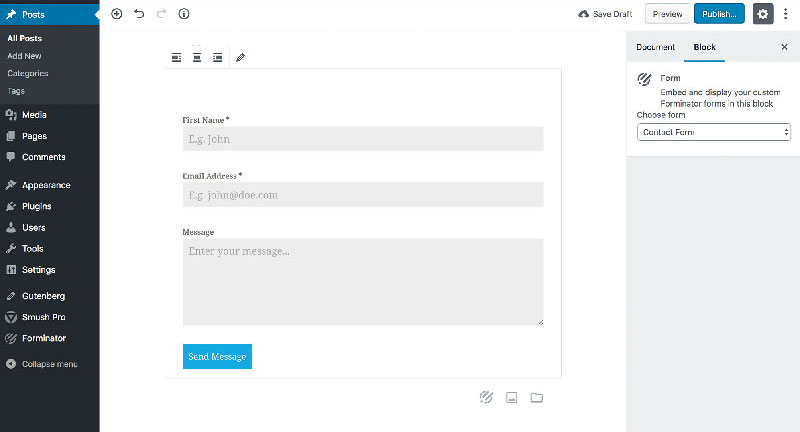
Forminator is a free WordPress form builder plugin made by WPMU DEV. It launched in 2018 and has grown to over 600,000 active installations on WordPress.org, with a 4.8 out of 5 user rating.
But calling it just a form plugin sells it short.
Forminator handles contact forms, payment forms, quizzes, polls, and calculation fields right out of the box. Most WordPress form plugins lock that kind of variety behind a paywall. Forminator doesn’t. The free version includes Stripe and PayPal integration, conditional logic, file uploads, and connections to services like Mailchimp, Google Sheets, and Zapier.
The drag-and-drop builder works with both Gutenberg and Elementor. You pick your fields from a menu, drag them into order, and configure settings in a side panel. It’s a two-step process that feels different from live visual builders, but it gets the job done without any code.
The Pro version isn’t sold as a standalone plugin. You get it through a WPMU DEV membership starting at $15 per month, which bundles their full suite of tools (hosting, security, performance optimization). That pricing model makes Forminator Pro a better deal for agencies managing multiple sites than for someone running a single blog.
Pro adds Stripe subscriptions, PDF generation from form submissions, geolocation autofill, and electronic signatures. Most solo site owners, honestly, won’t need any of that.
What Is WPForms
WPForms is a WordPress contact form plugin built by Awesome Motive, the same company behind OptinMonster, MonsterInsights, and WP Mail SMTP. It sits at over 6 million active installations, making it the most popular form builder in the WordPress plugin directory.
BuiltWith data shows WPForms appears on 1.12% of the top 1 million websites. That’s a significant footprint.
The plugin’s entire pitch centers on being beginner-friendly. The drag-and-drop form builder gives you a live preview on the right and field options on the left. Click, drag, done. No shortcodes to fumble with, no separate preview tab. You see the form taking shape in real time as you build it.
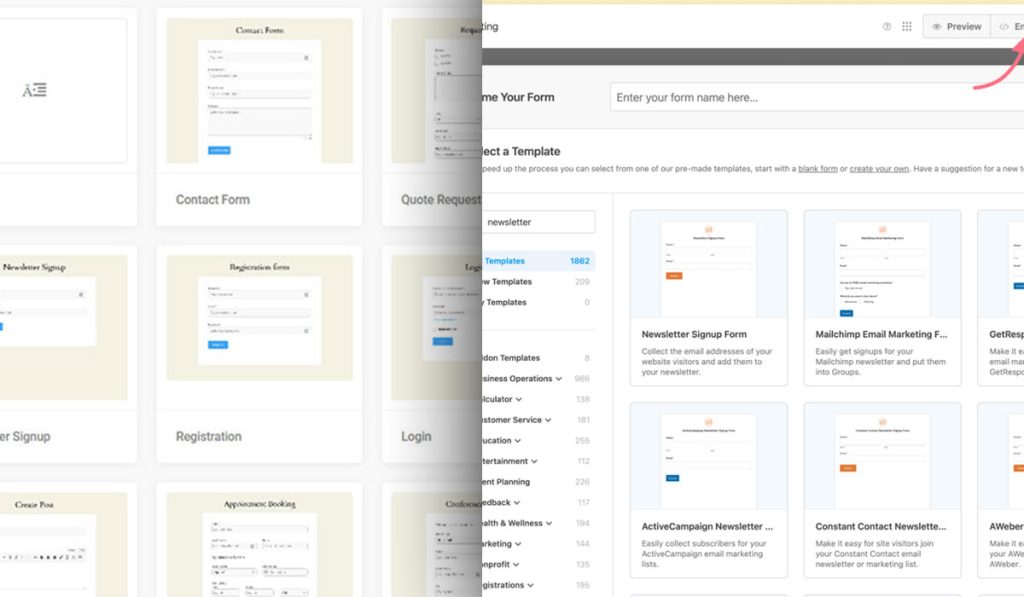
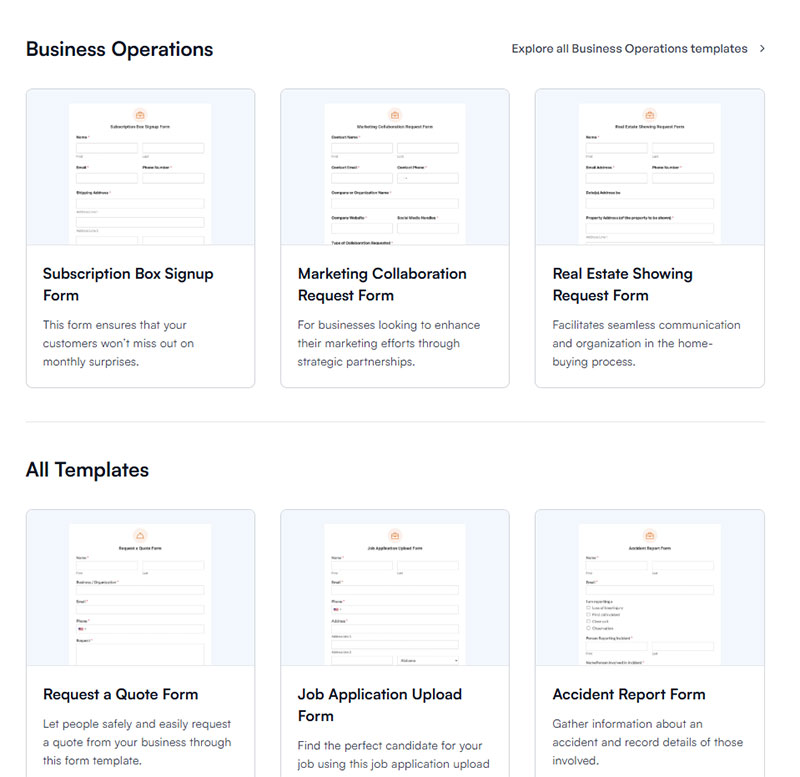
2,000+ pre-built form templates cover everything from simple contact forms to donation pages to event registrations. If you’ve ever stared at a blank form builder wondering where to start, this library is genuinely useful.
WPForms has four pricing tiers:
| Plan | Annual Cost | Sites | Notable Inclusions |
|---|---|---|---|
| Basic | $49.50 | 1 | Conditional logic, file uploads, templates |
| Plus | $99.50 | 3 | Email marketing integrations, Slack |
| Pro | $199.50 | 5 | Payment gateways, surveys, Zapier |
| Elite | $299.50 | Unlimited | Salesforce, HubSpot, webhooks |
The free version (WPForms Lite) lets you build basic forms and accepts Stripe payments with a 3% transaction fee. But conditional logic, multi-page forms, and most integrations are locked behind paid plans. That’s a pretty big gap compared to what Forminator offers at zero cost.
Syed Balkhi, the co-founder, has built a reputation around the WordPress ecosystem, and WPForms benefits from that visibility. The plugin has a 28,000+ member Facebook group and a responsive support team with priority response times under one hour for paid users.
Form Builder Interface and Ease of Use
The builder experience is where these two plugins feel the most different. Both use drag-and-drop, but the execution is not the same.
According to The Manifest, 81% of people have abandoned a form after starting to fill it out. So the builder itself matters less than what it produces. Still, if building forms is painful, you’ll avoid updating them, and that’s how you end up with broken, outdated WordPress forms that drive visitors away.
Forminator’s Builder Layout
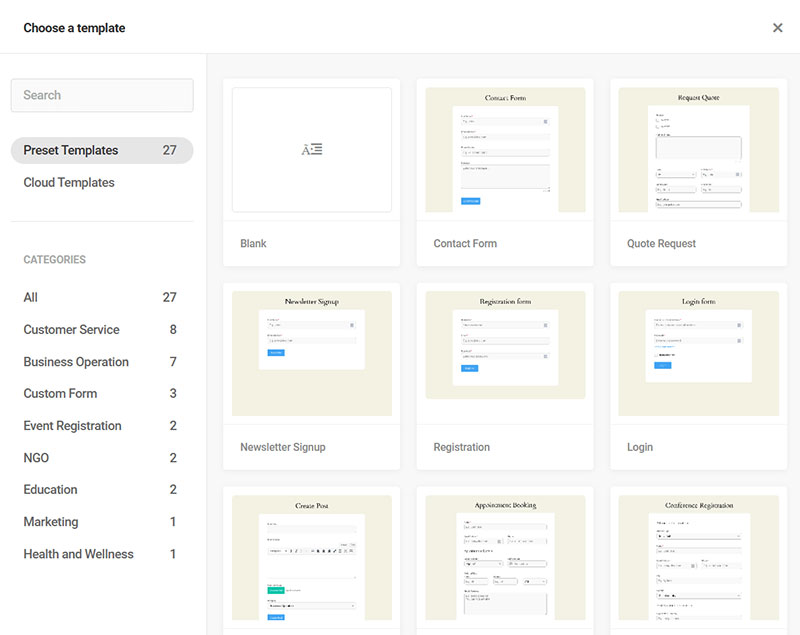
Field selection happens through a menu, not a visual canvas. You click “Insert Field,” choose what you want, then drag to reorder. Editing a field opens a modal window, which means more clicks than you’d expect for simple changes.
The lack of a true live preview inside the builder is the biggest friction point. You can preview your form, but it’s a separate step. For someone used to Elementor’s real-time editing, this feels slower.
That said, Forminator’s builder handles complex forms well. Setting up multi-page forms with pagination, calculation fields, and conditional branching all happens in the same interface without switching between tabs or addons.
WPForms’ Builder Layout
This is where WPForms pulls ahead, and it’s not close.
The full-screen builder shows your form exactly as visitors will see it. Drag a field in, and it appears instantly. Click any field to edit it inline. The whole thing feels like working in a design tool rather than a WordPress admin panel.
WPForms also added AI form generation. You describe the form you need in plain language, and it builds a starting template. I’ve seen it produce solid results for standard types of forms like event registrations and feedback requests, though anything custom still needs manual tweaking.
For someone who has never touched a form builder before, WPForms is the safer bet. The learning curve is basically flat.
Available Form Types and Templates
Templates save time. But the real question is whether those templates match what you actually need to build.
WPForms wins on sheer volume: 2,000+ templates across business operations, customer service, marketing, healthcare, education, and nonprofit categories. You’ll find templates for job applications, restaurant reservations, subscription forms, and dozens of other specific use cases. Most are well-structured and ready to publish with minor edits.
Forminator’s template library is smaller (around 26 free templates, more with Pro). But here’s where things get interesting.
Forminator includes entire form categories that WPForms doesn’t have at any price point:
- Knowledge quizzes with scoring and result pages
- Personality-style “no wrong answer” quizzes (think BuzzFeed-style content)
- Interactive polls with real-time results displayed as pie charts
- Calculation forms for quotes, estimates, and service pricing
WPForms doesn’t offer quiz functionality in any plan. If you need quizzes or polls to boost engagement, collect lead generation form data, or run interactive content campaigns, Forminator is the only choice between these two.
Both plugins handle registration forms, payment forms, and file upload forms. WPForms adds conversational forms (a Typeform-style one-question-at-a-time layout) in its higher tiers. Forminator doesn’t have that specific feature, though its multi-page form setup with pagination can approximate a similar flow.
For survey forms, WPForms includes advanced reporting with NPS scoring, Likert scales, and visual data breakdowns, but only on the Pro plan or above. Forminator’s survey tools are more basic.
Try a cheaper & more innovative alternative to Forminator & WPForms
If you’re torn between Forminator’s generous free tier and WPForms’ polish, there’s a newer option worth a serious look. IvyForms is a modern WordPress form builder from Melograno — the team behind Amelia, Trafft and wpDataTables — that gives you advanced fields, multi-page and conversational forms, and full ownership of your entries for a fraction of WPForms’ price, without locking Pro behind a WPMU DEV membership the way Forminator does.
| IvyForms | Forminator | WPForms | |
|---|---|---|---|
| Starting paid price | €29/year (1 site) | Pro bundled into WPMU DEV membership | ~$49.50/year (Basic, 1 site) |
| Unlimited / agency | €99/year (unlimited sites) | Tied to WPMU DEV plan tier | ~$299.50/year (Elite) |
| Free version | Yes — feature-rich Lite | Yes — very generous | Yes — Lite, but limited |
| Lifetime license | €399 one-time (unlimited) | No standalone lifetime | No |
| Where data lives | Your WordPress database | Your WordPress database | Your WordPress database |
| Stands out for | Modern builder, wpDataTables/Amelia, MCP for AI Agents, lifetime pricing | Free quizzes, polls & calculations | 2,000+ templates, huge install base, smooth onboarding |
| Honest trade-off | Newer plugin with a smaller template library and community than the incumbents; Zapier, Slack and multiple payment gateways are on the near-term roadmap (unlocked when you buy now). | Pro requires WPMU DEV membership; heavier, dated UI | Conditional logic & multi-page locked to paid tiers; Lite Stripe adds a 3% fee |
Forminator is a strong free all-rounder and WPForms is the safe, mature default — but if you want a modern builder, data that stays on your site, and pricing that doesn’t climb at every renewal, IvyForms is the more forward-looking pick for most WordPress projects.
Ready to switch? Get IvyForms Pro from €29/year — or €399 once for lifetime access to every current and future feature.
▶ See plans & pricing or download IvyForms free (no credit card).
Integrations and Third-Party Connections
A form that collects data but doesn’t send it anywhere useful is just a fancy spreadsheet. Integrations determine whether your form plugin fits into your actual workflow or creates extra manual steps.
Email Marketing and CRM Connections
WPForms native integrations: Mailchimp, Constant Contact, AWeber, MailerLite, ActiveCampaign, Campaign Monitor, GetResponse, Drip, Brevo, and HubSpot. Most require the Plus plan ($99.50/year) or higher. Salesforce and HubSpot need the Elite plan ($299.50/year).
Forminator connects natively to Mailchimp, AWeber, Campaign Monitor, ActiveCampaign, and HubSpot. The free version includes several of these, which is unusual for a WordPress form plugin.
Both plugins support Zapier as a fallback. WPForms claims access to over 6,000 Zapier integrations, though that number reflects Zapier’s total app library, not WPForms-specific connections. Forminator works with Zapier and Uncanny Automator for similar flexibility. Recently, Forminator also added n8n automation support for more technical users.
Payment Gateways
This is a big differentiator.
| Feature | Forminator (Free) | WPForms (Free) | WPForms (Pro) |
|---|---|---|---|
| Stripe one-time payments | Yes | Yes (3% fee) | Yes (no fee) |
| PayPal | Yes | No | Yes |
| Square | No | No | Yes |
| Stripe subscriptions | Pro only | No | Yes |
| Dynamic payment methods | Yes (40+ via Stripe) | No | Limited |
Forminator’s free Stripe integration supports over 40 payment methods through Stripe’s Dynamic Payment Element, including Apple Pay, Google Pay, and Klarna. No transaction fee from the plugin side. That’s a significant edge for anyone building a WordPress payment form on a budget.
WPForms Lite charges a 3% fee on top of Stripe’s own processing fees. For a small business processing even $5,000 per month through forms, that’s an extra $150 going to WPForms. At that point, upgrading to a paid plan to remove the fee starts making financial sense.
Pricing and Free vs Paid Feature Gaps
Pricing is where this comparison gets tricky, because these plugins use completely different business models.
The WordPress plugin market was valued at $2,380 million in 2025 and is growing at 8.4% annually through 2033, according to Data Insights Market research. Competition is fierce, and pricing strategies reflect that.
What the Free Versions Include
Forminator’s free version is one of the most generous in the WordPress form plugin space. Look at what you get without paying anything:
- Unlimited forms, submissions, and file uploads
- Conditional logic with AND/OR operators
- Stripe and PayPal payment processing
- Calculation fields for quotes and estimates
- Quizzes, polls, and interactive content
- Mailchimp, Google Sheets, Slack, and Zapier integrations
- Submission management with export options
WPForms Lite gives you basic field types, Stripe payments (with a 3% surcharge), anti-spam protection, and access to the template library. No conditional logic. No payment integrations beyond Stripe. No entry management. No marketing tool connections.
That gap is massive. If you’re comparing free versions only, Forminator wins by a wide margin.
Paid Plan Comparison
WPForms pricing is straightforward: pick a tier, get that tier’s features for one year. Basic at $49.50, Plus at $99.50, Pro at $199.50, Elite at $299.50. Renewal prices double after the first year (Basic renews at $99, for example).
Forminator Pro requires a WPMU DEV membership. The lowest tier is $15/month (or roughly $180/year) for a single site. But that membership includes Smush Pro (image optimization), Hummingbird Pro (caching), Defender Pro (security), and hosting tools. If you need those anyway, the value is strong.
For a single site that only needs a form plugin, WPForms Basic at $49.50/year is cheaper than Forminator Pro at $180/year. But WPForms Basic doesn’t include payment integrations, survey features, or Zapier connections. To match what Forminator offers free, you’d need at least WPForms Pro at $199.50/year.
For agencies running 10+ sites, the WPMU DEV Premium plan at $100/month covers unlimited sites with every plugin in their suite. WPForms Elite at $299.50/year also covers unlimited sites but only gives you the form plugin. The math tips toward WPMU DEV for large-scale operations.
Performance and Page Speed Impact
Every plugin you add to WordPress loads CSS and JavaScript files. Form plugins are no exception, and the difference between a lean plugin and a bloated one shows up directly in your Core Web Vitals scores.
Portent’s research across 100 million pageviews found that sites loading in 1 second convert at 3x the rate of sites loading in 5 seconds. A form plugin that adds 300ms of load time might not sound like much, but it compounds with every other asset on the page.
Forminator loads roughly 47KB of CSS and 82KB of JavaScript on pages where a form is present. WPForms is slightly lighter at 38KB CSS and 65KB JS. In practice, that difference is barely noticeable on modern hosting with decent caching.
The real issue isn’t file size. It’s asset loading behavior.
Both plugins load their scripts on pages where forms exist. But some configurations (especially with conditional logic or payment fields active) can pull in additional external scripts from Stripe, PayPal, or Google reCAPTCHA. Those third-party calls are where the actual slowdowns happen.
| Performance Factor | Forminator | WPForms |
|---|---|---|
| Base CSS size | ~47KB | ~38KB |
| Base JS size | ~82KB | ~65KB |
| Loads assets globally | No (form pages only) | No (form pages only) |
| Lazy loading support | Yes | Yes |
| Added load time estimate | 200–300ms | 150–250ms |
Google data shows that 53% of mobile visitors leave if a page takes longer than 3 seconds to load. Neither plugin pushes you past that threshold on its own, but stacking form scripts with a heavy theme and five other plugins can get you there fast.
WooCommerce stores running WPForms or Forminator alongside payment plugins should test with Google PageSpeed Insights before and after activation. That’s the only way to know the real impact on your specific setup. Vodafone improved LCP by 31% and saw an 8% sales lift, according to Web.dev, which shows how much even small speed gains matter.
Spam Protection and Security Features
Spam is not a minor inconvenience. It’s a real operational problem.
According to Imperva’s Bad Bot Report, bots account for 37% of all internet traffic, and form submission bots have increased 87% year-over-year. OOPSpam’s 2025 Annual Spam Report found that WordPress remains the top target at 61% of CMS-based spam. Without proper form security, the average WordPress contact form gets 15-20 spam submissions daily.
Both plugins take spam seriously, but their toolkits differ.
Shared protections (available in both):
- Google reCAPTCHA v2 (checkbox), v2 (invisible), and v3
- hCaptcha integration
- Akismet anti-spam filtering
WPForms extras:
- Built-in anti-spam token (enabled by default since 2024 on new forms)
- Custom CAPTCHA with math problems or security questions
- Cloudflare Turnstile support
- Country and keyword filtering to block specific patterns
If you are evaluating a third option, IvyForms also offers WordPress form spam protection with reCAPTCHA, hCaptcha, and Cloudflare Turnstile built in — without the paywalled feature tiers that affect both Forminator and WPForms.
Forminator offers honeypot protection as a native feature. Honeypots add an invisible field that only bots fill out, catching automated submissions without adding friction for real visitors. It also supports Cloudflare Turnstile.
WPForms has a slight edge here because of its Custom CAPTCHA option. You can set up your own math questions or custom challenges instead of relying on third-party services. That’s useful if you’re building GDPR compliant forms and want to minimize external data sharing.
For sites handling sensitive data (healthcare intake forms, financial applications), both plugins support HTTPS and form validation. Forminator recently added encryption for Stripe API and PayPal secret keys, which is a welcome security improvement.
Reporting, Submissions, and Data Management
Collecting form data is only half the job. What happens after someone clicks submit determines whether that data actually turns into something useful.
Zuko Analytics data shows that two-thirds of people who start filling out a form complete it. That still means a third don’t. Tracking partial submissions and completed entries matters for improving form abandonment rate and understanding where people drop off.
Forminator’s submission dashboard: Available in the free version. Every form submission gets stored in your WordPress database with a visual line graph showing activity over the past 30 days. You can see views, submissions, and conversion rates per form. Export to CSV is included. The dashboard also tracks which forms perform best, so you’re not guessing which website form layout converts more visitors.
WPForms handles this differently.
Entry management is a paid-only feature. WPForms Lite doesn’t store submissions in your dashboard at all. You get email notifications, and that’s it. If you need to review past entries, export data, or track conversion rates, you need at least the Basic plan ($49.50/year).
On the Pro plan and above, WPForms adds survey reporting with visual charts, NPS scoring, and Likert scale analysis. If you run regular feedback survey questions or customer satisfaction polls, those reporting tools are genuinely useful. Forminator’s reporting is more basic by comparison.
| Capability | Forminator Free | WPForms Lite | WPForms Pro |
|---|---|---|---|
| Submission storage | Yes | No | Yes |
| Conversion tracking | Yes | No | Yes |
| CSV export | Yes | No | Yes (+ PDF) |
| Visual reporting | Basic charts | No | Advanced surveys |
| Partial entry capture | No | No | Yes (addon) |
WPForms Pro also has a Form Abandonment addon that captures partial entries before someone leaves the page. That’s a real lead recovery tool. FormStory data indicates that 20% of partial form responders will come back and complete the form if contacted with a link to their incomplete submission.
Which Plugin Fits Which Use Case
There’s no single right answer here. Your mileage will vary depending on budget, technical comfort, and what form fields and features you actually need.
But after pulling apart every feature, pricing tier, and integration, some patterns are pretty clear.
Best Pick for Simple Contact Forms on a Budget
Forminator wins. The free version gives you everything needed for a solid contact us page: drag-and-drop builder, email notifications, spam protection, conditional logic, and submission tracking. WPForms Lite works too, but the lack of entry management and conditional logic limits what you can do without upgrading.
If your entire goal is “put a contact form on my site and forget about it,” Forminator does that at zero cost with zero compromises.
Best Pick for Quizzes, Polls, and Interactive Content
Forminator. This isn’t even close.
WPForms has no quiz functionality at any price point. Forminator includes knowledge quizzes, personality quizzes, and interactive polls with real-time results in the free version. If you’re using quizzes and interactive forms for lead generation, collecting email addresses through quiz results, or running audience engagement campaigns, Forminator is the only option between these two.
Best Pick for Agencies Managing Multiple Client Sites
Depends on what else you need.
WPForms Elite at $299.50/year covers unlimited sites with all features. Straightforward licensing, one invoice, done.
WPMU DEV’s Premium plan at $100/month ($1,200/year) gives you Forminator Pro plus their entire plugin suite (security, caching, image optimization, hosting tools) across unlimited sites. If you’d otherwise pay for those tools separately, the membership pays for itself. For agencies already using WPMU DEV’s platform, Forminator Pro comes along for the ride.
When Neither Plugin Is the Right Answer
Some projects need more than either plugin offers.
Gravity Forms handles complex application workflows, multi-step approval processes, and advanced calculation logic better than both. If you’re building mortgage calculators, insurance quote generators, or multi-step forms with dozens of conditional branches, Gravity Forms or Formidable Forms might be the better fit.
For conversational forms with a Typeform-style one-question-at-a-time flow, WPForms includes this as a feature in higher tiers. Forminator doesn’t support that format natively. If that specific interaction style matters to your conversion strategy, it’s worth factoring in.
And if you’re running a high-volume ecommerce operation on WooCommerce with complex checkout flows, a dedicated checkout solution will probably serve you better than bolting form plugins onto your payment process. Look into the checkout optimization strategies that actually move the needle for online stores.
FAQ on Forminator vs WPForms
Is Forminator really free?
Yes. Forminator’s free version includes conditional logic, Stripe and PayPal payments, quizzes, polls, calculation fields, and submission management. Pro features like PDF generation and geolocation require a WPMU DEV membership starting at $15/month.
Does WPForms have a free version?
WPForms Lite is free and supports basic form building with limited field types. It includes Stripe payments with a 3% surcharge. Conditional logic, entry management, and marketing integrations all require a paid plan.
Which plugin has better spam protection?
Both support Google reCAPTCHA, hCaptcha, and Akismet. WPForms adds a Custom CAPTCHA option with math problems and keyword filtering. Forminator includes native honeypot protection. WPForms has a slight edge for spam control overall.
Can I build quizzes with WPForms?
No. WPForms doesn’t offer quiz functionality at any pricing tier. Forminator includes knowledge quizzes, personality quizzes, and interactive polls with real-time results in the free version.
Which plugin is better for beginners?
WPForms. Its full-screen drag-and-drop builder shows a live preview as you build. Forminator’s builder works fine but uses modal windows for field editing, which adds extra clicks to the process.
How do Forminator and WPForms affect page speed?
Both are lightweight. WPForms loads roughly 38KB CSS and 65KB JS. Forminator loads about 47KB CSS and 82KB JS. The difference is negligible on modern WordPress hosting with caching enabled.
Which plugin offers more form templates?
WPForms provides 2,000+ pre-built templates across dozens of categories. Forminator offers around 26 free templates with more available through Pro. For sheer template variety, WPForms wins by a wide margin.
Can both plugins process payments?
Yes, but Forminator’s free version includes Stripe and PayPal with no plugin-side transaction fee. WPForms Lite only supports Stripe with a 3% surcharge. Full payment options in WPForms require the Pro plan.
Which plugin is cheaper for a single WordPress site?
Forminator is free for most use cases. WPForms Basic costs $49.50/year. But matching Forminator’s free features in WPForms requires the Pro plan at $199.50/year, making Forminator the budget-friendly choice.
Can I migrate forms between Forminator and WPForms?
No direct migration tool exists for either plugin. You’d need to export entries as CSV, rebuild forms manually in the new plugin, and reconfigure conditional logic rules and payment connections from scratch.
Conclusion
The Forminator vs WPForms decision really comes down to two things: how much you want to spend and what kind of forms you need to build.
Forminator gives you more out of the box. Payment processing, conditional logic, quizzes, polls, and submission tracking all come free. For WordPress site owners watching their budget, that’s hard to beat.
WPForms delivers a smoother builder experience with 2,000+ templates and stronger survey reporting tools. If ease of use and polished design matter more than cost savings, the paid plans justify themselves quickly.
Neither plugin is perfect for every scenario. Test both on a staging site with your actual forms before committing. Build your most complex use case in each, check mobile form responsiveness, and compare the results side by side.
Your specific workflow will tell you more than any comparison article ever could.