




The best AI plugins for WordPress connect a site’s dashboard, page builder, or database to a machine learning model, turning a plugin that follows fixed rules into one that writes,…
Table of contents
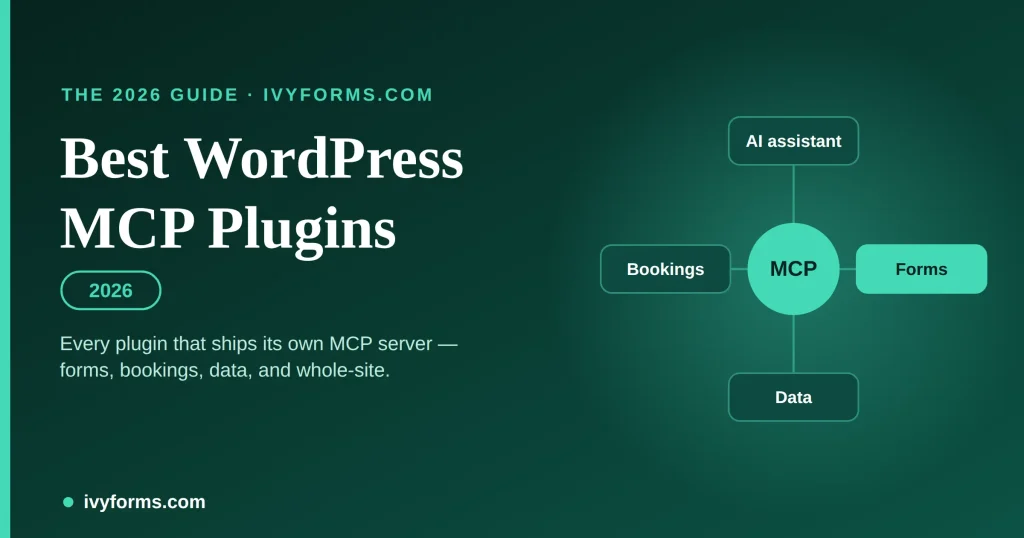
An MCP plugin is a WordPress plugin that ships a built-in MCP server — the piece that lets an AI assistant like Claude or ChatGPT actually do things on your site through conversation. You install the plugin, connect your assistant once, and then “build me a three-step contact form with conditional logic” becomes a sentence instead of twenty minutes of clicking.
But “MCP plugin” covers two very different things, and the difference decides which one you want:
- General-purpose MCP plugins turn your whole WordPress site into an MCP server. The AI can touch posts, pages, themes, users, WooCommerce — everything. Great reach, real risk. If that’s what you need, Royal MCP and WPVibe lead the pack.
- Purpose-built MCP plugins expose only one plugin’s job. A form builder that ships an MCP server lets the AI create forms and read entries — and can’t wander into the rest of your site. For forms, there are now three real options: IvyForms (native, free), GravityMCP for Gravity Forms, and a Contact Form 7 bridge.
If your goal is “let AI handle my forms,” you almost certainly want a purpose-built forms plugin, not a whole-site server pointed at your live site. This guide ranks both kinds, leads with the forms options, and tells you where each one is the wrong call.
Key takeaways
- An MCP plugin adds an MCP server to WordPress so an AI assistant can perform real actions — scoped to one feature, or across your whole site.
- Match the plugin to the job. Forms → IvyForms (free, native) or GravityMCP; bookings → Amelia; tables and reporting → wpDataTables. Each limits the AI to its own data.
- For whole-site control, install a general-purpose server like Royal MCP or WPVibe — and treat that broad access with care.
- Most big form plugins (WPForms, Formidable, Ninja Forms) have no native MCP yet — you’d reach them only through a whole-site bridge, which is heavier and riskier.
- Whatever you choose, insist on Application Password or OAuth auth, permission scoping and an audit trail — never a plugin that wants your raw login.
- IvyForms, Amelia and wpDataTables are built on the same WordPress Abilities API foundation, so you can run them together — collect with IvyForms, book with Amelia, report with wpDataTables — through one AI setup.
How we ranked these
Because two kinds of plugin are in play, we scored them within their own category — a forms plugin and a whole-site server aren’t doing the same job, and a single “tool count” number would mislead you. Within each category we weighted six things a WordPress owner actually decides on:
| Dimension | Weight | What we checked |
|---|---|---|
| What the AI can do (for the job) | 25% | Real, verified actions — building forms, reading entries, or full-site CRUD |
| Safety & permission scope | 25% | Auth method, what’s redacted, what the AI can’t do, audit logging |
| Who can actually use it | 15% | Non-developer path vs. terminal-only setup |
| Cost & what’s required | 15% | Free vs. paid, and whether a paid base plugin is needed first |
| Maintenance & trust | 10% | Active development, real install/review signals, vendor track record |
| Ecosystem fit | 10% | How well it slots into the stack you already run |
Evidence and dates: we inspected each plugin’s live documentation, pricing and WordPress.org listing first-hand on 25 August 2026. Where something is unverified or a review base is thin, we say so rather than round it up. Vendors’ own “we’re #1” roundups were used only to find candidates, never as proof of quality.
At a glance
| Plugin | Category | Best for | AI can… | Auth | Price |
|---|---|---|---|---|---|
| IvyForms MCP | Forms (native) | Most WP form owners | Build/edit forms, read & flag entries | App pw / Angie | Free |
| GravityMCP | Forms (native) | Existing Gravity Forms users | Build forms, full entry CRUD, reports, Views | App pw / GF key | Free (needs GF) |
| Amelia MCP | Bookings | Appointment businesses | Create/cancel bookings, manage services & customers | App pw | With Amelia licence |
| wpDataTables MCP | Data / tables | Reporting on booking & form data | Query read-only, create tables & charts, export | App pw | With wpDataTables |
| Contact Form 7 (Novamira) | Forms (bridge) | CF7 loyalists, dev/staging | Build/edit form structure & mail only | Backend access | Paid |
| Royal MCP | Whole-site | Power + safety, self-hosted | Full-site CRUD, WooCommerce, 170+ tools | OAuth 2.0 + PKCE | Free |
| WPVibe | Whole-site | Content & page builders | Posts, media, themes, builders, WP-CLI | App password | Free + paid |
| miniOrange Secure MCP | Whole-site | Security-first teams | 300+ tools incl. form-plugin actions | OAuth 2.1 + PKCE | Free |
| WordPress MCP Adapter | Foundation | Developers | Whatever abilities you register | Abilities API | Free |
| InstaWP mcp-wp | Whole-site (dev) | Staging & dev workflows | Site CRUD + PHP/DB | REST | Free |
Form-builder plugins with a built-in MCP server
This is the part most “WordPress MCP” roundups skip entirely — they only cover whole-site servers. But if forms are the job, a purpose-built forms MCP is safer and more useful than giving an AI the run of your site. Three are worth your time.
IvyForms — the free, native option most form owners should start with
IvyForms builds the MCP server straight into the form plugin, and it’s free — no paid base plugin required first, which immediately separates it from the Gravity Forms route below. Point an assistant at it and you can, in plain language, list and open forms, create or duplicate them, add and reorder fields, and manage entries — listing, summarising, counting and starring submissions — plus create and edit email notifications. The customer-facing walkthrough lives on the AI form builder page.
Two things make it stand out for a typical WordPress owner rather than a developer:
First, you don’t need a terminal. IvyForms works with Angie, Elementor’s free in-browser AI assistant, so a non-technical admin can build a form by chatting inside WordPress — no Claude Desktop config, no Node.js. It also connects to external clients (Claude Desktop, Cursor, Claude Code) when you want them, so you’re not boxed in.
Second, the guardrails are deliberate. The AI can’t delete forms, entries or notifications; it can’t change plugin settings; submission data comes back redacted (field values, IP addresses and API keys are masked); and access is administrator-only. For anyone nervous about pointing an AI at real customer data, that “it literally cannot do the scary things” design is the selling point.
Honest limits: it needs WordPress 6.9+, and those same guardrails mean it’s built for building and reading, not bulk clean-up — you can’t have the AI purge old entries, by design. And it manages forms, full stop; it won’t touch the rest of your site (which is the point, but worth stating).
- Best for: most WordPress form owners, especially non-developers who’d rather chat with Angie than edit a JSON config.
- Not for you if: you’re already deep in the Gravity Forms ecosystem — read on.
Build your forms by chatting — for free
IvyForms’ MCP server is free and native. Use Angie right inside WordPress — no terminal — or connect Claude, and let AI build forms and manage entries while it stays out of the rest of your site.
GravityMCP — the strongest choice if you already run Gravity Forms
Credit where it’s due: GravityMCP, from GravityKit, is an excellent, genuinely capable MCP server — and in a couple of areas it goes further than IvyForms. It can create and edit forms from natural-language descriptions, add, retrieve and edit entries, send notifications and confirmations, analyse response data and generate custom reports, and even build Views (with GravityView 3.0+), with charts and add-on feed support on the roadmap. On entry-level power and reporting, it’s ahead.
Its safety model is solid too: it connects over Application Passwords (or a Gravity Forms REST key), respects your existing WordPress and Gravity Forms permissions, “never stores your form data”, logs actions through Gravity Forms, and pre-validates form values before making API requests.
The catch is the price of entry, literally: GravityMCP is free, but it needs Gravity Forms, a paid plugin, underneath it — so the real cost is a Gravity Forms licence, and setup leans on an MCP client like Claude Desktop rather than an in-browser assistant. If you’re already invested in Gravity Forms and GravityView, that’s no barrier and GravityMCP is the natural, powerful pick. If you’re starting fresh or want something free and non-technical, it’s a heavier lift than IvyForms.
- Best for: teams already running Gravity Forms (especially with GravityView) who want deep AI-driven entry analysis.
- Watch out for: the Gravity Forms licence cost and a more developer-oriented setup
Amelia — for AI that runs your bookings and nothing else
If your reason for wanting AI on the site is appointments, Amelia’s MCP server is the purpose-built option. Connected to a client like Claude Desktop, the assistant handles the whole booking loop in plain language: list services, employees, customers, events and appointments; check availability; add a service or customer; create an appointment or event; register someone for a recurring event; and cancel a booking. So “book Maria a 90-minute massage with the first available therapist next Tuesday afternoon” is one sentence. The positioning lives on Amelia’s AI booking for WordPress page.
Like IvyForms, Amelia is built on the WordPress Abilities API and MCP Adapter, so every action respects your existing role-based permissions and Amelia’s own booking rules — the AI can’t create a booking your rules wouldn’t allow, and can’t touch anything outside Amelia. Authentication is a standard Application Password, and it works across all Amelia licence plans.
Honest limits worth knowing: setup is mildly technical (Node.js and an Application Password); customer notifications don’t fire for AI-created bookings, so a human should confirm anything customer-facing; new services/events use default settings you’ll want to tidy; complex multi-step requests are less reliable than single clear ones; and the Amelia Employee role isn’t fully supported yet — connect with an admin or manager account.
- Best for: salons, clinics, coaches and other appointment businesses that want AI scheduling without whole-site access.
- Watch out for: the notification gap on AI bookings; keep a human in the loop for customer-facing actions.
wpDataTables — for querying your data and building reports with AI
The reporting end of the same idea. wpDataTables’ AI assistant integration exposes your tables and charts over MCP so an assistant can turn “show me last month’s bookings by service as a bar chart” into an actual query and visual. It’s explicitly not a built-in chat box — you connect an MCP client like Claude Desktop to the `/wp-json/wpdt-mcp/mcp` endpoint — and it offers ten concrete actions: list tables, get table data, create/update/delete a table, list charts, create a chart, get chart data, run a (read-only) query, and export table data.
The safety design is notably careful for a data tool: it uses your authenticated WordPress account, enforces all existing wpDataTables permission rules on every action, keeps table create/update/delete admin-only, rejects unauthenticated requests, and — importantly — the run-query action is read-only, so the AI can read and summarise your data but can’t insert, update or delete rows through it. It runs on WordPress 5.3+ (the Abilities API is bundled in 6.9+, with a Composer fallback for older versions).
This is where the three purpose-built plugins compound: forms and bookings collect the data, and wpDataTables lets AI make sense of it — read the tables, chart the trends, export the summary — without ever getting write access to your rows.
- Best for: anyone reporting on booking or form data, or managing large tables, who wants AI to query, summarise and chart on demand.
- Watch out for: the read-only query limit (by design — data changes go through the explicit create/update actions), and that it’s scoped to wpDataTables only.
Contact Form 7 (via Novamira) — structure only, for CF7 die-hards
Contact Form 7 has no MCP of its own, but a third-party server, Novamira Pro, adds one — an independent product, not affiliated with CF7. Through it, an AI can list, read, create, edit, duplicate and delete CF7 forms and author fields using CF7’s own form-tag syntax (so it doesn’t guess and break your markup), plus configure mail templates and messages. The hard limit is CF7 itself: it doesn’t store submissions, so this works on form structure and mail only — there are no entries to read unless you add a plugin like Flamingo. It expects full backend access, suits dev/staging environments, and is paid (part of Novamira Pro).
- Best for: CF7 loyalists who want AI help authoring and maintaining form markup.
- Skip it if: you need the AI to see or manage submissions — it can’t.
Free, native, and scoped to forms
Start with IvyForms — the safest way to hand your WordPress forms to an AI assistant, with no paid base plugin required.
Sometimes you do want AI across the whole site — writing posts, editing pages, managing a store. These plugins expose your entire install over MCP. They’re powerful and, handled carelessly, risky, so weigh the safety model as heavily as the feature list.
General-purpose plugins that turn your whole site into an MCP server
Royal MCP — the best all-round whole-site server
Royal MCP is the one to beat for a self-hosted site: 170+ tools spanning core WordPress plus auto-loading sets for WooCommerce (29), Elementor (11), Divi (9) and Advanced Custom Fields (4). The power comes wrapped in real safety — OAuth 2.0 with PKCE and Dynamic Client Registration, every token and log staying inside your own database, 60-requests-per-minute rate limiting, and 72-hour undo tokens with dry-run previews on destructive actions. It connects to Claude, ChatGPT, Gemini, Cursor, Windsurf and local models via Ollama.
It’s free on WordPress.org with 10,000+ installs — though its 5.0 rating rests on just 7 reviews so far, so it’s capable but not yet widely battle-tested. And 170 tools is a large attack surface; lean on the per-tool controls.
- Best for: self-hosted owners and agencies who want maximum capability with self-hosted security they control.
WPVibe — the friendliest for content and page builders
From SeedProd (whose plugins run on a million-plus sites), WPVibe is the most comfortable whole-site option if your work is content and layout. It edits theme files through a safe draft → preview → publish flow, runs WP-CLI, manages WooCommerce, and edits Elementor, Bricks, Breakdance, Beaver Builder and Divi — the widest page-builder coverage here — with inline Unsplash search. It has the largest verified review base on this list: 4.9 from 25 reviews across 10,000+ installs.
The catch is the pricing model: the plugin is free, but daily action allowances are capped, and lifting the cap needs a paid plan — fine for light editing, a real cost to model for agency-scale bulk work.
- Best for: creators and site builders who want AI help with content and page-builder layouts.
- Skip it if: you need airtight, self-hosted-only credential handling — Royal MCP is more explicit there.
miniOrange Secure MCP Server — the security specialist
miniOrange approaches MCP from an identity-and-security background: self-hosted OAuth 2.1 with PKCE, Dynamic Client Registration, per-tool on/off toggles, role-based permissions, and full activity logging. Its surface is the largest here — 300+ tools — and, relevant to forms, it includes 40 form-plugin tools covering Contact Form 7, WPForms and Gravity Forms, making it one way to reach form plugins that lack a native MCP.
The reason it’s not higher is track record: 500+ installs and just 2 reviews. The engineering looks strong and the brand is credible in security, but there isn’t much public real-world use yet.
- Best for: security-conscious teams who want granular control and are comfortable being early adopters.
WordPress MCP Adapter — the official foundation (for developers)
This is the official WordPress project (part of the “AI Building Blocks” initiative, ~1.6k stars) that turns the Abilities API into MCP tools. It’s the plumbing the modern stack is built on — including IvyForms, Amelia and wpDataTables. But it’s not an end-user tool: it’s for developers (PHP 7.4+, WordPress 6.9+, Composer, and code to register abilities). If you can build with it, it’s the most flexible and trustworthy starting point; if you can’t, use a turnkey plugin above. Note the older Automattic/wordpress-mcp plugin was archived in January 2026 and now points here — don’t start a new project on it.
- Best for: developers building a custom MCP surface for a site or product.
InstaWP mcp-wp — for developers and staging
InstaWP’s open-source mcp-wp offers 43 tools across posts, pages, media, users, taxonomies, plugins, themes and database operations — plus PHP execution, which is invaluable for dev and staging and dangerous on a live site. With InstaWP’s hosted “InstaMCP” toggle it’s a one-switch setup for sites already on their platform.
- Best for: developers spinning up staging sites and automating dev workflows.
- Watch out for: PHP and direct database access — a workshop tool, not something to aim at a client’s live store.
What about WPForms, and other form plugins?
Worth knowing before you switch tools: as of this writing, most of the big form plugins do not ship their own MCP server. WPForms, Formidable and Ninja Forms have no native MCP; the only way to drive them with AI today is through a general-purpose bridge like miniOrange, which means installing a whole-site MCP server and granting broad access just to manage forms. That works, but it’s the heavier, higher-risk path — the opposite of the tightly-scoped, forms-only design you get from a plugin with MCP built in. It’s a genuine reason the native-MCP form builders (IvyForms, Gravity Forms via GravityMCP) are ahead for this specific job right now.
One MCP connection and a much bigger WordPress workflow
IvyForms doesn’t have to work alone. Amelia and wpDataTables can also expose AI-ready capabilities, opening the door to workflows that move beyond a single plugin.
I
IvyForms
Work with submitted information
Give your AI workflows access to form and entry data, including everything collected before or around a booking.
A
Amelia
Take action on bookings
Create appointments, list services and employees, add customers, and assign people to recurring events.
W
wpDataTables
Work with structured data
Query table data and build AI-assisted reporting workflows from your booking and form data.
The bigger idea?
Collect with IvyForms → Book with Amelia → Work with the data in wpDataTables
All accessible to your AI workflow through the same MCP-based WordPress architecture.
The bottom line
If you want AI to manage your WordPress forms, start with IvyForms: the MCP server is free, native, safe by design, and — thanks to Angie — usable without a developer. If you’re already committed to Gravity Forms, GravityMCP is the more powerful fit and the honest recommendation for you. And if you genuinely need AI across your whole site rather than just your forms, install a general-purpose plugin like Royal MCP or WPVibe and treat that broad access with the caution it deserves. The best MCP plugin isn’t the one with the most tools — it’s the one scoped to exactly the job you’re trying to hand off.
Features, pricing and ratings were verified on 25 August 2026 and change quickly in this fast-moving category — confirm current details on each plugin’s site before deciding. We’ll refresh this list as more form plugins ship native MCP support.
Frequently asked questions
What is a WordPress MCP plugin?
It’s a WordPress plugin that includes a built-in MCP (Model Context Protocol) server, letting an AI assistant like Claude or ChatGPT perform real actions on your site through conversation. Some expose your whole site; others expose only their own feature, such as forms or bookings.
Which WordPress form plugins have a native MCP server?
As of 2026, IvyForms ships a native MCP server for free, and Gravity Forms is covered by GravityKit’s free GravityMCP (which requires a Gravity Forms licence). Contact Form 7 has a third-party bridge (Novamira) that manages form structure only. WPForms and most others don’t have a native MCP yet.
Can I use an MCP plugin without being a developer?
Yes, with the right one. IvyForms works with Angie, Elementor’s free in-browser AI assistant, so you can build and manage forms by chatting inside WordPress with no terminal or config file. Most whole-site servers and GravityMCP expect you to connect an external client like Claude Desktop, which is more technical.
Is it safe to let an AI manage my forms?
It can be, if the plugin scopes what the AI can do. Look for Application Password or OAuth authentication (never your raw login), administrator-only access, redacted submission data, and a no-delete policy. IvyForms, for example, masks field values and IP addresses and won’t let the AI delete forms or entries; GravityMCP respects existing permissions and never stores your data.
Do I need WordPress 6.9 for MCP?
For plugins built on the official WordPress Abilities API and MCP Adapter — including IvyForms — yes, WordPress 6.9 or newer is the baseline. Some standalone servers support older versions, but 6.9+ is the safe target.
Do MCP plugins slow down my site?
No, in normal use — the MCP server responds to your AI assistant’s requests and doesn’t add load to the pages your visitors see. The exception is developer-focused servers with PHP or direct database access, which belong on staging rather than a live site.
What’s the difference between a general-purpose and a purpose-built MCP plugin?
A general-purpose plugin lets the AI control your entire site — posts, pages, users, store. A purpose-built plugin (like a forms plugin with a native MCP) limits the AI to one job, so it’s safer and simpler when your need is narrow. Match the tool to the task: forms work wants a forms plugin, not a whole-site server.