




The best AI plugins for WordPress connect a site’s dashboard, page builder, or database to a machine learning model, turning a plugin that follows fixed rules into one that writes,…
Table of contents
Year two is when the WPForms bill stops being cheap. That $49.50 license renews near $99, and conditional logic still sits behind the $199.50 Pro plan.
Most people searching for WPForms alternatives are not chasing features. They want entry storage without a paywall, a fair renewal price, and a form plugin that does not gate payments behind a tier upgrade.
What follows covers WordPress plugins and hosted builders alike, starting with IvyForms. Pricing in this category moves often, so confirm current numbers on each vendor’s page before you buy.
What Is a WPForms Alternative?
Any form builder that can take over from the plugin while matching its core feature set qualifies. Drag-and-drop building, conditional logic, entry storage inside the WordPress database, spam filtering, payment gateway connections. Miss one of those and it is not a replacement.
Three categories qualify: WordPress form plugins, hosted form builders with a WordPress embed, and page-builder form modules.
The baseline matters because half the tools marketed as replacements fail it. A survey widget that emails you a submission and stores nothing is not a replacement for a form plugin.
Run any candidate against this before you commit:
- Visual builder with reorderable fields
- Conditional logic that shows or hides fields on user input
- Entry storage plus CSV export
- Spam protection (reCAPTCHA, hCaptcha, Turnstile, or honeypot)
- Payment gateway connection
- Email marketing or CRM integration
What does not qualify: pure survey tools with no submission record, and code-only snippets that need a developer for every field change.
Anything built on the standard WordPress forms architecture stores submissions in your own database, which separates plugins from SaaS embeds on data ownership alone.
Licensing splits the category too. Annual per-site subscriptions, one-time lifetime licenses, and membership bundles that throw in unrelated plugins. Most WordPress contact form plugins sit in the first group.
Why Do WordPress Users Replace WPForms?
Renewal prices roughly double after year one. Entry storage is missing from the free tier entirely. Conditional logic and payments sit behind the $199.50 Pro plan, and the lower licenses cap you at 1 to 3 sites.
WPForms runs on over 6 million sites according to the WordPress plugin repository, so the switching audience is enormous. Awesome Motive, the company behind it, also owns OptinMonster and MonsterInsights, which explains the upsell notices reviewers complain about.
Pricing Tier Gaps in WPForms Basic, Plus, Pro, and Elite
Year-one pricing looks cheap. Year two is where the bill lands.
| Plan | Year 1 | Sites | Unlocks |
|---|---|---|---|
| Basic | $49.50 | 1 | Entry storage, basic fields |
| Plus | $99.50 | 3 | Email marketing integrations |
| Pro | $199.50 | 5 | Conditional logic, payments, surveys |
| Agency | $299.50 | 20 | Multi-site management |
| Elite | Higher tier | Unlimited | Salesforce, HubSpot, webhooks, geolocation |
Advertised prices are perpetual first-year promotions. Renewals return to full retail at roughly double: Basic near $99, Plus near $199, Pro near $399, and the top tier near $599.
Note the site counts as much as the prices. Pro covers 5 sites, and unlimited-site coverage now sits two tiers above it, which reshapes the math for anyone managing client work.
Feature Restrictions That Force an Upgrade
Lite stores nothing. Submissions arrive by email only, so if the notification bounces or hits spam, the lead is gone.
Conditional logic waits at the Pro tier, $199.50. Fluent Forms gives the same show-and-hide field logic away for free.
File uploads are paid only, which catches anyone building an application or document submission form on the free plugin.
Stripe does work on Lite, with a catch. WPForms adds a 3% platform fee on every transaction on top of Stripe’s own rate.
That 3% is the quiet killer. At $1,000 a month in bookings, it costs $360 a year in platform fees alone, which buys a lifetime license from a competitor in under a year.
Performance Impact on Page Load
WPForms loads roughly 38KB of CSS and 65KB of JavaScript on pages where a form appears.
Honestly? On decent hosting with caching, that number barely registers. It matters on shared hosting, on mobile connections, and on sites where the assets enqueue globally rather than per page.
Script weight only becomes a real argument when you stack it with the licensing math above.
IvyForms: a leaner, cheaper option — if you can live with fewer templates
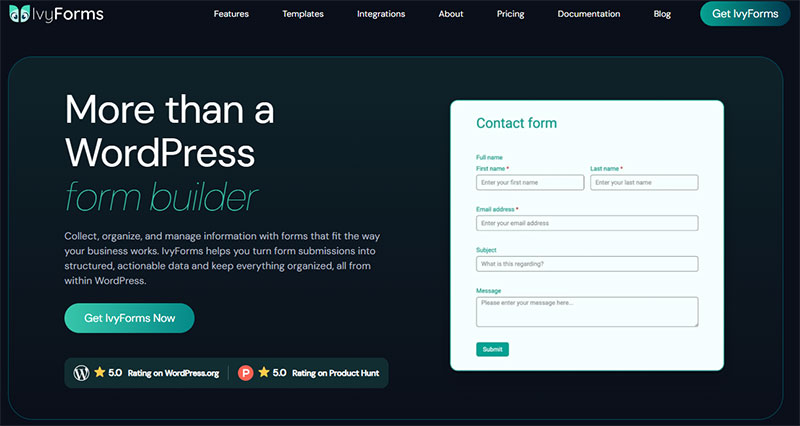
IvyForms is a newer WordPress form builder from Melograno (the team behind Amelia, Trafft and wpDataTables). It covers the features most WPForms users actually reach for — conditional logic, multi-page and conversational forms, payments, entry management — at a lower price and without gating essentials across multiple tiers. What it can’t match yet is WPForms’ sheer maturity.
| WPForms | IvyForms | |
|---|---|---|
| Starting price | ~$49.50/yr (Basic) | Free; from €29/yr |
| Unlimited sites | ~$299.50/yr (Elite) | €99/yr |
| Lifetime option | None | €399 one-time |
| Templates | 2,000+ | Far fewer (growing) |
| Install base & community | 6M+ installs, huge docs/community | Small and new |
| Data ownership | In WordPress | In WordPress |
| Integrations | Very broad, mature | Core set; Zapier/Slack still coming |
Honest trade-off: if template count, a massive community and battle-tested integrations matter most to you, WPForms is the safer pick and we’d say so. Choose IvyForms if price, a lifetime option and data ownership outweigh WPForms’ maturity. If you use Melograno’s products like WPAmelia and wpDataTables, native integrations with IvyForms are seamless and more features will come soon. You’ll get a steal price for highest plan and all the new features for only €399 one-time.
Melograno’s plugin portfolio is used by over 170,000 WordPress professionals, which is unusual backing for a form plugin this new.
The free tier includes entry management, spam filtering, multi-page forms, Google Sheets export, and GDPR controls that WPForms gates behind paid licenses.
Try it yourself: see IvyForms plans → or download the free version →.
Builder Interface and Field Types
The builder is drag-and-drop with live preview, so field order, labels, placeholders, and default values change without a page reload.
Free covers the standard set: text, paragraph, email, number, phone, website, name, address, radio button, checkbox, dropdown, rating, slider, date, time, HTML. Paid adds password, datetime, rich text, product, quantity, total, and digital signature.
Phone fields auto-localize the country code. Survey builds get Likert scale and NPS fields, and splitting long forms into steps is available on every tier including free.
A WordPress.org reviewer measured server memory usage at around 170 KiB and called out the field count as smaller than legacy competitors. Fair criticism.
Entry Storage and Export
Every submission lands in your own database. No cloud middleman, no entry volume cap.
Entries appear in a filterable dashboard table, and the wpDataTables integration turns them into sortable, chartable views without a second plugin.
Spam handling covers reCAPTCHA, hCaptcha, and Cloudflare Turnstile out of the box, so adding reCAPTCHA to a contact form takes a setting toggle rather than an add-on purchase.
Google Sheets sync and Slack notifications ship free. Webhooks and REST API access sit on paid plans.
GDPR controls are included at every tier, which helps if you handle EU submissions and need consent-compliant form records.
Pricing and Site Limits
| Plan | Domains | Notable unlock |
|---|---|---|
| Free | Unlimited | Entries, spam filters, multi-page, Google Sheets |
| Essentials | 1 | Conditional logic, advanced fields, Mailchimp |
| Growth | 3 | Webhooks, REST API, survey fields |
| Agency | Unlimited | Everything, annual billing |
| Elite | Unlimited | One-time lifetime, all future features |
A 15-day money-back guarantee applies, and you can move from annual to lifetime mid-subscription with the price adjusted.
The honest limitation is that conditional logic currently handles show and hide, not arithmetic. Calculations, Zapier, and multiple payment gateways are on the roadmap, not shipped.
If you need a live price calculator today, this is not your logic-driven form builder. If you need clean entry management without a $199 gate, it is.
Gravity Forms
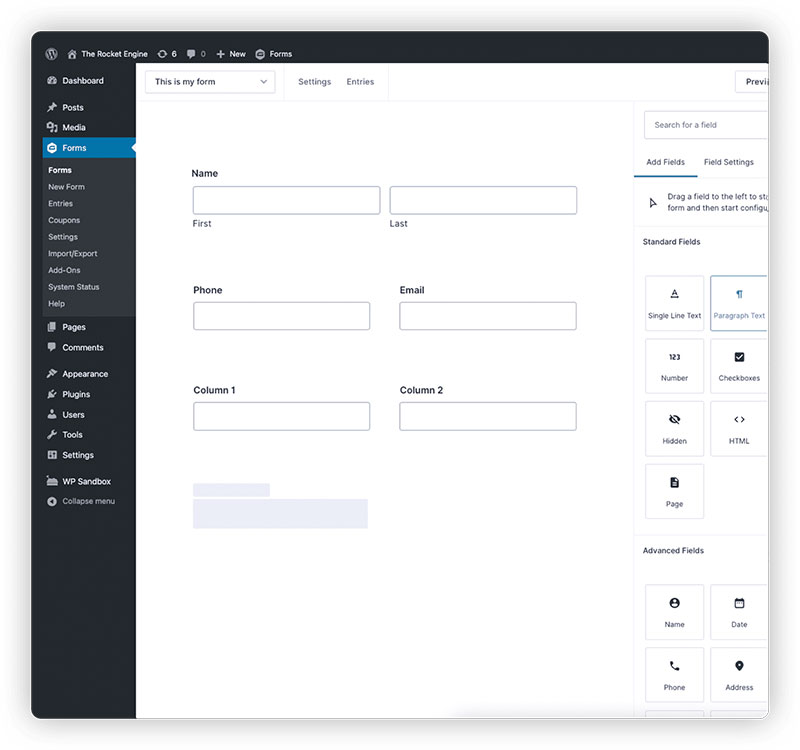
Gravity Forms is the developer-grade alternative, built by Rocketgenius and running on complex WordPress deployments for over a decade. Its advantage over WPForms is not the builder. It is the third-party add-on ecosystem and the hook and filter coverage underneath.
Licensing runs $59/year for 1 site on Basic, $159/year for 3 sites on Pro, and $259/year unlimited on Elite.
Renew before expiration and you keep a roughly 30% loyalty discount, dropping Elite to about $181/year. Let it lapse by a single day and that discount disappears permanently. Set a calendar reminder two weeks before the renewal date.
Where it beats WPForms:
- GravityView for front-end entry display
- Gravity Perks, a third-party add-on library with no WPForms equivalent
- Documented hooks for custom submission handling
- Unlimited sites at $259, well below WPForms’ unlimited tier
Two real drawbacks. There is no free version at all, and no lifetime license, so the cost never stops. The full Gravity Forms and WPForms comparison comes down to builder polish against extensibility.
Fluent Forms
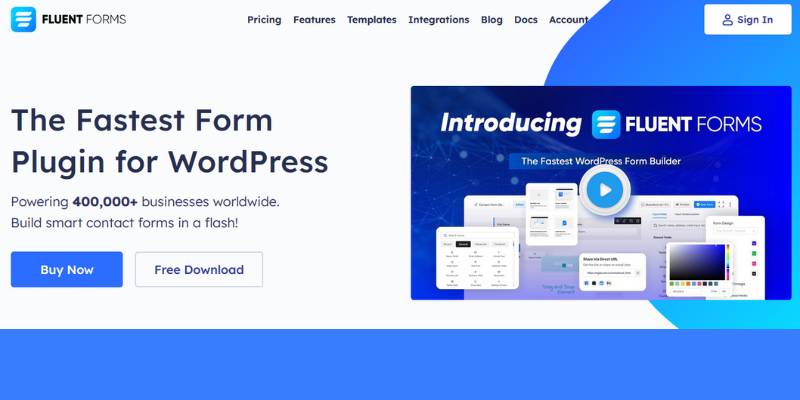
Fluent Forms from WPManageNinja is the performance play. Conditional logic and entry storage are free, all paid tiers unlock every feature, and only the site count changes between plans.
The contrast is stark on one feature alone. Gravity Forms charges from $59/year for conditional logic, Ninja Forms $99/year, WPForms $199.50/year. Fluent Forms charges nothing.
Single-site paid licenses run roughly $59 to $79 per year depending on the promotion, with everything included. Lifetime licenses start around $279.
The free version ships 60+ input fields, 75+ templates, multi-step forms, and chat-style conversational forms that most competitors reserve for paid plans.
Vendor benchmarks claim sub-400ms load times across 400,000+ sites. Those are first-party numbers, though the plugin does consistently land near the top of independent lightweight-plugin tests.
The tradeoff is ecosystem depth. Nothing in the Fluent catalog matches Gravity Perks for third-party extensions, and the styling controls for buttons and theming feel less refined than the builder itself.
Formidable Forms
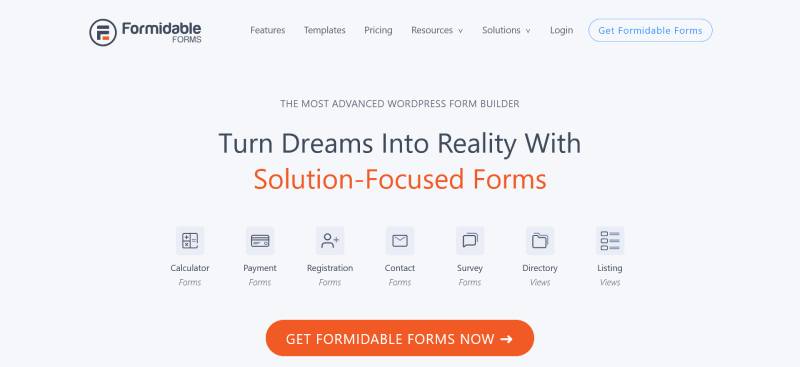
Formidable Forms is the choice when submissions need to become something visible. Views, its front-end display system, turns entries into directories, listings, job boards, and calendars without custom development.
No other plugin in this list does that natively. WPForms collects entries and stops there.
Views is what you are paying for:
- Public member or property directories built from form data
- Editable front-end submissions
- Charts and graphs generated from entry values
Calculators and quiz scoring come from the same engine, so building a structured survey with scored responses stays inside one plugin.
Pricing runs from a free Lite version up to $399/year, with the entry paid tier around $79 and Elite at $199.50 adding user registration, quizzes, and API access.
The learning curve is real. G2 reviewers report the editor slowing down on forms with hundreds of fields, and Strategy11’s advanced feature set overwhelms anyone who wanted a contact form. The Formidable and Gravity Forms matchup is the closest fight in the category.
Ninja Forms

Ninja Forms sells premium features individually rather than in tiers. Saturday Drive’s plugin is the only major WordPress form builder where you buy conditional logic, file uploads, or a payment gateway as separate purchases at $29 to $49 per year each.
The core plugin is free with unlimited forms and unlimited submissions.
Membership bundles run Personal at $99/year for 1 site, Professional at $199/year for 20 sites, and Agency at $499/year covering unlimited sites and every add-on.
First-year purchases carry a 40% discount. Renewals return to full price.
The modular pitch sounds efficient and often is not. Agencies stacking add-ons incrementally routinely spend more over two years than a bundled license would have cost on day one.
It genuinely wins on developer hooks, custom submission actions, and file upload handling. It loses on front-end data display, and there is no path off the ecosystem without rebuilding every form.
Worth reading the direct Ninja Forms and WPForms breakdown before committing, and the Formidable and Ninja Forms comparison if front-end views are on your requirement list.
Contact Form 7

Contact Form 7 is the free, markup-based form plugin from Takayuki Miyoshi, running on over 10 million WordPress sites according to the plugin repository. Forms are built by editing shortcode tags in a text area rather than dragging fields, and submissions are emailed rather than stored.
That install count is not an accident. It ships with almost every budget theme demo, and it has never charged a cent.
Out of the box you get:
- Unlimited forms with AJAX-powered submission
- Akismet spam filtering and CAPTCHA support
- A script footprint under 20KB
- A large third-party add-on ecosystem
Entry storage requires the separate CFDB7 plugin, which saves submissions to the database and exports them to CSV. Without it, a failed notification email means the lead never existed.
Spam handling is manual setup work. Getting Akismet and reCAPTCHA configured properly is the single biggest reason people search for ways to block spam submissions on WordPress forms.
It fails on everything else. No visual builder, no conditional logic, no payments, no multi-step forms without stacking extensions.
Developers who write markup daily like it. Everyone else finds it frustrating, which is why the list of Contact Form 7 replacements keeps growing.
Which Free WPForms Alternatives Handle Basic Contact Forms?
Forminator, Everest Forms, Jetpack Forms, and Kali Forms all handle a basic contact form without an upgrade prompt. All four store entries in the WordPress database, which WPForms Lite does not.
Entry storage is the dividing line. Any plugin that emails you and keeps no record is a demo, not a free tool.
| Plugin | Installs | Free tier strength |
|---|---|---|
| Forminator | 600,000+ | Stripe, PayPal, calculations |
| Everest Forms | 90,000+ | File uploads, quizzes, CSV export |
| Jetpack Forms | Bundled with Jetpack | Native Gutenberg block |
| Kali Forms | Free core | Built-in spam filtering |
Forminator
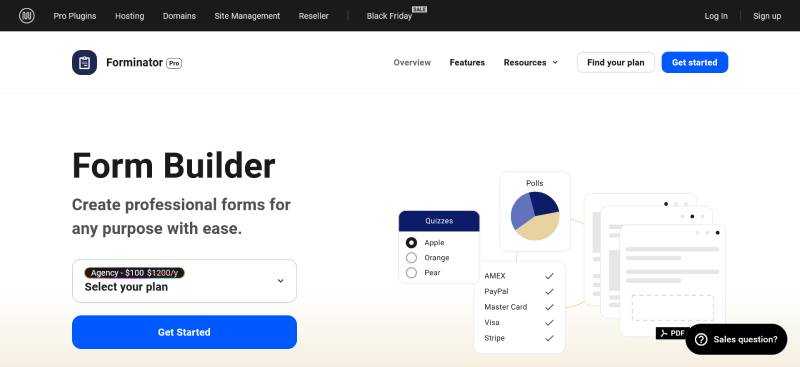
WPMU DEV’s plugin gives away what most competitors sell. The free tier covers Stripe and PayPal for one-time payments, calculation fields, multi-file uploads, conditional logic, Mailchimp, Google Sheets, and webhooks.
Polls and quizzes come standard too, so it doubles as one of the better free WordPress survey plugins for feedback collection.
The builder is a menu-and-reorder system rather than a live canvas, which feels different if you are coming from WPForms. Pro is not sold standalone. You buy a WPMU DEV membership starting near $15/month that bundles Smush, Hummingbird, and Defender.
The full Forminator and WPForms head-to-head covers the template gap, where WPForms wins badly with 2,000+ options against roughly 26.
Everest Forms
WPEverest ships file uploads, image uploads, survey fields, quiz functionality, and CSV export at zero cost.
The entry dashboard lets you search, filter, and export without a license key, and the plugin holds a 4.9 out of 5 rating on WordPress.org across 90,000+ installs.
Payments are the catch. Stripe and PayPal Standard both need a Pro license plus a paid add-on, despite what the repository listing implies.
Paid plans start at $49/year for the first year.
Jetpack Forms

Automattic’s form module is a Gutenberg block, not a form builder.
You add the Contact Form block, configure name, email, and message fields, and that is the extent of it. Submissions land in a simple feedback log inside the Jetpack dashboard.
It is reasonable if you already run Jetpack for backups or stats and need a personal-site contact form. It is the wrong tool the moment payments, file uploads, or conditional logic enter the picture, and installing Jetpack purely for a form is overkill.
Kali Forms
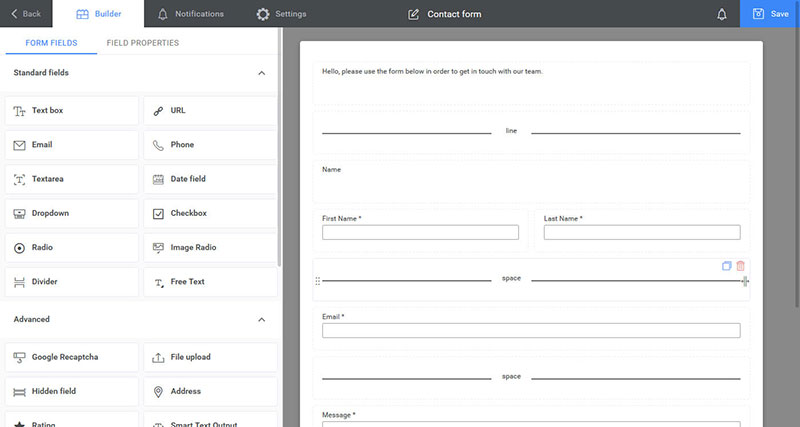
Spam protection is the differentiator here. Kali Forms pairs Google reCAPTCHA with a honeypot trap field, and users regularly report never needing a separate anti-spam plugin.
The free core handles contact forms, feedback forms, and simple payment forms with prebuilt templates.
Pro adds conditional logic, multi-page forms, a digital signature field, Stripe, ActiveCampaign, and GetResponse.
Paid plans start at $78/year for one site, with a $98/year tier covering 3 sites plus HubSpot and Google Analytics add-ons. A 14-day refund window applies.
Which Non-WordPress Form Builders Replace WPForms?
Typeform, Jotform, Tally, HubSpot Forms, and Google Forms all replace WPForms through an embed rather than a plugin. Each moves form processing off your server, and each meters something you eventually pay for.
The tradeoff is structural. Faster pages and zero plugin conflicts, in exchange for submission caps and data sitting on someone else’s infrastructure.
| Tool | Free plan cap | Entry paid tier |
|---|---|---|
| Typeform | 10 responses/month | $25/month (100 responses) |
| Jotform | 5 forms, 100 submissions | $34/month (1,000 submissions) |
| Tally | Unlimited responses | $24/month annual |
| Google Forms | Unlimited responses | Free |
Typeform

In February 2026 Typeform cut its free plan from 100 responses per month to 10, a 90% reduction with no advance notice.
Read the free tier carefully before building on it. Alongside the 10-response cap, it limits questions per form and excludes conditional logic, integrations, and webhooks. It is a demo tier, not a working one.
The one-question-at-a-time format earns its price for surveys, and Typeform’s own data backs it. Across 2.6 million forms and 568 million submissions in 2023, the platform averaged a 47.3% completion rate against an industry average nearer 21.5%.
Paid tiers are response buckets: Basic $25/month for 100, Plus $50 for 1,000, Business $83 for 10,000, all billed annually. Hit the cap and the form stops collecting.
Paying per lead is the problem with lead capture here, which is why the search for tools that do what Typeform does without the response meter spiked after the change.
Jotform
Jotform meters form count, monthly submissions, storage, and form views, all at the same time.
Free gets you 5 forms and 100 submissions per month. Bronze at $34/month annual raises that to 25 forms and 1,000 submissions, and Silver at $39/month covers 50 forms and 2,500 submissions.
Breadth is the real product. Over ten thousand templates, a huge widget library, HIPAA options, and PDF tooling that no WordPress plugin matches. Anyone weighing cheaper replacements for Jotform is usually reacting to the submission meter, not the feature set.
HubSpot Forms

HubSpot Forms are a CRM feature wearing a form-builder costume.
Every field maps to a contact property, so submissions create or update records and trigger workflows natively. No third-party form tool replicates that.
The free tier caps at 1,000 marketing contacts and 2 users, with 2,000 marketing emails per month. In practice the email ceiling bites before the contact one: a 500-person list emailed weekly hits it in four sends. HubSpot branding is mandatory on every form until you upgrade.
Single-page forms only. No multi-step flows, no payments, no e-signatures, and conditional logic limited to show and hide.
Google Forms

Free, unlimited responses, and results dump straight into Google Sheets.
Nothing else on this list matches that for internal surveys, event RSVPs, and quick data collection where design does not matter.
It matters a lot on a client site. Google Forms has no logic branching worth the name, no styling control, and an embed that looks exactly like what it is.
Teams outgrow it the moment branding or payments enter the requirement list, which is the usual trigger for reviewing form builders that improve on Google Forms.
How Do WPForms Alternatives Compare on Price?
WPForms entry pricing starts at $49.50 for year one and renews near $99. Gravity Forms starts at $59, Fluent Forms under $80 with everything unlocked, Ninja Forms at $99, and IvyForms offers a one-time lifetime license that removes renewals entirely.
| Plugin | Entry tier | Sites | Free version | Lifetime |
|---|---|---|---|---|
| IvyForms | Early-access annual | 1 to unlimited | Yes | Yes |
| WPForms | $49.50/yr | 1 | Lite, no entries | No |
| Gravity Forms | $59/yr | 1 | No | No |
| Fluent Forms | $59–79/yr | 1 | Yes | From $279 |
| Ninja Forms | $99/yr | 1 | Yes | No |
The renewal math is where budgets break.
WPForms Pro renews near $399/year and the top tier near $599. Three years on Pro lands around $997 against a single $279 lifetime payment elsewhere.
Gravity Forms behaves differently. Renew before expiration and you keep roughly 30% off. Let the license lapse by one day and that discount is gone permanently.
Then there are the costs nobody advertises:
- WPForms Lite adds 3% to every Stripe transaction
- Ninja Forms add-ons run $29 to $49 per year, each
- Typeform and Jotform charge per response, so a good month costs more
- HubSpot free forms carry mandatory branding
- Forminator Pro requires a full WPMU DEV membership
The modular model deserves particular scrutiny. Agencies stacking Ninja Forms add-ons one at a time regularly spend more across two years than a bundled license would have cost upfront.
How to Migrate From WPForms to Another Form Plugin?
The move is mechanical, and it goes wrong in predictable places. Do it on staging. Every time.
- Export entries first. WPForms Pro exports submissions to CSV from the Entries screen. On Lite there is nothing to export, since entries were never stored locally.
- Run the importer. Fluent Forms ships a Migrator under Tools that pulls forms and entries from WPForms, Contact Form 7, Gravity Forms, Ninja Forms, and Caldera Forms in a few clicks. Formidable accepts XML and CSV imports, though CSV import sits behind the Basic plan and higher rather than the free version.
- Hunt down every embed. WPForms shortcodes and blocks hide in posts, pages, widgets, footers, and page-builder templates. A site-wide search for the shortcode tag catches most of them.
- Reconnect integrations. Stripe, PayPal, Mailchimp, and webhook endpoints all authenticate per plugin. None of it carries over.
- Rebuild spam and email settings. reCAPTCHA site keys need re-entering, and notification routing has to be reconfigured against your WordPress email configuration so submissions do not silently vanish.
- Test everything. Submit a real entry, confirm the redirect fires, check the notification arrives, and verify form submission tracking in Google Analytics still registers the conversion.
Budget an afternoon for a small site. Agencies migrating 20 client sites should budget considerably more.
Which WPForms Alternative Fits Which Use Case?
Payment collection, multi-step applications, survey scoring, agency site counts, front-end data display, page speed. Those are the requirements that decide it, and no single plugin wins all of them.
Match the tool to the kind of form you actually need rather than to a feature checklist.
| Requirement | Best fit | Reason |
|---|---|---|
| Payments and donations | Forminator, Fluent Forms | Stripe and PayPal without tier gating |
| Front-end data display | Formidable Forms | Views builds directories from entries |
| Agency, many sites | Fluent Forms, IvyForms | Unlimited-domain lifetime options |
| Deep customization | Gravity Forms | Hooks, filters, Gravity Perks |
| Clean entry management | IvyForms | Free storage, exports, wpDataTables views |
For payment and donation forms, Forminator handles Stripe and PayPal free, and prebuilt donation form layouts cut the setup work for nonprofits.
Applications and quote requests do better split into steps, and the case for breaking forms into steps instead of one long page gets stronger the more fields you have.
Event signups run fine on either Everest Forms or IvyForms, since a standard event registration form needs no paid add-on on either.
Surveys and quizzes split three ways. Forminator for polls, Fluent Forms for its quiz module, Formidable when scored results need to feed a Views report.
Marketing capture comes down to your CRM. If the goal is building lead capture forms that push into a CRM, the deciding factor is which plugin includes yours at your license tier. WPForms puts Salesforce and HubSpot on its top tier only.
High-traffic sites point to Fluent Forms or IvyForms, both of which keep the frontend payload small. IvyForms measured around 170 KiB of server memory in a WordPress.org reviewer’s test.
Start with the free tier of whichever fits. Two hours of building a real form tells you more than any comparison table, including this one.
Frequently Asked Questions About WPForms Alternatives
Is IvyForms a good replacement for WPForms?
Yes, for sites that need entry storage, spam filtering, and multi-page forms without paying. IvyForms includes all three free, plus a lifetime license option. Calculations and Zapier are still on the roadmap.
What is the best free WPForms alternative?
Forminator, for payment support. Its free tier ships Stripe, PayPal, calculations, and conditional logic. Everest Forms wins on file uploads and quizzes instead. Compare the full list of free WordPress form plugins before committing.
Does WPForms Lite store form entries?
No. WPForms Lite emails submissions and saves nothing in your database unless you enable Lite Connect cloud backup. A bounced notification means the lead is gone permanently.
Why do WPForms renewals cost more than year one?
Advertised prices are first-year promotions. Renewals return to full retail, roughly double the intro rate, so Basic goes from $49.50 to about $99 and Pro climbs near $399.
Which form plugin has a lifetime license?
Fluent Forms and IvyForms both sell one-time licenses. Fluent starts around $279 for a single site. Gravity Forms, WPForms, Formidable, and Ninja Forms are annual subscriptions only.
Can I migrate my WPForms forms to another plugin?
Yes. Fluent Forms includes a Migrator that imports forms and entries from WPForms, Contact Form 7, Gravity Forms, Ninja Forms, and Caldera Forms. Formidable accepts XML and CSV imports.
Which WPForms alternative is fastest?
Fluent Forms and IvyForms both keep frontend payloads small. A WordPress.org reviewer measured IvyForms at roughly 170 KiB of server memory. WPForms loads about 38KB CSS and 65KB JavaScript.
Do I need a plugin, or is a hosted form builder better?
Plugins keep submissions in your own database with no volume cap. Hosted tools like Typeform and Jotform meter responses, so a high-traffic month costs more than a quiet one.
Which alternative handles payments without a tier upgrade?
Forminator and Fluent Forms both connect Stripe and PayPal without gating. WPForms Lite accepts Stripe but adds a 3% platform fee per transaction on top of Stripe’s own rate.
Is Contact Form 7 still worth using?
Only if you write markup and want a sub-20KB footprint. There is no visual builder, no conditional logic, and no entry storage without the CFDB7 plugin bolted on.
Conclusion
Picking between WPForms alternatives comes down to two numbers: what you pay in year three, and what your free tier actually stores.
IvyForms leads because entry management, spam filtering, and multi-page forms cost nothing, with a lifetime license capping the total spend.
Fluent Forms wins on speed and unlocked feature tiers. Gravity Forms wins on extensibility. Formidable wins when submissions need to appear on the front end.
Install two free versions and build a real form in each. Test the builder, the notification routing, and the entry export before any license key changes hands.
The plugin matters less than the form itself, so spend the saved budget on getting more visitors to finish submitting.