




An MCP plugin is a WordPress plugin that ships a built-in MCP server — the piece that lets an AI assistant like Claude or ChatGPT actually do things on your…
Table of contents
The best AI plugins for WordPress connect a site’s dashboard, page builder, or database to a machine learning model, turning a plugin that follows fixed rules into one that writes, decides, or acts on its own.
Administrators run them from native admin screens, through a bring-your-own API key, or by connecting an external assistant over the Model Context Protocol, across jobs from writing and SEO to booking, chat, and data management.
WordPress shipped the Abilities API inside version 6.9 in December 2025, the specification that lets a plugin register its actions in a machine-readable format an external assistant can call directly (WordPress developer blog, 2025).
The Best AI Plugins for WordPress
This list runs in use-case buckets, not a single merit ranking.
It starts with the three tools that connect an AI assistant to WordPress over the Model Context Protocol, the open standard Anthropic released in November 2024, then moves through content, design, SEO, forms, chat, and automation.
Melograno Venture Studio, the company behind wpDataTables, IvyForms, and Amelia, says its plugins are trusted by 170,000+ WordPress professionals (IvyForms, 2026), which is why those three lead the list below.
| Plugin | Best for | Standout capability | Starting price |
|---|---|---|---|
| wpDataTables | Agencies and data-heavy sites building tables from CSV, Excel, or a database | Full delete-free MCP action set | Free Lite; Basic $59/year |
| IvyForms | Admins who want an assistant editing forms without leaving wp-admin | Entry data returned masked by default | Free Lite |
| Amelia | Solo practitioners and small teams automating appointment logistics | Full booking loop: check, create, cancel via MCP | Free Lite; Starter $49/year |
| Jetpack AI | WordPress.com / Jetpack sites wanting AI content with zero setup | AI Assistant block built into Gutenberg itself | Free (20 requests, one-time); paid from ~$8.33/month |
| Elementor AI (Angie) | Elementor builders wanting layout and content help in wp-admin | Reaches other plugins’ tools too, not just Elementor’s own | Free (Elementor builder from $59/year) |
| Divi AI | Divi builders wanting text and imagery generated in place | Reads existing site content to keep output on-brand | 100-use free trial; unlimited needs membership on top of $89/year Divi plan |
| AI Engine | Developers who want to choose their own AI provider | Pro’s MCP layer lets an agent manage WooCommerce, DB, themes, plugins | Free core; Pro $59/year + API usage |
| Rank Math AI | Sites wanting maximum free SEO features with AI writing as an add-on | llms.txt support and an AI search traffic tracker | Free core; Content AI from $47.88/year |
| Yoast SEO AI | Writers who want AI suggestions inside a familiar guided sidebar | AI Optimize adjusts keyphrase placement automatically | Free Lite; Premium $99–$118.80/year per domain |
| AIOSEO | Agencies that want AI SEO features priced by site count | AI features included in plugin tiers, not sold as credits | Free; Basic $49.50/year (1 site) |
| Tidio | Small stores and service sites automating first-response chat | Lyro hands off to a human agent automatically | Free (50 conversations/month) |
| MxChat | Site owners wanting a WordPress-native chatbot with no recurring fees | Optional MCP Server add-on lets Claude/ChatGPT read from the chatbot | Free; Pro one-time $69.97 |
| Uncanny Automator | Sites running multiple plugins that need to trigger each other | Auto-detects installed plugins as ready-made triggers/actions | Free Lite; Pro $149/year |
| Easy MCP AI | Site owners wanting one plugin covering content, WooCommerce, SEO, and analytics via AI | 242 tools, the broadest single-plugin count on the list | Free |
wpDataTables: best for turning spreadsheets and databases into WordPress tables
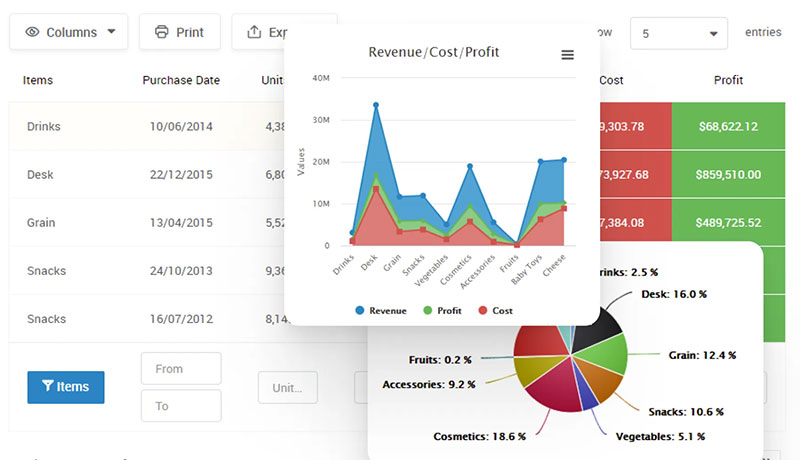
Verdict: wpDataTables turns spreadsheets, databases, and SQL queries into WordPress tables and charts through an AI assistant connected over MCP.
It fits site owners who need tables built from real data sources fast, without ever risking a table or a row getting deleted by mistake.
- Best for: agencies and data-heavy sites building tables from CSV, Excel, or a database connection
- Standout capability: a full delete-free action set, so an assistant cannot remove a table, chart, or row
Key features:
- Create a table from CSV, Excel, JSON, XML, or a Google Sheet via a natural-language request
- Build a table directly from a SQL SELECT query, with INSERT, UPDATE, DELETE, and UNION rejected automatically
- Read row data with search, sort, and column filters, up to 500 rows per page on server-side tables
- Create and edit charts on Google Charts and Chart.js at any tier, Highcharts and ApexCharts on Standard and above
Pricing: free Lite version on WordPress.org; Basic $59/year for one domain, Pro $109/year for three domains, Developer $249/year for unlimited domains, each also sold as a lifetime license.
Pros:
- No delete action exists anywhere in the integration
- SQL access is read-only and validated before a table gets built
- Works with any MCP-compatible client, including Claude Desktop and Claude Code
Cons:
- Every action, including read-only ones, requires an administrator account
- Row-level editing only works on Simple tables, not database-backed ones
- Google Sheets sources and MySQL imports need Starter or Standard tier
wpDataTables’ own documentation confirms every one of its 23 MCP actions checks for the manage_options capability before running, even the ones that only read data.
Most coverage of the plugin stops at table design. Fewer reviews flag that the same MCP layer also governs its chart tools, and that Simple tables are the only place row content can actually change through the assistant.
IvyForms: best for managing WordPress forms through a conversational assistant
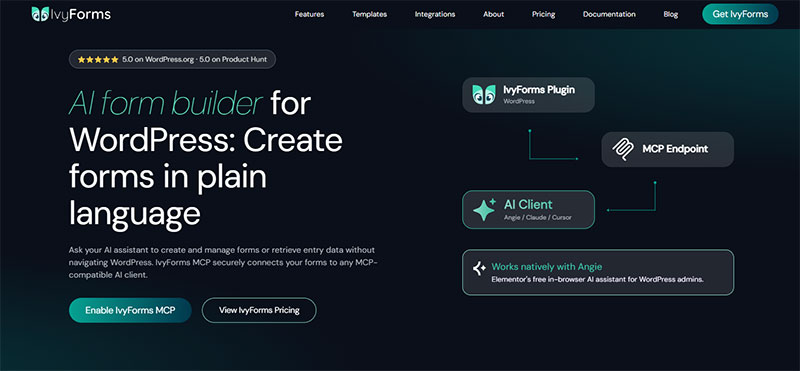
Verdict: IvyForms brings conversational form management into wp-admin through Angie, Elementor’s free AI agent, or through an external MCP client.
It fits teams who want an assistant listing, building, and reordering form fields without touching confirmation flows or settings that could break a live form.
- Best for: WordPress admins who want an assistant editing forms without leaving wp-admin
- Standout capability: entry data comes back masked by default, protecting submitter privacy even from the assistant itself
Key features:
- List forms, open form details, and create, duplicate, or update forms and fields
- List entries, view a summary, count them, and star or unstar without exposing field values
- Manage notifications end to end: list, view, create, update, duplicate, and search
- Pull an admin link straight to the form builder or a specific entry
Pricing: IvyForms Lite is free with no credit card required; paid tiers (Essentials, Growth, Agency) scale by domain count, and Elite is a one-time lifetime payment, backed by a 15-day money-back guarantee.
Pros:
- MCP ships off by default, so nothing is exposed until an administrator switches it on
- Works inside the same Angie session already running in wp-admin, no extra setup
- Submission data, secrets, and API keys all return masked in responses
Cons:
- The Angie route needs an active, logged-in browser session to work at all
- Connecting an external client like Claude Desktop is a separate, more technical setup
- Plugin settings stay read-only over MCP; nothing saves through the assistant
IvyForms’ documentation states the MCP endpoint returns a 404 response until an administrator turns the toggle on in Settings, by design rather than by bug.
Worth knowing before you plan around it: the toggle is off by default, and the Angie route depends on a live browser session, so it behaves differently from an always-on external connector.
Manage your forms by chatting — for free
IvyForms’ MCP server is free and native: build and edit forms with Angie right inside wp-admin, or connect Claude. Entry data comes back masked by default, and it stays off until you switch it on.
Amelia: best for AI-assisted appointment and booking management
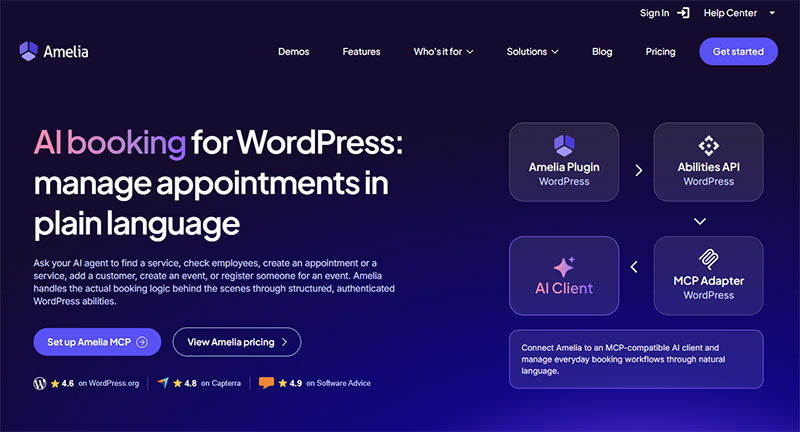
Verdict: Amelia connects an external AI assistant to real booking actions, from checking availability to creating an appointment.
It fits service businesses that want an assistant handling scheduling logistics while a human still reviews anything AI-created before it reaches a customer.
- Best for: solo practitioners and small service teams automating appointment logistics, not front-desk conversations
- Standout capability: concrete write actions (create, cancel, register for an event), not just read-only reporting
Key features:
- List services, employees, customers, and events
- Create an appointment or an event, and register a customer for an event
- Check availability for a service before booking it
- Cancel an existing booking
Pricing: free Lite tier; Starter $49/year, Standard $89 to $99/year, Pro $149/year, Elite $259/year, most with an equivalent lifetime option.
Pros:
- Available on every license tier, including the free version
- Works with any MCP-compatible client through a standard Application Password
- Covers the full booking loop: check availability, create, cancel
Cons:
- Customer notifications don’t fire for bookings an assistant creates
- The Amelia Employee role isn’t reliably supported for AI-assisted booking yet
- Requests that chain several actions together are less reliable than single-purpose ones
Amelia’s own documentation for connecting an external AI assistant recommends a read-only request, like listing services, as the first test before anything gets created or cancelled.
Plan the notification step into your workflow. An AI-created appointment lands on the calendar, but the customer isn’t told automatically, so a human confirmation still closes the loop.
|
One MCP connection and a much bigger WordPress workflow IvyForms doesn’t have to work alone. Amelia and wpDataTables can also expose AI-ready capabilities, opening the door to workflows that move beyond a single plugin. The bigger idea?
All accessible to your AI workflow through the same MCP-based WordPress architecture. |
Jetpack AI: Best for drafting content natively inside the block editor
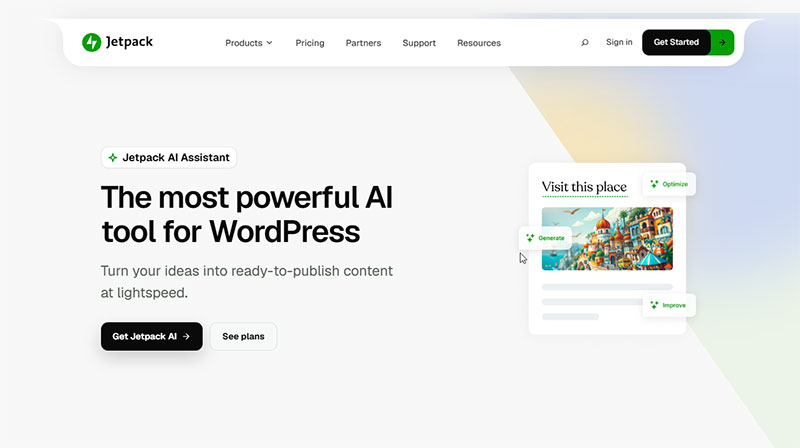
Verdict: Jetpack AI Assistant writes, edits, and translates content from directly inside the WordPress block editor.
It fits bloggers and small teams who want AI drafting without leaving the editor or paying for a separate writing tool.
- Best for: WordPress.com and Jetpack sites that want AI content generation with zero setup
- Standout capability: the AI Assistant block sits inside Gutenberg itself, no plugin-switching or copy-pasting
Key features:
- Generate blog posts, lists, and tables from a plain-language prompt
- Adjust tone (professional, casual, enthusiastic) with one click
- Correct spelling and grammar, and translate content into other languages
- Generate a featured image from a text prompt
Pricing: free plan with 20 total requests; paid tiers run from around $8.33 to $9.95/month for a 100-request monthly quota, with a higher-capacity tier bundled into Jetpack Complete at $24.95/month.
Pros:
- Tightest possible integration: no context-switching outside the editor
- Bundles writing, editing, translation, and image generation in one block
- Backed by Jetpack’s own support team
Cons:
- The free tier’s request count doesn’t refresh monthly
- Image generation quality and usage rights stay inconsistent
- Heavier request volume pushes real monthly cost up quickly
WordPress.com’s own support pages confirm the free plan’s 20 requests are a one-time allotment, not a monthly refresh, before a subscription takes over.
That “20 free requests” detail reads as generous until it’s clear it never resets, a nuance most comparison posts leave out entirely.
Elementor AI (Angie): Best for building and editing page layouts with AI prompts

Verdict: Angie runs Elementor’s free AI agent inside wp-admin, calling tools from IvyForms and other Abilities API plugins during the same session.
It fits Elementor users who want AI actions available while building pages, without a separate paid subscription just to try it.
- Best for: Elementor site builders who want layout and content help in the same admin screen
- Standout capability: it reaches other plugins’ tools too, not only Elementor’s own widgets
Key features:
- Smart layout suggestions based on existing content and preferred structure
- Calls IvyForms and other Abilities API-registered tools from inside wp-admin
- Real-time preview while editing, unlike the block editor’s save-then-view cycle
- Runs on daily renewing credits during its current beta
Pricing: Angie itself is free, on a free Elementor account; the wider Elementor builder starts at $59/year (Essential plan, one website).
Pros:
- No paid Elementor license required just to try Angie
- Cross-plugin tool access, not siloed to one product
- Daily credit renewal keeps the free tier usable, not a one-time cap
Cons:
- Still in beta, with the instability that implies
- Connecting an external client outside the browser is a separate, more technical path
- Tied to the Elementor ecosystem rather than working plugin-agnostic
IvyForms’ own MCP documentation notes that Angie’s first login redirects to a free Elementor account, so no paid Elementor license is required to use it.
Most listings treat Angie and “an external MCP client” as interchangeable. They’re not: Angie runs in the browser session, while connecting Claude Desktop to the same forms plugin is a separate, harder setup most tutorials skip.
Divi AI: Best for generating on-brand copy and images inside the Visual Builder
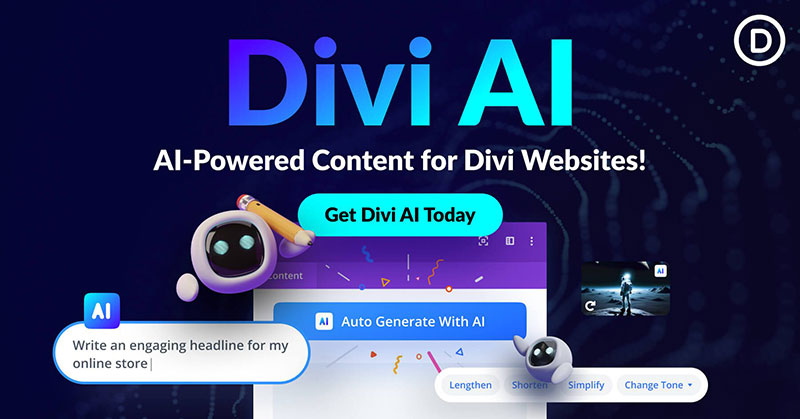
Verdict: Divi AI generates copy and images directly inside the Divi Visual Builder, applying results to the page automatically.
It fits Divi users who want contextual, on-brand content without switching to an external writing or image tool.
- Best for: Divi builders who want text and imagery generated in place, not copy-pasted from elsewhere
- Standout capability: it reads existing site content to keep new output contextually consistent
Key features:
- Generate on-brand text that applies straight to the selected module
- Create images that upload directly into the WordPress media library
- Learn from existing site content for more relevant suggestions
- Support WooCommerce templates inside the Theme Builder
Pricing: a 100-use free trial tied to the Elegant Themes account; unlimited use needs a Divi AI membership on top of the $89/year Divi plan.
Pros:
- Deep integration with the Visual Builder, not a bolt-on panel
- Generated images land in the media library automatically
- Understands the site’s existing content, not just the current prompt
Cons:
- The free trial is capped at 100 uses total, across every site on the account
- Unlimited generation adds a separate membership cost
- Locked to the Divi ecosystem
Elegant Themes’ own help center confirms the 100-use free trial is tied to the user’s account, not to any one website, and generating four images at once still only counts as a single use.
Because the trial counter is account-wide, agencies testing Divi AI across several client sites burn through it far faster than the “100 free uses” framing implies.
AI Engine: Best for bringing your own AI model into WordPress
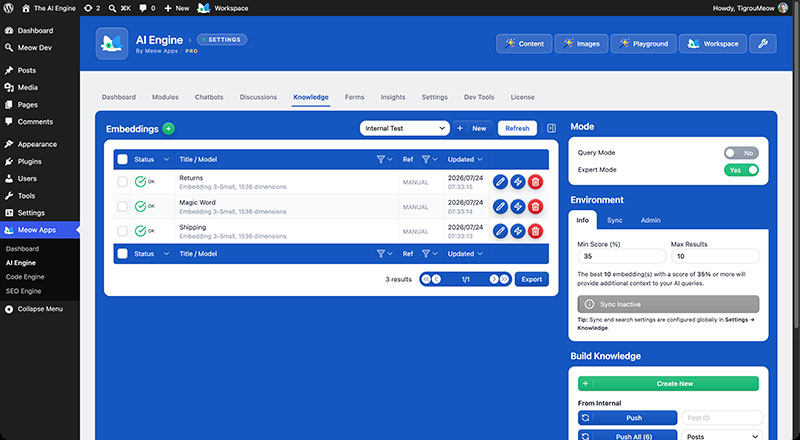
Verdict: AI Engine connects WordPress to OpenAI, Claude, Gemini, or Hugging Face using your own API key, then layers chatbots, embeddings, and now full MCP site control on top.
It fits developers who want model flexibility over an all-in-one subscription that locks them to one provider.
- Best for: developers who want to choose their own AI provider instead of an all-in-one bundle
- Standout capability: AI Engine Pro’s MCP layer lets an agent manage WooCommerce, the database, themes, and plugins directly
Key features:
- Connect to OpenAI, Anthropic, Google Gemini, or Hugging Face with a bring-your-own-key model
- Build customizable chatbots with memory, voice, and a shortcode builder
- Generate images through DALL-E or Stable Diffusion inside the dashboard
- Track token usage and cost through built-in analytics and limits
Pricing: free core version; Pro license $59/year plus whatever API usage costs the chosen model provider bills separately.
Pros:
- Works with practically any major model provider, not one vendor
- Pay-per-use API costs instead of an expensive flat subscription
- Pro adds real MCP site management, not just a chatbot
Cons:
- API token costs vary and can spike with heavier usage
- Initial setup and parameter tuning has a real learning curve
- No built-in SEO tooling of its own
Meow Apps reports over 100,000 active installations and a 4.9-star rating from 862 reviews for AI Engine on its own product page (Meow Apps, 2026).
The bring-your-own-key design means the $59/year license is rarely the real cost; ongoing API token bills, which scale with usage and model choice, are the number that actually determines whether AI Engine is cheap or expensive for a given site.
Rank Math AI: Best for AI-assisted technical and on-page SEO at scale
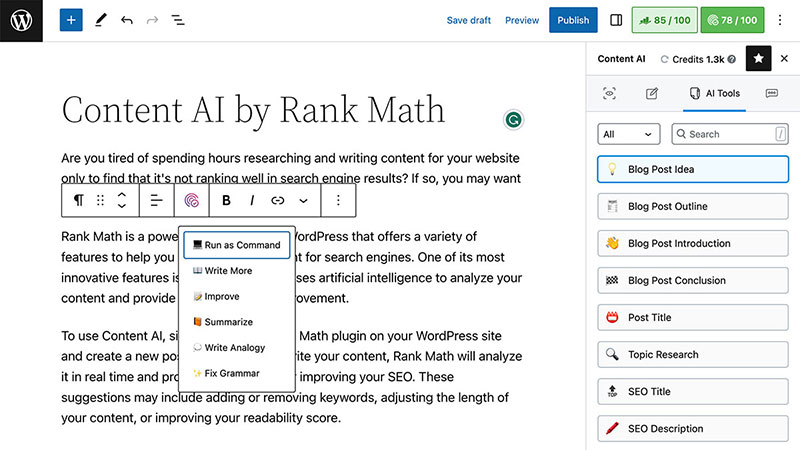
Verdict: Rank Math pairs a feature-rich free SEO plugin with a separate Content AI add-on covering writing, keyword research, and schema generation.
It fits site owners already comfortable with Rank Math who want AI layered onto SEO workflows they’ve already built.
- Best for: sites that want maximum free SEO features with AI writing as an optional add-on
- Standout capability: llms.txt support and an AI search traffic tracker built for the AI-search era, not just Google
Key features:
- Suggest keywords and analyze writing in real time
- Access 40+ Content AI tools, 125+ prompt templates, and a RankBot research assistant
- Generate 18 to 20+ predefined schema types
- Track referrals from AI-powered search engines through an AI Search Traffic Tracker
Pricing: free core plugin; Pro $95.88/year for unlimited personal sites, Business and Agency tiers scale by client-site count; Content AI is billed separately, from $47.88/year for 60,000 credits.
Pros:
- Free version already beats most competitors’ paid tiers on schema and keyword limits
- Content AI bundles writing, research, and a chat assistant in one add-on
- Forward-looking features track how AI search engines reference a site
Cons:
- Content AI is a separate purchase from the core SEO plugin
- Credits don’t roll over between billing periods
- Heavy publishing schedules burn through credits fast
Rank Math has passed 3 million active installations, while Content AI runs on its own credit system, priced at $47.88 a year for 60,000 credits, entirely separate from the core plugin’s license (The Stacc, 2026).
A Business or Agency subscriber still needs a standalone Content AI subscription once the bundled 15-day trial ends, a cost most “Rank Math is free” comparisons don’t mention.
Yoast SEO AI: Best for guided, beginner-friendly SEO writing assistance
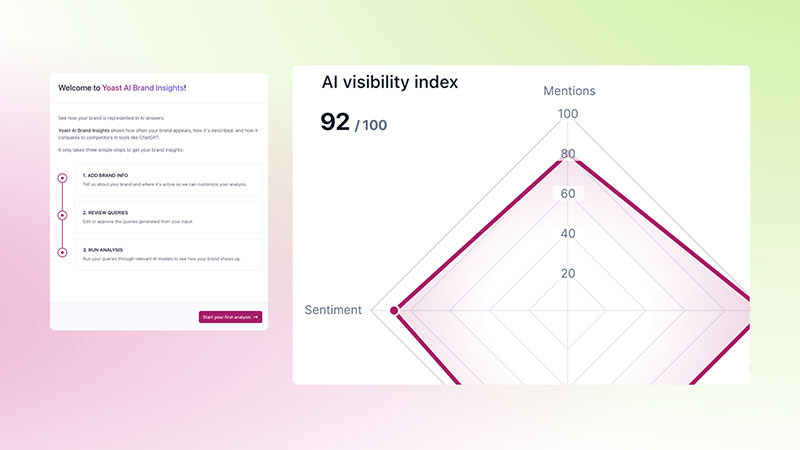
Verdict: Yoast SEO AI generates title and meta description options and adjusts keyphrase placement automatically, inside the sidebar workflow Yoast users already know.
It fits users who value Yoast’s guided, step-by-step approach over Rank Math’s larger free feature set.
- Best for: writers who want AI suggestions inside a familiar, guided SEO sidebar
- Standout capability: AI Optimize adjusts keyphrase placement automatically, not just at the title level
Key features:
- AI Generate produces five title and meta description options per click
- AI Optimize adjusts keyphrase placement across the draft automatically
- Real-time readability and SEO analysis while writing
- Local SEO, Video SEO, and News SEO bundled into one license
Pricing: free Lite version; Premium $99 to $118.80/year per domain, licensed per site rather than per account.
Pros:
- Simple, guided interface that doesn’t require SEO expertise
- AI features included in one Premium price, no separate credit purchase
- Local, Video, and News SEO no longer need separate add-ons
Cons:
- Licensed per domain, so multi-site costs add up fast
- Free version limits optimization to a single keyphrase per post
- Smaller free schema library than Rank Math’s free tier
Yoast’s Premium license now bundles Local SEO, Video SEO, and News SEO into the same $99 to $118.80 per year plan that used to require separate add-on purchases.
Because that license is per domain, an agency running five client sites pays for the AI layer five separate times, a cost Rank Math’s unlimited-personal-site license avoids entirely.
AIOSEO: Best for predictable, tiered AI pricing across multiple sites
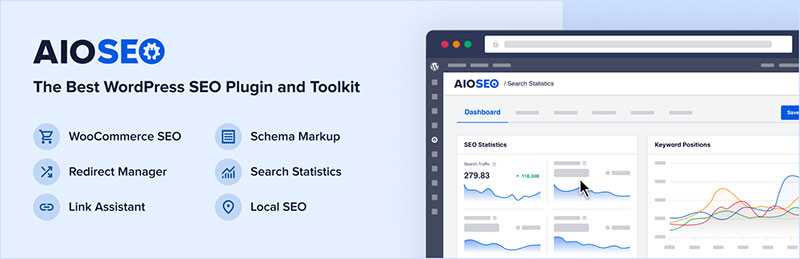
Verdict: AIOSEO folds basic AI title and meta suggestions into an SEO plugin priced by site count, not by a separate AI credit purchase.
It fits agencies managing several sites who want predictable, tiered pricing over Rank Math’s credit-based add-on model.
- Best for: agencies that want AI SEO features priced by site count, not by credits
- Standout capability: AI features ship inside the plugin’s own tiers instead of a separate product
Key features:
- Basic AI title and meta description suggestions in the free version
- TruSEO on-page analysis and schema markup generation
- Link Assistant for internal linking suggestions
- AI credit allowances scale with the plan tier, not sold separately
Pricing: free version with basic AI suggestions; Basic $49.50/year (1 site), Plus $99.50/year (3 sites), Pro $199.60/year (10 sites), Elite $299.60/year (100 sites).
Pros:
- AI features included in the core license, no separate add-on to buy
- Pricing scales cleanly by number of sites managed
- Free version already includes basic AI title suggestions
Cons:
- Fewer dedicated AI writing tools than Rank Math’s Content AI
- Smaller schema type library than Rank Math’s free tier
- Higher tiers still needed once AI credit limits are reached
AIOSEO’s published pricing runs from $49.50 a year for a single site to $299.60 a year for 100 sites, with AI credit allowances built into each tier rather than metered separately.
Because AI credits reset annually rather than monthly, front-loading a lot of AI-assisted content early in the billing year leaves less allowance for the months that follow.
Tidio: Best for automated live chat and lead qualification
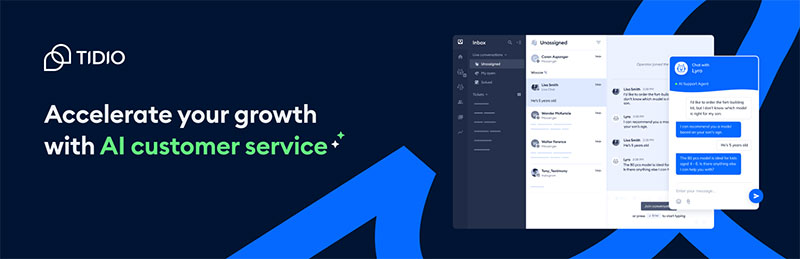
Verdict: Tidio’s Lyro AI agent answers common customer questions and qualifies leads through a live chat widget, with a usable free plan.
It fits small stores and service sites that need automated first-line support without hiring extra staff.
- Best for: small stores and service sites automating first-response customer chat
- Standout capability: Lyro hands off to a human agent automatically once a conversation needs one
Key features:
- Lyro AI agent answers common questions automatically, 24/7
- Live chat widget with human handoff when needed
- Lead qualification built into the conversation flow
- WooCommerce order tracking and product Q&A support
Pricing: free plan covers 50 conversations a month; paid plans scale by conversation volume once Lyro’s deeper automation is needed.
Pros:
- Free tier is genuinely usable for a small site, not just a demo
- Quick WordPress installation with no complex configuration
- Handles WooCommerce-specific questions out of the box
Cons:
- Lyro only answers from content it can actually crawl
- Deeper automation and higher conversation volume sit behind paid tiers
- Not WordPress-native; it’s a SaaS chat platform with a WordPress connector
Tidio’s free plan covers 50 conversations a month before Lyro’s deeper automation requires a paid tier, according to WPForms’ own AI plugin comparison.
Because Lyro’s answers depend on what Tidio can crawl, gated pricing pages or PDF-only spec sheets tend to return vague answers instead of the specific one a visitor asked for.
MxChat: Best for a self-hosted AI agent trained on your own content
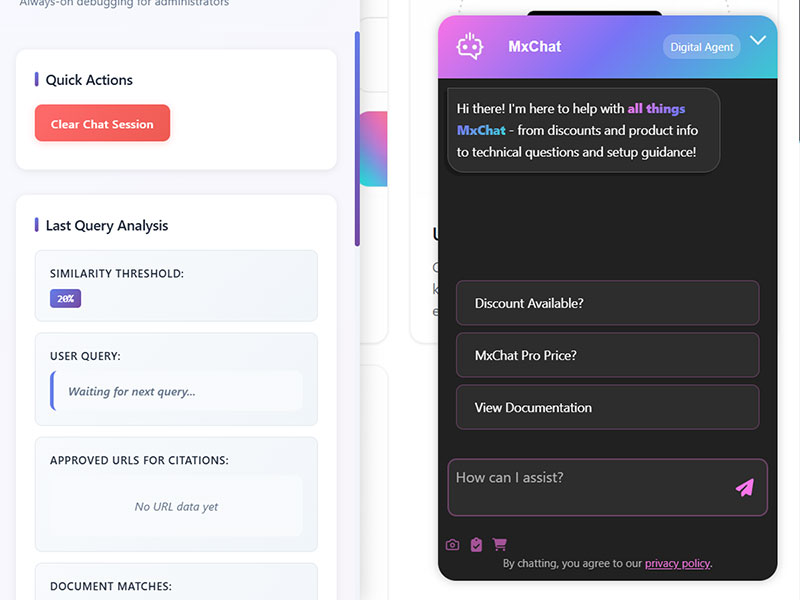
Verdict: MxChat trains a retrieval-augmented chatbot on your own posts, products, and PDFs, licensed as a one-time fee instead of a monthly SaaS bill.
It fits site owners who want an AI agent that actually knows their content, without recurring per-conversation charges.
- Best for: site owners who want a WordPress-native chatbot without recurring SaaS fees
- Standout capability: an optional MCP Server add-on lets Claude and ChatGPT read from the chatbot, reversing the usual direction
Key features:
- Retrieval-augmented generation trained on posts, pages, WooCommerce products, PDFs, and YouTube videos
- Works with OpenAI, Claude, Gemini, and other model providers
- Optional MCP Server add-on exposes chat transcripts and knowledge to external AI clients
- Developer filter hooks for customizing chatbot behavior without touching core files
Pricing: free plan available; Pro one-time $69.97, Agency one-time $174.97, with add-ons like the MCP Server priced separately.
Pros:
- One-time license, no monthly or per-conversation fee
- RAG trained specifically on the site’s own content
- MCP Server add-on turns the chatbot into a source other AI tools can query
Cons:
- Smaller install base and review count than SaaS-first competitors
- Advanced add-ons cost extra on top of the Pro license
- Still requires an external model provider API key to run
MxChat’s own plugin listing confirms an optional MCP Server add-on that turns a WordPress chatbot install into a source Claude, ChatGPT, and Claude Code can read from directly.
Every other entry in this list connects an AI assistant to WordPress. MxChat’s MCP add-on runs the opposite direction, turning the WordPress chatbot itself into the thing an outside AI queries.
Uncanny Automator: Best for connecting AI-triggered actions across plugins
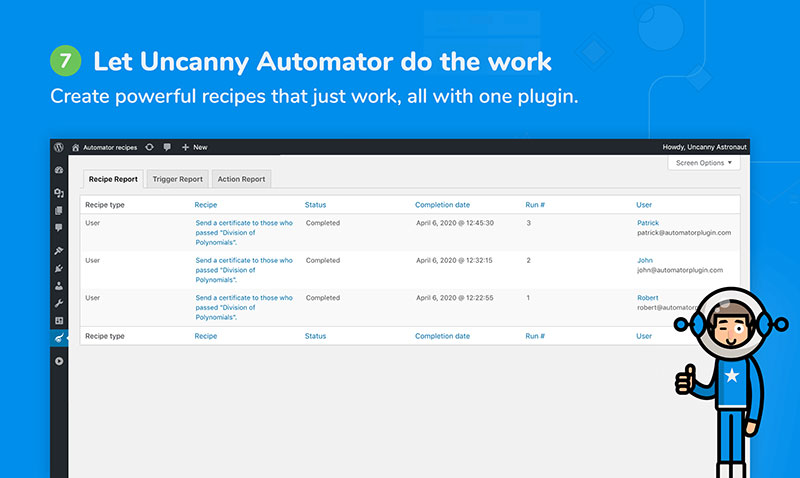
Verdict: Uncanny Automator connects triggers and actions across WordPress plugins, letting an event in one AI tool set off an action in another.
It fits site owners running several plugins who want them acting on each other automatically, without custom code.
- Best for: sites running multiple plugins that need to trigger each other automatically
- Standout capability: auto-detects installed plugins and offers them as ready-made triggers and actions
Key features:
- Visual trigger-and-action “recipe” builder, no code required
- Native connections to WPForms, WooCommerce, MemberPress, and LearnDash
- Pro adds external app integrations like Zapier, Slack, and Mailchimp
- Activity logs and scheduling for every recipe that runs
Pricing: free Lite plugin; Pro $149/year for AI-triggered recipes and external app integrations.
Pros:
- Free Lite plan already connects the most common WordPress plugins
- No-code recipe builder that mirrors familiar tools like Zapier
- Works as the connective layer behind other AI plugins on this list
Cons:
- Recipes depend on the trigger plugin staying installed and active
- Pro adds a real annual cost on top of the plugins it connects
- Not a content, SEO, or chat tool on its own
Uncanny Automator’s free Lite plugin has passed 40,000 active installs, with Pro priced at $149 a year for AI-triggered recipes across third-party apps (Capterra, 2026).
Removing or deactivating a connected plugin, like WPForms or WooCommerce, silently breaks any recipe built around it, a failure mode that only shows up after something stops firing.
Easy MCP AI: Best for giving an AI assistant full conversational control of WordPress
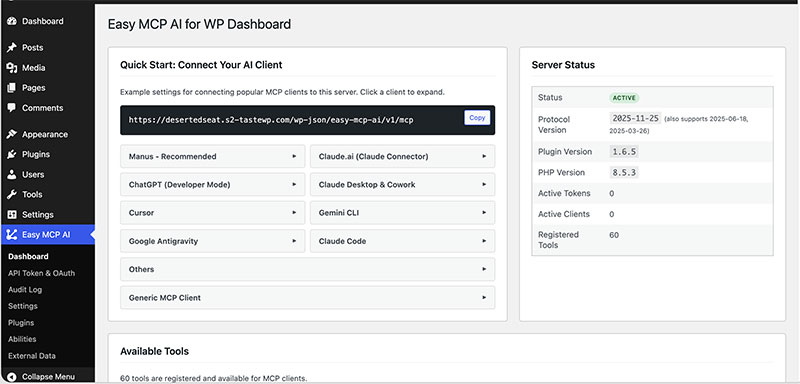
Verdict: Easy MCP AI exposes WordPress, WooCommerce, analytics, and SEO data as tools an AI assistant can call directly, in a single free plugin.
It fits anyone who wants one connector giving broad, conversational control over an entire site rather than one task.
- Best for: site owners who want one plugin covering content, WooCommerce, SEO, and analytics via AI
- Standout capability: the broadest single-plugin tool count on this list, built on WordPress’s own Abilities API
Key features:
- 242 tools spanning WordPress core, WooCommerce, analytics, and SEO data
- Built directly on the WordPress Abilities API introduced with WordPress 6.9
- Connects to Semrush and DataForSEO for external keyword and ranking data
- Works with any MCP-compatible client, not one specific assistant
Pricing: free plugin, with all 242 tools included at no cost, per its own site.
Pros:
- Widest scope of any single plugin in this list
- No license tiers or credit system to manage
- Built on the same Abilities API standard as wpDataTables, IvyForms, and Amelia
Cons:
- Full-site scope means broad admin-level exposure if the connecting account is compromised
- Ranked first on a comparison list its own publisher wrote, a disclosed conflict of interest
- Newer entrant with a shorter track record than the established players on this list
Easy MCP AI’s own comparison page discloses that it ranks itself first on a list it authored, while also stating it covers 242 tools across WordPress, WooCommerce, analytics, SEO, Semrush, and DataForSEO (Easy MCP AI, 2026).
That disclosure cuts both ways: it’s rare honesty for a vendor-run comparison, and also a reminder that the same scale claim deserves the scrutiny any self-ranked “best of” list would get elsewhere.
What Makes a WordPress Plugin AI-Powered
An AI plugin for WordPress calls a machine learning model or a large language model to generate, decide, or act, rather than just following a fixed rule.
A plugin that automates a task on a trigger, like publishing a scheduled post, is not AI powered on its own.
Two shapes this takes:
- Content and decision generation: writing, suggesting, scoring, or summarizing
- Action execution: booking an appointment, editing a table, publishing a form change on the site’s own data
A plugin either embeds a model call natively inside its own admin screen, or it exposes the site to an external assistant over a connector.
There is no real middle ground between those two paths.
Uncanny Automator’s “recipes” run on triggers and actions with no model call involved, which is why it sits in the automation category rather than the AI category on its own.
“AI powered” without a named model or provider is a marketing label, not a technical one. A plugin that doesn’t disclose whether it calls OpenAI, Claude, Gemini, or a proprietary model is describing a feature, not a mechanism.
The Main Types of AI Plugins for WordPress
AI plugins for WordPress split into five working categories, each solving a different job on the site.
Categorizing them matters because the field is large: WordPress.org’s plugin directory already lists thousands of AI-tagged plugins (Easy MCP AI, 2026), far more than any single site needs.
| Category | Primary job | Where it runs |
|---|---|---|
| Content and SEO automation | Writing, optimizing, scoring text | Editor sidebar, SEO settings |
| Site building and design | Generating layouts, copy, images | Page builder / Visual Builder |
| Chat and customer support | Answering visitors, qualifying leads | Front-end chat widget |
| Forms, booking, and data management | Building forms, scheduling, tables | Admin settings screens |
| Full-site control through MCP | Letting an external assistant act site-wide | Registered MCP endpoint |
Content and SEO Automation
This category writes and scores text: titles, meta descriptions, body copy, schema.
Rank Math AI and Yoast SEO AI both fall here, one bundling AI into a separate Content AI subscription, the other folding it into a single Premium license.
Site Building and Design
What it covers:
- Layout suggestions based on existing content
- On-brand copy generated inside the builder itself
- Image generation that uploads straight to the media library
Divi AI and Elementor’s Angie both live here, tied to their respective page builders rather than working plugin-agnostic.
Chat and Customer Support
Tidio and MxChat answer visitor questions automatically, one as a SaaS platform with a WordPress connector, the other as a WordPress-native plugin with retrieval-augmented generation trained on the site’s own content.
Both hand off to a human when a conversation needs one.
Forms, Booking, and Data Management
WPForms, IvyForms, Amelia, and wpDataTables sit in this category, each handling a different kind of structured data: form fields, appointments, or table rows.
The overlap to know: WPForms also connects into Uncanny Automator’s recipes, so a form submission there can trigger an action somewhere else entirely.
Full-Site Control Through MCP
Easy MCP AI and AI Engine Pro both expose broad, cross-plugin access rather than one task.
Melograno Venture Studio’s wpDataTables, IvyForms, and Amelia also belong here, each exposing a narrower, product-specific slice of this same full-site pattern.
How Do AI Plugins Connect to a WordPress Site
An AI plugin reaches WordPress data through one of three mechanisms, and a given plugin usually commits to just one.
Native Admin Panel Integration
How it works:
- The model call happens inside the plugin’s own screen
- No external client or API key setup is required from the site owner
- Jetpack AI Assistant and Yoast SEO AI both work this way
The tradeoff is simplicity for flexibility: the site owner can’t swap the underlying model.
Bring-Your-Own API Key
The site owner supplies an API key from OpenAI, Anthropic, Google, or another provider, and the plugin calls that provider directly.
AI Engine by Meow Apps is the clearest example of this path.
Costs here are variable and tied to token usage rather than a flat license fee.
External MCP Client Connection
An outside assistant, like Claude Desktop or Claude Code, connects to a registered endpoint on the WordPress site and calls its exposed actions directly.
This is the newest of the three paths. wpDataTables, IvyForms, and Amelia all support it, alongside newer entrants like Easy MCP AI.
Which AI Models Power These Plugins
Most native plugins don’t disclose the exact model behind their features.
Bring-your-own-key plugins are the exception: AI Engine explicitly supports OpenAI’s GPT models, Anthropic’s Claude, Google Gemini, and Hugging Face models side by side.
What the Model Context Protocol Changes for WordPress Plugins
The Model Context Protocol standardizes how an external AI client discovers and calls what a plugin can do, instead of relying on browser automation or direct database access.
A plugin registers its actions in a machine-readable format, and a connected client lists and calls them the same way regardless of which plugin it’s talking to.
The WordPress Abilities API Explained
The WordPress Abilities API is what a plugin registers its actions into before MCP can expose them.
The WordPress AI Team announced the framework in November 2025 as part of its AI Building Blocks initiative, and it shipped as a core feature in WordPress 6.9 in December 2025 (WordPress developer blog, 2025).
What an ability includes:
- Its inputs and outputs
- Its permission checks
- Its execution logic
Abilities are exposed automatically over REST, under the wp-abilities/v1 namespace, with no extra developer work required for that part.
What an MCP Server Endpoint Actually Exposes
Each MCP-enabled plugin runs its own endpoint, not a shared WordPress-wide one.
wpDataTables registers at /wp-json/mcp/wpdatatables-mcp-server, IvyForms at /wp-json/mcp/ivyforms-mcp-server, and Amelia at /wp-json/mcp/amelia-mcp-server.
A connecting client sees only the actions that specific plugin registered, nothing from the rest of the site unless another plugin exposes its own endpoint too.
What Security Risks Come With Connecting an AI Assistant to WordPress
Connecting an AI assistant to WordPress over MCP typically grants that assistant the same access as a full administrator account, not a scoped-down version of it.
IBM’s 2025 Cost of a Data Breach Report found that shadow AI, meaning unsanctioned AI tool use, added $670,000 to the average breach cost, and that 97% of AI-related breaches involved missing access controls (IBM, 2025).
Why Admin-Only Access Is the Default
Every MCP action documented across wpDataTables, IvyForms, and Amelia checks for the manage_options capability, the same permission that gates the main WordPress settings screens.
What this rules out:
- A read-only mode for editors, authors, or subscribers
- Partial access scoped to just one plugin’s data
- Any request that arrives without valid administrator credentials
What an Application Password Actually Protects
An Application Password lets an external tool authenticate as a WordPress user without ever seeing that user’s real login password.
WordPress introduced the feature in version 5.6, in December 2020, generating each password as a 24-character string with no special characters (WordPress developer documentation).
Revoking one Application Password doesn’t touch the account’s main login, and it doesn’t require a password reset to shut off a single integration.
The access it grants still matches the full permissions of the account it’s tied to, which is why the account chosen for the connection matters as much as the password itself.
How Much Do AI Plugins for WordPress Cost
AI plugins for WordPress bill in three different shapes, and a low sticker price on one doesn’t mean a low total cost.
Free and Freemium Plans
Genuinely usable free tiers:
- WPForms Lite includes its AI Form Builder at no cost
- Tidio’s free plan covers 50 conversations a month
- Easy MCP AI is free in full, with no paid tier at all
Other free tiers exist mainly to start a trial clock, like Divi AI’s 100-use cap tied to the account rather than the site.
Subscription and Credit-Based Pricing
Two pricing logics compete here: a flat annual license, or a credit system metered by word count or task.
Rank Math sells its core plugin and its Content AI add-on separately, with Content AI priced at $47.88 a year for 60,000 credits that don’t roll over between billing periods.
Yoast SEO AI instead folds its AI features into one Premium license, at $99 to $118.80 a year, but that license applies per domain.
Hidden Costs Beyond the License
Bring-your-own-key plugins carry a cost the license price never shows.
AI Engine’s $59/year Pro license is cheap on paper, but the ongoing OpenAI, Claude, or Gemini API bill it generates scales with usage and model choice, and that number isn’t fixed.
Key figures across the three pricing models:
- License-only: Rank Math Pro, $95.88/year for unlimited personal sites
- Credit-based add-on: Rank Math Content AI, $47.88/year for 60,000 credits
- Per-domain license: Yoast SEO Premium, $99 to $118.80/year per site
- Bring-your-own API: AI Engine Pro, $59/year plus variable token costs
How to Choose the Right AI Plugin for Your Site
The job the plugin needs to do should narrow the field before any single plugin name gets considered.
Match the Plugin to the Job, Not the Category Hype
Starting from “I want an AI plugin” instead of “I need AI-assisted booking” leads to picking a broad tool that does one needed thing poorly.
Melograno Venture Studio’s own product line makes the point: wpDataTables, IvyForms, and Amelia each cover one job (tables, forms, booking) rather than one company trying to do all three in a single plugin.
Pros of an all-in-one native plugin:
- No API key setup or model management
- One subscription instead of several
- Support comes from one vendor
Cons of an all-in-one native plugin:
- Locked to whichever model the vendor chose
- Less control over ongoing AI costs
- Feature depth per job is usually shallower than a specialist tool
Pros of a bring-your-own-key or external MCP connector:
- Choice of model provider (OpenAI, Claude, Gemini)
- Pay-per-use costs instead of a flat subscription
- Works across multiple plugins from one connected client
Cons of a bring-your-own-key or external MCP connector:
- Requires API key or Application Password setup
- Ongoing token costs are harder to predict
- Admin-level access applies the moment the connection is made
Content Sites, Ecommerce Stores, and Service Businesses Need Different Tools
A content site’s priority is writing and SEO, which points toward Rank Math AI, Yoast SEO AI, or Jetpack AI Assistant.
An ecommerce store benefits more from MxChat’s WooCommerce-aware chat or AI Engine’s WooCommerce management tools.
A service business booking appointments has one clear fit: Amelia, since none of the content or SEO tools touch scheduling at all.
How to Install and Connect an AI Plugin on WordPress
Setup follows one of two paths, and they don’t overlap.
Installing and Activating a Native AI Plugin
- Install and activate the plugin from the WordPress plugin directory or a purchased zip file
- Open the plugin’s own AI settings screen
- Add an API key if the plugin requires one, or log into a bundled account if it doesn’t
- Run a small test task, like generating one title suggestion, before relying on it for real content
Jetpack AI Assistant needs no key at all; AI Engine needs one from whichever provider is chosen.
Connecting an External MCP Client Like Claude Desktop
- Generate a WordPress Application Password from Users, then Profile, on the account that will authorize the connection
- Add the plugin’s MCP endpoint and that password to the client’s MCP server configuration
- Restart the client so it can detect the new server entry
- Send a read-only request first, like listing services or forms, to confirm the connection works
- Only attempt a write action, like creating an appointment, after the read-only test succeeds
What breaks this most often: a WordPress version older than 6.9, an MCP toggle left off in settings, a server stripping the Authorization header before it reaches WordPress, or a regular login password used instead of an Application Password.
When AI Plugins for WordPress Don’t Apply
An AI plugin isn’t automatically worth installing just because the category exists.
Low usage doesn’t justify the cost. A low-traffic blog publishing once a month rarely earns back a credit-based Content AI subscription before the credits expire unused.
Some accounts structurally can’t use it. Because most MCP integrations check for manage_options, a subscriber, author, or even an editor account gets no access at all, not a limited one.
IvyForms’ own MCP integration illustrates this directly: there’s no reduced-access mode for non-administrators, only full access or none.
Some workflows lose more time than they save.
Content that needs a full human rewrite after AI generation isn’t automation, it’s a detour that costs editing time twice.
Compliance can rule it out entirely. A site handling regulated data, or bound by a client contract that prohibits third-party AI processing of content, shouldn’t connect an external assistant regardless of how useful the integration looks.
Running several AI plugins with overlapping jobs doesn’t add capability either.
Each additional MCP-enabled plugin is another admin-level connection to secure and revoke, not another feature stacked safely on top of the last one.
FAQ on AI Plugins For WordPress
Is a free AI plugin tier good enough, or just bait for the upgrade?
Genuinely usable free tiers exist, like WPForms Lite’s bundled AI Form Builder or Easy MCP AI’s full free scope.
Others, like Divi AI’s 100-use trial, exist mainly to start a trial clock rather than support ongoing production use.
Can you run more than one AI plugin at once without conflicts?
Running several is common, since content, SEO, chat, and booking tools rarely touch the same data.
Conflicts show up mainly when two plugins both hook the same admin screen or both register competing MCP actions on identical data.
Does installing an AI plugin slow down a WordPress site?
A native plugin adds minor overhead from its own admin screens, rarely affecting front-end speed.
A bring-your-own-key or MCP-connected plugin adds no measurable load until a request runs, since the model call happens on the provider’s servers, not WordPress’s.
What happens to AI-generated content or data if the plugin is deactivated?
Content already published or saved to the database stays in place, since it was written through the normal WordPress save process.
Only the AI features stop working; deactivating wpDataTables, IvyForms, or Amelia doesn’t delete tables, forms, or bookings already created.
Is an OpenAI or Claude API key required for every AI plugin?
No. Native plugins like Jetpack AI Assistant and Yoast SEO AI work with no key at all, since the vendor manages the model connection.
A key is only required for bring-your-own-key tools like AI Engine.
Can a non-admin WordPress user access these AI tools?
Rarely. MCP-based integrations check for the manage_options capability, so editors, authors, and subscribers get no access at all.
Some native plugins, like Yoast’s sidebar suggestions, follow the site’s existing editor-level content permissions instead.
What Should You Check First Before Installing These AI Plugins?
Before installing AI plugins for WordPress, verify the permission model the plugin requests, since an MCP-based connection defaults to full administrator access while a native plugin’s footprint stays limited to its own settings screen.
Three checks decide whether an AI plugin for WordPress belongs on a live site, in this order.
- Permission model the connection requests
- Pricing shape behind the AI features: license, credits, or API cost
- How fast the vendor ships a security patch
Patchstack’s 2026 State of WordPress Security report found 91% of new WordPress vulnerabilities disclosed in 2025 sat in plugins, with mass exploitation starting within 5 hours of disclosure.
An AI plugin holding admin-level MCP access turns that 5-hour window into the moment a delayed update matters most.
That same permission-first logic decides how much scrutiny WordPress form security deserves once a connected assistant can read or edit submitted entries.