




The best AI plugins for WordPress connect a site’s dashboard, page builder, or database to a machine learning model, turning a plugin that follows fixed rules into one that writes,…
Table of contents
Over 16 million WordPress sites run on either WPForms or Contact Form 7. Picking between them is one of the first decisions most site owners face when setting up a contact us page.
The WPForms vs Contact Form 7 debate comes down to trade-offs. One is a visual drag-and-drop form builder with paid tiers. The other is a free, tag-based plugin that has been around since 2007.
This guide breaks down the differences that actually matter: builder interface, field types, pricing, spam protection, integrations, page speed impact, email deliverability, styling, and developer tools. By the end, you will know exactly which WordPress contact form plugin fits your site, your budget, and the way you prefer to work.
What Are WPForms and Contact Form 7?
Both WPForms and Contact Form 7 are free WordPress form plugins built for creating contact forms, but they approach the job from completely different angles.
WordPress powers roughly 43% of all websites on the internet, according to W3Techs. That means the demand for reliable form plugins is massive. And these two sit at the top of the list.
WPForms at a Glance
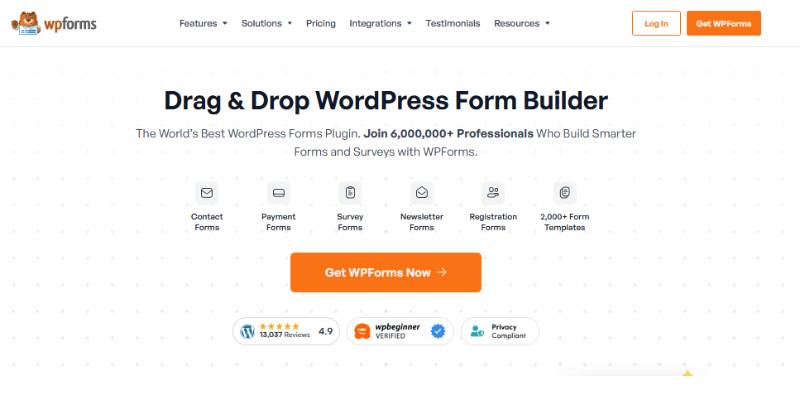
WPForms is a freemium drag-and-drop form builder created by Jared Atchison and the Awesome Motive team (the same group behind WP Mail SMTP and OptinMonster). It hit 6 million active installs as of its 2025 year-in-review report, with over 305 million total downloads.
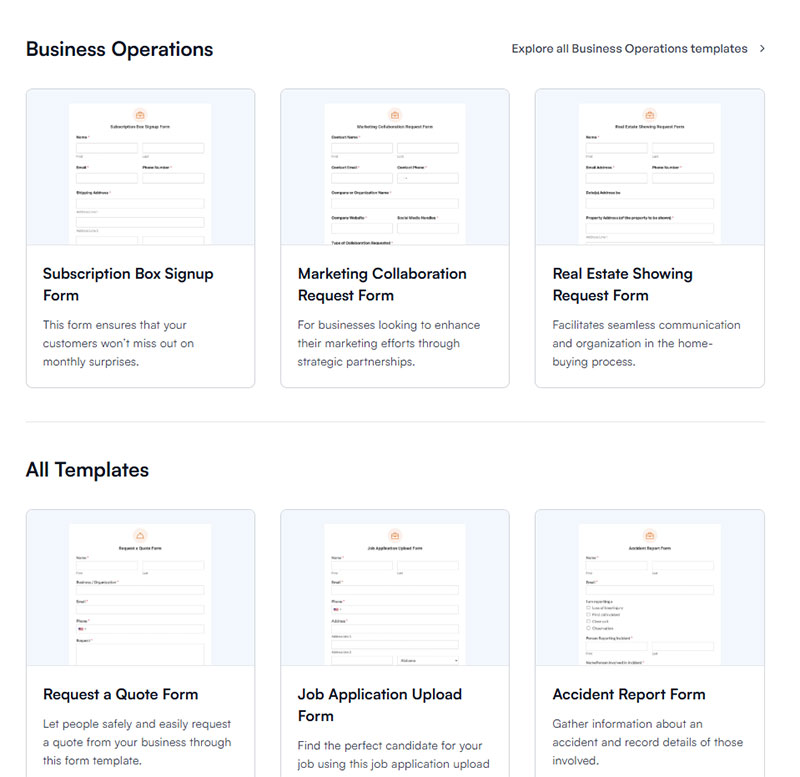
The plugin ships with 2,100+ pre-built form templates. It holds a 4.8 out of 5 rating on WordPress.org with more than 13,400 five-star reviews.
WPForms targets people who want a visual builder. No code, no markup, no guesswork. You drag fields onto a canvas and publish.
Contact Form 7 at a Glance
10 million+ active installations. That number alone tells you something about Contact Form 7’s reach.
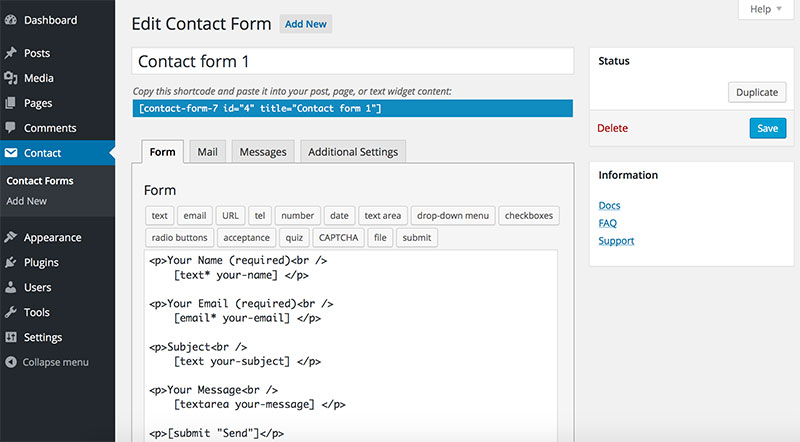
Built by Takayuki Miyoshi and available since 2007, CF7 is completely free with no paid tier. It runs on a tag-based markup system where you configure form fields through simple text tags and manage email routing in a separate mail tab.
It scores a 4.0 out of 5 on WordPress.org. Lower than WPForms, yes, but that rating reflects the trade-off: CF7 gives you full control and charges nothing for it. The cost is a steeper learning curve for non-technical users.
Its source code is publicly available on GitHub, which matters if you care about transparency or want to audit what runs on your site.
| Feature | WPForms | Contact Form 7 |
|---|---|---|
| Active installs | 6 million+ | 10 million+ |
| Price | Free (Lite) / $49.50–$299.50/yr | 100% free |
| Builder type | Visual drag-and-drop | Tag-based markup |
| Templates | 2,100+ | 1 default form |
| WordPress.org rating | 4.8/5 | 4.0/5 |
| First release | 2016 | 2007 |
How the Form Builder Interface Compares
This is the part that matters most to people who actually sit down and build forms on a Tuesday afternoon. The interface decides how fast you get from “I need a form” to “the form is live.”
Creating a Simple Contact Form in WPForms
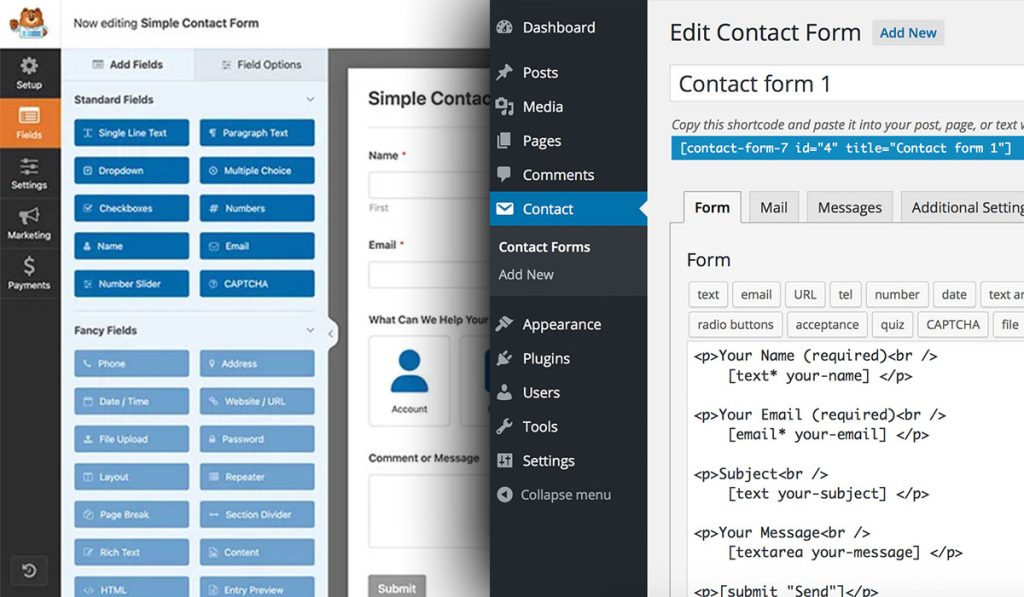
WPForms uses a visual drag-and-drop editor. You pick a template (or start blank), drag form fields onto a live preview, and configure settings in a sidebar panel.
A basic contact form with name, email, and message fields takes under two minutes. That is not marketing speak. I timed it.
The builder loads in its own full-screen interface, separate from the WordPress editor. Everything is point-and-click. Field labels, placeholder text, required toggles, and notification emails all live in clearly labeled tabs.

Creating a Simple Contact Form in Contact Form 7
CF7 works differently. You write (or edit) form tags in a text editor. The default form comes pre-configured with name, email, subject, and message fields. So technically, you can activate the plugin and paste the shortcode onto a page without touching anything.
But customization means editing tag syntax. Want a dropdown? You add [select menu-name "Option 1" "Option 2"] to the form tab, then make sure the corresponding mail tag shows up in the Mail tab. It is not hard once you learn it, but there is a learning curve that WPForms skips entirely.
There is no live preview inside CF7’s editor. You write tags, save, and check the front end. That back-and-forth loop adds time, especially for beginners building their first contact us page.
For developers, though, this text-based approach can actually be faster. No clicking through panels. Just type the tags you need and move on.
Try a cheaper & more innovative alternative to WPForms & Contact Form 7
Contact Form 7 is free but code-driven and stores nothing by default; WPForms is friendly but paywalls the good stuff. IvyForms gives you a true drag-and-drop builder, built-in entry management and spam protection, and modern features like conversational and multi-page forms — starting free, with paid plans far cheaper than WPForms.
IvyForms
WPForms
Contact Form 7
Price
Free; paid from €29/year
Free Lite; paid from ~$49.50/yr
Free
Visual builder
Yes — drag & drop + live preview
Yes
No — markup & shortcodes
Entry storage
Built in
Built in (paid tiers richer)
None by default (needs add-on)
Spam protection
reCAPTCHA, hCaptcha, Turnstile built in
Smart CAPTCHA (varies by tier)
reCAPTCHA/Akismet via setup
Lifetime license
€399 one-time
No
n/a (free)
Stands out for
Modern builder, data ownership, MCP for AI Agents, wpDataTables
Templates & onboarding
Free, lightweight, huge install base
Honest trade-off
Newer plugin with a smaller template library and community than the incumbents; Zapier, Slack and multiple payment gateways are on the near-term roadmap (unlocked when you buy now).
Best features gated to paid tiers
No visual builder; no native storage; manual spam/upload setup
Contact Form 7 is perfect if you’re comfortable in code and only need a basic contact form. The moment you want a visual builder, stored entries, or smarter forms, IvyForms gives you far more than CF7 — and costs far less than WPForms to get there.
Ready to switch? Get IvyForms Pro from €29/year — or €399 once for lifetime access to every current and future feature.
▶ See plans & pricing or download IvyForms free (no credit card).
Available Form Fields and Field Types
The number of field types a plugin supports determines what kinds of types of forms you can build without workarounds or extra plugins.
WPForms Field Types
WPForms Lite includes basic fields: name, email, single-line text, paragraph text, dropdown, multiple choice, checkboxes, and numbers.
WPForms Pro opens up a much larger set:
- File upload, phone number, address, date/time picker
- Likert scale, Net Promoter Score, star ratings (for surveys)
- Payment fields for Stripe, PayPal, and Square
- Signature field, page breaks for multi-step forms
- Repeater fields that let users add rows dynamically
The gap between Lite and Pro is significant. Conditional logic, which shows or hides fields based on user input, only works on paid plans.
Contact Form 7 Field Types
CF7 ships with: text, email, URL, telephone, number, date, textarea, drop-down, checkboxes, radio buttons, acceptance (for GDPR checkboxes), quiz, and file upload. That covers most basic use cases.
There is no built-in conditional logic. You need a third-party add-on like “Conditional Fields for Contact Form 7” to get that functionality, though it is free.
No payment fields exist natively. No signature field. No multi-page support without an add-on.
| Capability | WPForms (Pro) | Contact Form 7 |
|---|---|---|
| Conditional logic | Built-in | Requires add-on |
| File upload | Yes | Yes |
| Payment fields | Stripe, PayPal, Square | None (needs third-party) |
| Multi-step/page breaks | Yes | Requires add-on |
| Signature capture | Yes | No |
| Survey fields (Likert, NPS) | Yes | No |
Pricing and Free vs Paid Features
This section decides things for a lot of people. Budget matters, and the pricing structures here could not be more different.
Contact Form 7: Free, Full Stop
Contact Form 7 costs nothing. No premium version, no upsells, no feature gates.
Takayuki Miyoshi posted a “Free Plugin Declaration” years ago, committing to keeping CF7 free forever. Every feature the plugin offers is available to every user. That includes reCAPTCHA v3 integration, Akismet spam filtering, file uploads, and the quiz field.
The catch? There is no official paid support channel. You rely on WordPress.org support forums and community documentation.
WPForms: Four Paid Tiers
WPForms Lite is free and available on WordPress.org. It covers simple forms with basic fields and limited templates.
Paid plans break down like this:
- Basic ($49.50/yr): 1 site, conditional logic, spam protection, all form fields, basic templates
- Plus ($99.50/yr): 3 sites, email marketing integrations (Mailchimp, AWeber, Brevo)
- Pro ($199.50/yr): 5 sites, Stripe/PayPal payments, conversational forms, surveys, form landing pages
- Elite ($299.50/yr): Unlimited sites, Salesforce, HubSpot, and premium support
One thing that trips people up: these are introductory prices. Renewals happen at full price. The Basic plan renews at $99/yr, Pro at $399/yr, and Elite at $599/yr. That is a big jump, so plan accordingly.
The Real Cost Comparison
If you run a personal blog or a small site with one contact form, Contact Form 7 at $0 beats WPForms Lite at $0 on features alone, since CF7 includes more field types for free.
If you need payment processing, lead capture forms, or conditional logic without writing code, WPForms Pro becomes the more practical choice. But that means $199.50 in year one and $399 every year after.
For agencies managing 10+ client sites, WPForms Elite at $299.50 (first year) covers unlimited installs. CF7 always costs zero, regardless of how many sites you manage.
Spam Protection and Security Features
Form spam is the problem that never goes away. Both plugins offer tools to deal with it, but they handle it differently.
Contact Form 7’s Spam Defenses
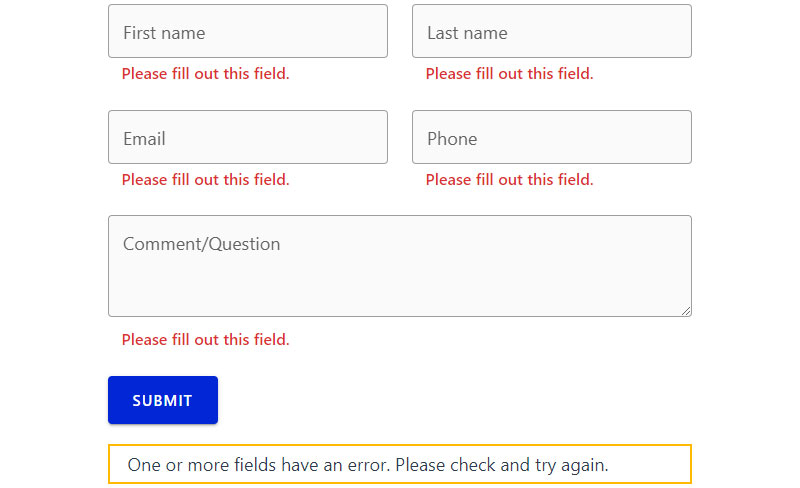
Built-in options: Google reCAPTCHA v3 and Akismet integration.
CF7 added native reCAPTCHA v3 support, which runs invisibly in the background and scores each submission based on user behavior. No checkboxes, no image puzzles. Akismet filters known spam patterns if you have the Akismet plugin active.
The trade-off is that reCAPTCHA v3 loads its JavaScript on every page of your site by default (not just pages with forms), which creates a performance issue we will cover in the next section.
For stronger form security, you can add Cloudflare Turnstile through a third-party CF7 extension. But it is not built in, so you are adding another plugin to the stack.
WPForms’ Spam Defenses
WPForms layers multiple anti-spam tools:
- Built-in honeypot field: Hidden field that catches bots without affecting real users
- Custom CAPTCHA: Math problems or custom questions
- reCAPTCHA v2 and v3: Google’s standard options
- hCaptcha: Privacy-friendly alternative to reCAPTCHA
- Cloudflare Turnstile: Native support, no extra plugin needed
The honeypot runs automatically on every form. You do not need to configure anything. For most small sites, the honeypot alone handles the majority of bot submissions.
WPForms also supports form validation rules on individual fields, which adds another layer of filtering against garbage submissions.
File Upload Security
Both plugins allow file uploads. WPForms lets you restrict file types and set maximum file sizes directly in the field settings. CF7 supports file type restrictions through its tag syntax, but the configuration is less visual. Either way, sanitizing user input in your forms and restricting allowed extensions is critical regardless of which plugin you pick.
Third-Party Integrations and Add-Ons
A form plugin sitting in isolation does not do much for your business. What matters is where your form data goes after someone clicks submit.
WPForms Pro Integrations
Direct, built-in connections to major platforms (on paid plans):
- Email marketing: Mailchimp, AWeber, Brevo, Constant Contact, Drip, Campaign Monitor, GetResponse
- Payments: Stripe, PayPal, Square, Authorize.Net
- CRM: Salesforce, HubSpot (Elite plan)
- Automation: Zapier (connects to 7,000+ apps), Uncanny Automator
These work as official add-ons maintained by the WPForms team. When something breaks, there is one support team to contact.
If you are running a lead generation form that feeds directly into your email list, WPForms makes that connection in a few clicks. No webhook configuration, no Zapier middleman (unless you want one).
Contact Form 7 Integrations
CF7 relies on its community ecosystem. No official paid integrations exist. Instead, you install free (or sometimes paid) third-party plugins:
Flamingo: Saves form submissions to your WordPress database. Without Flamingo, CF7 sends emails and keeps no record. If that email fails, the submission is gone.
CF7 to Zapier: Bridges form data to Zapier workflows. Works, but it is a community plugin, not maintained by Miyoshi.
Mail integration plugins: Various plugins connect CF7 to Mailchimp, HubSpot, or Brevo. Quality varies. Some have not been updated in over a year.
The result is a more fragmented setup. You get flexibility, but you also inherit the risk of depending on third-party developers for critical data flow. If one of those bridge plugins stops getting updates after a WordPress core change, your integration breaks.
Integration Reliability: A Quick Comparison
| Factor | WPForms | Contact Form 7 |
|---|---|---|
| Maintained by | Plugin developer (Awesome Motive) | Community / third-party devs |
| Setup complexity | Toggle on, configure, done | Find plugin, install, configure |
| Support if broken | One team handles it | Depends on third-party dev |
| Cost | Included in paid plans | Often free, sometimes paid |
| Zapier | Official add-on | Community bridge plugin |
For businesses that depend on form data reaching a CRM or email list reliably, WPForms’ first-party integrations reduce the risk of breakage. For simple WordPress forms that just send an email notification, CF7 works fine without any extras.
Performance and Page Speed Impact
Page speed directly affects conversions. Amazon found that every 100ms of latency cost them 1% in sales. Your form plugin contributes to that load time, whether you think about it or not.
Google’s Core Web Vitals now measure three things: Largest Contentful Paint (LCP), Cumulative Layout Shift (CLS), and Interaction to Next Paint (INP), which replaced First Input Delay in March 2024.
Contact Form 7’s Known Performance Issue
CF7 loads its CSS and JavaScript files on every page of your site by default. The plugin’s own documentation confirms this and offers a workaround through constants in wp-config.php.
That means your homepage, your blog posts, your about page, all load CF7 assets even if no form exists on those pages. PagePipe testing showed CF7 adds roughly 48KB of extra weight (five HTTP requests including jQuery) site-wide.
The fix requires editing functions.php to conditionally load scripts only on pages with the contact form shortcode. Not hard for a developer, but not something a beginner will figure out on their own.
reCAPTCHA v3, when enabled, also loads its scripts globally. That is a second performance hit on top of the base assets.
WPForms’ Asset Loading
Conditional loading is built in. WPForms only loads its CSS and JavaScript on pages where a form is actually embedded.
No code edits. No workarounds. If you are building a site where page speed scores matter for SEO (and they do), this default behavior gives WPForms an edge out of the box.
NitroPack data from 2024 shows nearly 600,000 websites went from passing to failing Core Web Vitals when INP replaced FID. Every unnecessary script you load adds to that interactivity score. Keeping assets off pages that do not need them is basic hygiene.
Email Deliverability and Notification Setup

Both plugins use WordPress’s built-in wpmail() function by default, and that is the root of most email problems people run into.
WP Mail SMTP data shows properly authenticated emails achieve 96.4% deliverability versus 64% without authentication. Since wpmail() sends unauthenticated messages through PHP, form notifications from either plugin can land in spam or never arrive at all.
How Contact Form 7 Handles Email
CF7’s Mail tab gives you full control over email headers, body content, and reply-to addresses. You can set up two separate mail templates (Mail and Mail 2) for different recipients.
The big problem: CF7 does not store form submissions anywhere. If the email fails to send (because your host blocks wpmail() or Gmail rejects unauthenticated messages), that submission is gone. You need Flamingo, a free companion plugin by the same developer, to save entries to the database.
Gmail and Yahoo started enforcing stricter sender authentication rules in February 2024, requiring SPF and DKIM records. This made the default wpmail() setup even less reliable for both plugins.
How WPForms Handles Email
Entry storage: WPForms saves every submission to your WordPress database automatically (on paid plans). If the notification email fails, the data still exists in your dashboard.
You can set up multiple notification emails, route them to different recipients based on conditional logic rules, and customize confirmation messages shown after submission.
WP Mail SMTP, built by the same Awesome Motive team, integrates directly. The shared parent company means tighter compatibility and one support team if something breaks.
The Practical Fix for Both
Regardless of which plugin you choose, install an SMTP plugin and configure proper WordPress email settings. Neither WPForms nor CF7 can fix email deliverability on their own. The form plugin sends the message; the SMTP plugin makes sure it arrives.
Design Customization and Styling
How your form looks affects whether people fill it out. A form that clashes with your site’s design, or one that looks like a default WordPress element from 2012, sends the wrong signal.
WPForms’ Built-In Styling
WPForms added 40+ pre-made form themes with one-click application. Each theme sets colors, borders, backgrounds, button styles, and container shadows.
Inside the form builder, you can customize:
- Field sizes, border styles, and border radius
- Label colors and error message colors
- Button text, background, and border
- Container backgrounds with stock photos or custom images
All of this works from the block editor, Elementor, and the form builder itself. No CSS required, though you can still add custom CSS if you want finer control.
Contact Form 7’s Styling Approach
CF7 ships with minimal default styling. The form inherits whatever your WordPress theme provides. That is fine if you are using a well-designed theme. It is a problem if your theme applies no form styles at all.
Customization means writing CSS. Want rounded corners on your inputs? Custom button colors? A specific font size? You are writing form design rules in your stylesheet or the WordPress Customizer’s additional CSS panel.
Third-party plugins like Ultra Addons for CF7 add visual customization options, but that is another plugin in the stack.
Page Builder Compatibility
| Page Builder | WPForms | Contact Form 7 |
|---|---|---|
| Gutenberg block editor | Native block with styling | Basic shortcode block |
| Elementor | Dedicated widget with styling | Shortcode or third-party widget |
| Divi | Shortcode embed, themes apply | Shortcode embed, manual CSS |
| Beaver Builder | Shortcode embed | Shortcode embed |
Both plugins render responsive forms on mobile devices. WPForms has an advantage in that its built-in styling already accounts for mobile forms, while CF7 depends on your theme’s responsive CSS handling the job.
Developer Friendliness and Extensibility
If you are building sites for clients or need to customize form behavior beyond the default settings, the developer experience matters as much as the user interface.
Contact Form 7 for Developers
CF7 is built for developers. Its entire architecture runs on hooks, filters, and a tag API.
- Custom form tags with
wpcf7addformtag() - Submission processing via
wpcf7beforesendmail - Validation filters for custom field checks
The source code is on GitHub (rocklobster-in/contact-form-7). You can read every line, fork it, submit pull requests. That level of transparency is rare for a plugin with 10 million installs.
Documentation is solid but developer-oriented. If you are comfortable reading code, CF7 gives you more direct access to modify behavior at a low level.
WPForms for Developers
Action and filter hooks are available across form creation, submission, notification, and display. WPForms publishes developer documentation with code snippets for common customizations.
But WPForms is not fully open source beyond the Lite version. The Pro codebase is proprietary. You cannot inspect it on GitHub or audit it before purchasing. For some developers, that is a dealbreaker. For others, it does not matter because the hook system covers most use cases.
WPForms also added a REST API for fetching form data programmatically, which helps if you are building headless setups or custom dashboards.
Quick Developer Comparison
| Factor | Contact Form 7 | WPForms |
|---|---|---|
| Open source | Full (GitHub) | Lite only |
| Custom field API | Tag-based | Hook-based |
| Developer docs | Good, community-driven | Extensive, official |
| Code transparency | Complete | Partial |
| REST API | No native | Available on Pro |
Which Plugin Fits Which Type of Site
Stop looking for the “best” plugin. Look for the one that matches your specific situation.
Best for Personal Blogs and Zero-Budget Sites
Contact Form 7. Free, lightweight, does exactly what a blog needs. You get a contact form on your site, it sends emails when someone fills it out, and you do not pay a cent.
Install Flamingo to save entries. Add Conditional Fields if you want smart forms later. Total cost: $0.
Best for Small Business Websites
WPForms Pro at $199.50/year. The drag-and-drop builder saves time if you are not technical. Built-in payment integration through Stripe lets you collect deposits or sell services. The form submission confirmation message feature keeps the user experience polished.
If budget is tight, WPForms Basic at $49.50/year covers conditional logic, spam protection, and entry storage for a single site.
Best for Developers Building Client Sites
It depends on the client.
If the client will manage forms themselves and is not technical, WPForms makes handoff easier. Clients can edit fields, read entries, and change notifications without calling you.
If you want maximum control with no licensing costs across dozens of sites, CF7 wins. You install it, configure it once, and move on. No renewals, no license keys to track.
Best for WooCommerce Stores and Membership Sites
WPForms Pro or Elite. Native payment processing through Stripe and PayPal means you can build WordPress payment forms, WordPress registration forms, and order forms that tie directly into your WooCommerce workflow.
CF7 has no native payment support. You would need third-party bridge plugins, and the reliability of those is inconsistent.
When to Switch from One to the Other
Switch from CF7 to WPForms if: you are spending more time fighting CSS, hunting for add-ons, and troubleshooting email failures than actually building your site. The time cost of free can exceed the dollar cost of a paid plugin.
Switch from WPForms to CF7 if: you are a developer who does not use half the features you are paying for, and you are tired of annual renewals for something you could build with tags in five minutes.
Neither plugin is wrong. The wrong choice is the one that does not match how you actually work.
FAQ on WPForms vs Contact Form 7
Is Contact Form 7 completely free?
Yes. Contact Form 7 has no paid version, no premium tier, and no feature gates. Every feature ships free. Developer Takayuki Miyoshi publicly committed to keeping it free forever. You only pay if you add third-party extensions.
Is WPForms better for beginners?
WPForms is easier for non-technical users. Its drag-and-drop form builder lets you create forms visually without writing markup. Contact Form 7 uses a tag-based editor, which takes longer to learn if you have no coding background.
Can Contact Form 7 store form submissions?
Not by default. CF7 sends email notifications but keeps no database record. Install the free Flamingo plugin to save entries. Without it, a failed email means a lost submission with no way to recover it.
Does WPForms slow down my website?
WPForms loads CSS and JavaScript only on pages with embedded forms. CF7 loads its assets on every page by default, which adds unnecessary HTTP requests site-wide. For page speed, WPForms has the better default behavior.
Which plugin has better spam protection?
WPForms includes a built-in honeypot, custom CAPTCHA, reCAPTCHA, hCaptcha, and Cloudflare Turnstile. CF7 supports reCAPTCHA v3 and Akismet natively. WPForms offers more spam prevention tactics without needing extra plugins.
Can I accept payments with Contact Form 7?
No. CF7 has no native payment fields. You need third-party plugins to connect Stripe or PayPal, and their reliability varies. WPForms Pro includes built-in payment integrations with Stripe, PayPal, and Square on paid plans.
How much does WPForms cost per year?
WPForms Lite is free. Paid plans start at $49.50/year (Basic) and go up to $299.50/year (Elite). Those are introductory prices. Renewals cost more, with Pro renewing at $399/year and Elite at $599/year.
Which plugin works better with Elementor?
WPForms has a dedicated Elementor widget with built-in styling controls. Contact Form 7 works in Elementor through shortcodes or third-party widgets, but you need custom CSS to style the form. WPForms provides a smoother page builder experience.
Does Contact Form 7 support conditional logic?
Not natively. You need the free “Conditional Fields for Contact Form 7” add-on to show or hide fields based on user input. WPForms includes conditional logic on all paid plans without extra plugins.
Can I migrate from Contact Form 7 to WPForms?
Yes. WPForms includes a built-in CF7 import tool that converts your existing forms automatically. Field mappings transfer over, though you may need to adjust notification settings and styling after the migration completes.
Conclusion
The WPForms vs Contact Form 7 decision is not about which plugin is better overall. It is about which one matches your workflow, your technical comfort level, and your budget.
Contact Form 7 gives you a free, lightweight, developer-friendly tool with full source code transparency on GitHub. It handles basic web forms well and costs nothing across unlimited sites.
WPForms gives you a visual builder, entry storage, native payment processing, and 2,100+ templates. You pay for that convenience, but it saves hours of setup time on every project.
Both plugins depend on proper SMTP configuration for reliable email delivery. Both work with reCAPTCHA and Cloudflare Turnstile for spam filtering. And both produce responsive, mobile-friendly forms.
Pick the one that fits how you actually build sites. Then optimize your forms for conversions, because the plugin matters less than what you do with it.