





The best AI plugins for WordPress connect a site’s dashboard, page builder, or database to a machine learning model, turning a plugin that follows fixed rules into one that writes,…
Table of contents
Gravity Forms charges $59 a year before it can process a single payment. Stripe and PayPal sit behind the $159 tier.
That gating, plus the absence of any free version, pushes thousands of WordPress users toward Gravity Forms alternatives every year.
Pick by workload, not by install count. Plugin pricing moves regularly, so confirm current rates before buying.
What Is a Gravity Forms Alternative?
Any WordPress form builder that reproduces conditional logic, multi-page forms, entry storage in the database, payment gateway processing, and third-party integrations without a Gravity Forms license qualifies. Most of them ship a free tier. Gravity Forms ships none.
That last detail decides more migrations than any feature comparison does.
The word “alternative” gets stretched thin in this space. Half the plugins marketed as replacements handle a name, an email, and a message box. Gravity Forms runs registration systems, quote calculators, and payment flows.
| Capability | Counts as a replacement | Contact form only |
|---|---|---|
| Entry storage in wp_ tables | Required | Email delivery only |
| Conditional logic | Native | Extension needed |
| Payment gateway | Stripe, PayPal, Square | None |
| File uploads | Native field | Rare |
What Separates a Form Builder From a Contact Form Plugin
The baseline looks like this:
- Conditional logic that shows or hides fields based on user input
- File upload fields with size and type restrictions
- Entry management inside the WordPress dashboard
- Payment gateway connections (Stripe, PayPal, Square)
- Email marketing sync (Mailchimp, ActiveCampaign, Brevo)
- REST API or webhook access for custom endpoints
Miss the first three and the plugin belongs in the contact form plugin category, not the builder category.

Self-Hosted Plugins vs Hosted Form Platforms
Go self-hosted and the plugin lives in wp-content, submissions land in your MySQL database, and licensing runs per site. The hosted route puts forms on the vendor’s servers instead, you embed an iframe or script, and pricing runs per response.
Data ownership is the split that matters. GDPR obligations get more complicated the moment submission data crosses to a third-party processor.
Why WordPress Users Replace Gravity Forms
Payment gateways sit behind the $159 Pro tier. There is no free version to test on staging. Front-end asset weight drags page speed. License renewal across multiple client sites compounds all three.
Rocketgenius has run the same 3-tier model for years.
| Tier | Annual cost | Sites | What unlocks |
|---|---|---|---|
| Basic | $59 | 1 | Mailchimp, HubSpot, ActiveCampaign |
| Pro | $159 | 3 | Stripe, PayPal, Square, Zapier |
| Elite | $259 | Unlimited | User Registration, Surveys, Signature |
Stripe, PayPal Checkout, and Square all sit above Basic, so a $59 license cannot take a single donation.
Every other plugin on this list has a WordPress.org version you can test on a client staging site first. Gravity Forms offers a demo site instead, which is not the same thing when you are trying to prove a build works before invoicing.
Renewal carries a condition too. Gravity Forms holds its rate only if you renew before the license expires. Let it lapse by a day and the loyalty discount is gone permanently.
Then there is asset weight. Load a page with one Gravity Forms or WPForms form and DevTools shows 8 to 15 separate CSS and JS files, sometimes 150KB to 300KB, according to GPLTimes testing.
Context for that number: Largest Contentful Paint is the Core Web Vitals metric most sites fail, with only 62% of mobile origins recording a good score against 77% for INP and 81% for CLS. A form above the fold competes directly for that metric.
Add-on sprawl is the last one. Each official integration installs as its own plugin, so an Elite site with 8 add-ons carries 9 update cycles.
WPForms
WPForms is the highest-adoption commercial form plugin on WordPress, with over 6 million active installations of the free Lite version. Awesome Motive built it around a template-first workflow: pick a template, adjust fields, publish. Paid tiers start at $49.50 per year.
The template library is the actual differentiator. WPForms ships 2,000+ pre-built templates against roughly 26 free templates in Forminator.
Tiers run Basic at $49.50, Plus at $99.50, and Pro at $199.50, with Agency and Elite above that. A few things worth knowing before you pick one:
- Payment gateways require Pro; Lite supports Stripe with a 3% surcharge
- Renewal prices roughly double after year one, with Basic renewing near $99 and Pro near $399
Watch the site counts as much as the prices. Pro covers 5 sites, and unlimited-domain coverage sits two tiers above it.
Asset footprint sits around 38KB CSS and 65KB JS, which is respectable for a plugin this feature-heavy.
The upsell prompts are the common complaint. Awesome Motive owns MonsterInsights, OptinMonster, and AIOSEO, and the admin screens promote all of them. Worth checking other options in the same category before committing to a multi-year renewal cycle.
It fits marketing teams and non-technical site owners who want a form live in under 10 minutes.
Fluent Forms

Fluent Forms is the performance-focused replacement most often recommended as a direct Gravity Forms swap. WPManageNinja built it without a front-end jQuery dependency, shipping a single bundled CSS file and roughly 30KB of JavaScript. The plugin crossed 500,000 active installations and keeps climbing.
Licensing is bundled rather than modular, so every integration comes with the Pro license instead of being sold as a separate add-on. That covers 60+ native connections including Mailchimp, FluentCRM, ConvertKit, ActiveCampaign, GetResponse, Slack, and Zapier.
Pro runs roughly $59 to $79 per year depending on the promotion, with lifetime options from $299 for a single site up to $719 for unlimited sites.
There is also a native Gravity Forms import tool that carries form structures across, which none of the other plugins here handle as cleanly.
Advanced form types cover quizzes, calculators, and one-question-at-a-time conversational layouts. That format has real evidence behind it: across 2.6 million forms and 568 million submissions, Typeform’s conversational layout averaged a 47.3% completion rate against an industry norm nearer 21.5%.
Agencies running 10+ client sites on one license get the most out of it, particularly if Core Web Vitals scores are part of the deliverable.
Formidable Forms

Formidable Forms is the alternative built for calculations, front-end data display, and application-style workflows. Strategy11 runs it at 300,000+ active installations, with premium plans from $39.50 to $599 per year and a limited free version on WordPress.org.
Most form plugins stop at collecting data. Formidable keeps going.
Formidable Views renders submitted entries on the front end as directories, listings, calendars, or filtered tables. That single feature moves the plugin from form builder toward lightweight application builder.
Calculation fields handle formula logic for quote builders, mortgage calculators, and ROI estimators. Repeater fields let users add rows dynamically.
The tradeoff is the learning curve. Setup takes noticeably longer than WPForms or IvyForms, and the Views syntax expects comfort with shortcodes and template tags. Anyone weighing the swap directly should read the head-to-head breakdown against Gravity Forms first.
Reach for it on directories, member listings, and any project where submitted data becomes site content.
IvyForms: modern and affordable alternative, but a smaller ecosystem
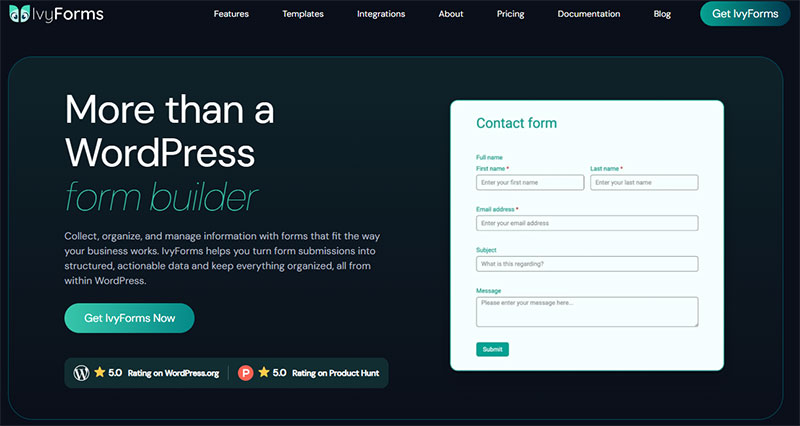
Gravity Forms is a power tool with the deepest add-on ecosystem in WordPress — and no free tier. IvyForms comes at the problem differently: the common advanced features are built into flat plans (plus a REST API and webhooks for developers), there’s a genuinely usable free version, and a one-time lifetime licence. The catch is that Gravity’s third-party extension library is something IvyForms simply can’t rival yet.
| Gravity Forms | IvyForms | |
|---|---|---|
| Free version | None | Yes — feature-rich Lite |
| Starting price | $59/yr | Free; from €29/yr |
| Unlimited sites | $259/yr (Elite) | €99/yr |
| Lifetime option | None | €399 one-time |
| Developer tooling | Extensive hooks, filters, huge add-on catalogue | REST API + webhooks; smaller extension set |
| Entries → tables | Via add-ons | Native wpDataTables |
Honest trade-off: if your project depends on niche Gravity add-ons or deep developer hooks, Gravity remains the stronger choice. IvyForms wins on price and on having a free tier at all — but you’re trading ecosystem depth for it.
IvyForms is built by Melograno, the studio behind wpDataTables, Amelia and Trafft — so it plugs straight into tools you may already run: send form entries into wpDataTables to display and filter them as live, sortable tables, or connect Amelia so a submission can feed straight into your booking and appointment flow. That native, same-team integration is something most standalone form plugins simply can’t offer.
If you plan to use IvyForms long-term, the €399 Elite Lifetime licence is a steal. Competing plugins can cost that much in a year or two of renewals for unlimited sites — here it’s one payment for unlimited domains, every feature, and all future updates forever. With a serious, active dev team behind it and a full roadmap already in motion, you’re not gambling on abandonware; you’re locking in years of updates up front.
Compare for your setup: see IvyForms plans → or start free →.
IvyForms Form Builder and Field Types
Form creation happens on a single screen. Fields, settings, notifications, and results all live in the same view, which cuts the tab-switching that the Gravity Forms three-panel editor requires.
The field library covers Text, Paragraph, Email, Number, Phone, Website, Name, Address, Radio Button, Checkbox, Dropdown, Date, Time, Rating, Slider, HTML, and GDPR consent.
Version 1.2 added Product, Quantity, Total, and File Upload fields, plus role-based permissions and undo/redo in the builder.
One reviewer on WordPress.org measured server memory usage at roughly 170 KiB.
IvyForms Conditional Logic and Multi-Step Forms
Conditional logic and multi-step form flows both sit in the paid tiers.
Logic rules control field visibility based on prior answers, the same pattern Gravity Forms uses, applied at field level rather than page level.
Multi-page forms split long intakes into steps, and field count is the single biggest controllable factor in abandonment. Benchmark data shows the drop is not linear: single-field forms convert around 13.4%, three fields 10.1%, five fields 7.8%, seven fields 5.3%, and nine fields 3.6%. The cliff sits between four and seven fields, which makes five visible fields a useful alarm bell.
Spam handling covers reCAPTCHA, hCaptcha, and Cloudflare Turnstile in the free tier.
IvyForms Pricing and Licensing
| Plan | Domains | Billing |
|---|---|---|
| Free (Lite) | Unlimited | No cost |
| Essentials | 1 | Annual |
| Growth | 3 | Annual |
| Agency | Unlimited | Annual |
| Elite | Unlimited | One-time lifetime |
Checkout runs through Paddle with a 15-day money-back guarantee, and the Elite lifetime tier includes every future feature release.
Where IvyForms Falls Short of Gravity Forms
Honest gaps, and there are several.
Zapier, Slack, multiple payment methods, calculations, and survey modules are listed as roadmap items rather than shipping features. Gravity Forms has had all of them for years.
The add-on ecosystem is the other gap. Nothing on the IvyForms side matches GravityView, Gravity Flow, or Gravity Perks yet.
Install base tells the same story: 400+ against an entrenched competitor with a decade of third-party developers building on top of it.
What IvyForms Does That Gravity Forms Does Not
The wpDataTables integration turns submissions into sortable tables and charts without a separate reporting plugin.
There is also MCP support for AI agents (WordPress 6.9+), which lets agents read and build forms directly. No other plugin in this comparison ships that.
Ninja Forms
Ninja Forms sells features individually instead of bundling them into tiers. Saturday Drive ships a free core plugin with 30+ field types at nearly 1 million active installations, then charges per extension. Membership bundles run $59.40 per year for 3 sites up to $499 for unlimited sites.
Whether that saves money depends entirely on how many extensions you need.
| Scenario | Ninja Forms model | Verdict |
|---|---|---|
| 1 or 2 integrations needed | Buy only those extensions | Cheaper than a tier |
| 5+ integrations needed | Extensions stack up fast | Bundle wins |
| Multi-site agency work | Per-extension site limits apply | Check the fine print |
The builder itself uses a clean row-and-column layout that handles side-by-side fields well.
Publishing is the friction point. Hitting Publish in the builder does not embed the form; you hunt for the shortcode and paste it into a page manually.
Free templates are thin at 16, against 300+ in Formidable. Anyone comparing the two paths should look at how Ninja Forms stacks up against Gravity Forms on add-on economics specifically.
It suits sites that need exactly one or two premium features and nothing else.
Forminator

Forminator is WPMU DEV’s free form builder, live since 2018 and now past 600,000 active installations with a 4.8 rating on WordPress.org. The free version ships Stripe and PayPal payments, conditional logic, file uploads, calculations, quizzes, and polls with no paywall in front of any of them.
Free means free here. That is unusual in this category.
The free tier covers:
- One-time Stripe and PayPal payments (Forminator is a verified Stripe Partner, so the integration surfaces 40+ payment methods including Apple Pay and Klarna)
- 20+ form fields with conditional logic on all of them
- Knowledge quizzes, personality quizzes, and polls with real-time chart results
- Mailchimp, ActiveCampaign, ConvertKit, Google Sheets, Slack, Zapier, and webhooks
Pro sits behind a WPMU DEV membership starting at $15 per month, which adds Stripe subscriptions, PDF generation, e-signatures, and geolocation.
Asset footprint runs roughly 47KB CSS and 82KB JS, slightly heavier than WPForms but well under a stacked Gravity Forms install.
The friction is the upsell flow. The dashboard points toward Pro around e-signatures, geolocation, and recurring billing, and the Forminator modules are separated into Forms, Polls, and Quizzes, so a quiz is not a form with quiz fields.
Nonprofits, budget-constrained builds, and any site that needs payment collection at zero license cost should start here.
Contact Form 7

Contact Form 7 is the free baseline plugin at 10+ million active installations, running since 2007. Takayuki Miyoshi built it around shortcode markup rather than a visual builder, and it stops being a Gravity Forms substitute the moment you need stored entries, logic, or payments.
Form construction happens in a text area. You type [text* your-name] and similar tags to define each input, which is faster than a drag-and-drop builder if you already know the syntax.
The limitation that matters is storage. Contact Form 7 does not save submissions to the database. It emails them and nothing else.
If SMTP misfires, the message is gone with no error, no log, and no entry screen. Flamingo, the official storage companion from the same author, exists specifically to patch that gap.
One more thing to factor in: at WordCamp Asia 2026, Miyoshi confirmed that version 6.2 is the last release to add new functionality. Security patches and bug fixes continue, but the plugin is now in maintenance mode while his attention moves to a separate project targeted for 2028.
Anyone who has spent an afternoon on a Contact Form 7 form that stopped delivering mail understands why entry storage stopped being optional.
Two things it does well: broad translation coverage without a separate plugin, and zero cookies or tracking by default, which keeps GDPR paperwork short.
Use it for one contact form on a developer-managed site where nothing needs storing.
Typeform, Jotform, and Hosted Form Platforms
Hosted form platforms replace Gravity Forms by moving forms off WordPress entirely. You embed an iframe, script, popup, or full-page redirect, and submissions live on the vendor’s servers. Pricing runs per response instead of per site, and data ownership shifts to the processor.
Jotform passed 35 million users in 2026, having added 10 million in a single year.
| Plan | Monthly cost | Submissions | HIPAA |
|---|---|---|---|
| Jotform Starter | Free | 100 | No |
| Jotform Bronze | $34 | 1,000 | No |
| Jotform Gold | $99 | Higher tier limits | Yes |
| Typeform (entry paid) | $25 | 100 | No |
Typeform’s free tier caps at 10 responses after a February 2026 cut, and it excludes conditional logic and integrations, which makes it a demo rather than a working plan.
Data ownership is the real cost. Submissions never touch your MySQL database, so cancelling the subscription cuts access to historical entries. Self-hosted plugins keep that data in wp_ tables regardless of license status.
GDPR exposure changes too. A hosted vendor becomes a data processor in your records, which adds a step to building forms that meet consent and retention rules.
There is a page speed cost as well. Lighthouse flags third-party code once it blocks the main thread for more than 250ms total, and third-party embeds are a common cause of poor Largest Contentful Paint.
These make sense for teams running forms across WordPress and non-WordPress properties, or healthcare projects needing HIPAA without enterprise contracts.
Gravity Forms Alternatives Compared by Price, Features, and Site Limits
Total cost hangs on two things: whether integrations come bundled or sold separately, and whether the free tier stores entries. Gravity Forms bundles integrations by tier but has no free version. Forminator and Fluent Forms both store entries at zero cost.
Start with what you get for nothing.
| Plugin | Free tier stores entries | Free payments |
|---|---|---|
| IvyForms Lite | Yes | No |
| Fluent Forms | Yes | No |
| Forminator | Yes | Stripe and PayPal |
| WPForms Lite | No | Stripe with 3% surcharge |
| Contact Form 7 | No | No |
Then the annual math at the low end.
| Plugin | Entry paid tier | Sites |
|---|---|---|
| Gravity Forms Basic | $59 | 1 |
| Formidable Forms | $39.50 | 1 |
| WPForms Basic | $49.50 | 1 |
| Ninja Forms bundle | $59.40 | 3 |
| Fluent Forms Pro | $59–79 | 1 |
Renewal is where the sticker price stops meaning much. WPForms roughly doubles after year one, with Basic renewing near $99 and Pro near $399. Gravity Forms holds renewal at the original tier price, provided you renew on time.
Lifetime licensing exists at Fluent Forms ($299 single site, $719 unlimited) and IvyForms Elite. Gravity Forms, WPForms, and Formidable are annual only.
At 20 client sites, Gravity Forms Elite works out near $13 per site. That is the number the no-cost options have to beat, and on pure features several of them do not.
How to Migrate Forms and Entries Off Gravity Forms
Export form structures as JSON and entries as CSV, run the destination plugin’s importer, then manually rebuild notifications, confirmations, and payment feeds. Automated importers handle field structure. They do not handle add-on configuration.
Budget a weekend, not an afternoon, for a site with 15+ forms.
Exporting Gravity Forms Data
Everything lives under Forms > Import/Export.
The forms export produces a JSON file holding field structure, labels, validation rules, and conditional logic conditions. The entries export gives you a CSV, one row per submission, with column selection before download.
Export both before deactivating anything. Deactivating Gravity Forms leaves the entry tables in the database, but a plugin delete with cleanup enabled does not.
What Automated Importers Do Not Carry Over
The Fluent Forms Migrator pulls forms and entries directly from Gravity Forms, WPForms, Contact Form 7, Ninja Forms, and Caldera Forms in a few clicks. GravityImport handles the same job in reverse.
These parts you rebuild by hand:
- Notification routing and conditional email rules
- Confirmation messages and redirect destinations
- Add-on feeds (Mailchimp lists, CRM field mapping, payment settings)
- Custom CSS classes and any theme-level form styling
Field structure transfers cleanly. Everything configured in an add-on panel does not.
Handling Active Payment Subscriptions
Recurring subscriptions do not migrate. Existing Stripe or PayPal subscriptions stay bound to the feed that created them.
Leave Gravity Forms installed and licensed until the last active subscription cycle closes, then switch new signups to the replacement plugin.
Gateway fees stay identical either way. Standard online rates run around 2.9% plus $0.30 for Stripe, 2.99% plus $0.49 for PayPal, and 2.9% plus $0.30 for Square online checkout, with card-present rates lower across all three.
Swapping Shortcodes Across Existing Pages
Run a database search for [gravityform before you deactivate anything.
Every match needs the new plugin’s shortcode or block, and pages missed in this step render raw shortcode text to visitors.
Which Gravity Forms Alternative Fits Your Use Case
Site count and integration depth decide most of these. A few common project types, and where each one lands.
An agency with 20+ client sites wants Fluent Forms lifetime at $719 unlimited, or IvyForms Agency. Both remove the per-site renewal cycle that makes Gravity Forms Elite a recurring $259 line item.
For a WooCommerce store collecting product customization data, Formidable Forms handles configurable products better than anything else here thanks to calculation fields and repeater rows.
Membership and LMS sites with gated registration are the one case where Gravity Forms Elite genuinely wins. User Registration and Advanced Post Creation have no clean equivalent in the alternatives yet.
Nonprofits running recurring donations can use Forminator free for one-time gifts and Forminator Pro for Stripe subscriptions. Zero license cost on the donation form itself matters when every dollar is restricted.
Developers building on form data should look at Formidable Views or Fluent Forms with its hook layer, since both expose enough to treat submissions as application records.
And a single-site business that needs a quote request form is fine on IvyForms or WPForms. Setup runs under 10 minutes, and neither charges agency pricing for one domain.
One number to keep in view while choosing: roughly 67% of people who start filling in an online form never complete it, according to Zuko’s form analytics data, and mobile consistently trails desktop. The plugin matters less than the field count you put in it.
Common Questions About Gravity Forms Alternatives
Is IvyForms a good Gravity Forms alternative?
IvyForms works well for contact, order, and registration forms on 1 to 3 sites. It ships a free tier with entry storage and spam protection. Gravity Forms still wins on payment gateways and add-on depth.
Does Gravity Forms have a free version?
No. Rocketgenius offers a demo site instead of a free plugin, so the entry point is $59 per year for a single site. Every alternative in this comparison has a free WordPress.org version.
What is the cheapest Gravity Forms alternative?
Forminator is free permanently, including Stripe and PayPal payments. Among paid options, Formidable Forms starts at $39.50 per year. WPForms Basic runs $49.50, though renewal pricing roughly doubles after year one.
Which alternative fits agencies managing many client sites?
Fluent Forms lifetime licensing at $719 covers unlimited sites with no renewal. IvyForms Agency and Gravity Forms Elite both cover unlimited domains too, but on an annual cycle rather than a one-time payment.
Can I import Gravity Forms forms into another plugin?
Yes. The Fluent Forms Migrator pulls forms and entries straight from Gravity Forms in a few clicks. Gravity Forms also exports forms as JSON and entries as CSV for manual import elsewhere.
Do I lose entries when switching form plugins?
Not if you export first. Gravity Forms entry tables stay in the database after deactivation, though a full plugin delete with cleanup enabled wipes them. Export the CSV before touching anything.
Which alternatives include conditional logic in the free tier?
Forminator and Fluent Forms both ship logic rules at zero cost. WPForms Lite does not. Anyone comparing options specifically on that feature should check how each builder handles logic rules before buying.
What is the lightest Gravity Forms alternative for page speed?
Fluent Forms loads a single bundled CSS file and roughly 30KB of JavaScript with no front-end jQuery dependency. Gravity Forms and WPForms typically queue 8 to 15 separate asset files per page.
Is Contact Form 7 a real replacement for Gravity Forms?
Only for a single contact form. Contact Form 7 stores nothing in the database, has no native logic or payments, and entered maintenance mode after version 6.2. The feature gap between the two is wide.
Should I use a hosted platform instead of a WordPress plugin?
Only if forms need to run on non-WordPress properties too. Typeform and Jotform charge per response and keep submission data on their servers, which complicates GDPR records and cancellation.
Conclusion
The best Gravity Forms alternatives are the ones that match your site count and your integration list, not the ones with the biggest install base.
Run the audit before you buy anything. Count your active forms, list every add-on feed currently firing, and check which of those the replacement covers natively.
Install the free tier on a staging site first. Rebuild your most complex form there, submit it 5 times, and watch where the entry lands.
That single test surfaces more than any comparison table will.
Once the plugin is settled, the leverage moves elsewhere. Field count, mobile layout, and error messaging drive completion far harder than the builder behind them, which is where real conversion gains come from.