




Four hundred forms per user. That is the ceiling on a Microsoft Forms account, and the recycle bin counts against it, so forms you deleted eighteen months ago are still…
Table of contents
A hundred entries a month. That is the current free allowance on Cognito Forms, cut down from the 500 that half the comparison posts online still quote.
Go past it and the entries keep arriving. They just sit locked, no email notification, no integration firing, and you get 30 days to pay for a bigger plan before they vanish for good.
That cap sends most people shopping. The other complaints show up almost as often though. HIPAA compliance sits behind a $129/mo plan. The form design has not moved much since about 2015. And there is no offline data collection at all, which rules the product out for anyone running intake from a van, a booth, or a warehouse floor.
Pricing below was checked against vendor pages in August 2026. This category changes fast, so confirm at checkout rather than trusting any comparison post, including this one.
What Is a Cognito Forms Alternative?
Any builder that reproduces what Cognito Forms actually does, minus the monthly ceiling, counts. Conditional logic, calculated fields, payment collection, and somewhere sane to manage entries once they land.
Plenty of tools fail that test while looking identical in a screenshot. A survey platform that cannot price a line item does not replace an order form, however good the interface is.
Worth checking, in roughly this order.
| Attribute | What to check |
|---|---|
| Submission limits | Entries per month, and what happens at overage |
| Calculation engine | Field-referencing formulas, conditional pricing |
| Payment processors | Stripe, PayPal, Square, plus any platform fee on top |
| Conditional logic depth | Show/hide, page routing, calculated branching |
| Compliance | HIPAA BAA, GDPR posture, SOC 2 Type II |
Since everything here gets measured against Cognito Forms, the baseline matters. Cognito LLC has been shipping the product since 2013 out of Columbia, South Carolina, and the reputation rests on repeating sections and calculations, two things most competitors handle badly.
Live pricing as of August 2026: Individual free with 100 entries per month, Pro at $19/mo annual, Team at $39/mo annual, Enterprise at $129/mo annual. Monthly billing runs $24, $49, and $174. Extra users on any paid plan cost $5/user/month.
Order forms, patient intake, event registration and feedback surveys all pull on different attributes. The form category you are actually building decides which of the five above you can afford to compromise on.
Regulated work narrows things fast. If the requirement is building forms that satisfy GDPR or getting a BAA signed, most of this list drops out before you compare a single feature.
Which Cognito Forms Limits Push Teams to Switch?
Nobody leaves over one thing.
The entry cap is the loud one, because it locks your data in the middle of a campaign. Then compliance turns out to cost $129 a month. The forms look their age next to anything built recently. And field teams have no offline mode. Individually, none of those is a dealbreaker. Stacked, they explain most migrations.
Submission Caps and Overage Behavior
| Plan | Entries/mo | Users | Annual price | Monthly price |
|---|---|---|---|---|
| Individual | 100 | 1 | Free | Free |
| Pro | 2,000 | 2 | $19/mo | $24/mo |
| Team | 10,000 | 5 | $39/mo | $49/mo |
| Enterprise | Unlimited | 20 | $129/mo | $174/mo |
The overage rule is the part people miss. Excess entries keep arriving, but access to them is locked, and they trigger no email notifications and no integrations.
You get 30 days to upgrade to a plan with the necessary entry capacity and unlock them. After that the locked entries are gone.
Worth repeating because it trips people up: the free tier is 100 entries per month now, not the 500 that most 2024 and 2025 reviews still list.
Compliance Gated Behind Enterprise Pricing
HIPAA is Enterprise-only. Cognito Forms will only sign a BAA with organizations on the $129/mo annual plan, and the company states plainly that Individual, Pro, and Team should not collect protected health information.
Once the BAA is in place you get encryption at rest across every form, plus protected fields and shorter session timeouts.
Do the math on a two-person therapy practice collecting 40 patient intake submissions a month. That is $1,548 a year for a compliance checkbox and capacity nobody will ever touch.
It also runs above Jotform’s HIPAA tier, which starts at $99/mo annual on Gold. In fairness, Cognito Forms Enterprise buys unlimited entries and 20 seats alongside the BAA, so the two are not straight equivalents. The sticker price is still higher.
Integration Gaps and Zapier Dependency
Native Stripe ships on every plan. PayPal and Square are restricted to Team and Enterprise. Everything else routes through Zapier, Microsoft Power Automate, Make, or JSON webhooks.
Stripe carries a platform fee on the lower tiers: 2% on Individual, 1% on Pro, zero on Team and Enterprise. That stacks on top of Stripe’s own processing.
Other gaps only show up once you are using it daily.
- No offline usage, confirmed by Cognito’s own support docs
- No recurring billing (Card on File in Stripe or Square is the workaround)
- No ACH or electronic check processing
Design and Mobile Rendering
Forms work. They just look like 2015 software.
Advanced template customization sits on the highest tier, which G2 reviewers flag repeatedly as the reason scaling functionality means a large price jump. Anyone arriving from Typeform or Tally notices inside a minute.
Appearance is not a vanity concern here. Zuko’s benchmarking data puts form completion at 45% of people who land on a form, and design is one of the few levers you have for pulling that abandonment number down.
IvyForms
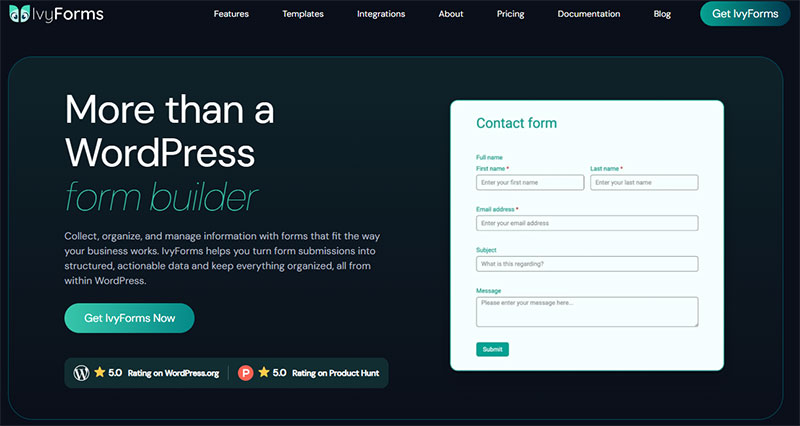
IvyForms is a WordPress form builder plugin from Melograno Venture Studio, the team behind Amelia, Trafft, and wpDataTables. Forms and entries live in your own WordPress database, which removes monthly submission caps entirely.
That architectural difference is why it sits first. Cognito Forms charges by entries collected. Licensing here is per domain.
IvyForms Pricing and Free Tier Limits
Licensing is per domain, per year. Free (IvyForms Lite), Essentials for 1 domain, Growth for 3 domains, Agency for unlimited domains, and Elite as a one-time lifetime license covering unlimited domains. You can switch plans or move from Annual to Lifetime at any point.
No entry meter. No seat count. No storage tier.
IvyForms Lite is the honest comparison against Cognito’s free Individual plan. It covers entry management, drag and drop building, multi-page forms, reCAPTCHA plus hCaptcha plus Turnstile, a GDPR consent field, Google Sheets, and the wpDataTables integration that turns entries into sortable tables and charts.
Cognito’s free tier stops at 100 entries. Lite does not stop. Across the free WordPress form plugins I have tested, unlimited entries plus actual reporting on the same free tier is unusual.
Checkout runs with a 15-day money-back guarantee, no questions asked.
Conditional Logic and Calculation Fields in IvyForms
Conditional logic is a paid feature, not a Lite one. It covers show/hide field rules and notification routing, and version 1.1 (June 2026) improved the reliability and flexibility of both.
Product, Quantity, and Total fields are what make order form layouts viable without bolting on a separate ecommerce plugin.
Arithmetic calculations are still on the roadmap. The team has confirmed publicly that conditional logic today handles show/hide, not formula-driven math. Cognito Forms wins this one, and it is not close.
If formula-driven pricing across referenced fields is the core requirement, read how conditional logic works in WordPress forms before committing either way.
Where IvyForms Beats Cognito Forms
There is no submission ceiling. Entries write to your WordPress database, so a campaign that unexpectedly takes off costs you server resources instead of a locked-entry email at 2am. Nothing sits on a vendor’s server waiting for a plan downgrade to strand it, which is the data ownership argument in one sentence.
Embedding is native rather than iframe-shaped. Gutenberg block, Elementor, Divi, and a shortcode for everything else.
WCAG compliance went into the frontend early and later extended to the admin backend, which is rarer than vendors admit.
Version 1.1 also added MCP support for AI agents on WordPress 6.9 and up, alongside WordPress 7.0 compatibility. Cognito Forms has nothing equivalent.
The plugin hooks into Amelia for appointment booking too, covering a workflow Cognito Forms only reaches through third-party automation.
Where IvyForms Falls Short
It is new. The 1.x line shipped in 2026 and the install base is still measured in hundreds, against a customer base Cognito Forms has been building for more than a decade.
The field library is thinner than Gravity Forms or WPForms. A WordPress.org reviewer said so directly, alongside a complaint I think is fair: you cannot test conditional logic before buying, which makes the purchase decision harder than it needs to be.
Zapier, Slack, and multiple payment methods are marked coming soon.
No BAA either. Self-hosting means HIPAA responsibility sits with you and your host, not with the plugin vendor. For a clinic, Cognito Forms Enterprise is the safer call.
Jotform
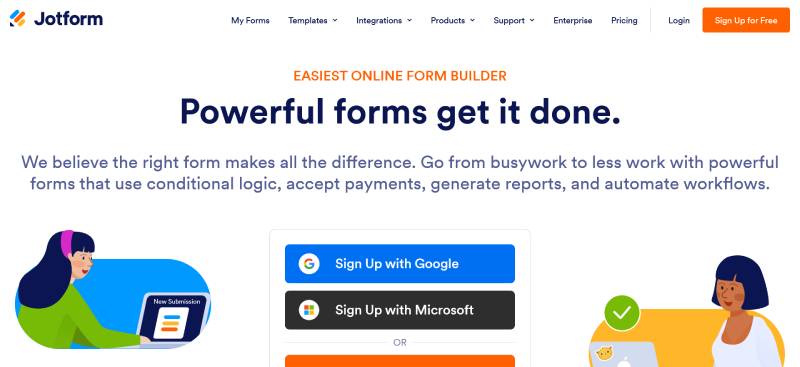
Highest volume of anything on this list, with 10,000+ templates and 100+ native integrations. HIPAA compliance starts on Gold at $99/mo annual.
The detail that surprises teams is seats. Bronze, Silver, and Gold are all one user, so collaboration means Enterprise or a pile of separate accounts.
Starter is free: 5 forms, 100 monthly submissions, 100 MB, 1,000 monthly form views, 10 payment submissions. There is also a lifetime cap of 500 stored submissions, which bites even if you never hit 100 in a month.
Bronze runs $34/mo annual or $39 monthly for 25 forms, 1,000 submissions, 1 GB and branding removal. Silver is $39/mo annual, $49 monthly, and gets you 50 forms, 2,500 submissions and 10 GB. That $5 gap over Bronze is the best value move in the whole lineup. Gold at $99/mo annual ($129 monthly) covers 100 forms, 10,000 submissions, and HIPAA with a signed BAA.
Silver to Gold is a 2.5x price jump. For most healthcare teams, compliance is the only reason to make it.
Payment submissions get metered separately and cap at 1,000 per month even on Gold (100 on Bronze, 250 on Silver), which high-volume ticketing operations hit long before the general submission limit. Verified nonprofits and educational organizations get 50% off standard tiers.
No platform surcharge on payments. Forms simply stop accepting submissions at the cap rather than triggering overage billing, which I prefer to a surprise invoice. Approvals, Tables and Apps give it workflow depth Cognito Forms only partly matches. The tradeoff is an interface dense enough that new users lose real time hunting for settings. Anyone weighing this against the field should look at the broader set of Jotform alternatives too.
Typeform
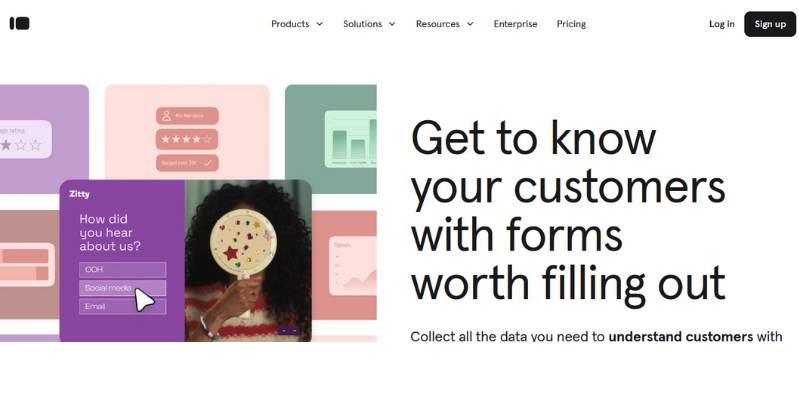
Typeform replaces Cognito Forms for lead capture, research and feedback. Nothing else. The one-question-per-screen format lifts completion, but the free tier collects 10 responses a month and calculator fields sit behind Plus.
| Plan | Responses/mo | Seats | Annual (per mo) | Monthly |
|---|---|---|---|---|
| Free | 10 | 1 | $0 | $0 |
| Basic | 100 | 1 | $28 | $39 |
| Plus | 1,000 | 3 | $56 | $79 |
| Business | 10,000 | 5 | $91 | $129 |
One caveat on those annual figures. Typeform’s own pricing page currently shows two different annual rates in two different modules, $28/$56/$91 on the plan cards and $25/$50/$83 in the full comparison table. Confirm the number at checkout before you budget around it. Monthly billing is consistent at $39/$79/$129.
The free plan dropped from 100 responses to 10 in February 2026. One survey sent to 15 people exhausts it.
That meter is a hard wall, not a soft overage. Response 101 on Basic is not recorded, and the form turns visitors away until the counter resets. Add-ons raise the ceiling somewhat (750 on Basic, 2,500 on Plus, 50,000 on Business), but the base allowance is what you are paying for.
Typeform reports a 47.3% completion rate against a 21.5% industry average for its conversational format. The mechanism behind that is real and worth understanding if you are working on lifting form conversions. Bear in mind the number is vendor-reported and dates from 2023.
Branding removal starts at Plus. Seats go 1, then 3, then 5.
Skip it for order forms. The conversational form format is excellent for qualification and genuinely terrible for a 40-line catalog with quantity math. Anyone priced out by the response caps should compare the wider set of Typeform alternatives.
Fillout
Strongest free tier of any hosted tool here. 1,000 submissions a month, unlimited forms, unlimited seats, and native two-way sync with Airtable, Notion, Google Sheets and Supabase included at $0.
That allowance is 10x Cognito Forms and 100x Typeform.
Paid plans start at $15/mo annual ($19 monthly) for 2,000 submissions on Starter. Pro is $40/mo annual ($49 monthly) for 5,000. Business at $75/mo annual ($89 monthly) lifts the response cap and adds custom domains, analytics, partial submissions and priority support.
Read Starter carefully. It doubles the free allowance rather than multiplying it, so your $15 mostly buys premium field types, file uploads and branding polish rather than serious headroom.
The Airtable integration is the actual product. Submissions create or update records with field mapping configured once, and reviewers keep singling it out as the smoothest database sync in this category. Hard to argue.
Payments run through Stripe at 2.9% + $0.30 with no platform fee added on top, which beats the 2% Individual and 1% Pro surcharge on Cognito Forms. Payment fields unlock from Starter.
It is a young product, there is no HIPAA tier, and complex conditional field mapping between form and database still needs workarounds. Fine for a marketing team. Not fine for a clinic.
Google Forms
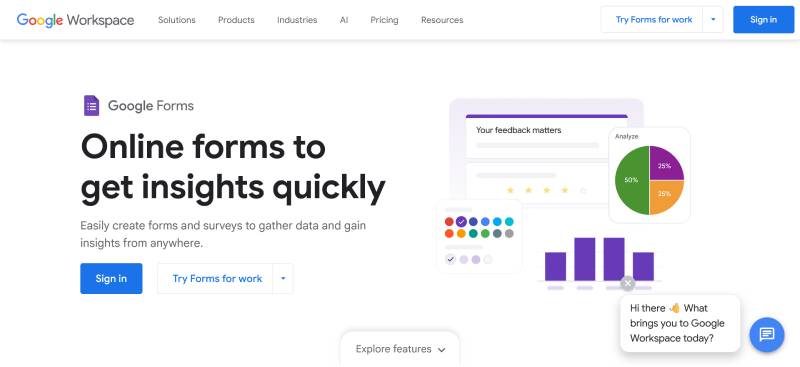
Free, unlimited responses, right answer for internal signups and RSVPs. No native payment collection, no calculation engine, no conditional calculations.
| Capability | Google Forms |
|---|---|
| Response volume | No fixed cap (linked Sheet maxes at 10 million cells) |
| Payments | None native |
| Calculations | None |
| Conditional logic | Section branching only |
Google added an optional native response limit in January 2026. You can set a close date or a maximum response count, but not both on the same form, and the setting is off by default.
The real ceiling is downstream. A linked Google Sheet maxes out at 10 million cells and slows noticeably well before that, so high-volume forms need periodic archiving.
File upload questions eat the form owner’s Drive quota and force respondents to sign in with a Google account. That friction kills public campaigns.
Payment add-ons from the Workspace Marketplace exist. They are third-party code sitting between your respondents and their card details, which is a different risk profile from a native Stripe field.
Use it for internal team requests, classroom work, event RSVPs, quick polls, and standard survey collection inside a Workspace domain. Anything involving money, branding or math needs something else, which is why teams who start here end up reviewing Google Forms alternatives within a quarter.
Formstack

The enterprise and compliance-first option. SOC 2 Type II certification, document generation and e-signatures bundled into one suite, and a $83/mo annual entry price that prices out most small teams before the feature comparison even begins.
The company rebranded to Intellistack on June 25, 2025 and moved its headquarters to Denver. Both the Formstack and Formsite product names survived, though tier names got consolidated to Starter, Teams, and Pro.
Forms at $83/mo annual covers 1 builder user, 25 forms, 1,000 stored submissions per form, 25,000 total, and 2 GB storage. Suite at $299/mo adds Formstack Documents and Formstack Sign, up to 5 builder users, 100 forms, 10,000 submissions and 10 GB. Enterprise is a custom quote and brings HIPAA compliance, dedicated support, and the advanced admin controls.
Overages behave differently here. Excess submissions get emailed to account owners instead of triggering automatic billing. That is an operational headache rather than a surprise invoice, which some finance teams prefer.
The Documents product pulls submission data into pre-built templates and outputs populated PDF contracts. Cognito Forms does that natively with custom document templates, and it does not cost $299/mo to unlock.
Salesforce is where Formstack earns its price. A Salesforce-native deployment keeps form data inside the org rather than routing it through an external API, and it is priced at a significant premium over standard cloud plans.
The interface feels dated. Capterra reviewers describe a learning curve steeper than most form tools, and the Intellistack rebrand triggered a documented run of platform instability through late 2025 and early 2026. Anyone weighing the cost should look at the wider set of Formstack alternatives before signing an annual contract.
Additional Cognito Forms Alternatives Worth Testing
The tools below each solve one narrow problem well without matching Cognito Forms across the board. Picking on the scenario is faster than running a full feature comparison.
| Tool | Entry price | Wins at |
|---|---|---|
| Tally | Free, Pro $29/mo | Unlimited free responses |
| Paperform | Free, Essentials $29/mo | Landing-page style forms |
| Gravity Forms | $59/yr | WordPress data capture |
| WPForms | Free (Lite), $49.50/yr | Beginner-friendly WordPress builds |
| Zoho Forms | Free, Basic $12/mo | Offline field collection |
| Microsoft Forms | Included in M365 | Internal Microsoft workflows |
Tally gives away what most builders charge for. Unlimited forms, unlimited submissions, conditional logic, calculated fields, signatures and Stripe payments, all on the free tier, subject to fair-use guidelines. Pro is $29/mo and Business $89/mo. SOC 2 Type II certified with EU hosting, and no BAA on offer.
Design control is the tradeoff there. Basic colors and a logo upload on free, custom CSS reserved for Pro.
Paperform treats a form like a document, mixing questions with long-form copy, images and media. Strong on complex calculations and inventory-backed product ordering. There is now a free plan for individuals and small teams, with Essentials at $29/mo monthly ($288/year annual) and Pro at $59/mo lifting submissions to 10,000 a month plus branding removal, webhooks and API access.
Gravity Forms does not meter submissions at all. Basic runs $59/yr for one site, Pro $159/yr for three, Elite $259/yr for unlimited, with a nonprofit license at $129/yr that includes Elite features.
Read that tier list carefully before you get excited about $59. Payment gateways sit on Pro, and User Registration, Surveys, Signature, Webhooks, Partial Entries, Coupons and Geolocation are Elite-only, so most real automation builds land at $259. Official add-ons are not sold individually, so you buy the tier that happens to contain the one you need. Licenses renew yearly at the same price, and letting one lapse keeps the plugin running but stops updates. Compare against the field of Gravity Forms alternatives before locking into a renewal cycle.
WPForms is the friendlier WordPress builder, with a Lite version on the repository. Pro sits at $199.50 for the first year and renews near $399, which is where the three-year math turns against it. Basic is $49.50 first year, $99 on renewal. The broader list of WPForms alternatives covers that renewal problem in detail.
Zoho Forms is the only tool on this page with genuine offline data collection. The mobile app does kiosk mode, QR scanning, geolocation and signature capture with no connection, which construction, logistics and events teams actually need rather than merely want.
Pricing runs Free (3 forms, 500 submissions/mo, 1 user), Basic $12/mo, Standard $30/mo for 10 users, Professional $60/mo for 25 users and 75,000 submissions, and Premium $110/mo for 100 users and 150,000 submissions. Annual billing knocks roughly 17% off. Data is stored in US, EU, India and other regional data centers.
Microsoft Forms comes with Microsoft 365, with generous response limits and corporate admin controls. No payments, no HIPAA, no real logic depth. Fine for internal surveys, wrong for anything customer-facing, which is why teams start hunting for Microsoft Forms alternatives the moment a form leaves the intranet.
How Do Cognito Forms Alternatives Compare on Price?
Hosted builders charge per submission. Self-hosted plugins charge per site. That split explains most of the price gap, because a WordPress license at $59 a year has no volume ceiling while a $28 hosted plan stops collecting at 100 responses.
Hosted tools, metered by volume.
| Tool | Free tier | Entry paid plan | Included volume |
|---|---|---|---|
| Cognito Forms | 100 entries/mo | $19/mo | 2,000 entries |
| Jotform | 100 submissions/mo | $34/mo | 1,000 submissions |
| Typeform | 10 responses/mo | $28/mo | 100 responses |
| Fillout | 1,000 submissions/mo | $15/mo | 2,000 submissions |
| Tally | Unlimited (fair use) | $29/mo | Unlimited |
Licensed tools, metered by site.
| Tool | Model | Volume cap |
|---|---|---|
| IvyForms | Per domain, per year (or lifetime) | None |
| Gravity Forms | 1 / 3 / unlimited sites | None |
| WPForms | Site count tiers | None |
Run cost per 1,000 submissions and the ranking inverts. Typeform Basic works out to $280 per 1,000 responses. Jotform Bronze lands at $34. Cognito Forms Pro is $9.50. Fillout Pro is $8.
Things that quietly add to the bill:
- Payment platform fees layered on top of processor fees
- Per-seat charges (Cognito Forms bills $5/user/month above plan limits)
- Storage overages, billed as add-ons once you pass your plan’s allowance
- Renewal pricing that jumps after year one, common across WordPress plugins
- Add-ons bundled by tier, which is how Gravity Forms builds climb from $59 to $259
All figures verified against vendor pricing pages in August 2026. Form builder pricing moves constantly. Typeform cutting its free plan from 100 responses to 10 in February 2026 is exactly why a comparison post from last year is not something to budget against.
Which Alternatives Handle Payments, Calculations, and Conditional Logic?
Most migrations come down to money, math and rules. Which processors a tool supports and at what fee. Whether it can price something from referenced fields. How far its conditional logic goes past show and hide.
Payment Processor Support and Transaction Fees
Cognito Forms gives you Stripe on every plan, with PayPal and Square held back for Team and Enterprise, plus that 2% platform fee on Individual and 1% on Pro.
Fillout runs Stripe with no platform fee, so you pay the standard 2.9% + $0.30 and nothing else. Tally, oddly enough, offers Stripe on the free plan.
Jotform has the widest gateway list and no platform surcharge, but caps payment submissions at 1,000 a month even on the $99 Gold plan.
The platform fee is the number to model out. On a $200 event registration, Cognito Forms Individual takes $4 on top of Stripe’s cut. That is $400 a year on just 100 tickets. A native WordPress payment form skips the platform layer entirely, though you then carry the PCI and hosting responsibility yourself.
Calculation Field Capability by Tool
| Tool | Calculated fields | Conditional pricing |
|---|---|---|
| Cognito Forms | Formula-based, field referencing | Yes |
| Jotform | Yes | Yes |
| Tally | Yes, on the free plan | Yes |
| Typeform | Plus plan and above ($56/mo annual) | Limited |
| Google Forms | None | None |
Cognito Forms still leads here, and repeating sections are why. Multi-attendee registration, family intake, multi-line orders. Most competitors make a mess of those patterns.
Typeform gating calculators above the entry tier is the sharpest cost trap in this category, because Basic buyers keep discovering the gap after they have already committed.
Conditional Logic Depth by Tool
Logic gets deeper in stages. Field-level show and hide first, then page or section routing, then calculated branching that fires on a computed value instead of a user selection.
Google Forms stops at section branching. Everything else here clears the first two levels comfortably.
Cognito Forms, Jotform and Zoho Forms reach the third, with logic that can drive pricing, notifications, approval routing and document generation from one rule set.
Zoho gates multi-level approvals from Standard up. Gravity Forms puts its heaviest automation, webhooks and partial entries included, on Elite.
Anyone staying on WordPress should compare form builders with conditional logic directly. Implementation quality varies far more between plugins than the feature checkboxes suggest.
Which Cognito Forms Alternatives Meet HIPAA and GDPR Requirements?
HIPAA does most of the eliminating. Only a handful of tools here will sign a BAA at all, and GDPR support is close to universal, so the variable that actually differs is EU data residency.
| Tool | HIPAA BAA | GDPR and residency |
|---|---|---|
| Cognito Forms | Enterprise, $129/mo annual | GDPR and CCPA supported |
| Jotform | Gold, $99/mo annual | GDPR Center, EU data center option |
| Formstack | Enterprise, custom quote | SOC 2 Type II, GDPR, CCPA |
| Zoho Forms | Premium plan only | GDPR on all plans, US/EU/India |
| Typeform | Enterprise, custom quote | GDPR built in, US or EU data center on Enterprise |
| Tally | None | SOC 2 Type II, EU hosted |
Price the compliance jump as a delta rather than a plan cost. Cognito Forms charges $90/mo more to move from Team to Enterprise, Jotform $60/mo from Silver to Gold, Zoho Forms $50/mo from Professional to Premium.
Over three years, the Cognito Forms delta alone is $3,240.
Typeform and Jotform both offer data residency choices at Enterprise level. Tally hosts in the EU by default, making it the cheapest GDPR-safe option for teams that never touch protected health information.
GDPR penalties reach 20 million euros or 4% of global annual turnover, whichever is higher. That is why consent capture belongs in the form itself rather than a privacy policy nobody opens. Working consent field examples help more here than another compliance checklist.
Encryption varies more than the marketing suggests. Cognito Forms turns on encryption at rest across every form once a BAA is signed. Zoho Forms offers field-level encryption on paid plans. Self-hosted plugins push the whole question onto your WordPress security setup.
Self-hosting is not a compliance shortcut, whatever anyone tells you. Running IvyForms or Gravity Forms on your own server means you and your host own the BAA, the encryption and the audit trail.
How to Migrate Forms and Entries Off Cognito Forms
Nothing imports Cognito Forms logic natively. Migration is a rebuild, so treat it as one.
Export your entries
Cognito Forms exports to .xlsx from the Entries page, with repeating sections landing on separate worksheets and a download link that expires after 24 hours.
Two limits catch people out. Exports from unsaved entry views cap at 50,000 entries, and the export does not include File Upload fields or Signature field images.
Those files need pulling separately. Plan for it before you cancel anything, particularly if your forms rely on file upload fields holding contracts or ID documents.
Rebuild logic and calculations by hand
Field types, conditional rules and formulas do not transfer between platforms in any format. None of them.
Budget real time for this on complex order forms. Rebuild your highest-traffic form first, then work down. It is also the natural moment to fix the validation rules you have been meaning to tighten for two years.
Handle live embeds
Every page carrying a Cognito Forms embed code needs updating. Any standalone form URL you have shared in emails or PDFs needs a redirect.
Reconnect the plumbing
Work through this before going live:
- JSON webhooks pointing at your endpoints
- Zapier, Make, or Power Automate scenarios
- Payment processor connections and receipt templates
- Email notification recipients and reply-to addresses
- Analytics goals, since form submission tracking in Google Analytics breaks silently when the form URL changes
Run both in parallel for 30 days
Keep Cognito Forms live on a paid tier while the new builder handles real traffic, and compare submission counts weekly.
Watch the entry counter during that window. Locked overage entries are only recoverable for 30 days, after which access is gone permanently.
Downgrade, then delete
Cancelling means switching to the free Individual plan rather than closing the account. Monthly plans downgrade at the next billing date. Annual plans can be scheduled to downgrade at renewal.
How to Choose the Right Cognito Forms Alternative
Start with the BAA question, because it eliminates more options than anything else. A yes cuts the field to Cognito Forms Enterprise, Jotform Gold, Formstack Enterprise, Zoho Forms Premium and Typeform Enterprise before you compare a single feature.
After that, ranked by how much each one narrows things:
- Compliance requirement (HIPAA, then EU data residency)
- Existing stack (WordPress, Salesforce, Airtable, Microsoft 365, Zoho One)
- Monthly submission volume
- Calculation complexity
- Budget ceiling
Stack sits second on purpose. A team already living in Airtable gets more out of Fillout’s native two-way sync than any feature comparison will tell them, and a WordPress site gets more out of a plugin than out of paying twice for hosted infrastructure it already owns.
Roughly, by scenario:
| Scenario | Pick |
|---|---|
| WordPress site, no entry caps | IvyForms |
| Healthcare intake on a budget | Jotform Gold or Cognito Forms Enterprise |
| High-volume lead capture | Fillout or Tally |
| Airtable or Notion backend | Fillout |
| Offline field collection | Zoho Forms |
Ecommerce order forms with heavy pricing math should stay on Cognito Forms or move to Jotform. Nothing else here handles repeating sections and conditional pricing as cleanly.
Internal team requests belong on Google Forms or Microsoft Forms. Paying for a form builder to collect IT tickets from 12 colleagues is a budget line nobody needs to defend.
During a trial, do these in order:
- Rebuild your single most complex live form, not a template
- Submit 10 real entries and check what the export actually contains
- Run a live payment end to end, including a refund
- Open the form on a phone, since mobile rendering is where most builders quietly fall apart
Skip the feature matrix. Vendors all tick the same boxes, and the differences only surface when you try to rebuild something real.
Give yourself 14 days. Cognito Forms and Typeform both run 14-day trials, Jotform hands you a permanent free plan to test on instead, and Gravity Forms backs its no-trial policy with a 30-day refund window.
FAQ on Cognito Forms alternatives
Is IvyForms a good Cognito Forms alternative?
On WordPress, yes. The license is per domain instead of per submission, and entries write straight to your own database, so there is no monthly cap to run into. The gap is arithmetic. Formula-driven calculations are still on the roadmap, which matters for order forms.
What is the best free Cognito Forms alternative?
Tally, by a distance. Unlimited forms and unlimited responses within fair-use limits, plus conditional logic, calculated fields, signatures and Stripe payments. Fillout comes second with 1,000 free submissions a month and native Airtable sync.
How many entries does the Cognito Forms free plan allow?
100 per month on Individual. Older posts quoting 500 are out of date. Anything past the cap still gets collected but stays locked, with no notifications and no integrations firing.
Which Cognito Forms alternatives are HIPAA compliant?
Five will sign a BAA. Jotform does it on Gold ($99/mo annual), Formstack on Enterprise, Zoho Forms on Premium ($110/mo), Typeform on Enterprise, and Cognito Forms itself on Enterprise ($129/mo annual). Tally, Fillout and Google Forms do not offer one.
Which alternative costs least at high submission volume?
Tally and Gravity Forms, since neither meters submissions at all. If you are staying on a metered tool, Fillout Pro works out around $8 per 1,000 submissions against Typeform Basic at $280 per 1,000.
Does any Cognito Forms alternative work offline?
Zoho Forms, and it is the only one here. The mobile app does offline collection, kiosk mode, QR scanning, geolocation and signature capture without a connection. Cognito Forms states outright that it has no offline support.
Can I export my form entries from Cognito Forms?
Yes, to Excel from the Entries page, with repeating sections split onto separate worksheets. Two things to know: the export excludes File Upload fields and Signature images, and unsaved views cap at 50,000 entries.
Which tools match Cognito Forms on calculations?
Jotform and Tally both handle field-referencing formulas and conditional pricing properly. Typeform makes you buy Plus ($56/mo annual) for calculator fields. Google Forms has no calculation engine of any kind.
Do these form builders add transaction fees on payments?
Cognito Forms takes 2% on Individual and 1% on Pro for Stripe, then nothing on Team and Enterprise. Fillout, Tally and Jotform add no platform fee above standard processing.
How long does migrating off Cognito Forms take?
Budget a few days per complex form. Nothing imports Cognito Forms logic natively, so fields, conditional rules and formulas get rebuilt by hand before you redirect embeds and reconnect webhooks.
Conclusion
This decision is about architecture more than features. Metered platforms bill you for growth. Licensed plugins bill you for a domain and then stop.
IvyForms sits first here because entry storage lives in your own WordPress database, which removes the ceiling completely.
Everything after that follows your stack. Fillout for database-backed workflows, Zoho Forms for field teams, Jotform if you want template volume and gateway breadth.
Shortlist two, not six.
Rebuild one live form in each, push ten submissions through your webhooks, then open the data export and look at what actually survived the trip.
Whichever one clears that test is your answer. No comparison table is going to tell you which builder handles your rebuild without surprises.