




Your form hit its monthly entry cap on the 14th. Now every submission costs $0.05 extra. That single line on a Wufoo invoice sends more people looking for Wufoo alternatives…
Table of contents
Four hundred forms per user. That is the ceiling on a Microsoft Forms account, and the recycle bin counts against it, so forms you deleted eighteen months ago are still holding slots. Most people never get near the number. The ones who do usually find out at the worst possible time.
The cap is rarely what actually pushes a team off the platform, though. Payments are. Or someone in finance asks where the submission data physically sits and nobody likes the answer.
What Is a Microsoft Forms Alternative?
Any tool that takes over the four jobs Microsoft Forms handles qualifies. Building the form, collecting responses, storing them, reporting on what came in.
Replacements split into two rough camps. On one side sit the survey-first tools, which mostly copy the Microsoft Forms experience with nicer fonts. On the other, full form builders with payments, conditional logic, and routing baked in.
That split matters more than most comparison posts admit. Swapping one survey tool for another fixes your branding complaint. It does nothing for a workflow problem.
The baseline you are replacing looks like this:
- Choice, text, rating, date, ranking, Likert, and file upload questions
- Simple branching between questions
- Excel and CSV export of responses
- Microsoft 365 authentication for internal-only distribution
- Basic response charts inside the results tab
A real replacement covers all five and then adds what the original never had. The different categories of forms a business runs (contact, registration, application, order, feedback) each stress a different part of that list, which is why “best form builder” is a question with no single answer.
Why Do Organizations Replace Microsoft Forms?
Microsoft’s own support documentation is the fastest way to understand the ceiling. Each user is capped at 400 forms or quizzes including the recycle bin, with a separate allowance of 400 polls on top of that. A single form is limited to 200 questions, 4,000 characters per question, 4,000 characters per response to a single question, and 200,000 characters across all responses to that form.
Free personal accounts hit a wall fast.
| Account type | Responses per form | Forms per user |
|---|---|---|
| Microsoft personal (free) | 200 | 400 |
| Microsoft personal (paid) | 1,000 | 400 |
| Microsoft 365 business / Education / GCC | 5,000,000 | 400 |
| GCC High and DoD | 50,000 | 400 |
Response volume is the obvious number to watch. It is not the one that bites. Once a form passes 50,000 responses, Microsoft disables summary charts and graphs, viewing individual responses from the Forms site, printing, sharing a summary link, and manual quiz grading. Export to CSV keeps working, and at that point the spreadsheet becomes your only real interface with the data.
Microsoft’s guidance also notes that “one response per person” is only enforced within a continuous set of 50,000 responses, so deduplication is not guaranteed on larger data sets. Worth knowing before you promise anyone clean survey numbers.
The things that trigger most switches, though:
- There is no native setting to stop accepting responses at a chosen number, so teams build a Power Automate flow that toggles the form off instead
- No payment collection at all, which means event fees, deposits, and donations need a second tool bolted on
- Branching moves respondents between questions but will not calculate anything, hide a field mid-page, or route a notification, so deeper rule-based form behavior sits outside the product entirely
- No custom CSS, no field-level styling, no white label output
- External respondents hit sign-in prompts on forms configured for internal use, and the “specific people in my organization” option tops out at 100 named individuals or groups
Power Automate has its own ceiling, which surprises people who assume the automation layer is unlimited. Microsoft’s troubleshooting documentation for the Forms connector states a limit of 300 API calls per connection within 60 seconds and one trigger poll every 86,400 seconds. That same page documents a failure I have watched break a live flow: a respondent typing more than 255 characters into a single-line text field, which the connector cannot handle even though Forms itself happily accepts up to 4,000.
How Are Microsoft Forms Alternatives Evaluated?
Ranking here runs on feature parity against the Microsoft Forms baseline, plus hosting model, real cost per response, spam control, and integration surface. A tool that wins on one and fails two others drops, whatever the marketing page claims.
Feature parity means field types, conditional logic, multi-page structure, entry management, and export formats. Nothing exotic.
Hosting model is the one people skip. A self-hosted plugin puts submissions in your own database. A SaaS platform puts them on vendor servers, in a region the vendor picked.
Cost per response splits along the same line. Metered platforms tax your best month, which is a strange thing to sign up for. License-based plugins do not meter volume at all.
For spam control, look at reCAPTCHA, hCaptcha, Cloudflare Turnstile, keyword filters, and hidden trap fields that bots fill in. Integration surface covers Google Sheets, Zapier, webhooks, a REST API, and CRM connectors.
Spam deserves more weight than most shortlists give it. OOPSpam’s 2025 Annual Spam Report, based on a sample of 25.6 million malicious IPs, found sign-up forms are the most spammed form type at 42%, followed by contact forms at 26%, e-commerce forms at 22%, and review forms at 10%. WordPress absorbed 61% of CMS-based form spam, down from 69% the year before as attackers diversified toward e-commerce checkouts.
Imperva’s 2026 Bad Bot Report puts automated traffic at 53% of all web traffic in 2025, with bad bots alone accounting for 40%, up from 37% the previous year. Any shortlist that ignores layered spam blocking methods is incomplete.
Which Microsoft Forms Alternatives Cover the Most Requirements?
What follows is ordered by the criteria above rather than brand recognition or template count. Some well-known names sit lower than you would expect.
IvyForms
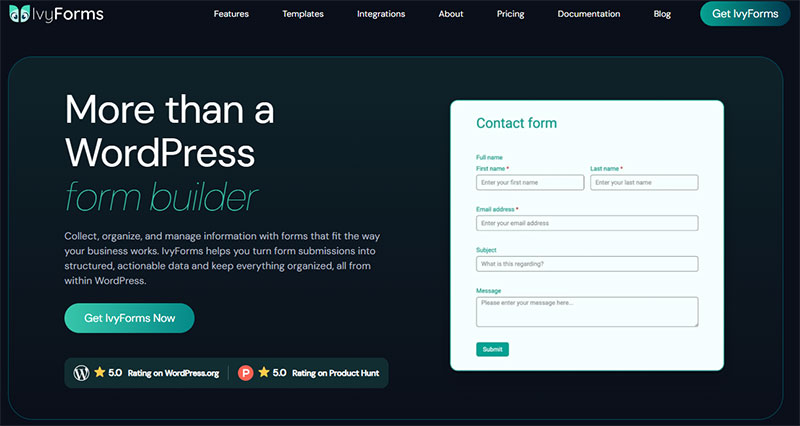
IvyForms is the pick for WordPress sites that need a workflow rather than just a form.
- Free core plugin on WordPress.org, Pro tier for advanced features
- One-screen builder with drag-and-drop fields and real-time preview
- Entry management in the free version, with no upgrade gate on viewing submissions
- Multi-page builder with customizable navigation labels, progress bar styles, and per-page field assignment
- Smart Logic rules, one-question-at-a-time form layouts, slider field, GDPR consent field
- REST API, webhooks, multiple Google Sheets connections, wpDataTables reporting
Version 1.1 added the slider and GDPR consent fields. Conversational forms and the REST API arrived in a later release.
Security bugs run through the Patchstack Vulnerability Disclosure Program. Embeds work in Gutenberg, Elementor, and Divi. Default styling stays neutral, so forms inherit the site design instead of fighting it, which saves the usual half hour of CSS overrides.
Weak spot is obvious enough. WordPress only. No WordPress site, no IvyForms.
Jotform
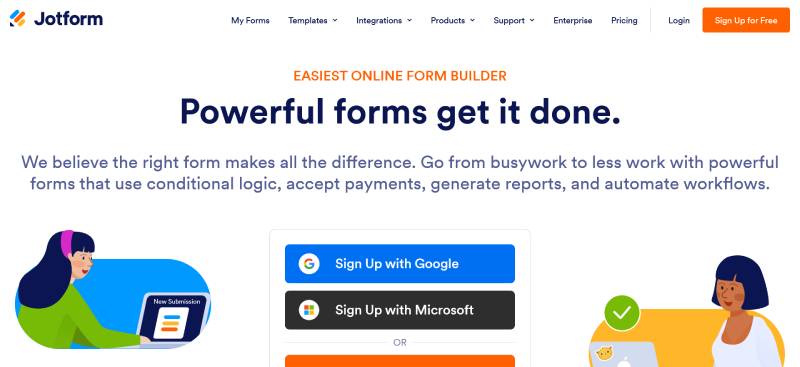
Jotform’s own pricing page states it is trusted by over 35 million users, and the template library backs that up: 20,000+ form templates, 150+ integrations, and a payment gateway list covering Stripe, PayPal, Square, and Venmo. HIPAA compliance features come with a signed BAA.
Then the licensing model. Every plan below Enterprise is single-user, so three team members means three subscriptions. HIPAA features are restricted to Gold and Enterprise plans only.
Form views are metered separately from submissions, alongside form count, storage, and payment submissions. Whichever meter fills first sets your tier, which makes budgeting less predictable than the headline price suggests.
Google Forms
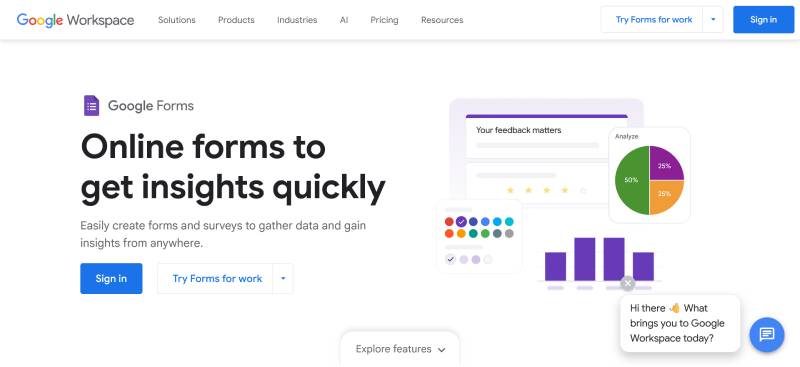
Free, unlimited responses, no metering. That combination beats every paid tier on raw volume, and it is not close.
Design control and logic depth both lag behind anything built after 2015. You feel it within about ten minutes.
Sheets integration is still the strongest reason to pick it. Every submission lands as a row, and pivot tables handle analysis the Microsoft Forms charts cannot touch. Teams that outgrow it end up running the same comparison exercise all over again, which is why replacements for Google Forms form their own category.
Typeform
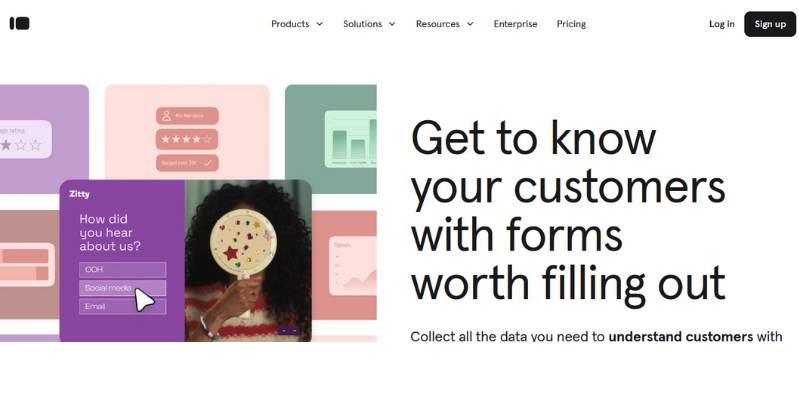
Completion rate is the entire argument. Typeform’s own Data On Data Report, drawn from more than 568 million submissions, put average completion at 47.3% against an industry benchmark of 21.5%.
- Free plan allows 10 responses per month, cut down from a more generous allowance in February 2026
- Basic at roughly $25/month billed annually covers 100 responses, Plus at about $50/month covers 1,000
- Caps apply account-wide rather than per form, and the form stops collecting once the cap is hit
Ten responses a month is a demo, not a free plan. Price it as a paid tool or skip it.
Gravity Forms
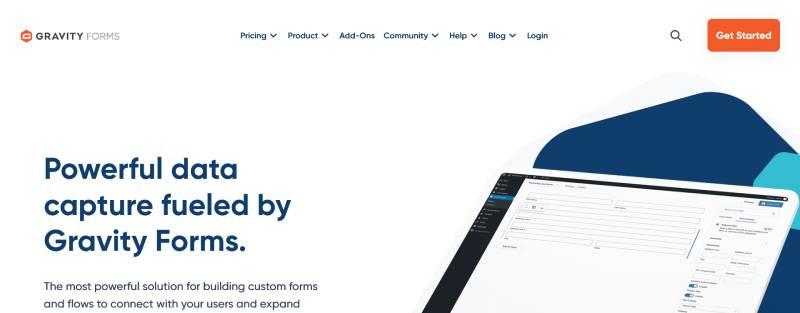
A mature add-on ecosystem and developer hooks that solve niche problems no hosted tool will ever touch. Conditional logic is included at every tier, starting with the $59/year Basic license, which is fair.
No free version and no lifetime license. The add-ons are where the real cost hides: GravityView, Gravity Flow, and Gravity Perks each run roughly $99 to $349 per year on top of the base license, and most agency builds end up with at least two of them.
Fluent Forms
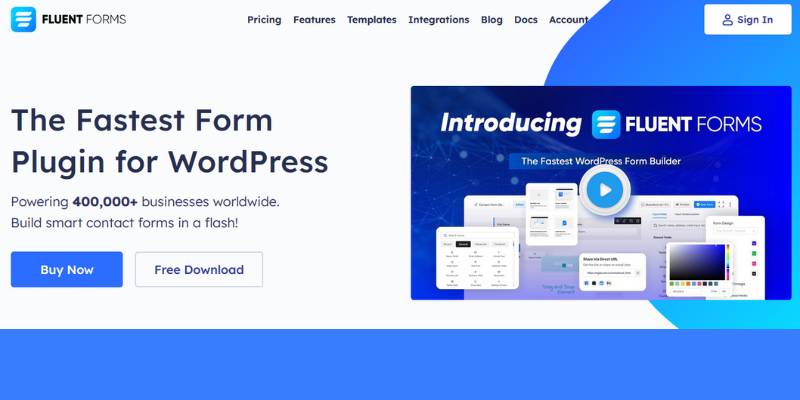
Conditional logic and entry management both ship in the free tier, which is unusual enough to be worth spelling out.
Compare it against the field. The cheapest license that unlocks conditional logic is $59/year for Gravity Forms Basic and about $99/year for Ninja Forms, while WPForms gates it behind Plus, which renews at $199/year. Fluent Forms includes it at zero.
- A light frontend footprint, among the smallest of the major WordPress form plugins
- Annual and lifetime licenses, the only plugin in this group offering both
Cognito Forms
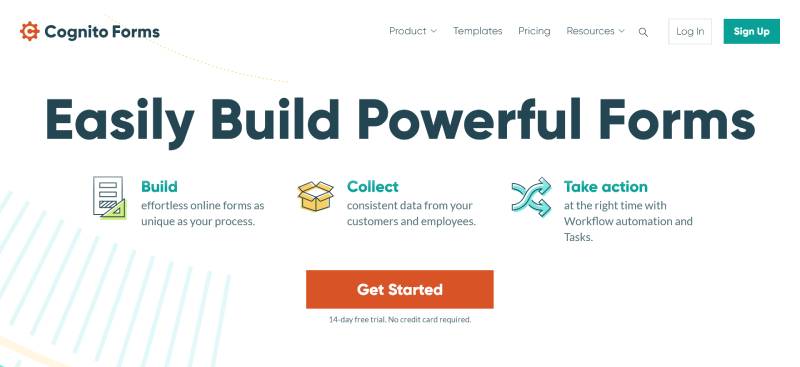
- Calculation engine handles quotes, order totals, and repeating line items
- Repeating sections without an add-on
- Free plan covers 100 entries per month with unlimited forms and fields
- Pro at $19/month lifts that to 2,000 entries, adds e-signatures and save-and-resume, and removes ads
- Team at $39/month reaches 10,000 entries; HIPAA compliance sits on Enterprise at $129/month
Design control is where you pay for all that. Forms look like forms. Function over polish, and honestly, for an order sheet or a quote request that is the right trade.
Zoho Forms
Free plans rarely include 500 monthly submissions. Zoho Forms does, which puts it ahead of Jotform and Wufoo on free volume. The catch is that the free tier is limited to 3 forms and 1 user, so the ceiling arrives as a form count rather than a submission count.
Where it earns its place is routing. Submissions drop straight into Zoho CRM, Sheet, and Analytics, and approval flows turn a submission into a task without a middleman. There is also a native Microsoft Power Automate integration, which almost nothing else in this group offers.
Outside the Zoho ecosystem, most of that value evaporates. HIPAA compliance is reserved for the top Premium tier. Paid plans start around $10 to $12 per month for Basic, which lifts submissions to 10,000 per month.
Tally
Unlimited forms and unlimited submissions on the free plan, under fair use.
The editor works like a Notion document with slash commands, so a first-time user builds a working form in minutes without ever opening a field settings panel. Conditional logic, Stripe payments, signatures, and file uploads are all included free. I keep expecting to find the catch and mostly not finding it.
Pro at $29/month (around $24/month billed annually) removes branding and adds custom domains, custom CSS, team workspaces, partial submissions, and analytics. Business at $89/month adds data retention controls and email verification.
Formstack
- Document generation, e-signature, and approval routing in one platform
- HIPAA and GDPR posture aimed at healthcare, finance, and mortgage workflows
- No free plan. The Forms plan runs about $83/month billed annually or $99/month month-to-month, and the full Suite runs roughly $250 to $299/month
If you go looking through vendor documentation and get confused, here is why: Formstack rebranded to Intellistack in June 2025, and the old Silver, Gold, and Platinum tier names were replaced by Starter, Teams, and Pro. The Formstack product name continues.
You are not buying a form builder here. You are buying process automation that happens to include one.
Which Microsoft Forms Alternative Works Best Inside WordPress?
IvyForms, Gravity Forms, and Fluent Forms lead for WordPress sites, and the reason is storage rather than features. Submissions land in your own database instead of a vendor server. W3Techs data from August 2026 puts WordPress at roughly 41% of all websites and about 59% of sites running a known CMS, so this applies to most site owners reading this.
Embedding a Microsoft Form on a WordPress page means an iframe.
Iframes bring render cost, layout shift, and zero indexable content. The form also drags Microsoft chrome onto your page, which looks exactly as good as it sounds.
A native plugin changes four things:
- Submissions stay in the site database, so the vendor data region question never comes up
- Styling inherits the theme instead of loading a second design system
- Entries are viewable inside wp-admin rather than behind a separate portal login
- Notification email routes through your existing WordPress mail configuration
Builder speed is what separates the three. IvyForms builds and publishes on a single screen. Gravity Forms is functional but dated, and independent 2026 reviews keep noting that its editor UX has not modernized in years. That shows during client demos, and clients notice.
Cost of ownership separates them again. A shortlist of contact form plugins built for WordPress and a review of no-cost form plugins worth installing land in the same place: entry management in the free tier decides whether a plugin is usable without paying.
One thing to check before you commit. Run a test form through your theme and look at spacing, focus states, and error text. Good form design decisions move completion rate more than the plugin name on the license does.
Which Alternatives Keep Microsoft Excel, Teams, and Power Automate Workflows Intact?
Power Automate connectors exist for Jotform, Formstack, and Zoho Forms. Everything else on this list reaches Teams and SharePoint through webhooks. Excel and CSV export works everywhere, though column fidelity on multi-select and file upload fields varies by vendor.
| Destination | Native connector path | Vendor-neutral path |
|---|---|---|
| Teams channel | Power Automate flow | Incoming webhook |
| SharePoint list | Power Automate flow | REST API write |
| Excel workbook | Scheduled flow | CSV export or Google Sheets sync |
| OneDrive storage | Power Automate flow | Direct upload field plus manual sync |
The gap nobody warns you about is authentication.
Microsoft Entra ID sign-in does not carry over. A non-Microsoft tool cannot restrict a form to your tenant the way Microsoft Forms does, so internal-only forms need a password, a private URL, or a login-gated page instead. For an HR form, that difference is not cosmetic.
Multi-select columns are the other trap. Microsoft Forms exports them as a single semicolon-separated cell, and most alternatives use a different delimiter or split them into separate columns. Rebuild your Excel formulas before you cut over. Doing it after means a week of quietly wrong numbers.
How Do Pricing Plans and Response Limits Compare?
Hosted platforms meter submissions monthly. WordPress plugins charge a flat annual license and do not cap submissions at all. That structural difference decides the cheaper option for any site collecting more than roughly 1,000 submissions per month.
| Tool | Free tier | Entry paid tier | Metered on volume |
|---|---|---|---|
| IvyForms | Free core plugin, entries included | Pro license | No |
| Jotform | 5 forms, 100 submissions/mo | $34/mo Bronze (1,000/mo) | Yes |
| Typeform | 10 responses/mo | ~$25/mo Basic (100/mo) | Yes, account-wide |
| Gravity Forms | None | $59/year, 1 site | No |
| Tally | Unlimited under fair use | $29/mo Pro | No |
Jotform runs several meters in parallel: form count, monthly submissions, storage, form views, and payment submissions. Whichever fills first sets your tier. Its free plan also carries a separate lifetime cap of 500 stored submissions, so even a sleepy contact form eventually stops working.
Typeform’s Business plan at roughly $83/month is the first tier reaching 10,000 responses. Jotform Gold hits 10,000 monthly submissions at $99/month and adds HIPAA features.
Run the numbers over three years and the picture shifts.
- Gravity Forms Elite at $259/year covers unlimited sites and unlimited submissions: $777 over three years
- Jotform Gold at $99/month reaches $3,564 over the same period, single user
- Fluent Forms lifetime licensing removes renewals entirely
Then there are the costs that never appear on a pricing page. Payment processor fees still apply (Stripe’s standard US rate is 2.9% plus $0.30 per transaction), third-party Gravity Forms add-ons can add several hundred dollars a year on top of the base license, and WPForms Pro renews at $399 after a $199.50 first year. That renewal jump catches people every single time.
Nonprofit and education accounts get 50% off Jotform Bronze, Silver, and Gold, and 30% off Enterprise. Gravity Forms offers a discounted nonprofit license with Elite features. Ask every vendor on your shortlist, because most run something similar and none of them advertise it loudly.
Which Alternatives Support Payments, Conditional Logic, and Multi-Page Forms?
All three ship with Jotform, Cognito Forms, Formstack, Tally, and every WordPress form plugin here. Microsoft Forms supports none of them beyond simple question branching. These capabilities change what a form is capable of doing, which is why they drive more switches than design complaints ever will.
| Tool | Payments | Field-level logic | Multi-page |
|---|---|---|---|
| IvyForms | Yes | Smart Logic rules | Yes, with progress bar styles |
| Cognito Forms | Yes, free plan included | Yes, plus calculations | Yes |
| Tally | Stripe on free plan | Yes | Yes |
| Microsoft Forms | No | Branching only | Sections only |
Formstack’s form conversion research, drawn from more than 650,000 anonymized form users, found multi-page forms converted at 13.9% against 4.5% for single-page equivalents, a lift of roughly 206%.
HubSpot data, widely cited in form conversion research, indicates only 40% of marketers use multi-step forms despite an 86% higher conversion rate. The distance between what works and what actually gets built is where the opportunity sits.
Field types Microsoft Forms never shipped: signature, address, repeater, slider, hidden field, and GDPR consent checkbox. Every one of those exists in at least four alternatives on this list.
Payment Collection Without a Separate Checkout
Handled natively by:
- Jotform, with a broad gateway list covering Stripe, PayPal, Square, Authorize.Net, Mollie, and Venmo
- Cognito Forms, which puts payments on the free plan, unusual at that tier
- Tally, with Stripe support and no upgrade required
- Zoho Forms, with 14 gateways and up to 10 payment submissions even on the free plan
WordPress plugins split here. Fluent Forms Pro covers product fields, inventory tracking, subscriptions, and coupons without add-ons, while Gravity Forms routes payments through add-ons bundled into its Pro and Elite tiers.
You can roll your own, of course. Hand-coding a checkout flow in WordPress works fine. Maintaining gateway updates yourself gets old around month four.
Logic Rules That Change Form Behavior Mid-Submission
Branching sends someone to a different question. Logic changes the form itself. Not the same thing, and vendors blur the line constantly.
Real logic hides fields on the same page, skips entire pages, calculates totals, and routes notification emails to different recipients depending on what was answered.
IvyForms applies Smart Logic to webhook delivery, so rule conditions control which submissions fire an outbound call. Typeform ships logic jumps as standard, including on its Basic plan, alongside its Creator AI builder.
Inline validation is the other lever worth pulling, and it costs nothing. Showing an error next to the field as it is completed, rather than dumping a list of errors after submission, improves completion consistently, and the gain grows with field count. Compare plugins that handle rule-based fields before you commit to a license.
Multi-Page Structure and When It Backfires
Around six or seven fields is the tipping point. Below that, splitting a form adds clicks and adds nothing else.
Venture Harbour’s case studies recorded lifts of 35% for BrokerNotes and 59% for Vendio after moving to stepped layouts, and an internal consulting inquiry form that went from 0.96% to 8.1%.
Accessibility is where stepped forms quietly fall apart. WebAIM’s 2026 Million report found home pages averaged 6.9 form inputs and that 33.1% of those inputs were not properly labeled. Splitting a form across steps makes that worse without ARIA attributes and deliberate keyboard focus management.
The stepped versus single-page tradeoff comes down to field count and intent, not preference. Browse stepped form builds worth copying before designing your own.
Which Alternatives Meet GDPR, HIPAA, and Data Residency Rules?
A signed BAA is available from Formstack, Jotform Gold and above, and Cognito Forms Enterprise. Zoho Forms adds HIPAA on its top Premium tier. Self-hosted WordPress plugins answer the data residency question by sidestepping it, since submissions stay in your own database, in your own hosting region, under your own retention policy.
Microsoft Forms sits in an awkward middle position.
HIPAA Journal reports Microsoft Forms is an in-scope service under the Microsoft BAA on qualifying Microsoft 365 subscriptions. The problem is the footer that appears when the form owner has not supplied a privacy statement, telling respondents not to provide personal or sensitive information. Standard Forms does not let you edit that footer or link a privacy statement in its place. Telling patients not to enter sensitive information on a patient intake form is not a great look.
Where the data physically lives matters just as much. Tenants in EU member countries keep data in Microsoft’s European Union/EFTA macro region geography. All other tenants store customer data in the United States, except Australia, where new tenants and tenants that had not previously used Forms have data stored at rest locally. Forms is only deployed in the Americas and EU/EFTA macro regions, so a tenant in Japan, for example, is provisioned into the Americas.
That one line disqualifies the tool for a lot of UK, Canadian, and Swiss organizations.
| Requirement | Strongest options | Weakest fit |
|---|---|---|
| HIPAA with BAA | Formstack, Jotform Gold+, Cognito Forms Enterprise | Google Forms, Tally |
| EU or national data residency | Self-hosted WordPress plugins | Microsoft Forms outside the EU |
| Consent capture and retention | IvyForms, Cognito Forms | Microsoft Forms (no retention policy) |
Enforcement is not theoretical. Cumulative GDPR fines reached approximately 7.1 billion euros as of 10 January 2026, with about 1.2 billion issued during 2025 alone, according to the eighth edition of DLA Piper’s GDPR Fines and Data Breach Survey published in January 2026.
European regulators now handle an average of 443 personal data breach notifications per day, a 22% year-over-year rise and the first time the daily average has passed 400 since GDPR took effect.
Ireland’s DPC issued the largest single fine of 2025, 530 million euros against TikTok in April 2025 over unlawful international data transfers. Kiteworks’ 2025 Data Forms Survey Report found 92% of surveyed organizations must comply with GDPR, alongside 58% for PCI DSS and 41% for HIPAA.
On the build side, you need a consent checkbox tied to a specific purpose, IP anonymization, an auto-delete window for entries, and a Data Processing Agreement from the vendor. Working examples of consent language that holds up save a lot of guesswork, and the full privacy-compliant form setup takes about an afternoon.
How Do Existing Microsoft Forms Responses Move to Another Platform?
Microsoft Forms exports to Excel and CSV. That is the entire list of exits. Everything else is manual rebuilding, and it runs in four stages.
Getting the Data Out
On the Responses tab, Open in Excel generates a new workbook every time you click it. No live sync exists unless you build a Power Automate flow that writes each submission into an Excel Online table. Above 50,000 responses, CSV export becomes the only supported route.
The underlying response data sits in Microsoft-managed storage inside your tenant with no direct database access. The exported workbook is the only copy you can actually manipulate.
Rebuilding What Does Not Map
- Likert questions become matrix or grouped radio fields
- Ranking questions rarely survive intact and usually end up as ordered dropdowns
- Branching rules get rewritten as field-level conditions rather than question jumps
- File upload responses point at OneDrive or SharePoint URLs that break the moment the form is deleted
Download every uploaded file before you delete anything. That one gets learned the hard way, usually once.
Importing, or Accepting That You Cannot
Jotform offers a migration tool that pulls an existing Microsoft Form, though the form has to be set to public first. Third-party tools such as Apps4.Pro Migration Manager handle bulk tenant-to-tenant moves and post migrated responses under a service account because of API limits.
Most WordPress plugins accept a CSV entry import. Where none exists, keep the Excel workbook as your archive and start the new form clean. Nobody has ever regretted a clean start on historical form data.
Redirecting and Verifying
Update embedded links in Teams channels, Outlook signatures, intranet pages, and QR codes on printed material. Rewrite the post-submit confirmation wording so it matches the new destination, then confirm submission events are firing in Google Analytics before you switch the old form off.
Run both forms in parallel for two weeks. Compare submission counts daily.
Which Microsoft Forms Alternative Fits Each Use Case?
Matching a situation to one tool beats picking the highest-rated builder and bending your process around it.
| Situation | Pick | Deciding attribute |
|---|---|---|
| WordPress site, leads and registrations | IvyForms | Entries and multi-page in the free core |
| Schools and internal teams, zero budget | Google Forms or Tally | No submission metering |
| Healthcare and finance intake | Formstack or Jotform Gold | Signed BAA plus e-signature |
| Sales pipeline routing | Zoho Forms | Native CRM and approval flows |
| Long forms with a conversion target | Typeform | Roughly 47% average completion |
On a WordPress site, IvyForms. The builder interface is not the deciding factor. Entry management and multi-page structure shipping without a paywall is. Registration, application, and capture forms built to convert all run from one install.
With no budget, Google Forms if you want Sheets-native analysis and Tally if the writing experience matters more. Neither meters submissions.
For regulated intake, Formstack when the form triggers document generation and signature. Jotform Gold at $99/month if a BAA plus 10,000 monthly submissions is the whole requirement. Cognito Forms Enterprise at $129/month is the cheaper HIPAA route and gets overlooked constantly. Reviewing how intake forms are structured in practice helps before either purchase.
Event teams should look at Cognito Forms for repeating attendee sections and per-ticket calculations. Anyone already on WordPress can build a registration form for an event with payments attached in under an hour.
Research and feedback work still points to SurveyMonkey for cross-tabulation and significance testing. For anything smaller, setting up a survey from scratch costs nothing on Tally or Google Forms.
One honest caveat, because this article is otherwise pretty hard on Microsoft. Forms is still the right answer for a quick internal poll inside a Teams channel, and swapping it for a tool your colleagues have never opened creates friction that no feature list justifies.
Keep it for polls. Replace it everywhere the form touches money, personal data, or a customer.
Common Questions About Microsoft Forms Alternatives
What is the best Microsoft Forms alternative?
IvyForms leads for WordPress sites because entry management, multi-page forms, and Smart Logic ship in the free core plugin. Jotform wins on template breadth. Tally wins on free volume. Where your site lives decides the answer.
Is there a free Microsoft Forms alternative?
Yes. Google Forms and Tally both run unlimited submissions at no cost, and Zoho Forms allows 500 monthly submissions free across 3 forms. WordPress users get conditional logic free in both IvyForms and Fluent Forms.
Which Microsoft Forms alternative works with WordPress?
IvyForms, Gravity Forms, Fluent Forms, and WPForms all run natively inside WordPress. Submissions land in your own database rather than a vendor server, and forms embed through Gutenberg, Elementor, or Divi without an iframe.
Does Microsoft Forms have a response limit?
Every user is capped at 400 forms including the recycle bin, plus a separate 400-poll allowance. Free personal accounts stop at 200 responses per form, paid personal accounts at 1,000, Microsoft 365 business, Education, and GCC tenants at 5,000,000, and GCC High and DoD at 50,000. Above 50,000 responses, summary charts, individual response views, and printing stop working.
Can a Microsoft Forms alternative collect payments?
Microsoft Forms collects nothing. Jotform supports a broad list of gateways including Stripe, PayPal, Square, and Venmo, Cognito Forms includes payments on its free plan, and Tally ships Stripe support without an upgrade. Fluent Forms Pro handles subscriptions and coupons without add-ons.
Are Microsoft Forms alternatives HIPAA compliant?
Formstack, Jotform Gold and above, and Cognito Forms Enterprise sign a BAA, and Zoho Forms offers HIPAA on its Premium tier. Microsoft Forms is technically in-scope under Microsoft’s BAA on qualifying subscriptions, but the uneditable footer warning respondents against entering sensitive information undercuts patient-facing use.
How do you move responses out of Microsoft Forms?
Open in Excel is the main export path, and each click generates a fresh workbook. CSV is the only option above 50,000 responses. Rebuild Likert and ranking questions manually, import the CSV where the new platform allows it, then redirect every live form URL.
Do alternatives still work with Excel and Teams?
Jotform, Formstack, and Zoho Forms offer Power Automate connectors. Everything else reaches Teams and SharePoint through webhooks. Watch multi-select columns during export, since delimiters differ from the semicolon format Microsoft Forms uses.
Which alternative has the strongest conditional logic?
Cognito Forms handles calculations and repeating sections best. IvyForms applies Smart Logic to webhook delivery, so rules control outbound calls. Fluent Forms includes field-level logic free, while the cheapest Gravity Forms license that includes it is $59 per year.
Is Google Forms better than Microsoft Forms?
Google Forms wins on volume with unlimited free responses and a live Sheets pipeline. Microsoft Forms wins inside a Microsoft 365 tenant. Both share the same weaknesses: thin design control, no payments, and shallow logic.
Conclusion
Choosing between Microsoft Forms alternatives comes down to one question. Does the form touch money, personal data, or a customer?
If it does, the response cap was never your real problem. Entry storage, spam protection, and the physical location of your submission data matter considerably more.
IvyForms covers all of that inside WordPress with no paywall on entries. Cognito Forms owns calculated fields. Formstack owns e-signature and approval routing, and charges accordingly.
Before paying anyone, do this. Rebuild your most complex existing form in your top two candidates, then test the logic rules, the file upload field, and notification routing.
Check the CSV export afterward and see whether the columns arrive clean.
Whichever builder survives that is your answer, whatever a ranking says.