





Four hundred forms per user. That is the ceiling on a Microsoft Forms account, and the recycle bin counts against it, so forms you deleted eighteen months ago are still…
Table of contents
Your form hit its monthly entry cap on the 14th. Now every submission costs $0.05 extra.
That single line on a Wufoo invoice sends more people looking for Wufoo alternatives than any missing feature ever has.
Wufoo still works. It just prices by volume, caps free accounts at 100 entries, and has barely changed since SurveyMonkey bought it in 2011.
Pricing in this category moves constantly. Every figure below was checked against vendor pricing pages in August 2026, but confirm current numbers before you buy.
What Is a Wufoo Alternative?
Replacing Wufoo means covering the same ground it already covers. Drag-and-drop form creation, entry storage, email notifications, conditional logic, payment collection. The replacements split into hosted platforms like Jotform and Typeform, and self-hosted plugins like IvyForms and Gravity Forms.
Wufoo launched in 2006 and was acquired by SurveyMonkey on April 25, 2011. SurveyMonkey never disclosed terms, but TechCrunch reported the price as $35 million in cash and stock, for a company that had raised only $118,000 in angel money.
By that point, more than $100 million in transactions had already moved through Wufoo forms. The product still works. It just stopped changing much.
Anything calling itself a swap has to handle the basics:
- Visual form building without code
- A searchable database of every submission
- Conditional logic and branching
- Payment processing through Stripe, PayPal, or Square
- Embedding via iframe, JavaScript, shortcode, or direct link
The hosted versus self-hosted split matters more than most comparison posts admit.
| Model | Where entries live | Pricing basis |
|---|---|---|
| Hosted (Jotform, Typeform, Wufoo) | Vendor servers | Monthly submissions |
| Self-hosted (IvyForms, Gravity Forms) | Your own database | Annual or lifetime license |
| Hybrid (Zoho Forms, Cognito Forms) | Vendor servers | Users plus submissions |
What Does Not Count as a Wufoo Replacement
Survey-only platforms don’t qualify. Neither do static HTML generators that email a submission and store nothing.
The test is whether it can handle the full range of form types you actually build, from contact and registration to order and intake forms, with the entries retrievable afterward.
If the answer is no, it’s a tool for one job, not a Wufoo swap.
Why Do Users Replace Wufoo?
The complaints cluster into a handful of things. Monthly entry caps that trigger $0.05 overage charges per extra entry. An interface that has barely moved since 2011. Customization that stalls the moment you don’t know CSS. And a top tier that reaches $249 per month.
Wufoo’s free plan allows 5 forms, 100 entries per month, 10 fields per form, 1 user, and 100 API requests.
Paid tiers run $19 (Starter), $39 (Professional), $99 (Advanced), and $249 (Ultimate) per month. Annual billing cuts roughly 15% off each, landing at $195, $399, $999, and $2,523 per year.
Here’s what those tiers actually buy, straight from Wufoo’s pricing page.
| Plan | Monthly entries | Forms | Users |
|---|---|---|---|
| Free | 100 | 5 | 1 |
| Starter ($19) | 1,000 | 10 | 1 |
| Professional ($39) | 5,000 | Unlimited | 5 |
| Advanced ($99) | 25,000 | Unlimited | 20 |
| Ultimate ($249) | 200,000 | Unlimited | 60 |
The overage model is the part that stings. Exceed your monthly entry allowance on any paid account and Wufoo bills $0.05 per additional entry at the end of the billing period. Free accounts work differently, in that the forms simply deactivate for the rest of the month once you pass 100 entries.
A viral lead magnet that pulls 3,000 extra submissions costs you $150 you didn’t budget for.
Payments are gated too. Accepting money at all requires Professional at $39/month, and so do field encryption, password protection, and Google Analytics tracking.
On the feature side, a verified Capterra reviewer described the set as basic next to newer builders, with advanced logic, branding, and analytics limited unless you’re on a higher-priced plan. Reviewers on GetApp and Capterra keep landing on the same design complaint, which is that customization options feel limited without CSS knowledge.
Support scores 8.2 for quality on G2 across 295 reviews, below its 8.8 ease-of-use score, for an overall 4.2 out of 5.
One reviewer flagged a specific behavior on multi-page forms. Reaching page 2 saves the entry as incomplete, and respondents who leave cannot return to finish.
That failure mode feeds directly into form abandonment, and Zuko Analytics benchmarking shows only 45% of people who view a form go on to complete it. Among those who actually start filling one in, about 66% finish.
What Criteria Separate a Strong Wufoo Alternative From a Weak One?
Entry limits and logic depth carry the most weight, because they decide whether a form survives real traffic. After that come payment gateway support, integration count, compliance certifications, embed flexibility, and export access.
Template count is the least useful number in any comparison. Every builder has hundreds. Nobody uses more than three.
Entry limits drive cost more than anything else here. Ask what happens at 5,000 monthly submissions, not at 50.
Logic depth is where the marketing pages blur together. Show and hide is table stakes. Page branching, dynamic notification recipients, and calculations are what separate serious tools from toys.
File handling gets ignored until it breaks something. Storage caps range from 100 MB to 100 GB, and Wufoo gives you 1 GB on Starter and 20 GB at the top. Application and document upload forms burn through the low end in weeks.
Spam filtering means reCAPTCHA, hCaptcha, Turnstile, and honeypot fields. Weak protection against form spam turns your entry database into junk.
Export access covers CSV, XLSX, and REST API. If you cannot pull your own responses out, you don’t own them.
The Costs That Don’t Appear on the Pricing Page
Per-submission overage fees are the obvious one. Then there are platform transaction cuts stacked on top of Stripe’s 2.9% plus $0.30. And seats billed separately, which is where Jotform bites hardest, since Enterprise is the only multi-user Jotform plan.
Three team members on Jotform Silver means three separate subscriptions.
What Are the Best Wufoo Alternatives?
IvyForms, Jotform, Typeform, Fillout, Google Forms, Cognito Forms, Formstack, Gravity Forms, Zoho Forms, Tally, and Paperform all replace Wufoo across different budgets and stacks. Each closes a different gap, from entry caps to compliance to calculation depth.
IvyForms
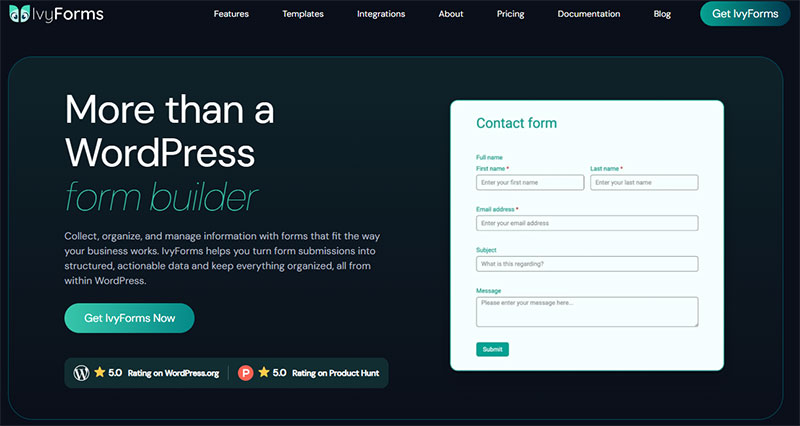
Entry caps and data ownership are what this one solves.
IvyForms is a WordPress plugin, so submissions land in your own database. No monthly entry ceiling, no $0.05 overage, no vendor holding your responses.
The free tier is unusually complete: entry management, spam blocking through reCAPTCHA, hCaptcha and Turnstile, multi-page forms, multiple notifications, Google Sheets export, Slack notifications, GDPR controls, and wpDataTables integration. Multi-page forms in particular are free here, where most competitors gate them.
Paid tiers scale by domain count instead of volume: Essentials (1 site), Growth (3 sites), Agency (unlimited), and a lifetime Elite license. A 15-day money-back guarantee applies, and you can move from annual to lifetime mid-subscription with the price adjusted.
Essentials adds conditional logic, advanced fields, digital signatures, and Mailchimp. Growth adds webhooks, REST API access, and survey fields including Likert scale and NPS, plus conversational form flows.
The honest limitation is that it needs WordPress, and the conditional logic currently handles show-and-hide rather than arithmetic. Calculations, Zapier, and multiple payment gateways sit on the roadmap rather than in the current release. If you need a live price calculator today, this is not the tool.
Built by Melograno Venture Studio, the team behind Amelia, Trafft, and wpDataTables, whose plugin portfolio is used by over 170,000 WordPress professionals.
Jotform
The closest like-for-like swap for Wufoo, with a far bigger template library and HIPAA available below enterprise.
Free Starter gives you 5 forms, 100 monthly submissions, 500 total stored submissions, 100 MB storage, and Jotform branding.
Bronze runs $34/month billed annually ($39 monthly) for 25 forms and 1,000 submissions. Silver is $39 annually ($49 monthly) for 2,500 submissions. Gold is $99 annually ($129 monthly) for 10,000 submissions plus HIPAA compliance features, which are available on Gold and Enterprise only.
Jotform Tables turns responses into a spreadsheet view without exporting anything, and the platform lists more than 150 integrations.
What catches people out is that payment submissions cap separately at 1,000 per month even on Gold. Enterprise is also the only multi-user plan, so teams needing multiple seats face other options or a custom quote.
Typeform
One question per screen. Beautiful. Expensive.
Typeform cut its free plan to 10 responses per month in February 2026, down from 100, a 90% reduction that PricePulse tracked as one of the most aggressive free-tier cuts any major SaaS made that year.
Basic sits at $25/month billed annually for 100 responses. Plus at $50 for 1,000, which is also where branding removal starts. Business at $83 for 10,000. Month-to-month pricing runs 30 to 40% higher.
At $0.25 per response on Basic, high-volume lead capture gets painful fast, which is why cheaper conversational builders picked up signups immediately after the change.
Worth noting the flip side. Typeform’s own data across 2.6 million forms put average completion near 47%, against an industry norm closer to 21.5%. You are paying for that.
Fillout
Fillout sits between Typeform’s polish and Tally’s pricing.
Unlimited responses on the free plan with branding. Deep conditional logic. Native connections to Airtable, Notion, and Google Sheets rather than routing everything through Zapier.
Good pick if your form output feeds a database instead of an inbox.
Google Forms
Free, with no response limit, and Sheets integration that is native and instant.
What’s missing is everything commercial. No payment collection, no real logic branching, no branding control, no partial submission capture.
Fine for internal data collection. Wrong for anything customer-facing, which is why most teams end up looking at more capable free builders within a quarter.
Cognito Forms
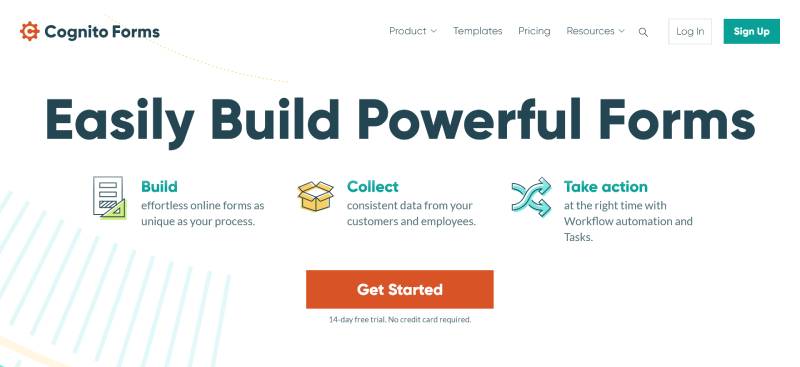
The calculations engine is the reason to pick Cognito.
Repeating sections, quantity math, scoring logic, and lookup fields handle order forms and multi-attendee registration that break other builders.
Pro starts at $19/month for 2 users, Team at $39 for 5 users, Enterprise at $129 for 20, with extra seats at $5 each per month. The free tier covers unlimited forms and 100 entries per month.
Reviewers consistently flag one weak spot, which is that the calculation syntax is unintuitive and takes a while to learn. The second catch is compliance, covered further down, since a HIPAA BAA requires the $129 Enterprise plan.
Formstack

Enterprise workflow routing, document generation, and e-signatures in one platform. The company rebranded to Intellistack in June 2025, though the Formstack product name continues.
No free tier. The Forms plan starts at $83/month billed annually ($99 monthly), roughly 3 to 7 times Zoho Forms’ lower tiers. The full Suite with documents and e-signatures runs $250/month annually.
Worth it when approval chains and generated PDFs are the actual requirement. Overkill for a contact form.
Gravity Forms
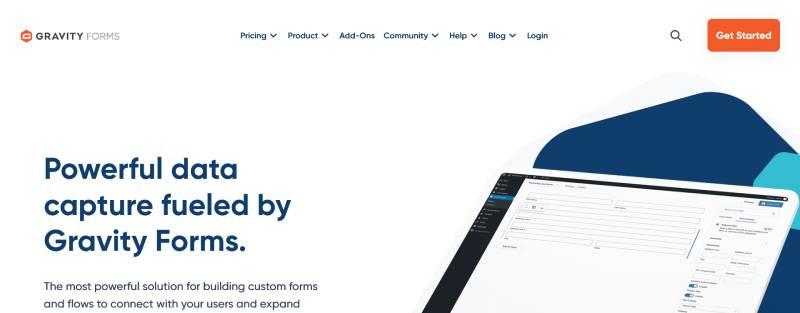
WordPress-only, licensed annually rather than by submission.
The Basic License is $59 per year for 1 site with unlimited forms, unlimited entries, conditional logic, and multi-page forms. Pro is $159 for 3 sites, Elite $259 for unlimited.
The add-on ecosystem is the trade-off, and it bites earlier than people expect. Stripe, PayPal Checkout, and Square all sit behind Pro at $159, so the $59 tier cannot take payments at all. That is why some teams compare all-inclusive plugin licenses before committing.
One quirk worth a calendar reminder: renew before expiration and you keep roughly 30% off. Let the license lapse by a single day and that discount is gone permanently.
Zoho Forms
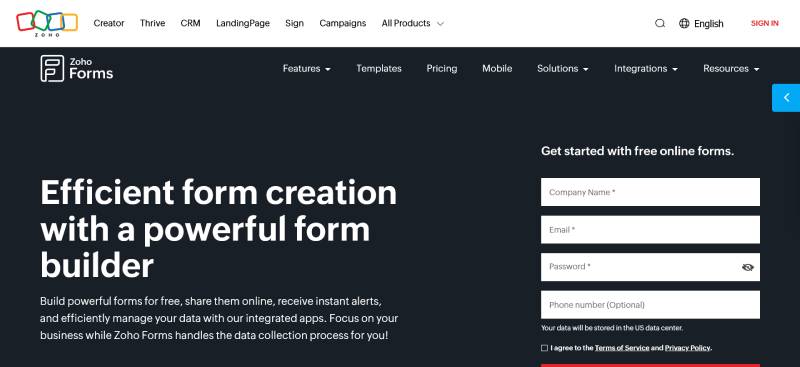
Basic starts at $12/month, Standard $30, Professional $60, Premium $110. Annual billing drops those to $10, $25, $50, and $90.
The free plan covers 3 forms and 500 submissions per month, more generous than Wufoo’s 100. Submission caps climb to 25,000 on Standard and 75,000 on Professional.
Zoho does a few things its competitors don’t. Native Zoho CRM routing across the wider Zoho suite, offline collection through a mobile app for field teams, and a HIPAA-capable Premium tier with a BAA on request.
Tally
Unlimited forms and unlimited responses on the free plan, subject to fair use. Not a trial. The actual free tier.
Free includes conditional logic, hidden fields, calculators, webhooks, file uploads, signatures, and Stripe payments.
Pro at $24/month annually ($29 monthly) removes Tally branding and adds custom domains, partial submissions, and custom CSS. Business sits near $74 to $79.
No built-in database, no workflow automation, no email tooling. You’ll pair it with something else.
Paperform

The editor works like a document. You type a page and drop fields into the sentences.
Product fields, coupon codes, and quantity selectors make it closer to a lightweight store than a form tool.
Best for landing-page-style order forms where the copy matters as much as the fields.
How Do Wufoo Alternatives Compare on Pricing?
Wufoo prices by monthly entries, starting at $19 and reaching $249. Its competitors bill per submission (Jotform, Typeform), per user (Cognito Forms, Zoho Forms), or as a flat license (IvyForms, Gravity Forms). The license model wins at volume because cost stops scaling with traffic.
| Tool | Entry price | What that buys |
|---|---|---|
| Wufoo | $19/mo | Starter tier, 1,000 entries, 1 user |
| IvyForms | Annual license | 1 domain, unlimited entries |
| Gravity Forms | $59/yr | 1 site, unlimited entries, no payments |
| Zoho Forms | $12/mo | Basic, single user |
| Cognito Forms | $19/mo | Pro, 2 users |
| Jotform | $34/mo | 1,000 submissions, 1 seat |
| Formstack | $83/mo | Workflow and document tools |
Run the math at different volumes and the picture changes completely.
At 500 monthly entries, Wufoo Starter works at $19 and Typeform requires the $50 Plus plan, since Basic caps at 100. Tally handles the same 500 for nothing.
At 5,000 monthly entries, Wufoo needs the $39 Professional tier and Typeform needs Business at $83. A Gravity Forms license covers the same volume for $59 a year, less than two months of that Typeform subscription.
At 50,000 monthly entries, hosted pricing stops making sense entirely unless compliance forces it. Wufoo alone jumps to the $249 Ultimate tier.
Payment processing fees stack on top. Platform fee plus gateway fee, both charged on the same transaction.
Which Wufoo Alternatives Offer Genuinely Usable Free Plans
| Tool | Free submissions | Branding removed |
|---|---|---|
| Tally | Unlimited (fair use) | No, $24/mo |
| Google Forms | Unlimited | N/A |
| Fillout | Unlimited | No |
| Zoho Forms | 500/mo | No |
| Cognito Forms | 100/mo | No |
| Jotform | 100/mo | No |
| Typeform | 10/mo | No |
Wufoo’s 100 free entries put it at the bottom half of that list.
On WordPress the calculation differs again, since free form plugins carry no submission ceiling at all. The constraint becomes your hosting, not a billing tier.
Which Wufoo Alternatives Handle Conditional Logic, Calculations, and Multi-Page Forms?
Cognito Forms, Fillout, and Jotform handle all three. IvyForms covers multi-page forms and conditional logic but not calculations yet. Google Forms supports basic section skipping and no calculations. Typeform gates logic jumps behind paid plans, so the free tier cannot branch at all.
HubSpot data shows only 40% of marketers use multi-step forms, though those forms convert 86% higher than single-step versions.
That figure gets quoted more than it gets qualified. The gains cluster in long forms with 7 or more fields and high-intent audiences. For a three-field newsletter signup, splitting it into steps adds clicks and helps nothing.
Logic Types That Actually Differ Between Tools
Show and hide fields is universal. The rest is not.
- Page branching routes respondents to different pages based on an answer
- Dynamic recipients send the notification to a different inbox depending on a dropdown
- Calculations cover live pricing, quantity math, and quiz scoring
- Repeating sections let someone add another attendee, another line item, another dependent
Cognito Forms and Fillout cover all four. Wufoo covers the first two.
Anyone building on WordPress can compare plugins that support rule-based branching against what their current hosted plan allows.
Multi-Page and Save-and-Resume Support
Baymard Institute benchmarking puts the average ecommerce checkout at 5.1 steps and 11.3 form fields, and its own checkout database finds most flows could cut 20 to 60% of the form elements they display by default without losing anything required.
Fewer fields is the safer bet, but it is not a law. Zuko’s benchmarking across millions of form sessions found the trend line between field count and completion rate is close to flat, which suggests relevance and clarity matter more than raw length.
Gravity Forms, IvyForms, Jotform, and Cognito Forms all split forms across pages with a progress indicator. Well-built multi-step layouts reduce the perceived length without cutting a single question.
Save-and-resume is rarer. Cognito Forms and Jotform support it. Wufoo’s incomplete-entry behavior on page 2 does not count as the same feature.
Which Wufoo Alternatives Collect Payments?
All but two of the eleven process payments. Stripe and PayPal appear almost everywhere, Square and Authorize.net less often. Google Forms collects nothing, IvyForms has broader gateway support on its roadmap rather than shipped, and Tally handles Stripe only. Watch for platform fees charged on top of the gateway’s own cut.
| Tool | Gateways | Recurring billing |
|---|---|---|
| Jotform | Stripe, PayPal, Square, Authorize.net, and more | Yes, capped at 1,000/mo |
| Cognito Forms | Stripe, PayPal, Square | Yes |
| Tally | Stripe | Limited |
| Zoho Forms | Stripe, PayPal, Razorpay | Yes |
| Gravity Forms | Stripe, PayPal, Square (Pro tier) | Yes |
| Typeform | Stripe (Plus tier and above) | Limited |
Where the Money Actually Goes
Stripe takes 2.9% plus $0.30 on a US card transaction. That part is fixed.
The variable is what your form platform adds on top, and whether your plan caps payment submissions separately from regular ones.
Jotform’s Gold tier allows 10,000 monthly submissions but only 1,000 payment submissions, a limit that catches ticketing and ecommerce operations well before the general cap does.
Wufoo puts payments behind the $39 Professional plan entirely, so the $19 Starter tier cannot take money at all.
Self-Hosted Payment Handling
On WordPress the gateway connects directly, with no platform layer taking a percentage.
Teams running donations or bookings on their own site can set up a payment form inside WordPress and keep the full transaction record in their own database.
Fewer moving parts. Also fewer people to call when Stripe returns an error.
Coupons, Tax, and Order Fields
Paperform and Cognito Forms handle discount codes, tax lines, and quantity-based totals natively.
Jotform manages coupons through its product field. Wufoo does not do any of it without manual workarounds.
Baymard research puts average cart abandonment at 70.22% across a meta-analysis of 50 studies, with nearly 1 in 5 shoppers abandoning specifically because the checkout felt too long or complicated. Every unnecessary field on a payment form costs money.
Which Wufoo Alternatives Meet Compliance and Data Protection Requirements?
Jotform, Formstack, Cognito Forms, Zoho Forms, FormAssembly, and 123FormBuilder will all sign a HIPAA Business Associate Agreement. Formstack, FormAssembly, and Jotform have completed SOC 2 Type II audits. Typeform and Formstack hold ISO 27001 certification, according to Paperform’s 2026 enterprise comparison.
Certifications decide the shortlist before features do. A clinic cannot pick a builder on template count.
| Tool | HIPAA BAA | SOC 2 Type II |
|---|---|---|
| Jotform | Gold tier and above | Yes |
| Formstack | Enterprise agreement | Yes |
| Cognito Forms | Enterprise tier only ($129/mo) | No |
| Zoho Forms | Premium tier only ($110/mo) | No |
| Typeform | Enterprise only | Enterprise only |
| Tally | No | No |
Note the tier gating on Cognito. Its BAA is contractually restricted to the Enterprise plan and you cannot downgrade while the agreement is in effect, which makes it more expensive than Jotform Gold rather than cheaper.
Paperform is not HIPAA compliant. Its own healthcare guide tells readers to route protected health information to Jotform, Cognito Forms, or Formstack instead.
Standard Google Forms carries no BAA either. Google Workspace can be configured for compliance on qualifying business tiers, the free consumer version cannot.
GDPR Posture and Data Residency
Every builder on this list claims GDPR readiness. The differences sit in the details.
- Data processing agreements are standard across paid plans and missing from most free tiers
- Tally is a Belgium-based company and stores all form data in Europe, which Heyflow’s 2026 compliance review flags as its main regulatory strength
- Consent capture means a checkbox plus timestamp, stored with the entry
- Retention rules trigger automatic deletion after a set window, which Tally puts on its Business tier
Wufoo inherits SurveyMonkey’s data policies, which sit under a US parent company.
Teams handling EU personal data need to know how to build forms that satisfy GDPR regardless of which platform stores the responses.
Encryption and Access Control
Wufoo offers field encryption starting on the $39 Professional plan, limited to 5 single-line text fields.
Jotform, Formstack, and Cognito Forms encrypt at rest and in transit as standard. Formstack, FormAssembly, Typeform, and Jotform add SSO and SAML on enterprise tiers.
Self-hosting changes the model entirely. Nothing leaves your server, so form security on WordPress becomes your hosting configuration rather than a vendor’s certificate.
That cuts one vendor out of the compliance chain. It also puts patching squarely on you.
How Do Wufoo Alternatives Connect to CRMs, Email Tools, and Automation Platforms?
Jotform lists more than 150 native integrations across CRM, payment, storage, and email categories. Zoho Forms connects natively across the Zoho suite. Everything else routes through Zapier, which advertises roughly 8,000 connected apps, or through raw webhooks that POST JSON to any endpoint.
Wufoo’s own integration catalog is much thinner, roughly 10 direct integrations, and leans heavily on Zapier as the middle layer, which adds a subscription most teams forget to budget for.
| Connection type | Strongest option | Trade-off |
|---|---|---|
| Native CRM | Zoho Forms, Formstack | Locked to one ecosystem |
| Automation platform | Zapier, Make, n8n | Extra monthly cost |
| Webhooks | Tally, IvyForms, Fillout | Needs a developer once |
Native Connections Worth Checking Before You Commit
Salesforce, HubSpot, Mailchimp, Slack, Google Sheets, Airtable, and Notion cover most of what teams actually wire up.
Fillout connects natively to Airtable and Notion, skipping the automation layer completely.
Formstack goes further with a Salesforce-native product built on the Salesforce platform, where form data never leaves the Salesforce org. That is why regulated sales teams tolerate the $83 entry price. FormAssembly competes directly here and adds FedRAMP High authorization.
Slack alerts on submission are near-universal now. Wufoo, Jotform, Zoho Forms, and IvyForms all push notifications the moment an entry lands.
API Access and Webhook Payloads
Wufoo’s REST API v3 handles form structure, entries, and comments, with request caps tied to your plan: 100 on Free, 10,000 on Starter, 25,000 on the $39 Professional tier, and 100,000 at the top.
Jotform, Zoho Forms, and Formstack all expose REST endpoints on paid plans. IvyForms puts webhooks and REST API access on its Growth tier.
Webhooks fire a JSON payload per submission and cost nothing to run. Point one at your endpoint and skip the middleware entirely.
Pair that with submission tracking in Google Analytics and you get attribution data no built-in form dashboard provides.
Which Wufoo Alternative Fits Each Use Case?
Most Wufoo migrations fall into small business lead capture, event registration, nonprofit donations, healthcare intake, agency client work, or a WordPress site that wants its data back. The right pick changes with volume, compliance load, and whether you control the hosting.
Small Business Contact and Lead Forms
Tally or IvyForms, in most cases.
Volume here is usually under 500 monthly submissions, so paying per entry makes no sense.
Tally handles unlimited responses free. IvyForms keeps entries in your own database with no cap at any tier.
Both support the field logic needed to build lead capture forms that qualify prospects instead of just collecting names.
Event Registration and Ticketing
Registration breaks cheap builders faster than any other form type.
You need repeating sections for multiple attendees, quantity math for ticket tiers, and payment processing that won’t cap out mid-launch.
Cognito Forms handles all three. Jotform works until you hit its 1,000 monthly payment submission ceiling, which a popular event clears in one afternoon.
On WordPress, a self-hosted event registration form avoids per-ticket platform fees completely.
Nonprofit Donation Forms
M+R’s Benchmarks 2026 data puts donation page conversion at 11% on desktop and 8% on mobile, with small nonprofits dropping to just 4% on mobile.
Every unnecessary field costs gifts, so calculation support and short multi-step flows matter more than template variety.
Jotform discounts Bronze, Silver, and Gold by 50% for registered nonprofits and educational institutions, and Enterprise by 30%. The plan limits do not change, and Bronze through Gold stay single-user, so a discounted Gold plan is still one login.
Cognito Forms handles recurring gifts and suggested amount ladders. Teams starting from scratch can work from proven donation form templates rather than designing the ask from zero.
Healthcare Intake and Patient Forms
Compliance decides this one before anything else does.
Jotform Gold at $99/month billed annually is the cheapest mainstream route to a signed BAA, and Jotform provides the BAA directly through the platform without separate legal negotiation.
Zoho Forms Premium at $90/month annually is the closest competitor on price, with a BAA available on request. Cognito Forms costs more, not less, since its BAA requires the $129 Enterprise plan.
Formstack costs more still and earns it when patient agreements need generating and signing, not just collecting.
Whatever you choose, the field structure follows the same patterns as standard intake forms, with PHI handling layered on top.
Agencies Managing Client Forms at Volume
Per-seat and per-submission pricing punishes agencies hardest.
Twenty client sites on Jotform means twenty subscriptions, since Enterprise is the only multi-user plan.
License-based pricing wins here. IvyForms Agency covers unlimited domains under one annual license, with a lifetime Elite option above it. Gravity Forms Elite covers unlimited sites at $259/year. Cognito Forms scales by seat instead of traffic.
Client data also stays on client infrastructure, which removes a line item from every offboarding conversation.
WordPress-Based Sites
W3Techs put WordPress at roughly 41% of all websites in August 2026, down from about 43% at the end of 2025. Still nine times its nearest competitor.
Running a hosted form on a WordPress site means an iframe, a second privacy policy, and entries you cannot query.
A plugin removes all three. IvyForms and Gravity Forms both store submissions in the site database and embed through blocks, shortcodes, or page builders like Elementor and Divi.
Anyone weighing the switch can compare contact form plugins for WordPress against what their current Wufoo tier costs annually.
How Does Migration From Wufoo to Another Form Builder Work?
Export your entries as CSV or XLS. Download file uploads separately, because they don’t come with the export. Rebuild forms and logic in the new builder, swap the embed code, then reconnect integrations and notifications. Wufoo offers no bulk export across multiple forms, so accounts with many forms need the API.
Budget a day for 10 forms. Two days if payments are involved.
| Stage | What transfers | What does not |
|---|---|---|
| Entries | CSV, XLS, TXT export | Uploaded files (links only) |
| Form structure | Field names and order | Logic rules, themes |
| Delivery | Nothing | Notifications, autoresponders |
Exporting Everything Out of Wufoo
- Open the Entry Manager
- Click Bulk Actions, then Export
- Choose Excel (.xls), tab delimited (.txt), or comma delimited (.csv)
The catch nobody mentions is that Wufoo does not offer bulk export across forms. It is one form at a time, which is fine for five forms and miserable for fifty. Agencies with large client accounts typically end up scripting it against the Wufoo REST API v3 instead.
File uploads are worse. Bulk exports include links to files, not the files themselves, so each attachment downloads individually.
Rebuilding Forms and Logic
No universal import path exists between form builders. Fields import from CSV. Rules do not.
Jotform is the exception, with a free Migrate from Wufoo app that syncs both forms and submissions once you authorize the two accounts. Be aware it migrates everything at once rather than letting you select individual forms.
Everyone else rebuilds by hand: conditional rules, page breaks, calculations, and required-field validation.
Do the logic before importing entries. Field IDs shift when you edit a form after import, and the mapping breaks quietly.
Swapping the Embed and Reconnecting Everything
Replace the Wufoo iframe or JavaScript snippet with the new embed. Hosted Wufoo URLs on your subdomain need 301 redirects so old links keep working.
Then rebuild what lives behind the form:
- Payment gateway credentials, re-entered in the new platform
- Spam protection, since reCAPTCHA keys do not carry across
- Zapier or webhook connections, pointed at new form IDs
- Admin notifications and the confirmation message respondents see after submitting
Deliverability is where migrations quietly fail. Check your email sending configuration before you point live traffic at the new form.
The Pre-Cutover Test
Submit a real entry through every path. Each logic branch, each payment amount, each notification recipient.
Run the old and new forms in parallel for a week if the form generates revenue. Cheap insurance against a silent failure nobody notices until Monday.
Common Questions About Wufoo Alternatives
What is the best free Wufoo alternative?
Tally and Fillout both offer unlimited submissions on their free plans, well beyond Wufoo’s 100 entries per month. On WordPress, IvyForms Lite stores entries in your own database with no monthly ceiling at all.
Is Jotform better than Wufoo?
Jotform offers more templates, more than 150 integrations, and HIPAA compliance at the $99 Gold tier. Wufoo wins on simplicity. Jotform’s catch is that Enterprise is its only multi-user plan.
Why did Wufoo stop improving?
SurveyMonkey acquired Wufoo in April 2011 for a reported $35 million in cash and stock. Development slowed after the acquisition, and reviewers now describe the feature set as basic next to newer form builders.
How much does Wufoo cost per month?
Paid tiers run $19, $39, $99, and $249 per month, or $195, $399, $999, and $2,523 billed annually. Exceed your monthly entry allowance on any paid account and Wufoo charges $0.05 per additional entry at the end of the billing period.
Can I move my Wufoo entries to another form builder?
Yes. Export from the Entry Manager as CSV, XLS, or TXT. Wufoo offers no bulk export across multiple forms, so large accounts script it against the REST API v3 instead.
Which Wufoo alternatives accept payments?
Jotform, Cognito Forms, Zoho Forms, Paperform, Gravity Forms, Typeform, and Tally all connect to Stripe. Watch the separate payment submission caps, since Jotform limits payments to 1,000 monthly even on its Gold plan, and note that Gravity Forms requires its $159 Pro license for any gateway.
What is the cheapest Wufoo alternative for high volume?
License-based tools. Gravity Forms starts at $59 per year with unlimited entries, and IvyForms prices by domain count with a lifetime option. Neither charges more as your submission volume grows.
Do any Wufoo alternatives support HIPAA?
Six sign a Business Associate Agreement: Jotform, Formstack, Cognito Forms, Zoho Forms, FormAssembly, and 123FormBuilder. Each gates it to a specific tier. Typeform below Enterprise, Tally, Paperform, and standard Google Forms do not handle protected health information.
Which alternative works best on WordPress?
Plugin-based builders like IvyForms and Gravity Forms. Both embed through shortcodes or page builders such as Elementor and Divi, keeping submissions in your site database rather than a vendor’s servers.
Is Google Forms a real Wufoo replacement?
Only for internal use. Google Forms costs nothing and never caps responses, but it collects no payments, offers no real conditional logic, and gives you almost no branding control.
Conclusion
Most people shopping for Wufoo alternatives compare drag-and-drop editors when they should be comparing billing models.
Per-submission pricing punishes success. A license or a self-hosted plugin does not.
Run one calculation before you pick anything: your realistic monthly entries times twelve, against each tool’s annual cost at that tier.
Then check the things the pricing page hides. Seat limits. Payment submission caps. Whether white label branding sits behind another upgrade.
Export your Wufoo entries this week regardless of which platform wins. Data sitting on a plan you plan to cancel is a bad place for it to be.
Rebuild the form properly while you’re in there, and treat it as a chance to lift completion rates rather than a straight copy.