




Four hundred forms per user. That is the ceiling on a Microsoft Forms account, and the recycle bin counts against it, so forms you deleted eighteen months ago are still…
Table of contents
Formstack charges $83 per user per month and stops storing entries at 25,000. That math breaks fast for a growing team.
Most people shopping for Formstack alternatives want the same drag-and-drop form builder, conditional logic, and payment integrations without paying per seat for every person who touches a form.
Pricing in this category moves regularly, so confirm current rates on each vendor’s page before committing.
What Is a Formstack Alternative?
Any builder that takes over data collection, conditional logic, payment collection, and workflow routing from Formstack Forms qualifies. They split into two groups: hosted platforms billed per seat or per submission, and platform-native plugins licensed per site with no submission meter.
Formstack sells four products: Forms, Documents, Sign, and Suite. Almost everyone shopping for a replacement wants Forms only, which changes the comparison set completely.
The corporate entity rebranded to Intellistack on June 25, 2025, and moved headquarters to Denver, while the Formstack and Formsite product names stayed put. Pricing pages now carry the Intellistack copyright line, which confuses buyers mid-renewal.
Hosted Platforms Versus Platform-Native Builders
Hosted platforms like Jotform, Typeform, and Cognito Forms store submissions on their own servers, bill by volume or seats, and drop an embed code into any site.
Platform-native builders work differently. With IvyForms, Gravity Forms, WPForms, or Fluent Forms, the form and its entries live inside your own WordPress database, and the license covers a site rather than a seat.
That distinction decides most switches. WordPress runs more than 40% of all websites and close to 60% of sites with a detectable CMS, so for a large share of Formstack customers the CMS itself is already the cheapest place to put a form.
What Qualifies a Tool as a Replacement
| Criterion | What to check | Why it decides the switch |
|---|---|---|
| Billing unit | Per seat, per site, per submission | Seat pricing punishes teams |
| Submission ceiling | Monthly and lifetime stored caps | Caps stop forms mid-campaign |
| Logic depth | Field rules, calculations, routing | Rebuild fails without parity |
| Data location | Vendor servers or your database | Portability at contract end |
Anything failing two of these is not a replacement. It is a downgrade with a smaller invoice.
Scope matters too. A tool that handles the range of form types you actually run (applications, registrations, order forms, surveys) beats one that only does contact capture, and a form builder with real conditional logic is the baseline, not a bonus.
Why Do Teams Replace Formstack?
Per-seat billing at $83 per user per month. Hard submission ceilings of 25,000 stored entries. Compliance features locked behind higher tiers. Cost per builder rises faster than form volume, which breaks the math for marketing teams.
Cost Structure and Seat Limits
The Forms plan runs $83 per user per month billed annually, with monthly billing higher again. Suite adds document generation and eSignature at a significantly higher rate.
Do the seat math and it stings. Five builders on the Forms plan run roughly $4,980 a year before a single add-on.
Compare that to Gravity Forms Elite at $259 a year for unlimited sites and unlimited builders. The gap is not marginal.
Submission and Storage Caps
The Forms plan covers 25 forms, 1,000 stored submissions per form, 25,000 total stored submissions, and 2 GB of storage.
Storage caps behave differently from monthly meters. A form that has run for three years hits the lifetime ceiling even when this month was quiet.
API access carries its own limit at 14,400 calls per day, which matters when you export or sync large entry sets.
One point in Formstack’s favour worth knowing: exceeding the submission limit does not trigger automatic overage billing. Excess submissions get emailed to the account owner instead, which is an operational headache rather than a surprise invoice. Typeform, by contrast, simply closes the form.
Feature Gating Across Plan Tiers
HIPAA compliance, approval workflows, bulk sending, and the deeper integrations sit on higher tiers or bundled plans. Buyers routinely discover this after signing.
The June 2025 consolidation renamed Silver, Gold, and Platinum to Starter, Teams, and Pro, with features unchanged. Existing accounts spent weeks remapping what they thought they had bought.
The honest read: Formstack is priced for regulated enterprises with procurement departments. For a 4-person marketing team collecting leads, that pricing model is aimed at somebody else.
Jotform
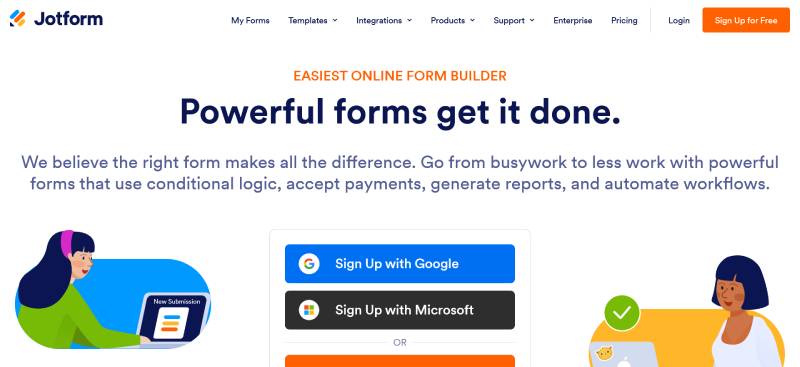
Jotform is the closest hosted replacement for Formstack Forms, with paid tiers from $34 to $99 per month on annual billing. It matches Formstack on templates, payments, and approvals, and undercuts it heavily on price, but every non-Enterprise plan is limited to one seat.
| Plan | Annual price | Forms | Monthly submissions |
|---|---|---|---|
| Starter | Free | 5 | 100 |
| Bronze | $34/mo | 25 | 1,000 |
| Silver | $39/mo | 50 | 2,500 |
| Gold | $99/mo | 100 | High limits, HIPAA included |
Jotform runs several meters in parallel: form count, monthly submissions, storage, and form views. Whichever fills first sets your tier, and for active sites that is almost always submissions.
Seats are the real problem. Starter through Gold support a single user, so teams either buy separate accounts or jump to Enterprise pricing, which is where the Formstack cost comparison starts closing again.
Payment submissions carry their own cap, separate from the general submission allowance, so high-volume ticketing and ecommerce hit that wall well before the headline limit.
HIPAA lives on Gold only. Clinics and therapists evaluating alternatives to Jotform usually discover this after building half their intake flow.
Gravity Forms
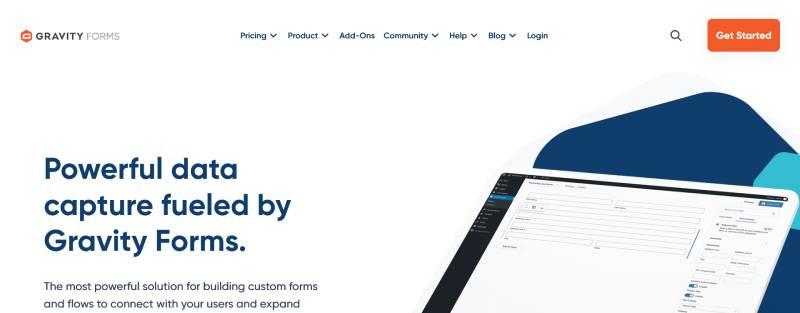
Gravity Forms is the developer-oriented WordPress replacement, licensed at $59, $159, or $259 per year. Licensing is site-based rather than seat-based, submissions are never metered, and the tiers differ only by site count and add-on access, not by core builder capability.
Basic at $59/year covers 1 site with conditional logic, Mailchimp, HubSpot, ActiveCampaign, and Campaign Monitor. Pro at $159/year stretches to 3 sites and adds Stripe, PayPal Checkout, Square, Zapier, and Zoho CRM. Elite at $259/year goes unlimited and brings User Registration, Surveys, Signature, and Multisite support.
Payments sit behind Pro. That single detail sends more buyers up a tier than any other line on the pricing page.
Renewals hold the original rate, but only if you renew before the license expires. Let it lapse by a day and the loyalty discount disappears permanently.
For a multi-site operator, an equivalent SaaS stack runs into four figures annually against $259 for Elite. For agencies running 20-plus client sites, that comparison ends the discussion.
The tradeoff is the interface, which has aged, and the third-party add-on tax: GravityView, Gravity Flow, and Gravity Perks Pro each add $99 to $349 a year. Teams weighing other options in the Gravity Forms category usually cite exactly that stacking cost.
WPForms
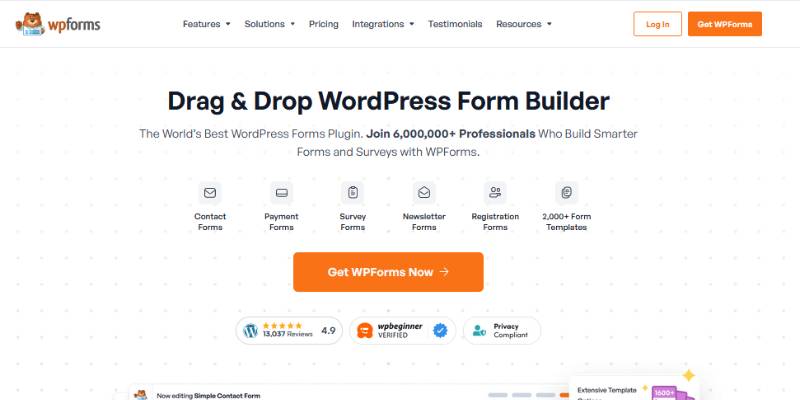
WPForms is the most-installed WordPress form plugin, with over 6 million active installations across free and paid versions. Introductory pricing starts at $49.50 per year, and renewals cost roughly double, which changes the Formstack comparison from year two onward.
| Tier | Year one | Renewal |
|---|---|---|
| Basic | $49.50 | ~$99 |
| Plus | $99.50 | ~$199 |
| Pro | $199.50 | ~$399 |
Agency and Elite tiers sit above Pro, covering 20 sites and unlimited sites respectively. Watch the site counts as closely as the prices, since Pro covers 5 sites.
Onboarding is the strongest part of the product. For non-technical admins, WPForms is meaningfully easier to learn than Gravity Forms, and the template library is the deepest in the category.
Conditional logic and payment collection are not in Basic. Salesforce and HubSpot sync require the top tier, which pushes CRM-dependent teams well above Gravity Forms Elite at $259.
The Form Abandonment addon captures partial entries, which is a practical lever for improving form abandonment rates given that roughly two thirds of people who start a form never finish it.
Nothing annoys me more than upsell notices inside an admin I already paid for, and WPForms runs plenty of them. Teams scanning replacements for WPForms mention that alongside the renewal jump more than any missing feature.
IvyForms: far cheaper than Formstack — as long as you don’t need enterprise workflows
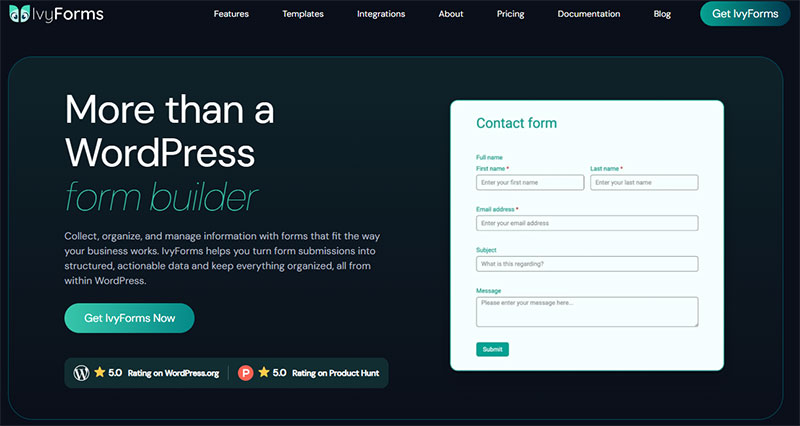
Formstack is an enterprise workflow platform — document generation, e-signatures, governance — priced from around $83/month. Most WordPress sites don’t need that machinery, and IvyForms delivers standard-to-advanced form building natively for a tiny fraction of the cost. It’s also part of the Melograno ecosystem (Amelia, wpDataTables, Trafft), so form data connects natively into wpDataTables for sortable, filterable tables and into Amelia for bookings — no third-party middleware. The honest limit: if you genuinely need enterprise document automation and compliance tooling, IvyForms isn’t built for that.
| Formstack | IvyForms | |
|---|---|---|
| Model | SaaS (enterprise) | WordPress plugin |
| Price | From ~$83/mo | Free; from €29/yr (or €399 lifetime) |
| Where data lives | Formstack servers | Your WordPress database |
| Enterprise workflows | Documents, e-sign, governance | Not the focus |
| Advanced form features | Extensive | Conditional logic, multi-page, payments, REST API |
| Ecosystem | Enterprise integrations | Native wpDataTables & Amelia integrations |
| Best for | Enterprises with compliance needs | WordPress sites & agencies |
Honest trade-off: Formstack is the right tool for regulated, document-heavy enterprise workflows. For everyone else paying enterprise prices for what are essentially web forms, IvyForms does the core job on WordPress for far less.
Put it in perspective: a single month of Formstack costs roughly a quarter of IvyForms’ entire lifetime price. At €399 once (early-bird; reg. €997) you get unlimited sites, every feature and all future updates — a low-risk bet given how actively Melograno maintains its plugins.
Right-size the spend: see IvyForms plans → or download free →.
Builder and Field Types
Creation happens on one screen. The builder, settings panel, and live preview sit together instead of running as a wizard, and fields reorder by drag-and-drop with labels, placeholders, and default values editable without touching code.
Version 1.1 added a slider field for ratings and ranges, plus a GDPR consent field.
Embedding works through Gutenberg, Elementor, and Divi. Pre-built templates cover contact, registration, and order use cases, which is where most rebuild time goes.
Conditional Logic and Multi-Page Forms
Smart Logic rules show, hide, and branch fields based on what someone enters. Conditional logic is the feature most Formstack rebuilds depend on, so parity here is non-negotiable.
The multi-page builder carries customizable navigation labels, progress bar styles, and per-page field assignment.
That structure has measurable payoff. Benchmark data puts multi-step forms roughly 14% ahead of single-page forms carrying the same total field count, with the gain rising to about 21% on B2B lead generation forms.
Conversational form layouts ship as a separate option for one-question-at-a-time flows.
Spam and Consent Handling
reCAPTCHA, hCaptcha, and Cloudflare Turnstile are all supported natively, which covers most contact form spam without a second plugin.
The GDPR consent field handles consent checkboxes for teams that need GDPR compliant forms without custom fields.
Integrations and Data Access
A REST API covers forms and submissions programmatically. Webhooks fire on submission, including when Smart Logic rules are active.
The Google Sheets multi-integration connects several sheets to one form, which Formstack handles only through a single mapped destination.
Reporting runs through wpDataTables. Entries are visible from the All Forms dashboard, the Entries screen, and the Results tab inside the builder, with unread entries marked visually.
Security disclosures run through the Patchstack Vulnerability Disclosure Program, which matters if WordPress form security sits in your procurement checklist.
Who IvyForms Fits
Marketing and ops teams on WordPress who want submission data in their own database, with more than one person building forms.
The honest limitation is the dependency itself. IvyForms requires WordPress, so teams on Webflow, Shopify, or a headless stack get nothing from it, and that rules out a real slice of Formstack’s customer base.
Anyone who has ever tried building forms in WordPress without a plugin knows the maintenance cost of hand-rolled markup, validation, and email delivery. A plugin absorbs all three.
Fluent Forms
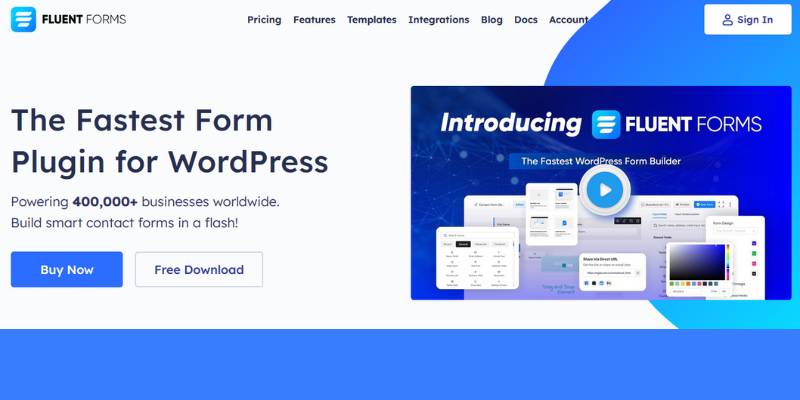
Fluent Forms is the price-efficient WordPress option, with every paid feature included at every paid tier and no submission metering. Tiers differ only by site count, and a lifetime license removes renewals entirely, which no hosted Formstack competitor offers at any price.
The free version includes conditional logic and entry storage. Gravity Forms charges from $59 a year for logic, Ninja Forms $99, WPForms $199.50, which makes the free tier unusually complete among free WordPress form plugins.
Feature access stays flat across tiers, so payments, CRM integrations, and quizzes are not gated. Pay for one site and you get the full plugin.
The lifetime option runs around $279 for a single site and $719 for unlimited, which beats every annual license past the three-year mark. Assets load only on pages containing a form too, with combined CSS and JS under 42 KB per the vendor.
60-plus native integrations cover Mailchimp, FluentCRM, Zapier, Slack, ConvertKit, ActiveCampaign, and Trello.
Where it falls short: the template library is smaller than WPForms, and some integrations have gone years between updates, which reviewers on Software Advice call out directly.
WordPress License Models Compared
| Plugin | Entry price | Unlimited sites | Submission cap |
|---|---|---|---|
| IvyForms | Free core | Agency and Elite tiers | None |
| Gravity Forms | $59/year | $259/year | None |
| WPForms | $49.50/year | Top tier | None |
| Fluent Forms | $59–79/year | $719 lifetime | None |
Every row in that table shares one column value: no submission cap. That single column is why WordPress-hosted forms keep pulling teams off Formstack’s 25,000-entry ceiling.
Cognito Forms
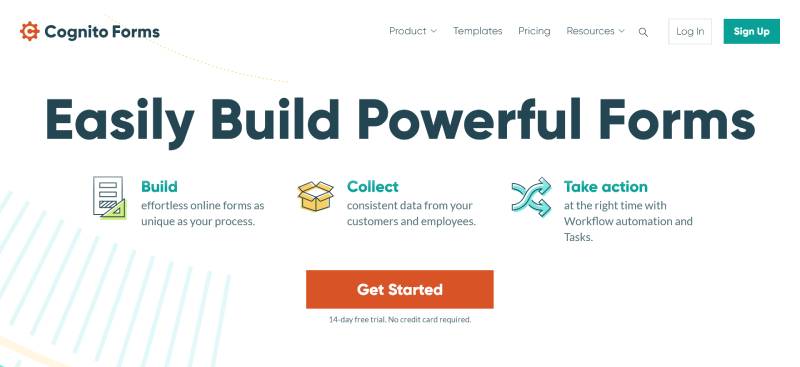
Cognito Forms is the closest match to Formstack’s calculation and workflow logic at a fraction of the price. Paid plans start at $19 per month for 2 users, and HIPAA with a signed BAA arrives at $129 per month, well below Formstack’s compliance tiers.
| Plan | Monthly price | Users included |
|---|---|---|
| Individual | Free | 1 (100 entries/mo) |
| Pro | $19 | 2 |
| Team | $39 | 5 |
| Enterprise | $129 | 20, HIPAA and BAA |
Extra seats cost $5 per user per month. Formstack charges $83 for the same additional builder.
The calculation engine and repeating sections are the real draw. Multi-attendee registration, family intake, and multi-line orders use an “add another” pattern that most form tools handle badly.
Workflow states, assignments, and approval routing cover what Formstack sells as workflow automation. Document merge generates PDFs from submissions, which replaces a chunk of Formstack Documents.
Payments run natively through Stripe, PayPal, and Square, with tiered pricing, discount codes, and partial payments supported. Note that Cognito’s own fee stacks on top of the processor fee, which stings on low-value transactions.
The tradeoff is appearance. The design looks dated, and teams building brand-critical intake forms often shortlist other tools in the Cognito Forms bracket purely on looks, then come back for the capability.
Watch the guest meter, which runs separately from seats and adds cost once monthly guests climb.
Typeform
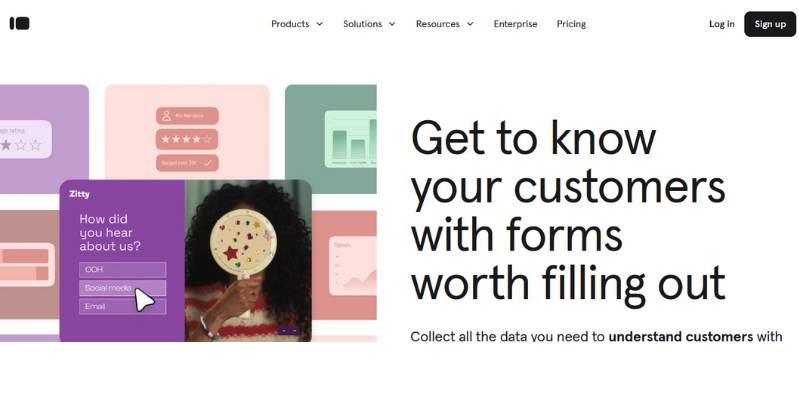
Typeform replaces Formstack for surveys, research, and completion-sensitive collection, not for high-volume lead capture. Billing runs per response: $25 monthly for 100, $50 for 1,000, and $83 for 10,000 on annual terms, with a hard cap at each tier. Month-to-month rates run 35% to 55% higher.
The cap is the whole story. When a plan’s monthly allowance runs out, the form stops collecting and later visitors are turned away with no overage billing and no data recorded.
Run the real math. A landing page converting 60 completions a day generates roughly 1,800 responses monthly, so Plus closes around day 17 and every visitor after that is a lost lead.
Typeform cut its free plan from 100 responses to 10 per month in February 2026, a 90% reduction with no advance notice. The free tier also excludes conditional logic and integrations.
Where it earns the money: Typeform’s one-question-at-a-time format averaged a 47.3% completion rate against a 21.5% industry norm, across 2.6 million forms and 568 million submissions in its own data.
Logic Jumps, Hidden Fields, and Recall Information handle branching and personalization. Video questions live in VideoAsk, a separate product with separate pricing.
Design lock-in is the risk nobody prices in. The one-question format means switching later requires rebuilding every form from scratch, which is why teams evaluate Typeform replacements before scaling rather than after.
For long administrative forms, skip it. For a research survey where survey form structure drives completion, Typeform is still the benchmark.
How Much Do Formstack Alternatives Cost?
Formstack alternatives cost between $59 per year and $99 per month depending on billing model. WordPress plugins license per site with no submission meter, hosted platforms bill per seat or per response, and the two models diverge sharply once a team passes 2 builders.
| Tool | Entry price | Billing unit | Submission cap |
|---|---|---|---|
| Formstack | $83/user/mo | Per seat | 25,000 stored |
| Jotform | $34/mo | Per account, 1 seat | 1,000/mo (Bronze) |
| Typeform | $25/mo | Per response | 100/mo (Basic) |
| Cognito Forms | $19/mo | Per seat bundle | Guest-metered |
| Gravity Forms | $59/year | Per site | None |
Per-Seat Pricing Versus Flat License Pricing
Take five people building forms, 10,000 submissions a month, one website.
Formstack lands around $4,980 a year, and the submission volume still breaches the 25,000 stored ceiling within three months. Jotform means five separate accounts or an Enterprise quote, since Gold and below allow one seat. Gravity Forms Elite covers the same work for $259 a year with unlimited builders and unlimited entries.
The spread is roughly 19x. That gap, not feature parity, is what moves most teams off Formstack.
Submission Volume Cost Thresholds
Metered pricing means the invoice tracks your success. More conversions, higher tier, every time.
Roughly two thirds of people who start a form never complete it, per Zuko’s form analytics data, so a large share of your traffic is partial and may or may not count against the meter depending on the vendor’s counting method. Check that before you size a plan.
A few cost variables sit outside the sticker price:
- Payment processing fees on Stripe, PayPal, and Square
- Add-on licenses (GravityView, Gravity Flow, and Gravity Perks Pro run $99 to $349 a year)
- Renewal jumps, with WPForms roughly doubling in year two
Which Formstack Alternatives Meet HIPAA and Data Compliance Rules?
Cognito Forms at $129 monthly and Jotform Gold at $99 monthly both sign a BAA for HIPAA. Self-hosted WordPress builders keep submissions inside infrastructure you already control, which changes the compliance question from vendor certification to your own hosting controls.
| Tool | HIPAA and BAA | Data location |
|---|---|---|
| Cognito Forms | Enterprise, $129/mo | Vendor servers |
| Jotform | Gold only, $99/mo | Vendor servers |
| Typeform | Enterprise only | Vendor servers |
| IvyForms | Your hosting controls | Your database |
The financial stakes are not theoretical. IBM’s Cost of a Data Breach research puts the average healthcare breach at $7.42 million, the costliest of any industry for well over a decade running, against a $4.44 million global average across all sectors.
Healthcare breaches also take longer to contain than the global average, which extends the exposure window on every day the gap stays open.
On the European side, GDPR enforcement has stayed heavy, with cumulative penalties past 7 billion EUR since 2018 and breach notifications running in the hundreds per day across the bloc.
Consent capture is where most form stacks fail an audit. Native consent checkboxes, retention settings, and clear processing language belong on the form itself, and GDPR consent form examples show how little space that actually takes.
Accessibility is the compliance dimension buyers forget. WebAIM’s annual analysis of the top million home pages consistently finds around a third of form inputs are not properly labeled, so accessible form practices carry real ADA and WCAG exposure alongside the privacy rules.
How Do You Migrate Form Data From Formstack?
Export submissions to CSV, rebuild forms and logic in the destination tool, reconnect integrations, then redirect live embeds. Run both systems in parallel for one billing cycle before cancelling, and time the switch against your renewal date.
Exporting Submissions and Attachments
Formstack exports submissions in CSV, Excel, RTF, and PDF from the Submissions tab, with filtering by read, unread, or custom criteria before export.
Scheduled exports run in the background using a saved filter as the criteria, which beats manual pulls for accounts with dozens of forms.
Open CSV files as UTF-8 in Excel or special characters break, a detail buried in Formstack’s own documentation and one that quietly corrupts name and address fields.
API-based exports hit the 14,400 daily call ceiling, so large historical pulls need pagination across several days.
Mapping Fields and Logic Rules
Rebuild the form before importing anything. Field types have to exist in the destination first, or the import maps text into the wrong columns.
Two import rules catch people out. The first row of your CSV must carry each field name, and imported submissions all share a single timestamp that cannot be edited afterward.
Formstack also blocks submission imports on workflow forms, which affects any approval-routed form you planned to move wholesale.
Conditional rules never survive an export. Write them down field by field, then rebuild, because logic is where rushed migrations break.
File Uploads and Attachments
Attachments export separately from field data on most plans. Rebuilding forms with file upload fields on WordPress usually means raising the WordPress upload size limit first, since defaults sit far below what Formstack allowed.
Handling Live Embeds and Redirects
Hosted Formstack URLs stay live until you delete the form. Redirect them rather than deleting, or inbound links from email campaigns and PDFs drop traffic silently.
Swap embed code page by page and verify each one. Cached pages serve the old iframe for days.
Reconnect notification emails first, then CRM sync (Salesforce, Mailchimp, Google Sheets), then webhooks and payment gateways.
Test delivery before going live. Misconfigured WordPress email settings are the single most common reason a freshly migrated form appears to work while notifications silently fail.
Which Formstack Alternative Fits Your Use Case?
Match the tool to your platform first, then to your billing tolerance. WordPress sites get the cheapest path through a native plugin, non-CMS teams need a hosted builder, and compliance requirements override both by forcing a minimum tier.
| Situation | Pick | Why |
|---|---|---|
| WordPress, multiple builders | IvyForms | Own the data, no seat fees |
| No CMS, needs approvals | Jotform | Hosted, deep template library |
| Developer-built workflows | Gravity Forms | Hooks, filters, deep add-on library |
| Calculations and payments | Cognito Forms | Repeating sections, cheap BAA |
| Surveys and research | Typeform | Highest completion by design |
Rank your criteria in this order: billing model, submission ceiling, compliance requirement, integration list, platform dependency. Feature checklists come last, because every tool here clears the basics.
High-volume capture belongs on Fluent Forms or Gravity Forms. Metered platforms turn every extra lead generation form into a line item.
Events and courses want a WordPress plugin plus native payments, because running an event registration form through a per-response tool means paying again every time the event sells well.
One last piece of field advice: pick based on your busiest month, not your average one. Under-buying a metered plan is not a budgeting decision, it is a data-loss decision.
Common Questions About Formstack Alternatives
Is IvyForms a good Formstack alternative?
Yes, for WordPress sites. IvyForms keeps submissions in your own database, charges nothing per seat, and covers conditional logic, multi-page forms, payments-ready workflows, and Google Sheets sync. Teams on Webflow or Shopify need a hosted builder instead.
What is the cheapest Formstack alternative?
Gravity Forms Basic at $59 per year is the lowest paid entry with no submission meter. Cognito Forms Pro costs $19 monthly for 2 users. Fluent Forms and WPForms both ship functional free versions.
Does Formstack offer a free plan?
No. Formstack runs a free trial only, then billing starts at $83 per user monthly on annual terms. Jotform, Cognito Forms, and several WordPress contact form plugins keep permanent free tiers.
Why does Formstack now say Intellistack?
The parent company rebranded to Intellistack on June 25, 2025, and moved headquarters to Denver. Formstack and Formsite kept their product names. Plan tiers were renamed to Starter, Teams, and Pro without feature changes.
What happens if I exceed Formstack’s submission limit?
Formstack does not bill automatic overages. Excess submissions are emailed to the account owner instead of being stored, so you keep the data but lose it from the dashboard until you upgrade.
Which Formstack alternatives sign a BAA for HIPAA?
Cognito Forms Enterprise at $129 monthly and Jotform Gold at $99 monthly both sign a BAA. Typeform requires Enterprise. Self-hosted WordPress builders shift the compliance burden onto your hosting controls rather than a vendor certification.
Can I export my submission data out of Formstack?
Yes. Submissions export as CSV, Excel, RTF, or PDF from the Submissions tab, with filtering and scheduled exports available. Open CSV files as UTF-8 in Excel, otherwise special characters in names and addresses break.
Is Jotform better than Formstack?
Jotform costs far less and matches Formstack on templates, approvals, and payments. Every non-Enterprise Jotform plan allows one seat, so multi-builder teams lose that price advantage quickly. Submission caps also reset monthly rather than accumulating.
Do WordPress form plugins limit submissions?
No. IvyForms, Gravity Forms, WPForms, and Fluent Forms all store unlimited entries because submissions live in your database. Licensing covers sites, not volume, which removes the ceiling that pushes Formstack users into higher tiers.
How long does migrating off Formstack take?
Plan 1 to 2 weeks for 20 forms. Exporting takes hours, rebuilding forms and conditional logic takes days, and reconnecting integrations plus redirecting live embeds takes the rest. Run both systems through one billing cycle.
Conclusion
Choosing between Formstack alternatives comes down to where your form data should live, not which feature list runs longest.
WordPress teams get the cheapest durable path: per-site licensing, entry management inside the admin, and no meter counting your leads.
IvyForms leads that group for anyone who wants webhooks, spam protection, and Google Sheets sync without paying per builder.
Hosted platforms still make sense off-CMS. Size the plan to your busiest month, not your average one.
One thing worth doing while you rebuild: audit field order, labels, and error messages instead of copying the old form verbatim.
A migration is the cheapest chance you will ever get to increase form conversions before the new builder goes live.