

A blank quiz builder staring back at you is where most people quit. The questions feel off, the scoring logic gets confusing, and the whole thing takes three times longer…
Table of Contents
Users leave websites for reasons they never tell you. Unless you ask.
Website usability survey questions turn silent frustration into actionable feedback. They reveal why visitors abandon carts, miss navigation links, or struggle with forms you thought were intuitive.
The System Usability Scale and similar UX research methods give you data. But choosing the right questions matters more than the tool you use.
This guide covers question types for measuring task completion, user satisfaction, and friction points. You will find ready-to-use examples for e-commerce sites, SaaS platforms, content websites, and service businesses.
Plus timing strategies, analysis methods, and mistakes that kill response rates.
What is a Website Usability Survey Question
A website usability survey question is a structured prompt designed to collect visitor feedback about how easily they can complete tasks on a site.
These questions measure navigation ease, content clarity, visual design perception, and overall user satisfaction.
Jakob Nielsen and the Nielsen Norman Group established foundational usability testing methods that inform modern survey design.
The System Usability Scale (SUS), developed in 1986, remains one of the most reliable tools for measuring perceived usability through standardized questionnaires.
Good usability survey questions follow principles similar to best practices for creating feedback forms. Clear wording, logical flow, focused scope.
General Usability Questions
Overall Satisfaction Rating
Question: How satisfied are you with your overall experience on our website?
Type: Multiple Choice (1–5 scale from “Very dissatisfied” to “Very satisfied”)
Purpose: Establishes a baseline user satisfaction KPI that can be tracked over time.
When to Ask: At the end of a session or in post-visit surveys.
Task Completion Success
Question: Did you accomplish what you came to the site to do?
Type: Yes/No with optional follow-up
Purpose: Measures fundamental website effectiveness and task success rate.
When to Ask: When users exit the site or after they’ve spent sufficient time browsing.
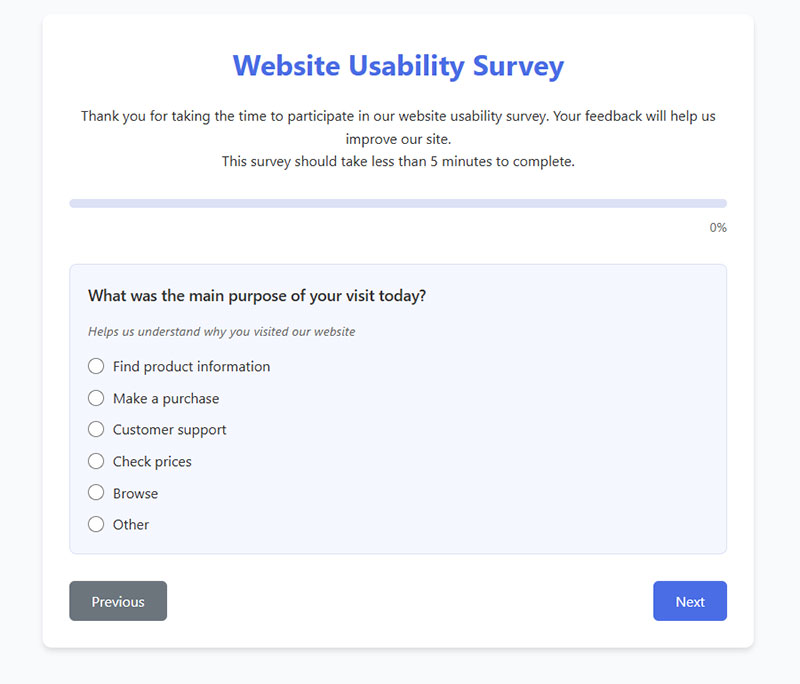
Visit Purpose Identification
Question: What was the main purpose of your visit today?
Type: Multiple choice with common reasons + “Other” option
Purpose: Helps segment users by intent for more targeted user research techniques.
When to Ask: Early in the survey to provide context for subsequent answers.
Return Likelihood
Question: How likely are you to return to our website?
Type: Multiple Choice (1–5 scale from “Very unlikely” to “Very likely”)
Purpose: Indicates user satisfaction and perceived future value of the site.
When to Ask: After collecting specific feedback on other aspects of the site.
Site Speed Assessment
Question: How would you rate the speed of our website?
Type: Multiple Choice (1–5 scale from “Very slow” to “Very fast”)
Purpose: Identifies perceived performance issues affecting user experience evaluation.
When to Ask: After users have navigated multiple pages or completed key tasks.
Error Encounter Check
Question: Did you encounter any errors or technical problems?
Type: Yes/No with conditional follow-up
Purpose: Identifies technical issues not captured in web analytics integration.
When to Ask: Mid-survey or after task completion assessment.
Intuitive Design Rating
Question: How intuitive was the website to use without instructions?
Type: Multiple Choice (1–5 scale from “Not at all intuitive” to “Extremely intuitive”)
Purpose: Evaluates information findability and alignment with user mental models.
When to Ask: After users have attempted several interactions across the site.
Most Useful Feature
Question: What feature did you find most useful on our website?
Type: Multiple choice or open text
Purpose: Identifies strengths to maintain during redesign considerations.
When to Ask: After users have explored most of the site’s key features.
Improvement Priority
Question: If you could change one thing about our website, what would it be?
Type: Open text
Purpose: Highlights critical pain points and gathers qualitative feedback analysis.
When to Ask: Toward the end of the survey after other specific questions.
System Usability Scale
Question: I think that I would like to use this website frequently.
Type: Likert scale (Strongly disagree to Strongly agree)
Purpose: Part of the standardized SUS questionnaire for benchmark comparison.
When to Ask: As part of a complete SUS assessment, typically post-session.
Navigation & Layout
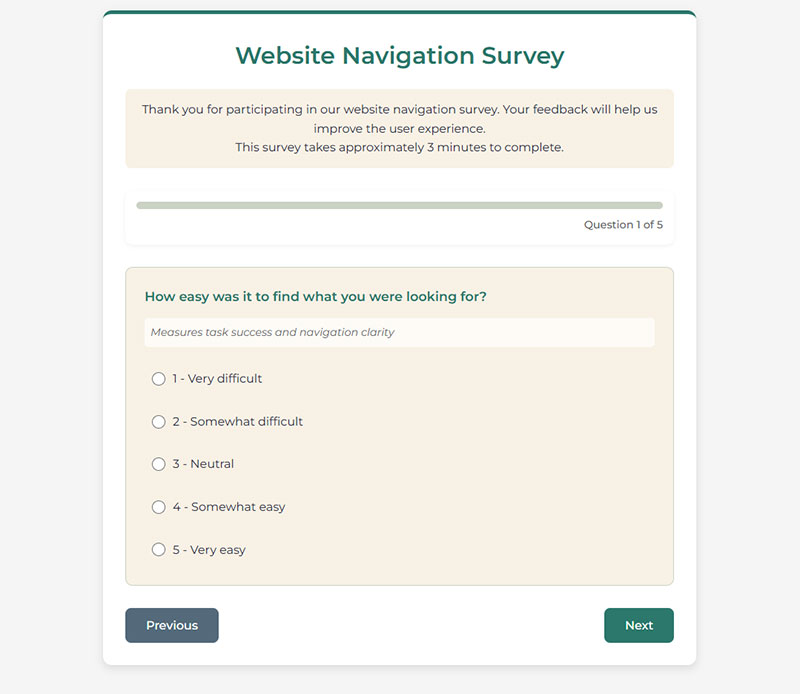
Information Findability
Question: How easy was it to find what you were looking for?
Type: Multiple Choice (1–5 scale from “Very difficult” to “Very easy”)
Purpose: Measures task success and navigation clarity.
When to Ask: After users complete a task or during a post-visit survey.
Menu Comprehension
Question: Did the menu options make sense to you?
Type: Multiple Choice (1–5 scale from “Not at all” to “Completely”)
Purpose: Evaluates information architecture feedback and labeling clarity.
When to Ask: After users have had opportunity to use the main navigation.
Information Organization
Question: How would you rate the organization of information on our website?
Type: Multiple Choice (1–5 scale from “Very poor” to “Excellent”)
Purpose: Assesses site structure feedback and content hierarchy. When to Ask: After users have viewed multiple pages or sections.
Search Functionality
Question: Was the search function helpful in finding what you needed?
Type: Multiple Choice (1–5 scale from “Not at all helpful” to “Extremely helpful”) with N/A option Purpose: Evaluates an important alternative navigation path and click path analysis.
When to Ask: After users have had opportunity to use search functionality.
Broken Links Detection
Question: Did you find any broken links or pages?
Type: Yes/No with conditional follow-up
Purpose: Identifies technical issues affecting user journey mapping. When to Ask: Mid-survey or toward the end of the session.
Navigation Efficiency
Question: How many clicks did it take to find the information you were looking for?
Type: Multiple Choice (“1-2 clicks”, “3-4 clicks”, “5+ clicks”, “Couldn’t find it”)
Purpose: Measures navigation efficiency and click path analysis.
When to Ask: After specific task completion or at the end of session.
Logical Structure Assessment
Question: Was the website structure logical to you?
Type: Multiple Choice (1–5 scale from “Not at all logical” to “Completely logical”)
Purpose: Evaluates information architecture from the user’s perspective.
When to Ask: After users have navigated through multiple sections.
Help Section Utility
Question: Did you use the site map or help section? Was it useful?
Type: Multiple Choice with follow-up
Purpose: Measures effectiveness of supporting navigation elements.
When to Ask: Mid-survey or at session end.
Homepage Return Ease
Question: Could you easily return to the homepage from any page?
Type: Multiple Choice (1–5 scale from “Very difficult” to “Very easy”)
Purpose: Evaluates basic wayfinding capabilities.
When to Ask: After users have navigated beyond the homepage.
Navigation Confusion
Question: Did you feel lost at any point while browsing the website?
Type: Yes/No with conditional follow-up
Purpose: Identifies potential issues with site structure feedback and user journey mapping.
When to Ask: Mid-survey or toward the end of a session.
Content Clarity
Content Clarity
Information Clarity
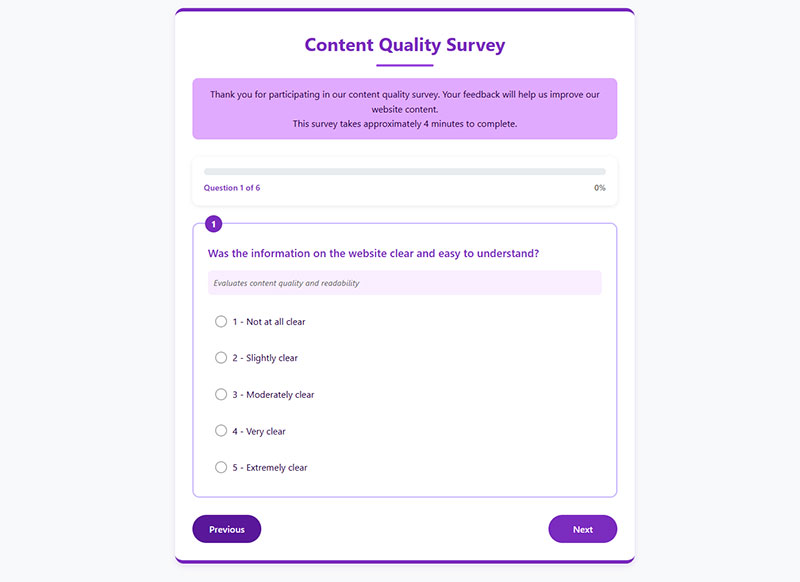
Question: Was the information on the website clear and easy to understand?
Type: Multiple Choice (1–5 scale from “Not at all clear” to “Extremely clear”)
Purpose: Evaluates content quality and readability.
When to Ask: After users have consumed site content.
Information Completeness
Question: Did you find all the information you were looking for?
Type: Yes/No with conditional follow-up
Purpose: Identifies content gaps affecting user satisfaction.
When to Ask: After users have searched for specific information.
Content Quality Rating
Question: How would you rate the quality of content on our website?
Type: Multiple Choice (1–5 scale from “Very poor” to “Excellent”)
Purpose: Measures overall content effectiveness and value.
When to Ask: After users have engaged with multiple content pieces.
Terminology Familiarity
Question: Was the terminology used on the website familiar to you?
Type: Multiple Choice (1–5 scale from “Not at all familiar” to “Very familiar”)
Purpose: Identifies potential jargon barriers affecting comprehension.
When to Ask: Throughout the survey or after specific section exploration.
Heading Effectiveness
Question: Were headings and subheadings helpful in scanning content?
Type: Multiple Choice (1–5 scale from “Not at all helpful” to “Very helpful”)
Purpose: Evaluates content structure and scanability.
When to Ask: After users have viewed content-heavy pages.
Question Answering
Question: Did the content answer your questions?
Type: Multiple Choice (1–5 scale from “Not at all” to “Completely”)
Purpose: Measures content relevance to user needs.
When to Ask: After users have sought specific information.
Content Freshness
Question: How up-to-date did the information seem?
Type: Multiple Choice (1–5 scale from “Very outdated” to “Very current”)
Purpose: Evaluates perceived content timeliness.
When to Ask: After users view dated content like blogs or news.
Content Confusion Points
Question: Was there any content you found confusing or difficult to understand?
Type: Yes/No with conditional follow-up
Purpose: Identifies specific content clarity issues.
When to Ask: Mid-survey or toward end of session.
Quality Control Check
Question: Did you find any spelling or grammatical errors?
Type: Yes/No with conditional follow-up
Purpose: Identifies quality issues affecting credibility.
When to Ask: After users have consumed significant content.
Detail Sufficiency
Question: How would you rate the level of detail provided about products/services?
Type: Multiple Choice (1–5 scale from “Far too little detail” to “Perfect amount of detail”)
Purpose: Evaluates content depth for decision-making.
When to Ask: After users have viewed product/service pages.
Mobile Usability
Mobile Access Confirmation
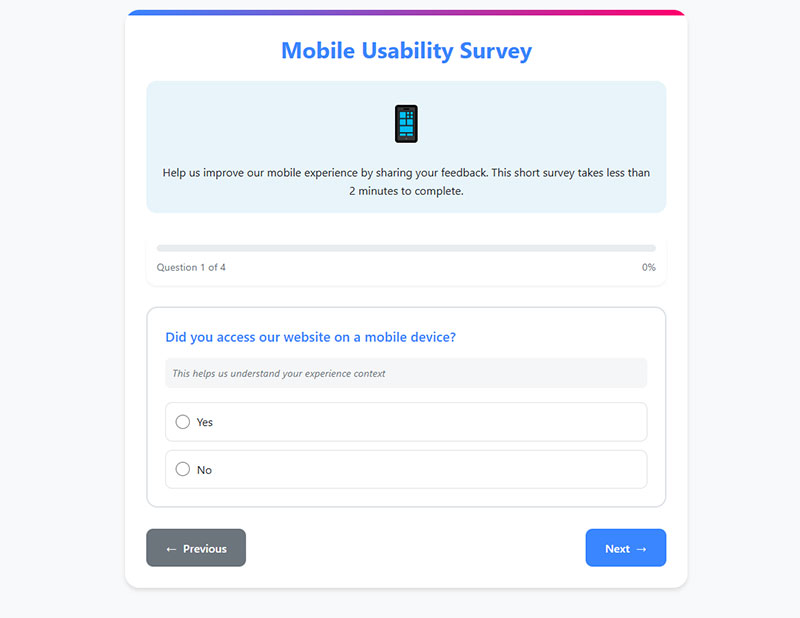
Question: Did you access our website on a mobile device?
Type: Yes/No (with conditional branching)
Purpose: Filters respondents for mobile-specific questions.
When to Ask: Early in survey for conditional logic.
Mobile-Desktop Comparison
Question: How would you rate the mobile experience compared to desktop?
Type: Multiple Choice (1–5 scale from “Much worse” to “Much better”)
Purpose: Evaluates mobile responsiveness quality.
When to Ask: For users who’ve used both interfaces.
Mobile Task Completion
Question: Were you able to complete all tasks on your mobile device?
Type: Yes/No with conditional follow-up
Purpose: Identifies mobile-specific obstacles.
When to Ask: After key task attempts on mobile.
Responsive Design Check
Question: Did all elements resize properly on your mobile screen?
Type: Multiple Choice (1–5 scale from “Not at all” to “Perfectly”)
Purpose: Evaluates technical aspect of mobile responsiveness.
When to Ask: After users have viewed multiple page types.
Mobile Navigation Ease
Question: How easy was it to navigate the website on your mobile device?
Type: Multiple Choice (1–5 scale from “Very difficult” to “Very easy”)
Purpose: Assesses mobile navigation effectiveness.
When to Ask: After users have navigated multiple sections.
Touch Interaction Issues
Question: Did you experience any issues with scrolling or tapping elements?
Type: Yes/No with conditional follow-up
Purpose: Identifies specific mobile interaction problems.
When to Ask: Mid-survey or after specific tasks.
Mobile Loading Speed
Question: How would you rate the loading speed on your mobile device?
Type: Multiple Choice (1–5 scale from “Very slow” to “Very fast”)
Purpose: Evaluates mobile performance perception.
When to Ask: After users have loaded multiple pages.
Mobile Form Usability
Question: Were forms easy to complete on your mobile device?
Type: Multiple Choice (1–5 scale from “Very difficult” to “Very easy”)
Purpose: Assesses critical conversion path on mobile.
When to Ask: After form interaction attempts.
Content Readability on Mobile
Question: Did you need to zoom in to read content or click buttons?
Type: Multiple Choice (frequency scale from “Never” to “Constantly”)
Purpose: Identifies fundamental mobile design issues.
When to Ask: After content consumption on mobile.
Mobile App Preference
Question: Would you prefer a mobile app over the mobile website?
Type: Multiple Choice with reasoning options
Purpose: Gauges potential demand for native application.
When to Ask: At end of mobile experience questions.
Visual Design & Aesthetics
Visual Appeal Rating
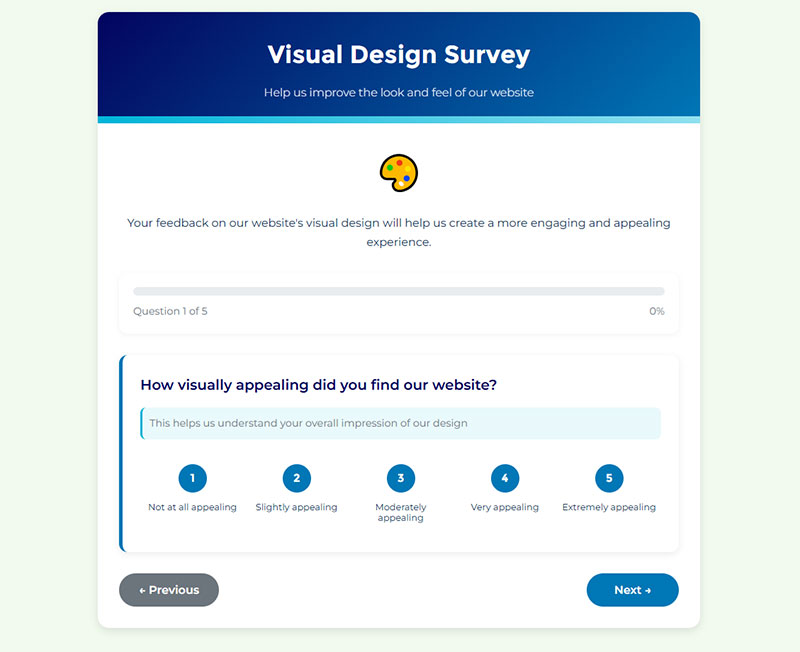
Question: How visually appealing did you find our website?
Type: Multiple Choice (1–5 scale from “Not at all appealing” to “Extremely appealing”)
Purpose: Measures overall aesthetic impression.
When to Ask: After sufficient exposure to the site design.
Text Readability
Question: Was the text easy to read (font size, color, contrast)?
Type: Multiple Choice (1–5 scale from “Very difficult to read” to “Very easy to read”)
Purpose: Evaluates typography and accessibility aspects.
When to Ask: After users have read content across sections.
Image Quality Assessment
Question: How would you rate the quality of images on our website?
Type: Multiple Choice (1–5 scale from “Very poor” to “Excellent”)
Purpose: Evaluates visual content effectiveness.
When to Ask: After exposure to image-heavy sections.
Brand Alignment
Question: Did the website’s appearance match your expectations for our type of business?
Type: Multiple Choice (1–5 scale from “Not at all” to “Perfectly matched”)
Purpose: Assesses visual brand positioning.
When to Ask: Early impression or end of survey.
Layout Spaciousness
Question: Was there enough white space, or did the design feel cluttered?
Type: Multiple Choice (from “Very cluttered” to “Perfect amount of space”)
Purpose: Evaluates visual hierarchy and layout principles.
When to Ask: After viewing several different page layouts.
Visual Elements Effectiveness
Question: Did the visual elements (images, videos, icons) enhance your understanding?
Type: Multiple Choice (1–5 scale from “Not at all” to “Significantly enhanced”)
Purpose: Assesses integration of visuals with content.
When to Ask: After consuming content with visual elements.
Interactive Element Visibility
Question: Were interactive elements (buttons, links) easy to identify?
Type: Multiple Choice (1–5 scale from “Very difficult” to “Very easy”)
Purpose: Evaluates visual affordances and usability.
When to Ask: After users have interacted with various elements.
Design Consistency
Question: How consistent was the design across different pages?
Type: Multiple Choice (1–5 scale from “Very inconsistent” to “Perfectly consistent”)
Purpose: Measures design system implementation quality. When to Ask: After users have visited multiple page types.
Animation Distraction
Question: Did any animations or visual effects distract you from your tasks?
Type: Multiple Choice (frequency scale from “Never” to “Constantly”)
Purpose: Identifies potential experience detractors.
When to Ask: After exposure to interactive elements.
Professional Appearance
Question: How professional did our website appear to you?
Type: Multiple Choice (1–5 scale from “Not at all professional” to “Extremely professional”)
Purpose: Evaluates design’s impact on credibility.
When to Ask: After general site exploration or at survey end.
Trust & Credibility
Trust Perception
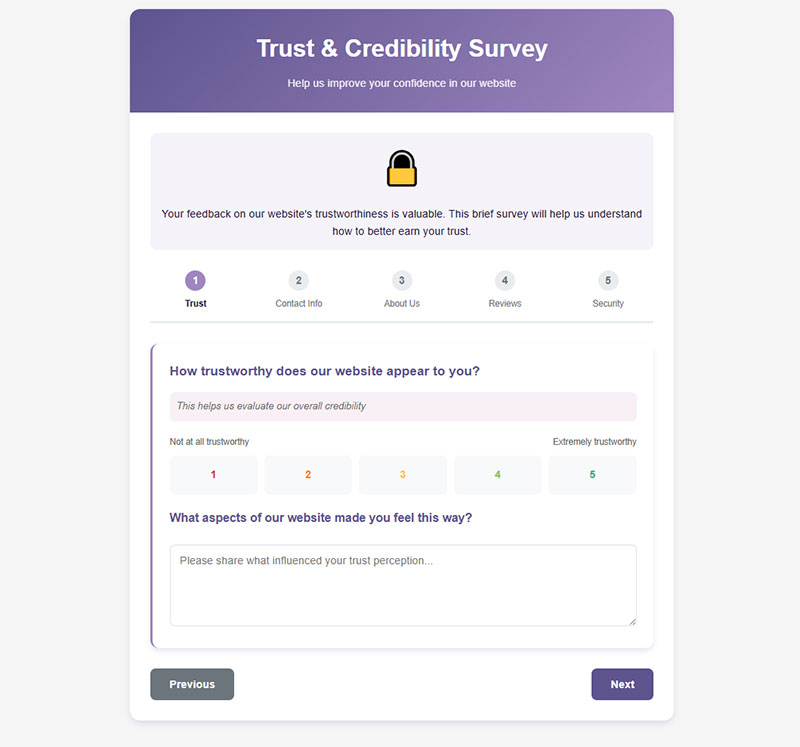
Question: How trustworthy does our website appear to you?
Type: Multiple Choice (1–5 scale from “Not at all trustworthy” to “Extremely trustworthy”)
Purpose: Evaluates overall credibility perception.
When to Ask: After sufficient site exploration.
Contact Information Visibility
Question: Was our contact information easy to find?
Type: Multiple Choice (1–5 scale from “Very difficult” to “Very easy”)
Purpose: Assesses transparency and accessibility.
When to Ask: After users might have needed to contact you.
Company Information Adequacy
Question: Did you find sufficient information about our company/team?
Type: Yes/No with conditional follow-up
Purpose: Identifies potential trust barriers.
When to Ask: After users visit about pages or company sections.
Social Proof Importance
Question: How important are customer reviews/testimonials to you?
Type: Multiple Choice (1–5 scale from “Not at all important” to “Extremely important”)
Purpose: Gauges impact of trust signals.
When to Ask: After exposure to testimonials or review sections.
Security Indicator Effectiveness
Question: Did security indicators (HTTPS, security badges) make you feel secure?
Type: Multiple Choice (1–5 scale from “Not at all” to “Completely secure”)
Purpose: Evaluates security perception elements.
When to Ask: After checkout process or form submission.
Privacy Policy Accessibility
Question: Was our privacy policy easy to find and understand?
Type: Multiple Choice (1–5 scale from “Very difficult” to “Very easy”)
Purpose: Assesses transparency of data practices.
When to Ask: After registration or data submission points.
Performance-Trust Relationship
Question: Did the website load quickly enough to maintain your trust?
Type: Multiple Choice (1–5 scale from “Definitely not” to “Definitely yes”)
Purpose: Connects performance to credibility. When to Ask: After multiple page loads.
Content Freshness Perception
Question: How recent did blog posts or news items appear to be?
Type: Multiple Choice (options ranging from “Very outdated” to “Very current”)
Purpose: Evaluates perceived site maintenance.
When to Ask: After visiting content sections with dates.
Expertise Evidence
Question: Did you find evidence of our expertise in our field?
Type: Multiple Choice (1–5 scale from “No evidence” to “Strong evidence”)
Purpose: Assesses domain authority signals.
When to Ask: After content consumption or about page visits.
Data Submission Comfort
Question: Would you feel comfortable providing personal information on our website?
Type: Multiple Choice (1–5 scale from “Very uncomfortable” to “Very comfortable”)
Purpose: Measures ultimate trust outcome.
When to Ask: After checkout process or at survey end.
Conversion-related Questions
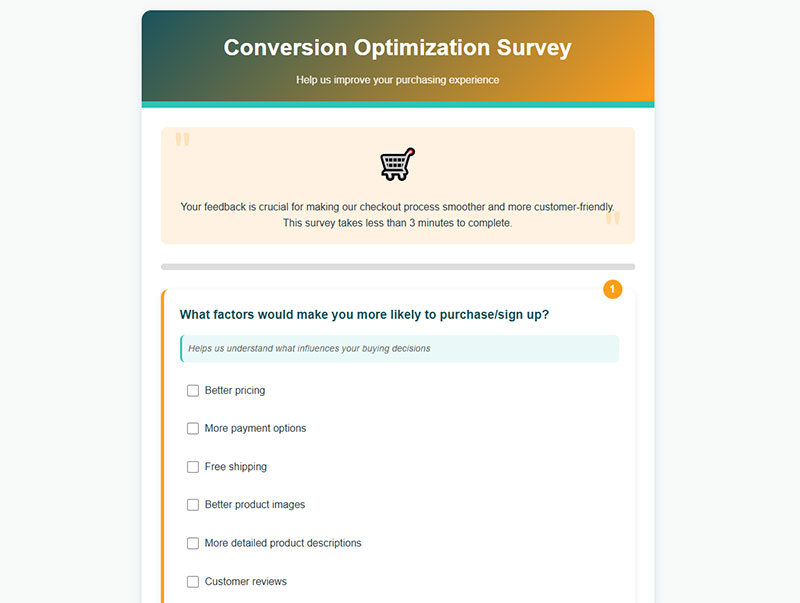
Purchase Decision Factors
Question: What factors would make you more likely to purchase/sign up?
Type: Multiple selection with common factors + “Other”
Purpose: Identifies conversion optimization opportunities.
When to Ask: After browsing products/services or at exit intent.
Checkout Process Clarity
Question: Was the checkout/registration process straightforward?
Type: Multiple Choice (1–5 scale from “Very complicated” to “Very straightforward”)
Purpose: Evaluates critical conversion path.
When to Ask: After completion or abandonment of conversion process.
Conversion Obstacles
Question: Did you encounter any obstacles when trying to complete a purchase?
Type: Yes/No with conditional follow-up
Purpose: Identifies specific conversion barriers.
When to Ask: After conversion attempt or cart abandonment.
Pricing Transparency
Question: How would you rate the clarity of pricing information?
Type: Multiple Choice (1–5 scale from “Very unclear” to “Very clear”)
Purpose: Evaluates key purchase decision factor.
When to Ask: After viewing product/pricing pages.
Delivery Information Clarity
Question: Was shipping/delivery information clearly communicated?
Type: Multiple Choice (1–5 scale from “Very unclear” to “Very clear”)
Purpose: Assesses potential conversion barrier.
When to Ask: After checkout process or shipping information exposure.
Call-to-Action Effectiveness
Question: Did you find the call-to-action buttons clear and compelling?
Type: Multiple Choice (1–5 scale from “Not at all” to “Extremely clear/compelling”)
Purpose: Evaluates key conversion elements.
When to Ask: After exposure to multiple CTAs.
Missing Decision Information
Question: What additional information would you need before making a decision?
Type: Open text Purpose: Identifies content gaps affecting conversion.
When to Ask: After product browsing or at exit intent.
Net Promoter Score
Question: How likely are you to recommend our website to others?
Type: Scale (0-10)
Purpose: Measures satisfaction and potential advocacy.
When to Ask: After completing task or toward survey end.
Promotion Influence
Question: Did promotional offers influence your decision to purchase?
Type: Multiple Choice (impact scale from “Not at all” to “Significantly”)
Purpose: Evaluates effectiveness of offers.
When to Ask: After purchase completion or cart abandonment.
Post-submission Clarity
Question: Was it clear what would happen after submitting a form or completing a purchase?
Type: Multiple Choice (1–5 scale from “Very unclear” to “Very clear”)
Purpose: Assesses expectation setting during conversion.
When to Ask: After form submission or purchase.
Open-ended Feedback Prompts
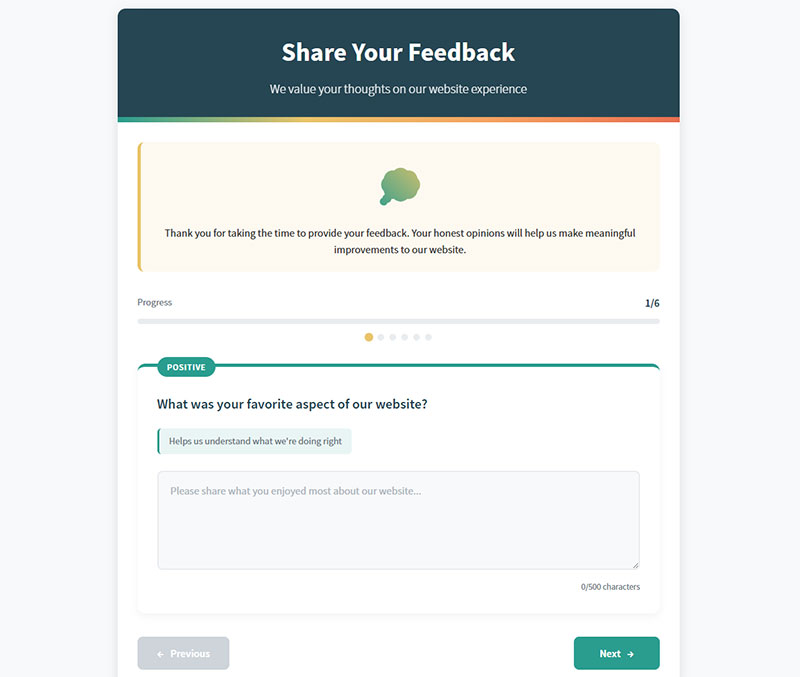
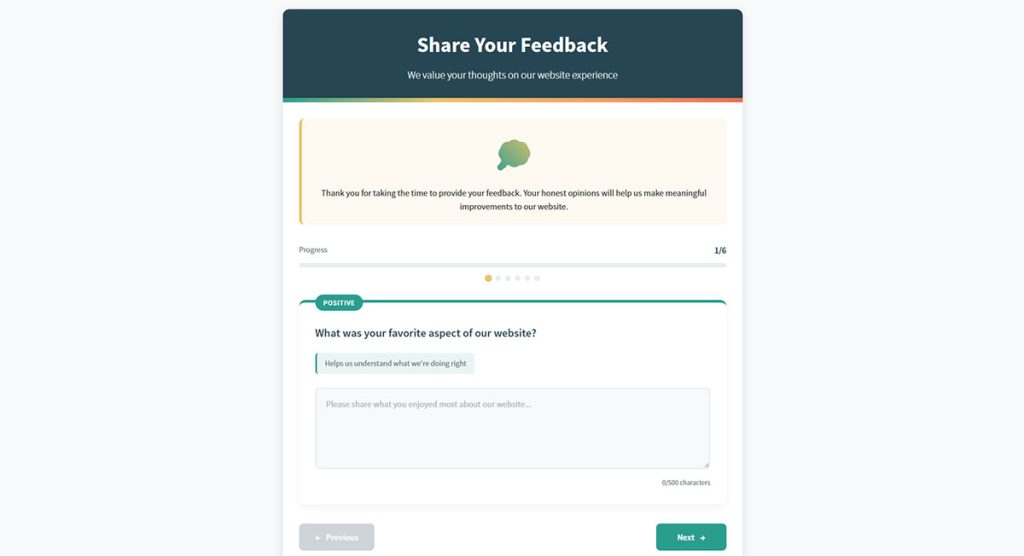
Positive Experience Highlight
Question: What was your favorite aspect of our website?
Type: Open text
Purpose: Identifies strengths for emphasis and protection.
When to Ask: Mid-survey after specific experience questions.
Negative Experience Highlight
Question: What was your least favorite aspect of our website?
Type: Open text
Purpose: Identifies priority improvement areas.
When to Ask: Mid-survey after specific experience questions.
Content Gap Identification
Question: Is there anything missing from our website that you expected to find?
Type: Open text
Purpose: Uncovers unmet user expectations.
When to Ask: After significant site exploration.
General Improvement Suggestions
Question: How could we improve your experience on our website?
Type: Open text
Purpose: Gathers broad improvement ideas.
When to Ask: Toward end of survey.
Specific Pain Points
Question: Did you have any specific frustrations while using our website?
Type: Open text
Purpose: Captures emotional aspect of user experience.
When to Ask: After task completion attempts.
Competitive Advantage
Question: What made you choose our website over competitors?
Type: Open text
Purpose: Identifies perceived competitive strengths.
When to Ask: For returning visitors or after purchase.
Feature Request
Question: Is there any functionality you’d like to see added to our website?
Type: Open text
Purpose: Gathers innovation ideas from users.
When to Ask: After site exploration, especially for returning users.
Competitive Comparison
Question: How does our website compare to others in the same industry?
Type: Open text
Purpose: Benchmarks against competition from user perspective.
When to Ask: Toward end of survey, especially for experienced users.
Most Helpful Feature
Question: What was the most helpful feature of our website?
Type: Open text
Purpose: Identifies user-valued elements.
When to Ask: After task completion.
Additional Comments
Question: Do you have any additional comments or suggestions?
Type: Open text
Purpose: Catches any feedback not covered by other questions.
When to Ask: As final question in survey.
How Do Website Usability Survey Questions Differ from General Feedback Surveys
General feedback forms ask broad questions about brand perception or service quality.
Usability surveys focus specifically on interface interactions and task completion rates.
The difference matters. A customer might love your brand but hate your checkout flow. General feedback misses that distinction.
Usability questions target specific touchpoints: menu structure evaluation, form completion analysis, search functionality feedback, error message clarity.
They produce actionable data tied to measurable UX metrics rather than vague sentiment.
What Types of Website Usability Survey Questions Exist
Website usability research spans multiple question categories. Each targets different aspects of the user experience.
Understanding types of survey questions helps you select the right format for your research goals.
What Are Task-Based Usability Questions
Task-based questions measure how easily users complete specific actions. “How easy was it to find the pricing page?” or “Rate the difficulty of adding items to your cart.”
These use Likert Scale ratings or Customer Effort Score (CES) formats.
What Are Navigation Clarity Questions
Navigation questions assess information architecture and menu structure. They reveal whether users can find what they need without frustration.
Common formats include card sorting exercises and tree testing follow-ups.
What Are Content Readability Questions
Readability questions evaluate content clarity measurement. “Was the product description easy to understand?” targets comprehension directly.
These identify jargon problems and information gaps.
What Are Visual Design Perception Questions
Visual hierarchy assessment questions gauge aesthetic impressions and layout effectiveness. Five Second Tests from UsabilityHub measure first impressions quickly.
They connect form design choices to user perception.
What Are Page Load Experience Questions
Load time perception questions capture subjective speed experiences. Actual metrics from Google Analytics tell only part of the story.
Perceived performance affects bounce rate factors significantly.
What Are Mobile Usability Questions
Mobile responsiveness feedback questions address touch targets, scrolling behavior, and small-screen navigation. Following mobile forms guidelines applies here too.
Over 60% of web traffic comes from mobile devices.
What Are Accessibility Feedback Questions
Accessibility questions align with Web Content Accessibility Guidelines (WCAG) and form accessibility standards.
They identify barriers for users with disabilities.
Which Website Usability Survey Questions Measure Task Completion
Task completion rate is the core usability metric. These questions capture it directly.
Effective task-based usability survey questions include:
- “Were you able to complete your intended task today?” (Yes/No)
- “How many attempts did it take to find what you needed?” (Numeric)
- “Rate the ease of completing [specific action] from 1-7”
- “What prevented you from completing your task?” (Open-ended)
- “How confident are you that you completed the task correctly?”
Post-task survey questions work best when triggered immediately after specific interactions.
The Post-Study System Usability Questionnaire (PSSUQ) provides a validated 16-item framework for comprehensive task completion analysis.
Which Website Usability Survey Questions Measure User Satisfaction
User satisfaction scoring requires different question formats than task measurement.
The Net Promoter Score (NPS) asks one question: “How likely are you to recommend this website to others?” Scored 0-10. Simple but limited in diagnostic value.
You can explore more about NPS survey questions and their variations.
The System Usability Scale (SUS) uses 10 standardized statements with 5-point agreement scales. Industry benchmark scores average around 68.
Additional satisfaction questions:
- “Overall, how satisfied are you with the website experience?”
- “How well did the website meet your expectations?”
- “How would you rate the visual appeal of this site?”
- “Would you return to this website in the future?”
Pair satisfaction metrics with feedback survey questions to understand the “why” behind scores.
Tools like Hotjar, Qualtrics, and UserTesting combine satisfaction surveys with session recordings for deeper user behavior analysis.
Which Website Usability Survey Questions Identify Friction Points
User frustration indicators reveal where visitors abandon tasks or experience confusion.
Friction-finding questions target specific pain points:
- “What almost stopped you from completing your purchase today?”
- “Which part of the process was most confusing?”
- “Did you encounter any errors? If yes, were the form error messages helpful?”
- “What would you change about this experience?”
- “Rate your frustration level during checkout (1-5)”
Open-ended responses here produce gold. Users describe problems you never anticipated.
Pair these with session recordings from Hotjar or similar tools. Watch what users do, then ask why.
Focus on improving form abandonment rate by asking questions at exit points where drop-off occurs.
How to Structure Website Usability Survey Questions for Higher Response Rates
Poor survey structure kills completion rates. Good structure respects user time while capturing meaningful data.
The Interaction Design Foundation recommends keeping usability surveys under 5 minutes.
What Question Length Works Best for Usability Surveys
Shorter questions get better responses; aim for 10-15 words maximum per question. Avoid compound questions that ask two things at once.
What Scale Types Produce the Most Actionable Data
5-point and 7-point Likert Scales balance granularity with simplicity. Odd-numbered scales allow neutral responses; even-numbered scales force a direction.
The Software Usability Measurement Inventory (SUMI) uses 50 items with agree/disagree/undecided options.
What Open-Ended Formats Reveal Hidden Usability Issues
Limit open-ended questions to 2-3 per survey. Place them after rating questions to capture context.
“Why did you give that rating?” unlocks qualitative insights that numbers miss.
When Should You Send Website Usability Survey Questions to Users
Timing affects response quality more than question quality. Wrong timing captures wrong emotions.
Learn about avoiding survey fatigue when planning your deployment schedule.
What Timing Works for Post-Task Surveys
Trigger immediately after task completion; 30-second delay maximum. Memory fades fast. UserTesting and Maze support automatic post-task triggers.
What Timing Works for Post-Session Surveys
Deploy when users show exit intent or after 3+ page views. Exit intent popups capture feedback before abandonment.
What Timing Works for Periodic Usability Surveys
Quarterly benchmarking surveys track improvements over time. Email existing users 2-3 days after significant site updates.
Which Tools Support Website Usability Survey Question Deployment
Survey tool selection depends on your technical setup and research goals.
Dedicated usability platforms:
- UserTesting – moderated and unmoderated testing with video
- Maze – prototype testing with built-in analytics
- UsabilityHub – Five Second Tests, First Click Testing, preference tests
- Optimal Workshop – card sorting, tree testing, surveys combined
General survey tools with usability features:
- Qualtrics – enterprise-grade with advanced logic
- Typeform – conversational forms format, high completion rates
- SurveyMonkey – templates for SUS and other standardized questionnaires
- Hotjar – surveys integrated with heatmaps and recordings
WordPress users can explore WordPress survey plugins for simpler deployments.
Learn how to create a survey form that integrates with your existing tech stack.
How to Analyze Responses from Website Usability Survey Questions
Raw data means nothing without proper analysis. Methods differ for quantitative and qualitative responses.
Master analyzing survey data before launching your first usability study.
What Metrics Matter for Quantitative Question Responses
Track SUS scores against the industry benchmark of 68; calculate task completion rates as percentages; monitor Customer Effort Score trends monthly.
Segment data by user type, device, and traffic source.
What Coding Methods Work for Open-Ended Responses
Affinity mapping groups similar responses into themes. Tag responses by friction type: navigation, content, performance, design.
Look for frequency patterns. Five users mentioning the same issue signals a real problem.
What Are Common Mistakes When Writing Website Usability Survey Questions
Bad questions produce misleading data. These mistakes appear constantly:
- Leading questions – “How much did you love our new design?” assumes positive sentiment
- Double-barreled questions – “Was the site fast and easy to use?” measures two things
- Jargon – “Rate the information architecture” confuses non-technical users
- Too many questions – surveys over 10 questions see 50%+ drop-off
- Missing context – asking about checkout when users only browsed
- No mobile optimization – surveys that break on phones lose mobile respondents
Ignoring form UX design principles tanks response rates.
Also follow form validation standards so technical errors do not corrupt your data.
How Do Website Usability Survey Questions Connect to Usability Testing Methods
Surveys complement other UX research methods. They do not replace direct observation.
Heuristic Evaluation identifies issues before user testing. Surveys validate whether those issues affect real users.
A/B testing measures behavior changes; surveys explain why users preferred version A or B.
Task Analysis maps ideal user flows. Post-task surveys reveal where reality diverges from the plan.
The Website Analysis and Measurement Inventory (WAMMI) combines survey methodology with web analytics for hybrid insights.
Use survey form templates to standardize your research process across studies.
Sample Website Usability Survey Questions by Industry
Different industries face different usability challenges. Questions should reflect those specifics.
What Questions Work for E-commerce Websites
E-commerce usability centers on product discovery, cart flow, and checkout friction.
- “How easy was it to find the product you wanted?”
- “Did product filters help narrow your search?”
- “Rate the checkout process from 1-10”
- “What almost prevented you from completing your purchase?”
Combine with post-purchase survey questions for full journey coverage.
Checkout optimization efforts depend on this feedback.
What Questions Work for SaaS Platforms
SaaS usability focuses on onboarding, feature discovery, and workflow efficiency.
- “How easy was it to complete your first [core action]?”
- “Which feature was hardest to find?”
- “Rate the clarity of the dashboard layout”
- “What task takes longer than it should?”
Review onboarding survey questions for new user research.
What Questions Work for Content Websites
Content site usability measures findability, readability, and engagement quality.
- “Did you find the information you were looking for?”
- “How would you rate the article’s clarity?”
- “Was the content length appropriate?”
- “How easy was navigating between related articles?”
These questions also work for blogs and news sites.
What Questions Work for Service-Based Websites
Service businesses need usability data around contact flows, booking systems, and trust signals.
- “How easy was it to request a quote or consultation?”
- “Did you find enough information to make a decision?”
- “Rate the clarity of our service descriptions”
- “What additional information would help you?”
Pair with customer service survey questions for post-interaction feedback.
Your contact us page often determines whether visitors convert or leave.
FAQ on Website Usability Survey Questions
What is a website usability survey?
A website usability survey collects user experience feedback through structured questions about navigation, task completion, and interface design. It measures how easily visitors accomplish goals on your site. Tools like Hotjar and Qualtrics deploy these surveys at key touchpoints.
How many questions should a usability survey have?
Keep surveys between 5-10 questions for optimal completion rates. The System Usability Scale uses exactly 10 standardized items. Longer surveys see 50%+ abandonment. Prioritize quality over quantity.
When is the best time to send usability surveys?
Trigger post-task surveys immediately after users complete specific actions. Post-session surveys work best at exit intent or after 3+ page views. Quarterly benchmarking surveys track long-term user satisfaction trends effectively.
What is the System Usability Scale?
The System Usability Scale (SUS) is a 10-item questionnaire developed in 1986 by John Brooke. It produces a score from 0-100, with 68 as the industry benchmark. Jakob Nielsen and the Nielsen Norman Group endorse it widely.
What is the difference between usability surveys and usability testing?
Usability testing observes users completing tasks in real-time through tools like UserTesting or Maze. Surveys collect self-reported feedback after interactions. Testing shows behavior; surveys explain motivations. Use both for complete user research coverage.
How do I measure task completion with survey questions?
Ask binary questions like “Were you able to complete your task today?” or use the Customer Effort Score format. Include follow-up questions about attempt count and obstacles encountered. Track task completion rate as a percentage.
What tools work best for website usability surveys?
Dedicated platforms include UserTesting, Maze, UsabilityHub, and Optimal Workshop. General tools like SurveyMonkey, Typeform, and Qualtrics offer usability templates. WordPress users have multiple web forms options available.
Should I use open-ended or closed-ended usability questions?
Use closed-ended questions (Likert Scale, rating scales) for quantitative benchmarking. Limit open-ended questions to 2-3 per survey for qualitative insights. The combination reveals both what users experience and why.
How do I increase usability survey response rates?
Keep surveys under 5 minutes. Use clear, jargon-free language. Optimize for mobile devices. Trigger at relevant moments, not randomly. Offer progress indicators. Following increasing form conversions principles applies here too.
What metrics should I track from usability survey responses?
Track SUS scores against the 68 benchmark, Net Promoter Score trends, Customer Effort Score averages, and task completion rates. Segment results by device type, user segment, and traffic source for actionable insights.
Conclusion
Well-crafted website usability survey questions transform guesswork into evidence-based design decisions.
Whether you use the Net Promoter Score for loyalty measurement, Customer Effort Score for friction analysis, or Likert Scale questions for detailed interface evaluation, the methodology matters less than consistency.
Start small. Pick 5-7 questions targeting your biggest unknown.
Deploy at the right touchpoints. Analyze responses weekly. Iterate based on what users actually tell you.
Tools like UsabilityHub for quick perception tests or Optimal Workshop for navigation assessment make deployment straightforward.
The websites that improve fastest are the ones asking visitors directly about navigation ease, content clarity, and mobile usability.
Your users have the answers. Build the survey that gets them talking.