


Google Analytics files plenty of visits under direct that were never direct. In a 2023 experiment by SparkToro and Really Good Data, covering 1,113 test visits across 11 networks, 100%…
Table of contents
Most feedback forms get built in a hurry, right after someone says “we should ask people how it went.” A template cuts that scramble down by handing over a question set, an order and a layout that has already been used. The catch is that one template rarely fits every audience. Customers, employees, event attendees, website visitors and patients each need a different metric, a different anonymity rule and a different length.
Anonymity is a platform setting, not something a template gives you. In Microsoft Forms, the Record name setting exists only on work or school accounts, and personal Microsoft accounts collect responses without names automatically (Microsoft Support documentation, as of October 2026).
Which feedback form template fits your audience?
Start from the decision the answers will feed, not from the label on the form. A support lead needs a score per ticket, while an HR lead needs honest ratings from people who worry about being identified.
| Audience | Core metric | Length | Main output |
|---|---|---|---|
| Customer, post-purchase | CSAT or NPS plus one comment | Very short | Score trend per touchpoint |
| Employee, training | Likert agreement scale | Medium | Themes for managers, anonymous |
| Event, course | Star rating per session | Short | Session and speaker ratings |
| Website, product | Ease rating plus open text | Very short | Friction points to fix |
| Patient, restaurant, hotel | Star rating plus tick boxes | One page | Service issues by visit |
The core metric changes from audience to audience (CSAT, NPS, CES, a Likert scale or a plain star rating), and so does the question of whether the form can ask for a name at all. The other difference is who reads the results and how fast they need them.
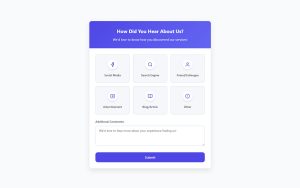
Customer forms lean on one score and one comment. Satisfaction survey templates built for customers already pair the two, so adapt one before writing from scratch.
See the Pen
Modern Customer Feedback Form by Bogdan Sandu (@bogdansandu)
on CodePen.
Employee and training forms run the other way. Agreement scales dominate, anonymity matters more than polish, and managers read the results in aggregate.
Event and course forms rate each session or instructor separately, so the same rating block repeats per item. The usual question set covers venue, content, speakers and logistics, and a list of post-event survey questions shows how each one is worded.
ClickUp’s Feedback Form template includes a Service Provider custom field and a Provider Rating view, so feedback can be reviewed per provider rather than only per service. That fits clinics and salons, where the person matters more than the venue.
Pick the audience first. The platform comes later.
WordPress sites can start from a ready-made version for each audience. The library of feedback form templates is grouped into customer, client, training, event and interview feedback, and every field can be edited.
- Customer and post-purchase: the Customer support feedback form, the Post-purchase feedback form and the Customer loyalty and recommendation form.
- Employee and training: the Employee training feedback form, the Online training feedback form and the Trainer feedback form.
- Event and course: the Training event feedback form and the Networking event feedback form.
- Website and product: the Website experience feedback form and the Product feedback form.
What questions should a feedback form template include?
Put a rating first and the open-text box last. In between go one standard metric (NPS, CSAT or CES) and a few closed answers, such as multiple choice.
Rating scales and Likert questions
Star or numeric ratings give a fast read on one thing, a visit or a session or a product. Likert scales ask for agreement with a statement, usually across five points that run from strongly disagree to strongly agree. Multiple choice and yes/no questions are better saved for facts and routing, like “Was this your first visit?”
Write Likert items as short statements about one idea. Sample Likert scale questions show how the wording shifts between satisfaction and agreement.
In the builder, the Rating field shows stars, hearts or likes with as many levels as you need, and the Likert field sets statements as rows and scale points as columns, with column presets for Satisfaction, Importance, Agreement and Likelihood. Both have a Show values option that stores a number next to each label.
NPS, CSAT and CES wording
Bain & Company’s NPS question asks how likely someone is to recommend the company, scored from 0 to 10. Scores of 9 or 10 count as promoters, 7 or 8 as passives, and 0 to 6 as detractors.
The score is promoters minus detractors, on a range from -100 to +100. An open follow-up asking for the reason behind the score is standard, and NPS survey follow-up questions cover the usual variants.
The NPS field gives you the 0 to 10 buttons with a label at each end, and the stored score reads directly as a promoter, passive or detractor.
CSAT asks how satisfied the customer was with one interaction, usually on a 5-point scale.
CES measures how easy a task was. The version refined by CEB, now part of Gartner, asks for agreement with a statement such as “The company made it easy for me to handle my issue” on a 7-point scale.
Stick to one metric per form. NPS suits relationship-level loyalty. CSAT is for a single interaction, and CES is the one to reach for when the thing being judged is a task like checkout or a support ticket.
Open-text questions and wording errors
One open-text box is enough. Pew Research Center notes that open-ended questions often take a minute or more to answer, against seconds for a standard question, and they are the type respondents skip most.
Leading questions should be removed from any template. “How great was our friendly staff?” becomes “How would you rate our staff?” once the praise is gone. Double-barreled questions need splitting too, since “How satisfied were you with price and quality?” is really two questions, one per topic.
For the open box, ask for one specific thing, such as “What is one thing we should change?” A generic “Any other comments?” gives the respondent nothing to react to.
A Paragraph field is the usual home for that comment, placed last on the form.
How many questions a feedback form should have
Aim for one metric question, two or three supporting ratings and one open box. That is four or five questions, which keeps completion time short.
The outer limits come from a few published figures. Abandonment rises once a survey runs past 7 to 8 minutes, with completion rates falling 5% to 20% (SurveyMonkey). The sharpest rise in drop-off per added question happens up to 15 questions (SurveyMonkey, 100,000 surveys). Pew Research Center caps its online American Trends Panel surveys at 15 minutes.
The SurveyMonkey figures are more than a decade old (the question-count data covers surveys deployed between January 2009 and September 2010), so treat them as direction rather than a fixed limit. A feedback form sits far below all of them.
Which platforms offer free feedback form templates?
Google Forms, Microsoft Forms, Jotform, Typeform and Tally all offer feedback templates. What really separates them is the free plan limit. A form that closes at its response cap stops collecting feedback, so check the limit before choosing a template.
Typeform’s free plan is the weakest fit for feedback collection. Capterra’s 2025 pricing guide lists 10 responses a month across all forms, and Jet Admin’s September 2026 review notes that forms go private once the cap is reached.
| Platform | Free plan limit | Best fit |
|---|---|---|
| Google Forms | Free with a Google account | Plain forms with Google Sheets export |
| Microsoft Forms | Free tier, fewer settings than Microsoft 365 plans | Teams on Microsoft 365 and Teams chat |
| Jotform | 5 forms, 100 submissions a month, Jotform branding | Occasional internal feedback |
| Typeform | 10 responses a month across all forms | Short, design-led forms at low volume |
| Tally | Unlimited forms and submissions, subject to fair use | High volume at no cost |
The limits above reflect vendor pricing pages and 2026 pricing reviews as of October 2026, and vendors change them often. Jet Admin also reports that Typeform says it is testing pricing, so what an account sees can differ.
Alternatives to Typeform with higher or no response limits are the quickest fix when that cap blocks collection.
Tally’s help pages state unlimited forms and submissions on the free plan, with conditional logic and file uploads included. According to Jet Admin the fair-use threshold is not published, so high-volume teams should read Tally’s fair-use policy first.
The Google Forms template gallery includes event feedback, customer feedback and course evaluation, all free. When the plain design is the problem, alternatives to Google Forms add more design control and payment collection.
Zoho Forms suits teams already inside Zoho CRM or Desk, since submissions feed those apps directly (TechRadar’s review). Its free plan caps both forms and monthly submissions, so check the limits before building around it.
Qualtrics and Hotjar cover different needs. Qualtrics targets enterprise research programs, while Hotjar adds on-page feedback widgets for website visitors.
Sites on WordPress have a plugin route too. A form plugin such as IvyForms keeps every response as an entry in your own dashboard, and the form goes onto a page with a shortcode, the Gutenberg block or Elementor.
A simple rule: if you expect more than 100 responses a month, rule out the Typeform and Jotform free plans first.
Word, PDF, online form or QR code: which delivery format works?
Use an online form when responses must land in a spreadsheet. A printable Word or PDF form works when people answer on site without a device, and a QR code connects the two. The format decides how much typing happens after the feedback arrives.
- An online link or email sends responses straight to Google Sheets or CSV.
- Embed code shows the form inside a website page.
- Word is easy to edit and print, though someone has to retype the answers by hand.
- PDF gives a fixed layout for print, and whether the fields are fillable depends on the reader app.
- A QR code printed on a receipt, table card or sign opens the online form on a phone.
Formsite’s guide describes the two sharing routes for an online form: a link from the share page, or embed code that displays the form on another site.
Paper adds a transcription step before anyone can count answers. Print only where a phone is unlikely to be in hand, such as a clinic waiting room.
A QR code is only as good as the form behind it. Because the scan opens on a phone, check the form against best practices for mobile forms, such as one column and large tap targets, and test the code on both iPhone and Android cameras before printing.
A conversational form suits the QR route well. It gets its own permalink, so the printed code can point straight at it, and it shows one question at a time with a welcome step.
Each format has a weak spot. A PDF built for A4 print is hard to complete on a phone, and a Word file edited by several people drifts out of alignment.
Match the format to the place the person is standing when they answer.
How to customize a feedback form template
The order matters here, because each edit depends on which questions survive the first one.
- Delete every question that does not feed a decision, then check the count against the form length you set.
- Add the logo and brand colors, and use a custom domain if the plan allows one.
- Set up conditional logic so a follow-up question shows only when a rating is low.
- Mark the rating or metric question as required and leave everything else optional.
- Write the thank-you page. Say what happens next and who reads the answers.
- Open the form on a phone, submit a test response, and confirm it reaches the spreadsheet or inbox.
Branding sits behind paid plans on several builders. Tally’s help pages list custom domains and custom CSS under its Pro plan, so a free form stays on the vendor’s subdomain.
Conditional logic lets one template serve both happy and unhappy respondents, and what conditional logic does in a form is easy to see in a single branch. A score of 6 or lower on a 0 to 10 scale opens “What went wrong?”, while a 9 or 10 skips it.
On WordPress, the conditional logic setting sits on each field’s Smart Logic tab, with Any or All matching. Rules compare the stored option value, not the visible label, so keep the values stable once rules depend on them. The form customization options cover the logo, colors, fonts, labels and spacing.
Test every branch, not only the main path. An untested branch is where broken skip rules hide.
Google Forms ships with a default confirmation line that only says the response was recorded. A clear confirmation message after submission should name the follow-up, such as a reply window or a link to what changed.
The confirmation settings allow a success message with HTML for links, a redirect to a thank-you page, and the option to hide or reset the form afterward. A shared tablet at a front desk should reset between guests.
Anonymity, GDPR and accessibility requirements for feedback forms
A form can be anonymous and still fail on consent, or pass on consent and be unusable with a screen reader. Different settings control each one, so check them separately.
Anonymity settings
As of October 2026, Microsoft Forms offers the Record name setting only on work or school accounts, and personal Microsoft accounts collect responses without names automatically (Microsoft Support).
In Google Forms, Limit to 1 response forces a Google sign-in, but usernames are not recorded unless email collection is on (Google Workspace Help).
Verified email collection and one-response limits push respondents to sign in, and so do file upload questions (Stony Brook University IT).
A sign-in prompt tells people the system knows who they are, even when the username is not stored. For employee feedback, avoid any setting that shows one.
Microsoft’s own documentation warns that other scenarios can still identify respondents when names are unrecorded. A department, tenure and age band question in a team of eight identifies people as reliably as a name field.
GDPR consent requirements
Article 7 of the GDPR applies when a feedback form collects personal data, such as a name or email, and relies on consent as its legal basis. The controller must be able to demonstrate consent, the request must be clearly distinguishable and written in plain language, and withdrawal must be as easy as giving consent.
Conditional consent
Article 7(4) adds that, when judging whether consent is freely given, utmost account must be taken of whether a service is made conditional on consent to processing the service does not need. A reply to someone’s complaint cannot depend on ticking a marketing box.
Granular consent
The EDPB’s Guidelines 05/2020, adopted on 4 May 2020, add that consent must be granular. In a template, that means one checkbox for follow-up contact and a separate one for marketing, never a single combined tick.
Enforcement example
Sweden’s data protection authority (IMY) reprimanded Warner Music Sweden in 2024 over a cookie banner that did not tell users enough about how to withdraw consent. A feedback form’s consent checkbox faces the same test.
Setting it up in the builder
Checkbox wording and consent records are covered in the guide to creating GDPR-compliant forms.
The GDPR field adds a required, unticked consent checkbox with agreement text that accepts a link to your privacy policy.
Add the marketing permission as a separate optional Checkbox with no default selection, and each entry keeps the submission date and time next to the answers.
Accessibility requirements
On accessibility, W3C’s Success Criterion 3.3.2 (Level A) requires labels or instructions wherever a form asks for input.
Downloadable and PDF versions
The same criterion reaches downloadable versions. W3C lists techniques for labeling interactive PDF controls (PDF10) and marking required ones (PDF5), and a scanned image of a paper form gives screen reader users nothing to fill in.
Rating fields
Pair every star or emoji rating with a visible text label, since an icon alone does not say what the control measures. A guide to best practices for form accessibility goes beyond labels.
In the builder, the Rating field has a Show text option that displays the label of the selected level next to the icons, and each field has a Description for instructions and a custom Required message.
Where feedback form responses go and how to use them
Responses should land in one place with a named owner, and the owner should see low scores the same day. A spreadsheet plus an alert rule is enough for most teams.
In Google Forms, the Responses tab links the form to a sheet, where notification rules send a daily digest or an email per submission (App State IT guide). The form can also email the owner on every new response. Zapier connects a submission to other apps, for example a Slack message when a rating drops below a set score.
Name one owner per form, because an unowned notification inbox goes unread.
The same setup works in a WordPress plugin. Each form can send several notifications, and smart logic on a notification sends it only when a condition is met, so an email to the owner can fire only when the rating is 6 or lower. The Zapier integration and webhooks pass each new entry to Slack or any other app, and the Google Sheets integration sends each submission to a spreadsheet.
Sort by theme before counting. Tag each open-text answer (price, staff, speed, product), then average scores per tag, because a single overall mean hides the group that is unhappy.
For the step-by-step method, including how to code open answers, see this guide on how to analyze survey data. The entries table supports search, date-range filters and starring, which helps when sorting a month of comments, and the wpDataTables integration turns entries into tables and charts.
Reply to low scores personally. Then tell respondents what changed, so the next request for feedback has a reason behind it.
One sharing risk is worth knowing about. Google’s help page notes that response summaries, when shared, show full-text responses and are visible to anyone who can respond to the form. Keep that setting off for any form where comments are candid.
Access matters as much as sharing settings. In WordPress, permissions grant entry access by role or user and can be limited to specific forms, so each team sees only its own feedback.
When a feedback form template is the wrong tool
A template fails when nobody acts on the questions it asks. It also fails when it measures the wrong thing, or when too few people see it for the numbers to mean anything.
| Failure mode | Sign | Fix |
|---|---|---|
| Questions with no decision | Results get read, nothing changes | Name the decision per question, cut the rest |
| Wrong metric | A loyalty score used to judge one ticket | Switch to the metric built for that event |
| One template, several audiences | Irrelevant questions, hedged answers | Fork the template per audience |
| Too few respondents | Averages move on single answers | Call the customers instead |
A form that only asks “How was your experience?” returns replies that cannot be sorted or acted on. A checklist of best practices for creating feedback forms is the quickest audit for a template you inherited.
Low-volume audiences need a conversation, not a form. When a business has a few dozen key accounts, a score from three of them is an anecdote, and a call produces more.
A feedback form is also the wrong channel for complaints. LimeSurvey lists its complaint form template separately from its feedback templates, and the split matters because a complaint needs a named owner and a reply deadline.
Repeat sending is the failure mode with the least settled evidence. Porter, Whitcomb and Weitzer (2004) reviewed earlier research and ran two experiments on student surveys at a liberal arts college. They found that earlier survey requests lowered response to later surveys, most clearly when surveys were sent back to back, though the earlier studies they reviewed reached different conclusions.
A 2015 Wisconsin Division of Public Health analysis of repeat sampling in the PRAMS survey found that mothers sampled twice were less likely to respond, but the link became non-significant once age, education and marital status were all in the model. Treat frequency as a risk to monitor rather than a proven cause, and watch start rates between waves.
Spacing rules and shorter forms are covered in a guide on how to avoid survey fatigue.
More Feedback Form Templates
Product Feedback Form
See the Pen
Modern Product Feedback Form by Bogdan Sandu (@bogdansandu)
on CodePen.
Website Feedback Form
See the Pen
Modern & Vivid Website Feedback Form by Bogdan Sandu (@bogdansandu)
on CodePen.
Event Feedback Form
See the Pen
Modern Event Feedback Form by Bogdan Sandu (@bogdansandu)
on CodePen.
Employee Feedback Form
See the Pen
Modern Employee Feedback Form by Bogdan Sandu (@bogdansandu)
on CodePen.
Student Feedback Form
See the Pen
Modern Student Feedback Form by Bogdan Sandu (@bogdansandu)
on CodePen.
Training Feedback Form
See the Pen
Vibrant Training Feedback Form by Bogdan Sandu (@bogdansandu)
on CodePen.
Support Feedback Form
See the Pen
Modern Support Feedback Form by Bogdan Sandu (@bogdansandu)
on CodePen.
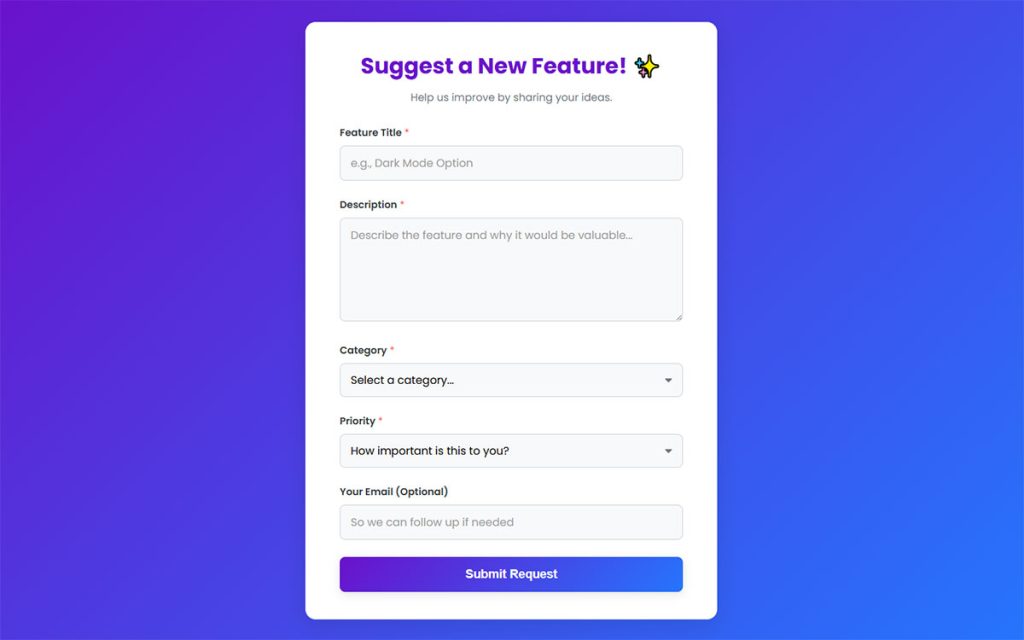
Feature Request Form
See the Pen
Feature Request Form by Bogdan Sandu (@bogdansandu)
on CodePen.
Feedback Form Templates FAQ
Is a feedback form template the same as a survey template?
No. A feedback form template is short and tied to one interaction, like a visit, a ticket or a session. A survey template covers broader research with longer question sets, though the two share the same question types.
What is a good response rate for a feedback form?
There is no single benchmark, because response rate depends on channel, timing and audience. Track response rate and completion rate separately. SurveyMonkey notes that a low response rate with high completion points to a timing or distribution problem, and the reverse points to design.
When should you send a feedback form after a purchase or event?
Send it as soon as the interaction ends, while the experience is fresh.
SurveyMonkey’s post-event guidance makes the same point, recommending a send immediately after the event. Its employee exit survey guidance goes further, naming sending on the triggering event rather than in a monthly batch as the biggest lever on exit survey response rate.
How do you turn a feedback form into a QR code?
Copy the form’s public share link, paste it into a QR code generator, and download the image.
The code only encodes that URL, so changing the form’s address later breaks every printed copy.
Is a testimonial form the same as a feedback form?
No. A feedback form collects private opinions for internal use, while a testimonial form asks permission to publish a customer’s words. PlatoForms and LimeSurvey both offer testimonial templates separate from their general feedback templates, and publication permission needs its own consent checkbox.
The Client loyalty and testimonial readiness form template identifies clients open to giving testimonials or referrals.
Can I build a feedback form in WordPress without code?
Yes. In IvyForms you start from a feedback template or a blank form, drag in Rating, Likert, NPS and Paragraph fields, set the confirmation, and embed the form with a shortcode or block. The creating forms guide walks through the builder, and the AI form builder can draft a first version from a plain-language description.
When to Rewrite or Retire a Feedback Form Template
Rewrite a feedback form template when its answers stop changing decisions, and retire it when the audience or the decision it served disappears.
Start with ownership, since a form nobody reads fails whatever its questions say. After that, cut any question that has no decision attached. Swap the scale last, and only when the goal itself changes, because a metric change breaks comparison with every earlier score.
Batch edits into one release, since changing a rating scale or metric wording resets the trend line. A rewrite should start from a fresh pool of feedback survey questions.
Platform limits and behavior cited here were verified in October 2026, so recheck them at each review.