


A single confusing survey question can undo months of careful data collection. Feedback survey questions determine whether a team collects a real signal or just filler text, and that matters…
Table of contents
Google Analytics files plenty of visits under direct that were never direct. In a 2023 experiment by SparkToro and Really Good Data, covering 1,113 test visits across 11 networks, 100% of visits from TikTok, Slack, Discord, Mastodon and WhatsApp appeared in Google Analytics as direct traffic with no referral information.
One fix is to ask. A how did you hear about us template adds a single field to a signup, checkout, booking or application form, asks the customer or applicant to name what brought them in, and stores the answer beside the record.
Click tracking can’t see private channels. A person who heard about you in a group chat will simply tell you.
Examples Of How Did You Hear About Us Template
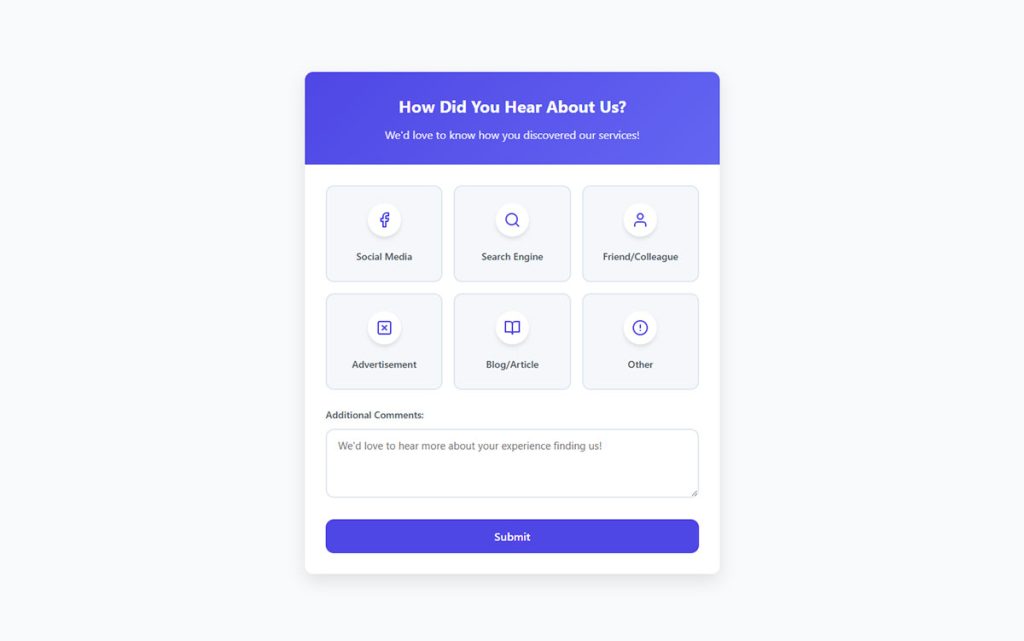
Multiple choice
See the Pen
Interactive “How Did You Hear About Us?” multiple-choice survey by Bogdan Sandu (@bogdansandu)
on CodePen.
Open-ended
See the Pen
Modern “How Did You Hear About Us” Survey by Bogdan Sandu (@bogdansandu)
on CodePen.
Checkbox (multi-select)
See the Pen
Modern Multi-Select Survey (How Did You Hear About Us?) by Bogdan Sandu (@bogdansandu)
on CodePen.
Dropdown list
See the Pen
Dropdown List Survey Form by Bogdan Sandu (@bogdansandu)
on CodePen.
Conditional/branched
See the Pen
Modern Survey with Conditional Branching by Bogdan Sandu (@bogdansandu)
on CodePen.
Channel-specific
See the Pen
Channel-Specific Survey by Bogdan Sandu (@bogdansandu)
on CodePen.
Embedded widget
See the Pen
Feedback widget survey by Bogdan Sandu (@bogdansandu)
on CodePen.
Gamified/interactive
See the Pen
Multiple Choice “How Did You Hear About Us” Survey by Bogdan Sandu (@bogdansandu)
on CodePen.
Email follow-up
See the Pen
Email follow-up survey by Bogdan Sandu (@bogdansandu)
on CodePen.
What should a how did you hear about us template include?
Less than most people expect. You need a short question worded around discovery (“How did you first hear about us?” works fine), a list of the channels you actually run plus word of mouth, and an “Other, please specify” text box. If you want more detail, add a follow-up line that only shows after certain answers, such as which social platform someone meant.
Name and email come from the form the field lives on, so you’re adding one field, not building a new form.
Click tracking logs what happened on the site. This field catches what came before the visit, like podcasts and private shares, anything that leaves no referrer.
Resist padding it. Every extra field competes with the source question for attention, so decide which form fields earn a place before the form grows past that one question.
In a WordPress form builder the pieces are ordinary fields. A Radio button field holds the channel list, a Text field takes the “Other” answer, and the whole thing sits as the last field above the submit button.
Which wording fits customers, events, job applicants and B2B demos?
Ask “first hear” when you want credit for the channel that created awareness, and ask “what made you reach out today” when you want the trigger behind the action. Discovery and timing are different things to measure, and the same person will often give you different answers to each.
Customers and shoppers
KnoCommerce’s starter attribution survey goes in this order:
- How did you first hear about us?
- What brought you to our website today?
- How long did you know about us before making your first purchase?
The first question credits where awareness came from. The other two pull apart what triggered the visit and how long the person had known about you before buying.
Event registrants
Use “How did you hear about this event?” and put it at the bottom of the registration form. Attendees answer while intent is highest, and the answer shows which partner, email send, social post or friend’s mention filled the seats.
It needs only one custom field, so any set of event registration form templates can carry it. The event registration templates in the WordPress form library work the same way, with the source question added as the last field.
Job applicants
Ask “How did you hear about this role?” and swap “us” for “role”, because applicants learn about the job before they learn about the company. Keep it optional and near the end of the application. A required field here can cost you a candidate, not just a click.
Build it into a reusable application form template with options such as job board, employee referral, careers page, recruiter outreach and campus event.
B2B demo requests
HockeyStack’s 2024 report makes the case that the question targets the point of discovery, which by definition was not a branded search.
So a demo form carries two lines, kept apart:
- How did you first hear about us? (discovery)
- What made you request a demo today? (trigger)
Store the first answer as the source of record and pass the second to the sales rep as context. A consultation booking form is a workable base for a demo request, since it already collects contact details, a preferred time and the reason for the call.
Which answer options should the list contain?
Build the list from the channels you actually run, add word of mouth, and close with an “Other, please specify” box. Everything past that is refinement.
Word of mouth took third place in HockeyStack’s 2024 analysis of 8,528 self-reported answers, with 1,544 responses (18%), behind search engines and social media. A list without a referral option pushes that whole bucket into free text.
Consumer option set
- Search engine
- Instagram or Facebook
- TikTok or YouTube
- Friend or family
- Email or newsletter
- Online ad (Google Ads, Meta Ads)
- Blog, press or podcast
- In store or at an event
- Other, please specify
Shuffle the order where the form tool allows it. Respondents drift toward options at the top of a list (survey methodologists call it a primacy effect), and KnoCommerce’s survey builder lists randomized display order as a setting.
Fields with selectable options, including Radio buttons, have a shuffle setting that randomizes the order each time the form loads, and Bulk edit lets you paste a whole list in one go. Keep “Other” last, since a shuffled “Other” in the middle looks broken.
B2B option set
B2B options should name where the conversation happened, not just the platform.
- Podcast or newsletter (name the show or sender in a follow-up)
- LinkedIn (post, ad or direct message)
- Community or Slack group, where peers recommend tools
- Peer or customer referral, a named person if you can get one
- Review site such as G2 or Capterra
- Search or AI assistant (a query, not a brand)
The “Other” field
In HockeyStack’s data, 79 respondents volunteered the single word “content”, and none of the sites it pulled from offered that as a dropdown option.
That’s what an Other box is for. Read the entries monthly and promote any answer that keeps repeating to its own option.
Dropdown, multiple choice or open text?
A radio-button list with an “Other” text box fits most sites. Use open text alone only while you don’t yet know which channels matter.
| Format | Pros | Cons |
|---|---|---|
| Dropdown | Compact on long lists | Options hidden, two clicks to answer |
| Radio buttons | One clean source per person, all options visible | Long lists crowd the form |
| Checkboxes | Records overlapping touchpoints | Under-reports each option, harder to analyze |
| Open text | Unprompted recall, no list bias | Needs manual coding |
| Hybrid | List plus a targeted follow-up | Needs conditional logic support |
Single-select or check-all?
Pew Research Center’s 2019 analysis of 21 American Trends Panel surveys (November 2015 to August 2018) found an average order effect of 3 percentage points for select-all questions and 0 for forced-choice ones. Pew now prefers forced-choice formats in its online surveys.
Single-select keeps one clean source per person, which is what a lead source field needs. The choice between radio buttons and checkboxes follows from that. Ask for the first source, and add a separate question if you want every touchpoint.
Dropdown or radio buttons?
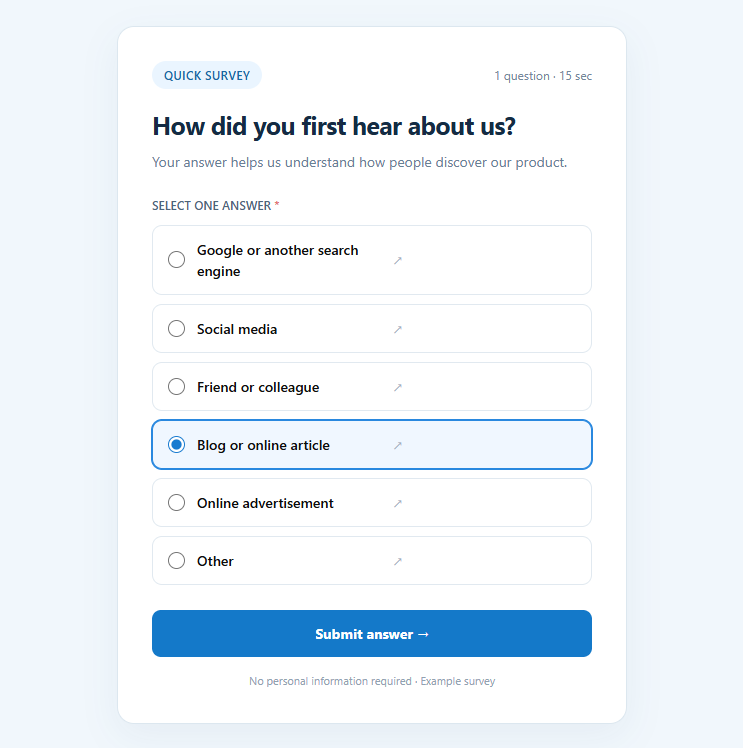
Sources disagree on speed. A CXL Institute test of 708 participants (354 per format) found the radio-button form finished 2.5 seconds faster than the select-menu form.
The SAGE Encyclopedia of Survey Research Methods reports no difference in time or break-off rates, only more skipped and non-substantive answers in dropdowns. Baymard’s usability testing reaches the same verdict for short lists, which is radio buttons.
I’d only reach for a dropdown once the list outgrows the screen. A Dropdown field covers that case, and it supports the same option list tools as radio buttons.
Adding a follow-up question
A hybrid format pairs the list with a follow-up that appears only after certain picks, such as asking which platform after someone chooses social media. That takes conditional logic that opens the follow-up for the right answer only.
Google Forms is narrow here. As of October 2026, “Go to section based on answer” works only on multiple choice and dropdown questions, and it routes respondents to a section of the form. Calendly is similar. Its Help Center (updated March 2026) says that when routing forms are in use, only radio button and dropdown answers trigger routing logic.
On WordPress, conditional logic sits on the follow-up field’s Smart Logic tab. Point the rule at the Radio field, pick the stored value of “Other” or “Social media”, and the Text field appears only then. Rules compare the stored option value, not the visible label, so set the values before building the rule.
Where should the question sit in the funnel?
Place it at the point of commitment. That means the last field on a signup or booking form, or the page that loads right after checkout. Placed there, the question can’t block the conversion it’s meant to measure.
- On a signup form, make it the last field and leave it optional.
- On a booking form, use a custom question. Calendly allows up to 10 per event type and lets you mark each as required or optional.
- At checkout, Shopify’s Thank you and Order status pages accept surveys built with checkout UI extensions (Shopify developer documentation).
- An on-site widget works for visitors who haven’t converted yet, since Hotjar’s popover survey sits at the bottom of the page.
- In onboarding, use the first screen after activation, once the account exists.
Fairing and KnoCommerce both run the question on those Shopify pages as a post-purchase attribution survey. Keep the source question first there, with any longer post-purchase survey questions queued behind it.
Leave the field optional. A required source field can stop a booking, and every blocked submission feeds the problem that cutting form abandonment is meant to solve.
And ask once. A second copy of the question later in the journey just gives you two answers to reconcile.
Fields are optional unless you tick Required, so the default already matches this advice. In a longer form, multi-page forms can park the source question on the final page, right before submit, with a progress bar showing how close the visitor is to finishing.
How do you build the template in common tools?
Pick the tool by where the answer has to end up, not by how the form looks. Every builder below can show a source question, so the real differences are routing, follow-up logic and the limits a plan puts on a survey.
| Tool | Best fit | Watch for |
|---|---|---|
| Google Forms | Free forms, modest volume | Needs a connector such as Zapier to reach a CRM |
| Typeform | Conversational, one question per screen | A 2021 staff reply in Typeform Community says logic on an “Other” choice needs Advanced Logic |
| Jotform | Follow-up fields after a pick | Two rules that show and hide the same field conflict (Jotform support guidance) |
| HubSpot forms | Teams already on HubSpot CRM | Dropdown select and radio select store one value per property (HubSpot Knowledge Base) |
| Fairing, KnoCommerce | Shopify stores asking after checkout | KnoCommerce’s Starter plan lists 3 questions per survey and 4 question types (Shopify App Store, October 2026) |
| IvyForms | WordPress sites that want answers in their own dashboard | Rules compare stored option values, so set them before building follow-up logic |
Jotform’s Show/Hide Field condition (Help Center, April 2026) reveals a follow-up field only when the chosen answer matches your rule. That covers the “which social platform” line without a second page.
If your current tool has no follow-up logic, compare form builders that support conditional logic before moving to a full survey platform.
The build order is the same in all of these tools:
- Add the question as an optional, single-select field
- Paste the option list, with “Other, please specify” last
- Give the field a fixed name (hdyhau_source, for example) before connecting anything
- Submit a test entry and confirm it lands in the destination
A form that looks right but writes nothing to the CRM fails silently. Always run that last step.
On WordPress, the test is quick. Submit the form once, open the entries table to confirm the answer saved, and check that the integration received it. The AI form builder can also draft the field and its option list from a plain-language description.
How do the answers get into the CRM?
Write the answer to its own field and leave the tracked source field alone. Overwriting one with the other destroys the comparison you’ll want later.
- In HubSpot, create a custom contact property (dropdown select or radio select) and leave the Original Source property untouched.
- Salesforce’s Lead Source is a standard picklist, so send the raw text to a separate field and keep the picklist for the cleaned channel.
- On Shopify, Fairing’s listing says responses sync to Klaviyo, Google Sheets and Shopify Orders, among others.
- In any other CRM, add hidden fields for UTM values beside the visible question, so both sit on one record.
Zapier’s Google Forms to HubSpot integration offers a “Create or Update Contact” action that matches on email address. A repeat respondent updates the existing record instead of creating a duplicate.
For WordPress forms, the same routes exist. The Zapier integration triggers on every new form entry and passes the answers to a CRM, the Mailchimp integration maps the source answer to an audience field, and webhooks post each entry to any endpoint. The Google Sheets integration adds a row per submission.
To keep the tracked context beside the answer, add a read-only Text field with the default value {{wp.referer_url}}, which records the referring page. Each entry also stores its own Source URL and submission date. The fields overview lists the pre-fill placeholders.
Free-text answers need a lookup table. Recast’s 2023 guide suggests string matching, such as turning “LI” into LinkedIn and any mention of your show’s name into Podcast.
Read the raw answers by hand for the first few days, then add rules as new spellings appear.
Keep the raw text and the cleaned channel apart, and keep both away from the tracked source.
How should self-reported answers be compared with tracked attribution?
Compare them by channel group over the same period, and treat every gap as a question to investigate, not an error to fix. GA4 logs the session that arrived, while the form records whatever the person happens to remember.
- Send the form submission to GA4 as an event, so converting sessions carry a channel
- Export the self-reported answer and the first user default channel group for the same date range
- Map answers to the same channel names, keeping “Search” in its own bucket
- Cross-tabulate the two and mark every channel where the shares diverge
- Check the customer journey, then the question wording, before moving any budget
Step 1 depends on a working submission event, and a walkthrough on tracking form submissions in Google Analytics covers the setup. A redirect to a thank-you page after submission gives GA4 a dedicated URL to mark as the key event.
The “Search” bucket in step 3 follows HockeyStack Labs’ method. “Google” or “Bing” could mean organic, direct or paid, and the respondent doesn’t say which.
When a channel tracks high and reports low, it’s usually retargeting or a branded search that closed a sale another channel started. HockeyStack Labs read its Facebook gap that way. The reverse, reported high and tracked low, usually points to a channel with no click to track, such as a podcast, a community or a private share.
Omniscient Digital (August 2026) found 189 of 213 free-text answers in its own HubSpot records naming an AI tool, while HubSpot’s first-touch Original Source credited only 28 of them to AI referrals and filed 95 under Organic Search and 59 under Direct.
The agency calls its figure a lower bound, because only people who completed the optional field count.
Read the Direct line in GA4 as a hole, not a channel. Google Analytics Help defines Direct as arrivals through a saved link or a typed URL, and that is where the private shares land that Alexis Madrigal named “dark social” in a 2012 article in The Atlantic.
Google keeps the default channel group fixed. To bucket podcast or community traffic yourself, build a custom channel group.
Once the two columns sit side by side, a guide on how to analyze survey data helps with coding the free-text rows consistently. The entries table filters by date range, which gives you the same period for both reports, and the wpDataTables integration turns the answers into tables and charts. Choose non-personal fields for anything shown on the front end.
When does the template give misleading data?
It misleads when what people remember, how the list is built or the channel mix decides the answer instead of the customer’s actual first contact. Recall bias, familiar-channel bias, skipped answers and journeys with several stakeholders are where it goes wrong most often.
Key figures
- Across 620 conversions and $21.5 million in closed-won ARR over 12 months, Refine Labs (2023) found a 90% measurement gap between software attribution and self-reported data.
- Across 36 B2B SaaS companies, HockeyStack Labs (2023 data) found a gap of 36 points between traditional models (83% Direct, Organic, PPC) and self-reports (47% Search, Content, Website).
- Over 90% of the conversions in that dark social bucket had seen at least 100 LinkedIn ad impressions in the prior 30 days (HockeyStack Labs).
- Only 49 of 100 demo submissions carried a usable answer, although about 70 filled the optional field (Dreamdata, 2022).
- RevenueCat (December 2025) saw no change in the “Other” baseline after an AppLovin test with more than $10k spent over more than 10 days, while the MMP reported 200+ last-click conversions.
Where the studies disagree
Refine Labs and HockeyStack Labs both find a gap between tracked and reported sources, and they size it very differently. Refine Labs measured revenue share by dark social channel. HockeyStack Labs measured conversion share by category and pooled every “Google” answer into one Search bucket.
Neither study makes the other wrong. Both say the gap exists, and neither tells you how big it is on your site.
HockeyStack Labs adds a warning that cuts against its own data: people who answered “word of mouth” or “podcast” had still seen LinkedIn ads. That’s recall bias in a single sample, and it’s why the template works as a correction layer, not a verdict.
When the template does not fit
- With heavy multi-channel spend, RevenueCat (December 2025) reports that answers drift toward familiar platforms as the media mix widens, so they show perceived influence, not causation. It points to geo holdouts, ads on/off tests and budget ramps for causal questions.
- With several stakeholders in the deal, Dreamdata notes the person filling the form may not know how colleagues first met the brand, so a per-person answer misses account-level touches.
- On required fields, Chris Walker of Refine Labs argues for making the question mandatory (as reported by Recast, 2023), while this guide keeps it optional and accepts a skipped share.
The required-field disagreement comes down to cost. A mandatory field blocks some submissions, and every extra question adds to survey fatigue, so the safest design asks one question once.
Treat the template as a correction to tracked data, and run experiments when real money is on the line.
Common Questions
Can you ask the question on a sales call or at a front desk?
Yes. Ask it live and write the answer into the same CRM field the form uses, so spoken and typed answers sit together.
Spoken answers need the same channel coding as free text. Omniscient Digital (2026) also suggests mining recorded sales calls for extra detail.
Does GDPR apply to the answers?
It does. Once the answer is stored with a name or email address, it counts as personal data under the GDPR.
State the purpose next to the field and cover it in your privacy notice. A guide on how to create GDPR compliant forms covers the form-level requirements, and the GDPR field adds a required consent checkbox with a link to your privacy policy.
How is it different from an NPS survey?
NPS scores loyalty on a 0 to 10 recommendation scale and says nothing about where the person came from. Discovery is what this question covers.
WPForms’ template pairs the two on one form, with the source question first. Sample NPS survey questions show the scored wording, and the NPS field adds the 0 to 10 scale to the same form.
How often should the option list be reviewed?
Go through the full list every quarter and after any channel launch, since a new podcast, ad network or community needs its own option.
Between reviews, the monthly read of “Other” entries catches the gaps.
Can I add the question to a WordPress form without code?
Yes. In the form builder, drag in a Radio button field, paste the channel list with Bulk edit, add a Text field for “Other”, and link the two with a Smart Logic rule. The creating forms guide walks through each step, and the form embeds with a shortcode, the Gutenberg block or Elementor.
How Many Answers Justify Moving Ad Spend?
A how did you hear about us template should collect about 480 usable answers before a channel’s share steers ad spend. Pew Research Center’s 2025 reference survey puts a 480-person group at plus or minus 5.6 percentage points and a 211-person group at plus or minus 8.9, both at 95% confidence.
Dreamdata’s 2022 test returned 49 usable answers per 100 submissions. At that rate, 480 usable answers takes about 980 submissions, roughly ten months for a form logging 100 a month.
Those margins assume a random sample, and skipped answers push the real error higher. Until the count is reached, move budget in small steps and read the shares beside the lead generation KPIs worth tracking.
Position checked October 2026. A new channel launch or a rewritten option list restarts the count.