



Gallup’s 2024 data shows only 31% of U.S. employees feel engaged at work. Annual surveys can’t catch that kind of decline fast enough. Pulse surveys can. These short, frequent questionnaires…
Table of Contents
Every missed inquiry is a missed opportunity. A broken or confusing contact form costs you leads, sales, and customer trust.
Customer contact form templates solve this problem by giving you tested, ready-to-use structures that actually convert.
No coding required. No guesswork about which fields to include.
This guide covers everything you need to build effective contact forms. You will learn the core components every form needs, which template types match different business goals, and how to avoid the mistakes that kill conversion rates.
Whether you run a small business site or manage enterprise WordPress forms, these templates give you a proven starting point.
What is a Customer Contact Form Template
A customer contact form template is a pre-built structure that collects visitor inquiries through designated input fields on a website.
It connects people with your business by capturing names, email addresses, and messages in a standardized format.
Most web forms follow this same basic pattern. A visitor fills out the fields, clicks submit, and the data routes to your inbox or CRM.
These templates save hours of development time. Instead of coding from scratch, you drop in a ready-made structure and customize it for your brand.
WordPress users often rely on plugins like WPForms, Contact Form 7, or Gravity Forms to add these templates without touching code.
The goal is simple. Make it easy for customers to reach you while collecting the information you actually need.
What are the Parts of a Customer Contact Form
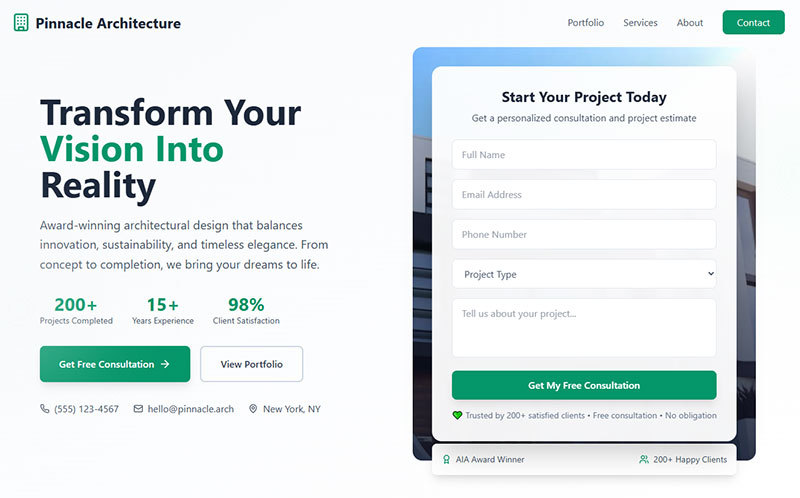
Every contact form shares common form fields that work together to capture visitor data and route it to the right place.
Name Field
Collects the visitor’s full name or separate first and last name inputs. Required for personalized follow-up communication.
Email Address Field
The most critical field on any contact form. Without a valid email, you cannot respond to the inquiry.
Always use proper form validation here to catch typos before submission.
Phone Number Field (Optional)
Useful for callback requests or urgent inquiries. Keep it optional unless phone contact is required for your business model.
Subject Line or Dropdown
Helps categorize incoming messages. A dropdown menu with preset options routes inquiries to the correct department automatically.
Message Body or Text Area
The main content area where visitors describe their question or request. Set a reasonable character limit to encourage focused messages.
Submit Button
The call-to-action that triggers form submission. Clear button text like “Send Message” or “Submit Inquiry” performs better than generic labels.
CAPTCHA or Spam Protection
Google reCAPTCHA or a honeypot field blocks automated spam submissions. Critical for any public-facing form.
Privacy Policy Checkbox
Required for GDPR compliant forms in the EU. Visitors must consent to data collection before submitting.
What Types of Customer Contact Form Templates Exist
Different business needs call for different types of forms. Here are the most common variations.
General Inquiry Contact Form
See the Pen
Modern Contact Form by Bogdan Sandu (@bogdansandu)
on CodePen.
The standard template with name, email, and message fields. Works for most small business websites and personal blogs.
Technical Support Request Form
See the Pen
Modern Technical Support Request Form by Bogdan Sandu (@bogdansandu)
on CodePen.
Includes fields for product name, order number, and issue category. Helps support teams diagnose problems faster.
Sales Inquiry Form
See the Pen
Sales Inquiry Form – Modern B2B Lead Generation by Bogdan Sandu (@bogdansandu)
on CodePen.
Captures company name, budget range, and project timeline. Functions as a lead generation form for B2B businesses.
Feedback and Suggestion Form
See the Pen
Modern Feedback & Suggestion Form by Bogdan Sandu (@bogdansandu)
on CodePen.
Collects customer opinions about products or services. Often includes rating scales alongside open text areas. Check out more feedback forms for inspiration.
Callback Request Form
See the Pen
Modern Callback Request Form – Business Lead Generation by Bogdan Sandu (@bogdansandu)
on CodePen.
Focuses on phone number and preferred contact time. Ideal for businesses where phone conversations close deals.
Appointment Booking Contact Form
See the Pen
Modern Hair Salon Appointment Booking Form by Bogdan Sandu (@bogdansandu)
on CodePen.
Integrates date and time selection with standard contact fields. Healthcare providers, consultants, and salons use these daily. Browse appointment form templates for ready-made options.
Quote Request Form
See the Pen
Modern Quote Request Form | Dark Theme with Glassmorphism by Bogdan Sandu (@bogdansandu)
on CodePen.
Captures project specifications, quantities, and delivery requirements. Common in manufacturing, construction, and service industries.
How Does a Customer Contact Form Work
Understanding the technical flow helps you troubleshoot issues and optimize forms for better conversion rates.
Frontend Display and User Interaction
The browser renders HTML form code with input fields, labels, and a submit button. Visitors enter data and click submit to trigger the process.
Form Validation Process
Client-side validation checks for empty required fields and proper email format before submission. Server-side validation provides a second layer of security.
Data Submission to Server
Form data transmits via POST request to your server or third-party service. SSL encryption protects sensitive information during transit.
Email Notification or CRM Integration
The server processes the data and sends an email notification to your inbox. Tools like Zapier can route submissions directly to Salesforce, HubSpot, or Zoho CRM.
Configure your WordPress email settings correctly or messages will land in spam folders.
Confirmation Message Display
After successful submission, visitors see a form submission confirmation message. This confirms their inquiry was received and sets expectations for response time.
Where Should a Customer Contact Form Be Placed on a Website
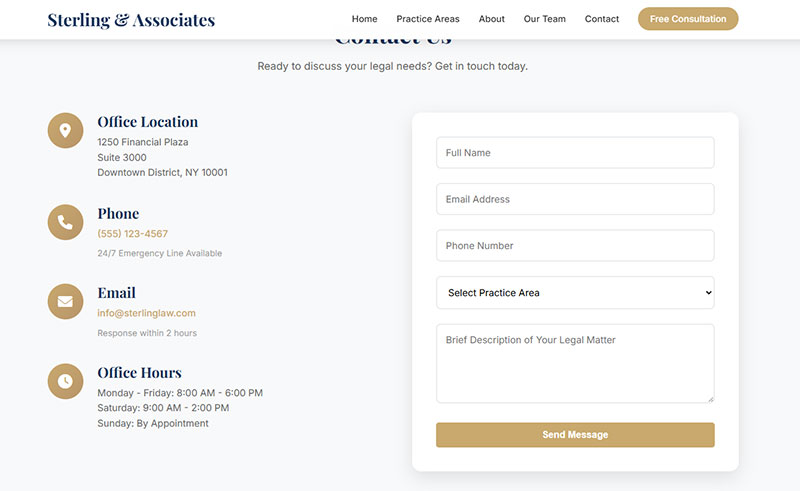
Form placement affects conversion rates. Put your contact form where visitors naturally look for it.
Dedicated Contact Page
The standard location visitors expect. Your contact us page should be accessible from main navigation and include business hours plus alternative contact methods.
Website Footer
A compact contact form in the footer appears on every page. Works well for simple inquiries with minimal fields.
Sidebar Widget
Places the form alongside blog posts or service pages. Captures leads while visitors consume content.
Pop-up or Slide-in Modal
Triggered by scroll depth, exit intent, or time delay. Popup forms grab attention but can annoy visitors if poorly timed.
Product or Service Pages
Embedding a contact form directly on product pages shortens the path from interest to inquiry. Particularly effective for high-consideration purchases.
What Information Should a Customer Contact Form Collect
Collect only what you need. Every extra field reduces completion rates.
Required Fields vs Optional Fields
Mark name, email, and message as required. Phone number, company name, and preferences stay optional to reduce friction.
Personal Identification Data
First name alone works for casual businesses. B2B forms benefit from full name plus job title for proper follow-up.
Communication Preferences
Let visitors choose email or phone callback. Include preferred contact time if your team handles high inquiry volumes.
Inquiry Category or Purpose
A dropdown selector routes messages to sales, support, or billing automatically. Speeds up response time significantly.
Consent and GDPR Compliance Data
Privacy checkbox with link to your policy is mandatory in the EU under GDPR and in California under CCPA. Review GDPR consent form examples for proper implementation.
How to Design a Customer Contact Form for Better Conversion
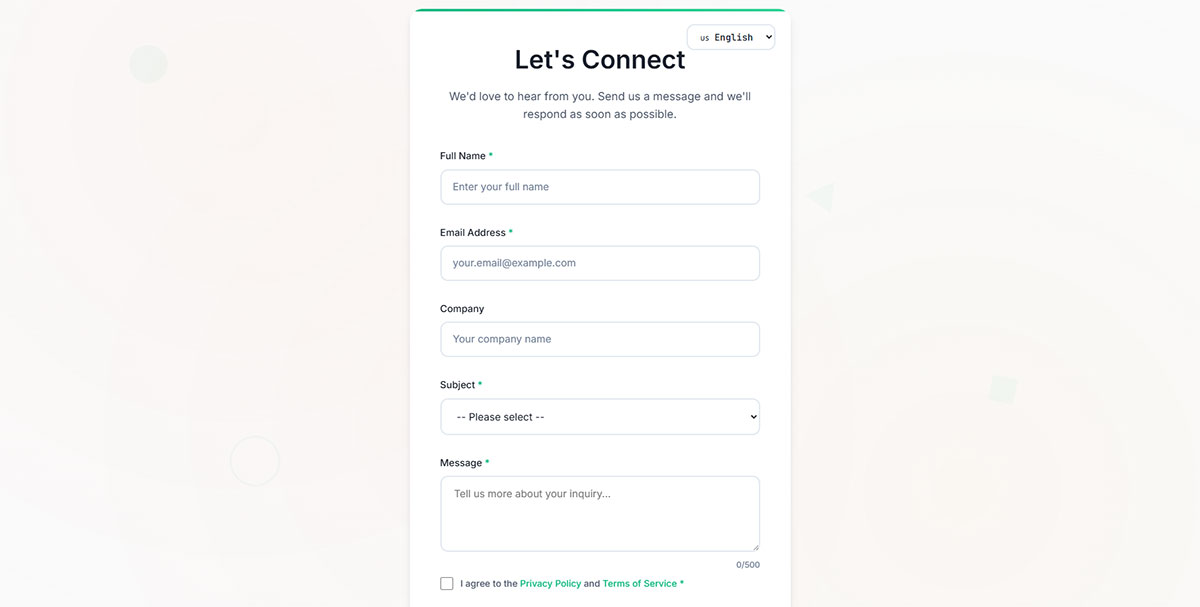
Good form design removes obstacles between your visitor and the submit button.
Field Quantity and Form Length
Three to five fields is the sweet spot for general inquiries. More fields require multi-step forms to maintain completion rates.
Label Placement and Clarity
Top-aligned labels scan faster than left-aligned. Use clear, specific labels instead of generic terms.
Mobile Responsiveness
Over 60% of web traffic comes from phones. Follow mobile forms guidelines with large tap targets and single-column layouts.
Visual Hierarchy and Whitespace
Group related fields together. Adequate spacing between elements improves form UX design and reduces perceived complexity.
Clear Call-to-Action Button Text
Replace “Submit” with action-specific text like “Send Message” or “Get Quote.” Specific CTAs increase clicks by 10-20%.
Error Message Display
Show form error messages inline next to the problem field, not at the top of the form. Red text with clear instructions helps visitors fix issues fast.
What Platforms Support Customer Contact Form Templates
Your platform choice depends on technical skill level and integration requirements.
WordPress Contact Form Plugins
IvyForms, WPForms, Contact Form 7, Gravity Forms, and Ninja Forms dominate the market. Browse the top WordPress contact form plugins for detailed comparisons.
Budget-conscious users should check free WordPress form plugins first.
Website Builders
Wix, Squarespace, and Webflow include native form builders. Limited customization compared to WordPress, but zero setup required.
Email Marketing Tools
Mailchimp, HubSpot, and Constant Contact offer embedded forms that sync directly with your email lists. Great for newsletter subscription forms combined with contact collection.
Standalone Form Builders
Typeform, JotForm, and Google Forms work on any website via embed code. Typeform excels at conversational forms; JotForm offers hundreds of templates.
Looking for alternatives? Check out these JotForm alternatives for similar functionality.
What are Common Mistakes in Customer Contact Forms
These errors kill conversion rates and frustrate visitors.
Asking for Too Much Information
Every additional field drops completions by 4-5%. Ask for phone number only if you actually call people back.
Missing Mobile Optimization
Tiny input fields and horizontal scrolling guarantee mobile abandonment. Test on actual phones, not just browser emulators.
No Confirmation After Submission
Visitors who see no response after clicking submit will assume it failed. Always display a thank you message or redirect to a confirmation page.
Broken or Non-Functional Forms
Plugin conflicts, server issues, and misconfigured email settings cause silent failures. Test your form monthly at minimum.
Lack of Spam Protection
Unprotected forms attract hundreds of bot submissions daily. Enable reCAPTCHA or honeypot filtering to maintain inbox sanity.
Strong form security also prevents malicious code injection attacks.
Unclear Privacy Practices
Missing privacy policy links erode trust and violate regulations. State clearly how you use collected data.
Customer Contact Form Template Examples by Industry
Different industries need different approaches. Here are proven templates by sector.
E-commerce Store Contact Form
See the Pen
Premium E-Commerce Contact Form by Bogdan Sandu (@bogdansandu)
on CodePen.
Include order number field and issue category dropdown (shipping, returns, product question). Route to appropriate support tier automatically.
SaaS Company Support Form
See the Pen
Premium SaaS Contact Page by Bogdan Sandu (@bogdansandu)
on CodePen.
Add plan type, account email, and feature area fields. Pre-populate known user data when possible to reduce friction. Explore lead generation for SaaS strategies.
Healthcare Provider Inquiry Form
See the Pen
Premium Healthcare Provider Inquiry Form by Bogdan Sandu (@bogdansandu)
on CodePen.
HIPAA compliance requires secure data handling and encrypted transmission. Include appointment request options and insurance question field. See lead generation for healthcare for compliant approaches.
Law Firm Consultation Request Form
See the Pen
Law Firm Consultation Request Form by Bogdan Sandu (@bogdansandu)
on CodePen.
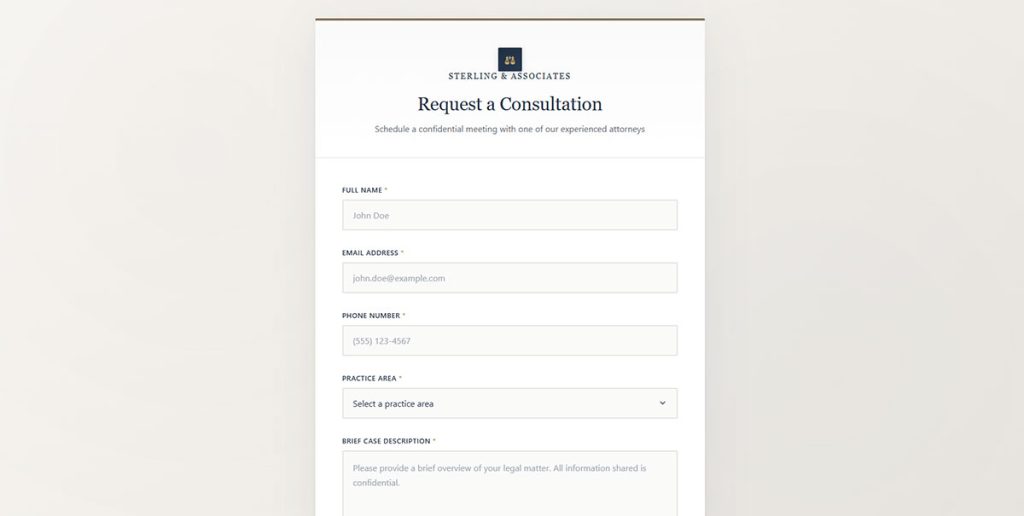
Practice area dropdown, brief case description, and preferred consultation time. Avoid collecting sensitive case details before engagement. Reference lead generation for law firms tactics.
Restaurant Reservation Contact Form
See the Pen
Modern Table Reservation Form by Bogdan Sandu (@bogdansandu)
on CodePen.
Party size, date, time, and special requests. Integrate with reservation systems like OpenTable when possible.
Real Estate Agent Contact Form
Property interest type (buy/sell/rent), budget range, and preferred neighborhoods. Follow-up speed matters here. Check lead generation for real estate methods.
How to Test a Customer Contact Form
Testing prevents lost leads and embarrassing failures.
Functional Testing Steps
- Submit with valid data and verify email delivery
- Submit with invalid data and check error handling
- Leave required fields empty and confirm validation triggers
- Test with special characters in message field
Cross-Browser Compatibility Checks
Test in Chrome, Firefox, Safari, and Edge at minimum. Form styling and validation behavior varies between browsers.
Mobile Device Testing
Check on both iOS and Android devices. Verify keyboard types match input fields (email keyboard for email field, numeric for phone).
Form Submission Confirmation Verification
Confirm the success message displays correctly. If redirecting to a thank you page, verify the redirect works and analytics track it.
Email Delivery and Notification Testing
Check spam folders if test emails disappear. Verify email formatting displays sender info and message content properly.
Focus on increasing form conversions once basic functionality passes all tests.
FAQ on Customer Contact Form Templates
What fields should a customer contact form include?
Every contact form needs name, email address, and message fields at minimum. Add a subject dropdown for routing inquiries. Phone number stays optional unless callbacks are part of your process.
How many fields is too many for a contact form?
Three to five fields works best for general inquiries. Each additional field drops completion rates by 4-5%. If you need more data, use conditional logic to show fields only when relevant.
What is the best WordPress plugin for contact forms?
WPForms, Gravity Forms, and Contact Form 7 lead the market. WPForms offers drag-and-drop simplicity. Gravity Forms handles complex workflows. Contact Form 7 is free but requires more technical setup.
How do I prevent spam on my contact form?
Enable Google reCAPTCHA or add a honeypot field that bots fill but humans ignore. Most form plugins include built-in spam protection. Review your security settings if spam persists.
Where should I place a contact form on my website?
Create a dedicated contact page accessible from main navigation. Add a compact version in your footer for site-wide visibility. Embed forms on service pages to capture leads at peak interest moments.
How do I make my contact form mobile-friendly?
Use single-column layouts with large tap targets. Set input fields to trigger appropriate keyboards (email keyboard for email fields). Test on actual devices since browser emulators miss real-world issues.
Can I add file uploads to a contact form?
Yes. Most plugins support file upload fields for documents, images, or attachments. Limit accepted file types and sizes to prevent abuse. Always scan uploads for security.
What makes a good contact form confirmation message?
Confirm the submission succeeded and set response time expectations. Include next steps if applicable. A simple “Thanks, we will respond within 24 hours” works better than generic “Form submitted” text.
How do I connect my contact form to a CRM?
Use native integrations if your plugin supports Salesforce, HubSpot, or Zoho CRM directly. Otherwise, Zapier connects most form builders to hundreds of CRM platforms without custom coding.
Should I use a contact form or display my email address?
Forms win. They capture structured data, filter spam, and route inquiries automatically. Published email addresses attract bots and provide no data organization. Use forms for primary contact; email as backup only.
Conclusion
The right customer contact form templates turn website visitors into conversations and conversations into customers.
Start with the basics. Name, email, message. Add fields only when they serve a clear business purpose.
Pick a platform that matches your technical comfort level. WPForms and Gravity Forms handle most WordPress needs. Typeform and JotForm work anywhere.
Test everything before going live. Check email delivery, mobile rendering, and spam protection. A broken form is worse than no form.
Focus on form accessibility so every visitor can reach you regardless of device or ability.
Keep iterating. Monitor submission rates, review form abandonment data, and refine based on what your analytics reveal.
Your contact form is often the first real interaction someone has with your business. Make it count.