

A new client doesn’t sign with an accounting firm because a landing page convinced them. They sign because someone they trust vouched for the firm, or because the firm showed…
Table of contents
Sellers almost never go it alone anymore. NAR’s 2025 Profile of Home Buyers and Sellers reports that 91% of sellers worked with an agent, matching the highest share on record, while for sale by owner transactions fell to an all-time low of 5%.
So the real contest is over which agent gets picked. A free offer that matches the owner’s actual question gives one agent a reason to start the conversation, and it does that earlier than an open house sign-in sheet or a purchased portal inquiry can, because the prospect already said what they want by choosing the resource.
On a WordPress site, IvyForms builds the capture form, delivers the resource and alerts the agent the moment a lead submits, and the sections below show where each of those fits.
What are real estate lead magnets?
Anything free and specific to a property that an agent hands over in exchange for contact details counts. A home valuation is the usual example, though a local market report or a buyer guide does the same job.
The prospect picks the resource, so the need is stated before anyone has a first conversation. A generic “contact me” form or newsletter box asks for the same email and promises nothing specific back.
Sign-in sheets at open houses catch whoever walks through the door, intent or not, and a Zillow Premier Agent inquiry is a paid lead tied to a single listing question. A lead magnet opts someone in for a named need, like “what is my home worth”.
That timing is the point. A buyer or seller gets caught while still researching, before they’ve interviewed anyone.
The idea isn’t unique to property. This explainer on how a lead magnet works covers the general mechanics, and the real estate version adds local data and a transaction at the end.
Gated resources unlock after the form is submitted. The agent gets a contact, and a few visitors leave. Ungated ones sit open with a soft call to action later, which widens reach but means nobody becomes a lead until they act.
Most agents put the resource behind a form, a setup called gating the resource, because an open PDF captures nobody.
In IvyForms, the gate works through the confirmation settings. The success message can carry the download link (the editor has an HTML mode), or the form can redirect to a page on your site that hosts the file.
Real estate lead magnet formats ranked by audience and fit
Agents mostly choose from home valuations, home equity reports, seller checklists, buyer guides, neighborhood guides, local market reports, calculators, quizzes and webinars. The table ranks the core formats by how directly each points at a transaction, strongest first.
The order is an editorial ranking. Published conversion rates by format come mostly from vendors and can’t be compared with each other, so none of them were used to rank.
| Format | Best audience | Funnel stage | Production effort |
|---|---|---|---|
| Home valuation | Sellers | Decision | Medium (MLS data, Cloud CMA) |
| Seller prep checklist | Sellers | Consideration | Low (Canva PDF) |
| Buyer guide | First-time and repeat buyers | Consideration | Medium |
| Home equity report | Past clients, sphere | Ongoing | Low once set up (Homebot) |
| Neighborhood guide or market report | Buyers, relocators, investors | Awareness | High (local data, refreshes) |
Free consultations are in the wider list of types of lead magnets, and so are contests and video courses. Most of them capture attention without a stated property need.
Seller formats

Seller offers sit closest to a listing appointment, which is why most paid campaigns start here.
The home valuation is the big one. The homeowner enters an address and gets an estimate or a CMA by email. Cloud CMA, the Lone Wolf comparative market analysis tool, includes a lead capture tool for “What’s My Home Worth?” pages.
A seller prep checklist (repairs, paperwork and staging tasks before listing) is quick to build and lower intent. Not exciting, but it works.
The valuation form needs a street address and an email, so it can’t shrink to one field. The checklist can run on an email alone.
The IvyForms Address field collects the street address in structured parts, next to Name, Email and Phone fields. Every submission lands as an entry in your WordPress dashboard, with the address, email and phone together, so whoever prepares the CMA has everything in one record.
Buyer formats

Buyer formats vary more than seller formats, and most are cheap to produce. First-time buyer guides, mortgage or closing cost calculators, property search alerts, neighborhood guides and readiness quizzes all get used.
Quizzes sort buyers by readiness before anyone picks up the phone. Typeform, an online quiz builder, supports conditional logic and result screens, and this guide to using quizzes and interactive forms to generate leads covers the wider approach.
A readiness quiz also works in IvyForms. Build the questions with Radio and Dropdown fields, then use conditional confirmation messages (Pro) to show a different next step for each answer, such as a pre-approval checklist for one buyer and a neighborhood guide for another. The Mailchimp integration (Pro) can map the answer to an audience field for segmentation.
For a closing cost estimator, the Calculated field (Pro Essentials or higher) multiplies a Number field, such as the purchase price, by the rates you enter in a formula, and shows the result live on the form.
Investor and relocation formats

Investors get a reason to share an email from a local market report with rents and price trends along with short-term rental rules. Stale numbers kill it, so the refresh schedule matters more than the design.
Relocators have questions they can’t settle from another state. A relocation guide covering neighborhoods, school districts, commute times and cost of living answers them.
A webinar suits both groups when the market is hard to explain on paper. It adds a registration form and a reminder sequence to the workload, and I’d skip it unless someone on the team actually likes running them.
If you do run one, the IvyForms General Webinar Registration Form is built around delivering the access link after registration.
Formats for past clients
Homebot, a home equity report platform, sends branded monthly digests showing a homeowner’s estimated value and equity. Agents and clients can both adjust the valuation if it looks off.
It runs on a list you already have, which makes it more of a retention format than a capture one. A new agent with no database gets little from it.
Which lead magnet fits your market, budget and the prospect’s stage?

Pick one audience at one stage, then choose the format your budget can actually promote. One focused magnet beats a handful of half-promoted ones.
Neighborhood guides and local market reports work for awareness. Consideration is where buyer guides, quizzes and seller prep checklists do their job. And the home valuation sits at decision, ideally with a booking link on the thank-you page (Calendly is a common scheduling tool for this).
In IvyForms, point the confirmation at a custom URL, such as your Calendly page, or at a thank-you page on your own site that carries the booking link. The Consultation Appointment Booking Form is another option for a listing consultation request, with contact details, a preferred time and the reason for the call.
Funnel position decides how much the form can ask for. The mapping above follows the standard stages of a lead generation funnel, with the lightest ask first.
With no ad budget, a checklist or local market report on your own site, promoted through email and social, is the realistic route. A small paid budget stretches furthest on one valuation page with ads aimed at a single neighborhood. Teams that already have a CRM and a past-client database can send equity reports to that database and keep a valuation page for cold traffic.
The valuation tool isn’t always the answer, though. Portals already hand homeowners a free estimate, and Zillow’s accuracy page (2026) puts the nationwide median error for off-market homes above 7%, against under 2% for on-market homes.
At 7%, a $500,000 home misses by roughly $35,000. An offer that promises an agent-reviewed CMA closes that gap. An automated estimate alone just repeats what the portal already showed.
On the buyer side, NAR’s 2025 Profile of Home Buyers and Sellers puts first-time buyers at 21% of purchases, the lowest share on record (NAR began tracking in 1981). A first-time buyer guide speaks to one buyer in five.
The same survey records a median seller tenure of 11 years, an all-time high. Long-tenure owners tend to sit on years of equity, so a guide on what that equity can buy next fits them better than a starter-home checklist.
How to create a real estate lead magnet, step by step
Steps two and four are where most builds fail, and those failure points are listed right after the steps.
- Pick one audience and one problem. Write the offer as a question the prospect already asks, such as what a home is worth or what closing costs will run.
- Source the data. Pull comparable sales and market statistics from your MLS, and read its rules on displaying listing data in marketing material before publishing. Cloud CMA reports pull from the MLS, so they track market changes.
- Build the asset. Canva, a design tool, handles PDFs and checklists. Typeform handles quizzes and Cloud CMA handles valuation reports.
- Wire the delivery. The form should send the file by instant email, create a contact in the CRM and tag the source. Zapier, an automation service, connects forms to a CRM such as Follow Up Boss when no native integration exists.
- Test it as a prospect. Submit the form with a personal email and phone, then check the spam folder, the mobile layout and the CRM entry.
- Publish with tracking. Give the page its own URL and a source tag so results can be measured apart from other traffic.
The same sequence applies outside real estate, and a general walkthrough on creating a lead magnet from scratch covers the non-property version.
The classic miss is a missing field. Wise Agent’s Cloud CMA integration needs both an email and a street address from the lead source before it can generate a CMA, so a form without an address field delivers nothing.
Delivery emails landing in spam are the next problem, and nobody notices without a test. Stale numbers in a market report that never gets refreshed do quiet damage too. A form that drops leads into a shared inbox instead of the CRM is worse.
Builders beyond the ones named here are compared in a roundup of the best lead magnet tools.
Building the form and delivery in IvyForms
For step 3 on WordPress, build the form in the drag and drop builder, or describe it to the AI form builder and edit the draft. Use no real client details in the prompt.
For step 4, delivery runs through two settings. A notification email addressed to the lead, with the Email field as a placeholder in the Send to field, carries the file link. A second notification goes to you or your team, so every new lead reaches a named person at once.
The Zapier integration (Pro, Growth plan or higher) triggers on every new entry and passes it to a CRM or to more than 5,000 other apps. Webhooks (Pro) send the entry to any endpoint you control, and Mailchimp adds the contact to an email audience.
For step 5, submit a test entry, then open IvyForms, then Entries, to confirm the record saved, and check the delivery email and the CRM contact.
For step 6, create one form per magnet. Every entry stores the page it came from (Source URL), the submission date and the form it belongs to, so each magnet’s results stay separate.
Landing page and form design for real estate lead magnets
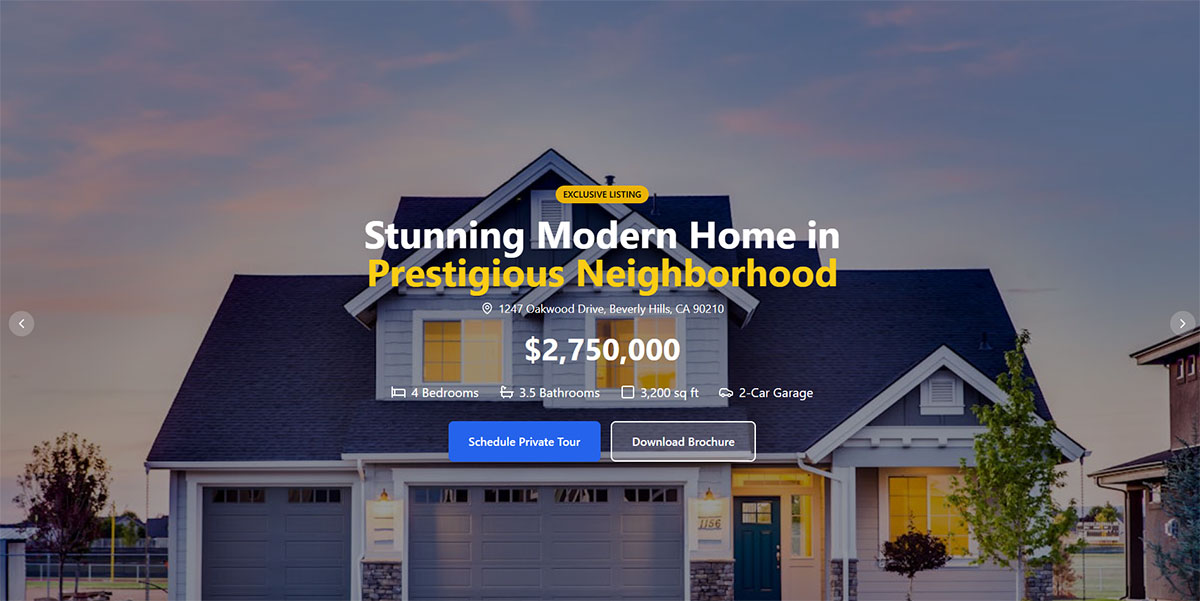
A lead magnet landing page needs one headline that names the resource, a short form, one call to action and no header menu. Anything that gives the visitor another place to go works against the single action.
“Get My Home Value” beats “Home Valuation Tool” as a headline, because the first states the result and the second names a feature. Button text should be action-specific (“Send My Market Report”), never “Submit”. Ask only for the fields the delivery and the follow-up use, and give the page a dedicated URL that reads well on a phone, so ads and emails point at one offer.
The IvyForms submit button label is editable, and form customization sets colors, spacing and typography to match your brand. Embed the form with a shortcode, the Gutenberg block or Elementor, and the layout adapts to phones, tablets and desktops.
Field count is a trade-off, not a rule. A 2016 NextAfter experiment for Food for the Poor cut an email sign-up form from four fields to two and lifted conversion from 0.26% to 0.39%, a 48.3% increase across 122,534 visitors.
A separate test reported by CXL ran the other way: cutting a form from nine fields to six lowered conversions. Unbounce’s Conversion Benchmark Report adds that forms rank among the weaker conversion types in real estate.
Keep every field the delivery or follow-up needs and drop the rest. Which fields earn their place is broken down in this guide to form fields that capture high-quality leads.
A required phone number gets the agent a faster conversation and usually costs submissions. An optional phone field with a short reason (“so we can text your report”) keeps both options open. In IvyForms, the field Description holds that reason, right under the label.
Single-step forms put every field on one screen. They’re quick to build, and the right call for a checklist or guide that only needs a name and an email.
Multi-step forms ask one question per screen, address first. They suit a valuation or quiz, since the first answer commits the visitor before the contact fields appear, and a comparison of multi-step forms versus single-step forms weighs the trade-offs further.
IvyForms offers both layouts. Multi-page forms (Pro) put the address on page one and the contact fields on page two, with a progress bar. Conversational forms (Pro) show one question at a time, with a welcome step and a permalink of their own.
Where to promote real estate lead magnets, and what results to expect
Most lead magnet traffic comes from an IDX website, Google Ads, Facebook Lead Ads, Instagram, your own email list and QR codes at open houses. Paid channels buy volume, while owned channels build a list that costs nothing to re-promote.
Channel by channel
Your IDX website, the property search site fed by MLS listing data, already attracts active buyers and sellers. Real Geeks, for example, bundles an IDX website, a CRM and a managed Google Ads program called Real Leads.
Google Ads catches intent at the moment of the query, such as “what is my home worth”, and you pay per click. Facebook Lead Ads work differently, since the form opens inside Facebook and the prospect never sees your landing page.
Instagram stories and reels can point to the landing page link, which suits neighborhood guides and checklists best. Your email list is the place to run a different magnet each month for people who ignored the last one. QR codes go on open house signs, flyers and business cards, and they replace the paper sign-in sheet.
For ads and QR codes, the landing page can be a conversational form with its own permalink, or any WordPress page with an embedded IvyForms form. Either way, the form is responsive, so a prospect scanning a sign from the sidewalk sees a clean phone layout.
Why published conversion rates conflict
Unbounce’s real estate benchmark puts the median landing page conversion rate at 2.2%, with the top quartile starting at 20.2%.
Later benchmark editions, as cited by third parties, land a fraction higher. Agent-training blogs quote far bigger numbers for valuation pages.
The benchmark datasets cover thousands of landing pages with mixed traffic and mostly generic offers. LocaliQ’s 2026 search data shows a 3.70% conversion rate for real estate advertisers, which measures paid clicks, a different event. Training sites claim high single digits to low teens for valuation pages, rarely with a stated page count, traffic source or date.
Both can hold at once. A well-built valuation page on warm traffic can sit far above the median and still below the top-quartile line, while a coach’s quoted rate describes the best pages, not the typical one.
A rate means something only when it names its traffic source, sample size and period. Cross-industry context is collected in this roundup of industry conversion rate benchmarks.
Cost per lead and cost per listing
- Google search ads average $102.51 per lead for real estate (LocaliQ, 2026).
- Facebook lead ads come in at an average of $16.61 per lead (LocaliQ, 2025 Facebook benchmarks).
- In one documented case, a Luxury Presence client in the San Francisco Bay Area ran a Facebook home valuation campaign for 98 days and got 144 seller leads at $24.50 each, 2 signed listings and $3,536 in ad spend (Luxury Presence case study).
- Worked out from that, $3,536 across 2 listings is $1,768 per signed listing, or one listing per 72 leads.
The Facebook and Google numbers do not compare like for like. A form fill inside Facebook and a landing page conversion from a search click are different events, and Facebook leads usually sit earlier in the decision.
The Luxury Presence figures are vendor-published, so treat them as one data point. They still show the pattern: $24.50 looks cheap until it takes 72 leads to sign a listing, which is why lead generation KPIs worth tracking should include cost per signed listing next to cost per lead.
For the lead count on your own site, the Entries column in All Forms in IvyForms shows submissions per form, and the entries table filters by date range. Redirecting each magnet to its own thank-you page also gives Google Analytics a clean URL per offer, and the wpDataTables integration (all plans) can chart entries over time.
How fast should you follow up after an opt-in?
Aim for contact within five minutes and treat one hour as the outer limit. The evidence for exactly five minutes is thinner than agent training suggests, but every dataset points the same way: the later the first contact, the fewer conversations.
What the research says
Harvard Business Review’s 2011 audit of 2,241 US firms found an average response time of 42 hours among the firms that responded within 30 days.
In a separate study of 1.25 million leads, firms that contacted a lead within an hour were nearly 7 times as likely to qualify it as firms that called an hour later (Oldroyd, McElheran and Elkington).
Limits of that evidence
- The 1.25 million-lead study covered 29 B2C and 13 B2B companies, not real estate, and its fastest bucket is “within an hour”.
- The widely quoted 21x gap for five minutes versus thirty comes from a separate 2007 MIT and InsideSales.com dataset, according to Cience’s review of the studies.
- No published study sets a real estate cutoff, a gap Luxury Presence’s own response-time analysis acknowledges.
Why leads go cold
HBR blamed distribution rules built on geography and fairness, plus sales staff focused on their own prospecting. Leads pulled from the CRM once a day instead of continuously made it worse.
Each of these has a fix in the CRM.
Routing tools worth knowing
Follow Up Boss routes leads by ZIP code, price or round-robin and runs Action Plans, which are multi-step sequences of emails and task reminders (Follow Up Boss help center).
Team platforms such as BoldTrail (formerly kvCORE) and Chime bundle routing with a CRM and an IDX website.
Speed at the form level
The speed starts at the form. IvyForms sends its admin notification the moment someone submits.
Smart logic on notifications (Pro) can route each lead to the right agent by an answer such as the neighborhood or the property type.
A Zapier Zap can also post each new entry to a Slack channel, which suits a team that lives in chat (Zapier setup is described in the IvyForms Zapier guide).
Keeping entries from sitting untouched
In the entries table, star the new leads and mark entries as read once someone has called, so nothing sits untouched.
With permissions, an assistant or team member can get access to entries for one form only.
A follow-up sequence that lasts past week one
| When | What happens |
|---|---|
| Minute zero | Automatic email carrying the file link |
| Within the first hour | Text or call from a named person, not a no-reply address |
| Day two | One related resource by email (a seller who took the checklist gets the valuation offer) |
| Week two through week twelve | One touch every two weeks, alternating email and text |
| After month three | Monthly local update, plus a refreshed CMA for seller leads |
The minute-zero message
This message does more than deliver the file. The wording and placement are covered in this guide to writing a form submission confirmation message.
Why the sequence runs so long
Real Geeks’ own playbook describes internet leads as a long-term channel, with conversion cycles measured in months to a couple of years.
Email copy for the later touches is available in these lead nurturing templates.
Tools and limits of automation
Mailchimp and HubSpot, both email automation platforms, can run the email leg when the CRM’s own email tools are limited.
Automation owns minute zero, but it does not book appointments. A sequence with no human touch produces downloads, not conversations.
Which consent and advertising rules apply to real estate lead magnets?
The TCPA covers calls and texts, CAN-SPAM covers email, the Fair Housing Act reaches ads through platform policies, and MLS rules govern any listing data inside the magnet. The first two follow the lead after the opt-in, and the last two shape the ad and the asset itself.
TCPA consent for calls and texts
TCPA consent rules have been in flux since January 2025.
- On January 24, 2025, the Eleventh Circuit, in Insurance Marketing Coalition v. FCC, vacated the FCC’s one-to-one consent rule, which would have required consent to name a single seller.
- On August 29, 2025, the FCC reinstated the prior text of 47 CFR 64.1200(f)(9), the definition of prior express written consent, in the Federal Register.
- On January 6, 2026, the FCC delayed its “revoke-all” provision to January 31, 2027, while other revocation rules stay in force, including revocation by any reasonable means.
What the consent has to include
As of October 2026, consent for automated marketing calls or texts must be a signed written agreement that meets the older, narrower definition.
- It has to name the seller (the brokerage or agent, not a list of partners) and the number, which is why the checkbox sits beside the phone field.
- It has to disclose that calls or texts may use automated dialing or prerecorded voice.
- It can’t be a condition of receiving the report.
An unticked checkbox, separate from the submit button, keeps the report from depending on the consent. Phone numbers collected without it should not go into an automated text campaign.
Setting it up in IvyForms
Add an HTML field holding the disclosure text (brokerage name, the automated dialing language). Follow it with an optional Checkbox with no default selection, placed beside the Phone field.
Leave the checkbox off the required list, so the report never depends on it.
Webhooks have smart logic (Pro), so the phone number can reach your texting platform only when that box is ticked. Each entry also stores the submission date and time, the IP address and the Source URL, which documents when and where the consent was given.
CAN-SPAM for email
The FTC’s compliance guide applies the law to any commercial message, business to business included. It requires accurate header information, a physical postal address and a working opt-out. Liability stays with the agent even when a vendor sends the emails.
The FTC’s January 2025 inflation adjustment set the maximum civil penalty at $53,088 per violation, and the FTC has said it is applying the same 2025 amounts in 2026. CAN-SPAM penalties are assessed email by email.
Leads in the EU
The GDPR field adds a required consent checkbox with a link to your privacy policy. The guide to GDPR compliant forms covers the wording.
Fair Housing Act and ad platforms
Ad platforms bring in the Fair Housing Act. Meta requires the Housing special ad category for ads about real estate services and for home equity or appraisal services, which covers a home valuation campaign.
For US advertisers the category limits or removes age, gender, ZIP code, exclusion targeting, lookalike audiences and saved audiences (Meta Business Help Center).
What that means for neighborhood campaigns
That changes how a single-neighborhood campaign works on Facebook. Narrowing happens through the ad copy and the landing page headline, not ZIP code targeting.
Copy should describe the property and the offer, never the ideal buyer, because the Fair Housing Act reaches housing advertising wording as well as targeting.
MLS rules for listing data
NAR’s model MLS rules limit IDX displays to MLS-designated data fields and require the listing firm to be identified. Local rules add detail.
- Realcomp’s IDX rules define display to include delivery, so a listing alert email or PDF is covered.
- San Diego MLS’s July 2026 rules require listing attribution on every IDX display.
Aggregate market statistics may fall under different rules than individual listings, so confirm the wording with your MLS before a report goes live.
This section summarizes public rules as of October 2026. It is not legal advice, and an attorney should review the final form wording.
When real estate lead magnets stop working
Traffic is the first problem. A new agent with no list, no ad budget and no site audience publishes a page nobody visits, and sphere outreach and referrals fill that gap first.
Then there’s follow-up. A drip sequence alone produces downloads, and a person has to make the call that books the appointment.
Saturated markets hurt too. Where every competitor runs the same “what is my home worth” page, a generic version loses. A narrower offer built from local sold data (a single street, one building type, a school zone) holds up better.
Payback is slow. Online leads convert over months to years, so a 30-day cost per lead says little about a magnet that pays back in year two.
A team with a strong sphere of past clients gets more from equity reports than from cold campaigns. Referral and repeat leads carry trust that a cold opt-in has to earn (Luxury Presence).
Replace a magnet when, after one full follow-up cycle, its cost per signed listing approaches the net commission on a typical sale.
A lead magnet is one input among several, and the wider mix, including referral and paid sources, is covered in this guide to lead generation for real estate.
Real Estate Lead Magnets FAQ
How long should a lead magnet PDF be?
As long as it takes to solve one problem, and no longer. A seller prep checklist fits on one or two pages, while a buyer guide can run a few pages if each page answers a question the prospect already has.
Length never rescues a vague topic.
Can an agent run a lead magnet without a website?
Yes. A landing page builder such as Unbounce or Leadpages hosts the page and form on its own URL, and a Facebook Lead Ad collects details inside Facebook with no page at all.
Either way, route every submission into a CRM so follow-up never depends on a shared inbox.
How often should a market report lead magnet be refreshed?
Luxury Presence advises updating a market report monthly or quarterly. Match the cadence to what your data supports, because a report quoting last quarter’s days on market loses trust the moment a prospect checks it.
Can AI write the content for a lead magnet?
Yes for structure, headlines and first drafts. Not for local numbers. Sold prices, inventory and days on market come from your MLS data and get checked before publishing.
An invented statistic in a guide undermines the trust the offer exists to build.
Does a lead magnet work for farming one neighborhood?
Yes, when the offer is specific to the area, such as a sold-price report for a single subdivision or street. Owners who care about that data opt in on their own, and a QR code on a mailer or door hanger sends them straight to the landing page.
How do I build a home valuation form in WordPress with IvyForms?
Add a Name field, an Email field, an Address field for the property and an optional Phone field, then add the consent checkbox and the disclosure text. Set the confirmation to a success message or a thank-you page, add a notification to yourself, and embed the form with a shortcode or the Gutenberg block.
The IvyForms documentation has a guide for each step, and the free Lite version covers the basics. Pro adds conditional logic, multi-page and conversational forms, and the Mailchimp, Zapier and webhook integrations. Plans and the 15-day money-back guarantee are on the pricing page.
What Real Estate Lead Magnets Cost to Keep Running
After launch, the costs are data refreshes, follow-up time and ad spend. Only ad spend grows with volume, so it should come last. Get the follow-up automation and a human call working first, set a fixed data refresh schedule, and only then buy traffic.
Paid traffic also has a commission ceiling. At LocaliQ’s $102.51 search average and the 72 leads per signed listing in one documented campaign, a listing costs roughly $7,400 in ads, so keep a paid magnet only while that cost stays well below net commission.
A dated risk sits in text follow-up. If the FCC’s revoke-all rule takes effect on January 31, 2027 as scheduled, one STOP reply must end every automated message from the sender, so build suppression into the CRM now (verified October 2026).
Cost per signed listing cannot be calculated without source tags, so set up tracking for form submissions in Google Analytics before the first ad runs. One IvyForms form per magnet, each with its own thank-you page, keeps every offer’s numbers separate from the first lead onward.