



A form is usually the last thing standing between a visitor and whatever you actually want them to do: buy something, sign up, ask a question. Optimizing that form means…
Table of contents
Webinars pull more signups than white papers do, and the number of fields on the form does more to decide conversion than almost anything else on the page.
Marketing teams put this kind of thing on landing pages tied to ebooks, whitepapers, webinars, templates, whatever asset seems worth trading for an email address. They judge it by completed forms and the leads that come out the other end, not by how many people just looked at the page.
64% of B2B marketers say they lean on some kind of registration barrier to collect prospect and customer information, according to a 2020 survey from Finite and CogniClick. The other 36% either skip the gate altogether or save it for a small set of premium assets. So this isn’t really one fixed rule, it’s a spectrum, and most companies land somewhere in the middle of it.
What Is Gated Content?

Trade contact details for material you actually want, that’s the entire arrangement. An ebook, a research report, a seat in a webinar, all of it sits behind a form, and the visitor either fills it out or moves on.
None of this is new, by the way. Direct mail ran the identical trick for decades, reply cards tucked inside catalogs, a coupon code buried on page 40. Gated content just moved that exchange onto a landing page and swapped the reply card for a submit button.
Once someone clears the form, they stop being anonymous traffic. They become a lead, a name and an email address someone on the sales side can actually follow up with.
A few terms get used almost interchangeably here, lead magnet, content offer, registration wall. They’re all describing the same mechanic from slightly different angles, and nobody in marketing seems too bothered about picking one and sticking with it.
Worth being clear about what gated content is not, though.
- Not a paywall (paywalls charge money, this charges information)
- Not a login-only member area, since most gated assets unlock once and stay unlocked
- Not something applied to every blog post; most sites save the gate for their higher-value stuff
This whole practice sits inside the broader work of generating and qualifying new leads, long before a sales rep ever gets near the conversation.
Gated Content vs Ungated Content: What’s the Real Difference?
Every piece of content ends up in one of two buckets, free to read or locked behind a form. That single decision changes how far it travels and whether it ever shows up in a search result at all.
| Aspect | Gated content | Ungated content |
|---|---|---|
| Access | Requires a completed form | Open to any visitor |
| Primary goal | Lead capture | Reach and brand awareness |
| Search visibility | Limited or none behind a hard gate | Fully indexable |
| Typical assets | Original research, templates, webinars | Blog posts, glossary pages, guides |
This split mirrors a bigger argument running through B2B marketing at the moment, over whether the real goal is building a pipeline of named leads or building broader market demand. Teams chasing demand tend to leave more of their library open. Teams chasing pipeline lean harder on gates.
Reach drops, lead volume rises. That’s the trade every gate makes whether the person running the campaign says it out loud or not.
Most sites end up doing both at once, gating the deep or proprietary stuff and leaving the introductory posts open. Browsing a handful of real-world examples of what companies actually put behind a form makes that pattern easier to spot than any framework will.
How the Gated Content Value Exchange Works
A visitor gives something and gets something back. That’s the whole mechanic, no matter how the landing page around it gets dressed up. Usually it’s a name and an email address going one way, sometimes a company name or job title tacked on, and immediate access to the asset coming back the other way, delivered by email or an on-screen link right after submission.
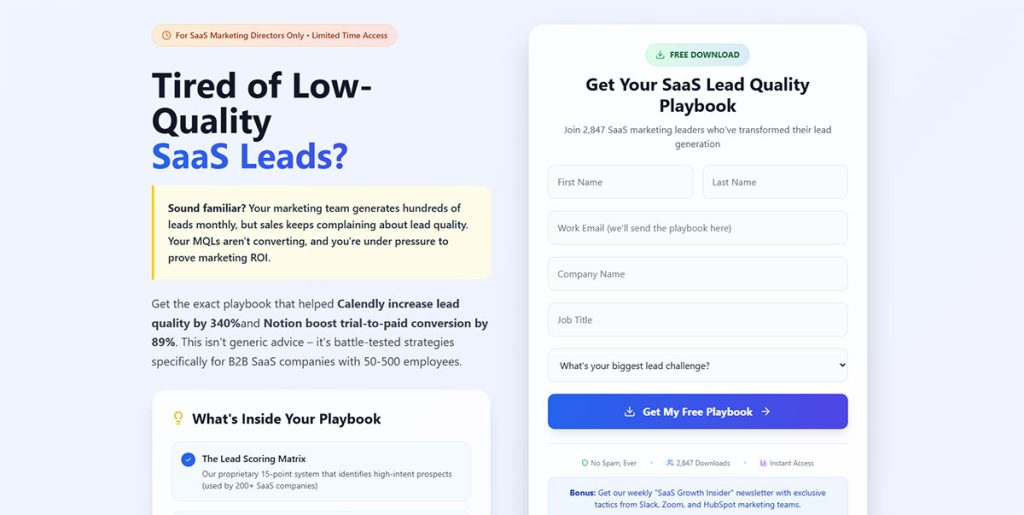
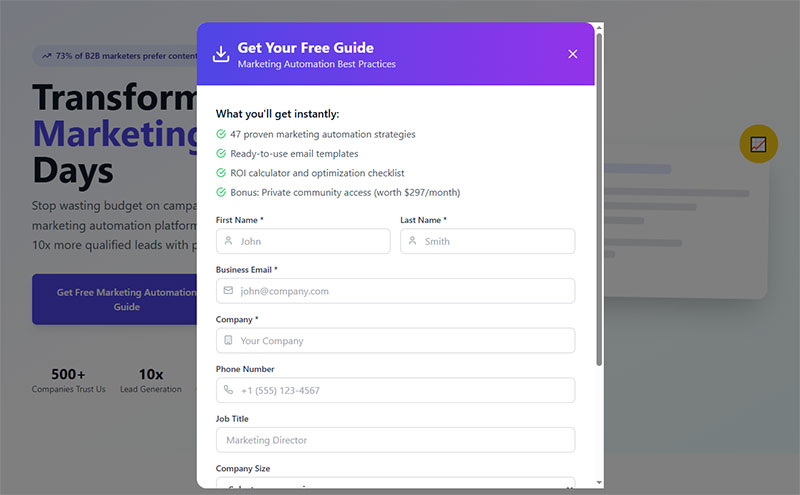
Forms doing this work fall into two rough camps: single-field opt-ins asking for nothing but an email, and multi-field forms that also want company size, job title, maybe a phone number.
The tradeoff isn’t subtle. Fewer fields mean more submissions and thinner data on each one. More fields mean fewer submissions, but the names that do land in the CRM tend to be better qualified. Some sites split the difference by spreading those same fields across two short screens instead of one long block, which is really just a question of whether a multi-step layout beats a single-step one for that particular offer.
Most modern forms sync straight into a CRM the moment someone hits submit, then route them to a thank you page carrying the download link or the calendar invite.
What Data a Gated Content Form Should Collect
Not every field earns its place on the form. Each one is a small tax on completion, and they don’t all do the same job.
Name and email are the baseline, needed just to deliver the asset and kick off a nurture sequence. Company name is useful for B2B segmentation and low friction for the visitor to answer. Job title feeds whatever lead scoring model decides if a submission becomes a marketing qualified lead. Phone number is the highest-friction field of the bunch, usually saved for offers sitting near the bottom of the funnel.
Getting that mix right comes down to matching the field list to where the offer actually sits in the funnel, something covered in more depth when looking at which fields actually predict a high-quality lead rather than just a completed form.
Which Content Formats Work Best Behind a Gate
63% of B2B buyers say they’ll register for a webinar, compared with 49% willing to do the same for a white paper, according to Demand Gen Report’s 2019 Content Preferences Survey. That gap says something real. The format behind the gate shapes the outcome almost as much as the form design does.
Ebooks and whitepapers are long-form enough to justify asking for more than just an email. Webinars come with a built-in second gate, since registering is one filter and actually showing up is another.
Templates and calculators tend to signal real buying intent because someone has to be doing actual work to want one. Original research pulls hardest of the bunch, mostly because the data behind it doesn’t exist anywhere else.
Ebooks built from existing blog material fall into what some teams call content upgrades. There’s a real skill to turning an existing post into a worthwhile upgrade instead of just repackaging the same points behind a form.
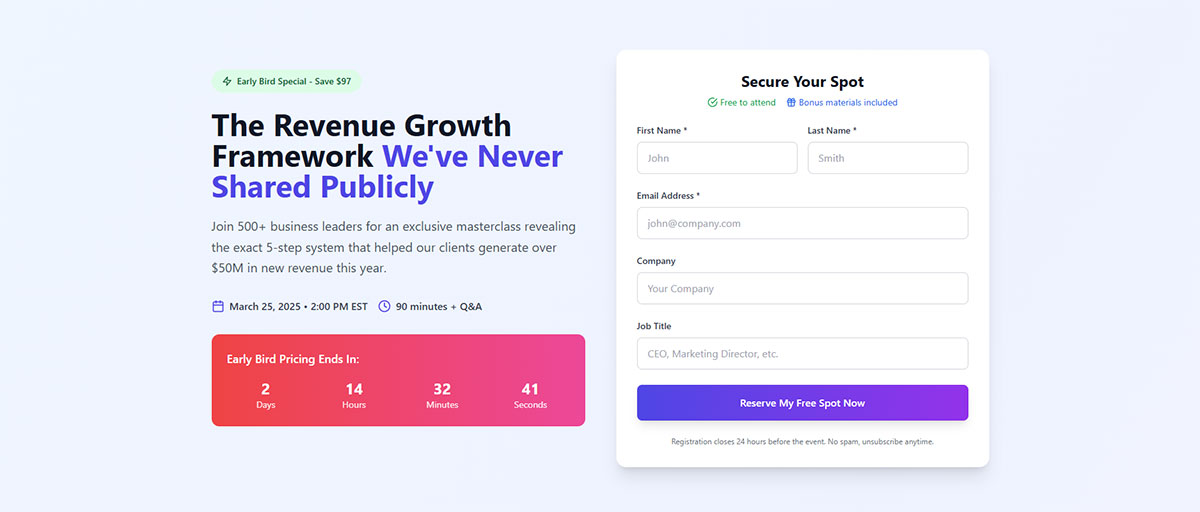
Webinars work a little differently, since the gate sits on the sign-up screen for the session itself rather than on a download link. Companies like HubSpot, Salesforce, and Marketo lean heavily on research reports and product-adjacent whitepapers for their gated library, mixing proprietary data with practical templates to widen the appeal.
Where Gated Content Fits in the Marketing Funnel
Placement decides more about whether a gate works than almost anything else on the page. Content sitting at the top of the funnel exists to attract strangers, and gating it early chokes off exactly the traffic it’s supposed to pull in.
Top-of-funnel material usually stays open, since it’s built to attract first-time visitors who are still researching a problem. The middle of the funnel is where gating typically happens, once a visitor understands the problem and wants something deeper. Bottom-of-funnel content gets gated less often than people assume; it’s more commonly tied straight to a sales conversation or a demo request instead.
Mapping an offer to the right stage really comes down to understanding how a prospect actually moves from stranger to buyer, not just picking a spot that feels right. Most of what gets called a lead magnet lives in that middle zone, offered right when someone is deciding between researching alone or talking to a rep.
HubSpot’s blog had traditionally kept everything open, since traffic, not lead volume, was its core KPI. In 2024, facing pressure to show lead-gen ROI, the team tried the opposite: adding a partial gate (a lead form placed near the top of the piece) to 20 previously free, high-value blog posts instead of leaving them fully open.
That test produced a 79% increase in average daily leads and a 132% lift in lead-submission conversion rate.
How Gated Content Affects SEO and Search Visibility
Search engines can’t index what they can’t see, and a hard gate hides the whole asset from the crawler right along with the reader. That tension never fully goes away, no matter how the gate gets built.
A hard gate puts the whole thing behind the form, invisible to visitors and crawlers alike until someone submits. With a soft gate, a preview or summary stays visible and indexable, and only the full asset gets locked away.
Google actually publishes structured data guidance for this exact situation, using Schema.org’s CreativeWork markup. It was built originally for news paywalls, but it works just as well for any gated asset. Marking a section with isAccessibleForFree: false tells Google the restriction is deliberate, which keeps a legitimate gate from getting flagged as cloaking under its spam policies.
Backlinks still flow to a soft-gated landing page even when the material behind the form never gets indexed on its own. That’s the logic behind most hybrid setups: gate the asset itself, but leave the landing page copy fully open.
What Conversion Rates to Expect From Gated Content
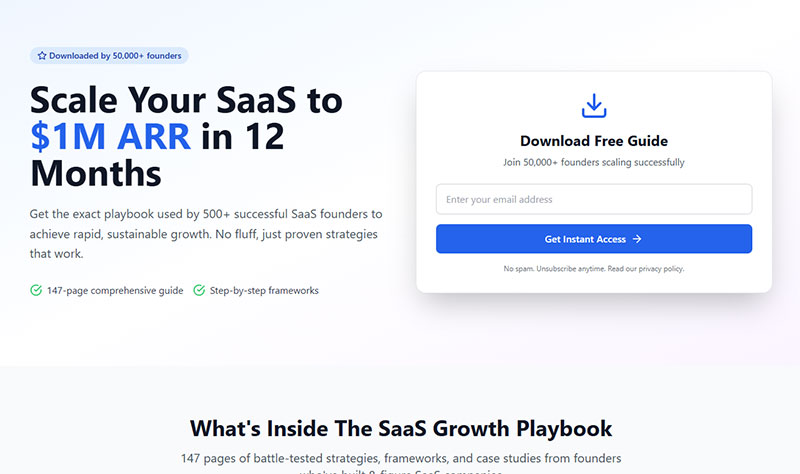
Numbers here vary by industry, offer, and audience, but a few benchmarks give a starting point worth anchoring to. The median landing page conversion rate across industries sits at 6.6% (Unbounce, 2024 Conversion Benchmark Report), with the nine industries in that same report ranging anywhere from 3.8% to 12.3%. B2B webinar registration-to-attendance runs around 57% (ON24, 2024 platform data).
A 6.6% figure sitting on its own tells a marketer almost nothing. What matters is where a specific offer lands against its own industry’s median, not against a number pulled from an unrelated sector. Reviewing conversion rate benchmarks broken out by industry is a far better first step than comparing a new landing page to a global average.
Underperforming gates are rarely a mystery once someone looks closely. Copy that buries the offer and a form asking for too much too soon cause most of the trouble, though a slow-loading page can be just as much to blame. That’s most of the gap between a page converting at 3% and one converting at 11%. Closing that gap usually comes down to a short list of fixable things, covered in more depth in guidance on what actually moves the needle on form conversions.
The Pros and Cons of Gating Content
Every gate is a bet. A business trades reach for a name and an email, and whether that bet pays off depends entirely on what happens next.
On the upside, gating builds a database of identified leads instead of anonymous page views, and filling out a form takes enough intent that it filters out casual browsers on its own. It also feeds first-party data straight into a CRM without leaning on third-party cookies, and it hands sales an actual name and company to start from instead of another anonymous hit in the analytics.
The downside is real too. Gated pages rarely rank or get shared the way open content does, so organic reach takes a hit. Friction shows up at exactly the moment a visitor is deciding whether to trust the brand in the first place. Ask for too much too soon on the form and the data that comes back is thin, sometimes outright fake. And there’s a slower cost: an audience can learn to avoid a brand’s content altogether once they start associating it with yet another form to fill out.
Drift built its whole marketing identity around that last downside, publicly stripping lead forms off parts of its site and arguing that a chat widget converts curiosity faster than a registration wall ever could.
The bet doesn’t have to be all or nothing, though. Plenty of teams run the comparison in real time, testing a conversational entry point against a traditional one, a question covered in more depth when weighing chatbots against standard web forms for lead capture.
Tools for Building and Managing Gated Content
Salesforce leads the global CRM applications market with a 20.7% revenue share, ahead of Microsoft, Oracle, Adobe, and SAP (IDC, Worldwide Semiannual Software Tracker, 2025 report covering 2024 data). That number alone explains why so many gated content stacks default to Salesforce, or to a CRM built to sync cleanly with it.
A gated content stack usually needs a few separate jobs covered, not one all-in-one tool.
| Tool category | Job it does | Common vendors |
|---|---|---|
| Landing page builder | Hosts the gate and the offer | Unbounce, Leadpages |
| Form and popup tool | Captures the submission | Typeform, OptinMonster |
| CRM and automation platform | Stores the lead, triggers follow-up | Salesforce, HubSpot, Marketo |
Smaller teams often collapse all three jobs into one WordPress setup instead of stitching separate platforms together. Picking from the right WordPress plugins built for lead generation can cover the form and the landing page at once, syncing straight into whatever CRM already runs the business.
Whatever the stack, the page holding the form matters as much as the tool behind it. Getting the layout, copy, and field order right is really a question of following landing page form best practices rather than picking the fanciest platform on the market.
How to Set Up a Gated Content Campaign
Building a gated campaign follows roughly the same order every time, regardless of which tool does the heavy lifting.
- Pick the asset. Choose the format (ebook, template, webinar, report) that fits the intended funnel stage.
- Build the landing page and form. Keep the field count matched to the value of the offer.
- Write the call to action. The button and headline decide whether a visitor reads the offer at all.
- Connect the form to a CRM or email platform. This step turns a raw submission into a workable lead record.
- Choose where to promote the offer. Email, paid social, and organic search rarely perform the same way twice.
Step three gets skipped more often than it should. A generic “Download Now” button converts worse than copy built around the actual offer, a gap easier to see through real call to action examples that go beyond the default wording.
Choosing Distribution Channels for a Gated Offer
The best asset in the world does nothing sitting on a landing page nobody visits.
Email tends to work best against a list that’s already warmed up. Paid social reaches net-new audiences who share traits with existing customers, worth trying even if the cost per lead runs higher than email. Organic search takes longer to build, but once a page ranks, it keeps producing submissions long after the campaign budget is gone.
Most teams don’t pick one channel and stop there. Building a workable mix usually starts with a broader look at proven lead generation strategies before narrowing down to whichever channel fits the specific offer and budget.
What Happens to a Lead After They Fill Out a Gated Content Form
Sales reps never pursue 70% of the leads marketing hands them, according to research published in the Journal of Marketing (Sabnis et al., 2013). Whatever happens in the minutes after a form submission decides whether a completed gate turns into a wasted database entry or an actual deal.
The asset lands in the visitor’s inbox, or unlocks right there on the thank you page. From there it usually drops into a nurture sequence, automated emails that keep the lead warm without a rep lifting a finger. Lead scoring assigns points based on the fields filled out and whatever pages get visited afterward, and once a score crosses a threshold, the lead moves from marketing qualified to sales qualified and gets handed off.
That handoff is exactly where the 70% figure above tends to happen. A lead sits in a CRM view nobody checks, or gets logged with no clear owner.
Fixing that gap has less to do with better content and more to do with process, something covered directly through a library of lead nurturing templates built around this exact handoff. Most teams also confirm the whole chain fires correctly by checking that submissions land where they’re supposed to, which usually means tracking form submissions inside Google Analytics alongside whatever the CRM reports.
When Gated Content Does Not Work
Gated content is losing ground across B2B marketing right now, and the numbers are specific. An analysis of more than 100 B2B marketing teams found webinar registrations down 12.7% overall, with the median company seeing a 42% drop (Factors.ai, 2026).
That doesn’t cancel out the earlier finding that most buyers say they’re willing to register for a webinar. It just means fewer of them are following through, as AI research tools and social platforms answer the questions a gated asset used to be the only way to get.
The same analysis found demo requests up 9.5% overall during the same stretch, with the median company up 17.4%. Bottom-of-funnel intent isn’t disappearing. It’s just skipping the ebook and going straight to the product.
A few conditions reliably predict a gate that fails before it even launches: the offer sits at the top of the funnel where the goal is reach and not names, the content isn’t meaningfully better than what’s already free elsewhere on the site or across competitors, the form asks for fields nobody on the sales side will actually use, or the audience has already shown high intent (repeated visits, time spent on the pricing page) and just wants a straight answer instead of a form.
In every one of those cases, the fix isn’t a better headline or a shorter form. It’s removing the gate entirely, which is really a question of matching the tactic to where inbound and outbound lead generation actually diverge for that specific audience.
Underperforming gates rarely fail for one reason alone, and a chunk of that failure traces straight back to the form itself. Reviewing tips for improving form abandonment rate is a reasonable next step before deciding a format has failed for good.
FAQ on Gated Content
What is a content gate or registration wall called in marketing?
Depends who you ask. Registration wall, content offer, lead magnet, these all get used for the same mechanic: a form sitting between a visitor and an asset. The terms differ in emphasis, not in what they actually do.
What is progressive profiling in gated content forms?
Each time the same visitor comes back, the form gets shorter, since the CRM already has their name and email on file. The second gate might ask for a job title instead, the third for company size, building a fuller lead record across multiple visits rather than one long form up front.
Is gated content GDPR and CAN-SPAM compliant?
That comes down to how the form is built, not the tactic itself. GDPR requires clear consent language and a stated purpose for the data being collected. CAN-SPAM governs what happens after someone submits, requiring an unsubscribe option in every follow-up email that goes out afterward.
What common mistakes happen when gating content?
Weak assets behind a heavy form do the most damage. Visitors either abandon the form outright or fill in fake details just to get past it. Beyond that, a missing thank you page or skipped mobile testing can waste a submission that actually came through clean, and plenty of teams still forget to sync the form to a CRM at all.
How long should content stay gated before making it ungated?
No fixed timeline really applies here. Most teams ungate an asset once its research or data point ages out, somewhere around 12 to 18 months after publication. Others just wait until organic traffic to the landing page flattens out and the gate stops adding new leads.
Does gated content hurt backlink acquisition?
A hard gate does, since nobody links to a PDF locked behind a submit button. A soft gate avoids the problem entirely: the landing page copy stays crawlable and linkable while only the full asset sits behind the form.
What Should You Fix First in Gated Content?
Gated content breaks down at the form far more often than at the asset behind it. The first fix worth making is trimming fields to the minimum the offer actually justifies, ahead of any redesign or new promotion push.
A landing page converting at the median 6.6% rate still loses most of its value once 70% of its submissions go unpursued in the CRM. The return on a gate depends on follow-up more than it depends on the form itself.
Field count on the form matters most, then lead routing inside the CRM, then the distribution channel chosen for that funnel stage. Trimming the form first accepts a tradeoff: submissions rise before sales adjusts its scoring rules, so a short backlog afterward is normal, not a sign something’s broken.
Once the field list is settled, the next step is designing the capture form itself around that shorter list.