



Gallup’s 2024 data shows only 31% of U.S. employees feel engaged at work. Annual surveys can’t catch that kind of decline fast enough. Pulse surveys can. These short, frequent questionnaires…
Table of Contents
Most newsletter signup form templates look the same. A headline, an email field, a button that says “Subscribe.” And then nothing happens. Conversion stays flat.
The problem isn’t the form itself. It’s picking the wrong template for your platform, your audience, and your page layout.
This article breaks down the specific template types that actually work across Mailchimp, ConvertKit, Beehiiv, and Substack. You’ll see what makes each format convert, how to customize it without killing load speed, and where to place it based on real A/B test patterns.
No filler. Just the template formats, the data behind them, and the setup details you need to get your email signup form collecting subscribers today.
What Is a Newsletter Signup Form Template
A newsletter signup form template is a pre-built email capture layout that collects visitor information, typically a name and email address, through a structured set of form fields on a webpage.
It includes a headline, input fields, a CTA button, and often a short privacy disclaimer.
Most email marketing platforms like Mailchimp, ConvertKit, and MailerLite ship default templates you can drop into any page. Beehiiv and Substack take a different approach, baking the signup form directly into their newsletter hosting setup.
The template handles the visual layout and field structure. You bring the copy, branding, and placement strategy.
What Are the Core Components of a Newsletter Signup Form
Every signup form shares five parts: a headline that states the value, input fields for subscriber data, a CTA button with action-driven text, a privacy or GDPR notice, and the visual container that wraps it all together.
Took me a while to realize the container matters just as much as the copy inside it. A cluttered box kills conversions faster than bad button text.
How Does a Signup Form Template Differ from a Custom-Built Form
Templates give you a drag-and-drop starting point, pre-wired with field validation and platform integration. Custom-built forms require HTML, CSS, and usually JavaScript to handle submission logic from scratch.
For most use cases, a template from Klaviyo or ActiveCampaign gets you live in minutes. Custom builds only make sense when your form design needs fall outside what any builder supports, like complex conditional logic or tight brand system requirements.
Newsletter Signup Form Templates
Sidebar Widget Newsletter Form
See the Pen
Sidebar Widget Newsletter Form by Bogdan Sandu (@bogdansandu)
on CodePen.
A modern, visually impressive, and accessible newsletter signup form designed as a sidebar widget.
This project showcases a cohesive design using HTML, CSS, and JavaScript. It features a clean, card-like UI with a subtle “glassmorphism” effect on the sidebar and a beautiful animated gradient background. The design is fully responsive and optimized for a seamless user experience across all devices.
Inline Newsletter Subscribe Form
See the Pen
Inline Newsletter Subscribe Form by Bogdan Sandu (@bogdansandu)
on CodePen.
A modern, conversion-optimized newsletter signup form designed as a content upgrade within an article layout. Inspired by Smashing Magazine’s distinctive editorial design language.
Modern Glassmorphism Newsletter Signup Form
See the Pen
Untitled by Bogdan Sandu (@bogdansandu)
on CodePen.
This is a sleek, modern newsletter signup form inspired by the glassmorphism design trend. It features a translucent, frosted glass effect over a dynamic, animated background.
Full-width form
See the Pen
Modern Newsletter Signup Form – Glassmorphism & Animations by Bogdan Sandu (@bogdansandu)
on CodePen.
A stunning, full-width newsletter signup form featuring cutting-edge design trends and smooth animations. Built with pure HTML, CSS, and JavaScript.
Bold typography form
See the Pen
Bold Newsletter Signup Form by Bogdan Sandu (@bogdansandu)
on CodePen.
A clean, modern newsletter signup form featuring elegant serif typography and a refined light color palette. Built with semantic HTML, vanilla CSS, and JavaScript.
Interactive Newsletter Signup Card with Micro-Animations
See the Pen
Interactive Newsletter Signup Card with Micro-Animations by Bogdan Sandu (@bogdansandu)
on CodePen.
A modern, production-ready newsletter signup form featuring smooth micro-animations and contemporary design. Built with vanilla HTML, CSS, and JavaScript – no frameworks required.
Exclusive offer form
See the Pen
Exclusive Offer Newsletter Signup Form by Bogdan Sandu (@bogdansandu)
on CodePen.
A modern, elegant newsletter signup form featuring a glassmorphism design with smooth animations and a light color palette. Perfect for capturing leads with an exclusive discount offer.
Social proof form
See the Pen
Social Proof Newsletter Signup Form by Bogdan Sandu (@bogdansandu)
on CodePen.
A modern, conversion-optimized newsletter signup form designed for startups and SaaS companies. Features animated subscriber counters, authentic testimonials, and smooth micro-interactions that build trust and encourage signups.
Giveaway / contest entry form
See the Pen
Modern Newsletter Signup Form with Contest Entry by Bogdan Sandu (@bogdansandu)
on CodePen.
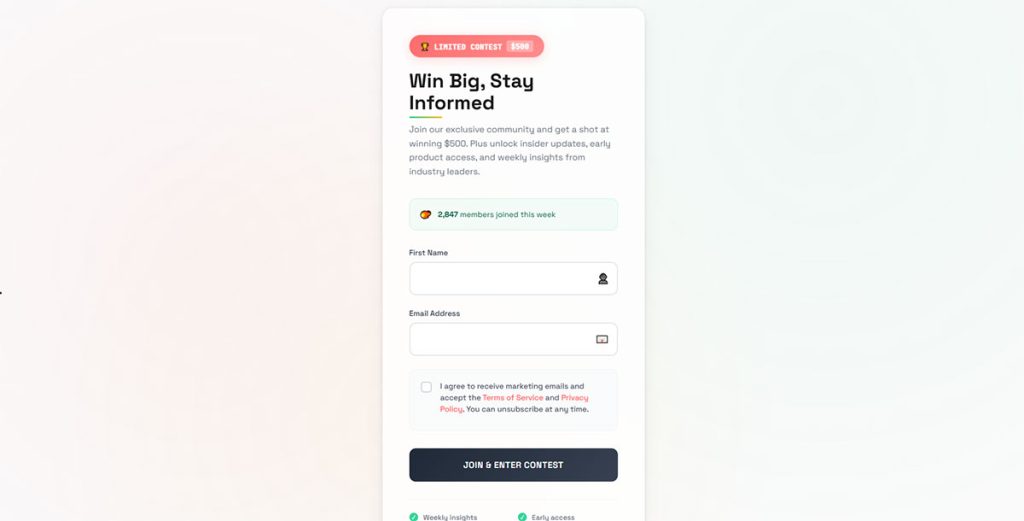
A sleek, conversion-optimized newsletter signup form designed for startups and modern brands. Features a clean light background with subtle animations, custom typography (Space Grotesk + JetBrains Mono), and a warm color palette using coral, mint, and amber accents.
Modern Newsletter Signup Form – PDF Download Lead Magnet
See the Pen
Modern Newsletter Signup Form – PDF Download Lead Magnet by Bogdan Sandu (@bogdansandu)
on CodePen.
A contemporary newsletter signup form designed for startups and SaaS companies offering free PDF/ebook downloads. Features a fresh design approach that avoids typical blue/purple gradients in favor of a sophisticated green and amber color palette.
What Makes a Newsletter Signup Form Convert
Conversion depends on three things working at once: form length, CTA copy, and placement on the page. Get one wrong and the other two can’t save it.
The data here matters more than opinions. Split tests across platforms consistently point to the same patterns.
How Does Form Length Affect Conversion Rates
Single-field forms (email only) convert between 2-5% on average. Adding a name field drops that by roughly 20-25%, according to HubSpot benchmark data. Every extra field adds friction.
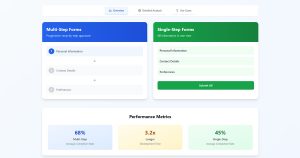
That said, fewer fields can mean lower lead quality. If you’re segmenting subscribers into automated workflows, collecting a first name or interest tag upfront saves cleanup later. Choosing between multi-step forms or single-step forms comes down to what you plan to do with the data after capture.
What Role Does CTA Button Text Play in Form Performance
Generic “Subscribe” buttons underperform specific alternatives by 10-30% in most A/B tests.
“Get Free Updates” tells visitors what they receive. “Join 10,000 Readers” adds social proof directly into the button. “Send Me the Guide” works best when paired with a lead magnet offer.
The CTA text should finish the sentence the visitor started in their head when they looked at your form. If the headline promises a weekly roundup, the button should confirm that promise.
Where on a Page Do High-Converting Signup Forms Appear
Five placement options dominate:
- Inline embedded forms sit inside blog content, usually after the introduction or between sections
- Popup forms appear on a timed trigger, scroll depth, or exit intent
- Sticky bars lock to the top or bottom of the viewport as visitors scroll
- Slide-in forms enter from the corner, less aggressive than a full popup
- Dedicated landing page forms remove all other distractions
No single position wins everywhere. Blog-heavy sites see strong results with inline forms. Ecommerce sites lean on exit-intent popups. Testing placement against your actual traffic pattern is the only way to know.
Best Newsletter Signup Form Templates
Picking the right template type depends on your site layout, audience behavior, and email platform. Not every format fits every situation, and I’ve seen people waste weeks customizing the wrong one.
What Criteria Define the Best Newsletter Signup Form Templates
Five factors separate good templates from forgettable ones: design flexibility, mobile responsiveness, email platform integration, page load impact, and customization depth for fonts, colors, and layout adjustments.
A template that looks great on desktop but breaks on a 375px screen is useless. And if it adds 800ms to your load time, your bounce rate will cancel out whatever signups you collect.
Minimalist Single-Field Templates
One email input, one button. That’s it.
ConvertKit, MailerLite, and Beehiiv all offer clean single-field templates that load fast and convert well on high-traffic blogs. Best for creators who prioritize speed over data collection depth. If you want to optimize forms for conversion rate, stripping fields is usually where you start.
Popup and Modal Signup Templates
Popup templates trigger based on time delay, scroll percentage, or exit-intent behavior. OptinMonster, Sumo, and Wisepops specialize in this format.
The tricky part is timing. Fire too early and visitors bounce. Fire too late and they’ve already left. Most WordPress exit intent popup plugins default to a 5-second delay, which is almost always too aggressive. Start at 50% scroll depth or 15 seconds and test from there.
Embedded Inline Templates
These sit directly inside your content. Mid-post, sidebar, or footer. They feel like part of the page rather than an interruption.
WordPress forms handle inline embedding natively through shortcodes or block editor widgets. Squarespace and Webflow use their own form components. Inline templates work especially well for long-form articles where a reader who scrolls past 60% of the content has already shown strong engagement, and the choice between inline forms or popup forms usually depends on how much you value reader experience over aggressive capture.
Full-Page and Landing Page Signup Templates
Dedicated signup pages remove navigation, sidebars, and every other distraction. The visitor has one choice: subscribe or leave.
Carrd builds single-page signup sites in minutes. Unbounce and Leadpages offer more advanced A/B testing and analytics. Beehiiv includes a built-in landing page with every newsletter. This format works best for paid ad traffic or social media links where you control the entry point. If you’re comparing layouts, understanding the difference between a homepage vs landing page matters here.
Slide-In and Floating Bar Templates
Less aggressive than popups. Floating bars stay pinned to the viewport edge while slide-ins trigger from a bottom corner on scroll.
Sumo’s Smart Bar and OptinMonster’s floating bar templates are the most widely used. These work well as secondary capture points alongside an inline form. They’re visible without blocking content.
Gamified and Interactive Signup Templates
Spin-the-wheel popups, quiz-based signups, and multi-step forms that reveal content progressively. Privy and Wisepops offer built-in gamification options.
Ecommerce brands see 5-10% conversion rates with spin-to-win wheels tied to discount codes. Content sites get better results from using quizzes that segment subscribers into personalized email sequences. The interaction itself creates a small commitment that makes the final email submission feel like a natural next step.
How to Choose a Newsletter Signup Form Template for a Specific Platform
Your email marketing platform limits which templates you can actually use. Native templates from each platform integrate without extra code, but third-party form builders expand your design options if you’re willing to handle the embed or API connection.
Which Templates Work Best with Mailchimp
Mailchimp ships embedded form code, popup forms, and landing pages out of the box. The native templates are functional but visually basic. For better design control, Elementor or a free WordPress form plugin paired with Mailchimp’s API gives you full layout flexibility.
Which Templates Work Best with ConvertKit
ConvertKit (now Kit) offers clean, minimal form templates designed for creators. Inline forms, slide-ins, and modals all available natively. Their templates focus on simplicity, and they connect directly to tag-based subscriber segmentation, which means the form itself can trigger different automation sequences based on which page it lives on.
Which Templates Work Best with Beehiiv
Beehiiv gives you a hosted landing page, embeddable forms, and a magic link signup option. The design options are limited compared to standalone builders, but the tight integration with Beehiiv’s recommendation network and referral program makes up for it. Most Beehiiv users keep the default template and focus their effort on the signup form copy instead.
Which Templates Work Best with Substack
Substack barely lets you customize anything. The signup form is baked into the publication page with no CSS access and minimal layout control. Your options are the default embedded form or linking to your Substack URL from external pages.
If design matters to you, Substack is not the platform. But its built-in discovery network means the default form still converts because readers arrive already familiar with how Substack works.
How to Customize a Newsletter Signup Form Template
Customization separates generic forms from ones that actually match your brand. Most platforms give you surface-level controls. Deeper changes require CSS overrid
What Is a Newsletter Signup Form Template
A newsletter signup form template is a pre-built email capture layout that collects visitor information, typically a name and email address, through a structured set of form fields on a webpage.
It includes a headline, input fields, a CTA button, and often a short privacy disclaimer.
Most email marketing platforms like Mailchimp, ConvertKit, and MailerLite ship default templates you can drop into any page. Beehiiv and Substack take a different approach, baking the signup form directly into their newsletter hosting setup.
The template handles the visual layout and field structure. You bring the copy, branding, and placement strategy.
What Are the Core Components of a Newsletter Signup Form
Every signup form shares five parts: a headline that states the value, input fields for subscriber data, a CTA button with action-driven text, a privacy or GDPR notice, and the visual container that wraps it all together.
Took me a while to realize the container matters just as much as the copy inside it. A cluttered box kills conversions faster than bad button text.
How Does a Signup Form Template Differ from a Custom-Built Form
Templates give you a drag-and-drop starting point, pre-wired with field validation and platform integration. Custom-built forms require HTML, CSS, and usually JavaScript to handle submission logic from scratch.
For most use cases, a template from Klaviyo or ActiveCampaign gets you live in minutes. Custom builds only make sense when your form design needs fall outside what any builder supports, like complex conditional logic or tight brand system requirements.
What Makes a Newsletter Signup Form Convert
Conversion depends on three things working at once: form length, CTA copy, and placement on the page. Get one wrong and the other two can’t save it.
The data here matters more than opinions. Split tests across platforms consistently point to the same patterns.
How Does Form Length Affect Conversion Rates
Single-field forms (email only) convert between 2-5% on average. Adding a name field drops that by roughly 20-25%, according to HubSpot benchmark data. Every extra field adds friction.
That said, fewer fields can mean lower lead quality. If you’re segmenting subscribers into automated workflows, collecting a first name or interest tag upfront saves cleanup later. Choosing between multi-step forms or single-step forms comes down to what you plan to do with the data after capture.
What Role Does CTA Button Text Play in Form Performance
Generic “Subscribe” buttons underperform specific alternatives by 10-30% in most A/B tests.
“Get Free Updates” tells visitors what they receive. “Join 10,000 Readers” adds social proof directly into the button. “Send Me the Guide” works best when paired with a lead magnet offer.
The CTA text should finish the sentence the visitor started in their head when they looked at your form. If the headline promises a weekly roundup, the button should confirm that promise.
Where on a Page Do High-Converting Signup Forms Appear
Five placement options dominate:
- Inline embedded forms sit inside blog content, usually after the introduction or between sections
- Popup forms appear on a timed trigger, scroll depth, or exit intent
- Sticky bars lock to the top or bottom of the viewport as visitors scroll
- Slide-in forms enter from the corner, less aggressive than a full popup
- Dedicated landing page forms remove all other distractions
No single position wins everywhere. Blog-heavy sites see strong results with inline forms. Ecommerce sites lean on exit-intent popups. Testing placement against your actual traffic pattern is the only way to know.
Best Newsletter Signup Form Templates
Picking the right template type depends on your site layout, audience behavior, and email platform. Not every format fits every situation, and I’ve seen people waste weeks customizing the wrong one.
What Criteria Define the Best Newsletter Signup Form Templates
Five factors separate good templates from forgettable ones: design flexibility, mobile responsiveness, email platform integration, page load impact, and customization depth for fonts, colors, and layout adjustments.
A template that looks great on desktop but breaks on a 375px screen is useless. And if it adds 800ms to your load time, your bounce rate will cancel out whatever signups you collect.
Minimalist Single-Field Templates
One email input, one button. That’s it.
ConvertKit, MailerLite, and Beehiiv all offer clean single-field templates that load fast and convert well on high-traffic blogs. Best for creators who prioritize speed over data collection depth. If you want to optimize forms for conversion rate, stripping fields is usually where you start.
Popup and Modal Signup Templates
Popup templates trigger based on time delay, scroll percentage, or exit-intent behavior. OptinMonster, Sumo, and Wisepops specialize in this format.
The tricky part is timing. Fire too early and visitors bounce. Fire too late and they’ve already left. Most WordPress exit intent popup plugins default to a 5-second delay, which is almost always too aggressive. Start at 50% scroll depth or 15 seconds and test from there.
Embedded Inline Templates
These sit directly inside your content. Mid-post, sidebar, or footer. They feel like part of the page rather than an interruption.
WordPress forms handle inline embedding natively through shortcodes or block editor widgets. Squarespace and Webflow use their own form components. Inline templates work especially well for long-form articles where a reader who scrolls past 60% of the content has already shown strong engagement, and the choice between inline forms or popup forms usually depends on how much you value reader experience over aggressive capture.
Full-Page and Landing Page Signup Templates
Dedicated signup pages remove navigation, sidebars, and every other distraction. The visitor has one choice: subscribe or leave.
Carrd builds single-page signup sites in minutes. Unbounce and Leadpages offer more advanced A/B testing and analytics. Beehiiv includes a built-in landing page with every newsletter. This format works best for paid ad traffic or social media links where you control the entry point. If you’re comparing layouts, understanding the difference between a homepage vs landing page matters here.
Slide-In and Floating Bar Templates
Less aggressive than popups. Floating bars stay pinned to the viewport edge while slide-ins trigger from a bottom corner on scroll.
Sumo’s Smart Bar and OptinMonster’s floating bar templates are the most widely used. These work well as secondary capture points alongside an inline form. They’re visible without blocking content.
Gamified and Interactive Signup Templates
Spin-the-wheel popups, quiz-based signups, and multi-step forms that reveal content progressively. Privy and Wisepops offer built-in gamification options.
Ecommerce brands see 5-10% conversion rates with spin-to-win wheels tied to discount codes. Content sites get better results from using quizzes that segment subscribers into personalized email sequences. The interaction itself creates a small commitment that makes the final email submission feel like a natural next step.
How to Choose a Newsletter Signup Form Template for a Specific Platform
Your email marketing platform limits which templates you can actually use. Native templates from each platform integrate without extra code, but third-party form builders expand your design options if you’re willing to handle the embed or API connection.
Which Templates Work Best with Mailchimp
Mailchimp ships embedded form code, popup forms, and landing pages out of the box. The native templates are functional but visually basic. For better design control, Elementor or a free WordPress form plugin paired with Mailchimp’s API gives you full layout flexibility.
Which Templates Work Best with ConvertKit
ConvertKit (now Kit) offers clean, minimal form templates designed for creators. Inline forms, slide-ins, and modals all available natively. Their templates focus on simplicity, and they connect directly to tag-based subscriber segmentation, which means the form itself can trigger different automation sequences based on which page it lives on.
Which Templates Work Best with Beehiiv
Beehiiv gives you a hosted landing page, embeddable forms, and a magic link signup option. The design options are limited compared to standalone builders, but the tight integration with Beehiiv’s recommendation network and referral program makes up for it. Most Beehiiv users keep the default template and focus their effort on the signup form copy instead.
Which Templates Work Best with Substack
Substack barely lets you customize anything. The signup form is baked into the publication page with no CSS access and minimal layout control. Your options are the default embedded form or linking to your Substack URL from external pages.
If design matters to you, Substack is not the platform. But its built-in discovery network means the default form still converts because readers arrive already familiar with how Substack works.
How to Customize a Newsletter Signup Form Template
Customization separates generic forms from ones that actually match your brand. Most platforms give you surface-level controls. Deeper changes require CSS overrides or switching to a dedicated form builder.
How to Edit Colors, Fonts, and Layout in a Signup Form
Every major platform exposes color pickers and font selectors in their form editor. Mailchimp, ConvertKit, and ActiveCampaign all support hex color inputs and Google Fonts integration.
For form UX design that goes beyond basic toggles, inject custom CSS through your site’s theme or a code block. Match the form’s visual weight to the surrounding page. A bright orange CTA button on a muted editorial layout will look like an ad, not part of the content.
How to Add Custom Fields to a Newsletter Form Template
Most builders support text inputs, dropdowns, checkboxes, and radio buttons as custom fields. Mailchimp calls them “merge tags.” ConvertKit uses “custom fields.” HubSpot calls them “properties.”
Keep it minimal. Every field you add costs you signups. If you need more data, collect it in a welcome email survey or through feedback forms sent after the subscriber confirms. That way you get deeper info without killing your initial conversion rate.
How to Connect a Signup Form Template to an Email Marketing Platform
Three connection methods exist: native embed codes (paste HTML into your site), API integrations through your form builder, and Zapier or Make webhooks that bridge incompatible tools.
Native embeds work for simple setups. If you’re running WordPress lead generation plugins like OptinMonster or WPForms, the platform connection happens inside the plugin settings with an API key. Zapier handles edge cases, like sending Typeform submissions to AWeber or routing Jotform data into Constant Contact.
Always send a test submission after connecting. Broken integrations are the number one reason “signups aren’t working” tickets come in, and the fix is almost always a disconnected API token or expired OAuth session. Check your WordPress email settings too, because failed confirmation emails kill your double opt-in flow silently.
FAQ on Newsletter Signup Form Templates
What is a newsletter signup form template?
A newsletter signup form template is a pre-designed email capture layout with input fields, a CTA button, and a privacy notice. Platforms like Mailchimp, ConvertKit, and Beehiiv provide ready-made templates you can embed on any webpage without coding from scratch.
How many fields should a newsletter signup form have?
One to two fields perform best. A single email field converts 2-5% on average. Adding a name field drops that by roughly 20-25%. Only add extra form fields for capturing high-quality leads if your segmentation strategy requires it.
Where is the best place to put a newsletter signup form?
Inline embedded forms inside blog content, sticky floating bars, and exit-intent popups are the three highest-performing placements. The best position depends on your traffic source and page type. Test scroll-triggered placements at 50-60% depth for long-form content.
Are popup signup forms still effective?
Yes. Popup signup forms still convert between 3-9% when timed correctly. The key is trigger settings. Avoid firing on page load. Use scroll depth or exit-intent triggers instead. Tools like OptinMonster and Wisepops give you precise control over timing and display behavior.
What CTA button text converts best on signup forms?
Specific, benefit-driven text outperforms generic labels. “Get Free Updates” and “Join 10,000 Readers” beat “Subscribe” by 10-30% in most A/B tests. The button copy should match the promise made in your form headline.
Do I need a double opt-in on my newsletter signup form?
Double opt-in sends a confirmation email before adding subscribers. It reduces spam complaints, lowers bounce rates, and is required for GDPR compliant forms in most EU contexts. Brevo, AWeber, and Constant Contact support it natively.
How do I make a newsletter signup form mobile-friendly?
Use a responsive template that adapts to screen widths below 375px. Keep fields stacked vertically, make the CTA button full-width, and set tap targets to at least 44px. Follow mobile form guidelines to avoid usability issues on smaller screens.
Can I A/B test newsletter signup form templates?
Yes. Test headline copy, CTA button text, field count, placement, and color variations. OptinMonster and HubSpot include built-in split testing. For WordPress sites, pair a form plugin with Google Analytics goal tracking to measure conversion rate improvements per variant.
What is the best newsletter signup form template for WordPress?
It depends on your email platform. WordPress contact form plugins like WPForms and Elementor support Mailchimp and ConvertKit integrations with drag-and-drop form builders. For simpler setups, embed your platform’s native signup code through a custom HTML block.
How do I connect a signup form to my email marketing platform?
Three methods work: native embed codes pasted into your site’s HTML, API key connections through your form builder’s settings panel, and webhook automations via Zapier or Make. Always send a test submission after setup to confirm the integration is active.
Conclusion
The right newsletter signup form templates match your email platform, your page layout, and the way your visitors actually behave on screen.
Single-field forms win on speed. Popup modals win on visibility. Gamified templates win on engagement. None of them work if the placement is wrong or the CTA copy is generic.
Start with one template format. Test it against a second. Track your conversion rate benchmarks in Google Analytics before changing anything else.
If you’re on WordPress, a solid landing page form paired with Klaviyo or ActiveCampaign handles most subscriber acquisition needs. Substack and Beehiiv users have fewer design options but benefit from built-in audience discovery.
Pick a template. Customize the copy. Place it where your readers already scroll. That’s the whole process.