



Most lead magnets don’t work. They get downloaded, skimmed for 30 seconds, and forgotten. Meanwhile, your email list fills up with people who will never buy anything. The problem isn’t…
Table of Contents
Your website gets traffic. But traffic without email addresses is just borrowed attention. Learning how to create a lead magnet is what turns anonymous visitors into subscribers you can actually follow up with.
The concept is straightforward. You offer something free and useful, like a checklist, template, or quiz, in exchange for an email. That one exchange kicks off your entire email marketing funnel.
This guide covers everything from picking the right format for your audience to building a landing page, setting up delivery through platforms like ConvertKit or Mailchimp, promoting across channels, and tracking what’s working. Whether you’re running a SaaS product, an ecommerce store, or a coaching business, you’ll walk away with a clear, step-by-step process to build a lead magnet that actually converts.
What Is a Lead Magnet?
A lead magnet is a free resource you offer visitors in exchange for their email address. That’s it. A PDF, a checklist, a quiz, a template, a mini course. Something specific and useful enough that a person thinks, “Yeah, I’ll trade my email for that.”
The whole concept runs on a simple value exchange. The visitor gets something they actually want. You get permission to follow up.
Lead magnets sit at the top of your lead generation funnel, right where someone goes from “anonymous visitor” to “person on your list.” They bridge the gap between a first visit and an ongoing relationship.
Think of it as the entry point to your email marketing funnel. Someone lands on your blog post, sees a relevant freebie, drops their email into a sign up form, and now you’ve got a subscriber you can actually talk to.
The format matters less than the fit. Ebooks, swipe files, discount codes, free tools, Notion templates, Google Sheets calculators. What works for a SaaS company (free trial, maybe a Calendly integration) looks completely different from what works for an ecommerce brand (probably a 10% discount code).
According to the HubSpot 2024 State of Marketing Report, 63% of businesses say generating leads and traffic is their biggest challenge. Lead magnets exist to directly solve that problem.
What Makes a Lead Magnet Actually Convert?
Not all lead magnets perform the same. Some sit on a landing page collecting dust. Others pull in thousands of subscribers per month.
The difference almost always comes down to five things.
Specificity Over Breadth
A narrow promise outperforms a vague one every time. “5-Minute Morning Routine for Lower Back Pain” beats “Health Tips PDF” because the first one speaks to a real, specific problem.
The more targeted your offer, the higher its perceived value. People don’t want a generic guide. They want something that feels like it was made for them, for today, for the exact situation they’re dealing with.
Immediate Perceived Value
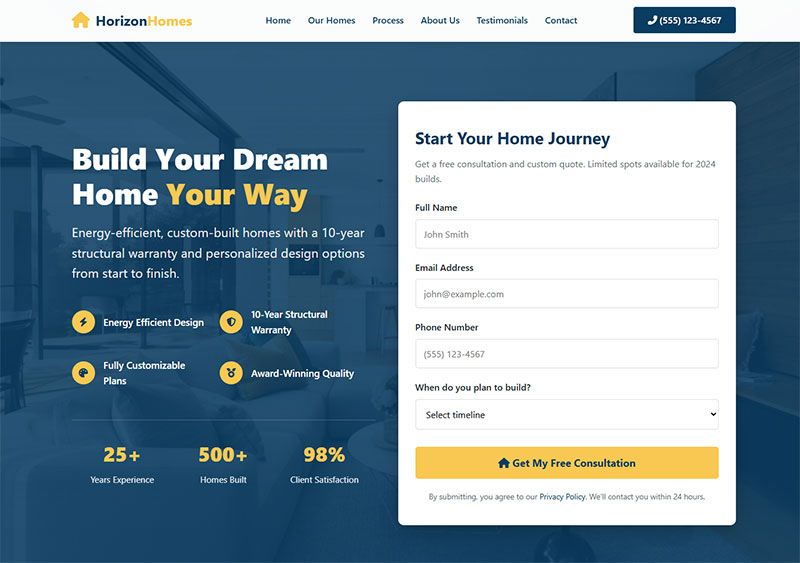
Your visitor decides in seconds whether your freebie is worth their email. The headline on your opt-in form does most of the heavy lifting here.
Unbounce analyzed 41,000 landing pages with 464 million visitors in Q4 2024 and found a median conversion rate of 6.6% across all industries. Pages written at a 5th-to-7th grade reading level converted at 11.1%, more than double the 5.3% seen on college-level pages.
Clear, simple language wins. If someone has to read your headline twice to understand what they’re getting, you’ve already lost them.
Low Friction to Consume
Short PDFs, one-page checklists, quick templates. These outperform 80-page ebooks in most cases because people actually use them.
A GetResponse survey of 810 marketers found that 58.6% reported short-form written content (checklists, newsletters, ebook samples) delivered higher conversion rates than long-form guides or reports.
The goal is not to impress with volume. It’s to help with speed.
Relevance to Your Paid Offer
Here’s where a lot of people mess up. They create a lead magnet that has nothing to do with what they actually sell.
If you’re a fitness coach selling a 12-week program, your lead magnet should be a sample workout plan or a meal prep template. Not a random motivational wallpaper pack. The freebie should naturally lead toward the paid offer.
HubSpot built its entire lead generation engine around this idea. Their free CRM tools and marketing templates serve as lead magnets that feed directly into paid plans. The free version shows you the value. The paid version unlocks the rest.
Social Proof Elements
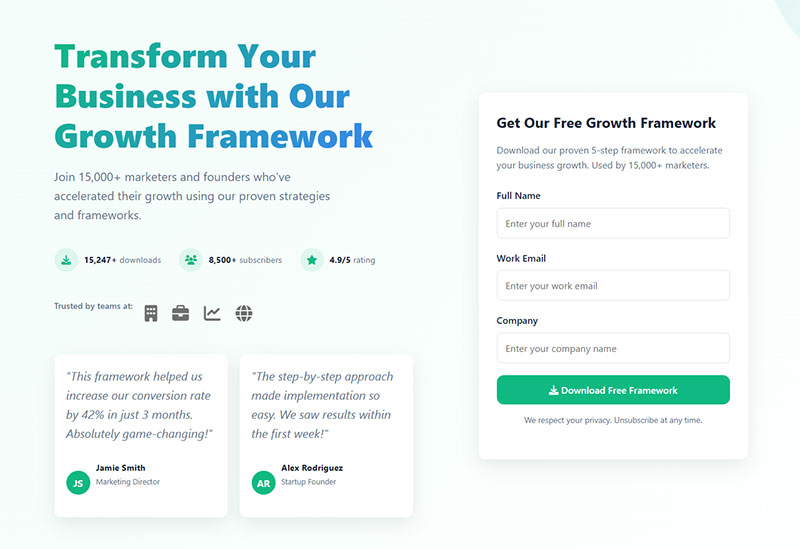
Wisepops data shows that social proof notifications can increase conversions by 17%. Adding a simple line like “Downloaded by 12,000+ marketers” under your opt-in form is a small change that signals trust.
Even something as basic as a testimonial next to your download button can shift hesitant visitors toward action.
How to Choose the Right Lead Magnet Type for Your Audience
The format that works depends entirely on who you’re talking to and what you’re selling. A B2B software company and a local bakery need completely different approaches.
Here’s how audience and business model typically map to format:
A ViB Tech survey from 2025 found that 41% of B2B marketers named lead generation their top challenge. For these teams, a well-built calculator or ROI template can do more than any whitepaper. Lead generation for SaaS in particular leans heavily on free trials, lite tool versions, and product demos as the primary opt-in incentives.
On the ecommerce side, Stitch Fix built its entire onboarding around a style quiz. Visitors answer questions about their preferences, get personalized recommendations, and hand over their email in the process. Brilliant use of using quizzes as a conversion tool.
Lead Magnet Types That Work Across Most Industries
Checklists and cheat sheets remain the simplest format to produce and the easiest to consume. Backlinko data suggests cheat-sheet style content upgrades can convert around 34% of visitors.
Templates: Canva, Notion, Google Sheets. People love ready-made frameworks they can customize. A Canva design template takes minutes to produce but can drive opt-ins for months.
Short video trainings: GetResponse’s survey showed video lead magnets were picked by 24.2% of marketers as their highest-converting format. Short-form clips and tutorials drove better results than long-form for 73% of respondents.
Resource lists and toolkits: A curated list of tools, books, or resources related to your niche. Low effort to create, high perceived value. BusySeed reported a 72% increase in email captures with a lead-gen template kit compared to a standard downloadable guide.
Quizzes with personalized results: Interact’s 2026 conversion rate report shows quiz lead magnets maintain a 40.1% average conversion rate across 80 million+ leads generated. Typeform and Interact Quiz Maker both support this format well.
How to Create a Lead Magnet Step by Step
Knowing what to build is one thing. Actually making it is where most people stall out. Here’s the process, broken down.
Find the Right Problem to Solve
Start with a problem your audience has already told you about. Check your blog comments, support tickets, social media DMs, and the questions people ask in your email replies.
Google Analytics behavior flow data helps too. Look at which pages get the most traffic but the highest bounce rates. Those visitors are looking for something and not finding enough of it. That gap is your lead magnet topic.
If you’re stuck, look at what’s already ranking. Search for your topic in Google, check the “People also ask” section, and look at related searches. Your lead magnet should answer one of those questions better than what’s currently available.
Writing the Content
Lead with the solution. Not your backstory, not a lengthy introduction explaining why the topic matters. People downloading a checklist don’t want a preamble. They want the checklist.
Keep text-based lead magnets under 2,000 words unless your audience specifically expects depth (like B2B whitepapers or research reports aimed at generating B2B leads).
Use bullet points, numbered steps, and visual layouts for fast consumption. Draft everything in Google Docs or Notion first. Don’t touch the design tool until your content is done.
According to Demand Metric, companies with active blogs generate 67% more monthly leads than those without. Your blog and your lead magnet should work together. The blog post brings traffic. The lead magnet converts that traffic into subscribers.
Designing the Lead Magnet
Canva is the go-to for non-designers. Pick a template that matches your brand colors and fonts, drop your content in, and export as PDF.
For something more polished, Figma or Adobe Express give you more control over layout and typography. But honestly? Took me a while to accept this, but design quality matters less than content quality. A plain but useful checklist will outperform a gorgeous but vague ebook every time.
The cover page does matter though. It’s the first thing people see in your opt-in form and on your landing page. Make it clean, readable, and on-brand.
File format decisions:
- PDF: Keep it under 5MB. Nobody wants to wait for a download
- Notion template link: Great for productivity-focused audiences
- Google Sheets link: Perfect for calculators, trackers, and spreadsheet templates
- Video: Host on Vimeo or a private YouTube link, never attach to an email
How to Build a Landing Page for Your Lead Magnet
Your lead magnet needs a home. Sometimes that’s a dedicated landing page. Sometimes it’s an embedded form on a blog post. Sometimes it’s both.
Unbounce’s Q4 2024 data showed that email traffic converts 77% better than paid search traffic on landing pages. So if you’re driving subscribers from your welcome email to a friend-referral page, or from a newsletter to a secondary offer, landing pages are especially effective.
Dedicated Page vs. Embedded Form
A dedicated landing page works best when you’re driving traffic from ads, social media bios, or podcast mentions. One page, one offer, one action. No navigation menu, no sidebar, no competing links.
Embedded landing page forms work better as content upgrades on blog posts. A reader is already engaged with your content, so dropping a relevant opt-in form mid-article catches them at peak interest.
For deciding between these approaches, consider whether inline forms or popup forms fit your context better. Inline forms feel less intrusive on long-form content. Popups grab attention on shorter pages.
What Goes on the Landing Page
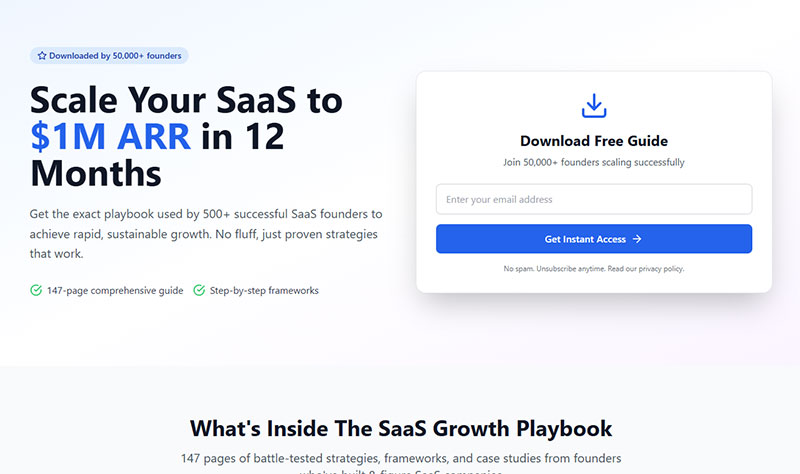
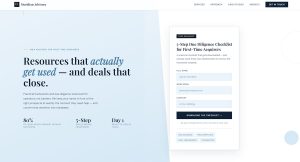
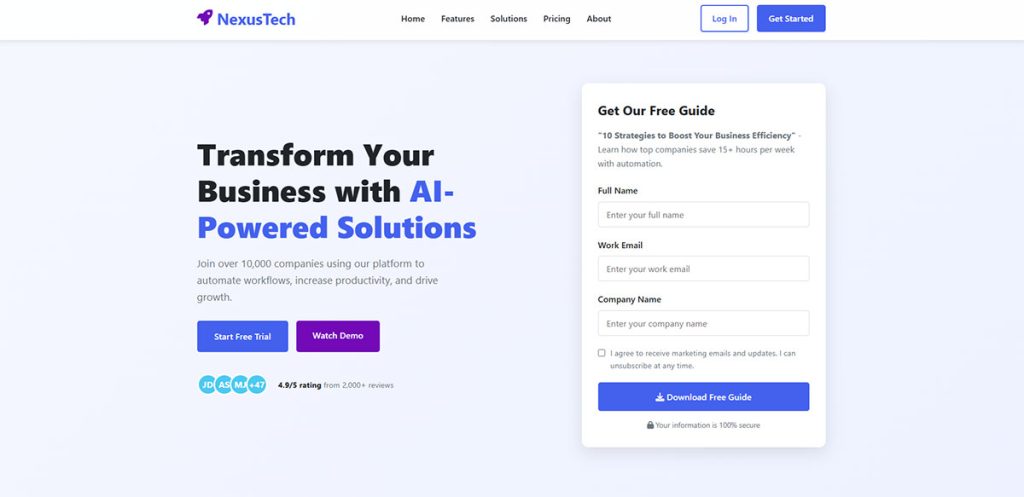
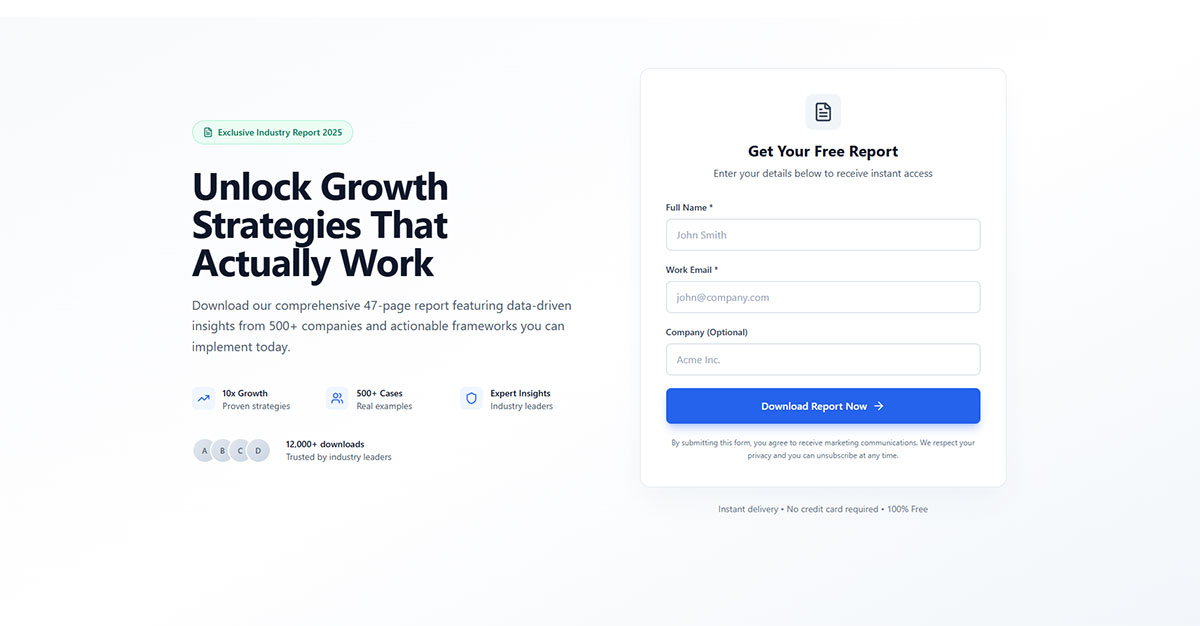
Headline formula: State the benefit and the format. “Download the Free 10-Point Checklist for Writing Email Subject Lines That Get Opened” tells the visitor exactly what they’re getting and why it matters.
Pages written at a lower reading level convert better. Backlinko’s analysis found that 5th-to-7th grade reading level pages achieved a median 11.1% conversion rate, while college-level writing dropped to 5.3%.
Social proof: Subscriber counts, testimonials, or brand logos if you have them. Even “Join 5,000+ marketers” adds credibility.
Single CTA: One button. One action. According to Unbounce, pages with a single link converted at 13.5% versus 10.5% for pages with five or more links. Every additional element on the page is a potential exit.
Tools like Leadpages, Unbounce, Carrd, and ConvertKit all offer landing page builders. If you’re on WordPress, most WordPress lead generation plugins include basic landing page functionality. Carrd is the fastest for simple one-pagers, while Unbounce gives you the most A/B testing options.
How to Deliver the Lead Magnet After Someone Opts In
Getting the opt-in is half the job. Delivering the lead magnet smoothly is the other half. Mess this up and you lose trust before the relationship even starts.
Setting Up the Email Delivery Workflow
You need an email marketing platform. ConvertKit, Mailchimp, ActiveCampaign, and MailerLite are the most common choices. Each handles automation differently, but the core flow is the same.
Someone fills out your form. Your platform triggers an automated welcome email. That email contains the download link. Done.
Do not attach the file directly to the email. Attachments get flagged by spam filters and inflate email size. Instead, host your PDF on Google Drive, Dropbox, or your own server, and link to it.
Getting your WordPress email settings configured correctly matters here. Misconfigured SMTP settings are one of the most common reasons delivery emails end up in spam folders.
Double Opt-In vs. Single Opt-In
Single opt-in: Person submits form, gets the lead magnet immediately. Faster experience, higher completion rate, but you may get more junk emails on your list.
Double opt-in: Person submits form, gets a confirmation email, clicks “confirm,” then gets the lead magnet. Slower, but your list quality improves significantly. If you’re in the EU, GDPR compliant forms basically require double opt-in anyway.
Email Vendor Selection’s 2024 report found that 55% of landing page submissions come from lead magnets. That’s a lot of new contacts hitting your list. Make sure your delivery is reliable before you scale your traffic.
The Thank-You Page

After someone opts in, redirect them to a thank-you page. This page does two things:
- Confirms their download is on the way (or provides it directly)
- Offers a next step: a tripwire offer, a webinar invite, a link to your best blog post, or a prompt to follow you on social media
The form submission confirmation message on this page should be clear and specific. “Check your inbox for your free checklist” beats “Thanks for subscribing” because it sets the right expectation.
Your thank-you page is also a good spot to track conversions. Set up a Google Analytics event or a Meta pixel on this URL so you can measure exactly how many people complete the full opt-in flow.
How to Promote a Lead Magnet
Building the lead magnet is maybe 40% of the work. The other 60% is getting it in front of people.
Most lead magnets fail not because the content is bad, but because nobody sees them. You need a promotion plan that covers multiple channels, and you need to keep at it longer than a single launch week.
Website Placement
Your own site is the first (and easiest) distribution channel. According to Amra and Elma’s 2025 data, adding a lead magnet to popup forms raised mobile conversions from roughly 3.8% to 7.7%. That’s a 100-155% lift just from pairing a freebie with an existing form.
Where to place it:
- Homepage banner or hero section
- Blog post content upgrades (matched to the article topic)
- Exit intent popups triggered when someone moves to leave
- Sidebar widgets on high-traffic pages
OptiMonk’s data shows gamified popups (spin-to-win, scratch cards) average a 13.23% conversion rate versus 5.10% for standard email popups without incentives. Worth testing if your brand voice allows for it.
Social Media and Paid Ads
Instagram bio links, LinkedIn posts, Pinterest pins, and Twitter/X threads all work for organic promotion. But organic reach has limits.
Facebook Lead Ads let visitors submit their email without leaving the platform, which cuts friction significantly. Multi-channel lead campaigns reduce cost-per-lead by about 31% compared to single-channel efforts, according to Amra and Elma’s compilation of 2025 benchmarks.
Amy Porterfield built her entire business on promoting lead magnets through Facebook ads paired with webinar funnels. Her approach: run ads to a free training, collect emails during registration, then pitch the paid course at the end. It’s the same formula thousands of course creators still use today.
Content Upgrades as a Promotion Strategy
A content upgrade is a lead magnet tied to a specific blog post. Instead of offering one generic freebie site-wide, you create a tailored resource for each high-traffic article.
Backlinko documented a 785% increase in conversions when switching from a generic sidebar opt-in to a post-specific content upgrade. The reason is simple: contextual relevance. Someone reading about email subject lines is far more likely to download “50 Subject Line Templates” than a general marketing guide.
For more content upgrades ideas, think about what would naturally extend the blog post your visitor is already reading. A post about budgeting gets a spreadsheet template. A post about meal prep gets a printable grocery list. The closer the match, the higher the conversion rate.
How to Measure Lead Magnet Performance
You built it. You promoted it. Now you need to know if it’s actually working.
Too many people treat lead magnets as a “set and forget” asset. They launch, get some initial subscribers, and never look at the numbers again. That’s a mistake because a lead magnet that pulls in the wrong audience or drops off after a month is worse than no lead magnet at all.
Key Metrics to Track
Focus Digital’s 2025 report found that companies with systematic follow-up sequences achieve 25-35% above-benchmark conversions. The lead magnet gets them in the door. The nurture sequence determines if they stay.
Tools for Tracking
Google Analytics: Set up event tracking on your thank-you page URL. Use UTM parameters on every link pointing to your landing page so you know exactly which channel drives each subscriber.
Email platform dashboards: ConvertKit, ActiveCampaign, and MailerLite all report open rates, click rates, and subscriber activity directly. Tag subscribers by which lead magnet they downloaded so you can compare performance across offers.
HubSpot’s CRM gives you full funnel visibility if you’re on their platform, from opt-in to eventual sale. For smaller setups, even a simple Google Sheets tracker works. The point is: measure something. A lead magnet you don’t track is a lead magnet you can’t improve.
When to Update or Replace
If your opt-in rate drops below 3% on a focused landing page, something is off. Either the offer has gone stale, the copy isn’t clear, or traffic quality has shifted.
Check quarterly at minimum. Review which lead magnets still pull their weight and which need a refresh. Even just updating the cover design, the title, or adding a few new data points can bring a tired lead magnet back to life.
Common Lead Magnet Mistakes
Some mistakes kill a lead magnet before it even has a chance. I’ve seen these come up over and over.
Making It Too Broad
“The Ultimate Guide to Marketing” helps nobody specifically. It sounds big and impressive, but it doesn’t speak to a real problem. A narrow lead magnet like “Instagram Reels Content Calendar for Restaurants” will always outperform a broad one because it matches a specific person’s specific need.
The HubSpot 2024 report showed that 96% of marketers found personalized experiences increased sales. Your lead magnet is part of that personalization. The more specific, the better.
No Connection to the Paid Offer
If your lead magnet is about social media but you sell accounting software, those subscribers will never buy. The freebie has to sit on the same path as your product or service.
Think of it as a preview. Russell Brunson popularized this idea with ClickFunnels. His free books and challenge funnels always lead directly into his paid software. The lead magnet isn’t random. It’s the first step in a specific journey.
Burying the Opt-In Form
If visitors can’t find your lead capture form, they can’t sign up. Sounds obvious, but plenty of sites hide their opt-in behind three clicks or bury it at the bottom of a 5,000-word article.
Place your form where attention is highest. Above the fold on landing pages. Within the first few scrolls on blog posts. Wisepops 2026 data shows click-triggered popups convert at 54.42% because the visitor has already shown interest by clicking. Make the opt-in visible and easy to reach.
Overdesigning at the Expense of Speed
Spending three weeks perfecting the design of a PDF nobody has validated yet is a trap. Launch fast, measure, then improve.
A plain Google Doc converted to PDF will teach you whether the topic resonates. If it does, invest in better design. If it doesn’t, you saved yourself weeks of wasted work.
Never Updating the Lead Magnet
Information gets stale. A “2023 Social Media Trends” PDF sitting on your site in 2026 hurts your credibility more than having no lead magnet at all.
Set a reminder to review every lead magnet at least twice a year. Update screenshots, refresh data, and check that all links still work. Small maintenance keeps it relevant.
Lead Magnet Examples by Industry
Sometimes the best way to figure out what to build is to look at what’s already working in your space. These aren’t hypothetical. They’re real formats driving real results.
Ecommerce
Discount code popups remain the most common format. Fashion Nova and ASOS both use a percentage-off incentive tied to email signup. Simple, direct, and effective because the visitor already has purchase intent.
Stitch Fix goes further with a full style quiz. Visitors answer questions about their size, preferences, and budget, and get personalized outfit recommendations in return. This is lead generation for ecommerce done right, because the quiz doubles as product matching and data collection. Constant Contact found that 48% of consumers gladly hand over their email in exchange for a discount.
SaaS
Free tool or free tier: Grammarly, Notion, and Calendly all use their product as the lead magnet. You sign up, use the free version, and eventually hit a feature limit that nudges you toward the paid plan.
ConvertFlow data shows 43% of marketers using quizzes as lead magnets reported improved list quality within 60 days. For SaaS companies, an assessment quiz (“What’s your marketing maturity score?”) can qualify leads while collecting emails. Lead generation for SaaS companies almost always works best when the lead magnet previews the product experience.
Coaching and Consulting
Donald Miller’s StoryBrand built a free brand assessment tool that walks visitors through a series of questions about their messaging. At the end, they get a personalized score and recommendations. The tool feeds directly into StoryBrand’s paid workshops and certification programs.
For lead magnets for coaches, the pattern that works is showing a small result before asking for money. A free 5-day email course, a downloadable framework, or a recorded training session. Pat Flynn used this approach to grow Smart Passive Income, offering free course blueprints that led into his paid community.
Real Estate
Trulia popularized the home valuation approach. Enter your address, get an estimate, and hand over your contact info in the process. For smaller agents and brokerages, real estate lead magnets like neighborhood guides and PDF checklists work well because they’re cheap to produce and easy to update quarterly.
Fitness and Health
Free workout plan PDFs, meal prep templates, and 7-day challenge calendars are the standard formats here. They’re quick to consume and give the subscriber a small win before they ever consider paying.
Peloton’s free app tier works as a type of lead magnet, letting users try classes before committing to hardware or a full subscription. The lead magnet is the product itself, just gated behind an email.
Other Industries Worth Noting
Law firms: Free case evaluation forms and downloadable rights guides. Lead generation for law firms works when the freebie reduces the intimidation factor of hiring a lawyer.
Local businesses: Coupon codes, free consultations, and “how to choose the right [service provider]” guides. A lead generation strategy for local businesses doesn’t need to be complicated. A simple “Download our free maintenance checklist” paired with a clean website form is often enough.
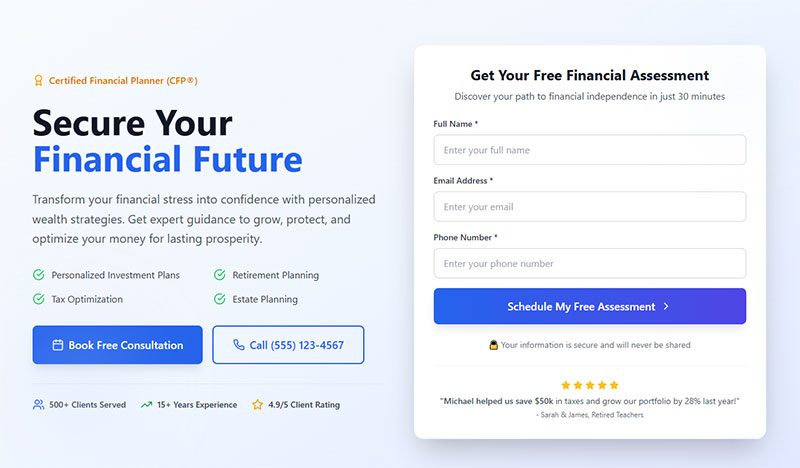
Financial advisors: Retirement readiness quizzes and budget planning worksheets. Lead generation for financial advisors requires trust upfront, and a well-built calculator or assessment quiz does that better than a generic ebook.
FAQ on How To Create A Lead Magnet
What is a lead magnet?
A lead magnet is a free resource offered in exchange for a visitor’s email address. Common formats include PDF checklists, templates, quizzes, and video trainings. It sits at the top of your email marketing funnel and starts the subscriber relationship.
What makes a good lead magnet?
Specificity, immediate value, and low friction to consume. The best lead magnets solve one narrow problem fast. A one-page checklist that delivers a quick win will outperform a vague 80-page ebook almost every time.
How long should a lead magnet be?
As short as possible while still delivering on the promise. Most PDF lead magnets perform best under 2,000 words. Checklists, cheat sheets, and single-page templates often convert higher than long-form guides because people actually use them.
What tools do I need to create one?
Google Docs for writing, Canva or Adobe Express for design, and an email platform like ConvertKit or Mailchimp for delivery. If you’re on WordPress, a form plugin handles the opt-in side. No fancy software required.
What is the best lead magnet format?
It depends on your audience. B2B buyers respond to templates and calculators. B2C audiences prefer discount codes and quizzes. GetResponse data shows video and text formats are picked as top performers by 47% of marketers.
Do I need a landing page for my lead magnet?
A dedicated landing page helps, especially for paid traffic and social media promotion. Tools like Leadpages, Unbounce, or Carrd make this simple. You can also embed opt-in forms directly inside blog posts as content upgrades.
How do I deliver the lead magnet after signup?
Set up an automated welcome email through your email platform. Include a download link, not a file attachment. Host the file on Google Drive, Dropbox, or your own server. Attachments trigger spam filters and hurt deliverability.
How do I promote my lead magnet?
Place it on your website through popups, sidebar widgets, and blog post content upgrades. Share it on social media and through Facebook Lead Ads. Mention it on podcast appearances and in guest posts. Multi-channel promotion cuts cost per lead.
What conversion rate should I expect?
Unbounce’s Q4 2024 data puts the median landing page conversion rate at 6.6% across industries. Quiz lead magnets average around 40% on platforms like Interact. Your rate depends on traffic quality, offer fit, and page design.
How often should I update my lead magnet?
Review performance at least quarterly. If your opt-in rate drops below 3% or the content references outdated information, it’s time to refresh. Update data, swap old screenshots, and test a new headline. Small tweaks keep it relevant.
Conclusion
Knowing how to create a lead magnet is only half the equation. The other half is execution, from picking the right opt-in offer to setting up your automated delivery workflow and tracking conversion rate optimization metrics over time.
Start with one specific problem your buyer persona cares about. Build a resource that solves it quickly. Design it in Canva or Figma, connect it to your email capture form, and put it where your audience already spends time.
Don’t overthink the first version. A simple PDF checklist or printable worksheet launched this week beats a polished ebook stuck in drafts for months.
Test your headline. Watch your opt-in numbers. Adjust the call to action if the click-through rate drops. Swap the format if engagement fades.
The best lead magnets aren’t static. They grow with your audience, your offer, and what the data tells you. Ship it, measure it, and make it better.