




A new client doesn’t sign with an accounting firm because a landing page convinced them. They sign because someone they trust vouched for the firm, or because the firm showed…
Table of contents
Most teams building a B2B lead generation form worry about traffic first and the form second. That’s backwards. Fix the form and the same traffic converts more of itself into pipeline.
What sits on the page is a data capture field that grabs a visitor’s contact and company details and pushes them straight into a sales or marketing system the second they hit submit. No manual entry, no copy-pasting from an email.
You’ll find these forms on landing pages, behind gated resources, on demo request pages. Basically anywhere a visitor has already shown some intent.
Judge one by conversion rate and lead quality together. A form that fills out fast but produces junk leads isn’t actually working.
Unbounce’s 2025 Conversion Benchmark Report, built from more than 57 million analyzed conversions, puts the median B2B form conversion rate at 6.6 percent.
What Is a B2B Lead Generation Form?
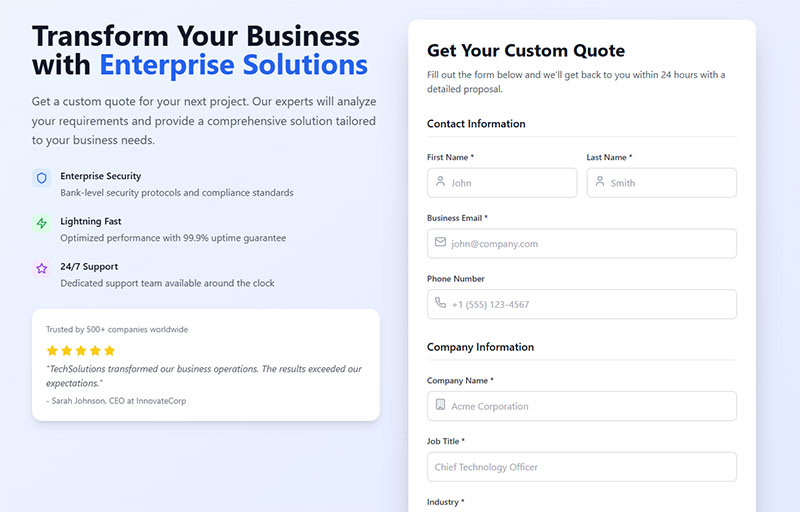
Strip away the marketing language and you’re left with one function: it grabs a visitor’s name, company, and role right when they show buying interest, and it doesn’t let that data sit in someone’s inbox waiting to be typed into a spreadsheet.
Plenty of boxes on a website ask for the same three pieces of information. What separates a lead generation form from a plain inquiry box is where the data goes after submit. A basic contact form just forwards words to a person. This one feeds structured fields into a pipeline, ready for scoring and routing before anyone reads it.
People tend to treat every form on a site as interchangeable, which is where a lot of confusion starts. The line between a general contact form and one built for lead generation really comes down to intent and destination, not how the fields look on the page.
- Contact form: open-ended, low-commitment, usually goes to a shared inbox
- Lead generation form: field-specific, tied to an offer, feeds a CRM or automation platform
- Demo request form: highest intent, often triggers immediate sales routing
Lead generation broadly is the discipline; the form is just one tool inside it, not the strategy itself. It’s the handoff point, where marketing gives sales an actual name to call. Everything before that, the offer, the traffic driving people to it, the copy on the page, exists only to get someone to that moment.
How a B2B Lead Generation Form Moves a Visitor Into the Sales Pipeline
Submit the form and a sequence kicks off automatically: the data writes to a database, a tag fires somewhere in your analytics setup, and a record lands in whatever tool your team actually uses to track leads. None of that happens on its own though. Every one of those steps has to be built and tested before the form ever goes live.
It starts before submission, actually, at the page load. A tracking snippet (usually fired through Google Tag Manager) logs that a visitor reached the offer at all.
Then, when they hit submit, the form backend validates whatever they typed and pushes the entry over to a CRM or marketing automation platform, HubSpot and Salesforce being the two everyone’s heard of. That write isn’t really the end of anything. It kicks off a second sequence.
Most B2B teams follow roughly this order:
- Visitor lands on the offer and reads the value proposition
- Visitor fills the form and hits submit
- Data validates and writes to the CRM or automation platform
- A lead score or routing rule decides who owns the follow-up
- Sales or a nurture sequence makes contact
That last step is where most of the value quietly disappears, and where speed matters a lot more than most teams expect it to.
Researchers Oldroyd, McElheran, and Elkington studied 1.25 million sales leads across 29 B2C companies and 13 B2B companies for the Harvard Business Review. Firms that made contact within an hour were nearly seven times as likely to qualify the lead compared with those that waited even one hour longer.
That’s not really a form design problem. It’s a process problem sitting right next to the form, and it’s the thing that decides whether the form’s output is worth anything at all.
Getting real value out of website forms as a lead generation channel means treating what happens right after submission as part of the form’s job, not some afterthought bolted on later.
Zoom out and this whole sequence sits inside a bigger structure. A lead generation funnel maps where the form fits relative to awareness content, gated offers, and the sales conversation that follows.
What Conversion Rate a B2B Lead Generation Form Should Achieve
Aim for somewhere between 3% and 8%, though where exactly in that range depends heavily on the offer and where the traffic is coming from.
Averages hide more than they reveal here. The range matters more than any single number you’ll find quoted in a case study.
Unbounce’s 2025 Conversion Benchmark Report, based on 57 million analyzed conversions, breaks it down further. The median B2B conversion rate across industries sits at 6.6%. B2B SaaS companies land lower, around 3.8% median. Professional services runs higher, around 6.1%. Top-performing demo request forms hit 8% to 12%.
Look at that spread for a second. A SaaS company sitting at 5% might already be beating its category, while a professional services firm at that same 5% is actually behind.
Benchmarks only mean anything when you compare against your own segment, not some blended internet average. Pulling from conversion rate benchmarks by industry before setting a target keeps expectations grounded instead of borrowed from a case study that doesn’t match your traffic at all.
Once you know where you actually stand, the real question becomes what to change. Most of the practical levers for lifting form conversions come down to field count, copy, and placement, covered further down.
One thing worth saying plainly: a form converting under 2% usually isn’t a design problem. That’s a traffic-quality problem, and no amount of field trimming is going to fix it.
Which Fields a B2B Lead Generation Form Should Include
Ask for enough to qualify the lead. Nothing more than that.
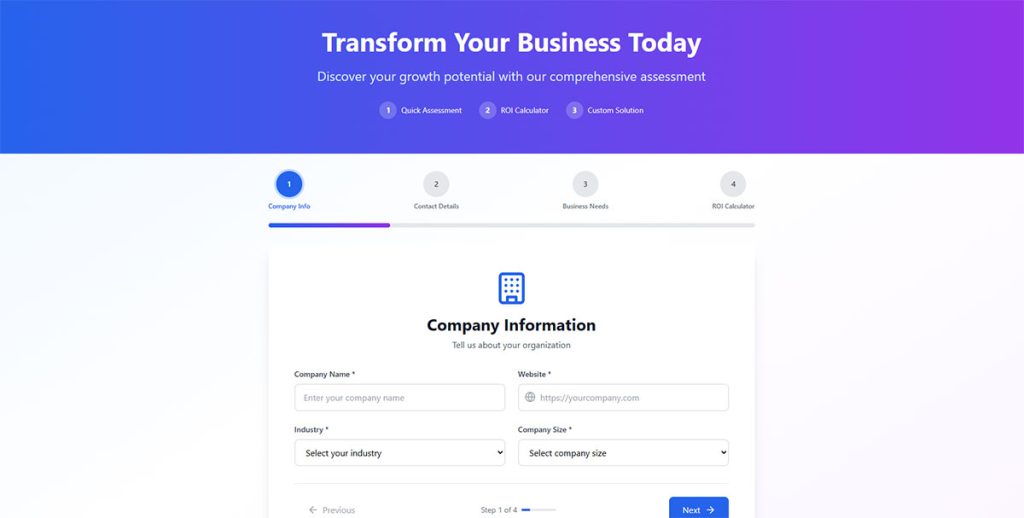
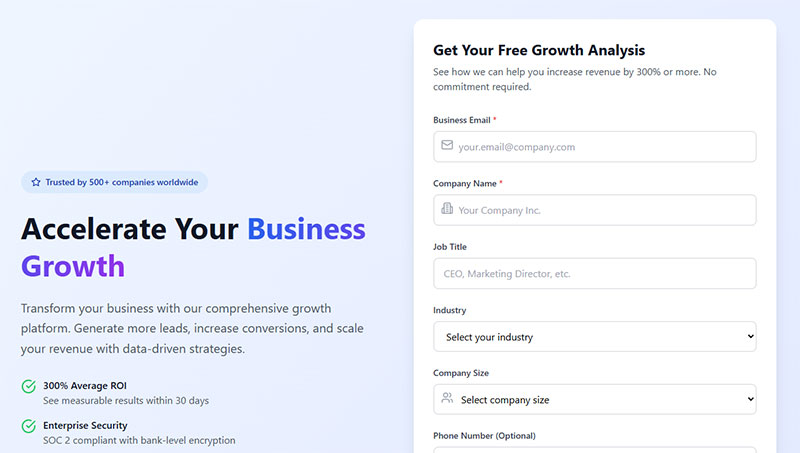
Name, work email, company, job title, company size. That’s the core set most B2B forms should stick to, and each one does a specific job:
- Full name: identifies the person, not just an inbox
- Work email: filters out personal addresses and confirms the company domain
- Company name: ties the lead to an account for sales research
- Job title: signals seniority and buying influence
- Company size: helps size the deal before anyone picks up the phone
Anything beyond that set has to earn its place. Every extra field adds friction, and friction isn’t free.
A 2024 HubSpot study found that each additional form field cuts conversion by an average of 4.1%.
That’s not an argument for stripping the form down to one box. It just means every field should map to a real qualification or routing need, not something that seemed nice to know at the time.
Phone number is the field worth scrutinizing hardest, if you ask me. It adds friction and rarely changes the qualification decision by itself.
Picking the right set is less about hitting a fixed number and more about matching fields to what the sales team actually uses once the lead lands in their queue. A guide to choosing form fields for higher-quality leads breaks down which fields correlate with real pipeline versus which ones just look thorough on paper.
Budget and timeline fields belong later in the process, once someone has already shown intent through a first form fill.
How Form Length Affects B2B Lead Generation Form Conversion Rate
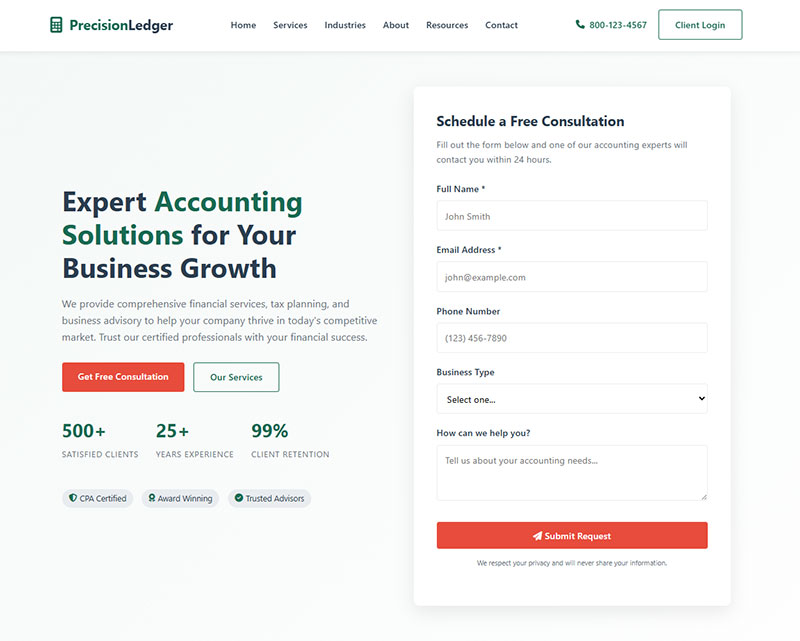
Shorter forms convert more visitors. Longer forms qualify them better. Neither one of those claims is wrong, which is exactly the problem.
A widely cited landing-page case study (Imaginary Landscape, 2008) found that cutting a contact form from 11 fields down to 4 lifted the conversion rate by 120%. That number gets repeated constantly, and it’s a real result, but on its own it’s also incomplete.
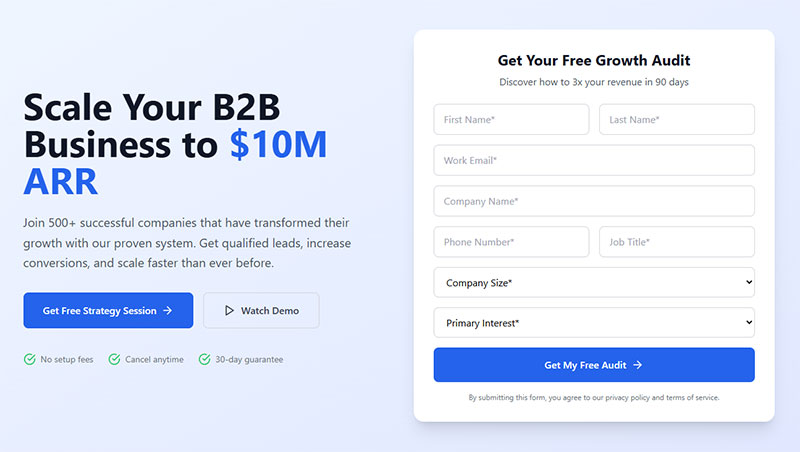
Go short, say 2 to 4 fields, and fill rate climbs. You get more raw submissions, and it fits early-funnel offers like a guide or a checklist well. The tradeoff is weaker built-in qualification, so sales ends up doing more digging after the fact to figure out who’s actually worth calling.
Long forms flip that. Six or more fields means fewer total submissions, sometimes noticeably fewer, but the ones that do come through carry stronger qualification data straight into the CRM. That fits high-intent offers like a demo request, where someone filling out six fields has already decided they want to talk to you.
The fix many teams reach for is a multi-step form instead of one long single-step form, splitting the same fields across two or three screens. It sounds like a clean solution and sometimes it is. Other times it just moves the drop-off to a different screen.
Some teams have found their multi-step setup was quietly hurting conversions rather than helping. Usually because the second step added a brand new place for people to bail instead of removing friction from the first one.
Pick length based on what the offer actually is, not a general best practice you read somewhere. A newsletter opt-in and a demo request aren’t the same decision, and treating them the same is how forms underperform.
Where to Place a B2B Lead Generation Form on a Website
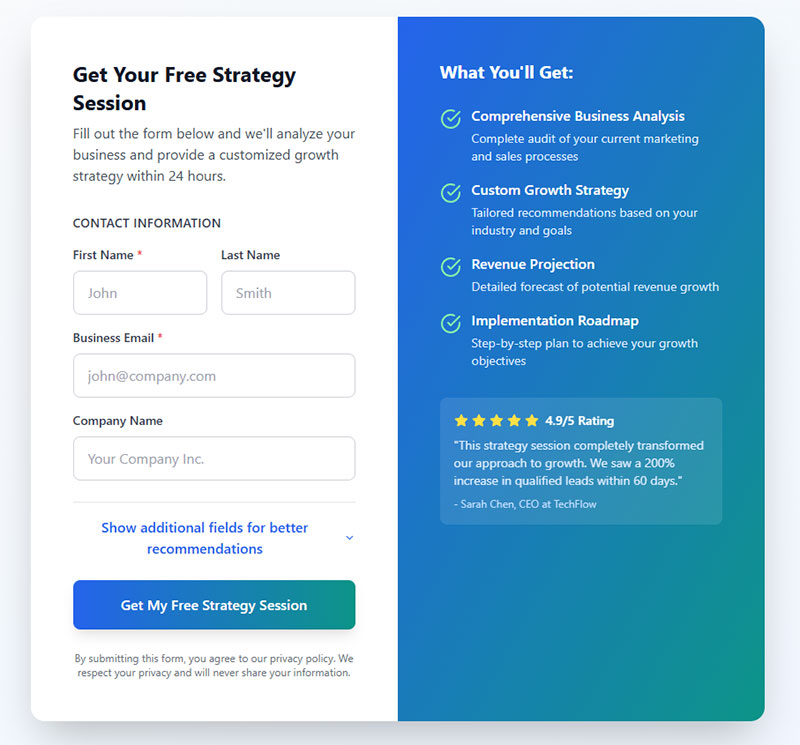
Placement changes who actually sees the form and how ready they are to fill it out. A landing page built around one specific offer converts differently than the exact same form sitting in a homepage sidebar.
| Placement | Visitor intent | Typical use case |
|---|---|---|
| Landing page | High, arrived for one offer | Gated content, demo request |
| Homepage | Mixed, browsing broadly | Newsletter signup, general inquiry |
| Exit-intent popup | Leaving, last chance | Discount offer, lead magnet |
| Inline in blog content | Engaged, mid-article | Gated whitepaper, content upgrade |
A form built for a landing page can afford to ask for more, since the visitor already made a choice to be there in the first place.
A homepage form has to work harder for a lot less commitment. That’s basically why shorter field sets tend to win in that spot.
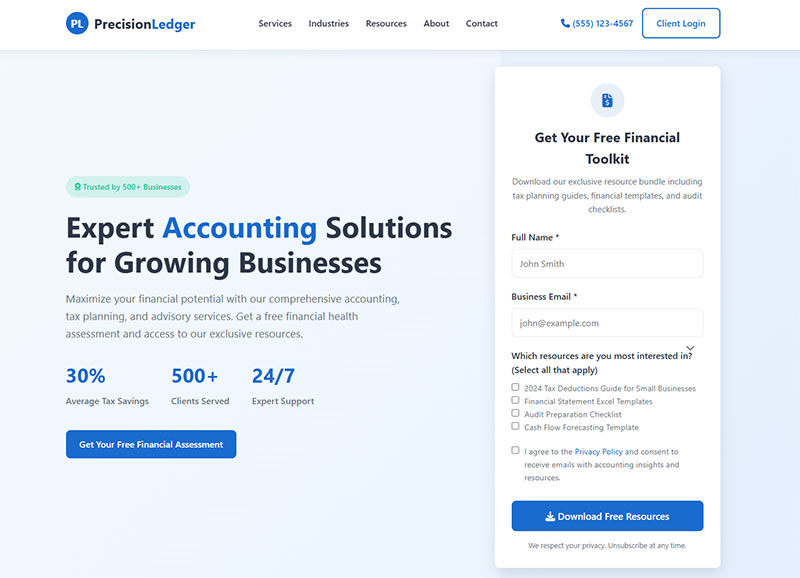
Mobile visitors need a completely different set of rules, and this is where a lot of teams get caught out. A sticky form that sits neatly at the bottom of a desktop screen can end up covering most of the visible screen on a phone, which is exactly the kind of thing mobile responsiveness guidelines exist to catch before launch.
Exit-intent placement is the one most B2B teams either overuse or ignore completely, and neither extreme works well. An exit-intent form only earns its spot when the offer is strong enough to interrupt someone who already decided to leave. A weak offer sitting in that slot just annoys people on their way out the door.
How B2B Lead Generation Forms Qualify and Score Leads
Qualification starts the second a field gets filled in, not later when a rep finally opens the record.
Job title, company size, and industry carry most of the scoring weight in a typical B2B setup. Job title gets weighted for seniority (a director scores higher than an individual contributor), company size gets weighted against your ideal customer profile, and the form type itself matters too. A demo request scores higher than a guide download by default, which makes sense when you think about what each one signals.
Some of that logic actually runs inside the form before submission even happens. Conditional logic can show or hide fields based on an earlier answer, keeping the form short for low-fit visitors and a bit longer for the high-fit ones.
Progressive profiling stretches that same idea across multiple visits instead of cramming it into one form. Someone who filled out a three-field form for a checklist gets asked two new questions the next time they download something else, so the profile fills in gradually rather than all at once. This pattern shows up a lot behind gated content, where each new asset unlocks a slightly deeper form than the last.
Data enrichment tools close the remaining gap without adding a single extra field. Clearbit’s form optimization tool auto-fills details like role and company size straight from a work email address. The media monitoring company Mention saw a 54% increase in signup conversions after cutting its form down to three fields and letting Clearbit fill in the rest.
ZoomInfo runs a similar play through its FormComplete product, enriching a single email field with dozens of data points sales can use for scoring later.
None of this replaces judgment, for what it’s worth. A high score still needs a human to confirm fit before it turns into a sales qualified lead worth a rep’s actual time.
Connecting a B2B Lead Generation Form to a CRM or Marketing Automation Platform
A submitted form is only ever as useful as the system it lands in. You can nail every other part of this and still lose leads here.
Most B2B teams end up picking between a handful of platforms, and the right one depends more on company size and sales motion than on a feature checklist.
| Platform | Integration method | Best fit |
|---|---|---|
| HubSpot | Native forms, direct sync | SMB and mid-market |
| Salesforce | API or third-party connector | Enterprise, complex sales |
| Marketo | Native forms, Adobe ecosystem | Enterprise demand generation |
| Pardot | Native Salesforce integration | Salesforce-based B2B teams |
A form builder with a direct connector to your CRM tends to beat a bolted-on one, mostly because it avoids the field-mapping errors that show up constantly with a generic webhook.
Reddit, Eventbrite, and DoorDash all run their marketing data through HubSpot, for what it’s worth, which says something about the platform not being just for small teams anymore.
Salesforce still leads the broader CRM market with a 20.7% share, according to IDC’s Worldwide Semiannual Software Tracker for 2024.
That scale comes with a real tradeoff though. Salesforce’s own forms tooling is thinner than HubSpot’s, so most Salesforce shops end up connecting a third-party form builder through an API or a middleware tool like Zapier.
Field mapping is where most integrations actually break. If your form’s “Company Size” field doesn’t match the CRM’s dropdown values exactly, the record lands empty and nobody notices until a rep opens it up weeks later wondering why half their fields are blank.
Routing and Following Up on B2B Lead Generation Form Submissions
RevenueHero’s 2024 audit of 1,000 B2B SaaS companies found that 63.5% never responded to a demo request at all. Not slow. Never.
That number matters more than any design tweak covered anywhere else in this piece. A form converting at 8% is worthless if the lead just sits there untouched afterward.
A routing rule usually checks company size (to send enterprise leads to a senior rep), territory (to match the lead with the right regional team), and lead score (to flag high-fit submissions for immediate outreach). Auto-assignment removes the manual triage step that used to sit between submission and first contact, which used to be where a lot of leads quietly died.
Most CRMs pair that assignment with an automated email sequence, so the lead hears something back within minutes even before the rep has picked up the phone.
Working from a set of lead nurturing templates for that first sequence keeps the message consistent across reps, instead of every single one improvising their own version on the fly.
A lead that gets no follow-up inside the response window doesn’t just sit still, either. It cools off, and then it starts filling out a competitor’s form instead.
Meeting Compliance Requirements for B2B Lead Generation Forms
Collecting personal data without proper consent isn’t just a design problem. It’s a legal one, and one that regulators actually enforce.
GDPR is the strictest of the bunch for EU visitors: it requires a separate, unticked consent checkbox, distinct from the submit button itself, so a form can’t quietly assume consent just because someone hit “Send.”
CCPA works a bit differently for California visitors. It requires disclosure and an opt-out mechanism specifically when data gets sold or shared, rather than demanding upfront consent the way GDPR does.
CAN-SPAM takes the loosest approach of the three. It doesn’t require prior consent to send a marketing email at all, but it does require truthful sender information and a clear, easy way to unsubscribe, one that actually gets honored promptly instead of ignored for a few billing cycles.
Getting the consent mechanism wrong carries real financial risk, not just a theoretical one. France’s CNIL fined Google €325 million in September 2025 over a flawed cookie consent mechanism that failed to give users a genuine free choice.
A bundled checkbox that combines “I agree to be contacted” with “I accept the terms” fails that exact same test regulators used in that case. Each consent needs its own separate action, no bundling.
Getting the mechanics right from the start is a lot easier than fixing it later, once forms are already live across a dozen landing pages. A walkthrough on building a form that meets GDPR requirements covers the checkbox wording, the data retention notice, and where the privacy policy link needs to sit.
Looking at real GDPR consent form examples is usually faster than reading the regulation text itself. The visual layout matters just as much as the legal wording does.
Building a B2B Lead Generation Form Step by Step
Most of the mistakes that show up weeks later trace back to skipping one particular step here, usually the CRM test.
- Define the offer and the one action you want the visitor to take
- Select the field set based on the qualification data sales actually needs
- Choose a form builder and connect it to the CRM before writing a single field label
- Add the consent checkbox and privacy policy link
- Test the CRM connection with a dummy submission, checking every field maps correctly
- Publish, then confirm the thank you page and confirmation email both fire
Step three gets skipped more often than any other. Teams build the whole form, launch it, feel good about it, and only discover the CRM mapping is broken after a week of leads have gone nowhere.
The full process for building a lead capture form walks through field configuration and styling in more depth than fits here.
Choice of builder matters less than people usually assume, as long as it connects cleanly to your CRM. A rundown of WordPress lead generation plugins compares the native integrations each one offers.
Skip the thank you page at your own risk. It’s the one spot where you can hand someone a calendar link or a resource immediately, while their intent is still warm.
Reducing B2B Lead Generation Form Abandonment
A 2025 Formstack study of 1,500 B2B decision makers found that forms exceeding 7 fields hit a 67.8% abandonment rate.
That figure lines up with the field-count guidance covered earlier, but abandonment has causes that go beyond raw field count alone. A required field with unclear formatting (a phone number expecting some specific pattern nobody explains) trips people up constantly. Validation that only fires after the whole form gets submitted, forcing a restart, is worse. And a dropdown with no option that actually matches the visitor’s real company size just makes people give up entirely.
Session recording tools can pinpoint the exact field where people stall out, which turns a vague “our form underperforms” complaint into an actual, specific fix.
A practical list of tactics for improving a high abandonment rate covers inline validation, autofill support, and progress indicators for longer forms.
Testing Form Variations to Improve Conversion
Guessing which fix will actually help is slower than just testing it.
Start with the CTA button copy. It’s the cheapest change to make and often the one people skip in favor of something flashier. After that, move the highest-friction field (usually phone or budget) down to the end of the form instead of the top. And run each test for a full business cycle, not just a few days, or the results won’t mean much.
Platforms like Optimizely and VWO run these tests without needing a developer for every single variant.
None of this works without a baseline, though. Tracking form submissions inside Google Analytics gives you the before-and-after numbers a test actually needs to mean anything.
When a B2B Lead Generation Form Does Not Generate Qualified Leads
A form cannot fix a traffic problem. That’s really the whole point of this section, stated plainly.
If the visitors arriving at your offer were never a fit for what you sell in the first place, no amount of field tuning, copy testing, or placement tweaking is going to produce qualified leads out of them.
A form is the wrong tool when the traffic comes from broad, unrelated keywords with no real buying intent behind the click, or when the offer is priced or scoped for a buyer type that just doesn’t show up on the page in meaningful volume. It’s also wrong when submission volume is too low to draw any statistically useful conclusion from testing, and wrong again when the sales cycle is one where the buyer expects a real conversation, not a form and a wait.
That last case comes up more than people expect. High-touch enterprise sales, urgent support requests, anything requiring real back-and-forth qualification, these often convert better through a live chat widget than a static set of fields ever will.
The chatbots versus forms comparison is worth reading before assuming a form is automatically the right entry point for every single offer you run.
Under a certain volume, roughly a few dozen submissions a month, there just isn’t enough data to optimize anything meaningfully. Fix the traffic first. Optimize the form second.
FAQ on How To Generate B2B Leads Using Forms
What Is the Difference Between a Lead Generation Form and a Regular Contact Form?
A contact form collects a name and a message for a shared inbox, nothing more structured than that. A B2B lead generation form captures qualifying fields like job title and company size instead, then routes the submission into a CRM for scoring and follow-up.
What Types of B2B Lead Generation Forms Exist?
Demo request forms, gated content forms, newsletter signup forms, webinar registration forms, and free trial forms cover most of what you’ll actually run into. Each one matches a different intent level, from a low-commitment newsletter signup all the way up to a high-intent demo request tied straight to a sales conversation.
Is a Pop-Up Form as Effective as an Embedded Form for B2B Leads?
Not really, at least not for the same purpose. Pop-ups grab attention fast and suit low-commitment offers like a checklist just fine. Embedded forms on a landing page tend to convert higher-intent visitors better, mostly because the visitor already chose to engage before ever seeing the form, which makes embedded the stronger choice for demo requests and gated whitepapers.
Do B2B Lead Generation Forms Work for Account-Based Marketing?
Yes, with adjustments. Account-based marketing targets named accounts specifically, so forms often route submissions through firmographic matching first, checking the company domain against a target account list before scoring, rather than treating every submission like a fresh, unknown lead.
What Mistakes Cause B2B Lead Generation Forms to Underperform?
Too many fields, a vague call to action, no mobile optimization, and a CRM connection nobody bothered to test before launch, these are the usual culprits. Most underperformance traces back to friction the team never even noticed, mainly because nobody on the team ever actually filled out their own form.
What Should You Fix First in B2B Leads Collection?
Start with the field set and the CRM connection. A short, perfectly mapped form still won’t produce pipeline if the routing behind it is broken or too slow to matter.
Field set and CRM mapping carry the most weight, followed by placement matched to actual offer intent, then consent language and response routing. That order isn’t arbitrary. A broken CRM connection loses every single lead regardless of how good the design is, while a mismatched field set only costs you a fraction of them.
Fixing routing before polish means living with a plainer-looking form for a bit longer than you’d like. But it also means every submission actually reaches a rep instead of aging quietly in an inbox somewhere nobody checks.
None of that matters without an offer worth submitting for in the first place, though. Knowing how to create a lead magnet that fits the visitor’s stage decides whether traffic shows up at all.