




A new client doesn’t sign with an accounting firm because a landing page convinced them. They sign because someone they trust vouched for the firm, or because the firm showed…
Table of contents
Most B2C sites already have the core lead generation tool sitting on their site somewhere: a form. The website lead generation form collects a visitor’s contact details in exchange for something specific, and that exchange turns an anonymous visitor into a tracked, sales-ready contact.
Ecommerce brands, subscription services, and local businesses all run this same mechanism directly on their own sites, with no paid platform or third-party lead marketplace involved. The only real performance question is how many visitors reach the page, and how many of those actually submit the form.
B2C companies convert landing page visitors into form submissions at nearly 10%, according to landing page benchmark research comparing B2C and B2B site performance. B2B sites convert a little higher, just over 13%, though the decision process behind that number looks nothing alike.
What Is a Website Lead Generation Form?
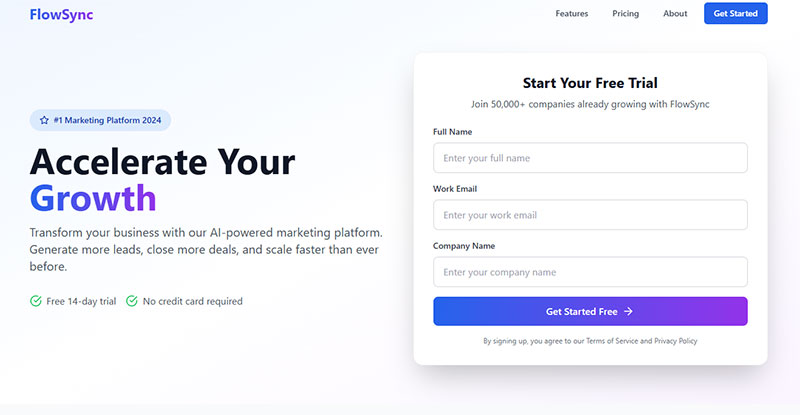
The job is narrow. Capture a name, an email, maybe a phone number, and hand that record to a sales or marketing team as a qualified lead. That’s the entire function of a website lead generation form: an on-site element that trades some kind of value, a quote, a discount, a guide, for a visitor’s contact details.
What separates it from a regular inquiry box is intent. It’s built specifically to convert traffic into a tracked, follow-up-ready contact, not just answer a one-off question.
A plain contact form and a lead generation form look similar on the surface, but they’re built for different jobs. One handles support requests. The other feeds a sales pipeline, and the fields, the copy, and where the data goes afterward all reflect that.
- Fields that capture identity and intent, not just a message
- A call-to-action tied to a specific offer or outcome
- A submit action that routes data into a CRM or email tool
- A confirmation step, usually a thank-you page or autoresponder
This is the mechanism most businesses lean on first when they start thinking seriously about lead generation as a repeatable channel instead of a one-off campaign.
For b2c specifically, the form is doing something a little different than in b2b. It’s usually collecting one person’s decision, made in one sitting, not routing through a buying committee.
What Types of Website Lead Generation Forms Exist?
Most b2c sites end up using some combination of single-step forms, multi-step forms, gated content forms, and popup or embedded formats. Which one fits depends on how much the visitor already wants what’s behind the submit button, and mismatching form type to intent is one of the more common ways a form quietly underperforms.
| Type | Field load | Best fit |
|---|---|---|
| Single-step | Low, 2-4 fields | Newsletter signup, quick quote |
| Multi-step | Higher, split across screens | Insurance quotes, applications |
| Gated content | Low to medium | Guides, checklists, discount codes |
| Popup or embedded | Low | Exit-intent capture, sidebar opt-ins |
Single-Step Forms
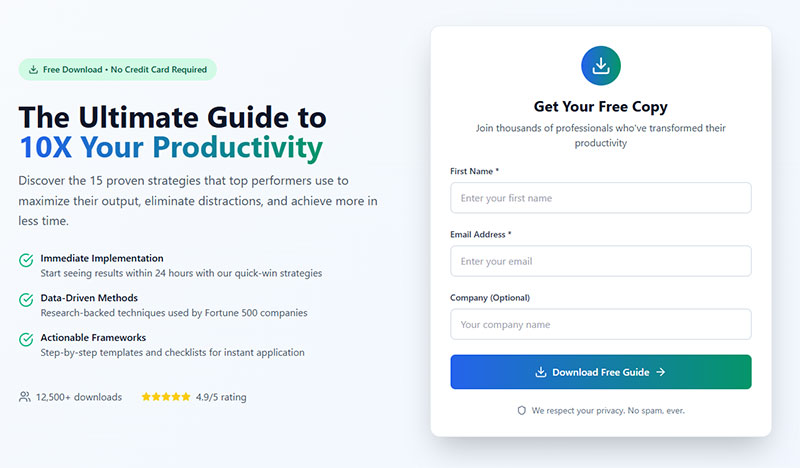
One screen, a handful of fields, one button. This is the default for low-commitment offers like newsletter signups or a callback request.
- Fastest to complete on mobile
- Lowest friction, lowest data collected
- Works best when the offer is already obvious from the page
BrokerNotes built its lead form around a single, tightly scoped question set and reported a 46% conversion rate, according to a Venture Harbour case review of high-converting forms.
Multi-Step Forms
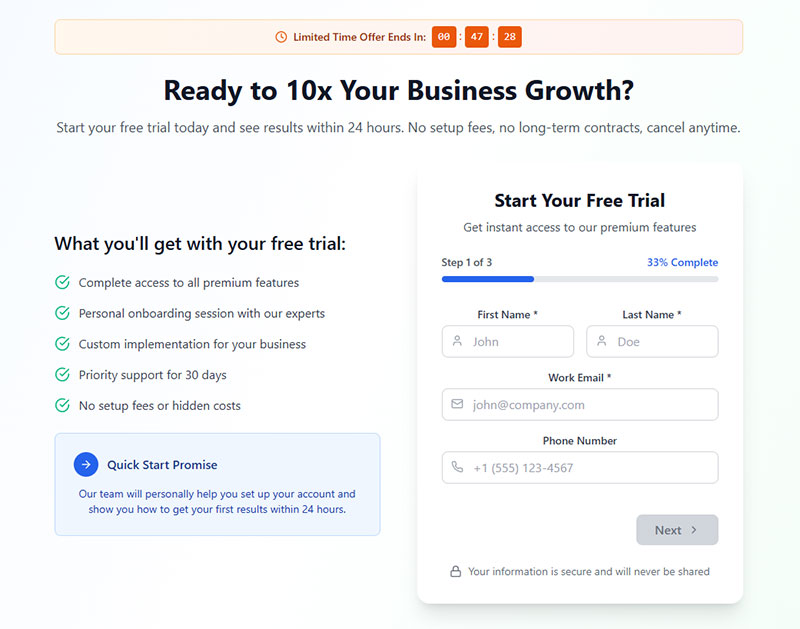
Multi-step forms tend to hold up better on complex offers, and splitting the questions across screens gives a natural place for progressive profiling instead of dumping every field on one page at once. The tradeoff is more development work up front, and a real risk of people dropping off between steps if there’s no visible progress indicator keeping them oriented.
Insurance and real estate quote tools rely on this format because the offer needs more than a name and an email to actually deliver an answer.
Gated Content Forms
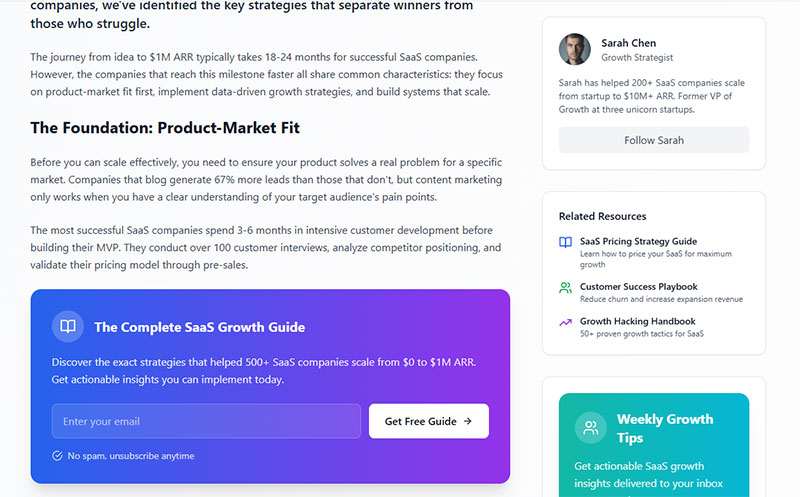
A gated content form puts a checklist, a discount, or a guide behind the submit button, and that thing is the entire incentive for filling it out.
- Works well when the lead magnet solves a specific, narrow problem
- Pairs naturally with double opt-in for email deliverability
It underperforms fast when the content behind the gate turns out to be generic. The exchange only works if the visitor actually wants the thing waiting on the other side.
Popup vs Embedded Forms

A popup interrupts. An embedded form waits to be found.
Popups convert opportunistically, timed around exit intent or a delay after page load. Embedded forms just sit there, quietly, in a footer or sidebar or at the bottom of a blog post, for visitors who are already engaged and looking for whatever comes next.
Neither type wins outright. It depends on where the visitor already is in their decision, which is really the question the next section answers.
How Does a Website Lead Generation Form Generate a B2C Lead?
A visitor lands, fills the fields, and hits submit. From there the mechanism takes over without the visitor doing anything else.
- The visitor’s details get collected at the point of submission
- Lead scoring or a qualifying field sorts how sales-ready the contact is
- The submission pushes into a CRM or email platform, often through a native integration or a tool like Zapier
- A thank-you page or autoresponder sequence fires back to the visitor
This whole sequence sits inside a lead generation funnel, with the form acting as the top-of-funnel entry point.
Uber built instant lead segmentation directly into its signup flow, sorting rider and driver applicants before a human ever touches the record. That’s the qualification step working in real time, not after the fact.
A more detailed walkthrough of using website forms for lead generation covers how each step connects to the next.
Which Form Fields Should a B2C Lead Generation Form Include?
A b2c form should ask for the minimum fields the offer actually needs, usually name, email, and one qualifying detail. Every extra field beyond that is a small tax on the visitor’s patience, and that tax adds up faster than most teams expect.
Core Fields for B2C Forms
| Field | Purpose | Drop it if |
|---|---|---|
| Name | Personalize follow-up | Only email is needed |
| Primary contact channel | Never drop this one | |
| Phone | Sales callback or SMS | Offer doesn’t require a call |
| Zip code | Local routing, service area check | Business isn’t location-based |
Formstack research shows that forms with three fields convert as much as 160% higher than forms with ten or more fields.
Choosing the right fields for high-quality leads often comes down to asking only what changes what happens next, and treating everything else as optional.
Mobile Field Requirements
Most b2c form traffic now arrives on a phone, and that changes what a form can reasonably ask for.
- Fewer fields per screen
- Larger tap targets and spacing between inputs
- Autofill support for name, email, and address
- Numeric keyboards triggered automatically for phone and zip fields
Mobile-optimized popup and form campaigns convert roughly 38% higher than desktop-only versions, 3.75% against 2.67%, per exit-intent research reviewed by Flint.
Mobile form design isn’t a smaller version of the desktop form. It’s a different form, with a different tolerance for friction altogether.
Where Should a Lead Generation Form Be Placed on a Website?
Placement should match the visitor’s intent at that specific point on the page, not the other way around. A form dropped into the wrong context asks for commitment before the visitor has decided they want to give it.
Landing Page Placement
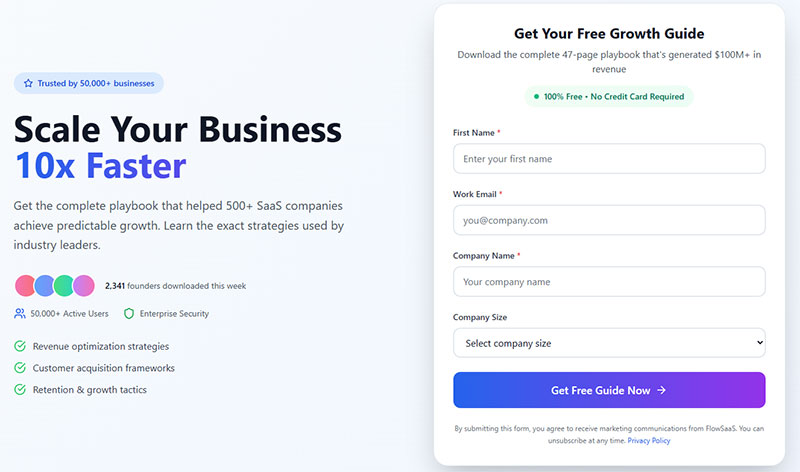
A landing page form works because the entire page exists to support one ask, sitting above the fold and tied to a single offer.
- No competing navigation or distractions
- Headline, form, and call-to-action reinforce the same offer
- Highest-intent placement of the three
Solid landing page form practices treat the form as the page’s only job, not one element among several.
Popup Placement
Popupsmart’s analysis of over 10,000 campaigns puts average popup conversion at 3.49%, with exit-intent triggers among the strongest performers.
ClickMechanic uses an exit-intent popup to lay out its offer in full right as a visitor moves to leave, rather than relying on whatever’s already on the page.
Timing matters here. A popup that fires on page load converts worse than one that waits for a visitor to show genuine intent to leave, which is the entire premise behind exit-intent forms.
Embedded Placement
Footers, sidebars, and end-of-article forms serve a different visitor than a landing page does. This one is already reading, already somewhat convinced, and just needs the next step to be visible.
Low pressure, low field count. It works quietly in the background of pages that were never built around conversion in the first place.
What Makes a B2C Lead Generation Form Convert?
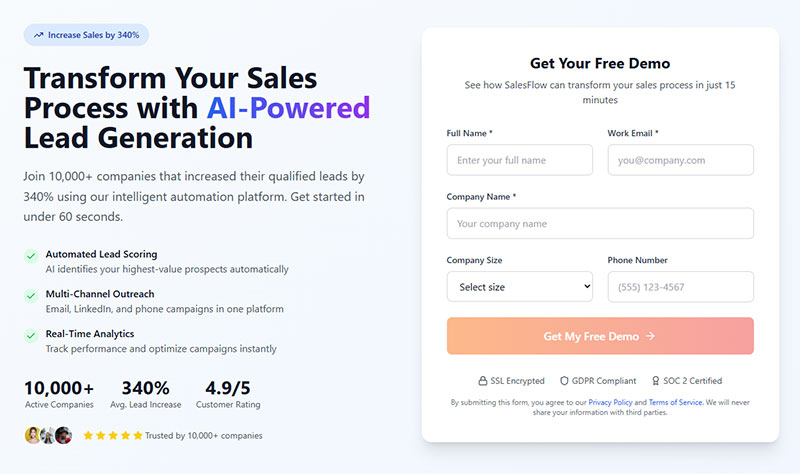
A call-to-action that says something specific, trust signals visible near the form, a real reason to act now, and a layout where the eye actually lands on the form itself. Miss one of these and the rest have to work twice as hard to make up for it.
- Specific button copy beats generic copy, “Get My Quote” over “Submit”
- Security badges, review counts, or a recognizable logo build trust near the form
- A deadline, limited spots, or a countdown tied to a real constraint creates urgency
- Contrast and whitespace lead the eye toward the form instead of away from it
Blue Apron pairs a countdown timer with its signup popup, giving visitors a reason to act inside the session instead of bookmarking it for later.
Good call-to-action copy names the outcome, not the action. “Start My Free Trial” tells the visitor what they get. “Submit” tells them nothing at all.
A broader look at how to increase form conversions ties these elements back to the specific offer on the page, since the right combination shifts depending on what’s being asked for.
What Is a Good Conversion Rate for a B2C Lead Generation Form?
There’s no single good number here. It depends heavily on the page type and the offer sitting behind the form.
Dedicated landing pages sit at a median 6.6% conversion rate, with the top performers clearing 11%, according to Unbounce benchmark data. A generic website form buried on a standard page converts far lower, around 1.7%. Trimming a form down to three fields instead of ten or more can lift conversion by as much as 160% (Formstack), and exit-intent popups average 3.49% across more than 10,000 campaigns tracked by Popupsmart.
A form performing below its category average usually points to something specific and fixable, not a fundamental problem with forms as a tactic.
Most teams measure this through tracking form submissions in Google Analytics, setting the submission as a goal event rather than guessing from raw traffic numbers.
Comparing a form against its own category average, landing page against landing page, popup against popup, gives a far more honest read than comparing it against one flat industry number.
How Does Consent and Compliance Affect a Lead Generation Form?

Compliance changes what a form can collect and how it has to ask for it. Get this wrong and the form isn’t just risky. It actively loses submissions from visitors who don’t trust it.
GDPR requires an unchecked, explicit opt-in for EU visitors, no pre-ticked boxes and no bundling consent in with the terms of service. CCPA, on the other hand, requires a clear notice and an opt-out path for California residents whose data is being collected. Double opt-in confirms the email address is real and helps deliverability over time, and a reCAPTCHA or a honeypot field blocks most bot submissions before they ever reach a CRM.
A NextAfter A/B test found that adding an explicit opt-in checkbox to a gated content form dropped conversion from 47.1% to 39.8%, a 15.4% decrease.
That’s not a reason to skip consent. It’s a reason to design it well instead of bolting it on as an afterthought.
Formstack’s own GDPR guidance recommends a fully unchecked opt-in box over a pre-checked one, favoring a smaller, cleaner list over one padded with uninterested contacts.
Getting the wording and layout right is most of the battle. Building GDPR compliant forms the right way keeps the checkbox from reading like a warning label.
Looking at real GDPR consent form examples is usually faster than guessing at acceptable wording from scratch.
Which CRM or Email Platform Should a Lead Generation Form Integrate With?
The form should connect to whatever system your sales or marketing team actually checks, not whatever happens to be easiest to install.
| Method | Setup effort | Best for |
|---|---|---|
| Native integration | Low, built into the form tool | HubSpot, Mailchimp, ActiveCampaign |
| Webhook | Medium, needs a developer once | Custom CRMs, internal tools |
| Zapier or similar | Low to medium, no code | Salesforce, Mailerlite, niche apps |
Speed matters more here than most teams assume.
InsideSales.com’s Lead Response Management Study found that leads contacted within five minutes are 21 times more likely to be qualified than leads contacted after 30 minutes.
That single fact is why routing a submission straight into a CRM, instead of into an inbox someone checks twice a day, matters more than which platform you actually pick.
Plenty of small b2c sites just need a form tool with solid WordPress lead generation plugins support and a native connection to whatever email tool they already pay for.
How Do You Build a B2C Lead Generation Form Step by Step?
Building the form is the easy part. Getting the sequence right is what actually determines whether it produces leads.
- Pick a form platform that matches your CMS and can actually talk to the CRM you plan to use.
- Choose and order the fields, leading with whatever changes what happens next and dropping the rest.
- Write a call-to-action that names the outcome instead of the action.
- Set up the confirmation step, ideally a thank-you page and an autoresponder both.
- Connect the integration, whether that’s a native connection, a webhook, or something like Zapier.
- Test the submission by sending a real entry through before the form goes live.
Skipping that last step is more common than it should be, and it’s usually the reason a form quietly stops sending leads for weeks before anyone notices.
A full walkthrough of how to create lead capture forms covers platform-specific setup in more depth than a generic checklist can.
Solid form design at step three carries most of the weight, since a well-built but ugly form still loses submissions to hesitation.
How Do You Reduce Form Abandonment and Improve Submissions?
Most abandonment isn’t really about the offer. It’s about friction the visitor didn’t expect to run into.
A Clutch survey found that 81% of consumers have abandoned an online form, with 27% citing excessive length and 29% citing security concerns (Clutch, 2018).
- Run A/B tests on field count and call-to-action copy rather than guessing
- Review heatmaps and session recordings to see exactly where visitors stall
- Add a progress indicator to any form with more than one step
- Retarget visitors who start a form but never submit it
Dallas Theological Seminary shortened a course registration form down to its essential fields and saw an 8.9% lift in conversions, according to a NextAfter experiment.
None of these fixes are complicated on their own. The gain comes from testing them against your own traffic, instead of assuming the industry default already fits your form.
A broader pass through tips for improving form abandonment rate is worth running before touching the design itself, since the fix is often smaller than it looks.
General guidance on how to optimize forms applies here too, particularly around load speed and inline validation.
When Does a Website Lead Generation Form Fail to Generate B2C Leads?
A lead generation form usually fails quietly. It keeps collecting submissions while the leads underneath get worse, or just stop qualifying, and a handful of conditions cause most of it.
- A form dropped on a low-traffic or purely informational page asks for commitment before the visitor has any real reason to give it
- A first-time visitor with no established trust won’t fill out a nine-field form for a low-value offer
- A form that’s awkward to complete on a phone loses submissions before anyone even reads the offer, and most b2c traffic is mobile now anyway
- A form that captures data nobody reviews or routes anywhere is functionally decorative
Chili Piper’s 2025 benchmark report found that companies eliminating a redundant second form step, sometimes called double form fill, increased conversion by as much as 50%.
That’s a specific, fixable failure mode, and it shows up more often than it should on sites that bolted a booking tool onto an existing contact form without ever removing the overlap.
Spam is the other quiet failure. A form with no spam prevention for WordPress contact forms in place fills a CRM with junk entries that look like leads until someone actually tries calling one.
A form that’s technically working but structurally wrong for its page is the exact problem covered in why multi-step forms sometimes kill conversions instead of improving them.
None of this means forms don’t work for b2c lead generation. It means the form got built for a different visitor than the one who actually showed up.
FAQ on Generating B2C Leads
What Is the Difference Between a Lead Generation Form and a Contact Form?
A contact form handles general inquiries and support questions, nothing more targeted than that.
A lead generation form is built around one offer, and it captures details a sales or marketing team can act on.
The difference really comes down to intent: one manages messages, the other builds a pipeline.
How Many Form Fields Should a B2C Form Have Compared to a B2B Form?
B2C forms usually run three to five fields, since one person is deciding in one sitting.
B2B forms tend to run longer than that, because the offer needs to qualify a buyer who’s moving through a slower, multi-person decision, and the extra fields do some of that qualifying work up front.
Fewer form fields fit b2c intent better.
Is a Lead Generation Form GDPR or CCPA Compliant by Default?
No.
A form becomes compliant only through deliberate build choices: an unchecked opt-in box, clear consent wording, and no bundling with unrelated terms.
Compliance is a design decision, not a default setting that comes built into any form platform.
What Common Mistakes Cause a B2C Lead Generation Form to Underperform?
Vague button copy, a missing thank-you confirmation, and skipping mobile testing before launch.
Teams also publish a form once, assume it works, and never check it again.
Regular form optimization catches these before they cost real leads.
What Should You Fix First When Generating B2C Leads?
Fixing a website lead generation form starts with field count and placement, since a visitor who won’t finish a bloated form never even reaches the call-to-action or the consent checkbox below it.
Structural friction gets addressed before persuasion, and persuasion gets addressed before compliance and routing.
- Start with field count and how the form sits on the page on mobile
- Then look at the call-to-action copy and whatever trust signals sit near the form
- Consent wording and CRM routing come last, once the form is actually getting finished
That order matters because persuasive copy can’t rescue a form nobody can finish, while a compliant form still fails if the copy gives no reason to submit it.
Cutting fields down to the essentials raises completion, but it also removes part of the pre-qualification a longer form otherwise handles, shifting that filtering work onto whoever follows up afterward.
Once a form captures cleanly, the next gap is what happens to the contact after submission, covered directly in lead nurturing templates.