


A new client doesn’t sign with an accounting firm because a landing page convinced them. They sign because someone they trust vouched for the firm, or because the firm showed…
Table of contents
A discount in a signup popup helps, though less than most store owners expect. Omnisend’s analysis of 1.24 billion popup displays in 2025 found popups with a discount converting at 2.4%, against 1.7% without one (Omnisend, 2026).
Opt-in rate is the number everyone quotes, and on its own it’s the least useful one. Subscribers who never buy still count toward it. What actually decides whether an offer pays is first-purchase rate and revenue per subscriber.
What Are Ecommerce Lead Magnets?
An online store gives away something free and immediately useful, and gets an email address or phone number back, plus permission to message it. That’s the whole trade. The shopper stops being anonymous traffic, and the store can reach them again without paying for another ad click.
Most visitors leave without buying. Without a captured address, the store pays for another ad click to reach them again.
The offer is usually a first-order discount, free shipping, a quiz result or a guide, and sometimes early access to a launch. Retail offers differ from the downloads covered in the general definition of a lead magnet, because they tie directly to a purchase decision.
On a WordPress or WooCommerce store, the capture form is the piece IvyForms builds. Its free Lite version covers the email field, consent checkbox, notifications and entry storage, and the sections below show where Pro features such as conditional logic and multi-step forms add more.
What Each Side Gives and Gets
The store hands over a discount, a shipping perk, an answer, a guide or early access. The shopper pays with an email address, sometimes a phone number too, and now and then a few answers about their preferences. What the store ends up with is a consented contact it can message about a first purchase or, later, a reorder.
Welcome flows, abandoned cart emails, and campaigns do the selling afterward. Capture is only the first stage of lead generation for online stores.
What Does Not Count as a Lead Magnet
A sitewide sale doesn’t count, since no contact details change hands. Neither does a newsletter box that asks for an address and offers nothing back. A loyalty program that requires a purchase before any reward fails the test too.
A plain newsletter form still collects addresses. It usually converts worse, because the shopper sees no reason to hand one over.
Ecommerce Lead Magnets to Try
Which Lead Magnet Types Work for Online Stores?
Discounts are the most common format, but fit decides which one earns its keep. Stores tend to pick from discounts and free shipping, product quizzes, giveaways, gated guides, and early access or back-in-stock alerts.
| Format | Best fit | Main risk | Data collected |
|---|---|---|---|
| Discount or free shipping | Price-sensitive shoppers, first purchase | Margin loss, discount-trained buyers | Email, optional phone |
| Product quiz | Large or complex catalogs | Drop-off on long quizzes | Email plus preference answers |
| Giveaway | Launches, audience growth | Prize hunters, low purchase intent | Email, sometimes social handle |
| Gated guide | High-consideration products | Reading friction, weak intent | |
| Early access or back-in-stock | Drops, limited stock, restocks | Alerts fire only when stock moves | Email or phone plus product interest |
Discounts and Free Shipping

Shipping is where a lot of carts die. Nearly half of US adults (48%) abandoned a cart because extra costs such as shipping, tax, and fees were too high, per a February 2024 Baymard Institute survey of 1,012 adults.
That figure is the case for free shipping as a first offer. It removes the single most common objection at checkout.
Free shipping suits stores where delivery fees are the visible friction. A percentage discount makes more sense where shoppers balk at the list price itself.
In IvyForms, the code or the free shipping line goes in the confirmation message, which has an HTML mode for styling, and again in a notification email addressed to the shopper through the email field placeholder.
Quizzes and Zero-Party Data
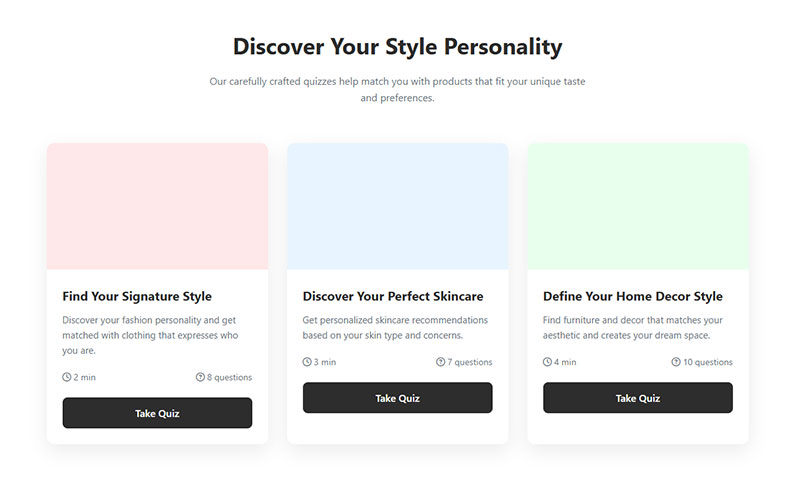
A product quiz asks 3 to 5 questions and holds back the recommendation until the shopper enters an email. The answers count as zero-party data, a term coined by Forrester Research for information a customer deliberately shares with a brand.
Typeform builds the question flow, and Octane AI is a quiz app built for Shopify stores. A walkthrough on using quizzes and interactive forms for lead generation covers the branching logic.
Typical answers are skin type, size, budget or use case, and they get stored as profile fields for segmentation later.
Quizzes fail when they run past 6 questions or hide the result behind a long form.
On WordPress, an IvyForms quiz uses Radio, Dropdown and Checkbox fields for the questions. Put the email field on the last page of a multi-page form (Pro), or use a conversational form (Pro) that shows one question at a time.
Conditional confirmation messages (Pro) then show a different recommendation for each answer. Every answer is saved in the entry, and the Mailchimp integration (Pro) can map it to an audience field for segmentation.
Giveaways and Contests
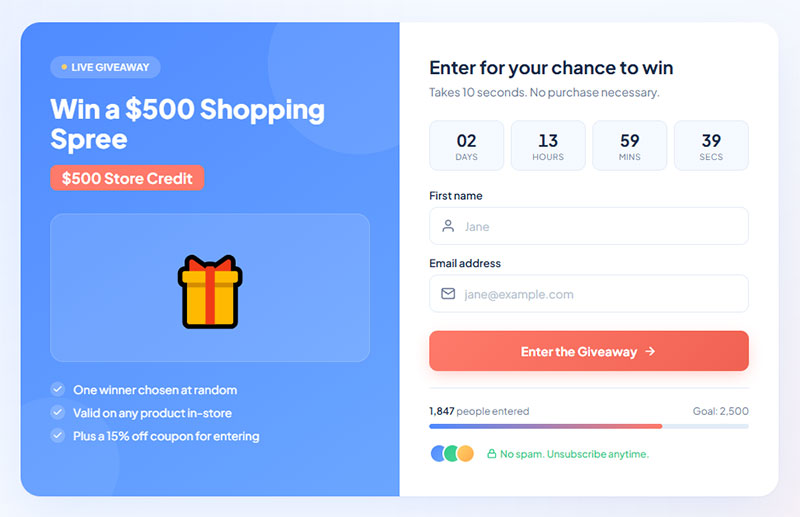
Giveaways grow lists fast and attract the wrong people just as fast.
Faguo, a French fashion brand, ran a spin-to-win popup offering sneakers or free shipping and reported 11 times more leads at one quarter of the cost of its previous popup tool (Wisepops, 2025). Gleam is a common builder for contest entry pages.
The upside is a low cost per subscriber and strong engagement, and a giveaway is easy to promote on social. The downside is that prize hunters unsubscribe after the draw. Purchase intent stays weak unless the prize is a product from the catalog.
For a simple entry form, IvyForms offers a No Duplicates option on fields such as email, so one address cannot enter twice. Add reCAPTCHA, Turnstile or hCaptcha to keep bots out, and give the contest its own conversational form page (Pro) with a dedicated permalink to share on social.
Gated Guides and Utility Content
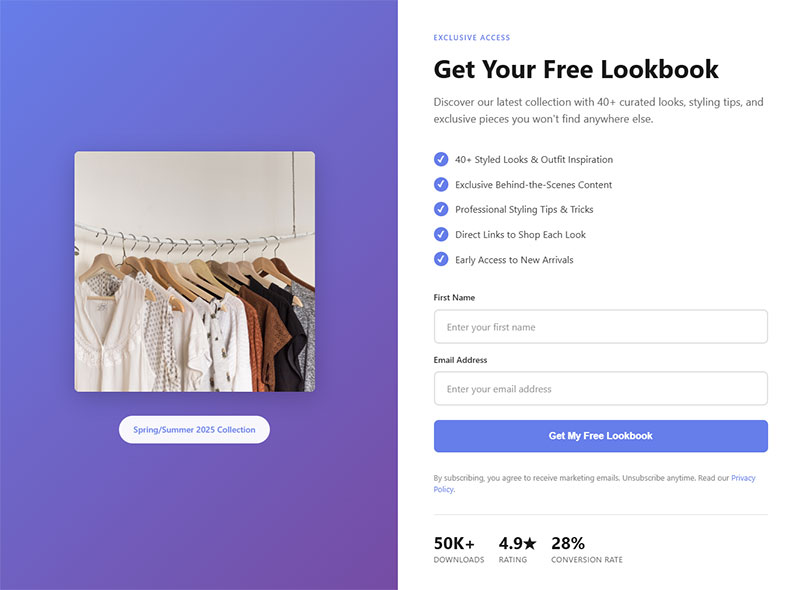
Gated content works for products people research before buying. A buying guide or gift guide, or even a printable sizing chart, turns that research into a reason to share an email address.
Gated content lowers conversion when the shopper needs the information to complete the purchase, so keep the basic size chart on the product page and gate the extended version.
Deliver the guide with an IvyForms success message that hides the form and shows the download link, or redirect the shopper to a page that hosts it.
Early Access and Back-in-Stock Alerts
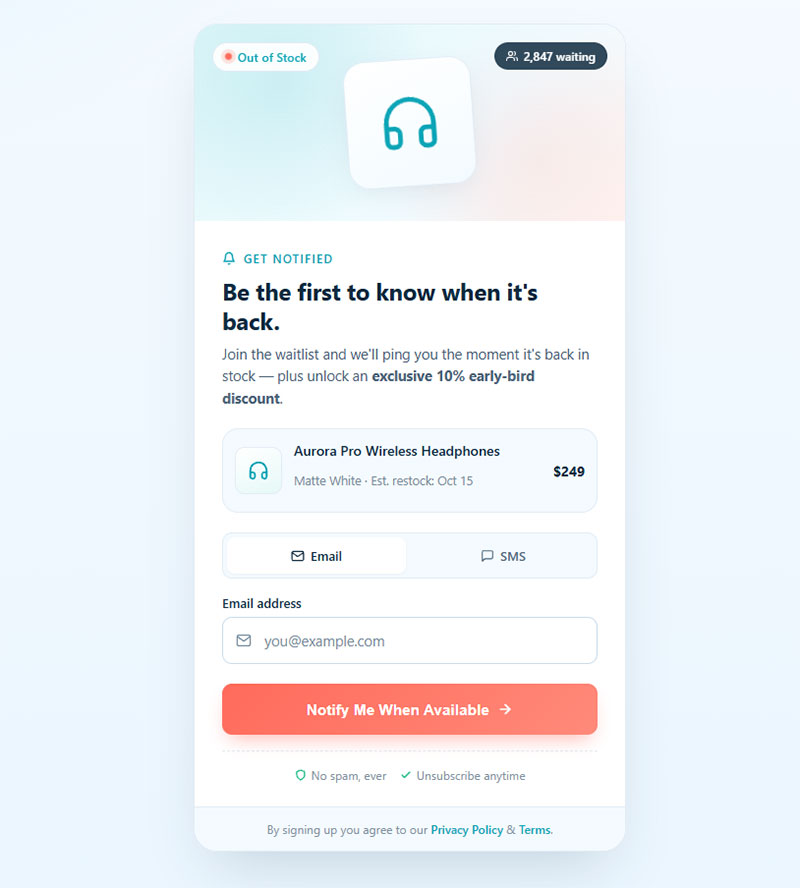
Early access is a launch preview or private sale link, sent before public release. A back-in-stock alert is narrower and ties to one sold-out product.
Both capture better intent than a generic popup. The shopper has already picked a product, so the signup carries a purchase signal that a discount popup lacks.
The limit is supply. Alerts only fire when inventory returns, and a list built on one SKU decays once that product stops selling out.
Embed one IvyForms form on each product page with a shortcode or the Gutenberg block. Every entry stores the Source URL of the page it came from, so the alert list already knows which product the shopper wanted.
How to Choose the Right Lead Magnet for Your Store
Pick the format by gross margin and purchase frequency first, then by catalog complexity. A format that fits on those points pays for itself, and one that ignores them buys subscribers at a loss.
- With thin margins, free shipping above a threshold, early access or a guide protects margin better than a percentage code.
- A large or complex catalog calls for a quiz or sizing guide, which solves the choice problem and returns preference data.
- Consumables and reorder brands can afford a first-order discount, since repeat orders pay it back, and signup points through Smile.io extend that.
- If your sales run on launches or limited stock, early access or back-in-stock alerts catch shoppers who have already shown intent.
- Giveaways fit audience growth around a prize product, as long as there’s a plan to filter out prize hunters.
Most stores need only a few of the many lead magnet types in circulation. The rest suit software or service businesses.
A blanket 10% to 20% popup is the default most stores copy. It also gives the most margin to shoppers who were going to buy anyway.
It works best when price is the clear objection and first-order margin can carry the cost. I’d treat it as the baseline to beat, not the starting point.
What Does a Lead Magnet Cost, and How Does It Affect Margin?
The redeemed discount or prize is the obvious cost, and the tool subscription is the other easy one to count. The one that decides whether the offer pays is harder to see: the margin given up on buyers who would have purchased anyway.
How Cost per Subscriber Is Calculated
Cost per subscriber equals redeemed discount value, plus prize cost, plus tool fees, divided by new subscribers.
A discount costs nothing until someone redeems it. A giveaway prize costs money whether or not subscribers ever buy.
On the tool side, IvyForms Lite is free and Pro starts with the Essentials plan for one domain. A 15-day money-back guarantee covers a trial, and current prices sit on the pricing page.
Worked Margin Example
Take a $60 order with $30 in product and fulfillment cost, which leaves $30 gross profit at full price. These numbers are assumptions for illustration, not benchmarks.
- A 10% code takes $6 off and leaves $24 gross profit, so 20% of profit is gone.
- A 20% code takes $12 off, leaves $18, and wipes out 40% of profit.
- To earn the same $30 with a 10% code, the order has to reach $75, which is 25% larger.
- With a 20% code it has to reach $100, or 67% larger.
A deeper code pays only when the buyer is new, since a first order with any profit beats no order. For existing customers who were already buying, it is a pure margin loss.
Do Discounts Hurt Repeat Purchases?
Klaviyo’s published analysis of 7 signup form tests found shoppers who saw a form with a discount were 190% more likely to make a first purchase. In 6 of the 7 tests, the discount form also produced more repeat customers per form view.
That runs against the common worry about discount-trained buyers. Seven tests is a small sample, so tag subscribers by signup offer and compare their reorder rate against full-price buyers in your own data.
One IvyForms form per offer makes that comparison easy, since each form keeps its own entries and its own Mailchimp mapping.
Free Shipping Threshold and Order Value
Set the free shipping threshold above current average order value so shoppers add items to qualify.
On a 50% margin catalog, an extra $15 in the cart earns $7.50 gross profit. That roughly pays for an $8 shipping label.
Where and When Should the Offer Appear?
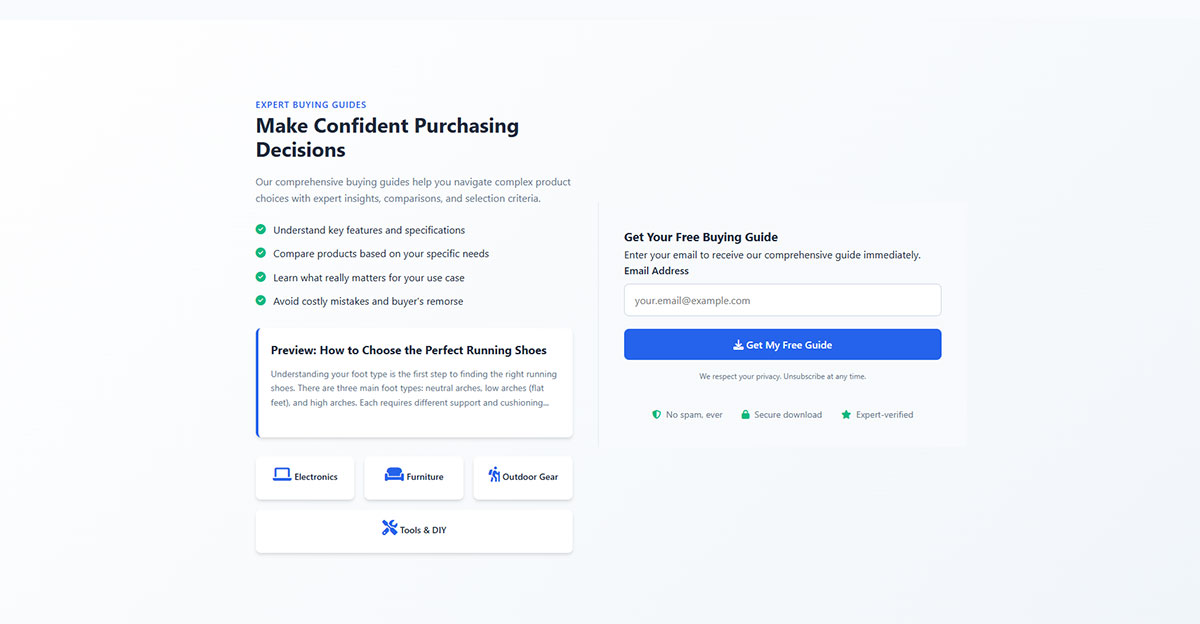
Popups outperform passive forms, and timing is the variable worth testing. A short delay or a second pageview both work as triggers, with exit intent as the other common one. A lower-pressure form belongs wherever shoppers read or compare.
Omnisend’s four-week test for Organic Aromas found a footer-style signup box converted at 0.81%, against 6.8% for an immediate popup (Omnisend). Immediate display won there, which is a reason to test timing rather than assume a rule.
Popups, Flyouts, Embedded Forms and Landing Pages
| Placement | Typical trigger | Best for |
|---|---|---|
| Popup | Delay, pageview count, exit intent | First-time visitors on any page |
| Flyout or teaser tab | Persistent corner tab | Mobile, low-pressure capture |
| Embedded form | Always visible (footer, product page) | Guides, restock alerts, comparison pages |
| Landing page | Paid or social click | Giveaways, quizzes, campaign offers |
The tradeoffs between the first and third rows are covered in a comparison of inline forms and popup forms.
IvyForms covers the embedded and landing page rows directly. Add a form to any page, post or product page with a shortcode, the Gutenberg block or Elementor, and every layout is responsive on phones, tablets and desktops. A conversational form (Pro) works as a standalone landing page with its own permalink for paid or social traffic.
Trigger Timing and Exit Intent
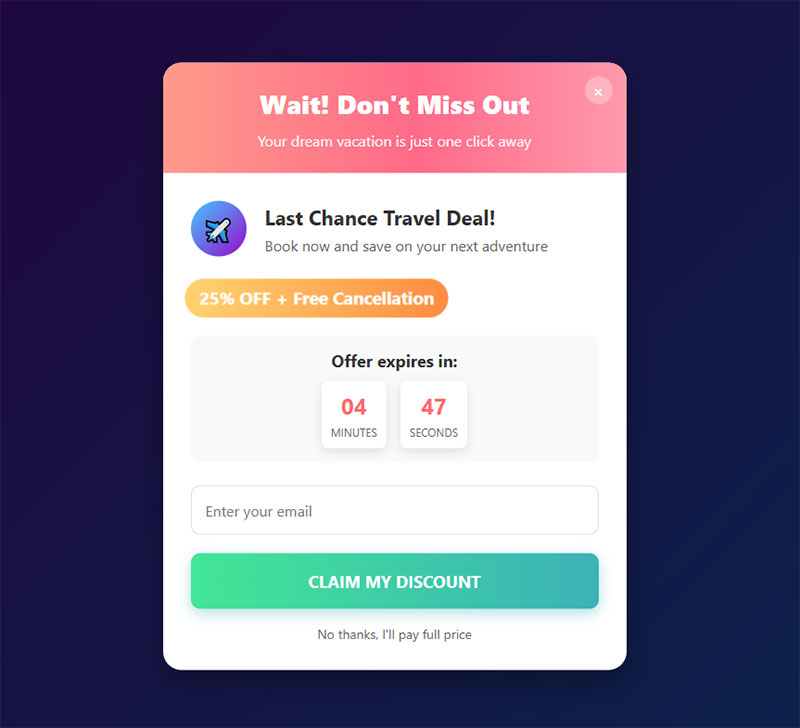
A time delay opens the popup after a set number of seconds. A pageview trigger waits for the second or third page, and scroll depth waits for a set share of the page. Exit intent fires as the visitor leaves.
Exit intent detection tracks the cursor moving toward the browser chrome, so it works on desktop. Mobile tools substitute proxies such as a scroll-up or back-button event, which fire less reliably, as the exit intent popup examples show in practice.
The failure mode is an offer that fires on the first page load and sends the visitor away before the store has shown anything.
Mobile Rules
Google has demoted mobile search results for pages with intrusive interstitials since January 10, 2017. The guidance targets popups that cover content right after a visitor arrives from search.
Banners using a reasonable amount of screen are not targeted, and neither are legally required notices such as cookie consent or age verification. On mobile, use a bottom banner or small flyout on landing pages and hold full-screen popups for later pageviews.
Capture Tools
- Shopify Forms is the native app for Shopify stores, with popup and embedded forms.
- Privy handles popup and email capture for ecommerce.
- OptiMonk is a popup builder that ships with ecommerce discount templates.
- Justuno covers onsite popups and personalization.
- Mailchimp signup forms feed straight into Mailchimp audiences.
- WooCommerce has no built-in capture popup, so it needs a form plugin.
- IvyForms is a WordPress form plugin that adds embedded signup forms, quizzes and landing page forms to a WooCommerce store, with entries kept in your own dashboard.
What Should the Signup Form Ask For?
Ask for an email address first, offer a phone number as an optional second step, and collect everything else after signup. Every extra field before the offer costs opt-in rate.
Email Only or Email Plus Phone
A form that asks for email only has the lowest friction of any signup form. It needs email consent and nothing else, and every subscriber gets reached through the welcome series.
Adding a phone number brings SMS reach and a second consent to record. It also shrinks the share of visitors who finish, so the phone field needs its own step.
Klaviyo’s help center recommends a multi-step form for dual capture, with email on step one and phone on step two, so consent is collected separately for each channel. Postscript’s help center traces the same split to a 2021 carrier rule requiring SMS opt-in to stand apart from email, and notes it affects every SMS platform, Attentive included.
The phone field should be marked optional and left unchecked by default, with the disclosure text directly below it.
IvyForms has Email and Phone fields, and multi-page forms (Pro) put the phone number on its own page after the email. Place the disclosure in the field description or an HTML field, and add a separate Checkbox for SMS consent.
Omnisend’s 2025 popup data puts multi-step popups slightly ahead of single-step ones, so the extra screen is not a penalty on its own. The wider tradeoff between multi-step forms and single-step forms is a separate decision from the SMS split.
How Many Fields Before Conversion Drops
Omnisend’s analysis of 1.24 billion popup displays in 2025 found popups with 1 to 3 fields converting at 2.1% to 2.2%, then 1.5% at four fields and 1.4% at five or more.
The cliff sits at the fourth field, so name plus email is affordable.
Wisepops’ 2026 report disagrees. It found three-field popups converting best at 7.86%, against 4.87% for single-field popups, and five-field popups at 30.37%. Wisepops attributes the five-field result to highly qualified traffic or specific use cases, so treat it as a sign that offer and audience can outweigh field count.
Name plus email is fine in step one. The phone number goes in step two, and birthday, size or category interest wait until after signup.
Which extra fields earn a place early is covered in a guide to the best form fields for capturing high-quality leads.
Collecting Preferences Without Extra Fields
Preference data does not need form fields. Quiz answers, a one-click question in the welcome email, and a preference center link all add profile data once the address is secured.
The usual targets are gift versus self-purchase and category interest, plus how often the subscriber wants email.
A short IvyForms form linked from the welcome email can carry those questions, and the Post-purchase feedback form template is a ready base for the follow-up after the first order.
Keeping Bad Addresses Out
A form without validation collects typos.
Entries such as gmial.com bounce, and giveaway forms attract throwaway addresses. Real-time email validation at entry and a double opt-in confirmation (covered with the consent rules below) remove many of them.
The IvyForms Email field checks the address format before submission, the No Duplicates option blocks repeat entries, and spam protection with reCAPTCHA, Turnstile or hCaptcha filters bots at the form.
Which Consent Rules Apply to Email and SMS Capture?
The EU and Canada require opt-in consent before a store sends marketing email. The US allows opt-out email but requires written consent for marketing texts. The rule that applies follows the subscriber’s location, not the store’s.
| Law | Applies to | Consent model | Channels |
|---|---|---|---|
| GDPR | Personal data of people in the EU | Opt-in | Email, SMS, any personal data |
| CAN-SPAM Act | US commercial email | Opt-out | Email only |
| TCPA | US marketing texts and calls | Prior express written consent | SMS and calls |
| CASL | Recipients in Canada | Express or implied opt-in | Email, SMS, other electronic messages |
Email Consent by Region
GDPR defines valid consent as a freely given, specific, informed, and unambiguous act, signaled by a clear affirmative action. Pre-ticked boxes fail that test (Recital 32), and the burden of proof sits with the store (Article 7).
The Court of Justice of the European Union ruled on exactly this in Planet49 (2019), a case about an online lottery with a pre-ticked consent box. Giveaway forms carry the same risk.
A guide on how to create GDPR compliant forms covers checkbox placement and privacy notice wording.
Passing wording is easier to judge on a page, which is what a set of GDPR consent form examples provides.
The IvyForms GDPR field adds a required, unticked consent checkbox with agreement text that accepts links to your privacy policy. Each entry records the submission date and time, the IP address, the user agent and the Source URL, which supports the burden of proof.
Under the CAN-SPAM Act, the FTC’s compliance guide states the law makes no exception for business-to-business email. Penalties accrue per violating email, so one broken template multiplies.
CASL is enforced by the CRTC, and a request for express consent cannot itself be sent by email, so the ask has to happen on the form. Its first Notice of Violation (Compu-Finder, 2015) cited commercial messages sent without consent and a non-working unsubscribe link.
SMS Consent in the US and Canada
On January 24, 2025, the Eleventh Circuit vacated the FCC’s one-to-one consent rule, so the earlier prior express written consent requirements remain in effect.
The FCC’s separate rules on how shoppers revoke text consent were adopted in February 2024 and took effect in April 2025, except the “revoke all” provision. The FCC has delayed that provision to January 31, 2027 and is still considering changes to it, so verify its status before launch.
On the form itself, that means an unchecked box or button, never a pre-ticked one. The disclosure text sits beside the phone field and includes message frequency and data rate language (Postscript’s checklist), and the phone field gets its own step, separate from email.
CASL also covers texts to Canadian numbers, so the same form wording has to satisfy both regimes when a store ships to Canada.
Double Opt-In Tradeoffs
Double opt-in adds a confirmation click after signup. None of the laws in the table mandates it, so it is a list quality decision.
On the plus side, it gives documented consent for the burden of proof under GDPR. It also means fewer fake and mistyped addresses, and fewer spam complaints.
The cost is a smaller list, since some signups never click. The offer also gets delayed unless the code shows on the confirmation screen.
What Should Happen After Someone Signs Up?
Deliver the promised offer within a minute. After that, a short welcome series runs until the first purchase, and non-buyers move on to cart and browse flows. The flow runs in an email platform such as Klaviyo or Omnisend, and Mailchimp automations cover welcome sequences too.
Deliver the Offer Immediately
The shopper signed up for a reason.
Show the code on the confirmation screen and email it within a minute, while the shopper is still on the site. A well-written form submission confirmation message can carry the code and set expectations for the first email.
IvyForms does both at submission. The confirmation message shows the code on screen, and a notification to the shopper’s own address, set up through the email field placeholder in the Send to field, sends the same code by email.
Smart logic on notifications (Pro) can send a different email depending on the answer, such as a different offer for each quiz result.
To feed the welcome series, the Mailchimp integration (Pro) adds each subscriber to an audience, and the Zapier integration (Pro, Growth plan or higher) and webhooks (Pro) pass each entry to other email and SMS platforms.
Welcome Series Length and Timing
Klaviyo’s help center recommends 3 emails over about a week for a standard welcome series, based on research across thousands of its ecommerce customers.
- Send the offer and its expiry date immediately.
- Around mid-week, send bestsellers, or reviews that answer the question the shopper came with.
- Toward the end of the week, send the expiry reminder along with the top objection (shipping, returns).
That sequence is a starting structure, not a sourced benchmark. Templates for each stage sit in a set of lead nurturing templates.
Handing Off to Cart and Browse Flows
Once someone abandons a cart, the abandoned cart flow takes over and welcome emails are suppressed. Browsers get a browse abandonment flow with one or two reminders about the products they viewed. Buyers exit the welcome flow on the first order.
Klaviyo’s 2024 Benchmark Report ranks the abandoned cart flow highest on placed order rate among all flows, so a welcome flow converting below it is normal, not a failure.
Where the Flow Breaks
- The code arrives after the shopper has left
- It expires before email 2 sends
- The email offer differs from the popup promise
- The welcome series keeps going after a purchase
- Email and SMS send the same message at the same moment
Each of these breaks trust at the moment the shopper is most willing to buy.
How Do You Measure a Lead Magnet and Test It?
Opt-in rate alone rewards offers that attract people who never buy, so it has to be read next to cost per subscriber, first-purchase rate and revenue per subscriber.
- Opt-in rate is signups divided by form views (Klaviyo reports this as submit rate).
- Cost per subscriber is redeemed offers plus tool fees, divided by new subscribers.
- First-purchase rate counts subscribers who bought within one fixed window (30, 60, or 90 days), divided by all subscribers.
- Revenue per subscriber is cohort revenue divided by cohort size.
In Google Analytics 4, enhanced measurement can log form_start on a visitor’s first interaction with a form in a session and form_submit on submission, each with form_id and form_name parameters (Google Analytics Help, as of October 2026). Popups that load inside an iframe can be missed, so reconcile counts against new subscribers in the email platform.
Setup steps are laid out in a guide on how to track form submissions in Google Analytics.
For a second count that does not depend on the browser, use IvyForms entries. The entries column in All Forms shows submissions per form, the entries table filters by date, and the wpDataTables integration (all plans) turns entries into tables and charts. Redirecting each offer to its own thank-you page also gives GA4 a clean per-offer conversion URL.
Benchmarks Worth Tracking
- 2.1% is the average email popup conversion rate across 1.24 billion displays in 2025, with under 1.5% rated underperforming and 5% or more excellent (Omnisend, 2026).
- Wisepops puts the average popup conversion rate at 4.82% across campaigns with a signup field, from its 2026 report (Wisepops, 2026).
- Klaviyo’s general submit rate benchmark for signup forms is 3%, which its own audit author calls a low bar (Klaviyo).
The sources disagree because they measure different things. Omnisend counts popup forms only and removes outliers above 50%, and it attributes gaps between vendors to methodology differences such as which popup types count and how conversion is defined.
As a working read, below 1.5% means the offer needs replacing, and 1.5% to 3% is average. Wider lead generation KPIs to track sit downstream of these numbers.
How to Run a Two-Variant Test
- Pick one variable, whether that’s the offer, the trigger timing or the field count.
- Split traffic evenly between control and variant across the same weeks.
- Set a minimum number of signups per variant before launch, and stop on that number, not on an early lead.
- Judge the winner on revenue per subscriber after the purchase window, not on opt-in rate.
- Roll out the winner, then test the next variable.
Omnisend’s data shows popups that run A/B tests average slightly lower conversion, because losing variants count in the average. A dip during testing is expected.
When Do Lead Magnets Not Work?
Lead magnets underperform when traffic is too thin to learn from, when offers attract one-time takers, and when the unit economics don’t clear the cost per customer. They also fall short when the list ends up harming deliverability.
Low-Traffic Stores
A store with low traffic cannot split visitors across variants and read a result in a reasonable time.
Run one simple offer for a full buying cycle, then change one thing. Capture still pays at low volume, but testing does not.
Offers That Attract the Wrong Subscribers
Prize hunters and coupon-site visitors sign up, redeem once, and leave. Segment subscribers by signup offer and look at repeat purchase rate at 90 days. Then check the unsubscribe rate in the first 30 days and the share who never open email 1.
If the giveaway cohort trails on all of them, tie the prize to a catalog product or move the giveaway to a campaign page.
Because each IvyForms form keeps its own entries, a separate form for the giveaway keeps its cohort easy to pull out and compare.
When the Math Does Not Pay Back
Cost per new customer equals cost per subscriber divided by first-purchase rate.
As an assumed example, $0.40 per subscriber at a 2% first-purchase rate costs $20 per new customer.
If first-order gross profit is below that figure, the offer loses money until the second order. Fix the welcome flow before sweetening the incentive, because a heavier offer raises cost per subscriber faster than it raises first-purchase rate.
When the List Damages Deliverability
Google’s email sender guidelines, in force since February 2024 for senders of roughly 5,000 or more messages a day to Gmail, require reported spam rates below 0.3% (Google advises aiming for 0.1%) and one-click unsubscribe.
Smaller stores fall outside the bulk definition today, but complaint rates still drive inbox placement.
Bot signups are the main avoidable source of bad addresses, and the best tactics for form spam prevention cut them at the form.
A honeypot is a hidden field that humans leave empty and bots fill, which flags the submission as automated.
Ecommerce Lead Magnets FAQ
How is a lead magnet different from a newsletter signup form?
A newsletter form offers only future emails. A lead magnet gives something useful first, such as a code, quiz result, or guide, so the shopper has a concrete reason to hand over an address.
Both capture contacts. The difference shows up in opt-in rate and in how quickly the first purchase follows.
How many lead magnets can a store run at once?
One primary offer sitewide is enough. Add a second only where it serves a distinct audience, such as a back-in-stock alert on sold-out product pages.
Two competing popups split attention and make test results unreadable.
How do you stop discount codes from leaking to coupon sites?
Issue single-use codes generated per subscriber and tied to the signup email, with an expiry date. A shared static code gets posted to coupon sites.
Add a one-use-per-customer limit and restrict redemption to first orders, so repeat signups with new addresses fail.
Does a lead magnet work for stores that sell on marketplaces like Amazon?
Only on pages the store controls. Marketplaces keep the shopper relationship, so the offer has to live on the store’s own site or on a landing page reached from social posts or ads.
Check each marketplace’s seller policy before collecting buyer contact details.
Can I build the signup form for a WooCommerce store with IvyForms?
Yes. Build the form in the drag and drop builder with an email field and the GDPR consent field, then embed it with a shortcode, the Gutenberg block or Elementor. The template library has a contact form to start from, or you can describe the form to the AI form builder and edit the result.
When to Replace an Ecommerce Lead Magnet
An ecommerce lead magnet has no fixed shelf life, so replace it when first-purchase rate or revenue per subscriber falls below the baseline set at launch. A dip in opt-in rate alone is not a trigger.
Keep the current offer live as the control and test one new offer on a split of traffic. Retire the loser after its purchase window closes.
Running the control first preserves a live comparison, which a straight swap destroys. The trade-off is a slower rollout, since each variant receives half the traffic.
As of October 2026, verify the FCC’s text consent revocation rules and Gmail’s bulk sender thresholds before relaunching, because a change to either alters form wording or sending limits.
The replacement is built the same way as the original, following a guide to creating a lead magnet.