


Table of contents
IvyForms integrates directly with the WordPress block editor (Gutenberg), allowing you to embed forms on your pages without using shortcodes. This article explains how to add an IvyForms form using the Gutenberg block and how to configure the available block options.
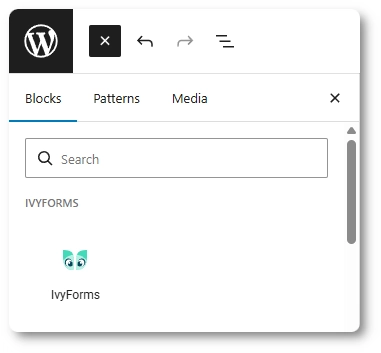
When editing a page or post in the WordPress block editor, click the + button to add a new block. In the block inserter, you’ll find the IvyForms block listed under the IvyForms section.
You can also locate the block quickly by typing IvyForms into the search field in the block inserter.
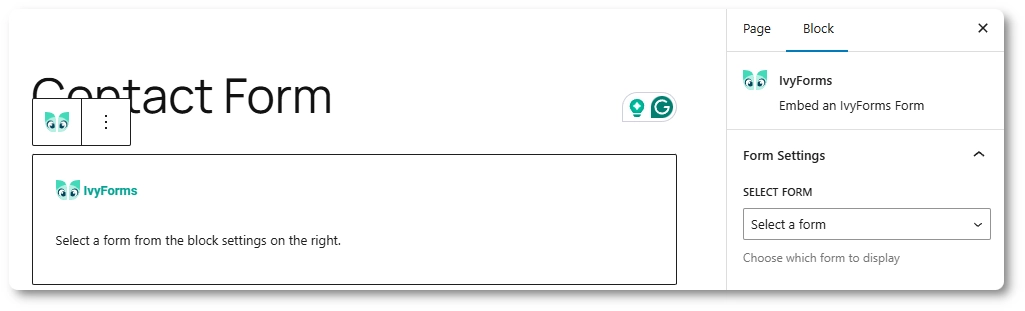
After adding the IvyForms block to your page, the block displays a placeholder message prompting you to select a form from the block settings on the right side.
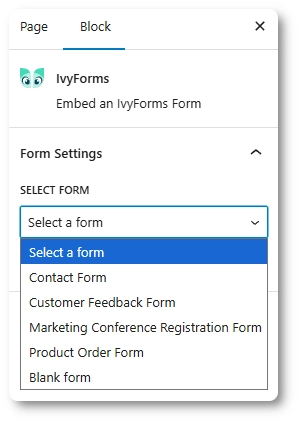
In the block settings panel, open the Select form dropdown and choose one of your existing forms. Once selected, the form is immediately rendered as a live preview inside the editor.
After a form is selected, the IvyForms block displays a preview of the form directly inside the Gutenberg editor. This preview reflects the form’s structure and styling so you can see how it will appear on the front end.
The preview is for visual confirmation only and does not submit real data while you are editing the page.
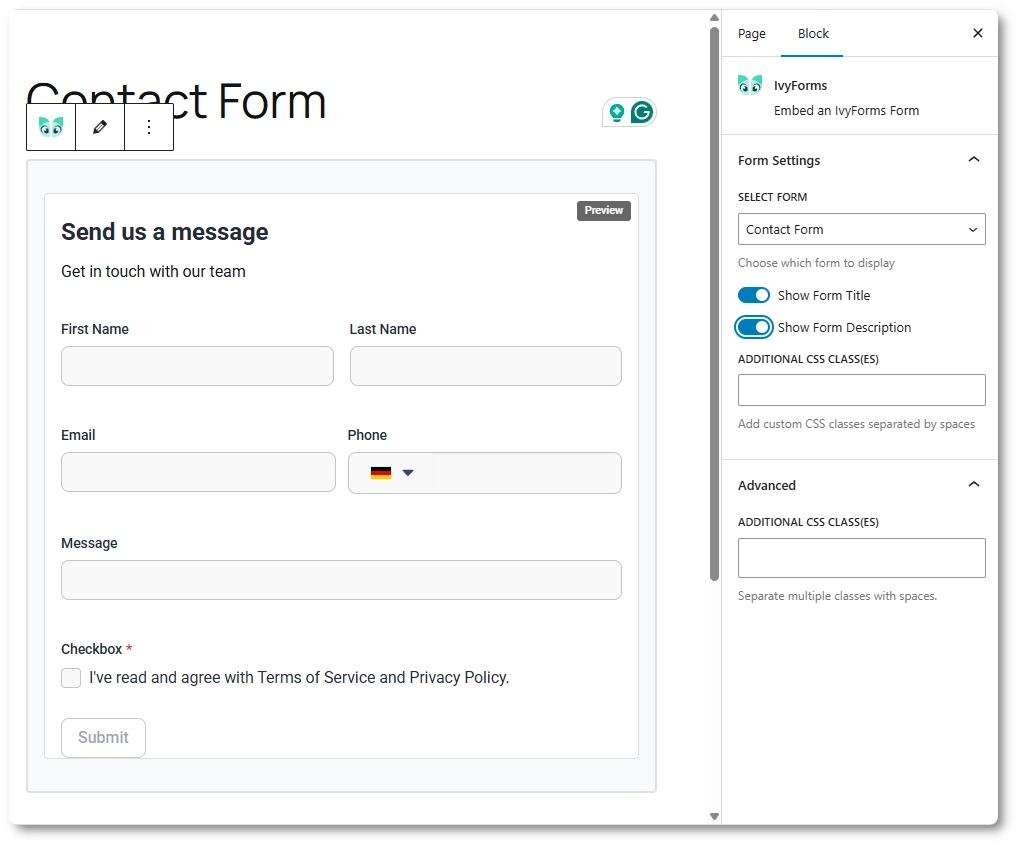
When the IvyForms block is selected, the block settings panel provides several options that control how the form is displayed on the page.
These settings affect only the form’s appearance on the page where it is embedded and do not change the form’s configuration in the builder.
Once the form is added and configured, publish or update the page as usual. After publishing, the IvyForms block renders the selected form on the front end of your website.
Visitors can interact with the form normally, submit entries, and see the form exactly as configured in the builder and block settings.
The Gutenberg integration provides a simple, shortcode-free way to embed IvyForms forms into your content. By using the IvyForms block, you can add forms, preview them directly in the editor, and control their visibility and styling without leaving the page editor.

