


A new client doesn’t sign with an accounting firm because a landing page convinced them. They sign because someone they trust vouched for the firm, or because the firm showed…
Table of contents
Most law firms that run a lead magnet put their effort into the download and very little into what happens after it. Hennessey Digital’s 2025 study of 1,333 US firms found that 26% never answered an online lead within seven days.
The ethics side gets less attention than it should. ABA Formal Opinion 10-457 (2010) treats an opt-in form that invites information about a possible representation as the start of a discussion under Rule 1.18, which carries confidentiality duties to the visitor.
The opt-in form is where both problems meet, and IvyForms covers its main pieces on a WordPress site: the disclaimer and consent wording, instant staff alerts, role-limited access to entries and delivery of the file. The sections below show where each one fits.
What are lead magnets for law firms?
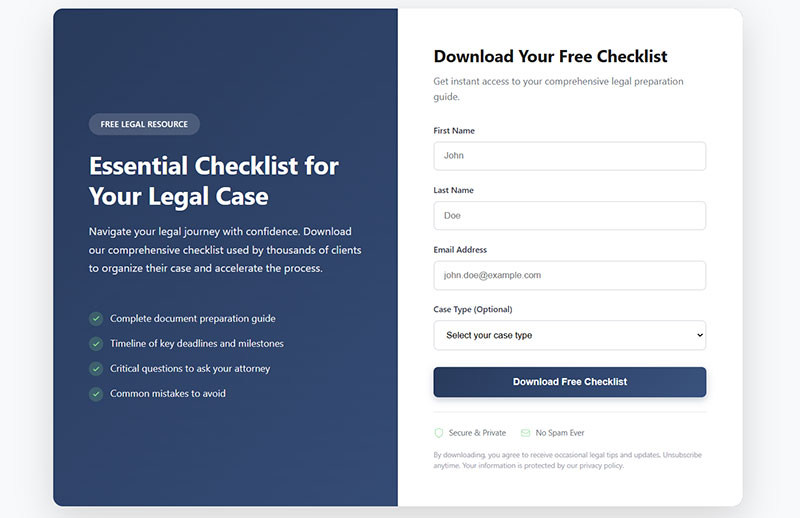
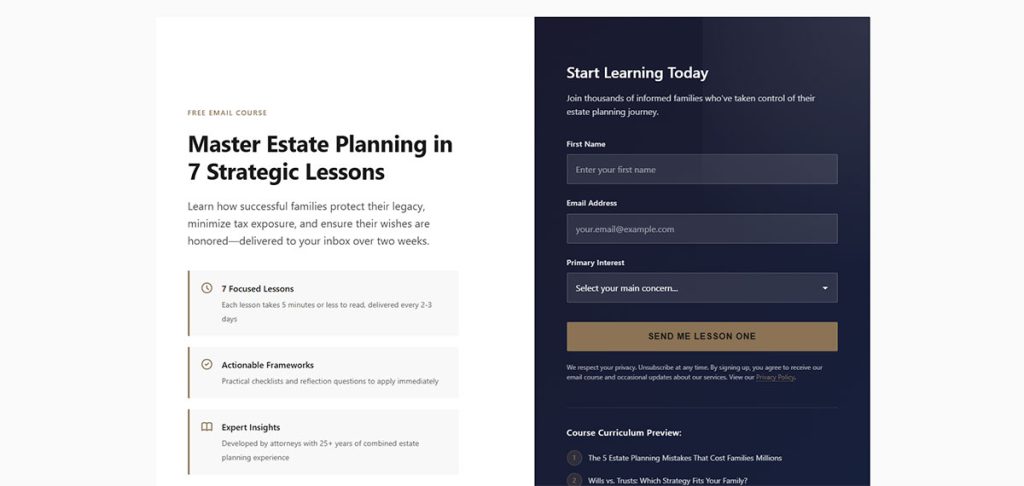
A firm gives away a checklist, guide, quiz or template, and gets the prospective client’s contact details in return.
What separates it from a general newsletter signup is that each offer is tied to one practice area and one stage of the decision. The mechanics match the general idea behind a lead magnet, with professional conduct rules layered on top.
One opt-in gives a firm a working email address and sometimes a phone number, plus a record of consent to be contacted. It also gives a topic signal, since a car accident checklist and an estate planning template point to different needs, and a reason to follow up before the person picks a firm.
Most visitors aren’t ready to book, which is why the model fits legal services. John Hinson, writing for ABA Law Technology Today in 2023, notes that many firm websites capture only the leads who want a consultation right now.
Rankings.io adds that someone who lands on a site in the middle of an accident-related crisis is rarely ready to schedule anything. Visitors in crowded markets also forget a firm’s name fast, so a download plus follow-up keeps it in front of them.
A firm brochure or any plainly promotional piece doesn’t count. Neither does a PDF anyone can open without leaving details, and Good2bSocial puts a free consultation on that list too.
That last point is contested. Good2bSocial says most firms offer a free consultation, so it cannot differentiate, while some agency guides list a consultation with a contact form as a lead magnet. This article follows the stricter view: a magnet has to be something a visitor would want even before they know they need a lawyer.
Salvi, Schostok & Pritchard P.C. shows the ungated version. Its Chicago car accident page links straight to a six-step crash checklist and an Illinois car accident guide as PDF files.
That builds trust and reach, but it produces no contact list. Ungated resources have a job, yet they sit outside the wider lead generation work for law firms that depends on capturing a contact.
Lead magnet formats law firms use, compared
Firms mostly publish checklists and templates, guides and ebooks, quizzes and calculators, webinars, and case studies. They differ in build effort, and in how much the visitor has to hand over.
Hinson cites a complete auto accident checklist as a model format, and Search Engine Journal describes an estate planning checklist that includes an estate plan template download and an asset inventory step. A template download also hands the firm a natural follow-up, an offer to review the finished document.
Guides are the cheapest route to something substantial. Hinson suggests expanding a blog post that already performs well into a multi-page guide.
A firm that already runs seminars can record the next one and gate the replay (Hinson, 2023). Top4 (2023) gives a family law webinar on child custody as its example. For the sign-up page, the IvyForms General Webinar Registration Form is built around delivering the access link after registration.
Search Engine Journal calls case studies common in legal marketing. Each one needs client consent, and any results claim has to stay accurate under Rule 7.1.
Quizzes and calculators carry the most exposure. Every answer is a fact about the visitor’s matter, and that is the trigger for prospective client duties under Rule 1.18.
Hinson notes that a settlement or child support calculator needs a programmer and formulas the firm already knows. For the form mechanics, a guide to quizzes and other interactive forms for lead generation covers the build.
In IvyForms, the Calculated field (Pro Essentials or higher) runs a formula you write from Number, Slider, Radio and Checkbox answers and shows the result live, which suits a fee or timeline estimator. A simple quiz uses Radio fields plus conditional confirmation messages (Pro), so each answer shows a different next step.
Infographics and resource lists also circulate in legal marketing. The wider range of lead magnet types applies to law firms with little change, but the formats above are the ones with documented legal use.
How to match a lead magnet to a practice area and client stage
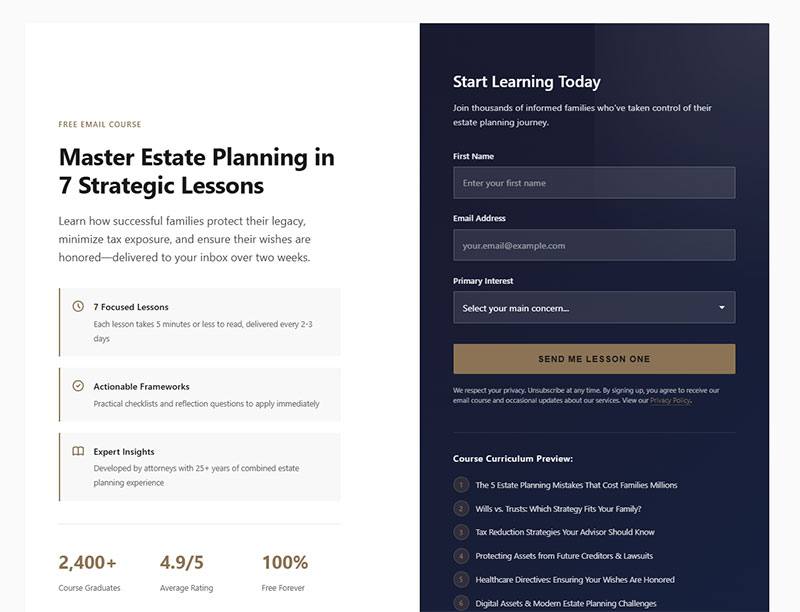
Urgency comes first, then stage. Someone in the middle of a crisis wants a call, while a person planning ahead will take a document and read it later.
Urgent matters versus planning matters
Personal injury and criminal defense call for a short action list the visitor can use today. Keep the form to a name and one contact method, and put a visible call button beside the download.
Rankings.io’s personal injury examples include a what-to-do-after-a-wreck checklist and a list of records to keep after an injury. For criminal defense, a know-your-rights guide follows the same logic.
Estate planning, immigration, employment and business law work the other way. Checklists, templates and worksheets with a long shelf life do well there, delivered by email, with a slower follow-up and a document review as the next step.
Top4 pairs employment law with an ebook aimed at business owners. Family law straddles both sides: a custody webinar suits the planning end, while a state-specific divorce guide serves the visitor already deciding.
Keep each offer on its own page. Rankings.io warns against promoting a wrongful death lead magnet on a slip and fall page; match each offer to its specific audience.
With IvyForms, build one form per offer and embed each on its own practice area page with a shortcode or the Gutenberg block. Each form keeps its own entries, so the numbers for the car accident checklist never mix with the estate planning worksheet.
Awareness, consideration and decision stage offers
Know-your-rights guides and what-to-do checklists belong at the awareness stage, for visitors who just found the problem. Quizzes, calculators and webinars fit consideration, when people are comparing options or firms. Close to hiring, a prepare-for-your-first-meeting checklist or a case study does the job.
Rankings.io finds that lead magnets perform well at the top and middle of the funnel. Read alongside Good2bSocial’s view of the free consultation, that leaves the decision stage to the consultation itself as the call to action, not as the magnet.
For that decision-stage call to action, the IvyForms Consultation Appointment Booking Form covers contact details, a preferred time and the reason for the consultation, and lists legal consultations among its uses.
Build the shortlist from intake data. Rankings.io recommends starting from what prospective and current clients actually ask, and a longer list of lead magnet ideas is useful only after that filter.
A personal injury firm might run an awareness checklist on its car accident page: name and email only, no questions about the crash, a call button next to the form. An estate planning firm might run a consideration-stage asset inventory worksheet delivered by email, with a follow-up that offers a document review.
Ethics and messaging rules that apply before launch
A gated legal resource sits under professional conduct rules on advertising and prospective clients, plus state bar opinions that add local requirements. Federal law on email and text messages applies on top of both. Skipping any of them can end in a bar complaint or a fine.
Rules for the page and the offer
- Model Rule 7.1 bars a communication about the firm or its services from being false or misleading, and ABA Formal Opinion 10-457 (August 2010) applies this to websites.
- Model Rule 7.2(d) requires an advertisement to name at least one lawyer or law firm responsible for its content, with contact information.
- Under Model Rule 1.18, a visitor who discusses possible representation becomes a prospective client, with confidentiality duties attached.
- Client matters named in a case study need informed consent under Model Rule 1.6, a point the ABA Journal drew from Opinion 10-457.
The risk sits in Rule 1.18. Opinion 10-457 treats a site that invites information about a possible representation as starting a discussion once the visitor responds.
After that, Rule 1.18(c) can disqualify the lawyer and the firm from representing an adverse party if the information received is significantly harmful, subject to the consent and screening exceptions in 1.18(d).
Bars disagree on the fix. Virginia Legal Ethics Opinion 1842 (2008) recommends a click-through disclaimer that the visitor must accept before submitting, and Massachusetts Opinion 07-01 (2007) says a firm may require a click of assent.
New Hampshire’s Ethics Committee (Advisory Opinion 2009-10/01) treats click waivers as available but of uncertain effect, with a concern for the visitor’s privilege. Check the opinion for the state where each lawyer is licensed before choosing the wording.
Opinion 10-457 also says a disclaimer weakens when the lawyer acts against it. A form that tells visitors not to send confidential details undercuts itself if the follow-up email asks for the facts of the case.
Salvi, Schostok & Pritchard P.C. ends its pages with a notice that the site is attorney advertising, gives general information only, and creates no attorney-client relationship.
A click-through disclaimer is simple to build in IvyForms. Use an HTML field for the disclaimer text and the attorney advertising notice, and a required Checkbox directly below it, so the form cannot be submitted until the visitor accepts. Drag the pair to sit right above the submit button.
Rules for email and SMS follow-up
| Rule | Channel | What it requires | Source |
|---|---|---|---|
| CAN-SPAM Act | Opt-outs honored within 10 business days, a valid postal address, the message identified as an ad | FTC | |
| TCPA | Marketing texts and calls | Prior express written consent before autodialed marketing texts | FCC |
The FTC’s compliance guide covers all commercial email, with no exception for business-to-business messages. Penalties reach $53,088 per violating email. The FTC announced in a September 15, 2026 Federal Register notice that it will make no inflation adjustment in 2026, so the 2025 level continues to apply.
TCPA consent rules moved in 2025. The Eleventh Circuit vacated the FCC’s one-to-one consent rule on January 24, 2025, days before it was due to take effect (Morrison Foerster). Most of the revised revocation-of-consent rules took effect April 11, 2025 (McGuireWoods), but the “revoke-all” provision, under which a revocation sent in reply to one message applies to all future robocalls and texts from that caller, was delayed to April 11, 2026 and then, by a January 6, 2026 FCC order, to January 31, 2027. Check the FCC’s current status before launching, because parts of the revocation framework are still moving.
Hennessey Digital’s 2025 study found text follow-up among law firms grew just 5% since 2021. It ties that slow growth, as a likely factor, to caution about stricter A2P consent requirements.
The practical fix is a separate consent step for texts. Salvi’s form collects email consent in a checkbox and sends SMS opt-ins to a dedicated page.
In IvyForms, add a Phone field marked optional, and place a separate unticked Checkbox beside it for text consent. The GDPR field gives you a required consent checkbox with links to your privacy policy for visitors in the EU.
Each entry stores the submission date and time, the IP address and the Source URL, which helps document when and where consent was given. For list building, the Mailchimp integration (Pro) can use smart logic to sync only the contacts who ticked the email consent box.
How to build the landing page, form and delivery
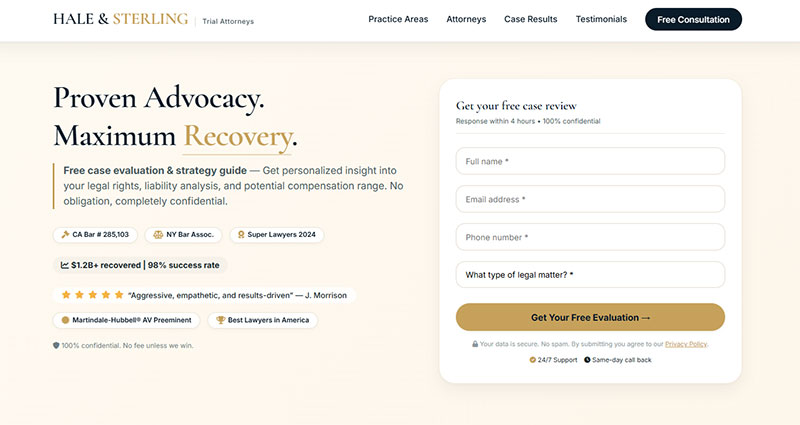
Order matters here, because the disclaimer and consent wording has to sit in front of the submit button before anything goes live. The finished funnel is one page and one form, with two emails behind it.
- Pick one offer and host it on the practice area page it matches.
- Write the landing copy in plain language and keep it short.
- Place the disclaimer and consent text directly above the submit button.
- Ask for name, email and an optional phone number, plus a case type dropdown.
- Send the file by email and show a confirmation on the thank-you page.
- Add a booking link or call button to the thank-you page.
- Test the form on a phone, submit a test lead, and time the first reply.
On copy length, an earlier edition of Unbounce’s Conversion Benchmark Report for legal showed conversion rates falling as word counts rise and flagged complex language as a drag. The 2024 edition recommends about 600 words and tolerates more difficult words, with college-level copy converting best at 7.2%. General landing page form best practices still apply, with the consent wording added.
Which form fields to ask for
Ask for contact details and a broad case category, and nothing narrative.
Hennessey Digital’s 2025 study advises collecting enough to work efficiently without making people jump through hoops, and using everyday words for the case type instead of intake jargon. Opinion 10-457 pushes the other way: a free-text box asking what happened requests facts, which turns a download into a Rule 1.18 discussion.
- First name
- Phone, optional, with SMS consent as a separate unchecked box
- Case type, as a plain-word dropdown
A guide to form fields that capture higher-quality leads covers the general trade-offs. A legal form has one extra reason to stay short: every added fact invites a discussion.
Deliver by email or on the thank-you page
Email delivery is the safer default.
Crisp’s law firm marketing guide advises against delivering the magnet on the thank-you page. The practical case for email is that it confirms a working address and starts the first follow-up touch.
An on-page download is faster for the visitor, but it leaves the firm with an address nobody has verified.
Whichever route a firm picks, the thank-you page should carry the next step, a booking link or a call button.
Building the form and delivery in IvyForms
Start in the drag and drop builder with a Text field for the first name, an Email field, an optional Phone field, and a Dropdown for the case type. You can also describe the form to the AI form builder and edit the draft, using no real client details in the prompt.
Set the Max Length option on any free-text field where it is available, so nobody pastes a narrative into it. Add reCAPTCHA, Turnstile or hCaptcha through the spam protection settings so bots stay out of the intake queue.
Delivery uses two settings. A notification email addressed to the visitor, with the email field as a placeholder in the Send to field, carries the file link and starts the first follow-up touch. A confirmation handles the thank-you step, either as a success message or as a redirect to a page on your site.
In the success message editor’s HTML mode, you can add a click-to-call link and the booking link. With multiple and conditional confirmation messages (Pro), an urgent case type can show the phone number first, while a planning matter shows the booking link.
The firm’s own alert is a second notification. Keep its message short, such as “new download request, open the entry”, instead of the default message that prints every answer, and send it to a fixed internal address. Smart logic on notifications (Pro) can route each case type to the right intake inbox.
Embed the finished form on the practice area page with a shortcode, the Gutenberg block or Elementor. The layout is responsive, so check it on a phone before launch.
How to follow up after the opt-in
Reply by phone or text within minutes, then let email carry the rest of the sequence.
A Harvard Business Review analysis (2011) of 1.25 million sales leads found that companies reaching a lead within an hour were nearly 7 times as likely to qualify it as companies that waited an hour longer.
The sample covers 42 companies across many industries, so it is a general sales finding, not a law firm benchmark. Vendor blogs often attach five-minute multipliers to the same research, but the HBR piece itself reports the one-hour and 24-hour comparisons.
Hennessey Digital’s 2025 study measures how fast firms reply, not how many replies convert, and says only that shorter waits raise the chance of conversion. Five minutes is a sensible target, not a proven threshold.
Channel matters as much as speed. Hennessey Digital submitted web forms and found that 74% of 1,333 firms replied within seven days, while Clio’s 2024 Legal Trends Report found that only 33% of firms answered an emailed inquiry.
The tests differ in method, so the gap is not an exact comparison. It still points one way: route the magnet’s form into a system that assigns an owner, not into a shared inbox.
IvyForms supports that setup in two ways. Notifications reach the assigned intake address the moment a form is submitted, and the entries table lets staff star new leads and mark them as read once someone has called.
Permissions help keep access narrow, as Rule 1.18 expects. In IvyForms permissions, give the intake role view access to entries for that form only, and keep the delete-entries permission with a small group. Administrators always keep full access.
Which channel goes first
A phone call is the most common method firms use to respond in Hennessey Digital’s 2025 data (87% of firms). Text works only when the visitor ticked the separate SMS consent box.
The confirmation message on the thank-you page counts as touch zero. A clear confirmation message after a form submission tells the person what arrives next and when.
A few first-contact mistakes waste the speed advantage.
- No voicemail left on the first call
- A firm name spoken too fast to catch
- A first line that never names the download
Hennessey Digital flags the first two directly. The third applies its advice to say where a lead came from: someone who contacted several firms needs the context to place the call.
Each IvyForms entry stores the Source URL, and one form per offer identifies the download, so the person calling can open the entry and name the exact checklist the visitor requested.
A starting sequence after the first reply
- In the first 10 minutes, call or text, with the delivery email already sent.
- On day 1, send a short email that answers the question people on that topic ask next.
- Between days 3 and 5, send one email with the booking link and what the consultation covers.
- For weeks 2 to 4, one educational email per week is enough.
This schedule is an editor’s template. No published benchmark sets the right number of touches for law firm lead magnets, so adjust it against reply and booking data.
Ready-made lead nurturing email templates can cover the Day 1 and Days 3 to 5 steps. Stop the sequence the moment the person replies, books or unsubscribes.
To feed the sequence, the Mailchimp integration (Pro) adds each opt-in to an audience, while Zapier (Pro, Growth plan or higher) and webhooks (Pro) pass each new entry to a CRM or other app on the firm’s side.
Tools that run the funnel, by job
A funnel needs something for the form and page, something for designing the asset, a way to track intake, email automation, and a way to handle booking or call answering. One product can cover two of those jobs, and a small firm can get everything done with three tools.
| Job | Tools | Fits |
|---|---|---|
| Form and landing page | Typeform, Jotform, Gravity Forms, HubSpot, IvyForms | Any firm, pick one |
| Asset design | Canva | Checklists, guides, infographics |
| Legal CRM and intake | Clio Grow, Lawmatics, Lead Docket | Steady lead volume |
| Email and automation | Mailchimp, ActiveCampaign, Zapier | Delivery, nurture, app routing |
| Booking and call answering | Calendly, Smith.ai, Ruby | Scheduling, after-hours coverage |
On WordPress, Gravity Forms is one option among many lead generation plugins, and IvyForms is another. Its free Lite version covers the builder, 15 standard fields, templates, notifications, entry management, spam protection and the GDPR field, and Pro adds conditional logic, multi-page forms, Mailchimp and Zapier. Plans and the 15-day money-back guarantee are on the pricing page.
Hinson’s ABA article (2023) points firms to Canva for designing the asset itself.
Clio Grow offers shareable public intake forms that sync to a Lead Inbox, a Matter Pipeline for lead status, and email templates with timed delivery, per Clio’s product pages.
Lawmatics embeds a contact form on the site, moves leads through a pipeline, and can send a text or email the moment an intake form is submitted, according to Lawmatics.
Lead Docket tracks each lead’s source and marketing spend, offers custom intake scripts, integrates with call tracking numbers, and sells an optional LeadsAI add-on that summarizes and scores leads (Lead Docket features page).
Zapier fills the gaps between apps. A trigger in one app, such as a new form submission, starts an action in another, such as creating a CRM contact.
Calendly’s help center says an event type can redirect invitees to a thank-you page after booking and pass booking details in the URL for conversion tracking. Smith.ai says its receptionists call leads who complete online forms and handle intake, qualification and conflict checks, and Ruby’s legal page lists live phone answering, chat, intake and scheduling.
Start smaller than the table suggests. A form tool, an email tool and a booking link run a first lead magnet, and a legal CRM earns its cost once tracking leads by source in a spreadsheet starts to break.
A roundup of the best lead magnet tools covers the design and delivery side in more depth.
Which numbers show whether a lead magnet works?
Opt-in rate, cost per lead, lead-to-consultation rate and time to first reply tell you most of what you need to know.
Research for this article turned up no primary-source benchmark for law firm lead magnet opt-in rates or cost per lead. The closest published figures each measure something slightly different.
- Hennessey Digital (2025) put the median time to reply to online leads at 13 minutes, across 1,333 US firms tested in Q1 2025.
- Unbounce’s Conversion Benchmark Report (2024) found a 6.3% median landing page conversion for legal pages, against a 6.6% baseline across industries.
- WordStream by LocaliQ (2026) reports an average paid cost per lead of $131.63 for attorneys and legal services on Google and Microsoft search ads, April 2025 to March 2026.
Unbounce counts every landing page goal, so its median is a sanity range for an opt-in page, not a target. Set an internal baseline within the first full month of traffic.
The WordStream figure prices a paid lead. A lead magnet’s cost per lead is spend divided by opt-ins, which compares cleanly only when paid traffic promotes the magnet.
Unbounce’s own editions disagree on copy length. Earlier legal benchmark pages tied longer, harder copy to lower conversion, while the 2024 edition says legal pages tolerate higher word counts and more complex words than most other industries. Test both versions on your own traffic.
- Opt-in rate is opt-ins divided by landing page visitors.
- Cost per lead is spend on the magnet divided by opt-ins.
- Booked consultations divided by opt-ins gives the lead-to-consultation rate.
- Total spend divided by signed clients gives cost per signed retainer, which settles whether a cheap lead was worth it.
A wider set of lead generation KPIs to track covers the metrics around these four.
The opt-ins half of the first two formulas is easy to read in IvyForms. The Entries column in All Forms shows the submission count per form, and the entries table filters by date, so a monthly count per offer takes a minute.
How the numbers get collected
As of October 2026, Google Analytics 4 records form activity through enhanced measurement. The form_start event fires on a user’s first interaction with a form in a session, and form_submit fires when the form is submitted (Google Analytics Help).
Comparing the two shows how many visitors begin the form and quit. The event parameters appear in reports only after custom dimensions are created for them.
Google defines a key event as an event that measures an action important to the business, and any event can be marked as one. Marking form_submit as a key event turns each opt-in into a counted conversion.
Gravity Forms documents a Google Analytics add-on that sends a gforms_submission event by default. Mark it as the key event to count all forms together, or give each form a unique event name to separate them.
Embedded or script-rendered forms can bypass the automatic events, so submit a test lead and confirm the event appears. A step-by-step guide to tracking form submissions in Google Analytics walks through the setup.
With IvyForms, an easy way to count each offer separately is to set the confirmation to redirect to its own thank-you page. The thank-you URL then marks which download converted, and the same page can carry the booking link.
When do lead magnets for law firms not work?
They fail with urgent visitors who need a person right away, and with firms that can’t reply fast. Stale content that drifts into advice sinks them too, as does traffic too thin to learn from.
Urgent visitors want a person, not a download
Good2bSocial describes the legal sales cycle as long, which is the case for gating a resource. Unbounce’s 2024 legal benchmark says the gap between spotting the need and hiring is often short, and offers that as the reason paid search is the strongest legal channel and email the weakest.
Both can hold. Planning matters run long and crisis matters run short, so an urgent visitor is better served by a call button or live chat, and a look at how chatbots compare with forms helps when choosing between them.
No capacity to reply in the first hour
Sometimes nobody is assigned to call, so opt-ins just pile up. And after-hours submissions sit until the next business day.
Clio’s 2024 test found that most firm replies gave little of the information shoppers requested. Hennessey Digital’s 2025 data shows a large minority of firms still take hours to reply or never do.
In that state a magnet adds cost without adding clients. Fix the reply process first, then publish the offer.
Content that goes stale or crosses a line
ABA Formal Opinion 10-457 expects website information to stay current so visitors are not misled, and a guide quoting a changed deadline fails that test. A guide written for one state also gets downloaded in another, so put the state on the cover and on the landing page.
Advice drift is the other risk. A worksheet that tells visitors what their facts mean moves from general information to advice, and the opinion calls for a clear “not legal advice” caution on general legal information.
Too little traffic to learn from
A page with a few hundred visits a month yields a handful of opt-ins, too few to compare two headlines or judge a follow-up sequence.
Until traffic grows, one evergreen checklist beats a library of five offers.
FAQ About Lead Magnets for Law Firms
Is a lead magnet the same as a content upgrade or a newsletter signup?
No. A lead magnet is a standalone gated asset offered for contact details, while a content upgrade is a bonus tied to one page’s topic, and a newsletter signup promises ongoing emails instead of a specific resource.
Which converts better for a law firm, a webinar or an ebook?
No published comparison for law firms turned up in this research. Choose by stage and capacity: an ebook suits awareness and costs less to maintain, while a webinar suits consideration but needs live delivery or a strong recording.
How many lead magnets should a firm run at once?
Start with one offer, built for the practice area that produces the most clients. Add a second only when the first has steady traffic and a working reply process, since each new magnet adds a follow-up sequence to maintain.
How much does a lead magnet cost to produce?
The cost depends on the format, and no published range exists for law firms. Hinson’s ABA article (2023) says a checklist or guide can be designed in Canva or by a freelancer, while a calculator needs a programmer and formulas the firm supplies.
Where should a firm promote its lead magnet?
Start with owned pages: the matching practice area page and the end of related blog posts. Unbounce’s 2024 legal benchmark finds that paid search converts about three times better than email, so search traffic does most of the work.
How often should a firm review a lead magnet?
Review it twice a year and again whenever a statute, deadline or form it cites changes. No standard sets the cadence, so treat that schedule as a working rule and log the attorney who signed off on each version.
Can AI write a law firm lead magnet?
Yes, with attorney review. ABA Formal Opinion 512 (July 29, 2024) says lawyers using generative AI must still meet their duties of competence, confidentiality and supervision, which means verifying every legal statement and keeping client information out of the tool.
Can I build the opt-in form with a disclaimer in WordPress?
Yes. In IvyForms, add an HTML field with the disclaimer, a required Checkbox for acceptance, and the contact fields, then embed the form on the practice area page. The IvyForms documentation has a guide for each field and setting.
Launching Lead Magnets for Law Firms in the Right Order
Start with a named person who owns the first reply. Then check the consent and disclaimer wording against the licensing state’s bar opinions, and only after that publish a single asset on a single practice area page.
The asset goes last because a weak checklist can be swapped in an afternoon, while consent captured under weak wording stays attached to every contact already collected.
One offer on one page narrows reach and slows testing, a cost worth paying until the reply process handles the volume.
The order reflects sources checked in October 2026, and a new state bar disclaimer rule or a revised FCC consent rule would reopen the wording step.
Once the wording is checked, building the first asset takes the least time of the three steps.