


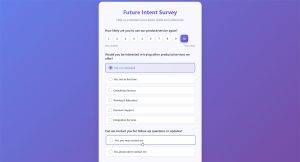
A single confusing survey question can undo months of careful data collection. Feedback survey questions determine whether a team collects a real signal or just filler text, and that matters…
Table of contents
A blank quiz builder staring back at you is where most people quit. The questions feel off, the scoring logic gets confusing, and the whole thing takes three times longer than expected.
Templates fix that. The best examples of quiz templates give you a working structure, from question formats to result pages, so you can focus on the content instead of the architecture.
This guide breaks down real template examples across personality quizzes, trivia formats, educational assessments, product recommendation quizzes, and lead generation funnels. You’ll see what each type looks like, which platforms offer them (Google Forms, Typeform, Kahoot, Interact, and others), and how to pick the right one for your specific goal.
What Is a Quiz Template?
A quiz template is a pre-built structure that comes with question formats, scoring logic, and layout already set up. You pick one, customize the questions, plug in your branding, and launch.
That’s the short version. The longer version is that templates handle the tricky parts for you. Things like branching paths, result calculations, and form design are already figured out before you type a single question.
Don’t confuse a quiz template with a quiz builder. A builder is the tool (Google Forms, Typeform, Interact). A template is the starting framework inside that tool. One is the kitchen. The other is the recipe.
Templates come in several formats depending on where you plan to use them.
- Cloud-based platforms like Typeform, Kahoot, and SurveyMonkey host templates directly in their editors
- CMS plugins for WordPress let you embed quizzes without leaving your site
- Standalone files in PDF or printable format for offline use in classrooms and workshops
- Design tools like Canva offer visual quiz templates meant for social media sharing
Interact’s 2026 conversion report found that quizzes built from templates average a 40.1% start-to-lead conversion rate, based on over 80 million leads generated since 2013. That number has held steady for years.
The reason templates work so well is simple. They remove the blank-page problem. Writing a quiz from scratch takes forever because you’re making structural decisions and content decisions at the same time. A template separates those two jobs.
Took me a while to realize that, honestly. I used to build every quiz from zero. Spent hours on conditional logic and scoring before even thinking about the actual questions.
Personality Quiz Templates
See the Pen
Personality Quiz Template by Bogdan Sandu (@bogdansandu)
on CodePen.
The “Which [blank] are you?” format dominates social media for a reason. People can’t resist finding out something about themselves, even when they know the result is basically entertainment.
Personality quizzes are the template category with the highest completion rates. Outgrow data shows personality-style quizzes reach 60-80% completion, outperforming every other quiz type.
How Personality Quiz Templates Work
Answer mapping: Each answer choice carries a hidden value tied to one or more personality outcomes. The template calculates which outcome got the most points.
Branching logic: Some templates skip or add questions based on earlier answers, creating a conversational feel that keeps people clicking through.
Result pages: Every outcome gets its own dedicated page with a description, image, and usually a call to action.
Interact and Riddle both offer extensive personality quiz template libraries. BuzzFeed popularized the format, but marketing-focused tools have refined it for lead capture. Jenna Kutcher’s “Secret Sauce” quiz on Interact has generated over 105,000 email subscribers, according to the platform’s own case studies.
Personality Quizzes for Lead Generation
The real power of these templates shows up when you gate the results behind an email form. Riddle’s 2024 report found that using quizzes for zero-party data collection is 9.7 times more effective than traditional methods.
That’s a wild number. And it makes sense when you think about the psychology. Someone who just answered eight questions about their personality actually wants to see the result. The email gate feels like a fair trade, not an interruption.
Content Marketing Institute reports that 81% of marketers agree interactive content grabs attention more effectively than static content. Personality quizzes sit right at the center of that trend.
Free Form Conversion Rate Calculator
Knowledge and Trivia Quiz Templates
See the Pen
Knowledge & Trivia Quiz Template by Bogdan Sandu (@bogdansandu)
on CodePen.
Knowledge quizzes test what someone knows. Trivia quizzes do the same thing but make it fun. The template structure is almost identical, but the tone and scoring approach differ.
Demand Metric found that interactive content generates 2x more engagement than passive content. Trivia templates are a textbook example of why. People actively participate instead of just reading.
Common Question Structures
Multiple choice: The default. Google Forms quiz mode, Quizizz, and ProProfs all build their trivia templates around it.
True/false: Faster to create, faster to take. Works best when you’re testing factual recall on a specific topic.
Image-based questions: Kahoot templates lean heavily on visual questions. Canva also offers quiz layouts with image answer options that work well on mobile.
Trivia templates get used in more places than people realize. Classrooms, yes. But also pub quiz nights, social media engagement campaigns, corporate onboarding programs, and conference ice-breakers.
Timed Quiz Templates
Kahoot and Quizizz built their entire platforms around the timed quiz concept. The countdown adds pressure, which adds excitement, which keeps completion rates high.
But timed formats aren’t always the right call. If you’re testing complex material or working with anxious learners, a timer creates stress without adding value. Your mileage may vary here, and it mostly depends on whether the quiz is meant to be fun or evaluative.
Mediafly data shows users spend an average of 13 minutes on interactive content compared to 8.5 minutes on static content. That gap matters for engagement metrics and time-on-page signals.
Educational Assessment Quiz Templates
See the Pen
Educational Assessment Quiz Template by Bogdan Sandu (@bogdansandu)
on CodePen.
Assessment templates are built for outcomes that actually count. Grades, certifications, pass/fail decisions. The structure is tighter than a trivia quiz, and the scoring has to be airtight.
TalentLMS research from 2024 shows that online courses with quizzes and simulations boost completion rates by 30-40%. That finding alone explains why every serious LMS includes assessment templates.
Graded vs. Practice Quiz Templates
These two categories serve completely different purposes, and picking the wrong one creates problems.
Graded templates connect directly to a learning management system. Moodle and Canvas LMS both offer question banks where instructors build assessments from pre-made question types including matching, short answer, and essay with rubric scoring.
NCES 2024 data found that 79% of students say online assessments provide faster, more useful feedback than traditional exams. Templates that deliver instant correct/incorrect responses after each question are a big part of why.
Practice templates let learners repeat the quiz without consequences. Quizlet’s flashcard-to-quiz templates are probably the most widely used example. H5P offers free, open-source interactive quiz modules that embed directly into WordPress or any LMS.
Google Classroom has quietly become one of the most popular platforms for educational quiz templates. Its integration with Google Forms quiz mode makes creating graded assessments straightforward, even for teachers who aren’t tech-savvy.
Product Recommendation Quiz Templates
See the Pen
Product Recommendation Quiz Template by Bogdan Sandu (@bogdansandu)
on CodePen.
Product recommendation quizzes act like a digital salesperson. Answer a few questions about your preferences, and the quiz suggests the right product. Skincare routines, gift finders, subscription box matching, coffee blends. If you sell more than three products, a recommendation quiz can probably help.
Data from ecommerce implementations shows these quizzes can lead to a 30% increase in conversion rates. And about 20-25% of site visitors will actually start the quiz when it’s placed well.
How Conditional Logic Drives Recommendations
The template maps each answer to one or more products using weighted scoring or direct assignment rules. This is where a form builder with conditional logic becomes useful, because without branching, you end up recommending the same thing to everyone.
Octane AI and RevenueHunt (Shop Quiz) are the two biggest Shopify-native options for product recommendation quiz templates. Both integrate directly with Shopify’s product catalog, so the quiz pulls live inventory and pricing.
Outgrow offers platform-agnostic recommendation templates that work across any ecommerce setup.
Email Capture in Product Quizzes
Most product quiz templates include an email gate between the last question and the results page. The typical approach is to ask for an email before showing recommendations, but some templates show a teaser result and gate the full list.
Interact’s data shows quiz-to-email conversion rates for service providers reach nearly 50%. Ecommerce product quizzes tend to convert slightly lower (40-60%), but the leads are more purchase-ready.
A well-built product quiz also doubles as a lead generation form that feels nothing like a form. People are answering questions about their preferences, not filling out fields. That distinction matters for completion rates and overall user experience.
Lead Generation Quiz Templates
See the Pen
Lead Generation Quiz Template by Bogdan Sandu (@bogdansandu)
on CodePen.
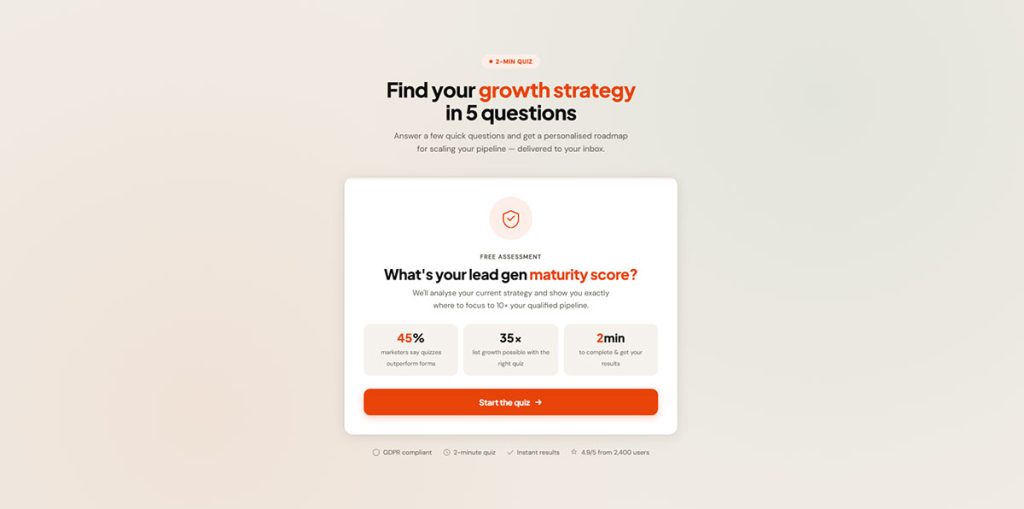
Lead gen quizzes exist for one reason: to collect contact information from people who wouldn’t fill out a regular form. The quiz is the lead magnet itself.
About 45% of marketers find interactive content like quizzes effective for lead generation, according to research compiled by Martal. That percentage keeps climbing year over year as traditional gated PDFs lose their appeal.
Template Platforms and Gating Strategies
Interact: The most popular dedicated quiz-for-leads platform. Templates for every industry. Direct integrations with Mailchimp, ActiveCampaign, HubSpot, and ConvertKit.
Riddle: Strong on GDPR compliance and data privacy. Good option if you’re building GDPR compliant forms into your marketing stack. Fully hosted on their own servers with no third-party tracking.
Outgrow: Goes beyond quizzes with calculators and assessments. Better for B2B use cases where the “result” is a score or benchmark.
Gating strategies vary by template. Some gate results entirely behind the email opt-in. Others gate halfway through. And a few show results freely but offer a detailed breakdown via email. The right approach depends on how valuable the quiz result feels to the person taking it.
CRM Integration and Follow-Up
The quiz only matters if the leads go somewhere useful. Every serious lead gen quiz template connects to an email platform or CRM through native integrations or Zapier.
What makes quiz leads different from regular lead capture form submissions is segmentation. Because each person answered questions, you already know something about them before the first email. You can tag leads by quiz result and send different follow-up sequences to each group.
Bird Watching HQ grew their email list from 2,000 to 70,000 subscribers after implementing a lead generation quiz through Interact. The quiz ran alongside existing blog content and captured visitors who wouldn’t have opted in through a standard subscription form.
That kind of growth changes a business. And it all started with a template.
Survey-Style Quiz Templates
See the Pen
Survey-Style Quiz Template by Bogdan Sandu (@bogdansandu)
on CodePen.
Sometimes a quiz and a survey need to be the same thing. You want to score responses, but you also want to collect data for analysis. That’s where survey-style quiz templates come in.
SurveyMonkey, Jotform, and Microsoft Forms all offer templates that blend scored questionnaires with data collection. The result sits somewhere between a formal assessment and an employee satisfaction survey.
When Surveys Double as Quizzes
Health screenings: Likert scale questions that produce a composite risk score based on patient answers.
Employee engagement assessments: Scored questionnaires where team members rate workplace satisfaction, with results benchmarked against company averages.
Customer fit evaluations: Intake quizzes that score whether a prospect is the right match for a service before the first call.
Gallup’s 2024 report found that only 23% of employees globally are classified as engaged. Companies increasingly use scored survey templates to diagnose the specific areas dragging that number down.
Scoring in Survey Templates
Most survey-style quiz templates use a composite scoring model. Each answer maps to a numeric value, and the template adds everything up into a final score or category.
Qualtrics and SurveyMonkey both offer templates with built-in scoring logic. Jotform’s scored survey templates let you assign point values per answer and display personalized feedback based on the total.
A key difference from standard quizzes: survey-style templates usually don’t have “right” or “wrong” answers. They produce a profile, a score range, or a diagnostic category instead. That makes them useful for HR departments, healthcare providers, and customer research teams where nuance matters more than pass/fail.
Interactive and Visual Quiz Templates
See the Pen
Interactive & Visual Quiz Template by Bogdan Sandu (@bogdansandu)
on CodePen.
Text-only quizzes work fine. But visual and interactive quiz templates consistently outperform them on engagement.
Mediafly data shows interactive content gets 52.6% more engagement than static content. Users spend an average of 13 minutes on interactive formats versus 8.5 minutes on text-based alternatives.
Image-Based Quiz Templates
Canva and Typeform both offer quiz templates where the answer options are images instead of text. Think “pick the room that matches your style” or “choose your favorite logo.” These formats are built for visual decision-making.
- Typeform’s image choice feature lets you upload custom photos for each answer option
- Canva’s quiz layouts are designed for sharing on Instagram Stories and Pinterest
- Octane AI uses product images directly from Shopify catalogs as quiz answer options
The visual approach works especially well for fashion, beauty, food, and home decor brands where products are best understood by looking at them.
Drag-and-Drop and Video Quiz Templates
H5P offers free, open-source drag-and-drop quiz modules that embed directly into WordPress or any learning management system. Articulate Storyline takes it further with hotspot quizzes where learners click on specific parts of an image.
TalentLMS research from 2024 shows gamification features like these increase engagement by 60%. That’s a big gap.
Edpuzzle and PlayPosit take a different angle entirely. Their templates insert quiz questions directly into video content. The video pauses, a question appears, the learner answers, and the video continues. Perfect for corporate training modules and flipped classroom setups where passive video watching isn’t enough.
Quiz Templates by Platform
The “best” quiz template depends almost entirely on what platform you’re already using. A beautiful Typeform template is useless if your site runs on WordPress and you need everything embedded natively.
Here’s how the major platforms stack up for quiz templates specifically.
Free Quiz Templates vs. Paid Quiz Templates
Google Forms is completely free with no response limits. You get quiz mode with auto-grading, basic branching, and direct export to Google Sheets. For classrooms and internal company use, it covers most needs.
Typeform’s free plan limits you to 10 questions per form and 10 responses per month. That’s barely enough to test the interface, let alone run a real campaign. The $25/month Basic plan bumps that to 100 responses, which still feels tight for anything marketing-related.
What free actually gets you:
- Limited question counts or response caps
- Basic design customization (colors, maybe a logo)
- No CRM integrations, no advanced scoring
What paid unlocks:
- Branching logic that adapts based on answers
- Direct integrations with email platforms and CRMs
- Custom branding with your domain name
- Response tracking and analytics beyond basic counts
For WordPress users specifically, plugins like Quiz Maker, Quiz and Survey Master, and LearnDash offer quiz templates that live inside your site. Some are free. Most charge for the features you actually need, like multi-step layouts, email captures, and certificate generation.
Platform Picks by Use Case
Teachers and trainers: Google Forms or Google Classroom. Free, simple, integrates with the tools students already use. Quizlet and Quizizz for gamified practice quizzes.
Marketers and business owners: Interact for lead generation quizzes, Typeform for branded experiences, Outgrow for calculators and assessments that double as content.
Ecommerce stores: Octane AI or RevenueHunt if you’re on Shopify. Both pull product data directly from your catalog and map quiz answers to specific product recommendations.
Course creators: Moodle or Canvas LMS for formal graded assessments. H5P for interactive modules. Edpuzzle for video-based quizzes that keep learners engaged.
How to Pick the Right Quiz Template
There are hundreds of quiz templates out there. Picking the wrong one wastes time, kills completion rates, and sometimes costs money you can’t get back. Here’s a quick framework to avoid that.
Match the Template to Your Goal
Interact’s data shows that quizzes built for the right use case hold a 40.1% conversion rate from start to lead. That number drops when templates are mismatched to audience intent.
Technical and Audience Fit
Before committing to a template, check three things.
Mobile responsiveness. More than 70% of web traffic comes from phones. If the quiz template breaks on mobile or has tiny tap targets, completion rates tank. Most modern platforms (Typeform, Interact, Google Forms) handle this well. Some WordPress plugins still don’t.
Integration depth. A quiz that captures leads but can’t send them to your email platform or CRM is a dead end. Check whether the template connects natively with tools like Mailchimp, ActiveCampaign, HubSpot, or at minimum supports Zapier. Good form UX design means thinking about what happens after submission, not just during it.
Customization limits. Some templates lock you into a fixed number of questions, a fixed scoring model, or a fixed layout. If you need to change the quiz flow based on answers, make sure the template supports branching logic before you start building. Switching templates mid-project is painful. I’ve done it more times than I’d like to admit.
The right template saves hours. The wrong one just creates extra work disguised as a head start.
FAQ on Examples Of Quiz Templates
What is a quiz template?
A quiz template is a pre-built framework with question formats, scoring logic, and layout already configured. Platforms like Google Forms, Typeform, and Interact offer templates you can customize with your own questions, branding, and result pages.
What are the most common types of quiz templates?
The main categories include personality quizzes, knowledge and trivia templates, educational assessments, product recommendation quizzes, lead generation quizzes, and survey-style scored questionnaires. Each serves a different goal and audience.
Where can I find free quiz templates?
Google Forms offers free quiz templates with auto-grading. Canva provides visual quiz layouts at no cost. H5P has free interactive quiz modules. Quizizz and Kahoot also offer free trivia and classroom templates with basic features.
Which quiz template works best for lead generation?
Personality quiz templates on platforms like Interact or Riddle convert best for leads. They gate results behind an email form, averaging a 40.1% start-to-lead conversion rate based on Interact’s data across 80 million leads.
Can I use quiz templates on WordPress?
Yes. Plugins like Quiz Maker, Quiz and Survey Master, and LearnDash offer quiz templates that embed directly into WordPress. Some are free, though advanced features like branching logic and email integration usually require paid versions.
What is a product recommendation quiz template?
It maps customer answers to specific product suggestions using conditional logic. Octane AI and RevenueHunt offer Shopify-native templates. These quizzes guide shoppers toward the right product, working like a digital salesperson on your store.
How many questions should a quiz template have?
Most effective quiz templates use 5 to 10 questions. Personality quizzes tend toward 7 to 8. Product recommendation quizzes work best with 5 to 8. Longer quizzes risk higher drop-off rates unless the result feels worth the effort.
Are quiz templates good for education?
Absolutely. Platforms like Moodle, Canvas LMS, and Google Classroom offer graded assessment templates with answer keys and score tracking. TalentLMS research shows courses with quizzes boost completion rates by 30-40%.
What is the difference between a quiz template and a survey template?
Quiz templates score answers and produce a result, like a personality type or grade. Survey templates collect data without right or wrong answers. Some platforms like SurveyMonkey and Jotform offer hybrid templates that do both.
How do I choose the right quiz template for my project?
Start with your goal. Lead generation points to personality quizzes. Ecommerce needs product recommendation templates. Education calls for graded assessments. Then match the template to your platform, budget, and required integrations.
Conclusion
The right examples of quiz templates cut your setup time and give you a tested structure that actually converts. Whether you’re building a scored assessment in Moodle, a product recommendation quiz on Shopify, or a personality quiz through Interact, the template does the heavy lifting.
Every quiz type covered here solves a different problem. Trivia templates drive engagement. Assessment templates measure learning outcomes. Lead gen quizzes capture emails at rates that standard sign up forms rarely match.
Start with your goal. Pick the template format that fits. Then customize it for your audience, your platform, and your conversion targets.
Don’t overthink it. Grab a template, test it, and adjust based on what your quiz completion rates tell you.