




The best AI plugins for WordPress connect a site’s dashboard, page builder, or database to a machine learning model, turning a plugin that follows fixed rules into one that writes,…
Table of contents
JotForm’s free plan stops at 100 submissions a month. Plenty of sites burn through that in a week.
That single number pushes more people toward JotForm alternatives than any missing feature ever has. Paid tiers run $34 to $99 per month, and the meter never stops counting.
Pricing in this category shifts often, so confirm current rates on each vendor’s page before committing.
What Is a JotForm Alternative?
Three jobs have to be covered: building the form, storing the submission, and routing that submission to a person or a system. Any tool doing all three replaces JotForm.
Tools covering only one of those jobs are widgets. An email-capture popup that fires data into a newsletter list is not a replacement for a form platform.
JotForm passed 35 million users by 2026, having added 10 million in a single year, with more than 50 million forms created on the platform. Replacing something at that scale means matching a fairly wide feature surface, not just the drag and drop editor.
Hosted Form Builders vs Self-Hosted Form Plugins
The category splits into two hosting models, and the split decides almost everything about cost and control.
| Model | Where entries live | Pricing driver |
|---|---|---|
| Hosted SaaS | Vendor servers | Monthly submission volume |
| Self-hosted plugin | Your own database | Annual license, site count |
The model matters because hosted platforms meter you. Plugins do not.
W3Techs puts WordPress above 40% of all websites, which is why forms built inside WordPress are the default self-hosted path for most teams leaving a SaaS builder.
The Feature Baseline a JotForm Replacement Covers
What separates a real alternative from a contact form widget:
- Conditional logic, meaning fields that appear based on earlier answers
- Entry management through a searchable submission table inside the dashboard
- A file upload field with size and type controls
- Spam protection via reCAPTCHA, hCaptcha, or Cloudflare Turnstile
- A payment field connected to Stripe, PayPal, or Square
- Webhook or API access for custom routing
Most teams eventually build more than a contact form. Applications, registrations, surveys, and order forms all sit inside the same tool, so the range of form types a platform supports matters more than the template count on the marketing page.
Why Do Users Leave JotForm?
Users leave JotForm because of metering, not missing features. The free Starter plan stops at 5 forms, 100 monthly submissions, 100 MB of storage, and 500 total stored submissions. Paid tiers run $34 to $99 per month on annual billing.
JotForm runs those meters in parallel. Whichever one fills first decides your bill, and for an active site it is almost always submissions.
Submission Limits Trigger Upgrades Before Feature Limits Do
| Plan | Annual price | Monthly submissions |
|---|---|---|
| Starter | Free | 100 |
| Bronze | $34/mo | 1,000 |
| Silver | $39/mo | 2,500 |
| Gold | $99/mo | High volume, HIPAA included |
Run the arithmetic on your own traffic. A lead capture form converting 40 people a day produces roughly 1,200 submissions a month, which clears Bronze’s ceiling before the billing cycle closes.
There is a second ceiling that catches people later. Payment submissions run on their own meter, separate from the general submission count, which breaks ticketing and high-volume order forms well before the headline limit does.
Data Ownership and Compliance Constraints
Submissions sit on JotForm servers. That single fact triggers procurement review in healthcare, education, and public sector work.
HIPAA features start at Gold ($99/mo) and Enterprise. Bronze and Silver customers handling patient data have no compliant path without jumping two tiers.
European teams hit a second wall. Consent records, retention windows, and deletion requests are easier to defend when the data never leaves your own server, which is a large part of why building forms that meet GDPR requirements pushes agencies toward self-hosted tools.
JotForm serves recognizable enterprise names, and its adoption at that level is real. The friction sits in the middle tiers.
How These JotForm Alternatives Were Ranked
Submission cost at volume, entry ownership, conditional logic depth, payment handling, integration breadth, page load impact. Submission economics and data ownership carry the heaviest weight, since those are the two documented reasons teams churn.
| Criterion | What was measured | Weight |
|---|---|---|
| Submission cost | Price per 1,000 entries | High |
| Entry ownership | Database vs vendor storage | High |
| Logic and payments | Tier where they unlock | Medium |
| Load impact | Assets loaded per page | Medium |
Load impact earns its weight. The Google and Deloitte “Milliseconds Make Millions” study found a 0.1 second improvement in mobile load time lifted retail conversions by 8.4% and average order value by 9.2%.
Testing covered build time from blank canvas to published form, CSV and Google Sheets export, and live spam filter behavior. Every plugin was checked against the usual spam problems WordPress contact forms run into using reCAPTCHA, hCaptcha, and Turnstile in turn.
Logic depth was scored on nested rules, not on whether the feature exists at all. Plenty of plugins advertise rules that show or hide fields based on answers and then cap you at one condition per field.
IvyForms: a WordPress-native pick, if you don’t need Jotform’s reach
Jotform is a polished SaaS builder with a huge template and integration library that works on any platform. IvyForms trades that cross-platform reach for WordPress-native ownership: no submission caps, entries in your database, and a lifetime option instead of a monthly bill. Because it’s built by Melograno — makers of Amelia (bookings) and wpDataTables (data tables) — its integrations are first-party, not bolted-on: push submissions into wpDataTables for interactive, filterable tables, or into Amelia to feed appointment booking. Where Jotform pulls ahead is breadth — thousands of templates and integrations IvyForms doesn’t have.
| Jotform | IvyForms | |
|---|---|---|
| Model | SaaS (works anywhere) | WordPress plugin |
| Price | Free (capped); paid from ~$34/mo | Free; from €29/yr (or €399 lifetime) |
| Submission limits | Capped by plan | None |
| Where data lives | Jotform servers | Your WordPress database |
| Templates & integrations | 10,000+ templates, 100+ integrations | Smaller set + native wpDataTables & Amelia |
| Best for | Multi-platform, template-heavy needs | WordPress sites wanting data ownership |
Honest trade-off: if you need forms across many non-WordPress channels, or you lean on Jotform’s enormous template/integration catalogue, stick with Jotform. IvyForms is the stronger fit specifically for WordPress owners who want no caps and no subscription.
For long-term WordPress use, the maths favours IvyForms fast: Jotform is a forever-monthly bill, while €399 buys the Elite Lifetime plan once — unlimited sites, all current features and everything coming next. With a serious dev team that’s kept Amelia and wpDataTables updated for years, that lifetime bet is a credible one.
Own your forms: see IvyForms plans → or try it free →.
Submission Data Stays in the WordPress Database
Entries land in your own database. No monthly cap, no lifetime stored-submission ceiling like JotForm’s 500 on Starter.
You can read them from the All Forms dashboard, the dedicated Entries screen, or the Results tab inside the builder.
Unread submissions are marked visually, which sounds minor until you are triaging 60 applications on a Monday.
Security reports run through the Patchstack Vulnerability Disclosure Program. That matters more than it used to: Patchstack logged over 11,000 WordPress vulnerabilities in 2025, a sharp year-over-year rise, so how a form plugin handles security is not a footnote.
Conditional Logic, Multi-Page Forms, and Payments
Version 1.1 added the slider field and a GDPR consent field. Version 1.3 brought Google Sheets sync.
Later releases added one-question-at-a-time conversational layouts, a REST API, and support for multiple Google Sheets connections on the same form.
The multi-page builder handles custom navigation labels, progress bar styles, and per-page field assignment, which covers most of what multi-step forms in the wild actually need.
Pro adds Rich Text, Date and Time, Likert Scale, and NPS fields, plus multi-file upload limits and allowed file type controls.
Who IvyForms Fits and Who It Does Not
It fits WordPress site owners paying JotForm monthly for a form volume their own server would handle for free.
It is no use at all on Webflow, Shopify, Squarespace, or a static site. There is no hosted version, so the plugin is not an option without WordPress underneath.
Embedding works through Gutenberg, Elementor, and Divi. Pricing runs on annual licenses with a lifetime option and a 15-day money-back window.
One honest limitation: the integration list sits around 20 connections. JotForm ships well over 100.
Gravity Forms
Gravity Forms is the WordPress plugin developers reach for when a form is really an application. Licenses cost $59, $159, and $259 per year for one, three, and unlimited sites. Submissions are never metered on any tier.
The tiers split like this:
- Basic covers conditional logic, Mailchimp, HubSpot, ActiveCampaign
- Pro unlocks Stripe, PayPal Checkout, Square, and Zapier
- Elite adds User Registration, Salesforce, Signature, Survey, and Partial Entries
Elite turns cost-effective at four sites and lands near $25.90 per site across ten.
Renewals hold the original rate, but only if you renew before the license expires. Let it lapse by a day and the loyalty discount is gone permanently.
The catch sits outside the license. GravityView, Gravity Flow, and Gravity Perks are third-party and add $99 to $349 per year on top.
The admin builder also shows its age next to newer plugins. Powerful, yes. Pretty, no. Teams who want the calculations engine without the interface usually end up comparing the other plugins in the same performance class before committing.
WPForms
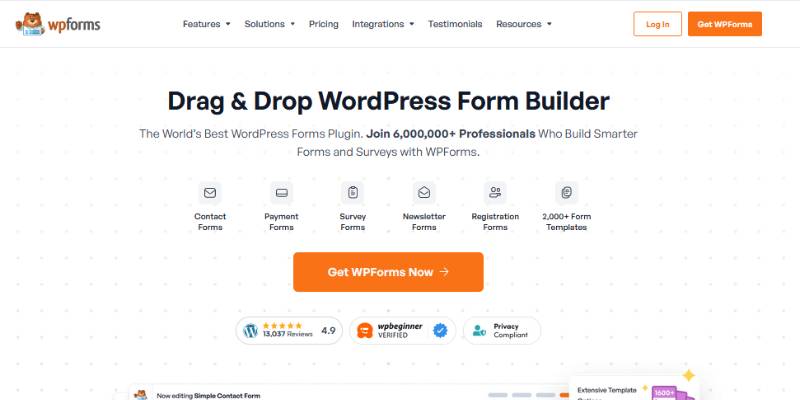
WPForms is the most installed WordPress form plugin at 6 million-plus active installations. Onboarding is the best in the category. The free Lite version, however, stores no entries and includes no conditional logic.
Lite users collecting payments also pay a 3% platform fee on top of Stripe’s own rate. At $1,000 a month in bookings that is $360 a year in fees alone.
| Tier | Year one | Renewal |
|---|---|---|
| Basic | $49.50 | ~$99 |
| Plus | $99.50 | ~$199 |
| Pro | $199.50 | ~$399 |
Agency and Elite tiers sit above Pro, covering 20 sites and unlimited sites respectively. Budget on the renewal column, since that is the number you pay every year after the first, on every site.
Entry storage matters more than it sounds. If SMTP breaks or a notification lands in spam, a Lite install loses the submission permanently, which is the same category of problem behind form notifications that never reach the inbox.
Conditional logic sits at Pro. Organizations that need logic, payments, and entry storage usually land two tiers above where they started, and many of them start pricing plugins that include those features by default at that point.
Fluent Forms
Fluent Forms gives away the two features competitors charge for. Conditional logic and entry storage are both free. Paid plans run roughly $59 to $79 per year for one site, with lifetime licenses from around $279.
Every paid tier includes every feature. Site count is the only variable.
On conditional logic alone, the spread across vendors is wide:
- Gravity Forms: from $59/year
- Ninja Forms: $99/year
- WPForms: $199.50/year
- Fluent Forms: free
The plugin loads styles and scripts only on pages where a form appears, which is the main reason agencies building fast sites keep picking it. It runs on more than 500,000 websites.
Native connections to FluentCRM, FluentBooking, and FluentSupport make it the cheapest way to run forms and a CRM inside the same install.
Downsides are real. The theming controls for submit buttons and general styling take more work than the interface suggests, and the unlimited lifetime license runs around $719, high enough that small teams should compare it against the no-cost plugin options first.
Typeform

Typeform trades cost per response for completion rate. Its one-question-at-a-time format averaged a 47.3% completion rate against a 21.5% industry average, based on the 2.6 million forms and 568 million submissions in Typeform’s own data report.
Treat vendor numbers with some suspicion. Independent benchmark data points the same direction at a smaller magnitude: multi-step forms convert roughly 14% better than single-page forms carrying the same total field count, with the gain rising on longer B2B forms.
| Plan | Annual price | Monthly responses |
|---|---|---|
| Free | $0 | 10 |
| Basic | $25/mo | 100 |
| Plus | $50/mo | 1,000 |
| Business | $83/mo | 10,000 |
Typeform cut its free tier to 10 responses per month in February 2026, a 90% reduction with no advance notice. The free plan also excludes conditional logic and integrations, which makes it a demo rather than a plan.
The hard part is that the response cap is a wall, not an overage. Hit response 101 on Basic and the form closes for the rest of the billing month. Visitors see a closed form and the data is gone.
Paying per response means paying per lead. For surveys that is defensible. For lead capture, most teams end up pricing tools with the same conversational feel and no response meter once volume climbs.
Tally
Tally gives away what JotForm meters. The free plan includes unlimited forms and unlimited submissions within fair use guidelines, plus conditional logic, calculations, file uploads, signatures, and Stripe payments.
The editor works like a Notion document. Type “/” and blocks appear.
Pro runs $24 per month on annual billing, $29 month to month. What it adds:
- Tally branding removed
- Custom domains and custom email domains
- Partial submissions (unfinished responses captured before submit)
- Custom CSS and team collaboration
- Zero platform commission on payments
Tally is a Belgium-based company storing all form data in Europe, which shortens the GDPR conversation for EU teams considerably.
Two honest limits. Payments on the free plan carry a Tally commission on top of Stripe’s own rate, removed once you move to Pro, and file uploads cap at 10MB per file. The analytics are also thin next to JotForm’s reporting. Founders Marie Martens and Filip Minev built the company bootstrapped, and it shows in the pricing more than in the dashboard.
Google Forms

Google Forms is the free baseline every JotForm evaluation gets measured against. Unlimited forms, unlimited responses, no storage tier, no branding fee. The feature ceiling is the trade.
What it does well is narrow but genuine. Native Google Sheets response sync, Workspace admin controls and sharing permissions, and zero cost at any volume.
What it cannot do is longer:
- No payment field of any kind
- No signature field, no custom domain
- No NPS or CSAT scoring, no logo upload on free accounts
Google added native response limits in January 2026. Form owners set a close date or a maximum response count in the Responses tab, which finally retired a whole category of third-party add-ons.
One more constraint worth knowing before you commit: the file upload question forces every respondent to sign in to a Google account, with no setting to disable it. That kills public job applications and client document collection outright.
It stays the right answer for internal requests, RSVPs, and classroom collection. It falls apart on customer-facing work where branding and payments matter, which is usually the point where teams start comparing tools that keep the free pricing and add real design control.
Building anything past a flat question list gets awkward fast. Branching in Google Forms means section jumps, not real rules, so putting together a proper survey form takes noticeably longer than it should.
Cognito Forms
Cognito Forms wins on calculation depth. Excel-style expressions, repeating sections, and lookup fields let a form behave like a small application. Paid plans run $19, $39, and $129 per month for Pro, Team, and Enterprise.
The free tier caps at 100 entries per month, reduced from 500. Payments still work on it, with a 1% transaction fee that disappears on paid plans.
Repeating sections are the standout. Job applications with four previous employers, event registrations with six attendees, order forms with variable line items all work without duplicate fields.
Check these before committing:
- HIPAA is Enterprise-only at $129/mo, and Pro and Team are not compliant at any configuration
- Payment fees stack, since the processor fee lands alongside Cognito’s own, which stings on low-value transactions
- Custom domains require Team or Enterprise
Entry counts reset monthly, so a launch week can burn the cap mid-campaign. The builder also looks dated next to Typeform, which matters for brand-facing forms and not at all for internal intake. Teams who like the logic engine but want a friendlier interface tend to look at other builders with comparable calculation support.
Which JotForm Alternative Fits Which Use Case?
Pick by hosting model first, then by what you collect. WordPress sites should default to a plugin, since entries land in a database you already pay for. Everyone else picks a hosted tool based on volume and whether money changes hands.
Comparison Table: Limits, Pricing, and Data Ownership
| Tool | Submission ceiling | Entries stored |
|---|---|---|
| IvyForms | None | Your database |
| Gravity Forms | None | Your database |
| Tally | None (fair use) | EU servers |
| Typeform | 10,000/mo on Business | Vendor servers |
| Cognito Forms | Tiered by plan | Vendor servers |
The straight matches, if you want them without the reasoning. A WordPress owner leaving a monthly bill behind wants IvyForms. A developer building form-driven applications wants Gravity Forms, and survey work where completion rate is the metric belongs on Typeform.
No budget, no WordPress, real volume? Tally. Calculations, repeating sections, and HIPAA point to Cognito Forms, while internal Workspace data collection never needed to leave Google Forms in the first place.
Cost Per 1,000 Submissions Across Platforms
Annual cost divided by capacity tells a different story than the pricing page does.
| Tool | Yearly cost | Cost at 1,000/mo |
|---|---|---|
| Tally Free | $0 | $0 |
| Gravity Forms Basic | $59 | $4.92/mo |
| JotForm Bronze | $408 | $34/mo |
| Typeform Plus | $600 | $50/mo |
Plugin licenses stay flat as volume grows. Hosted plans do not, which is the entire argument for self-hosting once a form gets busy.
One caveat worth saying out loud: plugins move the cost to hosting and maintenance instead. A shared host choking on 5,000 monthly submissions is a real expense, just not one that appears on an invoice labeled “forms.”
How Do You Migrate From JotForm Without Losing Submissions?
Export the data, rebuild the form, reconnect payments and notifications, then redirect the old embed. Do not delete anything on JotForm until the replacement has collected live submissions for a full week.
Field types are where migrations break. JotForm’s Full Name, Address, Matrix, and Configurable List fields have no exact equivalent in most builders, so map them before you rebuild.
Exporting JotForm Entries and Attachments
JotForm Tables handles the export through the Download All menu in the upper right.
- CSV and Excel downloads start automatically once the file is ready
- PDF arrives as a zip file emailed to your registered address
- Attachments sit behind the three dots icon, then Download, then Download Attachments
Spreadsheet exports contain links to uploaded files, not the files themselves. Pull the attachments separately or you will inherit a form with dead links, which matters most when you rebuild a form that accepts file uploads on the new platform.
Rebuilding Conditional Logic and Notifications
Logic rules do not export. Screenshot every condition before you cancel, because reading them back out of a cancelled account is not possible.
Everything below gets rebuilt by hand:
- Conditional show and hide rules, including nested conditions
- Admin notifications and respondent autoresponders
- Webhook endpoints and any Zapier connections
- Stripe, PayPal, and Square authorizations (they do not transfer)
Email delivery is the failure mode nobody plans for. Confirm SMTP works on the new install before going live, since how WordPress handles outgoing mail is a separate problem from the form plugin itself.
Rewrite the message people see after they submit at the same time. Default confirmation text is a wasted screen.
Before you kill the old form, submit a live test, check the entry saved, check the notification landed in a real inbox rather than the spam folder, and confirm submission tracking in Google Analytics still fires on the new endpoint.
Then redirect. Embedded JotForm iframes and jotform.com hosted links both need pointing at the replacement, or you keep collecting into an account you stopped paying for.
Frequently Asked Questions About JotForm Alternatives
What is the best JotForm alternative?
IvyForms ranks first for WordPress sites because entries land in your own database with no monthly submission limit. Gravity Forms suits developers, Tally suits zero-budget teams, and Cognito Forms handles calculations and HIPAA workflows.
Is there a free JotForm alternative with unlimited submissions?
Tally offers unlimited forms and unlimited submissions free within fair use, including conditional logic and Stripe payments. Google Forms is also unlimited and free. Self-hosted plugins like IvyForms remove the cap entirely since entries sit in your database.
What is the best JotForm alternative for WordPress?
IvyForms, Gravity Forms, WPForms, and Fluent Forms cover most cases. All four store submissions locally and price by annual license instead of volume. Choosing between the main contact form plugins comes down to feature gating.
Why does JotForm get expensive so fast?
JotForm meters forms, submissions, storage, and views at once. Whichever fills first forces an upgrade. Bronze at $34/month covers 1,000 submissions, so a form converting 40 people daily outgrows it inside one billing cycle.
Does the JotForm free plan have a submission limit?
Yes. Starter allows 5 forms and 100 monthly submissions, with 100 MB storage and a separate 500 lifetime stored-submission ceiling. JotForm branding stays on every form. Forms stop collecting when a limit is reached rather than charging overages.
Can I move my JotForm submissions to another form builder?
Yes. Export entries as CSV, Excel, or PDF from JotForm Tables using Download All. Attachments download separately through the three dots menu. Conditional logic rules do not export and need rebuilding by hand.
Which JotForm alternatives support HIPAA?
Cognito Forms includes HIPAA on its $129/month Enterprise plan. JotForm gates it behind Gold at $99/month. Self-hosted plugins shift compliance to your own hosting, which some healthcare teams prefer and others cannot staff.
Is Google Forms a real JotForm replacement?
Only for internal work. Google Forms handles unlimited responses free with native Google Sheets sync, but offers no payment field, no signature field, no custom domain, and forces respondents to sign in for file uploads.
Which alternatives handle payments without extra fees?
Gravity Forms Pro, Fluent Forms, and Tally Pro charge no platform surcharge, so you pay Stripe or PayPal rates only. WPForms Lite adds 3% on top. Cognito Forms takes 1% on its free tier, and Tally applies a commission on its free plan.
Do all JotForm alternatives include conditional logic?
No. WPForms locks it behind Pro at $199.50/year, while Fluent Forms and Tally include it free. Depth varies too, so check nested rules before committing to any builder advertising smart logic.
Conclusion
Every option on this list of JotForm alternatives solves the same problem in a different currency: either you pay per submission, or you pay for hosting and updates.
Run the math on your busiest month, not your average one. That is the number that decides the tier.
Before switching, audit what you actually use. Multi-page forms, webhooks, entry exports, spam filters, and payment fields all carry different price tags across builders.
Then rebuild the highest-traffic form first and leave the old one running in parallel for a week.
Switching platforms fixes the bill. It does not fix a form nobody finishes, so treat the migration as a chance to tighten up the fields that lose people.