



A new client doesn’t sign with an accounting firm because a landing page convinced them. They sign because someone they trust vouched for the firm, or because the firm showed…
Table of contents
Coaching has gotten crowded. The International Coaching Federation’s 2025 Global Coaching Study, conducted by PwC, counts 122,974 coach practitioners worldwide, up from 109,200 in the 2023 study.
Any free offer has to stand out in that field. A lead magnet, in this setting, is a checklist, quiz, workbook, mini-course or free strategy session that gives one niche a specific result in return for an email address. A follow-up sequence then points the new subscriber toward a discovery call.
The ones that work solve a single problem the ideal client already has, and they deliver a quick win in about 15 minutes.
Downloads alone don’t say much. Opt-in rate and cost per lead matter more, and booked calls matter most.
On a WordPress site, IvyForms builds the opt-in form, the quiz and the call request, and the sections on formats, delivery and numbers below show where each one fits.
Which lead magnet formats work best for coaches?
Quizzes and free strategy sessions do the most work, with short checklists close behind, because each one hands a prospect a personal result fast. Workbooks and mini-courses build more trust. They also cost more to produce, and they ask more of the reader before anything is finished.
Coaches also run challenges, template packs and video trainings. A broader breakdown of the types of lead magnets covers formats that fit other industries better.
GetResponse’s 2020 study of 790 marketers (mostly solopreneurs and small businesses) found that 24.2% named video as their top-converting lead magnet, the largest share of any format.
That’s a survey of opinions, not measured opt-in rates.
Quizzes post the strongest measured numbers. Interact’s quiz conversion report (2026 update) comes from a platform whose quizzes have generated more than 100 million leads, and it puts the average at 40.1% from quiz start to lead.
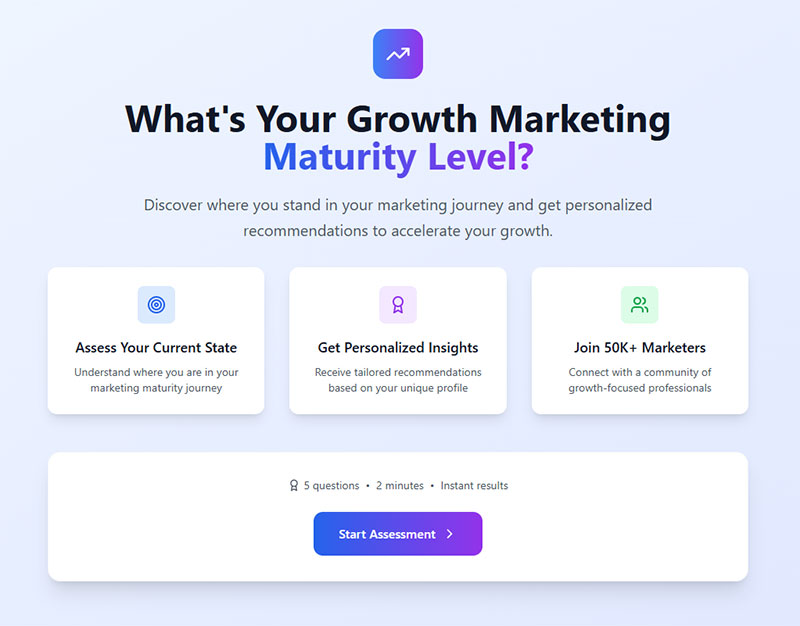
Start-to-lead only counts people who clicked the start button. So it can’t be compared with Unbounce’s 6.6% median landing page conversion across all industries (2024 Conversion Benchmark Report, 57 million conversions), which counts every visitor. Interact also stresses that a quiz converts attention you already have. In its words, traffic quality and audience intent can move an individual quiz’s result a lot, and cold ads sent to a quiz with no audience behind it haven’t worked reliably in its experience.
A quiz doesn’t need a big budget. Interact’s own case study on Kayla Hollatz reports about 3,200 leads at a 42% conversion rate, all from organic traffic, after roughly an hour of writing and under 30 minutes of setup.
It’s vendor-published, so read it as a ceiling and not a promise. For the mechanics, a separate walkthrough covers how quizzes and interactive forms capture leads.
In IvyForms, a quiz or self-assessment starts with Radio, Slider, Checkbox and Likert fields for the questions. A conversational form (Pro) shows one question at a time with a welcome step, and gives the quiz its own permalink, which makes a clean link for your bio or an email.
The Calculated field (Pro Essentials or higher) adds up Slider, Number, Radio and Checkbox values with a formula, so a score appears live on the form. Conditional confirmation messages (Pro) then show a different result message for each answer.
For the free strategy session, the IvyForms Consultation Appointment Booking Form collects contact details, a preferred time and the reason for the call, with advisor preference included.
Opt-in volume and client volume are different things. A checklist can out-convert a strategy session and still bring in fewer paying clients.
Matching the format to your coaching niche
Topic and price of the program decide the format. Life coaches get the most from assessments, business and executive coaches from templates and strategy sessions, health coaches from short challenges, and career and relationship coaches from workbooks and self-assessments.
One rule holds across niches. The higher the price of the paid program, the more commitment the free offer can ask for. A one-page checklist suits a low-cost membership, while a scorecard plus a call suits a five-figure package.
If none of these picks fits, a longer list of lead magnet ideas gives more raw material.
Life coaching
Assessments win here.
The Wheel of Life scores a client from 1 to 10 across areas such as career, health, relationships and personal growth. The same scores work as a quiz result and as an opening for a discovery call. The result page can point at the lowest-scoring area, and the follow-up email can offer a call on that exact area.
In IvyForms, the Slider field fits that format well, one slider per life area from 1 to 10. A Calculated field (Pro) can then average the scores, and the entry saves every value for the follow-up call.
Business and executive coaching
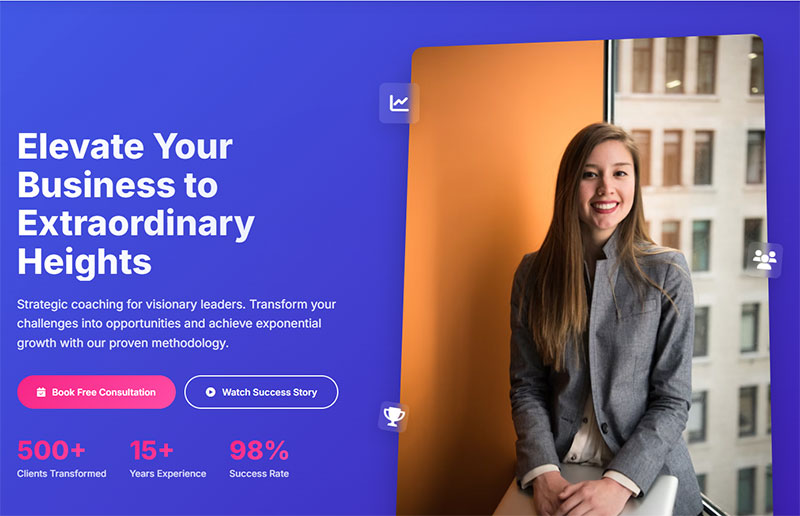
Templates and scorecards do well with this crowd, things like a pricing sheet, a weekly planning template or a leadership self-scorecard. A short strategy session applied to one stated problem works too. Then there’s the workshop replay, which shows your method to buyers who research before they book.
Close.com’s coaching guide warns against hiding a long sales pitch behind a workshop promise. Buyers at this level notice, and they don’t come back.
For the live version of a workshop, the IvyForms General Webinar Registration Form is built around delivering the access link after sign-up.
Health coaching

Health clients want a result this week, so challenges and short guides beat long courses. A 5-day challenge with one email a day asks for little and shows exactly how you coach.
Be careful with outcome promises. Keep the offer on habits you can coach, such as a sleep routine or meal prep, and keep it off medical results. Daily movement counts as a habit too.
A challenge sign-up page can start from the General Workshop Registration Form or the Fitness class registration form, which already covers experience level and schedule preference.
Career and relationship coaching
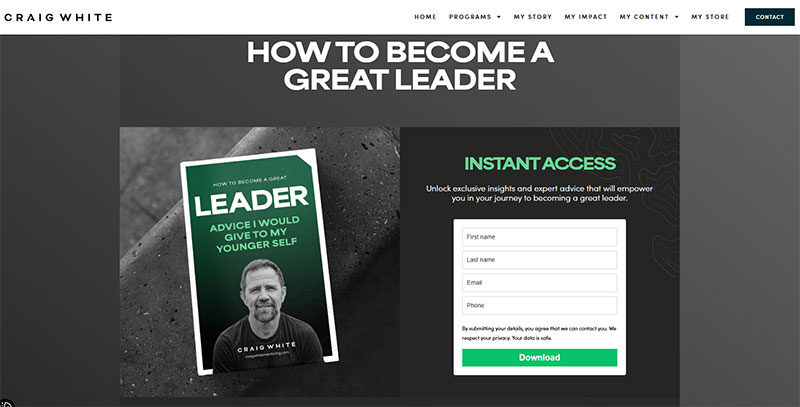
Career coaches get good mileage from a clarity workbook or a values and strengths assessment, since the reader finishes with something concrete to bring to the call.
Relationship coaches do better with a self-assessment quiz or a short communication checklist. Private topics suit results delivered by email, not a public download page.
In IvyForms, that means a notification email addressed to the subscriber, with the email field as a placeholder in the Send to field, carrying the result text. Nothing about their answers needs to appear on a public page.
A lead magnet only converts traffic you already have, so it belongs inside a wider lead generation plan for coaches.
How to build a lead magnet for coaching clients
Start from what your prospects already ask you, and work through the rest in order.
- Take one problem from the questions prospects already ask on discovery calls, in DMs and on intake forms. One problem, one reader.
- Write the quick win in one line, such as “know which life area to fix first”. If it takes more than about 15 minutes to get, narrow it.
- Pick the format using the comparison table and the niche notes above. The lightest format that delivers the win is the right one.
- Build the asset. Canva handles PDFs and workbooks, Typeform or Google Forms handles quizzes and self-assessments, and Kajabi, Teachable or Thinkific host a free mini-course.
- Tie it to the paid program. The last page should name the next step, whether that’s a booking link or a program page, or just a prompt to reply to the email.
- Send it to 3 to 5 people from your target audience before launch and ask where they got stuck or stopped reading.
UGURUS mentors digital agency owners, and its free workshops, such as the Cloudways-hosted “Create a Successful Lead Magnet in 60 Mins” session, teach people to build their own lead magnet. The freebie shows the method before anyone pays (Cloudways).
A 40-page ebook nobody finishes is the classic way this goes wrong. A topic as broad as “productivity tips” is another, and so is having no path from the asset to the paid offer.
For a general walkthrough beyond coaching, see this guide on how to create a lead magnet.
If you build the quiz in IvyForms, you can describe it to the AI form builder for a first draft, then edit the fields in the drag and drop builder. For step 6, submit a test entry yourself, open it under IvyForms, then Entries, and check that the result email arrived.
Landing page and delivery setup for a coaching lead magnet
Keep the opt-in page small. Anything beyond the basics competes with the signup.
Landing page elements
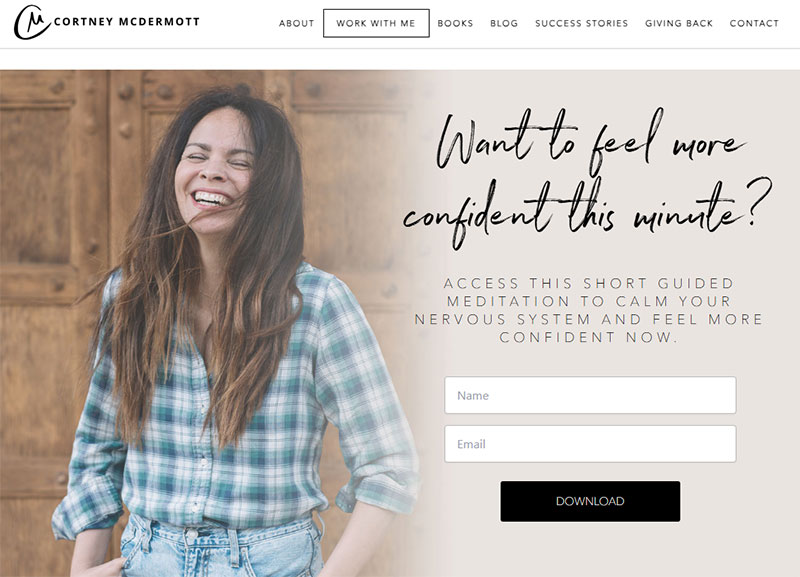
Unbounce’s 2024 benchmark report finds conversion tends to fall as copy gets harder to read. Write at the level your clients speak.
- A headline that names the result and the reader
- One line stating the 15-minute win
- 3 to 5 bullets on what’s inside
- An email field and nothing else
- One button, no navigation menu
One offer per page. A second offer, say a newsletter next to a quiz, splits attention and muddies the numbers when you test.
Finished pages teach faster than rules, and a collection of lead magnet landing page examples shows how others lay out headline, bullets and form.
An IvyForms form drops into any WordPress page with a shortcode, the Gutenberg block or Elementor, and the layout is responsive on phones, tablets and desktops. A single-field email form needs only one Email field and a styled submit button, and form customization matches it to your brand colors.
Delivery methods and tools
Most coaching offers go out by instant email with the asset, which also proves the address works. The other common route is a download on the thank-you page, or a login to a course platform.
Leadpages builds opt-in pages, and Systeme.io bundles pages, email and funnels in one account. Kit and Mailchimp store the list and send the asset, while ActiveCampaign adds automation and lead scoring. Zapier passes a Typeform or Google Forms result into the email tool. For booking, Calendly or Acuity Scheduling puts a discovery call link on the thank-you page.
Tool choice matters less than the connections between tools, and a wider roundup of the best lead magnet tools compares more options.
Calendly’s help center (updated March 2026) confirms the After booking setting accepts a redirect to an external site, so a booked call can land on your own thank-you page. The redirect is a paid-plan feature.
There’s a catch, though. A user in Calendly’s community forum (April 2024) reported a “Confirmed, redirecting” message of about 4 seconds before the redirect fires, and Calendly’s reply said the delay can’t be sped up. Some visitors may close the tab first, so put conversion tracking on the booking page too, not only the thank-you page.
IvyForms covers the same hand-off on the opt-in side. In the confirmation settings, choose a success message with the asset link, a redirect to a thank-you page on your site, or a redirect to a custom URL such as your Calendly page.
The Mailchimp integration (Pro) adds each subscriber to an audience, and the Zapier integration (Pro, Growth plan or higher) sends each new entry to Kit, ActiveCampaign or any of more than 5,000 other apps. If you already run the Amelia booking plugin, the Amelia integration can show an IvyForms questionnaire before the booking form opens.
Consent rules and sender requirements for coach opt-ins
A coach’s email list falls under GDPR for subscribers in the EU, CASL for subscribers in Canada, CAN-SPAM for US commercial email, and the Gmail and Yahoo sender requirements for inbox delivery. GDPR and CASL demand an opt-in. CAN-SPAM regulates content and opt-outs, and the Gmail and Yahoo rules police complaints and authentication.
| Rule set | Consent model | Opt-out timing |
|---|---|---|
| GDPR | Clear affirmative opt-in, no pre-ticked boxes | Withdrawal as easy as giving consent |
| CASL | Express opt-in, or narrow implied consent | Honor within 10 business days |
| CAN-SPAM | Opt-out model, content rules apply | Honor within 10 business days |
| Gmail and Yahoo | Not a consent law, complaints must stay low | Gmail expects removal within 48 hours |
GDPR
The EDPB’s Guidelines 05/2020 define valid consent as freely given, specific, informed and unambiguous. Pre-ticked boxes and inactivity never count.
On the form itself, use an unticked checkbox, not a default-on toggle. Add one sentence naming what the person gets and what follows (the follow-up emails). If the download works without marketing emails, give marketing its own separate box.
Withdrawal has to be as easy as giving consent, so a working unsubscribe link in every email is the floor. If you’re wiring these fields yourself, a walkthrough on how to build GDPR compliant forms covers the mechanics.
Sample checkbox wording appears in these GDPR consent form examples.
The IvyForms GDPR field adds a required, unticked consent checkbox, and its agreement text accepts a link to your privacy policy. For marketing emails, add a separate optional Checkbox with no default selection, then use smart logic in the Mailchimp integration (Pro) to sync only the people who ticked it.
CAN-SPAM Act
The FTC’s compliance guide (page updated July 2025) sets the penalty at up to $53,088 per violating email, and it makes no exception for business-to-business email.
Every promotional email needs a valid postal address, and a USPS-registered PO box or a private mailbox registered with a commercial mail receiving agency counts. The opt-out mechanism has to keep working for at least 30 days after sending, and requests are honored within 10 business days, free of charge. The “From” line and subject must match the content, and the message must be identifiable as an ad.
Home-based coaches who don’t want a street address in every footer have a legal alternative in the registered mailbox.
CASL
A coach’s website opt-in form counts as express consent under CASL, and express consent stays valid until the person unsubscribes (CRTC guidance, updated August 2024). The sender carries the burden of proving consent.
Express consent comes from an opt-in action such as signing up on your website, and it has no expiry. Implied consent is shorter lived. It lasts two years after a purchase or six months after an inquiry, and both clocks run out.
The six-month clock matters for coaches. Someone who asked about your program but never opted in can be emailed for six months, then you need express consent.
Double opt-in confirms the address and stores a timestamped record, which helps when you hold the proof burden. The cost is a slower list, because some subscribers never click the confirmation email.
For the record itself, every IvyForms entry stores the submission date and time, the IP address and the Source URL of the page, next to the consent checkbox answer. Keep a dated copy of the consent wording you used, so you can show what the subscriber agreed to.
Penalties reach CAD 10 million per violation for an organization and CAD 1 million for an individual (BLG legal bulletin). In the CRTC’s first CASL case, Compu.Finder sent 317 messages without consent and the CRTC cut the penalty from $1.1 million to $200,000 (BLG, 2020).
Gmail and Yahoo sender requirements
Google defines a bulk sender as anyone sending close to 5,000 messages a day to personal Gmail accounts from one primary domain. Once a domain crosses that line, the status is permanent.
Authentication means SPF and DKIM, plus a DMARC record (p=none is the minimum). Marketing emails need one-click unsubscribe through List-Unsubscribe headers (RFC 8058), with requests honored within 48 hours. The user-reported spam rate has to stay under 0.1% and never reach 0.3%.
As of Google’s Email sender guidelines FAQ (October 2026), enforcement has been ramping up since November 2025, with temporary and permanent rejections for messages that fail the requirements. Yahoo’s sender hub lists the same 0.3% spam-rate ceiling.
Google names form submission confirmations as transactional, so the delivery email sits outside the one-click rule while every promotional email after it does not. Recipients, not Google, decide what counts as promotional, so keep a visible unsubscribe link in the delivery email too.
This section is general information, not legal advice. A lawyer who knows your regions can confirm the details.
What the follow-up email sequence should do
A welcome sequence for a coach runs about a week. It delivers the asset, builds trust with proof, teaches one more useful thing, answers the main objection, and then invites the subscriber to a discovery call in the last email.
- Day 0 is delivery. Send it instantly, with the asset link, the one thing to do first, and a line on what the next emails cover.
- Day 1 is proof, a short client story or the method behind your coaching in under 200 words.
- Day 3 gets one extra tip that builds on the lead magnet and works on its own.
- On day 5, answer the doubt that stops buyers (time, price, “will coaching work for me”) head on.
- Day 7 is the invitation, with the booking link and one sentence on what happens in the call.
Treat this as a working template, not a benchmark. Published welcome-email figures measure opens and clicks, not booked calls.
Welcome-email open rates run from 35% to 84% depending on the dataset, according to Stripo’s 2026 comparison of GetResponse and Omnisend data. The datasets define “welcome” and “open” differently, and Apple Mail’s image pre-fetching registers opens that never happened.
Judge the sequence on clicks and replies instead, and above all on booked calls.
The Day 1 proof email needs raw material, and IvyForms has templates for gathering it. The client feedback forms include a project completion form and an ongoing client form, and the Client loyalty and testimonial readiness form identifies clients open to giving testimonials or referrals.
A quiz makes segmentation cheap. Tag each subscriber by result in your email platform, then match emails 3 and 4 to it. A career quiz with “stuck”, “exploring” and “ready to move” results needs three different lessons.
In IvyForms, map the answer field to a Mailchimp audience field and segment there, or use smart logic on notifications (Pro) to send a different result email for each answer.
The invitation works best as a plain sentence with one link, such as “Want help applying this to your own situation? Book a short call and we will map the next step.” More wording options appear in this set of call to action examples.
After day 7, move non-bookers to a slower rhythm of one email a week. Ready-made lead nurturing templates save time on that first month.
Which numbers show a lead magnet is working?
Read them in order. Opt-in rate and cost per lead judge the page and the traffic, while lead-to-call rate and call-to-client rate judge whether the lead magnet attracts buyers.
| Metric | Formula | What it judges |
|---|---|---|
| Opt-in rate | Opt-ins / unique page visitors | Page and promise |
| Cost per lead | Ad spend / opt-ins | Traffic source |
| Lead-to-call rate | Booked calls / opt-ins | Lead quality |
| Call-to-client rate | Clients signed / calls held | Offer and sales call |
Cost per client ties them together. It’s ad spend divided by clients signed. With illustrative inputs (not benchmarks) of $1,000 in ads, 40 opt-ins, 6 booked calls and 2 clients, cost per lead is $25 and cost per client is $500.
Compare cost per client with the program price before touching the page.
Opt-in counts come from your form tool, and you can set up form submission tracking in Google Analytics to see which traffic source produced them. Booked calls and signed clients live in a CRM such as HubSpot or a plain spreadsheet, because the form tool only counts opt-ins.
In IvyForms, the Entries column in All Forms shows the submission count for each form, and the entries table filters by date. Each entry stores the Source URL, so you can see which page produced it, and the wpDataTables integration (all plans) turns entries into tables and charts. Redirecting each magnet’s confirmation to its own thank-you page also gives Google Analytics a clean URL to count.
When a number is weak, the fix depends on where it sits.
- Low opt-in rate: rewrite the headline and the one-line promise first
- Good opt-in rate but few booked calls means the lead magnet is attracting the wrong people, so change the format or the follow-up
- Plenty of calls but few clients points at the offer or the call itself, not the lead magnet
- If cost per lead is high, change the audience or the ad creative before the asset
For paid traffic, WordStream and LocaliQ’s 2026 benchmarks cover 452 US Meta lead campaigns.
- Median cost per lead across all industries is $27.39 (down 0.98% from $27.66 in the 2025 report)
- Education and Instruction, the closest category to coaching, runs $26.31 per lead with a 15.87% lead ad conversion rate
- Health and Fitness comes in at $27.11 per lead, down 48.83% from $52.98 a year earlier
- Personal Services sits at $38.09 per lead, up 24.60% year over year
The Health and Fitness swing is the caution. Each 2026 subcategory rests on at least 4 campaigns, so one category can halve in a year, and benchmarks work better as a range than as a target.
These are paid-ad numbers. Organic traffic carries no ad cost but costs writing time, and a longer list of lead generation KPIs to track becomes useful once these four are stable.
When a lead magnet does not work for a coach
Most failures trace back to an undefined niche, too little traffic to read, a format that attracts freebie seekers, or a free asset with no clear link to the paid program. Find the cause before building a second one.
Fix the lead magnet if the topic is broad (“wellness tips”) and nobody maps to the program. Same goes when opt-ins are high but few people book, which points to freebie seekers (switch to a quiz or add one qualifying question to the form). Another case is an asset that draws a different audience than the program serves, such as a free meditation audio attracting hobbyists while the program sells executive coaching.
Skip the lead magnet altogether if traffic is only a few dozen visitors a month, or if most clients arrive by referral and the program is high-ticket.
Thin traffic breaks testing. At 40 visitors a month, one opt-in more or less moves the rate by 2.5 points, so no headline test tells you anything.
At that stage referrals and direct outreach beat optimization, and the trade-offs between inbound and outbound lead generation help set the split.
Referral-based, high-ticket practices have a different problem. A direct booking page beats a gated asset there, because the opt-in adds a step before the call. The IvyForms Consultation Appointment Booking Form works as that direct page.
If visitors start the form and quit, the fix sits in the form, not the asset. The tips for improving form abandonment rate cover that case, and a long quiz can show one question at a time with a conversational form or break into steps with multi-page forms.
Common Questions About Lead Magnets for Coaches
How is a lead magnet different from a content upgrade or a tripwire?
A content upgrade ties to one specific article or page, like a checklist version of that post. Tripwires cost a little money and show up right after opt-in. The lead magnet itself stays free and sits earlier in the funnel.
Should a lead magnet be gated behind an email form?
Gate it when the asset delivers a specific result and you want the follow-up sequence to start. Leave articles, podcast episodes and short videos open, and place an upgrade offer inside them instead.
A gate only pays off when what sits behind it is worth an email address.
How long should a lead magnet be?
Length follows the result, not a page count. A checklist fits on one page and a workbook runs only as long as its exercise. A mini-course works as a few short lessons.
If a reader can’t finish it in one sitting, cut it.
How long does it take to make one?
A one-page checklist or template takes an afternoon. A quiz takes about a day, mostly for question writing and result logic.
A mini-course or challenge takes longer, because every lesson needs writing or recording. Build the lightest format first and test it.
Can a coach run more than one lead magnet at the same time?
Yes, when each one serves a different audience or program. A coach selling a life coaching package and a business coaching package needs two, one per niche.
Two offers for the same audience on one page split attention and blur your opt-in numbers. Building each offer as its own IvyForms form keeps the entries and the Mailchimp mapping separate.
Can I build the quiz and opt-in form in WordPress with IvyForms?
Yes. Build the questions with Radio, Slider or Likert fields, add the email field and the GDPR consent field, and embed the form with a shortcode or the Gutenberg block. The Lite version is free, and Pro adds conversational forms, the Calculated field and the Mailchimp and Zapier integrations. Plans and the 15-day money-back guarantee are on the pricing page.
When to Replace a Lead Magnet or Add a Second One
Replace a lead magnet when cost per client rises or booked calls stall, not on a calendar schedule. A second offer belongs in the funnel only for a distinct audience or program.
Change one variable at a time. Start with the headline and promise on the opt-in page. If that doesn’t move anything, change the format of the asset, and only after that think about a second lead magnet for a new segment.
Page edits test fastest. A new format resets the follow-up sequence, and a second offer doubles maintenance while splitting traffic between two opt-in rates.
Verified as of October 2026. This order could change if Gmail or Yahoo revise their complaint limits, since a poorly matched list suffers first under a tighter ceiling.
Once one offer converts steadily, the next gain sits in the wider lead generation strategies around it.