


A new client doesn’t sign with an accounting firm because a landing page convinced them. They sign because someone they trust vouched for the firm, or because the firm showed…
Table of contents
Most photographer freebies fail because they answer a question the photographer finds interesting. Clients are asking something else, usually about price, timing or what to do before the shoot.
A lead magnet is the answer to that question, handed over in exchange for an email address. It can be a pricing guide, a planning checklist, a timeline template, a prep guide, a quiz or a mini session. In other words, a free resource exchanged for an email address.
Couples don’t spend long on this. The Knot Worldwide reported in 2026 that they spend nearly 20 minutes researching each vendor. A resource that settles pricing, timing or preparation inside that window earns the email address, and a welcome sequence then turns the subscriber into an inquiry.
Each sign-up also doubles as a consent record, because GDPR Recital 32 and the CRTC both reject pre-ticked boxes.
If your portfolio runs on WordPress, an IvyForms opt-in form can collect the address, record the consent checkbox and deliver the file, and the sections below show where each piece fits.
Which lead magnet formats work for photographers?
Photographers hand out pricing guides, planning checklists, timeline templates, prep or posing guides, quizzes, preset packs, mini sessions and discounts, and they don’t all pull their weight. The first five are client-facing resources you make once and reuse. The last three (mini sessions, discounts, preset packs) cost more per lead or attract the wrong audience.
| Format | Effort | Best-fit niche | Example topic |
|---|---|---|---|
| Pricing guide | Low | Wedding, portrait | What a wedding collection costs |
| Planning checklist | Low | Wedding, real estate | Listing-day photo prep checklist |
| Timeline template | Low | Wedding | Wedding day photo timeline |
| Prep or posing guide | Medium | Family, newborn, headshot | Newborn session prep guide |
| Quiz | Medium | Branding, wedding | Which session style fits you |
Pricing guides carry the most booking intent, because the reader is already comparing photographers. If I had to build only one first, it would be that one.
Checklists and templates win on speed. One page, built once, useful to a client the same day.
Marketing guides sort lead magnets into broad types of lead magnets, and photography uses a narrow slice of them. The buyer is hiring one person for one event, not subscribing to software.
A quiz sorts visitors into a package or session type and gives you a tag for the first follow-up email. Building interactive quizzes that capture leads takes longer than exporting a PDF.
Typeform builds outcome quizzes with branching logic. Its Basic plan includes 100 responses a month, so a quiz that gets real traffic needs a higher plan (Typeform pricing page, October 2026).
A simple version also works inside IvyForms. Use Radio fields for the questions, then set up conditional confirmation messages (Pro) so each answer shows a different next step. Map the answer to a Mailchimp audience field if you want the tag in your list.
The what-to-wear guide is the standard example of a freebie that gets lost in the pile. Paisley Layne Photography tells photographers to pick a narrower client problem instead.
Are mini sessions, discounts and preset packs worth giving away?
Rarely. All of them attract a narrower audience than a guide does.
A mini session shows your style in person and can start a real booking, but it costs shooting time for a single contact. Privyr cautions that the effort can outweigh the contact details you gain.
If you run one anyway, the IvyForms appointment booking form templates handle date and time selection and service choice for the sign-up page.
Discounts convert people who are ready to buy. The list they build is price-led, though, so later full-price offers meet resistance.
Preset packs are cheap to give away once the edit exists in Adobe Lightroom. The catch is who downloads them: other photographers, not clients.
Presets fit photographers who also teach. Jasmin Jade, a portrait photographer and educator, offers cheat sheets, guides and free presets as freebies on her presets site (Squaremuse, 2021).
For a client-facing photographer, a guide that answers a booking question beats all of them.
How to match a lead magnet to your niche and ideal client
Build the magnet that answers the biggest question your ideal client asks before booking. Format, design and title all follow from that question.
- Wedding photographers can offer a photo timeline template, or a guide to questions couples should ask before hiring a photographer.
- For family work, a short session prep plan is the example Paisley Layne Photography gives.
- Newborn photographers have a newborn photography guide for expecting parents, which Aftershoot names as a niche-relevant freebie.
- Headshot and branding photographers can use a brand shoot props guide that supports the client’s story on camera, another example from Paisley Layne Photography.
- Real estate shooters can send agents and sellers a listing-day prep checklist.
- Pet photographers get a guide to keeping a dog still for photos.
Past clients supply the questions. Paisley Layne Photography starts from a micro-problem clients are stuck on, such as how to choose a photographer, and turns that into the guide.
Pick one niche magnet first. Privyr’s guide to photography lead magnets argues that one focused magnet brings better results than several half-built ones.
Photographers who sell more than one service can draw on a wider pool of lead magnet ideas. Add the second magnet only after the first has a measured opt-in rate.
Once a subscriber turns into a client, the release paperwork can live on the same site. The Photo and Video Consent Form template defines how images can be used, and the photo consent form templates include a school version with guardian consent for sessions with children.
What do the tools for a photography lead magnet cost?
A lead magnet stack can start at $0 a month. As of October 2026, Kit’s free plan covers up to 10,000 subscribers, MailerLite’s free plan covers 250, and Canva Free exports PDFs, according to each vendor’s pricing page.
| Platform | Free plan | Entry paid plan | Automations |
|---|---|---|---|
| Kit | Up to 10,000 subscribers, unlimited forms and landing pages | Creator, $33 a month at 1,000 subscribers | Unlimited visual automations from Creator |
| MailerLite | 250 subscribers, 2,500 emails a month, 1 landing page | Comfort, from $12 a month | 3 on Free, 50 on Comfort |
| Flodesk | Forms and landing pages, no email sending | Lite, $25 a month at 1,000 subscribers ($19 billed annually) | 1 workflow on Lite, unlimited on Pro ($28 a month) |
Kit’s free plan also delivers an opt-in incentive file automatically when someone signs up.
Roundups disagree with each other because plans changed. Several list MailerLite’s free tier at 500 or 1,000 subscribers, while MailerLite’s own pricing page shows 250 subscribers and 2,500 emails a month.
Flodesk prices split the same way. Some 2026 comparison pages still list a flat $38 plan, but Flodesk’s pricing FAQ says it retired the flat-rate unlimited plan for new members on December 2, 2025.
Design and page tools add a smaller line item.
- Canva Free costs $0 and includes PDF export
- Canva Pro runs $144 a year
- Leadpages HTML Pub Pro is $23 a month billed annually for 25 pages
- Leadpages Grow is $79 a month billed annually, and it’s the first plan with A/B testing
Skip the paid page builder at the start. Kit and MailerLite both build landing pages on their free plans, which covers a first magnet.
On a WordPress site, the form can come from IvyForms instead. The free Lite version includes the drag and drop builder, 15 standard fields, multiple email notifications, entry management, reCAPTCHA, Turnstile and hCaptcha, and a GDPR consent field.
Pro adds conditional logic, multi-page and conversational forms, Mailchimp and Zapier integrations and more. Plans start with Essentials for one domain, and there is a 15-day money-back guarantee.
A longer roundup of the best lead magnet tools compares design, quiz and page options beyond this short list.
How to create the resource itself
The job runs from picking the client question to testing the download on your own phone.
- Choose one question clients ask before booking and make it the promise in the title.
- Outline a single page that answers it, and cut every point that does not.
- Write in the client’s words, with short sentences and no photography jargon.
- Design it in Canva with your brand fonts and two or three of your own photos.
- Export it as a PDF and name the file after the promise.
- Submit your own form and open the delivered file on a phone before launch.
A general walkthrough on how to create a lead magnet covers the same arc. The photography-specific choices are the topic and the photos.
Length matters less than ease. Unscripted Photographers says a 50-page book is not needed, and Privyr warns that a resource that feels like a chore to read fails.
The common failure is a magnet about the photographer instead of the client. A gear list or a portfolio PDF answers nothing the client asked, which is why lead magnet best practices keep returning to one specific problem solved completely.
For step 6 in IvyForms, submit the form once, then open IvyForms, then Entries, to confirm the record saved. Check that the delivery email reached your inbox and that the link inside it opens.
Where to place the opt-in form and how to promote it
Put the magnet on one dedicated landing page, then point every other placement at that page. One page, one offer.
- Landing page on your own domain
- Pop-up or banner on the portfolio site
- Inline form inside a blog post
- Link in bio on Instagram
- Pinterest pin that links to the landing page
Privyr calls the pop-up window or banner the most common website method.
The choice between inline versus popup forms comes down to interruption. A pop-up reaches visitors on any page, while an inline form inside a blog post matches the topic the reader came for, which is how a content upgrade works.
Kit’s help documentation lists the form formats a site can embed: modal, sticky bar, slide-in and inline. Squarespace and WordPress sites host any of them.
On WordPress, an IvyForms form can sit inline in a post through the Gutenberg block, or in a popup from your page builder through a shortcode or Elementor. See the embed forms feature for the options.
For the link in your Instagram bio or a Pinterest pin, conversational forms (Pro) give each form its own permalink and a welcome step with a title, description and start button. That makes a clean standalone page for a single magnet.
Jasmin Jade places a Freebies section on the homepage of her presets site, where it is visible without pushing (Squaremuse, 2021).
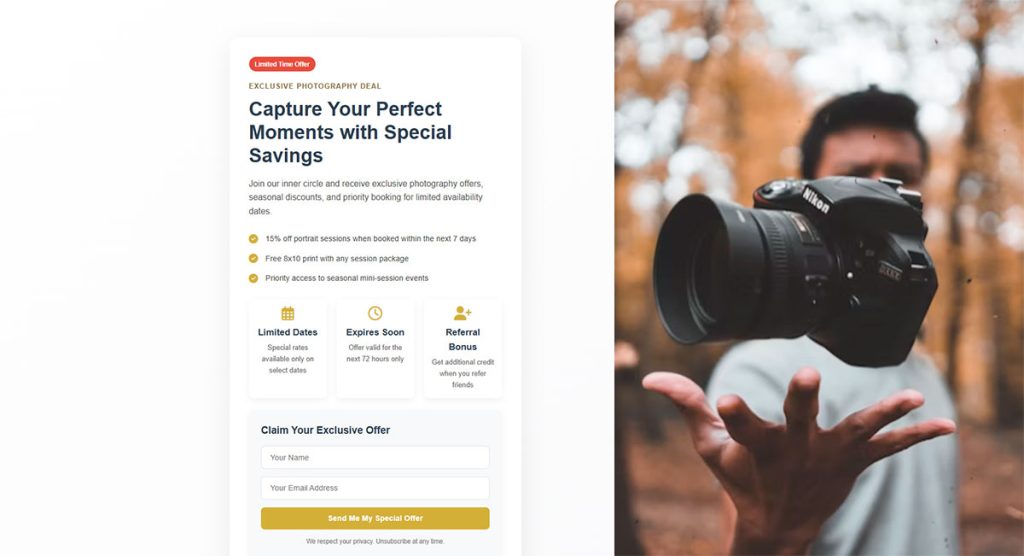
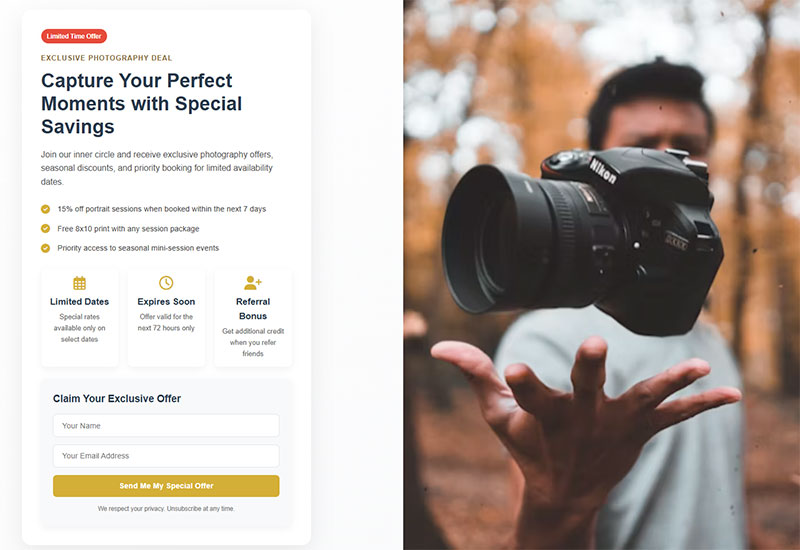
Browse lead magnet landing page examples for layout ideas, then cut yours down to a headline, a preview of the resource and an email field.
Public forms also draw bots. Turn on spam protection with reCAPTCHA, Turnstile or hCaptcha before you promote the page.
Beyond the site, a few promotion paths are worth using.
- Add the landing page link to every email you send (Privyr).
- Cross-promote with a wedding planner or a baby store that shares your audience (Aftershoot).
- Paid lead ads can work if you offer the magnet at the right step, because the wrong offer attracts the wrong users (Privyr).
James Maher Photography, based in New York City, grew its email subscribers 300% by adding sign-up forms with lead magnets and driving traffic from SEO, paid ads and guest posts, according to AWeber’s case study (2023).
Consent rules for photography lead magnets: GDPR, CAN-SPAM and CASL
Which law applies depends on where you send from and where your subscribers live. A blank consent checkbox that states what you will send meets the opt-in standard under both GDPR and CASL.
| Law | Consent rule | Sender duties | Opt-out handling |
|---|---|---|---|
| GDPR (EU) | Clear affirmative act; pre-ticked boxes and silence do not count | Provable consent records; withdrawal as easy as giving consent | Withdrawal at any time |
| CAN-SPAM (US) | No prior consent required | Accurate sender details, honest subject line, ad disclosure, physical postal address | Honored within 10 business days |
| CASL (Canada) | Express or implied consent; no pre-checked boxes | Sender identification and an unsubscribe mechanism | Processed within 10 business days; link valid at least 60 days |
The table draws on GDPR Article 7 and Recital 32, the FTC’s CAN-SPAM compliance guide and the CRTC’s CASL FAQ (updated February 2026).
Home studios have an easy fix for the address rule. The FTC accepts a registered P.O. box or private mailbox, and the CRTC accepts any valid mailing address, so a home address is not required.
The stakes are real. CAN-SPAM penalties reach $53,088 per violating email (FTC; the FTC kept the 2025 penalty level in place for 2026), and CASL penalties reach CAD 10 million per violation for businesses (CRTC).
The burden of proof sits with you under GDPR Article 7 and under CASL, so keep a record for every subscriber:
- The form or page where the address was collected
- Date and time of submission
- The consent wording shown at that moment
- The lead magnet requested, stored as a tag
A walkthrough on how to create GDPR compliant forms covers the checkbox and consent-text mechanics.
A set of GDPR consent form examples shows how other sites word the checkbox.
IvyForms covers most of that record. The GDPR field adds a required, unticked consent checkbox, with agreement text that accepts a link to your privacy policy. Every entry stores the submission date and time, the page it came from (Source URL) and the form it belongs to.
Keep one form per magnet, and the form itself identifies which magnet was requested. Save a dated copy of the agreement text each time you change it, so you can show what the subscriber saw.
This is general information, not legal advice. A lawyer or the regulator’s own guidance settles edge cases such as cross-border lists.
Delivery: instant download, email automation or DM keyword
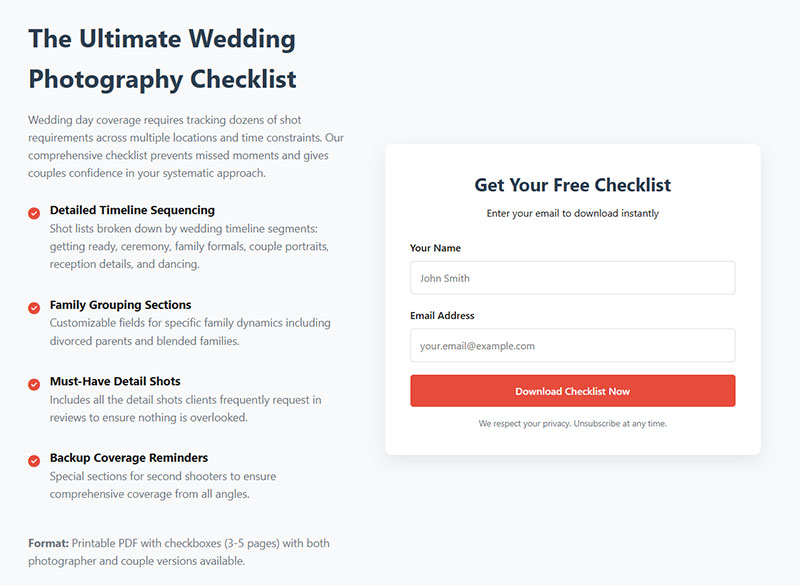
Deliver the file twice. The thank-you page gives instant access, and an automated email proves the address works. Privyr names a direct download and an automated email with a link as the two usual routes.
- The thank-you page shows the download the moment the form submits, with a line on which email comes next.
- A sign-up automation sends the delivery email with the link, and it doubles as the first email of the welcome sequence.
- With a DM keyword, a follower comments a word under a post or reel and receives the link in a direct message.
- When a form and an email platform share no direct integration, a Zapier Zap adds each new submission as a subscriber.
The thank-you page is also where a clear form submission confirmation message tells the subscriber where the file is and what happens next.
IvyForms gives you three delivery routes that mirror this list. Put the download link in a success message (the editor has an HTML mode), redirect to a thank-you page on your site, or send a notification email to the subscriber by using the email field as a placeholder in the Send to field.
Replace the default all-data message in that notification with your delivery text and link. Keep the admin notification as a separate entry so you still get alerted.
For the Zapier route, the IvyForms Zapier integration (Pro, Growth plan or higher) triggers on every new form entry and passes it to more than 5,000 apps. The Mailchimp integration (Pro) adds subscribers directly, and webhooks (Pro) send entries to any endpoint you control.
Manychat runs the DM keyword route through Meta’s official API as a Meta Business Partner. That is the line it draws against tools that scrape data or bypass Meta’s official APIs (Manychat, updated July 2026).
Manychat’s own guide suggests collecting the email address inside the DM flow before delivery. Skip that step and the freebie hands over a file but builds no list.
Direct messages carry a consent question too. The CRTC treats commercial messages sent through closed two-way social media DMs as messages to electronic addresses under CASL, while one-way public posts fall outside it.
Delivery fails in a few predictable ways. A file link breaks or expires, or the delivery email gets filtered to spam. Some PDFs also refuse to open on a phone, and those cost leads too.
Test every route before launch, using a Gmail address and an Outlook address, then open the file on a phone.
What should the welcome sequence do after the download?
The welcome sequence delivers the magnet, introduces you, shows your work and ends with an invitation to inquire. Aftershoot’s version for photographers starts with the freebie, moves to your story, then your best work with a call to action, and finishes on a niche tip.
A workable schedule follows. The days are an editorial suggestion, not a published standard.
- On day 0, send the delivery email with the file link, a thank-you and what to expect.
- Day 2 is your story and why you shoot this niche.
- By day 5, share a gallery or testimonial from a session like the one the subscriber is planning, with a link to your sessions page.
- Day 9 gets a tip tied to the magnet’s topic, plus an invitation to inquire or book a discovery call.
Longer sequences work too. Jasmin Jade’s guest post for Squaremuse describes up to 10 automated emails over several weeks, mixing your work, client testimonials and a call invitation.
Tag every subscriber by the magnet they requested, so later emails match the topic. Kit’s pricing page lists subscriber tagging and segmentation on its free plan.
Ready-made lead nurturing templates save time on the middle emails, but rewrite them in your own voice.
The last email should point to one place, your inquiry form. Both client management platforms below can start automation from that form.
- HoneyBook lets you embed or link the contact form and set a default project type, and project types can be tied to automations.
- Dubsado’s lead capture form adds the client to the address book, creates a project, and can start a workflow.
Photographer Mary Catherine uses her HoneyBook contact form to ask where each lead heard about her, which feeds a lead source report. A how did you hear about us question does the same job for your lead magnet.
If your inquiry form lives on WordPress, the IvyForms Consultation Appointment Booking Form covers contact details, a preferred time and the reason for the call. Add a Dropdown or Radio field for the lead source, then filter the entries table by that answer to see which magnet brings inquiries.
Quiz magnets can end on a booking page, since Typeform’s integration with Calendly lets respondents schedule a call directly. In IvyForms, set the confirmation to redirect to a custom URL and point it at your booking page.
A sequence that stops after the delivery email leaves the subscriber with a PDF and no reason to inquire.
What opt-in and booking rates are realistic?
No published benchmark isolates photography opt-in or booking rates, so the closest sourced figures set the baseline and your own numbers replace them once traffic arrives.
These are the numbers to measure against.
- The median landing page conversion rate across industries is 6.6% (Unbounce, 2024, 41,000+ landing pages).
- Landing page visitors who arrive by email convert at an average of 19.3% (Unbounce, 2024).
- Photography email averages come to 27.11% open, 1.78% click, 0.24% unsubscribe (Benchmark Email, updated August 2026).
- The all-industry averages from the same 68,000 users are 25.54% open, 1.45% click, 0.10% unsubscribe.
The 6.6% median counts every conversion type, clicks and forms alike, so a one-field opt-in page should land above it. Photography lists unsubscribe at more than twice the all-industry rate, so match the follow-up to the magnet.
Vendor planning ranges differ from Unbounce’s dataset. Leadpages’ 2026 ranges split by traffic temperature but state no methodology, and its 6.6% baseline comes from Unbounce.
Warm traffic converts better, so compare Pinterest visitors with Pinterest visitors, not with your email list.
Opt-in rate is simply form submissions divided by landing page visits. For booking rate, take the paid bookings from subscribers tagged with one magnet and divide by that magnet’s subscribers.
The numerator is easy to read in IvyForms. The Entries column in All Forms shows the submission count per form, and the entries table lets you filter by date range.
Google Analytics 4’s enhanced measurement collects form_start and form_submit events, and the gap between the two shows visitors who began the form and quit. Form parameters appear in reports only after you create custom dimensions for them, according to Google Analytics Help.
The same setting fires a file_download event when a visitor clicks a PDF link, which counts downloads from the thank-you page.
A step-by-step guide on how to track form submissions in Google Analytics covers the full setup.
Giving each magnet its own thank-you page makes the tracking simpler. Choose redirect to page in the IvyForms confirmation settings, and the thank-you URL tells GA4 which magnet converted.
Broader conversion rate benchmarks by industry give context when your niche sits far from the average.
When a lead magnet does not work for a photographer
Some studios just won’t get much out of one.
- Venue-driven weddings are the clearest case. The Knot’s 2025 Real Weddings Study reports that 82% of couples secure the venue first, and a venue often brings a preferred vendor list. A guide does not get you onto that list, a relationship with the venue does.
- A referral-led studio gets most work from past clients and planners, so the landing page serves a minority of bookings and the same hours earn more in relationship work.
- Leadpages warns that with low traffic, small changes can swing the conversion rate a lot, so a magnet on a quiet site yields too few sign-ups to learn from.
- Aftershoot notes that photographers often give up on email before starting or take a half-hearted approach, and a list with no sequence is just stored addresses.
Studios in those positions can put the hours into lead generation for local businesses instead, starting with the venue and planner relationships that already send work.
Build a magnet only when you can commit to the 4-email sequence and a landing page that gets steady visitors. Otherwise fix traffic first.
Lead Magnets for Photographers FAQ
How does a lead magnet differ from a newsletter signup?
A newsletter signup promises future emails, while a lead magnet hands over a useful file the second someone submits an address. Square Muse’s guest post by Jasmin Jade (2021) states that a lead magnet is not a newsletter signup.
The immediate payoff is what earns the address.
How long should a lead magnet be?
Long enough to answer one client question, and no longer. A one-page checklist or a short PDF beats a manual, because the subscriber should finish it in one sitting.
Open the file on a phone before launch.
How many lead magnets should one photographer run?
One per client type. A wedding couple and a newborn parent ask different questions, so each gets a separate resource and its own tag.
The tag keeps the welcome sequence matched to the topic.
Do you need a website to run one?
No. A hosted landing page from an email platform or a shared form link collects addresses without a site, and Privyr offers a lead capture tool built for businesses that have no website.
A link in bio or a DM keyword flow then sends traffic to that page.
Should you use double opt-in?
No, it is optional. CAN-SPAM requires no prior consent (FTC), and GDPR Article 7 requires only that you can demonstrate consent, not a confirmation email.
Double opt-in does prove the address is real, but it adds one more step before the file arrives.
Can a giveaway replace a lead magnet?
Yes, as a stopgap. Mark Condon of Shotkit offers a giveaway as the alternative when preparing content feels like too much work (Pixellu).
A prize draws people who want the prize, so tag giveaway entrants separately and keep the same unchecked consent box.
How do I build the opt-in form and deliver the file in WordPress?
Build the form in IvyForms with an email field and the GDPR consent field, embed it with the Gutenberg block or a shortcode, then set the confirmation message or redirect to carry the download link. A notification email addressed to the subscriber’s own address delivers the same link by email.
The IvyForms documentation has a guide for each step.
When to Keep, Rewrite or Retire a Lead Magnet
Lead magnets for photographers get judged on opt-in rate first, since it needs only visits and submissions. Booking rate comes next, because bookings trail sign-ups. Unsubscribe rate is the last check, aimed at the follow-up emails.
The order isolates the fault. A weak opt-in rate points at the landing page. If bookings lag, suspect the topic, and a high unsubscribe rate means the sequence needs work.
Aftershoot calls an unsubscribe rate under 0.5% ideal (2026), so a sequence above that line gets rewritten before the magnet does.
Rewriting costs you the baseline, since each change restarts the data. Alter one element at a time. With one IvyForms form per magnet, the entry history of each form stays separate, so a rewrite never muddies the numbers of the others.
Free-tier limits were last verified in October 2026, and a plan change is the one condition that justifies moving a list.
The fuller set of lead generation KPIs to track extends these signals across the funnel.