



A new client doesn’t sign with an accounting firm because a landing page convinced them. They sign because someone they trust vouched for the firm, or because the firm showed…
Table of contents
Your Instagram followers don’t pay your bills. Your email list does.
Most photographers pour hours into social media, but organic reach on platforms like Instagram and Facebook keeps dropping. Meanwhile, the people who actually visited your portfolio left without a trace. No email, no name, no way to follow up.
Lead magnets for photographers fix that gap. A free resource, whether it’s a style guide, a Lightroom preset pack, or an interactive quiz, gives potential clients a reason to hand over their email address. From there, your welcome sequence does the work of turning a curious visitor into a booked session.
This guide covers the specific types of lead magnets that work for photography businesses, how to build and deliver them, and how to measure whether they’re actually bringing in clients.
What Is a Lead Magnet for Photographers?
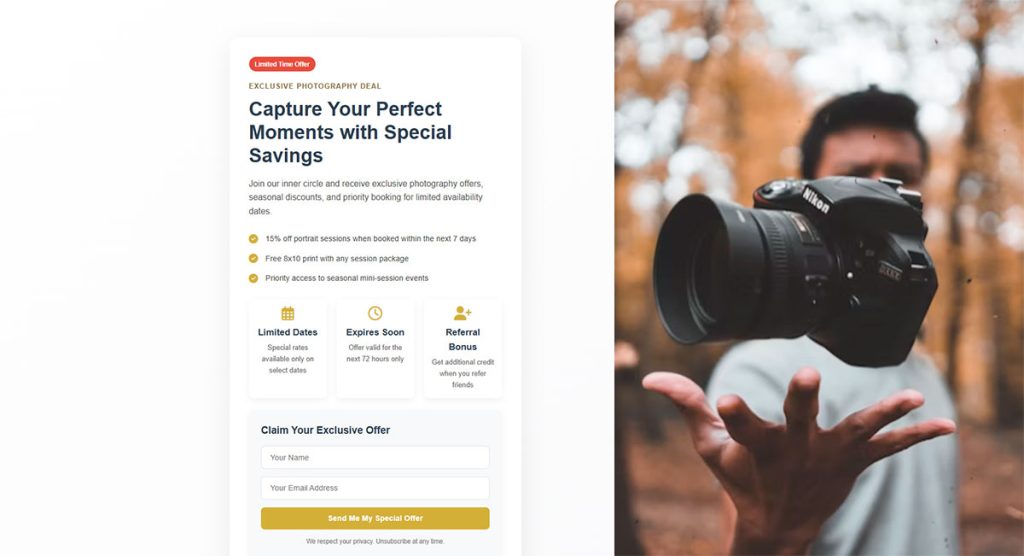
A lead magnet is a free resource you offer in exchange for someone’s email address. For photographers, it’s the bridge between a portfolio visitor and a paying client.
Think of it this way. Someone lands on your website, loves your work, but isn’t ready to book. Without a lead magnet, they leave and probably forget about you within a week. With one, you capture their contact info and stay in their inbox until they’re ready.
The resource itself can take many forms. A PDF guide, a Lightroom preset pack, a checklist, a short video series, or even an interactive quiz. What matters is that it’s specific to your photography niche and solves a real problem for your ideal client.
Delivery is straightforward. A visitor fills out a form on your website, your email platform (ConvertKit, Flodesk, Mailchimp) sends the resource automatically, and that person enters your email list. From there, a welcome email sequence does the nurturing.
The gap between “nice portfolio” and “booked photographer” is almost always an email list. Lead magnets close that gap.
Why Photographers Struggle to Build Email Lists
Most photographers lean heavily on Instagram. And that worked, for a while.
But the numbers tell a different story now. Hootsuite’s 2024 data showed Instagram’s average reach rate dropped to just 4.0%, falling 18% year over year. Facebook is worse, sitting at roughly 1.2% average reach. So even if you have 5,000 followers, fewer than 200 people might actually see your latest post.
Photographers feel this more than most. Instagram’s shift toward video content (Reels, Stories) has pushed still photography further down the algorithm’s priority list. The Phoblographer reported in 2025 that many talented photographers can’t get views anymore because they refuse to make videos to boost engagement.
And here’s what really stings. You don’t own your Instagram followers. One algorithm change, one account suspension, one platform pivot, and your entire audience disappears overnight.
The Email Ownership Difference
Instagram followers: rented audience on someone else’s platform, subject to algorithm changes you can’t control.
Email subscribers: your list, your data, your direct line of communication with potential clients.
Email marketing returns an average of $36 for every $1 spent, according to Litmus. That’s a 3,600% ROI. Automated email sequences alone generate 320% more revenue than one-off sends, based on Campaign Monitor data.
The problem isn’t that photographers don’t want an email list. It’s that most have never been taught how to build one. They don’t have a compelling reason for someone to hand over their email address. That’s exactly what a lead magnet fixes.
What Makes a Lead Magnet Actually Convert for Photography Clients
Not all lead magnets are built equal. Took me a while to fully get this, but the difference between a lead magnet that collects dust and one that fills your inbox is almost always about specificity.
A GetResponse survey found that 47% of marketers rated video and text lead magnets as their highest-converting opt-in types in 2024. But format alone doesn’t guarantee results. The content has to match the person you want to attract.
Matching the Lead Magnet to Your Photography Niche
A wedding photographer and a brand photographer serve completely different clients. Their lead magnets should look nothing alike.
Here’s where I see people mess this up constantly. A portrait photographer offers free Lightroom presets. Who downloads them? Other photographers. Not the mom looking for family photos. Not the executive who needs headshots. Your lead magnet has to speak directly to your buyer, not your peers.
| Photographer Type | Good Lead Magnet | Wrong Lead Magnet |
| Wedding | Timeline planning guide | Editing tutorial |
| Portrait/Family | “What to Wear” style guide | Lightroom preset pack |
| Brand/Commercial | Brand photo prep checklist | Camera gear comparison |
| Newborn | Session prep guide for parents | Posing tips for photographers |
The lead magnet should feel like the natural first step toward booking you. If someone downloads your “Ultimate Wedding Day Timeline Planner,” the next logical move is hiring the photographer who created it.
Quick test: Would your ideal paying client actually want this resource? If the answer is “mostly other photographers would download it,” go back to the drawing board.
Pricing and Preparation Guides as Lead Magnets
These are the workhorses. Boring name, incredible conversion rates.
Preparation and pricing guides work so well because they answer the exact questions running through a potential client’s mind right before they book. What should I wear? How much does this cost? What happens during the session? How do I prepare my kids?
“What to Wear” Guides
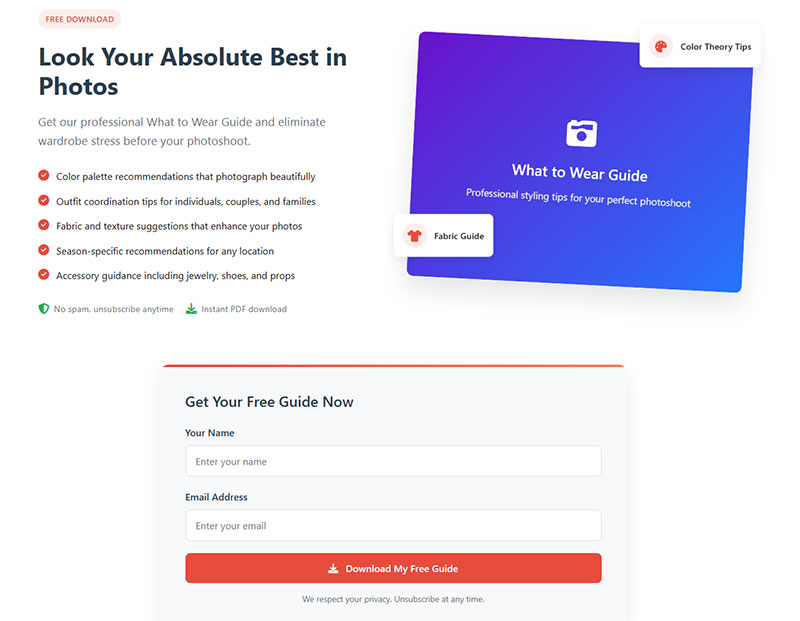
Family and portrait photographers have been printing money with these for years. A well-designed PDF showing outfit coordination tips, color palette suggestions, and examples of what works on camera gives clients confidence, and positions you as the expert before you’ve even spoken.
Canva makes these dead simple to build. Pick a template, add your branding, fill it with your own client photos as examples, and export as a PDF. The whole thing can be done in an afternoon.
Wedding Timeline Planners
Why they convert: Engaged couples are stressed. A downloadable timeline template that maps out the entire wedding day, from hair and makeup to last dance, solves an immediate planning headache.
It also subtly shows that you know how to run a wedding day. That’s a trust signal that’s hard to replicate with portfolio images alone.
Photography Pricing Expectation Guides
This one takes some nerve. But a guide titled something like “What Does Professional Photography Actually Cost?” can attract serious buyers while filtering out people who were never going to book.
Studio Pod data shows wedding photographers typically charge between $1,500 and $3,500. A pricing guide that explains what goes into those numbers (editing time, equipment, travel, experience) helps clients understand the value before they even see your rates.
Tools like Honeybook and Dubsado have templates that make creating these guides faster. You don’t need a graphic design degree.
Preset Packs and Editing Resources
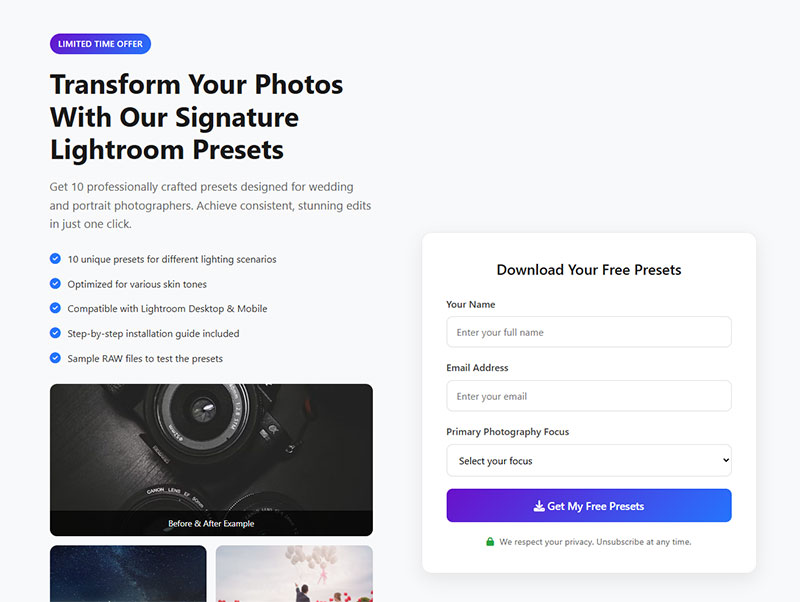
Free Lightroom presets are probably the most popular photography lead magnet on the internet. And honestly? They’re also the most misused.
When Presets Work as Lead Magnets
Presets work when the person downloading them is actually your potential client. A mobile Lightroom preset pack titled “Edit Your Vacation Photos Like a Travel Magazine” could attract people who value great photography and might later hire you for a destination shoot or family session.
The key is framing the preset around what the client wants to do with their own photos. Not what a fellow photographer wants.
Delivery platforms like Gumroad make it easy to gate a preset pack behind an email subscription form. Connect that to your email platform, and subscribers land in your welcome sequence automatically.
The Preset Trap (Attracting the Wrong Audience)
Here’s the thing. If you’re a wedding photographer offering “Moody Film Presets for Lightroom Desktop,” guess who’s downloading that? Other wedding photographers. Not brides.
The 2024 photography statistics from Presets.io confirmed that 67% of photographers use Lightroom as their primary editing tool. That’s your competition downloading your freebie, not your clients.
This isn’t always bad. If you sell education or presets as a side business, attracting photographers is the goal. But if you’re trying to book portrait sessions or weddings, a preset pack aimed at professionals is pulling the wrong people into your funnel.
| Audience Target | Preset Approach | Result |
| Fellow photographers | “Professional film emulation pack” | Grows peer audience, not client list |
| Potential clients | “Make your phone photos pop” mobile presets | Attracts people who value good photography |
| Photography educators | “Starter editing workflow pack” | Builds student pipeline |
Bottom line: Match the preset to the person you want to eventually sell to. Your mileage may vary, but I’ve seen photographers completely rebuild their email lists just by rethinking who their freebie is actually for.
Educational Mini-Courses and Video Trainings
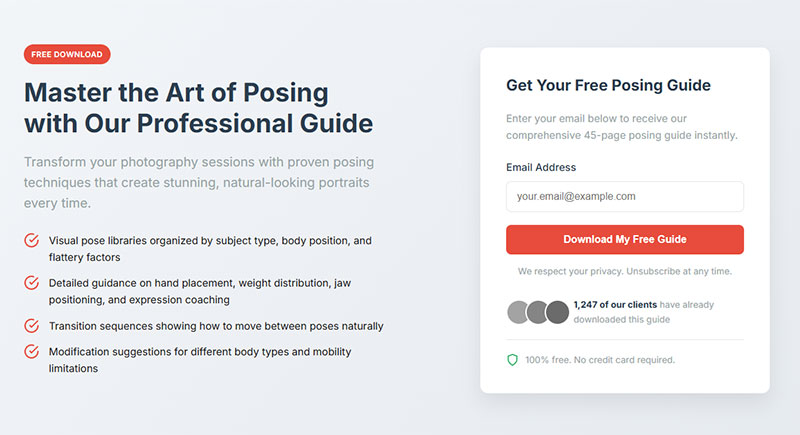
Short video content is outperforming nearly every other lead magnet format right now. A GetResponse survey showed 73% of marketers said short-form video drives higher conversions than long-form content.
For photographers, this opens up a huge opportunity. Because you already know how to create visual content.
Client-Facing Mini Courses
A three-part video series like “3 Tips for Better iPhone Photos of Your Kids” does two things at once. It gives parents something genuinely useful. And it demonstrates that you clearly know what you’re doing behind the camera.
Keep the total runtime under 15 minutes across all videos. Attention spans dropped to 47 seconds in 2024, according to research cited in Unbounce’s conversion benchmark report. Short, punchy videos that deliver one clear takeaway each will outperform a 45-minute masterclass every time.
Flodesk, ConvertKit, and Mailchimp all support drip-delivered email sequences, which means you can send one video per day over three days. Each email keeps the subscriber engaged and moves them closer to booking.
Behind-the-Scenes Content for Photographer Educators
If your business model includes teaching other photographers (selling courses, mentoring, workshops), then a behind-the-scenes editing walkthrough is a strong gated content play.
Show your actual editing process on a real client gallery. Walk through your Lightroom or Adobe Photoshop workflow. This builds trust with aspiring photographers and naturally leads into your paid education offerings.
One thing to watch: Don’t try to serve both audiences with one lead magnet. A client-facing video series and a photographer education series should live in separate funnels with separate email sequences. Mixing them dilutes the message and confuses your lead generation funnel.
ON24’s 2023 benchmark report found that webinar engagement activities like follow-up prompts and product demos can boost conversion rates by 77%. Even a simple “reply to this email with your biggest question” at the end of your video series can dramatically improve how many subscribers eventually become clients.
Checklists, Questionnaires, and Templates
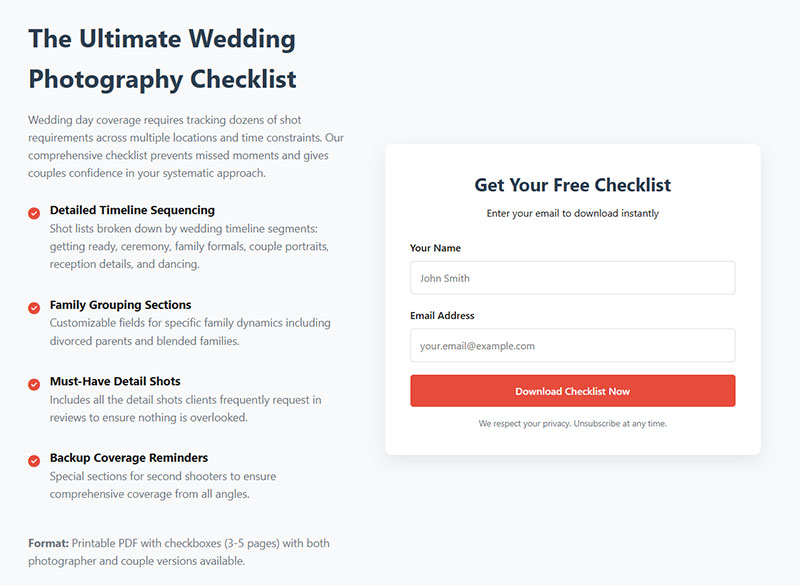
Short-form written lead magnets convert better than long-form, according to 58.6% of marketers surveyed by GetResponse. Checklists and templates are the definition of short-form. One page, one problem, done.
These work especially well for photographers because clients are already anxious about their upcoming session. A checklist that removes that anxiety is worth its weight in email addresses.
Session Preparation Checklists
Headshot prep checklist: What to bring, how to prepare skin and hair, clothing do’s and don’ts for corporate headshots.
Newborn session checklist: Feeding schedule tips, what to pack, room temperature guidance, timing recommendations for sleepy baby poses.
Wedding day timeline: Hour-by-hour breakdown covering hair and makeup through the last dance, customizable by the couple.
Each of these solves a specific, time-sensitive problem. The person downloading it is almost certainly going to book a photographer soon.
Client Questionnaires That Double as Onboarding
Questionnaires are sneaky good. A downloadable “Pre-Session Questionnaire” lets potential clients start thinking about what they want from their shoot before they’ve even reached out to you.
Pixieset’s blog recommends scanning through completed questionnaires to anticipate future photography needs, like noticing a pregnant client who might want a newborn session later. That’s a lead generation strategy hiding inside a simple PDF.
Google Docs and Notion templates work fine for delivery. You don’t need fancy software to make these useful.
Shot List Templates
A “DIY Event Photography Shot List” targets people planning events without a professional photographer, but who clearly value good photos enough to search for a shot list.
That’s a warm audience. They care about photography quality but haven’t committed to hiring someone yet. Your shot list template gets them on your email list, and your follow-up sequence can show them why hiring a pro is worth it.
Discount Codes and Mini-Session Offers
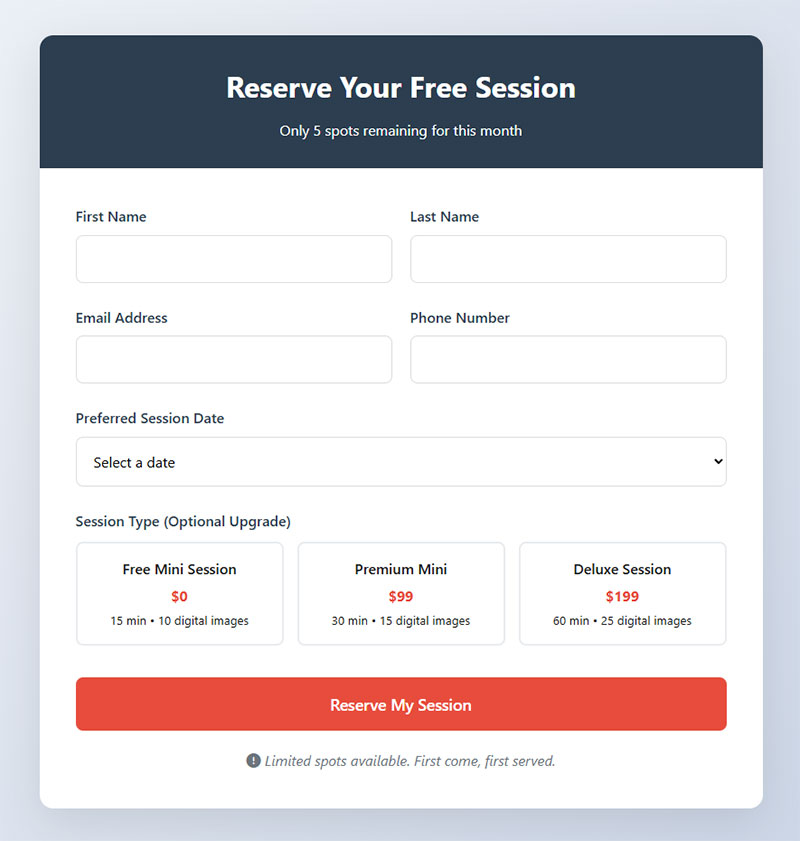
Discounts as lead magnets are polarizing. Some photographers swear by them. Others say they destroy brand value. Both sides have a point, and the answer depends entirely on your business model.
When Discounts Work
Volume-based photography businesses benefit the most from promotional lead magnets. Think seasonal mini sessions, school photos, and holiday-themed events.
A mini session waitlist is one of the strongest lead magnets a family photographer can run. Photographer Kristy Hamilton, based in London, built an email list of around 400 subscribers primarily through lead magnets and popup forms on her website, then used a waitlist system to sell out her mini sessions within 48 to 72 hours.
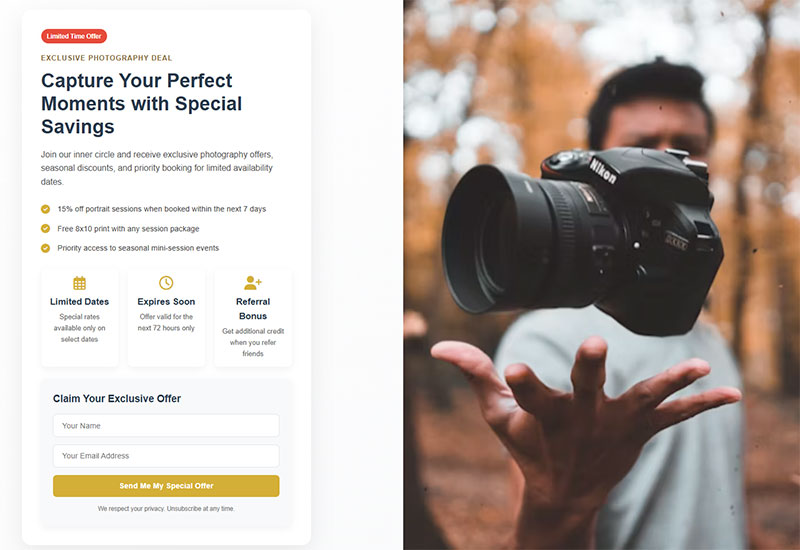
ShootProof data shows photographers who use email campaigns generate 185% higher sales. Early bird pricing or subscriber-exclusive booking windows tap directly into that.
When Discounts Backfire
| Business Type | Discount Impact | Better Alternative |
| Luxury/boutique | Undermines premium positioning | Exclusive prep guide or styling consultation |
| Wedding (high-end) | Attracts deal-seekers, not ideal clients | Timeline planner or venue checklist |
| Mini sessions | Works well as seasonal incentive | Waitlist with early access |
| School/volume | Drives bookings effectively | Referral discount for repeat clients |
The risk is real. If you’re positioned as a premium photographer charging $3,000+ for weddings, a “20% off” lead magnet sends the wrong message. It trains your audience to wait for deals instead of valuing your work at full price.
Pixieset’s photography business blog puts it clearly: mini sessions are not your regular sessions offered at a discount. They are separate, shorter packages at a lower price point. Confusing the two damages your brand.
Quizzes and Interactive Lead Magnets
Quizzes convert at rates that make every other lead magnet format look average.
Interact’s conversion rate report, based on over 80 million leads generated, shows the overall quiz-to-lead conversion rate sits at 40.1%. Compare that to a typical landing page median of 6.6% (Unbounce Q4 2024 data). The difference is massive.
Quiz Ideas for Different Photography Niches
“What photography style matches your brand?” targets business owners shopping for commercial or brand photography. Each result maps to a different package you offer.
“What type of family session is right for you?” helps portrait clients self-select between mini sessions, full sessions, and lifestyle shoots. Less decision fatigue for them, better segmentation for you.
“Are you ready for your headshot session?” works for corporate photographers. Quick, fun, and positions you as the go-to expert before the quiz taker has spoken to anyone.
Why Quizzes Outperform Static PDFs
Interactive content outperforms static formats by roughly 70% in conversion, according to data compiled by Amra and Elma’s 2025 lead magnet statistics report. Using quizzes and interactive forms taps into a simple behavior: people want to participate, not just consume.
The segmentation benefit is the real win here. When someone takes your quiz, their answers tell you exactly what they want. Connect Interact, Typeform, or ScoreApp to your email platform and each quiz result triggers a specific email sequence.
A bride who gets “Romantic & Timeless” as her style result gets a different follow-up series than someone who gets “Bold & Modern.” That level of personalization in your lead capture forms turns cold subscribers into warm leads fast.
How to Deliver and Promote a Photography Lead Magnet
Building a great lead magnet is half the job. The other half is getting it in front of the right people and making sure the delivery is smooth.
GetResponse benchmarks show welcome emails achieve an average open rate of 83.63% and a click-through rate of 16.60%. That first automated email after someone downloads your freebie is the highest-engagement touchpoint you’ll ever have. Don’t waste it.
Landing Page and Form Setup
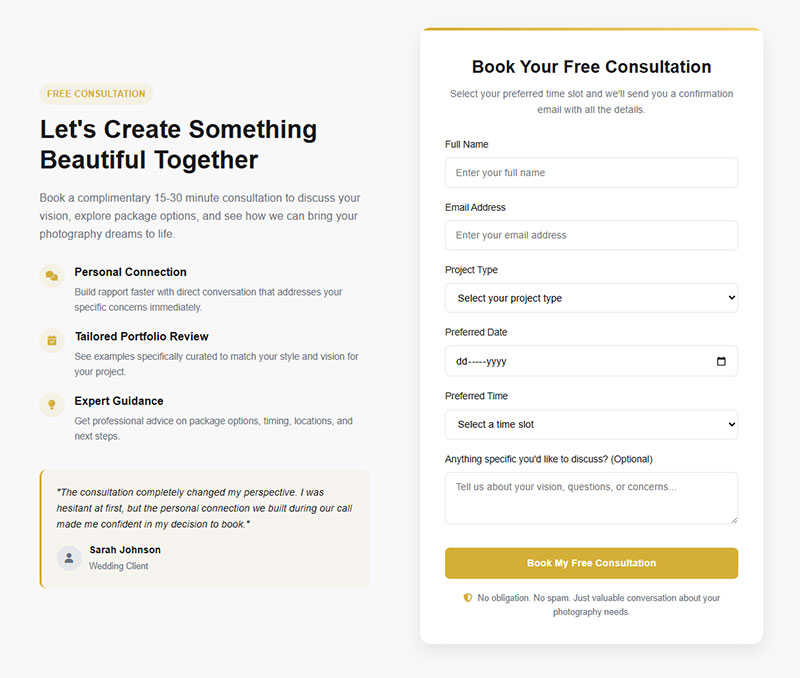
Platform options: Showit, WordPress, Squarespace, or a dedicated landing page form through your email provider (ConvertKit, Flodesk, Mailchimp).
Keep the form short. Unbounce’s research found that pages with 5 or fewer fields convert 120% better than those with more. For a photography lead magnet, you only need a first name and email address. Maybe a wedding date if you’re targeting engaged couples.
Embedded forms on your portfolio site catch visitors who are already browsing your work. Exit intent popups catch the ones about to leave. Use both.
Where Photographers Get the Most Lead Magnet Traffic
| Traffic Source | Best For | Why It Works |
| Immediate engagement | Visual platform, warm audience (bio link, stories) | |
| Long-term organic discovery | Search-based, evergreen pins drive traffic for months | |
| Blog posts | SEO-driven traffic | People actively searching for photography help |
| Website popups | Capturing existing visitors | High intent, already on your site |
Pinterest deserves special attention. It had 553 million monthly active users as of Q4 2024 and saw 23.2% year-over-year audience growth, according to Sprout Social. Nearly all searches on Pinterest are unbranded, which means people are looking for ideas, not specific photographers. That’s a discovery opportunity.
A pin linking to your “What to Wear for Family Photos” guide can drive traffic to your lead magnet landing page for months, even years, without any additional effort. Blog posts built to increase form conversions around the same topic compound that effect.
Automated Welcome Email Sequences
The moment someone downloads your lead magnet, your automated sequence takes over. Here’s what a solid photographer welcome flow looks like:
- Email 1 (immediate): Deliver the freebie, introduce yourself briefly, set expectations for future emails
- Email 2 (day 2): Share a quick tip or behind-the-scenes story related to the lead magnet topic
- Email 3 (day 4): Show client work or a testimonial that builds trust
- Email 4 (day 7): Soft call to action, like booking a discovery call or viewing your packages
Welcome emails generate 320% more revenue per email than standard promotional messages, according to Campaign Monitor. Skipping this step means you collected an email address for nothing.
Flodesk and ConvertKit both make building these sequences straightforward, even if you’ve never set up email automation before. The whole thing can be running within an afternoon.
Measuring Whether a Lead Magnet Is Working
A lead magnet without tracking is just a freebie that makes you feel productive. You need numbers to know if it’s actually moving people toward booking.
Landing Page Conversion Benchmarks
Unbounce analyzed 41,000 landing pages with 464 million visitors in Q4 2024 and found the median conversion rate across all industries is 6.6%. For a photography lead magnet landing page, anything above 10% is solid. Above 20% and you’ve built something genuinely compelling.
If your page sits below 5%, the problem is usually one of three things: the headline doesn’t match what people expected, the form asks for too much information, or the lead magnet itself isn’t specific enough to your audience.
Email Engagement After Opt-In
Open rates: Welcome emails average 83.63% open rates (GetResponse). If your welcome email is significantly below that, check your subject line and sender name. People should recognize who you are instantly.
Click-through rates: A healthy welcome sequence CTR sits around 16% based on GetResponse benchmarks. Low clicks usually mean the email content doesn’t match what was promised in the lead magnet.
Unsubscribe rate: Anything under 1% on your welcome series is normal. Above 2% signals a mismatch between what subscribers expected and what they’re getting.
Tracking Subscriber-to-Client Conversions
This is the metric that actually matters. How many email subscribers eventually book a session?
Google Analytics can track the path from your lead magnet landing page to your booking or contact us page. ConvertKit and Flodesk both let you tag subscribers based on which lead magnet they downloaded, so you can track which freebie produces the most paying clients over time.
If one lead magnet consistently drives bookings and another just collects emails that go cold, you know where to focus. Retire what isn’t working. Double down on what is.
FAQ on Lead Magnets for Photographers
What is a lead magnet in photography?
A lead magnet is a free resource you offer in exchange for a visitor’s email address. For photographers, this could be a style guide, preset pack, checklist, or quiz that solves a specific problem for potential clients.
What is the best lead magnet for wedding photographers?
A wedding day timeline planner consistently performs well. Engaged couples are actively looking for planning help, and the photographer who provides it becomes the obvious choice when they’re ready to book.
Do Lightroom presets work as lead magnets?
They can, but only if they target your actual clients. Mobile presets aimed at everyday users attract potential buyers. Desktop editing presets mostly attract other photographers, which won’t help you book sessions.
How do I deliver a lead magnet on my photography website?
Set up a landing page with a short email capture form. Connect it to an email platform like ConvertKit or Flodesk. The platform sends the resource automatically and adds the subscriber to your welcome sequence.
What conversion rate should I expect from my lead magnet?
The median landing page conversion rate is 6.6% across industries, based on Unbounce’s Q4 2024 data. A well-targeted photography lead magnet landing page should aim for 10% or higher with proper optimization.
Can quizzes work as lead magnets for photographers?
Quizzes convert at roughly 40%, according to Interact’s data from over 80 million leads. A quiz like “What photography style fits your brand?” also segments your audience for more personalized email follow-ups.
How many form fields should my lead magnet opt-in have?
Stick to two fields: first name and email address. Research shows forms with five or fewer fields convert significantly better. For wedding photographers, adding a wedding date field is the only reasonable exception.
Where should I promote my photography lead magnet?
Your website (embedded forms and exit popups), Instagram bio link, Pinterest pins, and blog posts. Pinterest is especially effective because searches there are unbranded, meaning people discover you through the content itself.
How often should I update or replace my lead magnet?
Check your conversion data every quarter. If your landing page conversion rate drops below 5% or email engagement falls steadily, test a new lead magnet. A fresh resource can re-energize a stale email list fast.
Should I offer discounts as a lead magnet?
Only if your business model supports volume bookings, like mini sessions or school photography. Premium and boutique photographers risk training their audience to wait for deals instead of booking at full price.
Conclusion
Lead magnets for photographers aren’t a marketing trend. They’re the most reliable way to turn website visitors into booked clients when social media reach keeps shrinking.
The format you pick matters less than the fit. A session prep checklist, a quiz built in ScoreApp or Typeform, a mobile preset pack for everyday users. Whatever it is, it has to speak directly to your paying client, not your photographer friends.
Get the landing page live. Connect it to your email automation in Flodesk or ConvertKit. Build a short welcome sequence that moves subscribers from curious to ready-to-book.
Then track your numbers. Landing page conversion rates, open rates, and subscriber-to-client conversions will tell you exactly what’s working. Cut what isn’t. Scale what is.
Start with one lead magnet. Make it specific. The rest follows.