


Limited time discount
Better Forms for the Season Ahead
Up to 70%Off
Up to 70%Off
Grab Now

Lead Generation for Law Firms: How to Get More Clients Online

Your next client is searching for a lawyer right now.

The question is whether they’ll find you or your competitor.

Lead generation for law firms has shifted almost entirely online, with 96% of people seeking legal advice starting their search on Google.

Referrals still matter, but they’re no longer enough to sustain growth.

This guide covers everything you need to attract more clients through your website, Google Business Profile, local citations, content marketing, paid advertising, and social media.

You’ll learn how to convert visitors into consultations and track which channels deliver the best return on your marketing investment.

What is Lead Generation for Law Firms

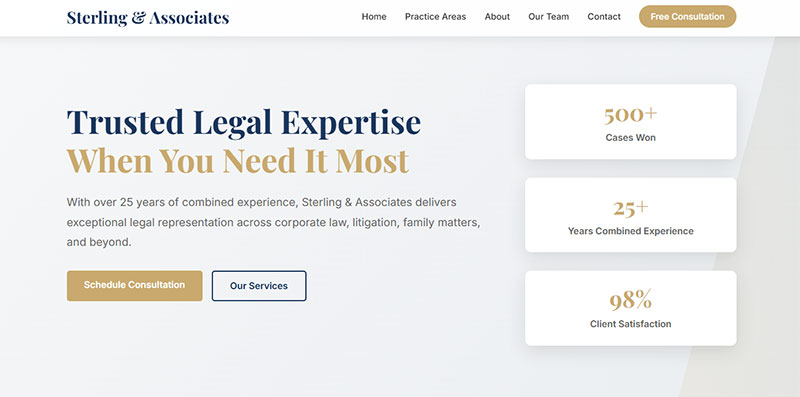
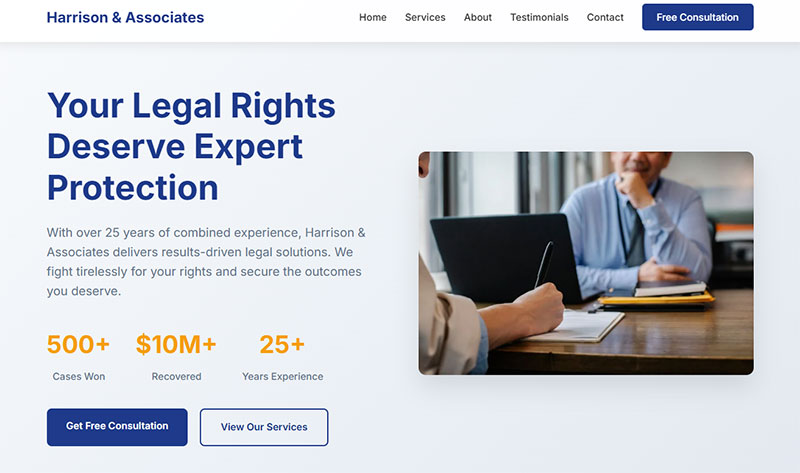
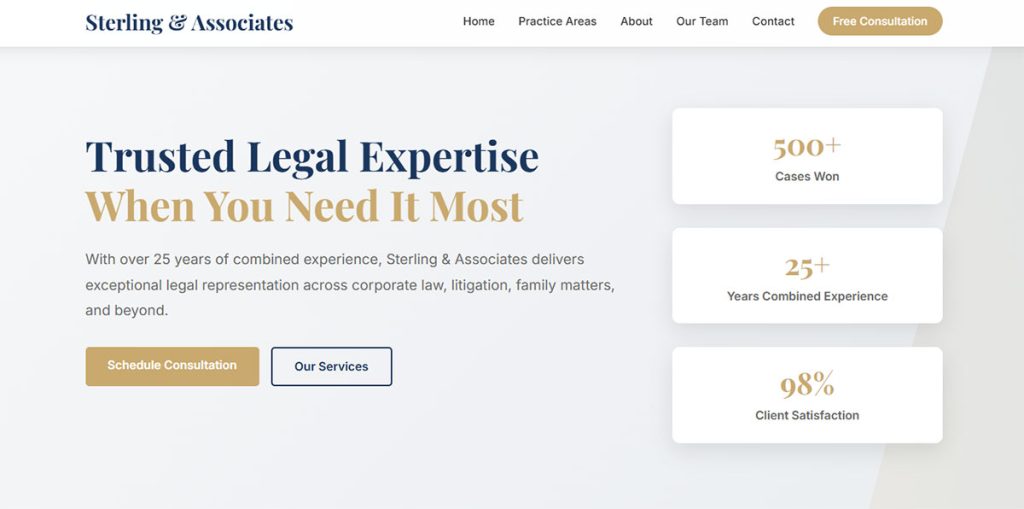
Website Design That Converts Visitors

Lead generation for law firms is the process of attracting prospective clients who need legal services and converting them into consultation requests or signed cases.

It connects your practice to people actively searching for an attorney.

Unlike general advertising, legal lead generation targets individuals with genuine legal needs in your practice area and geographic location.

The process spans multiple channels: your law firm website, Google Business Profile, legal directories like Avvo and FindLaw, paid advertising, and referral networks.

Each channel feeds potential clients into your intake funnel.

A qualified lead is someone who matches your ideal client profile.

They have a legal issue you handle, they’re in your service area, and they’re ready to take action.

An unqualified lead might need a practice area you don’t cover or lack the means to proceed with representation.

The legal services buying journey differs from retail purchases.

Potential clients often research for days or weeks before contacting an attorney.

They read reviews, compare credentials, and evaluate trust signals before picking up the phone.

Your client acquisition strategy must account for this extended decision-making process.

The intake funnel moves prospects through distinct stages:

  • Initial contact through phone call, contact form, or live chat
  • Qualification to determine case fit and viability
  • Consultation to discuss legal options and representation
  • Retention when the client signs an agreement

Each stage requires specific tactics to prevent leads from dropping off.

A breakdown at any point means lost revenue and wasted marketing spend.

Why Law Firms Lose Potential Clients Online

Most law firms leak leads at predictable points in the conversion process.

Fixing these gaps costs less than generating new traffic.

Slow Response Times Kill Conversions

Legal prospects contact multiple firms simultaneously. The first attorney to respond often wins the case.

According to Hennessey Digital’s 2025 study, 26% of law firms never respond to online leads at all. Meanwhile, research from AgentZap shows the first firm to provide a helpful response wins 79% of the time.

Hennessey’s research found that firms responding within 5 minutes increased from just 12% in 2022 to 28% in 2024. The median response time dropped to 13 minutes in 2024.

But speed alone isn’t enough.

MIT’s Lead Response Management Study revealed that leads contacted within 5 minutes are 21 times more likely to enter the sales process than those contacted after 30 minutes.

Law Firm Marketing Pros data shows that 67% of legal clients base their hiring decision on how fast a firm responds. Firms responding within the first 5 minutes see a 400% higher conversion rate.

Action steps:

  • Set up automated email responses that deploy within 60 seconds
  • Use live chat software (firms using live chat see 35% more conversions)
  • Enable text messaging (10% of firms now offer this option)
  • Monitor forms outside business hours (42% of inquiries arrive after 5pm)

Poor Website Design Creates Friction

Outdated layouts, confusing navigation, and missing mobile optimization drive visitors away.

According to Law Firm Marketing Pros, 96% of people seeking legal advice use search engines for research. If your site loads slowly or looks unprofessional, they’ll bounce to the next result.

EverSpark’s research shows that over 90% of users abandon sites that take more than 3 seconds to load. Google now uses Core Web Vitals as a ranking factor, making speed critical for visibility.

Mobile traffic dominates legal searches. Data from multiple 2024-2025 studies reveals:

  • 23% of potential clients use mobile devices exclusively
  • 53% use both mobile and desktop
  • 60% of all online searches happen on mobile devices
  • 63% of organic search visits come from mobile users

Yet CallRail found that 49% of law firms struggle with mobile optimization.

Action steps:

  • Test your site speed at PageSpeed Insights (aim for under 3 seconds)
  • Ensure responsive design works on phones and tablets
  • Use large, tap-friendly buttons (minimum 44×44 pixels)
  • Simplify mobile navigation to 3-4 main options
  • Place phone number prominently (click-to-call functionality)

Missing Trust Signals Raise Doubt

Prospective clients need proof you can handle their case.

iLawyer Marketing’s 2024 consumer study found that 90% of participants either mostly trust or completely trust law firm reviews online. BrightLocal’s research shows 57% of legal consumers consider online reviews important when choosing an attorney.

The data gets more specific. Firms with 4+ star ratings see significantly higher contact rates. According to Grow Law, 79% of consumers trust online reviews as much as personal recommendations.

Google Business Profiles matter. Research shows businesses with complete profiles are 70% more likely to attract visits from potential clients.

Client testimonials deliver measurable results. Studies indicate that incorporating testimonials on landing pages increases conversions by 34%.

Action steps:

  • Request reviews from satisfied clients within 48 hours of case resolution
  • Respond professionally to all reviews (positive and negative)
  • Display attorney credentials and bar memberships prominently
  • Show case results with specific numbers (where ethics rules permit)
  • Add client testimonials to practice area pages
  • Maintain profiles on Avvo, Martindale-Hubbell, and Google Business

Complicated Intake Processes

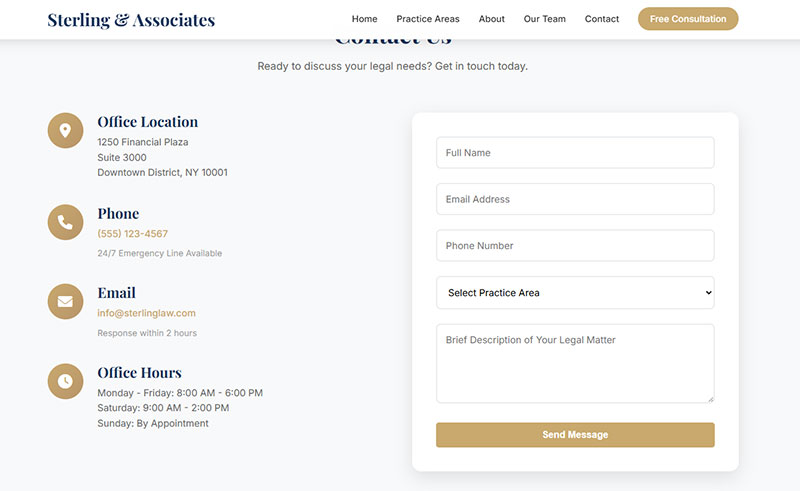
Long intake forms with too many required fields discourage completion.

Research from Insiteful shows that 67% of visitors abandon forms if they’re too lengthy or complex.

QuickSprout’s study of contact forms found that 3 fields yield the highest conversion rate. One company increased conversions by 120% simply by reducing their form from 11 fields down to 4.

HubSpot’s analysis of 40,000 customer contact forms revealed that conversion rates improve by almost 50% when reducing from 4 fields to 3.

According to conversion optimization research, every additional form field reduces conversions by 5-10%.

Essential fields only:

  • Name
  • Phone number or email
  • Brief case description (2-3 sentences max)

Action steps:

  • Strip forms to 3-5 fields maximum
  • Remove “How did you hear about us?” (it’s costing you clients)
  • Use dropdown menus instead of open text where possible
  • Add inline validation to catch errors before submission
  • Enable auto-advance to next field on mobile
  • Save detailed intake for the actual consultation
  • Add progress indicators for multi-step forms

No Clear Call to Action

Websites without prominent contact options confuse visitors.

Research shows that only 30% of small business B2B websites have a call to action on their homepage. This represents massive missed opportunity.

According to multiple CTA optimization studies, personalized CTAs perform 202% better than generic ones. Clear, specific CTAs can boost conversion rates by 161%.

Your contact form and phone number should appear above the fold on every page.

Centered CTAs receive 682% more clicks compared to left-aligned options. Button-shaped CTAs generate 45% more clicks than text links.

Data shows that firms with clearly defined calls to action see 121% higher conversion rates than those without them.

Effective CTA examples:

  • “Get Your Free Case Evaluation” (not “Submit”)
  • “Schedule Your Confidential Consultation” (not “Contact Us”)
  • “Tap to Call Now” (for mobile)

Action steps:

  • Place primary CTA above the fold on every page
  • Use action-oriented, first-person language (“Get My Free Consultation”)
  • Create visual contrast with button color
  • Add multiple CTAs throughout long pages
  • Make phone numbers clickable on mobile
  • Test different CTA copy (A/B testing can improve rates 111-306%)
  • Remove competing navigation on dedicated landing pages

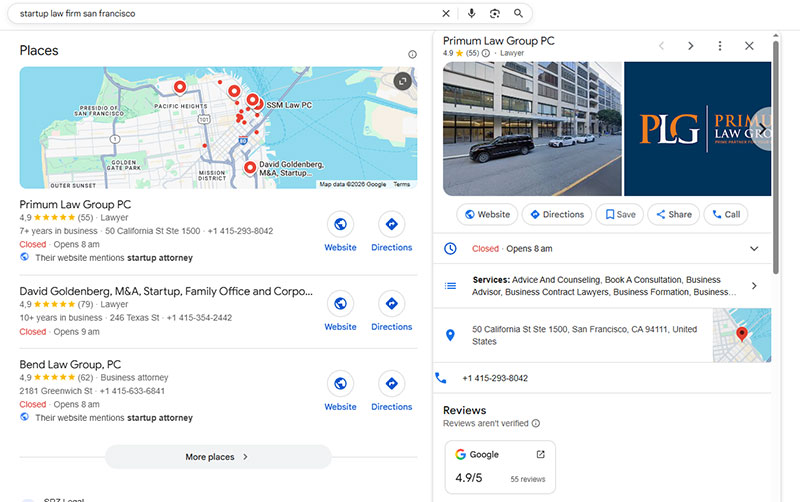
How Google Business Profile Affects Law Firm Visibility

How Google Business Profile Affects Law Firm Visibility

Your Google Business Profile directly influences whether potential clients find you in local search results.

It controls your appearance in Google Maps and the Local Pack, those three business listings that appear above organic results for location-based queries.

Research shows that 46% of all Google searches have local intent. For law firms, especially consumer-facing practices, an optimized profile isn’t optional.

According to multiple 2024-2025 studies, businesses in the Google 3-pack receive 126% more traffic and 93% more conversion-oriented actions (calls, website clicks, directions) than businesses ranked in positions 4-10.

Local pack click-through data reveals the stakes. First Page Sage found that 42% of local searchers click on Local 3-pack results, compared to just 29% for organic results below. Within the pack itself, the #1 position gets 17.8% of clicks, #2 gets 15.4%, and #3 gets 15.1%.

The Three Local Ranking Factors

Google ranks local businesses based on:

Relevance measures how well your profile matches the search query.

Whitespark’s survey of local search experts identified primary business category as the #1 ranking factor for the local pack. Choosing “Divorce Attorney” instead of “Law Firm” dramatically affects your visibility.

Distance calculates proximity between the searcher and your office.

Since late 2021, Google’s vicinity update increased the weight of proximity in local rankings. You can’t change your location, but you can expand your service area boundaries strategically.

Prominence evaluates your reputation through reviews, citations, and online presence.

BrightLocal’s 2025 research shows that reviews account for approximately 20% of local SEO factors. Google Business Profile businesses with complete profiles are 2.7 times more likely to be considered reputable.

You control relevance and prominence through optimization. Distance depends on office location and the searcher’s position.

Required Profile Fields

Complete every section of your Google Business Profile.

Google data shows that customers are 70% more likely to visit and 50% more likely to consider purchasing from businesses with complete profiles.

Incomplete profiles rank lower.

SearchLab Digital’s 2025 study of 3,200 personal injury firm profiles found that position #1 firms average 40% more reviews than position #10 firms (555 vs. 395).

Essential fields:

  • Business name matching your legal practice exactly (no keyword stuffing)
  • Physical address consistent with your website and directories
  • Phone number with local area code (preferably trackable)
  • Business hours updated weekly, including holidays
  • Primary category as specific as possible (e.g., “Personal Injury Attorney” not “Law Firm”)
  • Secondary categories for additional practice areas
  • Services list with descriptions
  • Business description (750 characters, front-load keywords in first 250)
  • Photos of office, team, and attorneys

Google rewards thorough, accurate information.

Action steps:

  • Verify your listing immediately (unverified profiles get drastically lower visibility)
  • Set your primary category to your most profitable practice area
  • Add 3-5 secondary categories (relevant only)
  • Ensure NAP (name, address, phone) matches exactly across all directories
  • Remove any city names or keywords from business name field
  • Update hours weekly, mark special hours for holidays

Review Generation and Management

Positive reviews on Google boost prominence scores.

Multiple 2024-2025 studies confirm reviews remain a core ranking signal. Reviews contribute approximately 10% of local ranking factors according to LocaliQ and multiple local SEO experts.

Sterling Sky’s 2025 case study found businesses get a ranking boost when hitting the 10-review threshold. Localo’s analysis of 2 million profiles revealed businesses in top 3 positions average nearly 250 reviews, while positions 4-10 average under 200.

Review quality matters as much as quantity. According to Localo, top-ranking businesses receive reviews averaging 350 words in length, while lower-ranked businesses get reviews under 300 words.

Data from Shapo.io shows that 73% of consumers only trust reviews written in the last 30 days. Review freshness drives rankings more than total volume.

BrightLocal found that 97% of review readers also read business responses, yet 63% say businesses never responded to their review.

Ask satisfied clients to leave feedback after case resolution.

Review response strategy:

Businesses ranking in top positions respond to reviews with an average of 140 words according to Localo’s research. Lower-ranked businesses write just over 100 words.

Respond to every review, positive or negative, to show engagement.

Action steps:

  • Request reviews within 48 hours of case resolution (when satisfaction is highest)
  • Use SMS or email with direct link to review form
  • Aim for steady monthly cadence (not bursts)
  • Encourage photo-rich reviews mentioning specific services
  • Respond to all reviews within 7 days (53% of consumers expect this)
  • Write detailed responses (120-150 words showing genuine engagement)
  • Address negative reviews professionally, invite private conversation
  • Monitor for fake or policy-violating reviews

More reviews with higher ratings push your listing above competitors.

Google Posts for Ongoing Engagement

Regular posts signal active profile management.

FWD Lawyer Marketing research shows posts expire after 7 days, so weekly posting keeps profiles fresh. Firms posting regularly often outperform stagnant competitors in 2025’s algorithm.

Share firm news, legal tips, case victories (without confidential details), and community involvement.

According to SQ Magazine’s 2025 data, GMB carousel posts show a 17% better retention rate in user attention span.

Posts appear in your listing and keep your profile fresh.

Post content ideas:

  • Practice area updates (new laws, recent cases)
  • Attorney spotlights
  • Client testimonials (with permission)
  • Legal tips and FAQs
  • Community involvement
  • Office updates or new services

Action steps:

  • Post weekly (minimum, bi-weekly during slow periods)
  • Include high-quality images with every post
  • Use 100-300 words per post
  • Add clear call-to-action
  • Include relevant keywords naturally
  • Respond to comments on posts

This activity tells Google your practice is current and engaged.

Photos Drive Engagement

Visual content dramatically impacts profile performance.

Google’s own data shows profiles with photos receive 42% more requests for directions and 35% more clicks to websites than profiles without photos.

Research from multiple sources indicates customer engagement increases by up to 1,065% for businesses with complete photo galleries. Rio SEO’s 2025 study found even simple photo refreshes led to double-digit year-over-year growth in listing views.

Birdeye’s State of Google Business Profile 2025 report found that verified profiles with 15+ photos per location saw stronger engagement across all customer actions.

SQ Magazine data shows high-resolution photos lead to 38% higher engagement, particularly for service industries. Businesses with professional-grade images outperform DIY uploads in click-throughs by 41%.

Photo categories to include:

  • Office exterior (helps clients recognize location)
  • Office interior (3-5 shots showing professional environment)
  • Team photos (individual attorneys and group shots)
  • Conference rooms
  • Reception area
  • Attorney credentials and awards
  • Community involvement photos

Photo specifications:

  • Minimum resolution: 720p (1280 x 720 pixels)
  • Recommended size: 1200 x 900 pixels (optimal for 2025)
  • Format: JPG or PNG
  • File size: 100KB to 1MB (avoid approaching 5MB limit)

Action steps:

  • Upload minimum 15 high-quality photos initially
  • Add 2-3 new photos weekly (or bi-weekly minimum)
  • Use professional photography (outperforms DIY by 41%)
  • Avoid stock photos (use authentic images only)
  • Geo-tag photos if possible (correlates with 16% improvement in Maps positioning)
  • Include team member photos (builds trust)
  • Update seasonal photos (increases views by 19% during peak times)

Q&A Section Management

The Questions & Answers feature acts as a mini-FAQ on your profile.

Seed common questions:

  • “What types of cases do you handle?”
  • “Do you offer free consultations?”
  • “What are your payment options?”
  • “How long have you been practicing?”
  • “What areas do you serve?”

SQ Magazine’s 2025 data shows that listings keeping Q&A sections updated weekly experience a 17% engagement uplift.

Action steps:

  • Seed 5-10 questions with detailed answers
  • Check Q&A section weekly for new questions
  • Respond within 24-48 hours
  • Provide thoughtful answers (100-150 words)
  • Monitor for spam or incorrect public responses
  • Use Q&A to address common objections

Consistency Across Platforms

Your Name, Address, Phone (NAP) must be identical across all platforms.

Inconsistent NAP data harms Google Business Profile rankings. According to PriceWeber, when NAP is incorrect, it can dramatically impact rankings in the map pack and organic results.

Maintain consistency across:

  • Google Business Profile
  • Your website (all pages, especially footer)
  • Avvo, Justia, FindLaw
  • Super Lawyers, Martindale-Hubbell
  • State bar listings
  • All directory citations

Action steps:

  • Audit all directory listings monthly
  • Use exact same format everywhere
  • Update all listings when changing information
  • Monitor for duplicate listings (can cause filtering)
  • Remove or merge unauthorized duplicate profiles

Monthly Performance Tracking

According to Google My Business statistics, verified profiles receive an average of 1,803 views per month.

The typical business generates 59 actions per month (calls, clicks, conversations).

Monitor these metrics:

  • Total views (search vs. maps)
  • Customer actions (calls, website clicks, direction requests)
  • Photo views
  • Search queries used to find you
  • Review acquisition rate
  • Post engagement

Competitive benchmarking:

SOCi’s research shows multi-location brands achieve an average of 33.4% Google 3-pack presence for competitive keywords in 2024, up from 23.8% in 2022.

Action steps:

  • Review Insights dashboard weekly
  • Track ranking positions for key practice area + location queries
  • Monitor competitor profiles monthly
  • Adjust strategy based on performance data
  • Test different posting frequencies and content types
  • A/B test different primary categories if applicable

How Local Citations Build Law Firm Credibility

Local citations are online mentions of your law firm’s name, address, and phone number across directories, legal platforms, and business listings.

BrightLocal’s research shows citations rank as the sixth most significant ranking factor for local pack visibility.

Businesses maintaining consistent citations are 70% more likely to rank higher in local search results according to Mobal’s 2024 data.

Research from Moz reveals that approximately 70% of businesses ranking in the top 100 local search results have complete and accurate NAP information.

NAP Consistency Matters

NAP stands for Name, Address, Phone number.

These details must match exactly across every platform.

Studies show that NAP consistency can boost local search results by up to 16%, according to Revved Digital’s analysis.

Marketing LTB’s 2025 research found that 63%+ of consumers say inaccurate information or inconsistent details reduces trust.

Even small differences like “Street” versus “St.” can confuse search engines and hurt rankings.

Search engines use NAP consistency as a trust signal. When your details match across multiple platforms, it strengthens your business’s legitimacy.

Implementation: Create a master NAP document with your exact formatting and use it for every citation submission. This means identical spacing, matching abbreviations exactly, consistent phone number format, and the same business name on every platform.

Store this document in an easily accessible location and review it quarterly to ensure accuracy.

Legal Directories to Prioritize

Businesses appearing on the first page of local search typically have 80 citations according to Revved Digital’s research.

BrightLocal’s study shows business directories make up 31% of local-intent organic search results overall.

Start with legal-specific directories:

  • Avvo (8+ million monthly visitors)
  • Justia
  • FindLaw
  • Martindale-Hubbell

Then add general business directories including Yelp (appears in 28% of all directory results), Better Business Bureau, and Bing Places.

Claim existing listings before creating new ones.

Fill out all fields completely since incomplete profiles rank lower. Add practice area categories, professional photos, office hours, and set up notification alerts for new reviews.

Check listings monthly for unauthorized changes.

Structured vs. Unstructured Citations

Structured citations follow a standard format in official directories like Google Business Profile, Yelp, and Avvo.

These are formal listings on platforms designed to display business information in specific fields.

Unstructured citations appear in blog posts, news articles, press releases, and social media mentions.

Examples include local newspaper coverage mentioning your firm’s address or blog posts referencing your contact information.

According to Search Engine Land, structured citations create your essential local visibility baseline, while unstructured citations build authority and trust signals across the web.

Both types strengthen your local SEO.

Building unstructured citations: Join your local Chamber of Commerce, sponsor community events, write guest articles for local publications, and participate in pro bono programs that generate press mentions.

Speaking at community events and issuing press releases for significant case wins also creates valuable mentions.

Primary Data Aggregators

Large databases distribute business information to hundreds of smaller directories.

In the US, major aggregators include Neustar Localeze, Foursquare, and Data Axle.

TransUnion Digital Business Profile (formerly Neustar Localeze) partners with over 80 search platforms including Nextdoor, Bing, and Apple.

Foursquare spans over 500 million devices and powers location data for Uber, ChatGPT, and major apps.

Submitting accurate information to these sources cascades correct data across the web.

Errors at the aggregator level multiply into problems everywhere.

According to Rocket Clicks case study data, law firms implementing comprehensive data aggregator strategies saw a 20% increase in consultation requests within three months.

Citation Builder Pro reports propagation takes 2-8 weeks to fully reflect across all downstream directories.

Action plan: Submit to Neustar Localeze first (approximately $79 annually), claim your free Foursquare listing, and update Data Axle via Express Update.

Verify information propagated correctly after 4-6 weeks and set a calendar reminder for annual verification.

Monitor downstream directories quarterly and correct errors immediately at the aggregator level.

How Website Design Converts Visitors into Consultations

Writing Compelling Website Content

Traffic means nothing without conversion.

The legal industry averages a 7% conversion rate across practice areas, according to Practice Proof. Your law firm website must turn visitors into consultation requests through strategic design and clear pathways to contact. Firms responding within five minutes of an inquiry see a 400% higher conversion rate than slower responders.

Above-the-Fold Call to Action

The most critical elements belong in the visible area before scrolling.

Place your phone number, a prominent “Free Consultation” button, and a brief lead generation form where visitors see them immediately. Research from Unbounce shows paid search traffic to legal sites converts at 8.3%, nearly triple the email conversion rate of 2.7%.

Every extra click reduces conversions.

Mobile Responsiveness

Most legal searches happen on smartphones.

Unbounce data reveals mobile drives 7x more traffic than desktop in the legal industry, the largest gap across all industries. Your site must display correctly on all screen sizes without pinching, zooming, or horizontal scrolling.

Test on multiple devices. A mobile-friendly website directly impacts both user experience and Google rankings. Google and Ipsos research found that for every second delay in mobile page load, conversions can fall by up to 20%.

Form Simplicity Drives Completion

Contact Forms and Lead Capture Methods

Fewer form fields mean higher completion rates.

Ask only for essentials: name, phone number, email, and a brief description of the legal matter. According to Zuko Analytics, 66% of users who start a form complete it, but this drops significantly with unnecessary fields. Email and phone number fields cause 6.4% and 6.3% abandonment rates respectively.

Following form design principles reduces abandonment significantly. Research from CXL shows inline form-field validation causes a 22% decrease in form errors and 42% faster completion times.

Collect detailed case information during the initial phone consultation, not through your website form.

Trust Elements That Convert

Display these prominently throughout your site:

  • Client testimonials with specific outcomes
  • Case results and settlement amounts
  • Attorney bios with credentials and experience
  • Bar association memberships and certifications
  • Awards from Super Lawyers, Best Lawyers, or similar organizations
  • Professional photos of attorneys and office

Each element reduces hesitation and builds confidence. According to Attorney Sluice, 98% of potential clients read online reviews before hiring an attorney, and 47% won’t consider firms with less than a 4-star rating.

Page Speed Impact

Slow-loading pages kill conversions.

Portent research demonstrates that a site loading in 1 second has a conversion rate 3x higher than a site loading in 5 seconds. Google recommends pages load in under 3 seconds, yet the average legal website takes 6-8 seconds on mobile.

Compress images, minimize code, and use quality hosting to maintain speed. Google PageSpeed Insights identifies specific improvements. According to WP Rocket, the probability of bounce increases 32% as page load time goes from 1 to 3 seconds.

Clear Navigation to Practice Areas

Organize services logically.

Each practice area deserves its own dedicated page with detailed information about that specific legal service. Visitors searching for a personal injury lawyer shouldn’t have to dig through pages about estate planning to find relevant content.

Implementation checklist:

  • Create dedicated landing pages for each practice area
  • Use descriptive URLs (yourfirm.com/personal-injury not yourfirm.com/services)
  • Include location-specific pages for local SEO (Ruler Analytics found 66% of call conversions come from organic search)
  • Add internal links between related practice areas
  • Feature top practice areas in main navigation

SeoProfy data shows 94% of law firms say search engines are their top channel for brand awareness. Structure your site to make it easy for both visitors and search engines to find relevant content.

How Content Marketing Generates Legal Leads

Publishing valuable content positions your law firm as an authority in your practice areas.

According to Andava research, 89% of law firms consider content “very important” to their overall marketing strategy. Blog posts, service pages, and educational resources answer the questions prospective clients type into Google. Data from the ABA shows that 53% of lawyers who maintain blogs gained clients directly or via referrals.

The Pillar-Cluster Model

Build your legal blog content around central pillar pages for each practice area.

A family law pillar page covers divorce comprehensively, while cluster content addresses specific topics: cost of divorce, fault vs. no-fault divorce, custody arrangements, and property division. Internal links connect cluster articles back to the pillar page and vice versa.

This structure signals topical authority to search engines. Surfer’s analysis of 1 million SERPs found that topical coverage is the most important on-page factor for ranking in 2025.

Practice Area Pages That Rank

Each service page needs substantive content that thoroughly addresses user intent.

Industry research shows top-ranking pages average 1,500 to 2,500 words for competitive legal topics. Break down legal processes, answer common questions, include case results, and add client testimonials specific to that practice area.

Generic pages with thin content won’t compete. According to MyCase, 76% of people would leave a law firm website if it didn’t provide enough information about the firm. Detail matters for both rankings and conversions.

Essential elements for practice area pages:

  • Process explanation from initial consultation through resolution
  • Fee structures and payment options
  • Typical case timelines
  • Required documentation
  • Case results relevant to that practice area
  • Client testimonials with specific outcomes
  • Attorney credentials specific to that specialty
  • Answers to 5-10 frequently asked questions

Blog Topics That Attract Clients

Write content matching what potential clients actually search:

  • Process explanations: “How to file for bankruptcy in [State]”
  • Cost breakdowns: “How much does a personal injury lawyer charge?”
  • Myth-busting posts: “5 misconceptions about DUI charges”
  • Legal updates: New legislation affecting your practice area
  • Seasonal content: Tied to relevant events

Answer questions directly in your opening paragraph, then expand with supporting details. Research from Huckleberry Branding shows that while word count isn’t a direct ranking factor, longer content correlates with better rankings because it gives space to cover topics thoroughly.

Focus on search intent over arbitrary word counts. A clear 1,000-word guide with actionable steps often outperforms a 3,000-word piece without focus.

E-E-A-T and Helpful Content

Google evaluates Experience, Expertise, Authoritativeness, and Trustworthiness for legal content.

Legal topics fall under “Your Money or Your Life” (YMYL) categories, where Google applies the strictest E-E-A-T standards according to their Quality Rater Guidelines. Misinformation in legal content can have serious real-world consequences.

E-E-A-T implementation checklist:

  • Include attorney bylines with credentials and bar numbers
  • Add detailed author bios showing years of practice and specializations
  • Cite relevant statutes, case law, and court rules
  • Reference specific cases you’ve handled (maintaining client confidentiality)
  • Include “Last Updated” dates to show content freshness
  • Add schema markup to tag authorship and organizational information
  • Link to authoritative sources (state bar associations, court websites)

Content written by actual attorneys outperforms generic marketing copy. Google added “Experience” to E-A-T in December 2022 because first-hand experience provides more practical advice than theoretical knowledge alone.

Your content marketing strategy should showcase real legal knowledge, not surface-level overviews anyone could write. According to Spotlight Branding, 13% of law firms reported that content marketing delivered the highest ROI for their practice.

ROI tracking metrics:

  • Organic search traffic to blog posts
  • Time on page and bounce rate
  • Contact form submissions from blog pages
  • Consultation requests mentioning specific articles
  • Keyword rankings for practice area terms
  • Backlinks from authoritative legal sites

Law firms typically allocate 2-10% of total revenue toward marketing according to Clio, with successful firms seeing a 526% three-year ROI on SEO efforts per FirstPageSage data.

How Pay-Per-Click Advertising Works for Law Firms

Pay-per-click advertising puts your firm at the top of search results immediately.

You pay only when someone clicks your ad. Research from TheeDigital shows that attorneys averaged a $131.63 cost per lead in 2025, down from $138.20 in 2024 thanks to improved targeting and landing page optimization.

Google Ads for Legal Services

Google Ads displays your firm for specific keywords like “personal injury lawyer near me” or “divorce attorney [city].”

Legal keywords rank among the most expensive across all industries. According to LocaliQ, the legal sector averaged $8.58 per click in 2025, while some highly competitive terms like “offshore accident lawyer” can exceed $150 per click. The average click-through rate for legal ads sits at 5.30%, below the cross-industry average but improving year over year.

Proper campaign structure, negative keywords, and geographic targeting control costs. WordStream data shows attorneys achieved a 5.09% conversion rate in 2025, up from 4.8% in 2024.

Budget guidelines:

  • Small firms: $1,500-3,000/month for local campaigns
  • Mid-size firms: $5,000-10,000/month for competitive markets
  • Personal injury firms in major cities: $15,000-50,000/month
  • Calculate needed budget: (Target leads × CPL) ÷ expected conversion rate

Local Services Ads

Local Services Ads appear above traditional Google Ads with a “Google Screened” badge.

You pay per lead rather than per click, typically $50-200 per lead depending on practice area and market according to Big Dog ICT. Google verifies your license and insurance before displaying your listing. Starting October 2025, Google consolidated credibility programs into a single “Google Verified” badge.

These ads work particularly well for personal injury, family law, and criminal defense practices. LocaliQ research shows LSAs convert at higher rates than standard search ads because they include direct contact information and the trust signal of Google’s screening.

LSA advantages:

  • Pay only for qualified leads (phone calls or messages)
  • No wasted spend on accidental clicks
  • Higher trust from Google verification
  • Prominent placement above all other ads
  • Direct phone number display for immediate calls

Landing Page Alignment

Send ad traffic to dedicated landing page forms matching the ad’s promise.

Someone clicking an ad for “free car accident consultation” should land on a page about car accidents with a free consultation offer, not your homepage. Unbounce’s analysis of 464 million landing page visits found a 6.6% median conversion rate across industries in Q4 2024.

Misalignment wastes ad spend and frustrates visitors. Research from Genesys Growth shows landing pages with 5 or fewer form fields convert 120% better than lengthy forms. Pages loading within 2 seconds achieve a 9.6% conversion rate versus 3.3% for pages loading in 5 seconds.

Landing page checklist:

  • Single, clear call-to-action matching ad promise
  • Practice area-specific content (not generic)
  • Mobile-responsive design (83% of legal traffic is mobile)
  • Load time under 2 seconds
  • Trust signals: attorney photos, credentials, case results
  • Phone number prominently displayed above the fold
  • Form with 3-5 fields maximum

Test headline variations. According to Backlinko, landing pages with copy at a 5th-7th grade reading level convert at 11.1% versus 5.3% for college-level copy.

Remarketing to Website Visitors

Retargeting campaigns show ads to people who previously visited your site but didn’t convert.

These visitors already know your firm. According to Cropink, retargeted users are 43% more likely to convert than first-time visitors. Remarketing can increase conversion rates by up to 150% and boost brand recall by 57%.

Gentle reminders through display ads keep your practice top of mind as they continue researching attorneys. Data from Skai shows retargeting ads achieve a 0.7% CTR, nearly 10x higher than standard display ads at 0.07%.

Remarketing best practices:

  • Target visitors who spent 2+ minutes on your site
  • Exclude people who already converted
  • Run campaigns for 30-60 days (CTR drops after 5 months)
  • Show ads 5-6 times for optimal conversion (people are twice as likely to convert after seeing ads this many times)
  • Use frequency capping to prevent ad fatigue
  • Create separate audiences: homepage visitors, practice area page visitors, contact page abandoners

According to On The Map Marketing, 45% of law firms spend money on remarketing to follow up with leads that didn’t initially convert. Research from 99firms shows the cost per click for remarketing ads is 2-100x less than search ads, making it extremely cost-effective.

Facebook and Instagram retargeting is particularly effective for law firms. DemandSage reports 77% of advertisers use these platforms for retargeting, with 92% of marketers believing retargeting performs better than other advertising strategies.

How Social Media Drives Attorney Leads

Social platforms extend your reach beyond search engines.

According to Sixth City Marketing, 65% of law firms have generated leads through social media marketing in 2024, while 84% obtain leads from organic social media traffic. Each network serves different purposes in your legal marketing strategies. Data from the ABA shows 31% of lawyers personally retained a client through social media activity.

LinkedIn for Professional Networking

LinkedIn works best for corporate law, business litigation, employment law, and B2B legal services.

Research from Snov.io shows LinkedIn generates 80% of all B2B leads from social media, making it the dominant platform for professional services. According to The B2B House, LinkedIn’s lead conversion rate is 3x higher than Twitter or Facebook for B2B businesses.

Share thought leadership content, connect with referral sources, and establish credibility within professional circles. Data from Cognism shows 80% of B2B leads generated on social media come from LinkedIn, with 40% of B2B marketers citing it as their most effective channel for high-quality leads.

Your attorney profiles should highlight credentials, publications, and speaking engagements. Sopro reports that 97% of B2B marketers use LinkedIn to promote their content, with the platform offering a 2.74% visitor-to-lead conversion rate, nearly three times higher than other platforms.

LinkedIn implementation checklist:

  • Complete profile with professional headshot and detailed experience
  • Add 5+ skills (profiles with 5+ skills get higher visibility)
  • Post 1-2 times per week (consistent posting drives 2x more engagement)
  • Share long-form content over 1,200 words (generates most shares)
  • Use 1-3 hashtags per post (drives 76.7 clicks and 14.7 likes on average)
  • Join relevant professional groups
  • Publish articles demonstrating legal expertise
  • Engage with comments within 24 hours

The ABA reports 87% of lawyers have a presence on LinkedIn. According to Martal Group, high-performing LinkedIn users generate 45% more opportunities and are 51% more likely to hit quota.

Facebook for Community Engagement

Facebook reaches consumers researching personal injury, family law, criminal defense, and estate planning services.

On The Map Marketing data shows 33% of law firms use Facebook daily for marketing. Research from Sixth City Marketing indicates 62% of law firms maintain active Facebook presences. Facebook advertising delivers an 8.78% conversion rate for legal services according to Entrepreneur, with declining cost-per-lead making it increasingly cost-effective.

Share blog posts, firm news, community involvement, and client success stories. Promote gated content like legal guides or checklists to capture email addresses from interested prospects.

Content strategy for Facebook:

  • Post 3-5 times per week during peak hours (1-4 PM weekdays)
  • Use visual content (images get 2.3x more engagement than text)
  • Share client testimonials with permission
  • Create educational video content (videos shared 20x more than other content)
  • Run targeted ads to specific demographics in your service area
  • Respond to comments and messages within 1 hour
  • Use Facebook Live for Q&A sessions on legal topics

According to Ruler Analytics, 1.7% of legal firm visitors convert through social media campaigns. While this is lower than paid search (4.3%), the cost is significantly lower and builds long-term brand awareness.

Geo-Targeted Posts

Use location tags and local hashtags to target specific service areas.

Content about local court procedures, regional laws, or community events reinforces your geographic relevance. Tag local landmarks, participate in neighborhood discussions, and collaborate with other local businesses.

Local targeting tactics:

  • Geo-tag all posts with city/neighborhood location
  • Use local hashtags (#ChicagoLawyer, #DallasFamilyLaw)
  • Post about local events your firm sponsors
  • Share updates about local court rule changes
  • Feature local client success stories (with permission)
  • Partner with local businesses for cross-promotion
  • Join and participate in local Facebook groups

MyCase reports that in 2023, TikTok generated 3,086 leads for law firms, proving social platforms beyond Facebook and LinkedIn can drive results. However, X (formerly Twitter) generated fewer than 5 leads for most firms.

Promoting Free Consultations

Pin posts offering free case evaluations to the top of your profiles.

Make contact easy by linking directly to your scheduling page or consultation request form. Remove barriers between interested prospects and your intake team.

Free consultation promotion strategy:

  • Create dedicated landing page for consultation requests
  • Pin consultation offer to profile tops across all platforms
  • Use clear call-to-action buttons (“Schedule Free Consultation”)
  • Include phone number in every post
  • Set up automated responses for after-hours messages
  • Track consultation requests by social platform
  • A/B test different consultation offers (free vs. discounted)

Data from Andava shows 71% of law firms employ social media marketing to connect with clients. While SeoProfy reports 85% of attorneys use social media in their marketing strategy, with 30% of firms landing clients directly or through referrals thanks to social media presence.

According to Gladiator Law Marketing, social media advertising is projected to exceed $255 billion in 2025, with Facebook offering a 16% ROI for law firms and LinkedIn delivering 2-5x higher ROAS in professional services than other platforms.

Performance tracking metrics:

  • Leads generated per platform
  • Cost per lead by network
  • Consultation conversion rate from social
  • Engagement rate (likes, comments, shares)
  • Click-through rate to website
  • Follower growth month over month
  • Response time to messages/comments

How Email Marketing Nurtures Potential Clients

Not every visitor converts immediately.

Email campaigns keep your firm in front of prospects during their extended decision-making process. According to Litmus, email marketing generates an average $36-42 for every $1 spent, representing a 3,600-4,200% ROI. Data from OptinMonster shows 52% of consumers made a purchase directly from an email in the last year.

Building an Email List

Offer valuable resources in exchange for email addresses.

Research from OptinMonster reveals 89% of marketers use email as their primary channel for lead generation. The ABA reports 47% of law firms send email newsletters as part of their marketing efforts.

High-converting lead magnets:

  • Free legal guides specific to practice areas
  • Checklists for divorce preparation, bankruptcy, or estate planning
  • Newsletter subscription forms promising legal updates and tips
  • Webinar registration forms for educational presentations

Create dedicated lead capture forms for each resource. According to InboxAlly, welcome emails achieve a 50% open rate, making them 86% more effective than standard newsletters. Quality content attracts quality leads.

Newsletter Content That Engages

Send regular updates including recent legal developments affecting your audience, firm news and case victories, practical tips and actionable advice, links to new blog posts and resources, and event invitations.

Data from EmailChef shows nearly 20% of all recipients open emails that arrive in their inbox, generating an average 2.6% click-through rate. Marketing emails maintain an average 14.1% open rate according to 2025 benchmarks.

Content calendar structure:

  • Weekly: Legal tips or case study (maintain consistent schedule)
  • Bi-weekly: Blog post roundup with 3-5 articles
  • Monthly: Firm newsletter with news, results, team updates
  • Quarterly: Comprehensive legal guide or industry report
  • As needed: Time-sensitive legal updates or new legislation alerts

Platforms like Mailchimp or HubSpot automate delivery and track engagement. According to OptinMonster, 71% of B2B marketers use email newsletters as part of their content marketing strategy, with B2B emails achieving a 3.18% click rate compared to 2.09% for B2C.

Segmentation by Practice Area

Segment your list based on the legal issue each subscriber faces.

Someone who downloaded a divorce guide shouldn’t receive emails about criminal defense. According to Campaign Monitor, segmented email campaigns can lead to a 760% increase in revenue. Research from Stripo shows segmented campaigns receive 14.31% better open rates and 101% more clicks than non-segmented ones.

Relevant content maintains engagement and builds trust. Data from FluentCRM indicates 51% of marketers consider segmentation their most effective email tactic. OptinMonster reports 65% of marketers say their segmented emails have better open rates.

Segmentation categories for law firms:

  • Practice area interest (family law, personal injury, criminal defense, estate planning)
  • Stage in legal process (researching, ready to hire, current client, past client)
  • Geographic location (for firms with multiple offices)
  • Lead source (website download, webinar attendee, consultation request)
  • Engagement level (highly engaged, moderately engaged, inactive)
  • Case urgency (immediate need vs. long-term planning)

According to Mailmodo, 74% of online consumers get frustrated when content like offers and promotions are not aligned with their interests. Book Your Data research shows businesses employing A/B testing see 37% higher ROI than businesses that don’t.

Automated Follow-Up Sequences

Set up email sequences that trigger after specific actions.

A prospect who submits a consultation request but doesn’t schedule receives reminder emails. Someone who downloads a guide gets a series of related content followed by a consultation offer.

According to InboxAlly, automated emails generate 320% more revenue than non-automated emails. Research from Klaviyo shows automated flows bring the average email conversion rate up to 1.71%, compared to 0.09% for regular campaigns across all industries.

Automation nurtures leads without manual effort. Designmodo data reveals automated welcome emails achieve nearly 3% conversion rates, while automated cart abandonment emails (applicable for paid resources or consultation bookings) achieve around 2% conversion rates.

Essential automation sequences for law firms:

Welcome series (3-5 emails over 7-10 days):

  • Email 1: Immediate delivery of promised resource
  • Email 2: Introduction to firm and attorneys (day 2)
  • Email 3: Related educational content (day 4)
  • Email 4: Case results and testimonials (day 7)
  • Email 5: Consultation offer with clear CTA (day 10)

Consultation request follow-up:

  • Immediate: Confirmation email with what to expect
  • 24 hours: Reminder to schedule if not yet booked
  • 48 hours: Additional resources and urgency message
  • 72 hours: Final reminder with alternative contact methods

Content download nurture:

  • Immediate: Resource delivery
  • 3 days: Related blog posts or articles
  • 7 days: Additional free resource offer
  • 14 days: Case study relevant to their interest
  • 21 days: Consultation invitation

According to Ian Brodie’s research, segmented email campaigns drive significantly higher revenue, with studies showing increases of up to 300% compared to non-segmented campaigns. Mayple reports that personalized emails generate 6x higher transaction rates compared to non-personalized versions.

Tracking metrics:

  • Open rate by segment (aim for 20%+ for legal industry)
  • Click-through rate (aim for 3%+ for B2B legal)
  • Conversion rate to consultation request
  • Unsubscribe rate (keep below 0.2%)
  • Email-to-client conversion rate
  • Revenue attributed to email campaigns

According to Ruler Analytics, 2.5% of legal firm leads come from email marketing campaigns. While this may seem modest, the low cost and high ROI make email one of the most profitable channels when executed properly.

How Client Intake Affects Lead Conversion

How Client Intake Affects Lead Conversion

Your intake process determines whether leads become clients.

Even the best marketing fails if your intake team can’t close. AgentZap reports that the average law firm converts just 14% of leads from initial inquiry to signed retainer, while top-performing firms achieve 40-50% conversion by optimizing each stage. According to Andava, law firms need an average of 13.4 leads to convert one new client across all practice areas.

Response Time Benchmarks

Contact leads within five minutes of their inquiry.

Research from ALM Global shows law firms responding within the first five minutes see a 400% higher conversion rate. According to Clio’s 2024 Legal Trends Report, 79% of legal consumers hire the first attorney who responds. Sanguine’s data reveals that firms with response times under 60 seconds convert leads at 3x the rate of those who wait even five minutes.

Speed matters more than perfection. A quickly contacted lead is far more likely to convert than one who waits hours for a callback. According to Law Firm Marketing Pros, leads contacted within one minute are 391% more likely to convert than those contacted later.

Hennessey Digital’s 2025 study shows 25% of law firms now respond to online leads in under 5 minutes, up from just 13% four years ago. The median response time decreased to 13 minutes in 2024. However, 26% of law firms still don’t respond to online leads at all.

Staff your phones during business hours and use answering services or chatbots after hours. Ruby Receptionists data shows 48% of potential client contact attempts happen outside normal business hours.

Response protocol implementation:

  • Set up instant email notifications for new leads
  • Assign rotating on-call attorney for immediate response
  • Use live chat with instant alerts during business hours
  • Implement AI-powered chatbot for after-hours engagement
  • Auto-text acknowledgment within 60 seconds of form submission
  • Track response times in your CRM for accountability
  • Set team goal: 100% contact attempts within 5 minutes

Andava research shows 80% of legal consumers move on to another firm if they don’t receive a response within 48 hours, while 30% immediately turn to a competitor if you fail to respond at all.

CRM Software for Lead Tracking

CRM Software for Lead Tracking

Legal CRM platforms like Clio or MyCase track every lead from first contact through case resolution.

According to CallRail, 98% of legal firms say intake software helps them make better decisions about marketing, while 65% report intake software helps them close more clients. HubSpot’s Legal Report shows law firms using automated lead nurturing see 47% higher conversion rates.

You’ll see which marketing channels produce the best clients, where leads drop off in your funnel, and which intake staff close at the highest rates. Data drives improvement.

CRM essential features for law firms:

  • Lead source tracking (which marketing channels convert best)
  • Automated follow-up task creation
  • Call recording and transcription for quality review
  • Email and text integration
  • Conflict check system integration
  • Conversion tracking by attorney/staff member
  • Pipeline stages: New Lead → Contacted → Consulted → Retained → Case Active
  • Custom fields for practice area, case type, urgency level

AgentZap reports that firms improving response time from 4+ hours to under 1 hour saw revenue increases of 20%+ without increasing marketing spend. According to CallRail, 55% of law firms use call recordings to inform their marketing strategy and messaging.

Conflict Checks

Run conflict checks early in the intake process to avoid wasting time on cases you can’t take.

A thorough database search identifies potential conflicts before you invest resources in consultations. Martindale-Avvo research shows 35% of law firm inquiries never receive any response, representing lost opportunities.

Conflict check workflow:

  • Screen for obvious conflicts during initial call
  • Run full database search before scheduling consultation
  • Check opposing parties, related entities, family members
  • Document conflict check results in CRM
  • Communicate clearly if conflict exists (refer to another firm)
  • Track declined cases to measure opportunity cost

Legal Brand Marketing data indicates strong legal lead conversion rates range from 5% to 20%, with criminal defense and personal injury often converting at higher rates due to client urgency.

Automated Scheduling Tools

Scheduling Tool Legal-Specific Features Core Capabilities Pricing Structure
Trafft General business scheduling with multi-location support.

• Calendar sync with Google/Outlook
• Suitable for legal consultations
• Service-based appointment configuration

• Staff management dashboard
• Automated SMS/email reminders
• Payment processing (Stripe/PayPal)
• Customizable booking forms
• Mobile apps (iOS/Android)
Free plan (up to 5 members)
Starter: $23/month
Enterprise pricing available
WPAmelia WordPress plugin for law firm websites.

• Custom intake forms for client data
• Ideal for WordPress-based firms
• Embedded booking integration

• Step-by-step booking wizard
• Google Calendar/Outlook sync
• Zoom integration
• Package services
• Dashboard analytics
Free lite version
Premium: $49/year (single domain)
Pro/Elite: $149-$239/year
Clio Scheduler Built into Clio practice management suite.

• Conflict checking
• Court date synchronization
• Matter-specific scheduling
• Legal billing integration

• Online client intake forms
• Automated client emails
• Document automation
• Trust accounting integration
• AI-powered scheduling
Complete: $149/user/month
(EasyStart $39/month lacks booking)
Full scheduling requires higher tiers
MyCase Comprehensive legal CRM with scheduler.

• Tracks clients from contact to payment
• Unlimited document storage
• LawPay integration for compliance

• Calendar integrations
• Automated reminders
• Client intake forms
• Time tracking & billing
• Client portal
Basic: $39/user/month
Pro: $89/user/month
Advanced: $119/user/month
Acuity Scheduling Customizable for legal consultations.

• Client intake forms
• HIPAA compliance option (Powerhouse)
• Sensitive data protection

• Payment processing (Stripe/Square/PayPal)
• Subscriptions & memberships
• Automated reminders (email/SMS)
• Custom branding
• Multiple staff/locations
No free plan
Emerging: $20/month
Growing: $33/month
Powerhouse: $61/month
Calendly Generic meeting scheduler for law firms.

• Smith.ai virtual receptionist integration
• Team coordination
• Client consultation scheduling

• Calendar sync (Google/Outlook)
• Video conferencing (Zoom/Teams)
• Automated reminders
• Buffer times
• Time zone detection
Free plan (limited)
Standard: $12/user/month
Teams: $20/user/month
Enterprise available
TimeTap HIPAA, SOC 2, GDPR compliant for legal data.

• Multiple location support
• Travel time calculation
• Attorney court appearance scheduling

• Two-way calendar sync
• Client management profiles
• Customizable booking pages
• Payment integrations (Stripe)
• API access
Limited free plan
Paid plans start under $25/month
30-day free trial
10to8 User-friendly appointment management.

• SMS/email/phone reminders
• Reduces no-shows
• Attorney utilization reporting

• Calendar integration (Google/iCal/Exchange)
• Attendance tracking
• Virtual appointment support
• Customizable notifications
• Team scheduling
Free forever (2 staff, 100 appts)
Paid plans start at $12/month
30-day trial
LawTap Purpose-built for legal professionals.

• Lawyer directory listing
• LawPay integration
• Conflict-free scheduling
• Client verification

• 24/7 online booking
• Phone/Skype consultations
• Firm dashboard (multi-attorney)
• Branded scheduling pages
• Client discovery features
Contact for custom quotes
Solo vs. firm pricing tiers
1% appointment fee + LawPay fees
ScheduleOnce B2B-oriented scheduling for corporate legal.

• HIPAA/GDPR/PCI Level 1 compliant
• Salesforce CRM integration
• Enterprise-ready security

• Calendar sync
• Payment processing (PayPal)
• Marketing automation
• Customer onboarding workflows
• Zapier connectivity
$5/user/month (up to 3 users)
$10/user/month (4-100 users)
All features included

Let prospects book consultations directly through your website using online scheduling apps.

MyCase reports that only 17% of law firm websites allow consultations to be scheduled online as of 2021. Reduces phone tag, minimizes delays, and captures leads outside business hours.

Integrate with your calendar and CRM for seamless tracking. Practice Proof data shows even a one-second delay in page load can reduce conversions by approximately 7%, making speed critical throughout the intake process.

Scheduling tool requirements:

  • Real-time calendar integration (blocks time immediately)
  • Buffer time between appointments built in
  • Practice area-specific intake questions
  • Automatic confirmation email and text
  • Reminder sequence (48 hours, 24 hours, 2 hours before)
  • Rescheduling capability without phone calls
  • CRM integration for automatic contact creation
  • Timezone detection for accurate scheduling

Hennessey Digital’s 2025 study shows 87% of law firms use phone calls as their primary response method, while 67% use email and texting has grown to include text responses from 5% of firms since 2021.

Follow-Up Protocols

Follow-Up Protocols

Many firms lose clients by failing to follow up after initial contact.

Create structured follow-up sequences: call back within an hour if no answer, send a reminder email the next day, try again three days later. Persistence pays.

According to Clio, 42% of potential clients reach out to more than one firm at the same time, making speed and persistence critical competitive advantages.

AgentZap data shows the average cost to acquire a new law firm client is $500-1,500, with personal injury averaging higher due to competitive advertising. Combining missed call volume with case values, the average multi-attorney firm loses $200,000+ annually to unanswered calls.

Performance metrics to track:

  • Response time by lead source
  • Contact rate (% of leads reached within 24 hours)
  • Consultation booking rate
  • Consultation show rate
  • Consultation to retention conversion rate
  • Overall lead-to-client conversion rate
  • Average time from inquiry to signed retainer
  • Revenue per lead by marketing channel

Hennessey Digital reports 93% of email responses to leads now contain personalization, up significantly as firms recognize the importance of human connection in the intake process.

How to Measure Lead Generation Performance

Track everything.

Without data, you can’t optimize your client acquisition strategy. According to MyCase, 49% of law firms allocate an annual budget to marketing, but 22% report difficulty measuring results. CallRail data shows 74% of law firms believe their firm has wasted money on marketing campaigns that don’t bring high returns on investment.

Conversion Rate by Source

Measure what percentage of visitors from each channel become leads, and what percentage of leads become clients.

FirstPageSage reports the visitor-to-lead conversion rate across firms is approximately 7.4%. According to Andava, SEO generates an average 7.5% conversion rate, more than three times higher than PPC’s 2.2%.

Organic traffic might deliver more volume while paid advertising produces higher-quality prospects. Or vice versa. Only data reveals the truth.

Tracking framework by channel:

  • SEO/Organic: Track rankings, organic traffic, leads, clients, revenue
  • PPC: Track impressions, clicks, CTR, leads, cost per lead, clients, cost per client
  • Social Media: Track reach, engagement, clicks, leads, conversion rate
  • Email: Track opens, clicks, leads, consultations booked
  • Referrals: Track source, lead quality, conversion rate, lifetime value
  • Directories: Track views, clicks, leads, retention rate

MyCase reports 75% of most clients visit two to five law firm websites before contacting a firm, emphasizing the importance of multi-touch attribution tracking.

Cost Per Lead and Cost Per Client

Calculate how much you spend to acquire each lead and each signed client from every marketing channel.

FirstPageSage data shows the cost per SEO lead averages $456. According to AgentZap, the average cost to acquire a new law firm client is $500-1,500, with personal injury averaging higher due to competitive advertising.

Some sources look expensive per lead but deliver cases that settle for millions. Others seem cheap but produce tire-kickers who never retain. Track cost per client acquisition, not just cost per lead.

Cost tracking calculations:

  • Cost Per Lead (CPL) = Total marketing spend ÷ Number of leads
  • Cost Per Client (CPC) = Total marketing spend ÷ Number of clients retained
  • Return on Ad Spend (ROAS) = Revenue generated ÷ Advertising cost
  • Marketing ROI = (Revenue generated – Marketing cost) ÷ Marketing cost × 100

National Law Review research emphasizes that a strong ROAS should show that $1 invested in marketing returns $5 or even $10. Assembly Software notes that measuring referral source ROI allows you to focus marketing spend where it counts and eliminate underperforming channels.

MyCase data shows most law firms allocate 45% of budget toward SEO, 30% toward PPC, 10% toward social media, and 15% toward traditional marketing.

Google Analytics and Search Console Setup

Google Analytics 4 shows traffic sources, user behavior, and conversion events.

Google Search Console reveals which keywords bring visitors and where you rank. Connect both to your website and review monthly.

Essential GA4 events to track:

  • Form submissions by type (consultation, download, contact)
  • Phone number clicks
  • Chat initiations
  • Video plays
  • Scroll depth on key pages
  • Time on practice area pages
  • Return visitor rate
  • Pages per session

Search Console metrics to monitor:

  • Impressions by keyword
  • Click-through rate by position
  • Average ranking position trends
  • Top performing pages
  • Mobile usability issues
  • Core Web Vitals scores

Andava reports 96% of people seeking legal advice use a search engine to begin their research, making search visibility tracking critical. SeoProfy data shows organic search drives 52.6% of total website traffic for law firms, outperforming all other channels.

Call Tracking Software

Tools like CallRail assign unique phone numbers to different marketing channels.

You’ll know exactly which ad, landing page, or directory listing generated each phone call. CallRail data shows 55% of law firms use call recordings to inform their marketing strategy and messaging.

Essential for accurate ROI calculations. MyCase reports 46% of clients first contact law firms by phone, while 27% reach out by email, making call tracking a critical component of attribution.

Call tracking implementation:

  • Unique phone number for each major traffic source
  • Dynamic number insertion for website visitors
  • Call recording for quality assurance and training
  • Keyword-level tracking for PPC campaigns
  • Geo-tracking to identify location-based campaigns
  • Integration with CRM for complete lead journey
  • AI transcription for automated call analysis
  • Call outcome tagging (consultation booked, not interested, existing client)

Assembly Software emphasizes the importance of integrating marketing platforms with your CRM system for true closed-loop view of marketing ROI, transforming ROI calculation from guesswork into precise metrics.

Lead-to-Client Conversion Ratio

Track how many leads your intake team converts to signed clients.

AgentZap data shows the average law firm converts just 14% of leads from initial inquiry to signed retainer, while top-performing firms achieve 40-50% conversion. Low conversion rates might indicate intake problems rather than marketing issues.

Train staff, script key questions, and audit recorded calls to identify improvement opportunities. Compare conversion rates across lead sources, staff members, practice areas, and time periods.

Conversion tracking matrix:

Metric Track By
Overall conversion rate Firm-wide benchmark
Conversion by lead source Organic, PPC, referral, social
Conversion by staff member Individual intake performance
Conversion by practice area Family law, PI, criminal, estate
Conversion by lead quality Hot, warm, cold classification
Conversion by response time <5 min, <1 hour, <24 hours, >24 hours
Conversion by day of week Identify staffing needs
Conversion by case value High-value vs. low-value matters

Patterns reveal opportunities. MyCase reports the average time to first payment after lead intake is 38 days across all practice areas, providing another important metric for forecasting cash flow.

Performance dashboard essentials:

  • Total leads this month vs. last month
  • Conversion rate this month vs. last month
  • Cost per client by channel
  • Marketing ROI by channel
  • Top 5 performing keywords
  • Top 5 performing landing pages
  • Intake staff conversion rates
  • Average case value by lead source

SeoProfy reports law firms see an average 526% three-year ROI from SEO efforts, while it takes around 14 months to break even on SEO investments. This emphasizes the importance of tracking long-term performance, not just short-term results.

According to Clio, law firms typically allocate 2-10% of total revenue toward marketing and client acquisition, making accurate ROI tracking essential for budget planning and optimization.

FAQ on Lead Generation for Law Firms

What is lead generation for law firms?

Lead generation is the process of attracting potential clients who need legal services and converting them into consultation requests.

It includes SEO, paid advertising, content marketing, and referral strategies that bring qualified prospects to your practice.

How much does legal lead generation cost?

Costs vary widely by practice area and location.

Pay-per-click keywords for personal injury can exceed $100 per click, while SEO and content marketing require ongoing investment but deliver compounding returns over time.

Which marketing channels work best for attorneys?

Google Business Profile, local SEO, and Google Ads consistently perform well for most practice areas.

LinkedIn works for corporate law, Facebook for consumer-facing services like family law and criminal defense.

How long does SEO take to generate leads?

Expect 4-6 months before seeing significant organic traffic improvements.

Competitive markets take longer.

Local SEO typically produces results faster than broader keyword strategies targeting state or national audiences.

Should law firms buy leads from third-party services?

Third-party leads from platforms like Avvo or Lawyers.com can supplement your pipeline but shouldn’t replace owned marketing channels.

Quality varies, and you compete with other firms receiving the same leads.

What conversion rate should law firms expect?

Average law firm website conversion rates range from 2-5%.

Top-performing sites with optimized forms, clear calls to action, and fast response times achieve 10% or higher.

How important are online reviews for getting clients?

Extremely important.

Reviews directly impact Google Business Profile rankings and influence prospect decisions.

Firms with more positive reviews on Google, Yelp, and Avvo consistently attract more consultation requests than competitors.

What information should intake forms collect?

Keep forms simple: name, phone number, email, and brief case description.

Lengthy forms increase abandonment rates.

Gather detailed information during the consultation call instead.

How can small firms compete with larger practices?

Focus on local search optimization, specific practice areas, and faster response times.

Larger firms often have slower intake processes.

Personal attention and niche expertise can outweigh bigger marketing budgets.

What metrics should law firms track?

Monitor cost per lead, cost per client acquisition, conversion rate by source, and lead-to-client ratio.

Google Analytics and call tracking software like CallRail provide the data you need.

Conclusion

Lead generation for law firms requires a coordinated approach across multiple channels.

No single tactic works in isolation.

Your Google Business Profile, local citations on Avvo and Justia, website conversion optimization, and content marketing must work together to attract and convert prospective clients.

Start with the fundamentals: claim your directory listings, fix NAP consistency issues, and ensure your site loads fast on mobile devices.

Then build from there with legal blog content, email campaigns, and paid advertising through Google Ads or Local Services Ads.

Track your cost per client acquisition and lead-to-client conversion ratio.

Double down on what works.

Cut what doesn’t.

The firms that treat client acquisition as a measurable system rather than guesswork consistently outperform their competition.