




Caldera Forms is dead. If you’re still running it on your WordPress site, you’re working with a plugin that hasn’t received a single security patch since early 2022. Saturday Drive…
Table of Contents
JotForm works great until it doesn’t. Maybe you’ve hit submission limits, found the pricing steep, or need features the platform lacks.
Whatever brought you here, you’re not stuck.
The online form builder market has exploded with JotForm alternatives that match or exceed what you’re currently using. Some cost less. Others offer better integrations with tools like Salesforce, Google Sheets, or WordPress.
This guide breaks down 29 form builder options across every price point and use case. You’ll find free tools for basic data collection, enterprise platforms with HIPAA compliance, and everything between.
By the end, you’ll know exactly which form software fits your workflow and budget.
JotForm Alternatives
| Form Builder | Key Features | Best For | Starting Price |
|---|---|---|---|
| Google Forms | Free unlimited forms, real-time collaboration, Google Workspace integration, automatic data organization in Sheets | Basic surveys, education, small teams needing simple data collection | Free |
| Typeform | Conversational interface, logic jumps, video integration, high completion rates through one-question-at-a-time design | Lead generation, customer feedback, interactive surveys prioritizing user experience | $25/month |
| Formstack | Advanced workflows, document generation, HIPAA compliance, Salesforce integration, A/B testing capabilities | Enterprise organizations, healthcare, financial services requiring compliance and automation | $50/month |
| SurveyMonkey | Expert survey templates, advanced analytics, survey logic, benchmarking data, question bank with 200+ templates | Market research, employee engagement, academic research requiring statistical analysis | $25/month |
| Fillout | Unlimited forms and responses on free plan, scheduling integrations, payment collection, multi-page forms | Startups and small businesses seeking feature-rich forms without high costs | Free |
| ClickUp Forms | Native ClickUp integration, automatic task creation from submissions, workflow automation within project management | Teams already using ClickUp for project management, internal request workflows | Free |
| Wufoo | Drag-and-drop builder, payment processing, customizable themes, conditional logic, report generation | Event registrations, order forms, basic data collection with payment needs | $14/month |
| Paperform | Document-style editor, product selling capabilities, booking system, calculation fields, 3000+ integrations | Service businesses, booking appointments, selling products directly through forms | $20/month |
| Zoho Forms | Zoho ecosystem integration, offline data collection, approval workflows, field encryption, mobile apps | Zoho users, field data collection, businesses requiring offline form capabilities | $10/month |
| Cognito Forms | Advanced calculations, repeating sections, document management, HIPAA compliance option, conditional logic | Complex forms with calculations, healthcare applications, legal document collection | Free |
| Tally | Unlimited forms and submissions, clean minimal interface, no branding, built-in calculator, file uploads | Creators, newsletter signups, simple surveys prioritizing design aesthetics and unlimited usage | Free |
Google Forms
Google’s free types of forms builder stands out for its simplicity and zero cost. Built into the Google Workspace ecosystem, it allows unlimited forms and responses without monthly fees.
Key Features
- Zero-cost access with Google account
- Unlimited forms, questions, and responses
- Real-time collaboration and sharing across teams
- Automatic response collection in Google Sheets
- Basic quiz functionality with automatic grading
- 100+ templates covering surveys to event registrations
- Mobile app for offline data collection
The drag-and-drop interface makes form creation accessible to non-technical users. But power users might find themselves hitting walls when trying advanced customization.
Best For
Small teams, educators, and businesses already using Google Workspace who need basic data collection without spending a dime. Works well for quick surveys, event RSVPs, and simple feedback collection.
Form Types & Templates
Includes templates for contact forms, event registration, quizzes, feedback surveys, and customer satisfaction forms. The template library offers 100+ ready-made options, though design choices feel dated compared to newer platforms.
Customization Options
Limited compared to paid alternatives. You can add logos, change themes, and select color schemes, but advanced branding and CSS modifications aren’t available. Forms look functional rather than stunning.
Integration Capabilities
Native connections to Google Sheets, Drive, and Calendar. Third-party integrations through add-ons for email marketing (Mailchimp requires workarounds), CRM systems, and automation tools. Payment collection needs external tools since Google Forms doesn’t natively handle transactions.
Ease of Use
Incredibly simple. Most users create their first form in under 5 minutes. The learning curve is almost flat. However, this simplicity comes at the cost of advanced features that power users might want.
Support & Documentation
Email support during business hours. Extensive documentation and community forums. Phone support requires paid Google Workspace subscription. Response times vary, but the knowledge base covers most common scenarios.
Limitations
No payment processing without add-ons. Design customization is basic. Limited advanced logic compared to paid tools. Storage capped at 30GB for file uploads. Missing features like white-labeling, custom domains, and advanced analytics that JotForm provides.
Typeform
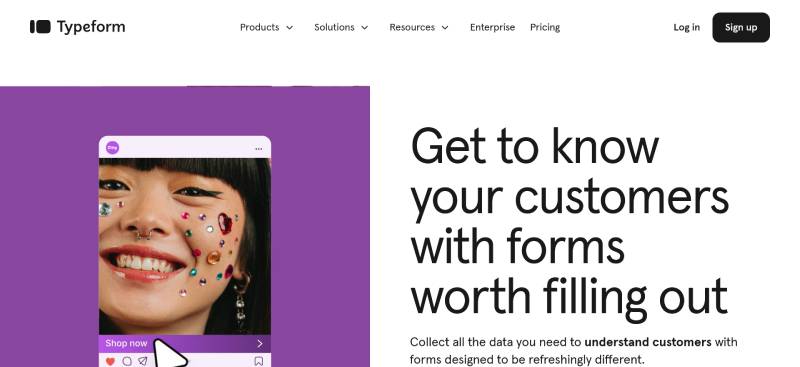
Typeform revolutionized forms by treating them as conversations rather than questionnaires. The one-question-at-a-time approach creates engaging experiences that boost completion rates.
Key Features
- Conversational form interface that displays one question per screen
- Logic jumps that adapt forms based on previous answers
- Video integration to add multimedia elements
- Payment collection through Stripe and PayPal
- Hidden fields for passing UTM parameters and tracking data
- Calculator functionality for dynamic pricing and quotes
- Custom branding with logo, colors, and fonts
- Recall information (answer piping) to personalize questions
Typeform’s visual approach makes forms feel less like paperwork and more like dialogue. Completion rates often improve because respondents aren’t overwhelmed by long pages.
Best For
Marketing teams, product managers, and customer experience professionals who prioritize user experience and engagement. Perfect for lead qualification, customer feedback, and interactive surveys where aesthetics matter.
Form Types & Templates
Templates span lead generation form designs, customer satisfaction surveys, event registrations, job applications, and product feedback. Over 3,000 templates available, though the one-question-at-a-time format works better for some use cases than others.
Customization Options
Extensive design control with custom themes, fonts, colors, and layouts. Remove Typeform branding on paid plans. Upload custom fonts. Create custom domains. Full white-labeling available on Business plans.
Integration Capabilities
Direct connections to Google Sheets, Airtable, HubSpot, Salesforce, Mailchimp, Slack, and 120+ other platforms. Webhook support for custom integrations. API access on higher tiers for advanced automation.
Ease of Use
Intuitive builder but can feel limiting when you need complex forms with multiple questions on one page. The conversational approach works brilliantly for short forms but becomes tedious for lengthy applications with 20+ fields.
Support & Documentation
Email support on all paid plans. Priority support and phone calls on Business tier. Comprehensive documentation and video tutorials. Community forum for peer help. Response times generally fast (within 24 hours).
Limitations
Expensive compared to alternatives, especially for small teams needing high response volumes. Free plan caps at 10 responses monthly. Basic features like file uploads require paid plans. CAPTCHA protection only available on expensive Growth plans ($199/month+), making bot submissions a problem on lower tiers.
Formstack
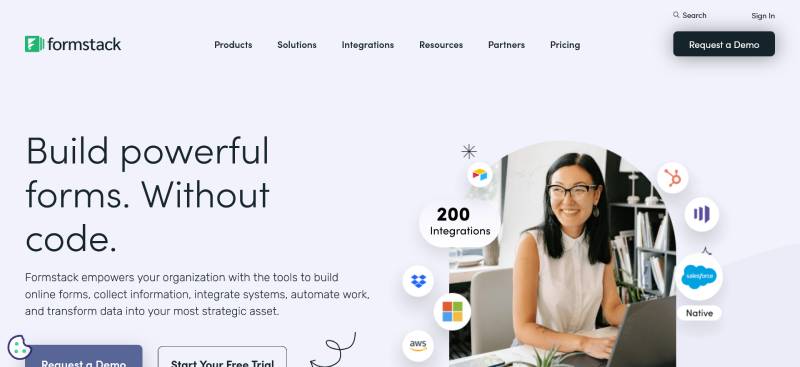
Formstack positions itself as an all-in-one workplace productivity platform that goes beyond forms. It combines data collection, document generation, and e-signatures into one ecosystem.
Key Features
- Workflow automation that routes submissions to team members
- Document generation from form data (create PDFs, contracts automatically)
- E-signature capabilities built into forms
- Advanced conditional logic for complex branching
- Prefill forms with existing data from your CRM or database
- Offline form functionality for field work
- HIPAA and PCI compliance for healthcare and payment data
- A/B testing to optimize form performance
The platform handles enterprise-level complexity that many alternatives can’t match. But you’ll pay for that power.
Best For
Medium to large organizations with complex workflows, particularly in healthcare, finance, and education. Ideal when you need forms, documents, and signatures in one system rather than stitching together multiple tools.
Form Types & Templates
Templates for intake forms, patient registration, HR onboarding, event registration, surveys, and payment collection. Template library smaller than competitors but focused on business use cases.
Customization Options
Full CSS access for unlimited design control. Custom branding, themes, and white-labeling. Create multi-column layouts. Add custom HTML blocks. Design flexibility rivals custom-coded solutions.
Integration Capabilities
Native connections to Salesforce, HubSpot, Google Workspace, Microsoft 365, Mailchimp, PayPal, Stripe, and 80+ other platforms. Zapier integration for thousands more. Robust API for custom connections.
Ease of Use
Steeper learning curve than simpler alternatives. The interface feels cluttered with features. New users need time to understand the full ecosystem of forms, documents, and workflows. Once learned, it’s powerful.
Support & Documentation
Email support during business hours (7am-7pm ET Monday-Friday). Phone support depends on plan tier. Extensive documentation with tutorials and guides. Dedicated account managers for Enterprise customers.
Limitations
Pricing starts high ($83/month for basic Forms plan). Costs escalate quickly with add-ons for extra users, storage, and features. Users complain about “criminal” pricing according to reviews. The Suite plan ($250/month) is necessary for document generation and e-signatures.
SurveyMonkey
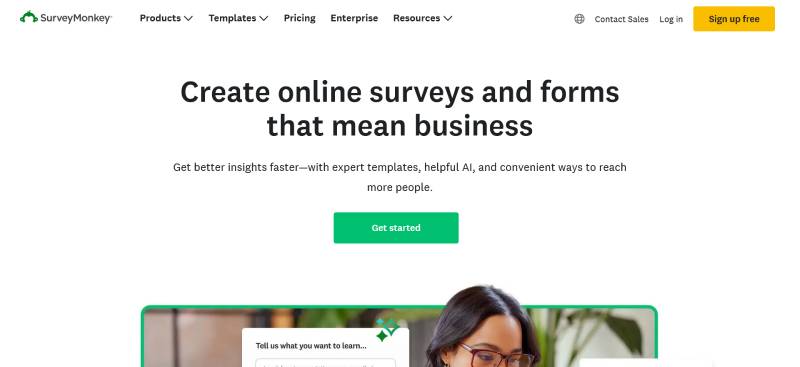
SurveyMonkey dominates the online survey space with features built specifically for research and data analysis. While it handles forms, its real strength lies in sophisticated surveys with advanced analytics.
Key Features
- Advanced survey logic (skip logic, question randomization, A/B testing)
- Professional research methods (MaxDiff, TURF analysis, conjoint analysis)
- Sentiment analysis to gauge emotional responses
- Text analytics that identify themes in open-ended responses
- Survey form templates created by survey methodology experts
- Panel access to reach millions of respondents worldwide
- Quota controls to balance demographic representation
- Custom variables and data piping for personalization
SurveyMonkey appeals to researchers and data analysts who need robust reporting rather than basic form collection.
Best For
Market researchers, HR departments conducting employee satisfaction survey questions, academics, and businesses running serious customer research. Best when data analysis matters as much as data collection.
Form Types & Templates
While primarily survey-focused, handles event registrations, customer feedback, employee evaluations, and market research. 200+ expert-designed templates. Question bank with pre-written, tested questions for various research topics.
Customization Options
Custom branding with logos, colors, and themes. Remove SurveyMonkey branding on paid plans. Custom URL endings. Limited compared to design-focused form builders like Typeform, but adequate for professional surveys.
Integration Capabilities
Connects to Salesforce, Marketo, Tableau, Microsoft Power BI, Google Analytics, Mailchimp, and 100+ platforms. API access for custom integrations. Zapier support for automation.
Ease of Use
Interface can feel overwhelming with menus and options everywhere. Data filtering and analysis tools aren’t intuitive according to user reviews. Creating basic surveys is straightforward, but accessing advanced features requires hunting through settings.
Support & Documentation
Email and phone support depending on plan tier. 24/7 support on Individual plans, though quality varies. Enterprise customers get dedicated success managers. Knowledge base extensive but sometimes hard to navigate.
Limitations
Pricing confusing with multiple tiers (Individual, Team, Enterprise) and response limits. Team plans require minimum 3 users and annual billing. Free plan limited to 10 questions and 25 responses. Advanced analytics only on expensive Team Premier ($75/user/month for 3+ users).
Fillout
Fillout emerged as a modern alternative focused on no-code database integrations. It connects natively with Airtable and Notion, making it popular among no-code enthusiasts.
Key Features
- Native Airtable and Notion integration for instant database syncing
- 50+ field types including ratings, rankings, file uploads, and signatures
- Conditional logic to show/hide fields based on responses
- Calculations for dynamic pricing and scoring
- Pre-fill forms with existing data from databases
- Custom CSS for unlimited design control
- Scheduling functionality built into forms
- Payment collection through Stripe
The Airtable integration is particularly smooth – form submissions automatically create or update records without Zapier or other middleware.
Best For
No-code builders, startups using Airtable or Notion as their backend, and teams wanting powerful forms without learning complex software. Perfect for CRM data collection, event registration linked to databases, and internal workflows.
Form Types & Templates
Templates for lead capture, event registration, feedback collection, order forms, and application forms. Library smaller than established competitors but growing. Focuses on practical business forms rather than creative designs.
Customization Options
Custom CSS access for developers. Brand colors, fonts, and logos. Remove Fillout branding on paid plans. Custom domains available. Design flexibility strong for developers but limited for non-technical users without CSS knowledge.
Integration Capabilities
Best-in-class Airtable and Notion connections. Also integrates with Google Sheets, Salesforce, HubSpot, Mailchimp, Slack, and others. Webhook support for custom automation. API available for enterprise needs.
Ease of Use
Intuitive for basic forms. The builder feels clean and modern. However, leveraging the full power of Airtable/Notion integrations requires understanding those platforms. Non-technical users may struggle with advanced features.
Support & Documentation
Email and live chat support. Response times generally fast. Documentation comprehensive for integrations. Active community of no-code enthusiasts who share tips. Priority support on Business plan ($75/month).
Limitations
Free plan includes 1,000 submissions/month but some advanced features require paid tiers. Pricing jumps significantly from Starter ($15/month) to Business ($75/month). Analytics features less developed than established competitors. Missing offline form functionality.
ClickUp Forms
ClickUp added forms as part of its project management ecosystem. Rather than standalone form software, it’s designed to feed tasks and workflows directly into your project workspace.
Key Features
- Forms automatically create tasks in ClickUp workspaces
- Conditional logic to show/hide fields
- Custom fields map to ClickUp task fields
- File uploads attach directly to created tasks
- Priority and status assignment based on form responses
- Form-to-task conversion rules for workflow automation
- Basic calculations for scoring and routing
- Email notifications when forms are submitted
ClickUp forms work best when you’re already using ClickUp for project management. They’re functional rather than beautiful.
Best For
Teams already using ClickUp who want to collect requests, bug reports, feedback forms, and intake forms that become actionable tasks. Perfect for internal workflows rather than customer-facing forms.
Form Types & Templates
Limited templates compared to dedicated form builders. Handles intake forms, request forms, bug reports, feature requests, and feedback collection. Primarily internal-use cases rather than marketing or customer acquisition.
Customization Options
Basic customization with colors and branding. No custom CSS or advanced design options. Forms look utilitarian – they get the job done but won’t win design awards. Custom domains not available.
Integration Capabilities
Deep integration with ClickUp’s ecosystem (tasks, projects, automation). Limited third-party integrations compared to standalone form builders. Connects to Zapier for external automation.
Ease of Use
Simple if you know ClickUp. The builder is straightforward with drag-and-drop functionality. Learning curve mainly involves understanding how forms map to tasks and trigger automation.
Support & Documentation
Support tied to ClickUp plan level. Free plan includes basic support. Email support on paid plans ($7-$12/user/month). Enterprise gets dedicated success managers. Documentation solid for form-to-task workflows.
Limitations
Forms feature only available on paid plans (Unlimited plan at $7/user/month minimum). Free plan limited to one basic form. Not designed for external customer-facing forms. Analytics minimal. No payment processing. Design options extremely limited.
Wufoo
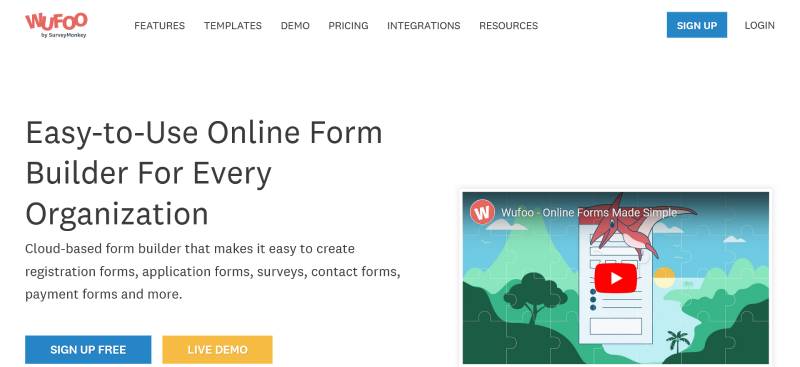
Wufoo (owned by SurveyMonkey) has been around since 2006, making it one of the oldest form builders still operating. It shows its age in the interface but remains reliable for straightforward form collection.
Key Features
- Drag-and-drop form builder with no coding required
- Payment integration with PayPal, Stripe, Square, and Braintree
- File upload functionality for documents and images
- CAPTCHA for spam protection
- SSL encryption for data security
- Form validation with custom error messages
- Conditional logic for showing/hiding fields
- Email notifications with customizable templates
- PDF generation from form submissions
The platform focuses on reliability and data collection fundamentals rather than cutting-edge features.
Best For
Small to medium businesses needing straightforward form collection without complexity. Works well for event registration, contact form submissions, customer feedback, and order forms where aesthetics take a backseat to functionality.
Form Types & Templates
400+ templates covering contact forms, payment forms, event registration, surveys, lead generation, and application forms. Templates feel dated visually but cover practical use cases.
Customization Options
Basic theme selection with limited color and font choices. Add logos and custom branding. Advanced users can inject custom CSS for deeper customization. No white-labeling or custom domains on lower tiers.
Integration Capabilities
Connects to Salesforce, Mailchimp, Google Drive, Dropbox, PayPal, Stripe, and others. Zapier support for additional automation. API available for custom integrations. Integration setup can feel clunky compared to modern alternatives.
Ease of Use
Very simple builder that anyone can learn quickly. Interface feels outdated (like software from 2010) but functionality is solid. Embedding forms into websites is straightforward.
Support & Documentation
Email support for all users. Phone support on higher-tier plans. Response times vary. Documentation comprehensive with guides and tutorials. Community forum exists but isn’t particularly active.
Limitations
Interface looks dated compared to modern alternatives. Free plan extremely limited (5 forms, 10 fields per form, 100 entries/month). Pricing starts at $19/month for Basic plan. Design customization pales compared to Typeform or Paperform. Lacks advanced analytics found in newer platforms.
Paperform

Paperform treats forms like documents, letting you type out forms the way you’d write in a word processor. This unique approach makes form creation feel natural and fast.
Key Features
- Document-style editor that feels like writing in Word or Google Docs
- Payment processing through Stripe, PayPal, Square, and Braintree
- Product catalog functionality for e-commerce forms
- Calculations for dynamic pricing, scoring, and quotes
- Subscription support for recurring payments
- Conditional logic to create dynamic forms
- Custom HTML and CSS for unlimited design control
- Page transitions and animations for visual polish
- PDF generation from submissions
The editor sets Paperform apart – you literally type your form out, then add fields inline wherever you want them.
Best For
Freelancers, small businesses, and creators who want beautiful forms without wrestling with traditional form builders. Excellent for product sales, service bookings, donation collection, and landing page forms where design matters.
Form Types & Templates
600+ templates covering payments, bookings, orders, surveys, registrations, applications, and quizzes. Templates look modern and polished. Particularly strong for e-commerce and service-based businesses.
Customization Options
Unlimited customization through custom CSS and HTML. Change colors, fonts, spacing, backgrounds, and layouts. Add images and videos anywhere. White-labeling available. Custom domains on Pro and Agency plans. Design flexibility rivals custom-coded solutions.
Integration Capabilities
Connects to Mailchimp, Salesforce, HubSpot, Google Sheets, Airtable, Zapier, Slack, and 2,000+ apps through integrations. Webhook support for custom workflows. API access for developers.
Ease of Use
The document-style editor takes getting used to if you’re familiar with traditional form builders. Once you understand it, form creation becomes incredibly fast. Less technical than most alternatives.
Support & Documentation
Email and live chat support. Response times fast (often within hours). Comprehensive documentation with video tutorials. Active community sharing form examples. Priority support on higher tiers.
Limitations
Pricing starts at $29/month (Essential plan), higher than some alternatives. Free plan recently introduced but limited. Advanced features like custom domains require Pro plan ($59/month). Some users find the document editor confusing initially.
Zoho Forms
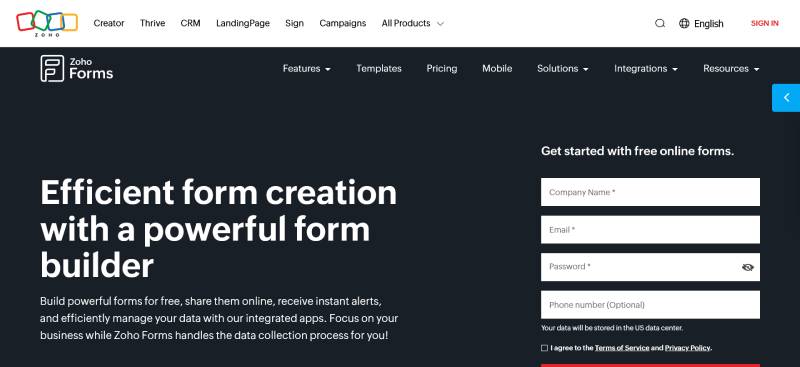
Zoho Forms fits into the massive Zoho ecosystem of business applications. If you’re already using Zoho CRM, Campaigns, or other Zoho products, the native integrations make this a no-brainer.
Key Features
- Native integration with 15 Zoho apps (CRM, Campaigns, SalesIQ, etc.)
- 30+ field types including matrix questions, signatures, and file uploads
- Approval workflows for multi-level review processes
- Offline mobile app that syncs when connection returns
- Card forms that display one question at a time
- Built-in themes and custom theme creation
- Multi-page forms with progress indicators
- Payment collection through PayPal, Stripe, Razorpay, and others
- Translation support for 30+ languages
The Zoho integration depth is unmatched if you’re already in that ecosystem. Outside of it, the platform still holds its own.
Best For
Businesses using Zoho products who want seamless data flow between forms and their CRM, marketing automation, or help desk. Works well for B2B companies with established Zoho workflows.
Form Types & Templates
40+ templates covering contact forms, registration forms, surveys, order forms, and event registration. Template selection smaller than competitors but covers essential business needs.
Customization Options
Custom themes with full control over colors, fonts, backgrounds, and layouts. Add custom CSS for advanced styling. White-labeling available on paid plans. Mobile-responsive by default with preview modes for different devices.
Integration Capabilities
Deep native integration with Zoho ecosystem. Third-party connections to Salesforce, Google Sheets, Mailchimp, Slack, and 500+ apps through Zoho Flow (their Zapier alternative). Webhooks and REST API available for custom integrations.
Ease of Use
Drag-and-drop builder is straightforward. Interface feels clean and modern. Learning curve minimal for basic forms. Advanced features like approval workflows require more exploration. Navigation sometimes feels cluttered with options.
Support & Documentation
Email support with 24-hour response time across all plans. No phone support even on higher tiers. Documentation comprehensive with guides and tutorials. Community forum exists but less active than major competitors.
Limitations
Free plan limited to 3 forms and 500 submissions/month. Design options adequate but not as polished as Typeform or Paperform. Some users report the interface feels “clunky” compared to newer alternatives. Integration with non-Zoho apps requires Zoho Flow or third-party tools.
Cognito Forms
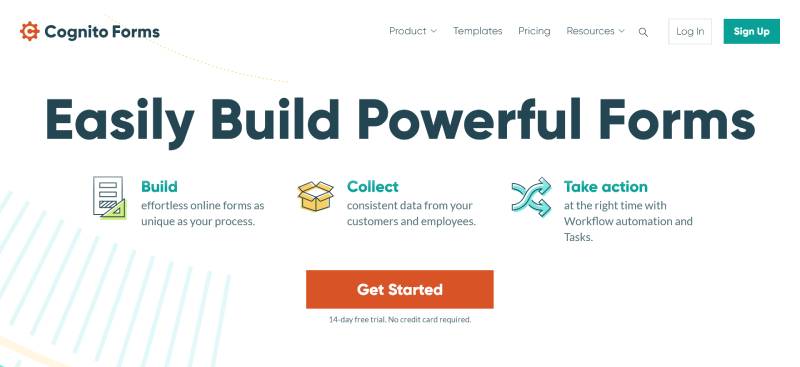
Cognito Forms brings developer-level power to a no-code platform. It handles complex calculations, repeating sections, and advanced logic that makes other form builders stumble.
Key Features
- Advanced calculations with custom formulas (like Excel in your forms)
- Repeating sections for collecting multiple entries (think itemized invoices)
- Conditional logic with unlimited rules and complexity
- Document merging to generate PDFs and Word docs from submissions
- Electronic signatures built in
- Payment processing through Stripe and PayPal
- Client portal where users can view and update their submissions
- Data encryption at rest for sensitive information
- HIPAA compliance available for healthcare organizations
The calculation engine is legitimately impressive. You can build quote calculators, registration forms with complex pricing, and dynamic forms that adjust based on mathematical formulas.
Best For
Organizations needing complex forms with calculations, repeating data entry, or document generation. Perfect for WordPress forms that handle registrations with variable pricing, applications with multiple sections, or intake forms requiring mathematical logic.
Form Types & Templates
Templates for payment forms, order forms, registrations, surveys, applications, and client intake. Library isn’t massive but templates showcase the platform’s power with working examples of complex features.
Customization Options
Full CSS access for unlimited design control. Custom branding, themes, and colors. White-labeling available. Create multi-column layouts. Design flexibility strong for developers but requires CSS knowledge for advanced customization.
Integration Capabilities
Native connections to Google Workspace, Salesforce, SharePoint, Dropbox, and others. Zapier and Microsoft Power Automate support for automation. JSON webhooks for custom integrations. API available for developers.
Ease of Use
Simple for basic forms. Complexity increases when using calculations and repeating sections. The formula builder requires understanding of basic math syntax. Users report initial learning curve but appreciate the power once mastered.
Support & Documentation
Email support on all plans. Response times fast and helpful according to reviews. Comprehensive documentation with examples and tutorials. No phone support, but email team gets high marks for technical knowledge.
Limitations
Interface can feel cluttered with all the features. Backend UI aesthetics lag behind competitors. Free plan limited to 500 entries/month. Some advanced features require Pro plan ($10/month). Guest seats pricing gets complicated for multi-user scenarios.
Tally
Tally launched with a radical approach: make everything free. Born from frustration with expensive form builders, they offer unlimited forms and submissions at zero cost.
Key Features
- Unlimited forms and unlimited submissions on free plan
- Conditional logic to show/hide fields
- Calculations for dynamic pricing and scoring
- File uploads without storage limits
- Electronic signatures
- Payment collection through Stripe
- Answer piping to personalize questions
- Multi-page forms with progress bars
- Custom domains on paid plans
- Password protection for forms
The free tier genuinely includes features that cost money elsewhere. No submission caps. No form limits. It’s almost too good to be true (but it is true).
Best For
Startups, solopreneurs, and small businesses wanting powerful forms without monthly costs. Perfect for anyone testing form software who doesn’t want feature limitations killing their momentum.
Form Types & Templates
Template library growing but smaller than established competitors. Covers contact forms, feedback forms, surveys, event registration, and lead generation. Templates showcase clean, modern design sensibility.
Customization Options
Custom CSS on Pro plan ($29/month) for advanced styling. Built-in themes and color customization on free plan. Remove Tally branding and add custom domains on paid tiers. Design aesthetic leans minimalist and clean.
Integration Capabilities
Native integrations with Notion, Google Sheets, Airtable, Slack, and others. Webhooks for custom automation. Zapier support coming. Integration selection smaller than mature platforms but covers essential tools for modern workflows.
Ease of Use
Extremely intuitive. The builder feels lightweight and fast. Creating forms takes minutes. No clutter or overwhelming feature menus. The simplicity is intentional – they want form creation to feel effortless.
Support & Documentation
Email support. Community-driven help through Discord. Documentation clear and concise. Response times vary since the team is smaller than enterprise competitors. Users generally find answers in docs.
Limitations
Smaller team means slower feature development compared to established players. Some advanced features (like email from custom domains) require paid plans. Analytics basic compared to SurveyMonkey. Integration ecosystem still maturing.
FAQ on JotForm Alternatives
What is the best free alternative to JotForm?
Google Forms offers unlimited forms and submissions at zero cost. For more features, Tally provides 1,000 free submissions monthly with conditional logic included.
Cognito Forms and Fillout also have generous free tiers worth considering.
Can I migrate my existing JotForm forms to another platform?
Most form builders don’t offer direct JotForm import. You’ll need to rebuild forms manually.
Some platforms like Paperform and Typeform provide form converters that help speed up the process. Export your submission data before switching.
Which JotForm alternative works best with WordPress?
WPForms and Gravity Forms are the top WordPress form plugins. Both offer native integration, faster loading than embedded forms, and direct dashboard management.
Ninja Forms and Forminator provide solid free options for basic needs.
Are there HIPAA-compliant alternatives to JotForm?
Yes. Formstack, Cognito Forms, and FormAssembly offer HIPAA compliance for healthcare data collection.
123FormBuilder and Formsite also provide compliant options. Expect to pay more for plans that include Business Associate Agreements.
Which alternative has the best Salesforce integration?
FormAssembly leads for deep Salesforce connectivity with bi-directional sync and multi-object mapping.
123FormBuilder offers native Salesforce integration at lower cost. Formstack also connects well if you need document generation alongside forms.
What’s the cheapest paid alternative to JotForm?
Zoho Forms starts at $12/month. Tally Pro costs $29/month with generous limits.
For WordPress users, Gravity Forms at $59/year or WPForms at $49.50/year offer strong value compared to JotForm’s monthly pricing.
Which alternative is best for lead generation forms?
Growform specializes in multi-step forms optimized for conversions. Typeform’s one-question format boosts completion rates.
For WordPress sites, WPForms includes lead capture features with partial entry saving to recover abandoned submissions.
Do any alternatives offer better conditional logic than JotForm?
Cognito Forms has a visual logic builder many find easier than JotForm’s interface.
Gravity Forms and Formstack offer powerful conditional rules. Fillout provides logic that works seamlessly with connected databases like Airtable.
Which alternative is best for payment collection?
Paperform handles payment forms with Stripe, PayPal, Square, and Braintree integration.
Cognito Forms processes payments without transaction fees on their end. WPForms connects to Stripe, Square, and PayPal for WordPress payment forms.
Can I use JotForm alternatives without coding knowledge?
Absolutely. Most alternatives feature drag-and-drop builders designed for non-technical users.
Google Forms, Typeform, and Tally require zero coding. WordPress plugins like WPForms and Forminator are equally beginner-friendly.
Conclusion
The right choice among these JotForm alternatives depends on your specific situation. Budget, technical requirements, and existing tool stack all matter.
Need free unlimited submissions? Google Forms or Tally deliver. Want drag-and-drop simplicity on WordPress? WPForms or Gravity Forms handle that.
For payment processing and e-commerce, Paperform and Cognito Forms stand out. Enterprise teams running Salesforce should look at FormAssembly or 123FormBuilder first.
Don’t overthink it. Most platforms offer free trials or free tiers.
Pick two or three options from this list, test them with a real form you need to build, and see which interface clicks. The best form builder is the one your team actually uses.