




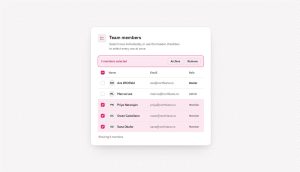

An HTML checkbox is a form input element that lets a user select any number of independent options from a group at the same time, with each box holding its…
The Best AI Plugins for WordPress (2026)
The best AI plugins for WordPress connect a site’s dashboard, page builder, or database to a machine learning model, turning a plugin that follows fixed rules into one that writes,…


Stop Clicking Through Your Form Builder. Let AI Do It Instead.
You built the form. You set up the notifications. You check the entries every week. And every time something needs to change, like a new field, a different email address,…
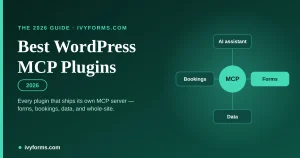

Best WordPress Plugins with MCP (2026)
An MCP plugin is a WordPress plugin that ships a built-in MCP server — the piece that lets an AI assistant like Claude or ChatGPT actually do things on your…

Form Accessibility Best Practices for Inclusive Design
A screen reader user tabs into a checkout form and one of the fields just announces “edit text.” No name, no hint about what it wants, nothing. That’s the actual…

Best Practices for Creating Feedback Forms
Short forms outperform long ones, and timing matters just as much as length. Send a form too late and people forget what happened. Send one that drags on and they…

Lead Generation for Agencies: A Complete Guide
Here’s the rewritten article as HTML markup, ready to paste into WordPress. Facts, stats, links, and tables are preserved exactly as given. html Most agency owners are still the ones…

What Are WordPress Forms And Why They Are Important
A WordPress form works through a plugin, not a theme setting. There’s no form builder baked into core, so anyone who wants a contact box, a survey, or a checkout…