








Something is filling out your contact form at three in the morning, and it is not a person. HUMAN Security’s 2026 benchmark found 9.22% of agentic activity landing on authentication…

Lead Generation for Coaches & Consultants
Most independent coaches never sit through a single sales training. They figure out client acquisition the hard way, usually right after a slow month makes it obvious that referrals and…

Microsoft Forms Alternatives: The 400-Form Ceiling Trap
Four hundred forms per user. That is the ceiling on a Microsoft Forms account, and the recycle bin counts against it, so forms you deleted eighteen months ago are still…

Wufoo Alternatives: The $0.05 Fee Nobody Budgets For
Your form hit its monthly entry cap on the 14th. Now every submission costs $0.05 extra. That single line on a Wufoo invoice sends more people looking for Wufoo alternatives…
Cognito Forms Alternatives: Most Reviews Quote the Wrong Cap
A hundred entries a month. That is the current free allowance on Cognito Forms, cut down from the 500 that half the comparison posts online still quote. Go past it…
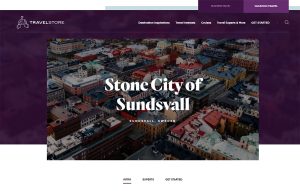
Lead Generation for Travel Companies: The 141-Visit Fix
A traveler views 141 pages of travel content in the 45 days before booking, and as many as 277 pages in the US. That’s the reality behind lead generation for…
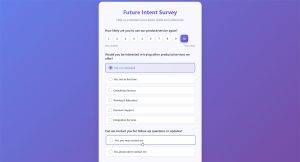
Feedback Survey Questions: One Bad One Wastes the Rest
A single confusing survey question can undo months of careful data collection. Feedback survey questions determine whether a team collects a real signal or just filler text, and that matters…
CAPTCHA Alternatives: Bots Solve Puzzles Better Than You
The puzzle stopped sorting humans from machines. UC Irvine researchers presented findings at the 32nd USENIX Security Symposium in 2023 showing bots hitting 99.8% accuracy on image puzzles, against human…