



A new client doesn’t sign with an accounting firm because a landing page convinced them. They sign because someone they trust vouched for the firm, or because the firm showed…
Table of contents
Most opt-in pages leak conversions somewhere between the headline and the submit button. The fix is rarely mysterious, and it’s usually sitting in plain sight on a page that already works.
That’s why the best lead magnet landing page examples are worth studying. Copy the pattern, skip the trial and error.
The median landing page converts at just 6.6% (Unbounce), yet opt-in pages regularly clear double that. The gap comes down to a handful of choices you can see and steal.
What Is a Lead Magnet Landing Page?
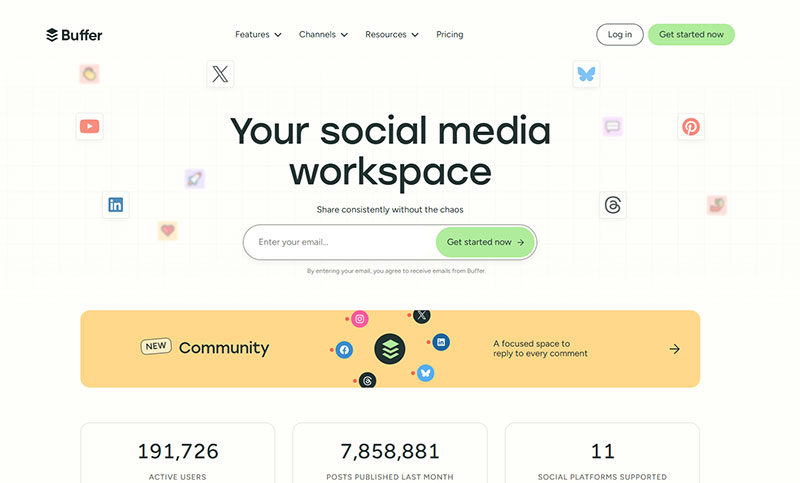
One page, one offer, one form. It trades a free resource for a visitor’s contact details, usually just an email address, and everything on the layout exists to make that opt-in happen. No menus, no distractions.
The resource itself changes by audience. Ebook, checklist, template, webinar seat, free trial, mini-course. Same page structure, different bait.
These pages are not homepages. A homepage introduces a brand and sends people in ten directions, which is worth understanding properly if you’re deciding where to send paid traffic (more on the split between a homepage and a landing page). A sales page is a different animal again, since it asks for money and runs long copy with multiple CTAs. The squeeze page is the closest cousin, just thinner and usually popup-driven.
Whatever the format, the components stay fixed. A headline, a preview of the resource, benefit copy, the form, and one call to action.
Form submissions remain the dominant conversion mechanism on landing pages, which makes the opt-in page the workhorse of most email capture setups.
Dropbox built its early growth on this exact model. A stripped-down page, one benefit line, one button, and a signup form did the heavy lifting while paid channels stayed quiet.
What Makes a Lead Magnet Landing Page Convert?
Message match, a single call to action, minimal form fields, visible proof, fast load. Those traits are measurable, and each one moves the conversion rate somewhere you can track.
The median landing page converts at 6.6% across all industries, based on Unbounce’s analysis of 41,000 pages and 464 million visitors. Industry medians in that dataset range from 3.8% to 12.3%, and lead-gen offers sit toward the upper half because the ask is contact details rather than a payment.
Anything above 10% counts as good. Above 15% is optimization territory. The gap between a weak page and a strong one usually comes down to the traits below, not the traffic.
The Attention Ratio Rule

Attention ratio counts everything a visitor can do on the page against the one thing you want them to do. The ideal is 1:1.
Unbounce’s analysis of 18,639 landing pages shows the cost of breaking that rule:
- One link or CTA: 13.5% conversion
- Two to four links: 11.9%
- Five or more links: 10.5%
Strip the navigation bar. Kill the footer links. Every extra clickable element is a competing exit.
Form Length and Field Friction
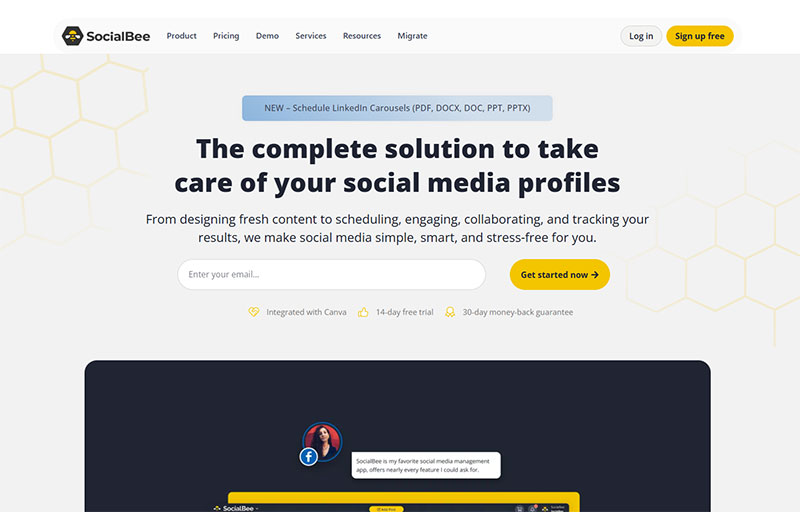
Fewer fields, higher opt-ins. The Unbounce Conversion Benchmark data tracks the slide clearly:
| Form Fields | Conversion Rate |
|---|---|
| 1 field (email only) | 13.4% |
| 3 fields | 10.1% |
| 5 fields | 7.8% |
| 7 fields | 5.3% |
| 9 fields | 3.6% |
The decline is not linear. The steepest drop hits between four and seven fields, which makes five visible fields a useful alarm bell rather than a target.
Getting the field selection right matters more than the raw count, though. Which fields you ask for changes the damage. Phone number and age depress completion harder than a neutral field like company name, because they read as an invitation to be called rather than emailed.
Proof Elements That Reduce Hesitation
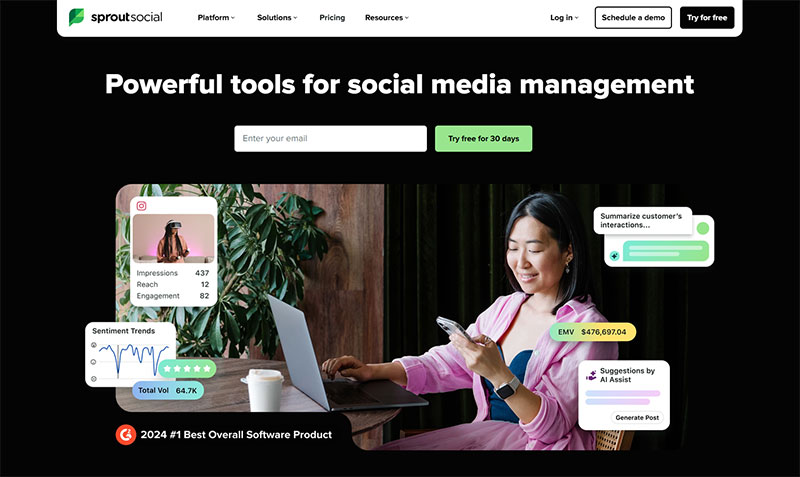
Social proof lowers the perceived risk of handing over an email. Download counts, client logos, short testimonials all do the job.
Unbounce’s data consistently shows pages carrying proof above the fold converting meaningfully higher than pages without it. Specificity is what makes it work. “4.8 out of 5 from 312 customers” earns trust that a generic five-star graphic does not.
Place proof near the form, not buried at the bottom. The eye needs to catch it right before the decision to submit.
What Does a Good Ebook Lead Magnet Landing Page Look Like?
Cover mockup, a short list of what the reader will learn, email-only form. The visual of the asset does a surprising amount of the persuading here.
Ebooks remain the default magnet in B2B content marketing, largely because they’re cheap to produce from existing material and easy to gate.
What these pages get right:
- A 3D book-cover render, even for a PDF, because a visual asset feels more tangible than a file name
- A short “what’s inside” list, three to five bullets, no more
The form stays email-only, since gated top-of-funnel content should stay frictionless.
HubSpot’s own content offers set the template most marketers still copy: clean hero, cover image on the right, form on the left, one button. Backlinko and Ahrefs run similar layouts for their gated guides.
One honest caveat. Most downloaded ebooks never get opened, so the high opt-in rate can hide low engagement. A short checklist sometimes builds more trust than a 40-page whitepaper nobody reads.
What Does a Checklist or Template Landing Page Look Like?
Checklist and template pages sell speed. The framing is “instant download, use it today,” and the layout fits on one screen with no scrolling required.
These convert well because the payoff feels immediate. A checklist reads as five minutes of effort saved, not five hours of reading committed.
The copy names the outcome rather than the topic, so “Download the template” beats “Learn more about templates” without much of a contest. Then the layout collapses to headline, quick benefit line, form, done. And the perceived effort stays low throughout, because a template is a shortcut, and shortcuts opt in higher than commitments do.
Canva’s template gallery and Notion’s template pages both lean on this. You see the thing, you grab it, you’re building inside a minute. Miro does the same with its whiteboard templates.
Content upgrades, the checklist version of a blog post, tend to beat generic ebook pages when the offer maps tightly to what the reader just clicked. Tighter match, higher opt-in.
What Does a Webinar Registration Landing Page Look Like?
Webinar pages carry elements the others skip. A date, a time with timezone detection, a speaker headshot, and often a seat limit or countdown for scarcity. The magnet is access to a live or recorded event.
Webinar landing pages are among the strongest performers in the category. GetResponse’s analysis found pages promoting webinars averaging 22.84% conversion against 10.76% across its landing pages overall.
| Element | Purpose |
|---|---|
| Speaker headshot + bio | Credibility |
| Date, time, timezone | Logistics + commitment |
| Seat limit / countdown | Scarcity |
| Two-field form | Name + email for follow-up |
Demio, WebinarJam, and Zoom’s native registration pages all follow this shape. The two-field form is the norm here, since the host needs a name for the reminder emails and the room.
One number worth planning around. ON24’s benchmark data puts the registration-to-attendance rate at 57%, meaning roughly four in ten registrants never show up live. The landing page fills the list, but reminder emails and an on-demand replay decide how many of those people you actually reach. On-demand now accounts for about half of all webinar attendance.
Attendance itself is holding up well. ON24 measured an average of 216 attendees per webinar in 2024, up 7% year over year, with Q3 hitting 229 against 192 the year before.
What Does a Free Trial or Freemium Landing Page Look Like?
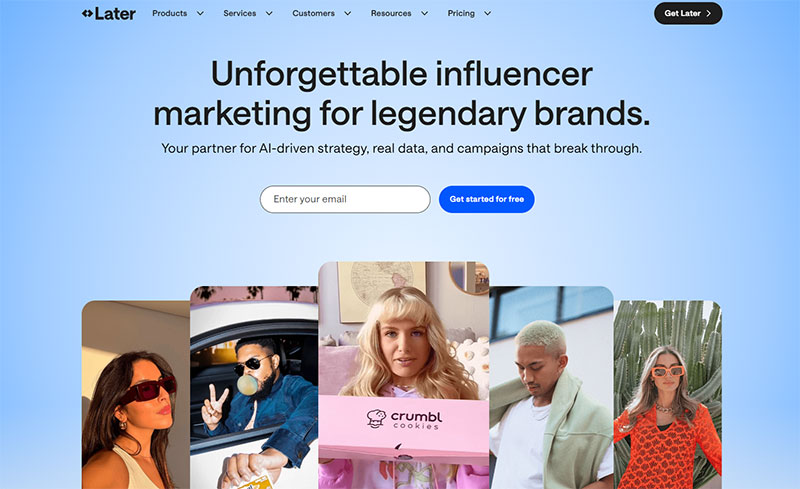
On a free trial page the “download” is product access, not a file. The asset visual becomes a product screenshot or an interactive preview, and the CTA names the outcome. “Start free,” not “Submit.”
SaaS pages sit at the tough end of the conversion scale. SaaS is the lowest of the nine industry medians in Unbounce’s benchmark data at 3.8%, against 6.6% overall, so every friction point costs more here than elsewhere.
The credit card question is the one teams argue about most. Asking for a card upfront lowers signups but raises lead quality, and skipping it gets you more trials alongside more tire-kickers. Neither answer is wrong, it just depends which problem you’d rather have.
Product visuals beat stock imagery here, since a real screenshot of the dashboard says more than an abstract illustration ever will. And outcome-based button copy like “Start free” or “Try it free” consistently outperforms generic action verbs.
Notion, Slack, Grammarly, and Calendly all run this pattern. Calendly in particular keeps the page brutally simple: one line of value, one button, and you’re inside the product before you’ve thought about it.
What Does a Quiz or Interactive Lead Magnet Page Look Like?
A quiz page gates a personalized result behind an email. The visitor answers questions first, then hands over an email to see the outcome. This flow now drives some of the highest opt-in rates in the category.
The numbers are strong, with a caveat. Interact’s platform data shows quizzes hit a 40.1% start-to-lead rate and a 65% completion rate, though the denominator is people who already chose to start.
Placement of the email field is the whole game. It sits after the questions and before the result. Ask too early and you lose the momentum the quiz just built.
Typeform, Outgrow, and ScoreApp are the tools behind most of these pages. Personalization is why completion stays high. People finish because the payoff is about them, not a generic PDF.
Treat the 40% figure as evidence that interaction sustains engagement, not as a like-for-like swap for a cold-traffic opt-in page. The audience self-selected the moment they clicked “start.”
How Do Course and Email Series Opt-in Pages Work?
These offer a free multi-day sequence instead of a single file, so the value stacks over time. “5 emails, 5 days” reads as a curriculum, and the page previews what each lesson covers.
They fit nurture-heavy funnels. The signup starts a relationship rather than a one-off download, which is why creators use them to warm cold subscribers before a paid pitch.
Automated sequences carry the load after opt-in, and they consistently outperform one-off broadcasts on a per-send basis. Automated flows generate a disproportionate share of email revenue from a small share of total volume, because they arrive when interest is highest rather than when your calendar says so.
With no downloadable asset to show, the page leans on other things:
- A curriculum outline (day one covers X, day two covers Y)
- A drip-value promise, framed by count and cadence
- An email-only form, since the whole offer is delivered by email anyway
ConvertKit creators and Sumo built much of this format. A free email course from a creator often outperforms a static PDF because each send re-earns attention.
Iron Tribe Fitness ran an 11-email sequence over 18 days and converted a high share of qualified leads into signed contracts, per a MarketingSherpa case study. The sequence did the selling the landing page started.
What Layout Patterns Repeat Across High-Converting Examples?
Single-column layout, offer above the fold, directional cues pointing at the form, high-contrast CTA button. That blueprint holds across ebook, webinar, and trial pages alike.
Nielsen Norman Group’s eyetracking work found people spend around 57% of their viewing time above the fold and roughly 74% within the first two screenfuls. The headline, subhead, form, and button need to land in that first screen.
Treat the hero as a five-second test. If the value proposition and CTA aren’t clear in five seconds, nothing below matters.
The Above-the-Fold Formula
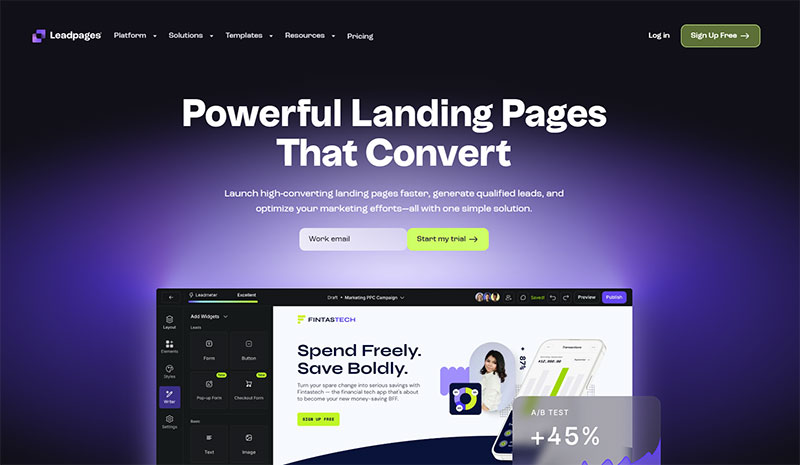
Headline, subhead, form, supporting visual. All of it visible without scrolling.
The headline names the payoff rather than the topic. Underneath it, one line of subhead expands the promise, and then the form and button sit right there in the hero where the visitor already is.
Simpler pages win. Element count correlates with drag on conversion, which is why the strongest opt-in pages read as sparse next to a typical marketing page. Strong hero section builds keep the count low on purpose.
Where the Form Goes
Placement repeats across strong examples. The hero, a mid-page repeat after social proof, and a sticky bar on mobile.
| Placement | Why It Works |
|---|---|
| Hero (above fold) | Catches ready-to-act visitors |
| After social proof | Converts the skeptics |
| Sticky mobile bar | Always one tap away |
On long pages, repeat the CTA after each major section instead of relying on a single button the visitor has to scroll back to find.
Button Color and Directional Cues
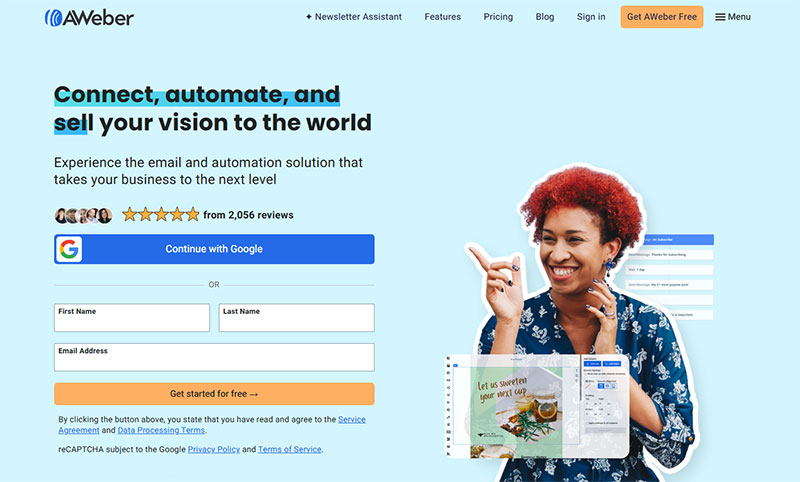
Contrast beats hue. Colour tests rarely produce a statistically significant winner on their own. What moves the number is whether the button separates from everything around it.
Reserve one accent color for the button alone. A CTA that matches your brand links and logo disappears into the page.
Arrows, whitespace, and gaze direction all pull the eye toward the form. Directional cues do quiet work.
What Tools Build These Landing Pages?
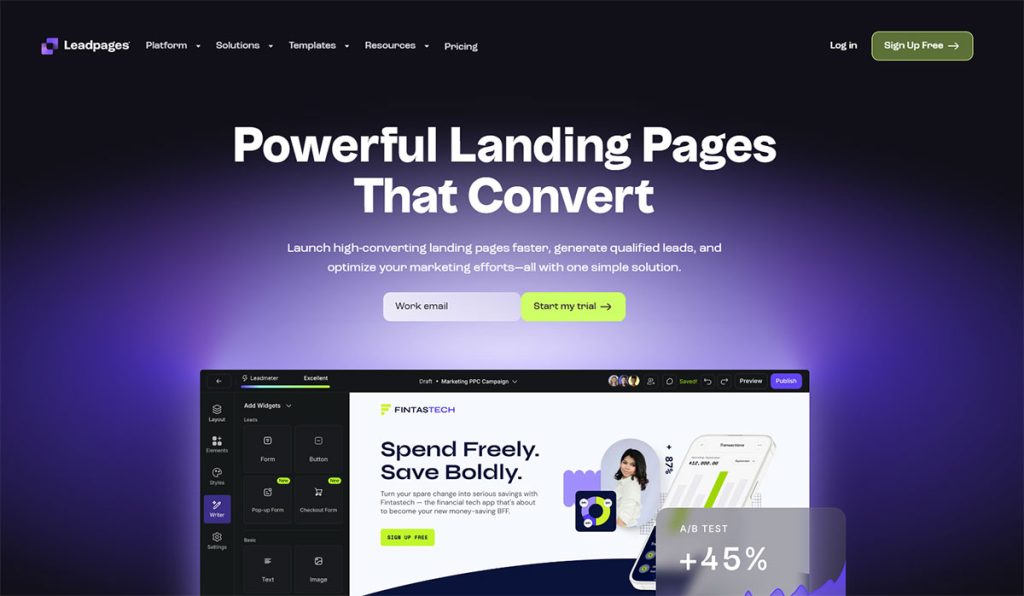
Dedicated builders like Unbounce, Leadpages, and Instapage cover most of the market. All-in-one marketing platforms (HubSpot, Kartra, Systeme.io) handle it too, and plenty of teams just build inside their existing site with Webflow or WordPress and Elementor. Each option trades cost against control.
| Tool | Approx. Entry Price/mo | Best For |
|---|---|---|
| Leadpages | ~$49 | Small business, simplest UX |
| Unbounce | ~$99 | AI copy, paid campaigns |
| Instapage | ~$199 | Enterprise, personalization |
Pricing tiers shift regularly, so check current plans before committing. Leadpages sits cheapest at every level, Unbounce runs mid-range, Instapage carries the highest entry point with the most generous visitor caps.
The form backend still matters. The page captures the lead, but a tool like ConvertKit, Mailchimp, or ActiveCampaign holds the list and runs the follow-up.
WordPress users often skip a separate builder entirely. A solid form plugin plus Elementor covers most opt-in needs, and there’s a strong case for building registration forms in WordPress without a plugin when you want to keep the stack lean.
What Mistakes Kill Lead Magnet Landing Page Conversions?
Line a weak page against a strong one and the failures show up fast. Too many form fields, vague headlines, competing CTAs, no proof, slow load. Each one has a measurable cost attached.
Form friction is the quiet killer. In The Manifest’s survey of 502 US adults, 81% said they had abandoned an online form after starting to fill it out. The top reasons they gave were security concerns (29%) and excessive length (27%), which is exactly what the fixes below address.
Asking for Too Much, Too Early
Every extra field is an exit. Moving from a nine-field form to a three-field form roughly triples conversion in Unbounce’s data, from 3.6% to 10.1%.
Which fields you cut matters as much as how many. Phone number and age depress completion disproportionately, because they signal a sales call rather than a download. Ask for the email first. Qualify later.
Reducing form abandonment starts with removing anything the follow-up email could ask for instead.
Vague Headlines and Buried CTAs
Topic headlines lose to payoff headlines. “About our marketing guide” says nothing. “Get 47 subject lines that doubled our open rate” names the win.
First-person, benefit-driven CTA button copy tends to beat generic verbs, because “Start My Trial” frames the click as the visitor’s own decision rather than an instruction.
Never bury the button under a wall of product copy. Above the fold, then repeat.
Competing CTAs and Leftover Navigation
Leaving the site menu on a landing page hands visitors an exit. One page, one action, zero navigation.
Single-link pages convert at 13.5% against 10.5% for pages carrying five or more links. More ways to lift form conversions start with removing every link that isn’t the button.
Flare.io moved a buried demo CTA above the fold and simplified the layout, cutting cost per lead from $2,300 to $550, per an Apexure case study.
Slow Load and Broken Mobile Forms
Speed is revenue. Google’s research found a one-second improvement in mobile load time can lift conversions by up to 20%, and Portent’s analysis showed pages loading in one second converting roughly three times better than pages taking five.
Test the form on a real phone. Applying landing page form best practices on mobile, single-column fields and a sticky button, closes most of the desktop-mobile gap.
FAQ on Lead Magnet Landing Pages
What is a lead magnet landing page?
A single-purpose page that trades a free resource for an email address. No navigation, no distractions, one offer. The whole layout exists to make an opt-in happen, whether the magnet is an ebook, checklist, or webinar seat.
What is a good conversion rate for one?
Anything above 10% counts as good. The median landing page sits at 6.6% (Unbounce), with industry medians running from 3.8% to 12.3%. Opt-in pages typically land in the upper half because the ask is contact details, not payment.
How many form fields should I use?
Fewer is safer. Email-only forms convert at 13.4%, dropping to 10.1% at three fields and 3.6% at nine (Unbounce). Ask for email only on cold traffic. Add a name field only when the follow-up truly needs it.
What lead magnet converts best?
Webinar pages perform strongly at around 22.84% (GetResponse), and quizzes report near 40% start-to-lead (Interact), though quiz audiences self-select. Ebooks stay the most popular format. Checklists and templates win on speed and perceived effort.
Where should the form go on the page?
Above the fold, in the hero, next to the headline. Around 57% of viewing time is spent above the fold, so that’s where the action belongs. Repeat it after social proof on longer pages, and use a sticky bar on mobile.
What builds these pages?
Dedicated builders like Unbounce, Leadpages, and Instapage handle most cases. All-in-one tools (HubSpot, Systeme.io) and website-native setups (Webflow, WordPress with Elementor) also work. Pair any of them with ConvertKit or Mailchimp for the follow-up.
Do I need a credit card on free trial pages?
Not required, and it’s a tradeoff. Asking for a card upfront lowers signup volume but raises lead quality. No card gets more trials plus more tire-kickers. SaaS converts lowest of any industry at a 3.8% median.
What kills conversions most often?
Form friction leads the pack, with 81% of people reporting they’ve abandoned a form after starting one, most often over security concerns or length. Vague headlines, competing CTAs, leftover site navigation, missing proof, and slow load rank close behind.
How fast should the page load?
Under 2 seconds. Google found a one-second mobile improvement can lift conversions by up to 20%, and pages loading in one second convert around three times better than those taking five. Compress images and trim scripts first.
How is it different from a homepage?
A homepage introduces a brand and sends visitors in many directions. A lead magnet landing page removes every path except one, the opt-in. Single goal, single call to action, zero menu links.
Conclusion
The strongest lead magnet landing page examples all pull the same levers. One offer, a short form, visible social proof, and a call to action you can’t miss.
Format follows the audience. An ebook opt-in reads differently from a webinar registration or a quiz funnel, but the underlying blueprint holds.
Keep the attention ratio at 1:1. Strip the navigation, preview the resource, and put the signup form above the fold.
Watch the friction points that quietly drain results: extra fields, vague headlines, slow load speed, and broken mobile forms.
Pick a builder that fits your budget, whether that’s Leadpages, Webflow, or WordPress, then pair it with an email tool for the follow-up.
Start with one page. Test it, measure it, and improve from there.