



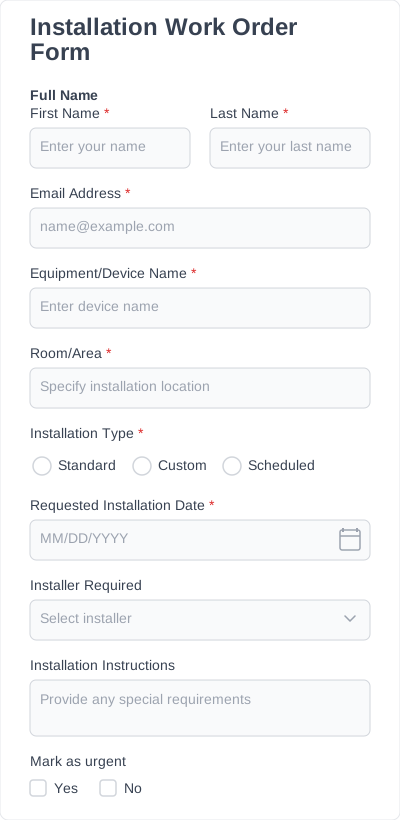
Order form templates by type
Pick the version built for what you’re selling — each has fields the others don’t.
| Type | Built for | What makes it different |
|---|---|---|
| Product order forms | Physical or digital goods, supplies, equipment | Line items with quantity and per-option pricing; add stock/SKU fields |
| T-shirt order forms | Teams, events, fundraisers, merch drops | Size run, color, and print/customization fields per person |
| Cake order forms | Bakeries and home bakers | Flavor, tiers/servings, dietary needs, inscription, and pickup/delivery date |
| Change order forms | Construction and contractor projects | Scope change, cost delta, revised total, schedule impact, dual sign-off |
| Work order forms | Maintenance, repair and field service | Asset/location, problem description, priority, assigned tech, labor/parts |
What goes on an order form
A good order form has four field groups. The reason each one matters — not just that it exists — is the difference between an order you can fulfill and one you have to chase.
| Field group | Fields | Why it matters |
|---|---|---|
| Customer & contact | Name, email, phone, billing/shipping address | You can’t fulfill or follow up on an order you can’t attribute or reach. |
| The order itself | Product/item, variant options, quantity, add-ons | Options captured up front (size, color, finish) are the details that otherwise turn into three back-and-forth emails. |
| Fulfillment | Delivery vs pickup, date needed, address, special instructions | Determines cost, deadline, and whether you can even take the order for that date. |
| Confirmation | Order summary, total, agreement/consent, submit | Gives the customer a record and you a clean, itemized entry. |
With conditional logic you show only the fields that apply — a “shipping address” appears only when someone picks delivery, so the form stays short.
Order form vs Google Forms, a spreadsheet, or a PDF
The most-searched question here is literally “how do I create an order form” — usually while deciding between a quick DIY route and a real tool. Straight answer:
| You’re choosing… | Best when | Trade-off |
|---|---|---|
| A Google Form | You need a free, throwaway order list for an internal or one-off collection | Lives on a Google domain, limited branding and logic, no native line-item pricing |
| An Excel/Sheets template | You’re tracking orders you take by phone or in person | Not a form your customers fill in themselves; manual entry |
| A printable PDF/Word template | You need a physical copy to sign or hand over | Someone still has to type the answers back in |
| An IvyForms order form | You want customers to order from your own site and have entries arrive ready to fulfill | It’s a WordPress plugin, so it’s for WordPress sites |
How to add an order form to your site
- Start from the template closest to what you sell (above) so the fields are already right.
- Add your products and options in the drag-and-drop builder — set variants, quantities, and any per-option pricing, and mark the fields you require.
- Add logic and a notification — show fulfillment fields only when needed, and set an email alert so you (and the customer) get the order instantly.
- Embed it on a WordPress page with the IvyForms block and publish.
- Manage orders from your dashboard, where every submission is searchable, filterable and exportable.
Who uses order form templates
Small retailers and online sellers taking orders outside a full storefront; print shops and apparel decorators running team and event orders; bakeries and food businesses taking custom orders with lead times; and contractors and facilities teams issuing work and change orders on active jobs. Each has a purpose-built version above.