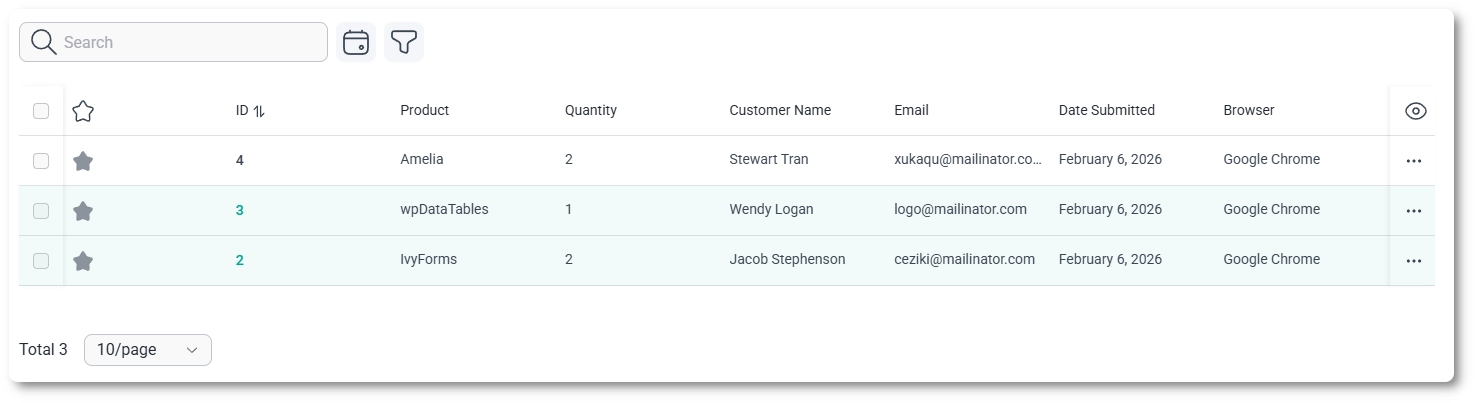
The entries table displays all submissions for a selected form in a structured list. Each row represents a single entry, and the table is designed to help you review, sort, and organize submissions efficiently.
What information is shown in the entries table?
By default, the entries table shows a set of core columns that help you identify and review submissions quickly. The exact columns shown depend on the form structure, but standard metadata is always available.
Select checkbox – allows you to select individual entries.
ID – shows the unique entry ID. Clicking it opens a compact view with full entry details.
Form fields – displays values submitted for the form fields, based on current column visibility settings.
Date submitted – shows when the entry was created.
How can I control which columns are visible?
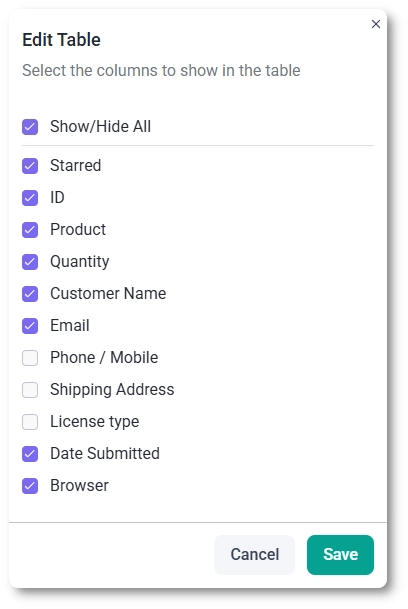
In the top-right corner of the entries table, click the eye icon to open the column visibility panel. From here, you can choose which columns are displayed in the table.
In addition to standard metadata, this panel allows you to show or hide individual form fields. This is useful when working with larger forms, as you can focus only on the fields relevant to your current task.
How do entry actions work?
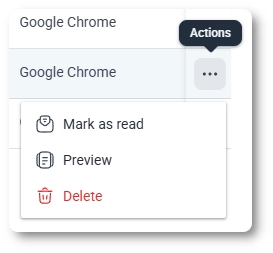
Each entry includes a three-dots action menu that provides quick actions without leaving the table view.
Mark as unread – flags the entry so it can be easily identified later.
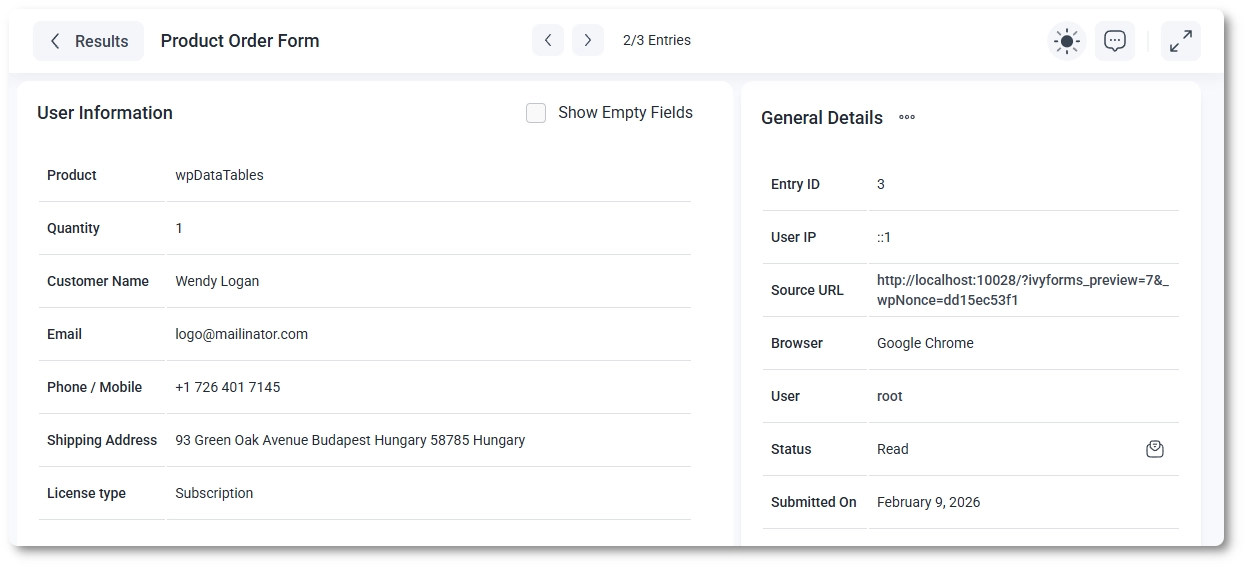
Preview – opens a read-only preview of the entry.
Delete – permanently removes the entry after confirmation.
Previewing an entry opens a full details page where you can review all submitted information, including user-provided field values and system-generated metadata.
How do filters and totals work?
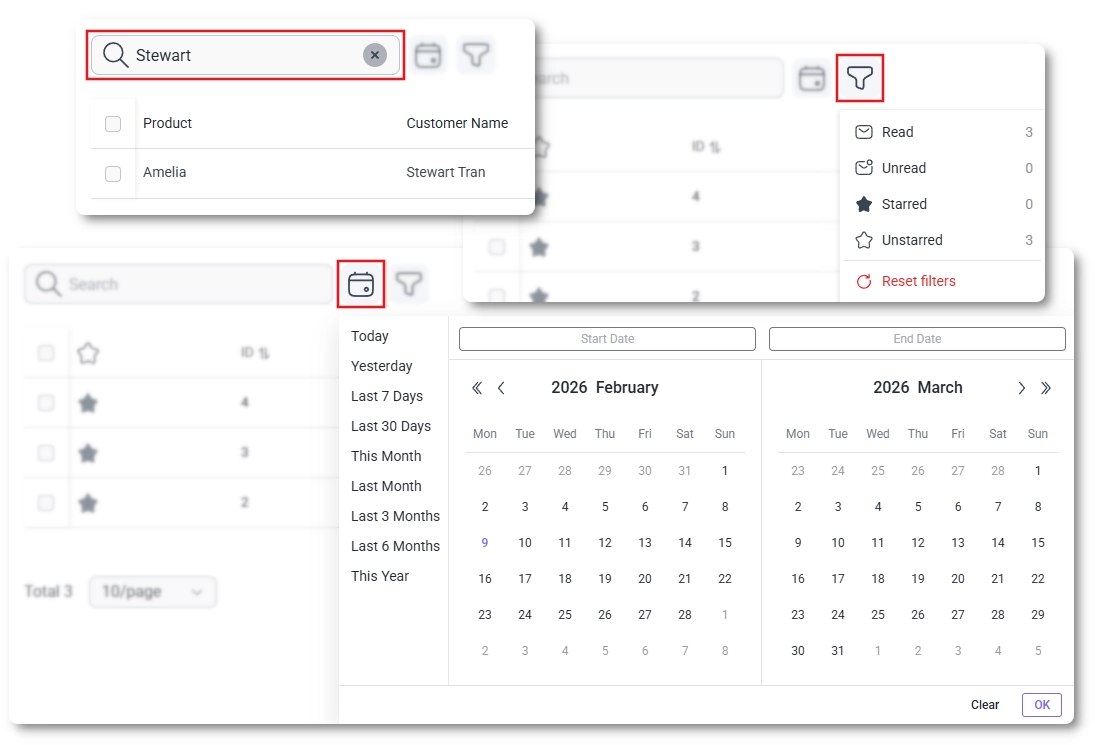
The toolbar above the entries table lets you narrow down visible entries and understand how many submissions are currently shown.
Search – searches within the entries of the selected form.
Filters – allow you to narrow results based on available criteria.
Total count – shows the number of entries matching the current filters.
When there are more entries than can fit on a single page, pagination controls appear at the bottom of the table, allowing you to navigate through larger result sets.
The entries table acts as the central workspace for reviewing submissions. From here, you can quickly scan responses, adjust which data is visible, and open individual entries for a more detailed review when needed.
Guides
Explore the IvyForms documentation through key sections like Get Started,
Form Creation, Entry Management, Settings, Integrations, Advanced Features,
and Support & Troubleshooting to make the most of your form-building experience