


Gallup’s 2024 data shows only 31% of U.S. employees feel engaged at work. Annual surveys can’t catch that kind of decline fast enough. Pulse surveys can. These short, frequent questionnaires…
Table of Contents
Most forms on the web are terrible.
You land on a page and boom – 20 fields staring back at you. Name, email, phone, address, company, role, budget, timeline, and five more things you didn’t sign up for. Your brain instantly does the math. “This’ll take forever.” You close the tab.
That’s where multi-step forms come in.
Instead of dumping everything at once, they break the process into digestible chunks. Fill out three fields. Click next. Answer two more. Keep going.
The weird part? People actually finish these.
Breaking a form into steps doesn’t just feel easier. It is easier. Your brain handles small tasks better than big ones (shocking, I know). Progress bars help. Seeing “Step 2 of 4” gives you a finish line.
This guide covers what makes multi-step forms work, why they convert better, and how to build one that doesn’t suck.
What Is a Multi-Step Form Template
A multi-step form template is a pre-built form layout that splits data collection into two or more sequential screens instead of displaying every field on a single page.
Each step groups related form fields together. A user fills out one section, clicks “Next,” and moves to the following screen. A progress bar or step indicator typically shows how far along they are.
Single-page forms dump everything at once. That works fine for a short contact form with three fields. But the moment you need 10, 15, or 20+ inputs, a wizard-style layout performs better.
Multi-step form templates are used in checkout flows, registration forms, insurance quote calculators, job applications, patient intake forms, and event booking pages.
The template itself includes the HTML structure, CSS styling, JavaScript step navigation, field validation per step, and usually a responsive layout that works on mobile.
Multi-Step Form Templates
Multi-Step Registration Form
See the Pen
Multi-Step Registration Form by Bogdan Sandu (@bogdansandu)
on CodePen.
A sleek, contemporary registration form featuring a beautiful gradient background and glass-morphism design. Built with vanilla HTML, CSS, and JavaScript – no frameworks required!
Multi-Step Onboarding Form
See the Pen
A modern multi-step onboarding form by Bogdan Sandu (@bogdansandu)
on CodePen.
A modern multi-step onboarding form built with HTML, CSS, and JavaScript.
Multi-Step Checkout Form
See the Pen
Modern Multi-Step Checkout by Bogdan Sandu (@bogdansandu)
on CodePen.
A modern and responsive multi-step checkout form designed with a clean aesthetic. Built with HTML, Bootstrap 5 for layout, and custom CSS for a unique, award-winning look, this form guides the user through the process with smooth micro-interactions and animations. Key features include a dynamic progress bar, a two-panel layout on desktop for a live order summary, and a custom JavaScript notification system. The design is fully mobile-friendly, providing a seamless experience across all devices.
Multi-Step Survey Form
See the Pen
Multi-Step Survey Form by Bogdan Sandu (@bogdansandu)
on CodePen.
A clean and modern multi-step survey form built with HTML, CSS, and JavaScript. This form features a unique and refreshing color palette, smooth fade-in animations for each step, and subtle micro-interactions like hover effects on buttons and checkboxes to enhance the user experience. It’s fully responsive, using Bootstrap for a solid and adaptable layout.
Multi-Step Feedback Form
See the Pen
Multi-Step Feedback Form by Bogdan Sandu (@bogdansandu)
on CodePen.
A sleek, modern, and fully responsive multi-step feedback form designed for a seamless user experience. This project showcases a contemporary design language with subtle animations and micro-interactions.
Multi-Step Application Form
See the Pen
Multi-Step Application Form by Bogdan Sandu (@bogdansandu)
on CodePen.
A clean and modern multi-step application form designed with a polished, professional aesthetic. This form guides users through the submission process with a sleek progress bar and intuitive micro-interactions.
Multi-Step Booking Form
See the Pen
Multi-Step Booking Form by Bogdan Sandu (@bogdansandu)
on CodePen.
A professional, multi-step booking form built with a clean and modern design. This responsive component features a two-column layout on desktop, a refined blue and gray color palette, and subtle micro-interactions to create a polished user experience. The form is structured with HTML, styled with custom CSS, and uses Bootstrap for a solid, responsive foundation.
Modern Multi-Step Job Application Form
See the Pen
Modern Multi-Step Job Application Form by Bogdan Sandu (@bogdansandu)
on CodePen.
A sleek, responsive multi-step job application form built with HTML, CSS, and JavaScript, using Bootstrap 5. Features a modern UI with smooth transitions, interactive skill tags, file upload, and real-time validation.
Multi-Step Cardiology Intake Form
See the Pen
Modern Multi-Step Cardiology Intake Form by Bogdan Sandu (@bogdansandu)
on CodePen.
A sleek and professional cardiology patient intake form with a multi-step interface and smooth transitions. Built with vanilla HTML, CSS, and JavaScript – no frameworks required!
Multi-Step Job Application Form
See the Pen
Modern Multi-Step Job Application Form by Bogdan Sandu (@bogdansandu)
on CodePen.
A sleek and interactive multi-step form designed for job applications. Built with vanilla HTML, CSS, and JavaScript. No external libraries or dependencies required. Perfect for job application portals, onboarding processes, or any multi-step data collection needs.
Logo Designer Client Onboarding Form
See the Pen
Modern Logo Designer Client Onboarding Form by Bogdan Sandu (@bogdansandu)
on CodePen.
A sleek and professional multi-step onboarding form designed specifically for logo designers. Built with vanilla JavaScript and enhanced with GSAP animations, this form provides an intuitive way to collect client information and design preferences.
Multi-Step Survey Form
See the Pen
Modern Multi-Step Survey Form by Bogdan Sandu (@bogdansandu)
on CodePen.
A sleek and responsive multi-step survey form built with pure HTML, CSS, and JavaScript. This form features a modern design with smooth transitions, form validation, and an interactive progress bar.
Multi-Step Quiz Form
See the Pen
Modern Multi-Step Quiz Form by Bogdan Sandu (@bogdansandu)
on CodePen.
A sleek and interactive quiz form featuring a pastel color scheme and smooth transitions. Built with vanilla HTML, CSS, and JavaScript.
Multi-Step Profile Form
See the Pen
Modern Multi-Step Profile Form by Bogdan Sandu (@bogdansandu)
on CodePen.
A sleek and interactive multi-step profile creation form built with HTML, CSS, and vanilla JavaScript. Features a modern teal color scheme and smooth transitions between steps.
Multi-Step Course Enrollment Form
See the Pen
Modern Multi-Step Course Enrollment Form by Bogdan Sandu (@bogdansandu)
on CodePen.
A sleek and intuitive multi-step enrollment form built with HTML, CSS, and vanilla JavaScript. Features a modern design with a clean indigo color scheme and smooth transitions between steps.
Multi-Step Event Registration Form
See the Pen
Modern Multi-Step Event Registration Form by Bogdan Sandu (@bogdansandu)
on CodePen.
A sleek and responsive event registration form with a pastel color scheme, featuring a three-step registration process. Built with vanilla HTML, CSS, and JavaScript – no frameworks or libraries required.
How Does a Multi-Step Form Work
A multi-step form divides one long form into smaller sections displayed one at a time. The user sees only the current step. Previous and upcoming steps stay hidden until the user navigates to them.
Here is the typical flow:
- Step rendering: JavaScript or a form builder controls which step is visible. Each step is a container (usually a
div) that shows or hides based on the current index. - Field validation per step: Before moving forward, the form checks if required fields in the current step are filled correctly. Inline form validation catches errors immediately instead of waiting until the final submission.
- Progress indicator: A progress bar, numbered steps, or breadcrumb trail gives the user a visual reference of where they are and how many steps remain.
- Conditional logic: Some steps appear or disappear based on answers from earlier steps. A form builder with conditional logic handles branching paths automatically.
- Data storage between steps: Form data is stored in browser memory, session storage, or sent to the server after each step. This prevents data loss if the user refreshes or drops off.
- Final submission: The last step usually includes a summary review screen, a submit button, and a form submission confirmation message that acknowledges the data was received.
The back button lets users revisit and edit previous steps without losing what they already entered. This is a small detail that has a big effect on completion rates.
Why Do Multi-Step Forms Get Higher Completion Rates Than Single-Step Forms
The short answer: they reduce perceived effort.
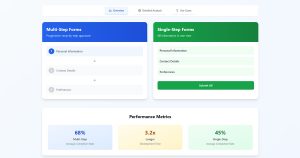
A Baymard Institute study found that the average cart abandonment rate sits around 70.19%. Long, complicated forms are one of the top reasons users leave. When you compare multi-step forms or single-step forms, the split layout consistently wins for longer data collection tasks.
Here’s why that happens:
- Cognitive load drops. Showing five fields is less overwhelming than showing twenty. Users focus on one group of related questions at a time.
- The sunk cost effect kicks in. Once someone completes step one and step two, they’re more likely to finish. They’ve already invested time.
- Progress bars create momentum. Seeing “Step 3 of 5” gives users a finish line. That visual feedback keeps people moving forward.
- Partial data gets captured. If a user drops off at step three out of five, you still have the data from steps one and two. Single-step forms give you nothing unless the user hits submit.
A case study from Venture Harbour showed a 300% increase in conversions after switching from a single-page form to a multi-step version. ConvertKit reported similar jumps in their sign up forms when breaking them into smaller pieces.
The effect is strongest for forms with 7+ fields. Below that number, a well-designed single-step form can still perform well.
What Are the Main Types of Multi-Step Forms
Lead Generation Forms
These capture prospect information across two or three steps. Step one typically asks for a name and email. Step two collects company size, budget range, or specific needs.
Designing lead capture forms with multiple steps works especially well for B2B companies where you need qualifying data beyond just an email address.
Registration and Signup Forms
Account creation forms for SaaS platforms, membership sites, and online courses. First step: email and password. Second step: profile details. Third step: preferences or plan selection.
WordPress registration forms often use this pattern when onboarding new members to a community or gated content area.
Checkout and Payment Forms
E-commerce checkout flows split shipping details, billing information, and payment processing into separate steps. Shopify, WooCommerce, and Stripe all default to multi-step checkout layouts.
Proper checkout optimization includes auto-filling address fields, showing order totals at each step, and keeping the payment step distraction-free.
Survey and Feedback Forms
Long surveys with 15+ questions perform significantly better when split into thematic groups. One step covers satisfaction ratings. The next handles open-ended responses. The last collects demographic data.
Applying the best practices for creating feedback forms inside a multi-step layout keeps respondents engaged and reduces survey fatigue.
Application and Onboarding Forms
Job applications, loan applications, university admissions. These forms can run 30+ fields and often need file uploads, dropdown selections, and conditional sections based on applicant type.
A multi-step structure with save-and-resume functionality is practically required here. Nobody fills out a mortgage application in one sitting.
Booking and Reservation Forms
Appointment scheduling, hotel reservations, restaurant bookings. Step one picks the date and time. Step two collects guest details. Step three confirms the reservation and handles payment if needed.
Good appointment form templates already have this flow built in, with calendar integrations and time slot pickers included.
What Features Should a Multi-Step Form Template Include
Progress Bar or Step Indicator
Users need to know where they are. A numbered step indicator or a horizontal progress bar at the top of the form shows total steps and current position.
Without this, users can’t estimate how much time remains. That uncertainty drives abandonment up. Every well-built form design includes some version of this element.
Conditional Logic Between Steps
Conditional logic shows or hides steps based on previous answers. If a user selects “Business” instead of “Personal,” the next step can display company-related fields instead of personal ones.
This keeps forms relevant. No one wants to answer questions that don’t apply to them.
Field Validation Per Step
Each step should validate its own fields before allowing the user to proceed. Inline error messages that appear next to the problem field are more effective than generic error messages at the top of the page.
Real-time validation (checking as the user types) catches issues early and reduces frustration at submit time.
Save and Resume Functionality
Long forms need this. If someone gets interrupted at step four, they should be able to return later and pick up where they left off.
This is especially important for application form templates and insurance quote forms where the data collection process takes significant time.
Mobile-Responsive Layout
Over 60% of web traffic comes from mobile devices. A multi-step form template that doesn’t adapt to smaller screens is essentially broken for the majority of users.
Touch-friendly buttons, properly sized input fields, and stacked layouts on narrow viewports are baseline requirements.
Confirmation and Summary Step
The final step should show users everything they entered across all previous steps. Let them review before hitting submit.
This reduces support tickets, incorrect submissions, and buyer’s remorse. Pair it with a clear call-to-action button and a brief privacy reassurance statement, especially if you need GDPR compliant forms.
FAQ on Multi-Step Form Templates
What is a multi-step form template?
A multi-step form template is a pre-built form layout that splits data collection into sequential screens. Each step groups related fields together, with navigation buttons and a progress indicator guiding users through the form completion process.
How many steps should a multi-step form have?
Two to five steps works best for most use cases. Forms with more than seven steps risk the same abandonment issues as long single-page forms. Keep each step focused on one logical group of fields.
Do multi-step forms increase conversion rates?
Yes. Formstack’s conversion data shows multi-page forms achieve a 13.85% completion rate compared to 4.53% for long single-step forms. The split layout reduces cognitive load and creates a sense of progress that keeps users moving forward.
What is the best form builder for multi-step forms?
It depends on your platform. Gravity Forms and WPForms lead for WordPress sites. Typeform works well for standalone survey form templates. JotForm and Tally offer strong free tiers with drag-and-drop step creation.
Can I build a multi-step form without a plugin?
Yes. A multi-step form needs HTML for structure, CSS for layout and transitions, and JavaScript for step navigation and validation. React, Vue, and vanilla JS all handle this well without any external plugin or builder dependency.
How do I add conditional logic to a multi-step form?
Conditional logic shows or hides steps based on user answers. In code-based forms, JavaScript evaluates input values and adjusts the step sequence. Plugin-based builders like Gravity Forms and WPForms include visual conditional logic settings.
Are multi-step forms better than single-step forms?
For forms with seven or more fields, multi-step layouts consistently outperform single-page versions. For short forms under five fields, a single-step contact form template is simpler and equally effective.
How do I reduce abandonment on a multi-step form?
Add a visible progress bar, limit each step to three or four fields, enable save-and-resume for longer forms, and validate fields inline before allowing forward navigation. Put the easiest questions on step one to build momentum.
Do multi-step form templates work on mobile devices?
Only if the template uses a responsive layout. Touch-friendly buttons, stacked input fields, and properly sized tap targets are required. Always test each step on a real phone before launching, not just a resized browser window.
Can I use a multi-step form for e-commerce checkout?
Yes. Most e-commerce platforms including Shopify and WooCommerce use multi-step checkout by default. Splitting shipping, billing, and payment into separate steps reduces friction and gives buyers a clear path through the order form process.
Conclusion
The right multi-step form template turns a long, intimidating data collection process into something users actually finish. That alone justifies the effort of picking one that fits your platform and goals.
Whether you’re building a wizard-style checkout in WooCommerce, a progressive disclosure signup in React, or a branching survey in Typeform, the core principles stay the same.
Group related fields. Validate per step. Show progress. Save partial data.
Start with a template that matches your tech stack, then customize it. Add inline help text, smart defaults, and web form best practices that reduce friction at every screen.
Test on real devices. Watch where users drop off. Adjust step order and field count based on actual behavior, not assumptions.
A well-built multi-step form doesn’t just collect data. It respects the person filling it out.