



You built the form. You set up the notifications. You check the entries every week. And every time something needs to change, like a new field, a different email address,…
Table of contents
IvyForms Lite 1.1 and IvyForms Pro 0.3 are live, and this is one of our biggest updates so far.
With IvyForms Lite 1.1, you’re getting three brand-new field types, full WordPress 7.0 compatibility, and under-the-hood improvements that make your forms faster and more reliable.
With IvyForms Pro 0.3, things get even more powerful. Multi-page forms are finally here, and conditional logic now goes beyond fields, extending to email notifications and third-party integrations too.
In other words, IvyForms is becoming more than a WordPress form builder. It is becoming a smarter form-building system that adapts to the way your business works.
Here’s what’s new.
What’s New in IvyForms Lite 1.1
Slider field
Some questions do not have a simple yes-or-no answer.
“How satisfied were you?”
“What is your estimated budget?”
“How likely are you to recommend us?”
“On a scale from 1 to 10, how would you rate your experience?”
For questions like these, a regular text input can feel too open-ended, while a dropdown can feel too rigid. The new slider field gives users a more natural way to answer numeric or scale-based questions.
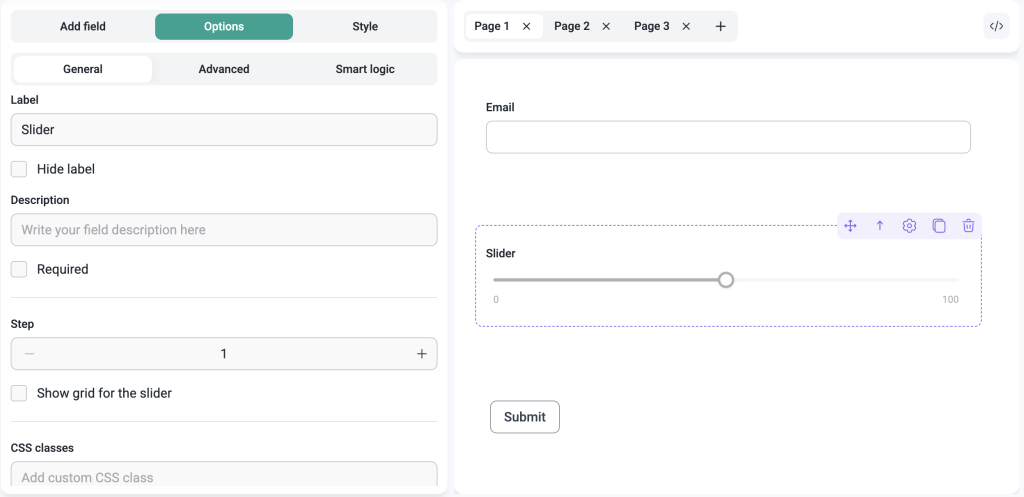
Instead of typing a number, users simply drag the slider to select a value. It feels faster, cleaner, and more intuitive, especially on mobile.
It’s a small change in the form experience that makes a big difference in increasing completion rates. The easier it is to respond, the more responses you’ll actually get.
Why it matters
You can use the slider field for:
- Customer satisfaction surveys
- NPS-style questions
- Budget range forms
- Product feedback forms
- Service quality ratings
- Event feedback forms
- Quote request forms
- Fitness, coaching, or consultation intake forms
- Priority or urgency scoring
- Internal team surveys
For example, a service business can ask users to choose their approximate project budget. A course creator can ask students to rate the difficulty of a lesson. A support team can ask customers how satisfied they were with the help they received.
It is a small field, but it can make forms feel much easier to complete.
GDPR field
Privacy and consent matter, especially when you are collecting personal data.
Until now, adding a clear consent checkbox to your form often required extra manual setup. With the new GDPR field, you can add consent to your IvyForms forms in just a few clicks.
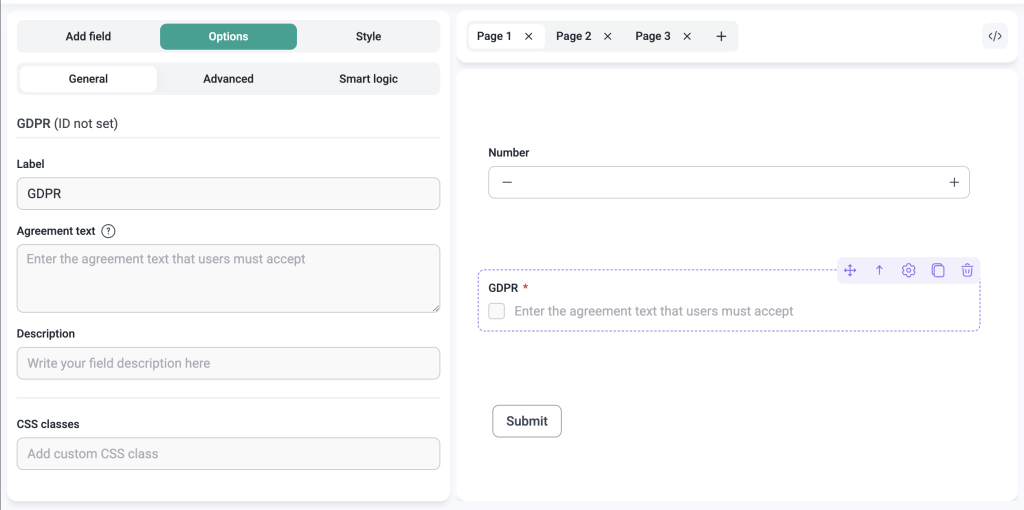
Simply add the field, customize the consent text, include a link to your privacy policy, and place it wherever it makes the most sense in your form.
Why it matters
Compliance shouldn’t be an afterthought and it shouldn’t be complicated either.
Whether you’re running:
- Contact forms
- Newsletter signup forms
- Lead magnet downloads
- Job application forms
- Event registration forms
- Consultation request forms
- Client onboarding forms
- Support request forms
- Product demo requests
…this field helps you collect consent cleanly and transparently.
MCP Integration for AI Agents
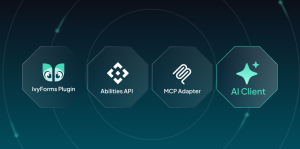
This update also introduces support for the Model Context Protocol, or MCP.
In simple terms, IvyForms MCP allows AI tools to connect with IvyForms and interact with your forms through natural language. That means an AI assistant can help create forms, read entries, or manage notifications without you manually clicking through every setting in the WordPress admin.
Think of it as giving your AI tools a direct line to your form setup.
Instead of switching between tabs, exporting data, or manually building everything from scratch, you can describe what you need and let the assistant help carry it out.
Why it matters
Inside WordPress, you can use Angie, Elementor’s AI agent, to get AI assistance directly in the admin experience.
For more advanced workflows, external MCP clients such as Claude Desktop, Cursor, or Claude Code can connect to IvyForms through MCP. This lets your AI assistant interact with IvyForms from your local machine, using the tools available through the MCP server.
For example, you could ask an AI assistant to:
- Create a contact form for a new landing page
- Build a client intake form with specific required fields
- Review recent form entries
- Help configure notifications
- Prepare a feedback form for an event
This is especially useful for teams that want to move faster, reduce repetitive admin work, and connect form building with their existing AI-powered workflows.
Improvements
WordPress 7.0 Compatibility. IvyForms is now fully compatible with WordPress 7.0. If you’ve already updated (or are planning to), your forms will work exactly as expected.
Enhanced Conditional Logic & Notifications. We’ve made conditional logic and email notifications more reliable across the board. Edge cases that used to trip things up have been addressed, so your workflows behave the way you configured them.
Improved Performance. The Forms and Entries tables have been refactored for better speed, scalability, and reliability. As your data grows, IvyForms should feel faster, not slower.
What’s New in IvyForms Pro 0.3
Multi-step forms
Long forms have one major problem: they look long.
Even when every field is necessary, a long list of questions can feel overwhelming. Users see a wall of fields, assume it will take too much time, and leave before they even begin.
Multi-step forms help solve that.
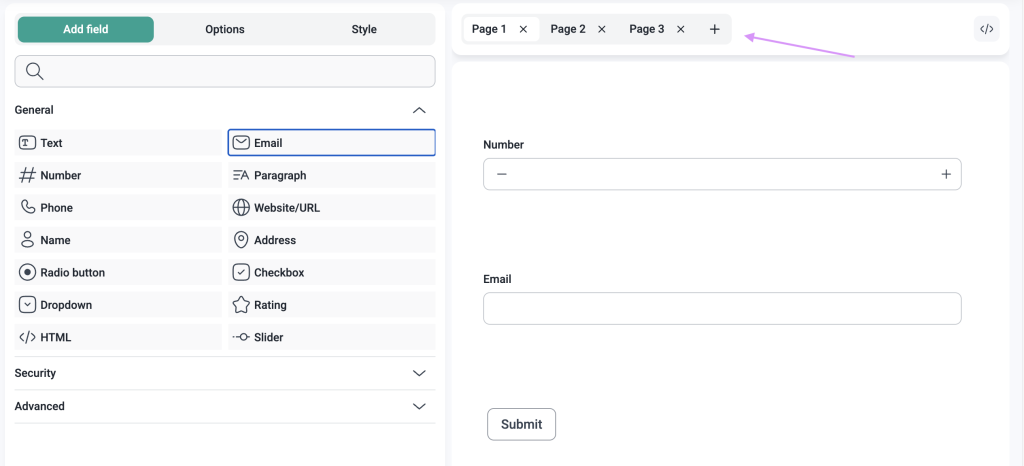
Instead of showing everything at once, you can split your form into smaller, more manageable steps. Users move through the form page by page, with clear navigation buttons and a progress indicator that shows them where they are in the process.
It feels less like filling out a long form and more like completing a guided flow.
You have full control over the experience. You can customize navigation button labels, adjust the progress bar, and decide which fields belong on each page, all from inside the IvyForms builder.
→ Find out how to create multi-step forms in IvyForms.
Why it matters
Multi-page forms consistently outperform single-page forms on completion rate.
If you’re running:
- Job applications
- Client onboarding forms
- New patient intake forms
- Event registration forms
- Course enrollment forms
- Detailed quote request forms
- Product recommendation quizzes
- Customer feedback surveys
- Service booking inquiries
- Grant, membership, or program applications
this is the feature you’ve been waiting for!
Conditional email notifications
Not every submission needs the same follow-up.
A high-value lead may need to go straight to your sales team. A support-related message should go to customer support. A partnership request might need to reach someone completely different.
With conditional email notifications, IvyForms Pro lets you control exactly when each notification is sent.
You can set conditions based on form responses, and IvyForms will only send a notification when those conditions are met.
For example, if your form asks users to choose between “Sales,” “Support,” and “Partnerships,” each submission can automatically go to the right team. If someone selects a large budget range, your sales team can be notified immediately. If a customer marks a request as urgent, the right person can get an instant alert.
Why it matters
Less noise, more signal. Your team gets notified when it actually matters and the right people get the right information, automatically. No manual filtering required.
Conditional integrations
The same logic now extends to your third-party connections.
With conditional integrations, you control when a MailChimp subscription gets created or when a webhook fires based on what the form submission actually contains.
For example, you can only add someone to Mailchimp if they checked the newsletter consent box. You can only trigger a webhook if the user selected a specific product, service, or category. You can only send data to a third-party tool when the submission meets your criteria.
It’s all up to you.
Why it matters
Your integrations should work for you and not the other way around. Conditional logic at the integration level means cleaner lists, more accurate data, and automations that actually reflect what your users told you.
Improvements
Unified Smart Logic Builder. Conditional logic now works the same way everywhere in IvyForms Pro, whether you’re configuring fields, email notifications, or integrations. One consistent interface, no context-switching.
Improved Update Experience. You can now view plugin details and changelogs directly from the WordPress Plugins screen. No need to leave the dashboard to find out what changed.
Enhanced Multi-Page Form Settings. Fine-tune every detail of your multi-page forms, like navigation button labels, progress bar appearance, and how fields are distributed across pages.
What’s Next?
The team is already working on the next round of updates, and there is plenty more coming to IvyForms.
Here is a preview of what we are working on next:
- Conversational forms
- Zapier integration
- Square integration
- Pricing field
- Likert scale field
- Rich text field
IvyForms is still early in its journey, but every release brings it closer to the form builder WordPress users actually deserve.
Thanks for building with us. We cannot wait to show you what comes next.