



A screen reader user tabs into a checkout form and one of the fields just announces “edit text.” No name, no hint about what it wants, nothing. That’s the actual…
Table of contents
That small overlay asking for your email before you leave a site? It has a name, a purpose, and a surprisingly high conversion rate.
A popup form is a UI overlay that appears on top of page content to collect user input, most commonly an email address, a survey response, or lead data.
Businesses use them for email opt-ins, cart abandonment recovery, discount delivery, and event registration. Done well, they work. Done poorly, they hurt both user experience and search rankings.
This article covers what popup forms are, how they work, every major format, common use cases, and how they connect to Google’s page experience signals.
What is a Popup Form
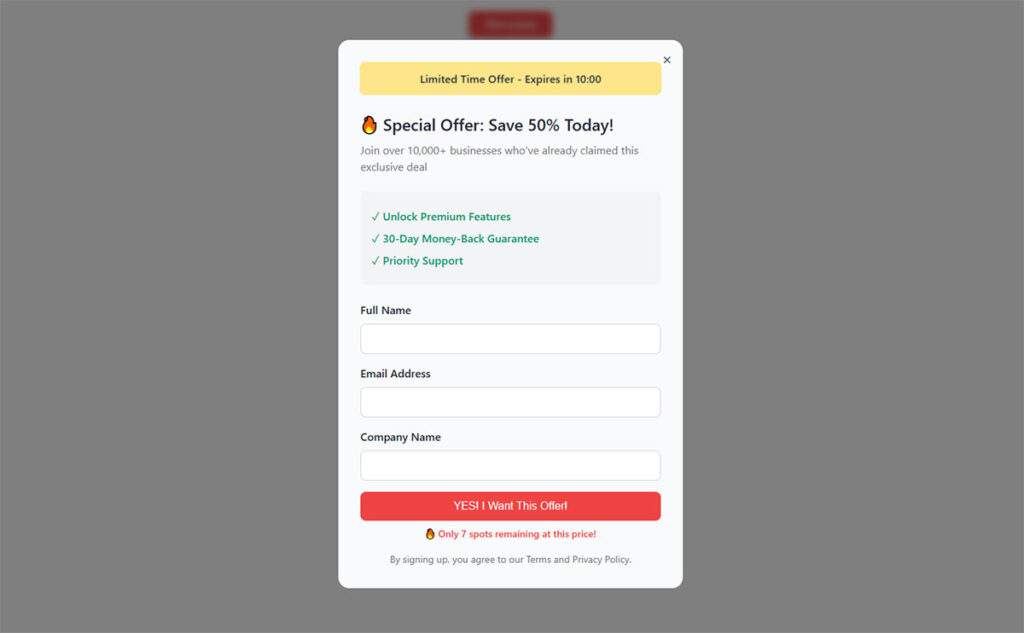
A popup form is a UI overlay that appears on top of page content to collect user input. It renders as a separate layer above the DOM, interrupting or supplementing the browsing experience to prompt a specific action.
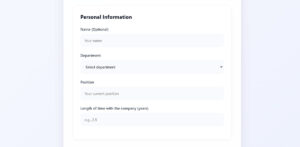
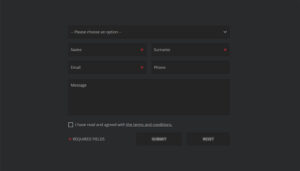
The form itself sits inside the overlay. It usually contains one or more input fields, a headline, a CTA button, and a close option.
Popup forms are distinct from embedded forms, which are built directly into the page layout. They are also different from standalone landing page forms, which live on dedicated pages with no other content competing for attention.
The core purpose is simple: capture user data at a moment of opportunity, whether that’s an email address, a survey response, or a phone number.
| Form Type | Placement | Interrupts Browsing | Primary Use |
|---|---|---|---|
| Popup form | Overlay layer above page | Yes | Lead capture, opt-ins, offers |
| Embedded form | Inline within page content | No | Ongoing engagement, contact |
| Landing page form | Dedicated standalone page | No | Campaigns, paid traffic |
How Popup Forms Work

Image source: ConfertFlow
Popup forms are JavaScript and CSS-driven. When a trigger condition is met, a script adds the overlay element to the DOM and applies styles that position it above the rest of the page content.
The overlay typically uses a high z-index value, a semi-transparent background layer (scrim), and either absolute or fixed positioning to stay visible regardless of scroll position.
Trigger Types
The trigger is what decides when the popup appears. Most popup builders support several trigger options.
- Time delay: Fires after the visitor has been on the page for a set number of seconds. Sleeknote data shows 6 seconds is the sweet spot for timer-based triggers.
- Scroll depth: Appears after the user scrolls a set percentage down the page. Drip research puts the highest-converting scroll range at 35-50% depth.
- Exit intent: Detects upward mouse movement toward the browser bar on desktop, then fires just before the tab closes.
- Click trigger: Fires when a user clicks a specific button or element. These convert at the highest rate of any trigger type, since the visitor already signaled interest.
- Page load: Fires immediately on arrival. Generally the least effective approach.
Display and Suppression Logic
Showing the same popup to every visitor on every visit destroys the experience fast. That’s where cookie-based suppression comes in.
When a visitor dismisses or converts on a popup, a cookie is set in their browser. On the next visit, the script checks for that cookie. If it exists, the popup does not fire.
Frequency capping works similarly. It limits how many times a popup is shown within a defined period, regardless of whether the visitor converted. Most platforms let you set this per session, per day, or per week.
Types of Popup Forms
Not all popup forms look the same or behave the same. The format changes how disruptive the experience feels and how much attention it demands from the visitor.
Modal Popups
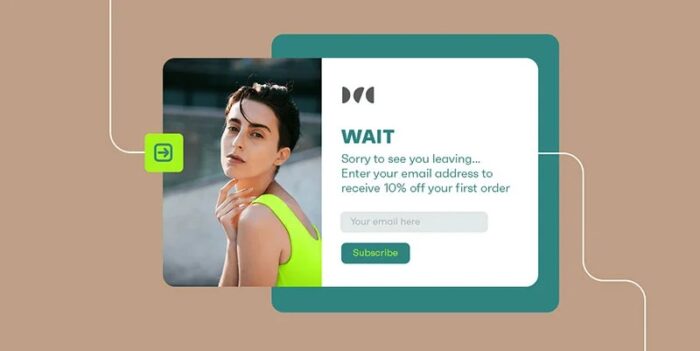
The most common format. A centered overlay with a dark scrim behind it that dims the rest of the page. The visitor cannot interact with the page without either completing the form or closing it.
Getsitecontrol data shows modals outperform slide-ins by over 75% on mobile devices. On desktop the gap is smaller, roughly 27%, but modals still win.
Best for: email list building, discount delivery, exit-intent offers.
Slide-in Forms
Enters from the bottom corner of the screen, usually after a scroll trigger fires. Less disruptive than a modal. The rest of the page stays fully interactive.
Slide-ins work well on content-heavy pages where a full modal would feel too aggressive. The tradeoff is lower visibility, which typically means lower conversion volume.
Fullscreen Overlays
Highest attention, highest risk.
Covers the entire viewport. Nothing else is visible until the visitor acts. OptiMonk data puts the average conversion rate for fullscreen popups at 14.40%, the highest of any format. But the disruption is significant.
Works well for high-value lead magnets or major promotions. A poor fit for casual blog readers who are just browsing.
Sticky Bars
See the Pen
Modern Notification Bar with Smooth Animation by Bogdan Sandu (@bogdansandu)
on CodePen.
Fixed banners that sit at the top or bottom of the viewport and scroll with the page. They stay visible without blocking content.
Sleeknote benchmark data shows sticky bars draw over 126 million views with a 3.69% conversion rate, driven by their constant visibility across every page a visitor touches.
Best for: site-wide announcements, sitewide discount codes, GDPR consent banners.
Gamified Popups
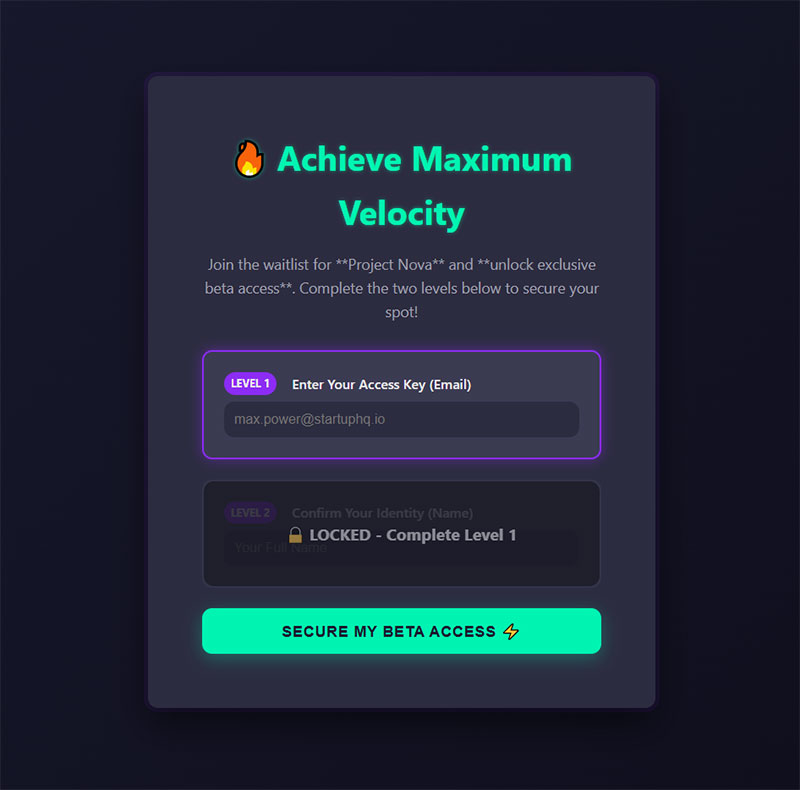
Spin-to-win wheels and similar formats where the visitor “plays” in exchange for a discount or offer. OptiMonk data shows these convert at an average of 13.23%, well above standard modal popups.
The engagement mechanic does most of the work. Visitors who interact with the wheel are already invested before they see the form field.
Common Use Cases for Popup Forms
Popup forms show up across almost every type of website, but the specific goal changes the design, trigger, and copy entirely.
Email List Building and Lead Capture
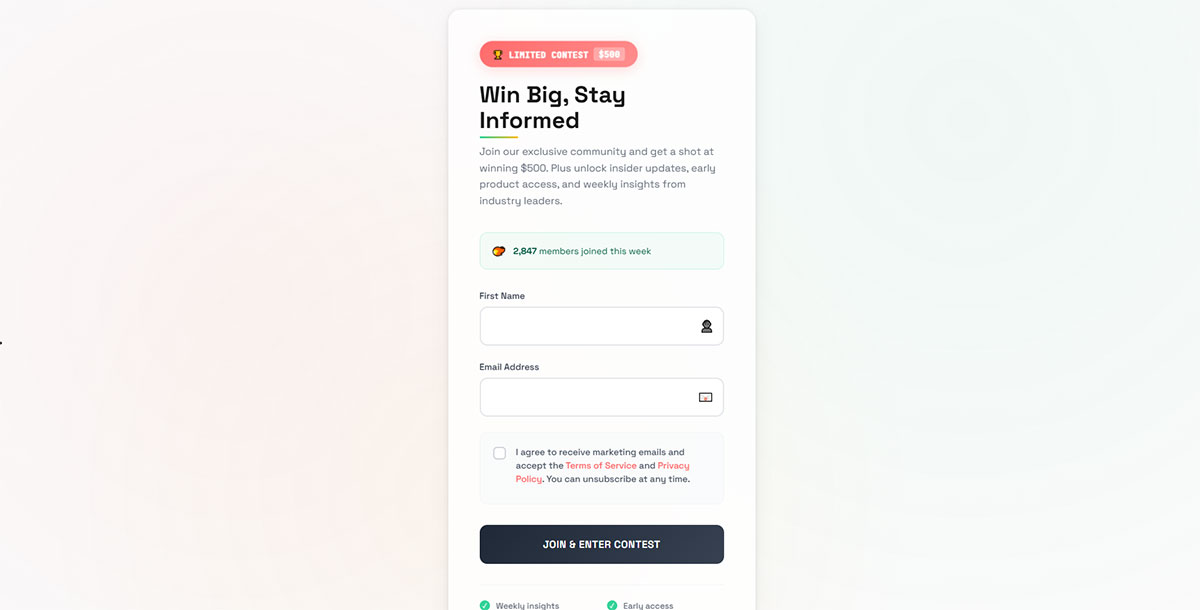
The most common use case by far. A visitor lands on a page, a time-delayed or scroll-triggered popup fires, and they’re offered something (a discount, a free resource, early access) in exchange for their email address.
HubSpot data shows popups make up 66% of all enabled email capture forms across websites, far ahead of landing page forms at just 5.1%.
For practical steps to set up lead capture forms that actually convert, the trigger timing and the offer matter far more than the design.
Ecommerce: Discounts and Cart Recovery

Two distinct scenarios:
- Welcome discount popups fired on a first visit, offering 10-15% off in exchange for an email address
- Cart abandonment popups triggered by exit intent on the cart or checkout page
Cart abandonment popups convert at 17.12% on average according to OptiMonk data, the highest of any popup use case. That number makes sense: the visitor already loaded their cart. They’re one friction point from buying.
Surveys and Feedback Collection
Short-form survey popups typically fire after a purchase, after a session reaches a certain length, or on exit. They ask one or two questions, not ten.
OptiMonk data shows feedback popups average a 12.62% conversion rate, higher than most email capture popups. Visitors who feel asked for their opinion tend to respond.
Event Registration and Gated Content
Popup forms work well as access gates. A visitor tries to read a piece of gated content or register for a webinar, and a popup fires asking for their details before they get through.
The intent is already there. The popup is just the mechanism for capturing it.
Popup Form vs. Embedded Form
Popup forms and inline forms serve different purposes. Treating them as interchangeable is a mistake most marketers make early on.
| Factor | Popup Form | Embedded Form |
|---|---|---|
| Visibility | Demands attention | Can be missed entirely |
| Conversion volume | Higher (interrupts more visitors) | Lower but more self-selected |
| Lead quality | Mixed | Often higher engagement downstream |
| UX disruption | High (modal) to low (sticky bar) | None |
| Best for | Exit recovery, time-sensitive offers | Ongoing, low-friction signups |
An Aweber study found placing a form behind a popup button instead of embedding it directly on a landing page increased conversions by 1,375%. That gap is mostly about focus: the popup removes every other distraction on the page.
But raw conversion volume is not the whole story. A visitor who scrolls through a 2,000-word article and then fills out an embedded form at the bottom showed up for the content, read all of it, and then decided they wanted more. That subscriber behaves differently in your email list than someone who clicked through a welcome popup 10 seconds after landing.
The practical answer: use popup forms for volume and urgency (exit recovery, first-visit offers), and embedded forms where lead quality matters more than lead count.
Key Elements of a Popup Form
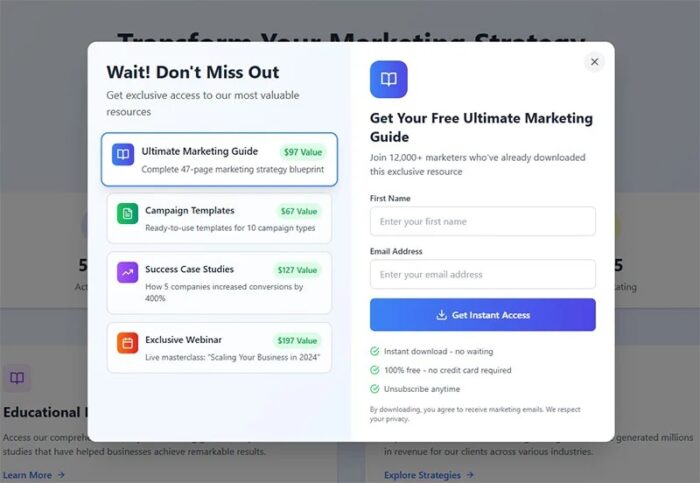
A popup form is only as good as what’s inside it. The components below are what separate a form that converts from one that gets closed immediately.
Headline and Value Proposition
The headline is the first thing a visitor reads. It needs to communicate what they get, not what you want from them.
“Get 15% off your first order” works. “Subscribe to our newsletter” does not.
One rule: lead with the benefit. The ask (email address, phone number) comes after the reason to give it.
Input Fields
DiviFlash data shows single-field popups convert at 4.4%, while two-field forms drop to 2.85%. Each field you add beyond the first reduces completion rate measurably.
Ask only for what you will actually use in the next 30 days. If you are not sending personalized emails by first name within a month, do not ask for it in the popup. Just take the email.
CTA Button Copy
The button is the last thing a visitor reads before they decide. Generic copy kills conversions.
- Weak: “Submit”, “Click here”, “Go”
- Stronger: “Get my 15% off”, “Send me the guide”, “Yes, I want in”
First-person phrasing (“my”, “I want”) consistently outperforms second-person phrasing (“your”, “you get”) in split tests across most industries.
Close Option and GDPR Notice
The X button matters more than most people think. A visible, easy-to-find close option reduces frustration and, somewhat counterintuitively, can improve overall form trust.
Hiding the close button does not improve conversions. It increases annoyance and bounce rate.
For any popup collecting email addresses from EU visitors, a GDPR-compliant privacy notice or consent checkbox is required. DiviFlash data shows adding a mandatory consent checkbox reduces email signups by 25.82%, so the placement and wording of the notice matters. For more on building GDPR-compliant forms, the legal requirements are more specific than most popup builders let on.
Popup Form Best Practices
Most popup forms underperform not because popups don’t work, but because the setup is wrong from the start. The wrong trigger, generic copy, and no segmentation will kill conversions on even a well-designed form.
Timing and Targeting
Getsitecontrol research shows delaying a popup by more than 5 seconds generates 52% more conversions than showing it within 2-5 seconds.
Showing a popup the moment someone lands on your page is the single fastest way to get it closed. Wait for an engagement signal first.
- Time delay: 6-8 seconds is the reliable starting point
- Scroll depth: 35-50% scroll depth tends to outperform both earlier and later triggers (Drip)
- Exit intent: best for cart recovery, not general list building
- Click trigger: highest converting of all trigger types, since the visitor already opted in
Mobile Optimization
Mobile popups convert higher than desktop. Omnisend data from 1.24 billion popup displays shows mobile converting at 2.2% vs. 1.4% for desktop-only popups in 2025.
But mobile also has stricter rules. Google’s intrusive interstitials penalty applies specifically to mobile. A popup that takes up the full viewport on a phone, fired immediately from a search result click, is a ranking risk.
- Keep mobile popups to under 50% of the viewport
- Use a large, easy-to-tap close button (minimum 44px)
- Single-column layout only
Copy and Design
Wisepops benchmark data shows popups with images convert at 5.71% vs. 3.98% without, a 43% gap driven purely by adding a visual.
Design matters less than copy. A well-written popup with a plain background will outperform a beautiful popup with vague messaging.
The three things that actually move conversion rate:
- Headline that leads with the benefit, not the ask
- CTA button with first-person phrasing (“Get my discount” beats “Submit”)
- An offer with actual value, not “subscribe for updates”
A/B Testing and Frequency Capping
Popupsmart data shows A/B testing can increase popup click-through rates by up to 26%. You need at least 500 interactions per variant before the results mean anything.
Frequency capping is non-negotiable. Showing the same popup to a visitor who already dismissed it three times does not improve conversion. It increases bounce rate.
Set a suppression window of at least 7 days after a dismiss, and 30+ days after a conversion. Most platforms handle this via cookie-based suppression by default. Worth double-checking before you launch.
Popup Form Tools and Platforms
The tool you pick matters less than how you configure it. That said, the gap between a dedicated popup builder and a basic plugin is significant once you need behavioral targeting, A/B testing, or segmentation.
| Tool | Best For | Standout Feature |
|---|---|---|
| OptiMonk | Ecommerce, Shopify | Advanced targeting, gamification, A/B testing |
| Privy | Smaller stores, all-in-one need | Built-in email + SMS alongside popups |
| Klaviyo | Stores already on Klaviyo | Native list sync, no third-party tool needed |
| Sleeknote | Content sites, non-ecommerce | Non-intrusive formats, clean UX |
| Popupsmart | Fast setup, budget-conscious | AI-powered creation, 500+ templates |
Dedicated Popup Builders
Dedicated tools win on targeting depth. OptiMonk, Sleeknote, and Wisepops are built specifically for popup campaigns, which means finer controls over triggers, visitor segmentation, and test setup.
OptiMonk ranked first in a GTMetrix global speed test across desktop and mobile, ahead of Klaviyo and VWO. For ecommerce stores where every millisecond of page load matters, that difference compounds over time.
For WordPress exit intent popup plugins specifically, the options range from lightweight free plugins to full-featured tools with behavioral targeting built in.
All-in-One Platforms with Popup Features
Klaviyo, HubSpot, and Mailchimp all include popup form builders as part of their broader marketing platforms. The popup functionality is functional but limited compared to dedicated tools.
The tradeoff is simplicity. If you are already running Klaviyo for email and you just need a basic opt-in popup, using their built-in form builder avoids adding another platform to the stack.
The catch: Klaviyo’s popup editor supports text fields, buttons, and background images. That’s about it. No countdown timers, no multi-step logic, no gamification unless you connect it to a dedicated tool. Some teams use both: Klaviyo for email delivery, OptiMonk or Privy for the popup layer.
CMS Plugins
For WordPress specifically, options like Elementor Popup Builder and Bloom (Divi) handle popup form creation natively inside the page builder. No separate subscription required.
The free WordPress form plugin landscape covers a wide range of use cases, from simple contact capture to conditional logic flows. Worth checking before committing to a paid popup-specific tool.
Headless builds and custom JavaScript implementations are also an option for teams who want full control over the overlay behavior without a third-party script adding page weight.
Popup Forms and SEO
Popup forms and SEO have a complicated relationship. Done right, they have no negative impact. Done wrong, they can cost rankings directly.
Google’s Intrusive Interstitials Penalty
Google rolled out the mobile intrusive interstitials penalty in January 2017. It is still active. The penalty applies to popups shown on the first page a visitor lands on from a Google search result on mobile.
Specifically penalized:
- Full-screen overlays that cover the main content immediately after a search result click
- Standalone interstitials requiring dismissal before accessing content
- Layouts where the above-fold content mimics an interstitial, with actual content buried below
The penalty only targets the entry page from mobile search. Popups that fire later in the click path, on the second or third page visited, are not penalized. Desktop pages are also not directly targeted by this specific signal.
Popup Types Google Explicitly Allows
Not all popups are a problem.
According to Google’s official Search Central documentation, these popup types are not penalized:
- Cookie consent and privacy notices required by law (GDPR, etc.)
- Age verification gates on appropriate content
- Login dialogs on pages with private, non-indexable content
- Banners that use a “reasonable amount of screen space” (industry standard: no more than 15-25% of mobile viewport)
Exit intent popups are also not penalized. Google has confirmed that popups triggered by a visitor’s intent to leave the page do not violate the intrusive interstitials policy, because they do not interrupt the visitor’s initial attempt to access the content.
Core Web Vitals Impact
Poorly implemented popup forms hurt Cumulative Layout Shift (CLS), one of the three Core Web Vitals metrics Google uses in its Page Experience ranking signals.
CLS measures how much page content moves unexpectedly during load. A popup form that fires late, after the page has already rendered and the visitor started reading, shifts the layout. That shift registers as a poor CLS score.
The fix is straightforward: reserve space for the popup before it fires, or use fixed-position overlays that do not push existing content. Google’s threshold for a “Good” CLS score is under 0.1. Scores above 0.25 are considered poor.
Swappie, a refurbished phone retailer, improved CLS by 91% through targeted Core Web Vitals work and saw a 42% increase in mobile revenue as a result (Search Engine Land, 2024). Not all of that gain was popup-related, but the connection between visual stability and revenue is well-documented.
For a broader look at how form optimization connects to page performance, timing and trigger configuration are the two levers with the most direct impact on both CLS scores and form conversion rate.
Worth also checking your popup types against Google’s current guidelines, since the documentation was last updated in December 2025 and the specifics on what counts as “reasonable screen space” have been clarified further.
FAQ on Popup Forms
What is a popup form?
A popup form is a UI overlay that appears on top of page content to collect user input. It renders above the DOM using JavaScript and CSS, typically containing input fields, a headline, a CTA button, and a close option.
How does a popup form work?
A trigger condition fires a script that adds the overlay to the DOM. Common triggers include time delay, scroll depth, exit intent, and click events. Cookie-based suppression prevents the same visitor from seeing it repeatedly.
What is the average popup form conversion rate?
It varies by platform and measurement method. Popupsmart’s benchmark across 10,000+ campaigns shows 3.49%. OptiMonk data puts the average at 11.09%. Cart abandonment popups consistently outperform both, averaging around 17%.
Are popup forms bad for SEO?
Not inherently. Google penalizes intrusive interstitials on mobile that block content immediately after a search result click. Exit intent popups, cookie banners, and non-intrusive overlays are explicitly exempt from the penalty.
What is the difference between a popup form and an embedded form?
An embedded form sits inside the page layout. A popup form overlays it. Popups interrupt more visitors and generate higher raw conversion volume. Embedded forms attract self-selected readers and often produce higher-quality leads downstream.
What types of popup forms exist?
The main formats are modal popups, slide-ins, fullscreen overlays, sticky bars, and gamified popups like spin-to-win wheels. Each format trades disruption level against conversion potential, with fullscreen overlays converting highest and sticky bars being least intrusive.
When should a popup form appear?
Sleeknote data shows 6 seconds is the optimal delay for timer-based triggers. Scroll-based triggers perform best between 35-50% page depth. Showing a popup immediately on page load is the most common mistake and consistently reduces conversions.
How many fields should a popup form have?
As few as possible. Single-field popups convert at 4.4%, while two-field forms drop to 2.85% (DiviFlash). Ask only for what you will actively use within 30 days. For most email capture use cases, just the email address is enough.
What popup form tools are available?
Dedicated builders include OptiMonk, Sleeknote, Wisepops, and Popupsmart. All-in-one platforms like Klaviyo, HubSpot, and Privy include basic popup features. WordPress users can also use Elementor Popup Builder or dedicated WordPress lead generation plugins that include popup functionality.
Do popup forms affect Core Web Vitals?
Yes. A popup that fires after the page renders and shifts existing content will hurt your Cumulative Layout Shift (CLS) score. Google’s “Good” threshold is under 0.1. Fixed-position overlays and pre-reserved space prevent this issue.
Conclusion
This conclusion is for an article presenting what is a popup form, and the core takeaway is straightforward: popup forms are one of the most direct lead capture tools available, but trigger timing, field count, and mobile behavior determine whether they help or hurt.
Modal windows, slide-ins, sticky bars, and exit intent overlays each serve a specific purpose. Matching the format to the goal matters more than picking the flashiest design.
Keep form fields minimal, delay your triggers, and stay inside Google’s intrusive interstitials guidelines on mobile.
For deeper context on sign-up form best practices or comparing popup form conversion rate benchmarks by use case, both are worth reading alongside this.