



Google Analytics files plenty of visits under direct that were never direct. In a 2023 experiment by SparkToro and Really Good Data, covering 1,113 test visits across 11 networks, 100%…
Table of contents
Open any survey template and it looks finished. The questions are in, the scales are set, and a thank-you page is waiting at the end. What the template can’t tell you is how long people will spend on it, and that depends a lot on where the survey shows up.
Survicate’s 2026 benchmark of 7,677 surveys makes the point. An 11-to-20 question survey took a median of 672 seconds as a standalone page, against 97 seconds as a website widget and 139 seconds on mobile. Same questions, very different experience for the respondent.
Delivery format deserves the same scrutiny as wording when you pick a template. Teams grab them mostly for customer satisfaction and employee engagement, with event feedback and market research making up the rest.
What Does a Survey Form Template Include?
Finding one is easy. Choosing one is the real work.
Whichever you pick, you get the questions, answer formats and page layout already built around a single survey goal, so nobody designs the form from scratch. Most of them share the same skeleton.
- A title and a short intro stating the purpose and the time needed
- Question blocks grouped by topic
- Preset answer options, from multiple choice to rating scales
- Demographic or screening fields
- A thank-you page or confirmation message
A questionnaire is only the list of questions. The survey form is the page that collects the answers, and a template bundles both.
Starting from a template follows the same steps as building a survey form from scratch, with the first draft already written. That draft carries one risk: the wording was written for someone else’s audience.
Each template also commits you to a particular mix of survey question types, and that mix decides what you can analyze later.
The feedback form templates on WordPress show what a ready-made set looks like. The library has 25 of them, grouped into customer, client, training, event and interview feedback, and every field in them can be edited.
How to Choose a Survey Form Template by Goal
Pick the template that matches the one decision the results will inform. Everything else is decoration.
Customer feedback templates measure how a purchase or support contact went, usually with a rating question and an open comment box. Employee satisfaction and engagement templates cover pulse checks, onboarding and exit surveys, and anonymity settings matter more there than anywhere else.
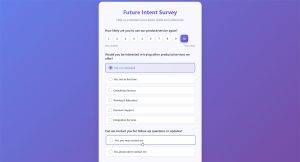
See the Pen
Modern Customer Feedback Survey by Bogdan Sandu (@bogdansandu)
on CodePen.
Event and course evaluations go out right after the session and stay short. Rating scales for content, speaker and venue do most of the work.
Market research templates open with screening and demographic questions, so respondents get qualified before the real questions start. Product and website feedback templates are narrower, aimed at one feature or page, often with a single satisfaction rating and a “what is missing” text field.
Support and retail teams get the most from dedicated customer satisfaction templates, because the question order already follows the interaction being rated. In WordPress, the Customer support feedback form evaluates support interactions, and the Post-purchase feedback form covers checkout, delivery and fulfillment.
For product and website surveys, the Product feedback form and the Website experience feedback form are narrower starting points, and the Training event feedback form suits course and workshop evaluations.
Employee surveys need extra care with wording and anonymity. Read through sample questions for employee satisfaction surveys before trusting a template’s defaults.
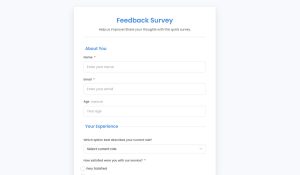
See the Pen
Modern Employee Feedback Survey by Bogdan Sandu (@bogdansandu)
on CodePen.
A simple rule helps here. Write the decision down first (“renew the vendor contract”, “keep the workshop format”), then delete every template question that cannot change it.
Which Question Types Belong in a Survey Template?
Good templates lean on closed-ended questions for counting and rating scales for comparing. Open-ended questions fill in the why, and you want fewer of them than you think.
Rating scales and Likert questions
Rensis Likert introduced the agreement scale in his 1932 monograph “A Technique for the Measurement of Attitudes” (Archives of Psychology).
Most templates use a 5-point scale from strongly disagree to strongly agree, with a neutral midpoint. Going to 7 or 9 points adds granularity, and dropping to 4 removes the neutral option and forces a choice.
Pick one scale per template and keep it. Mixing 5-point and 7-point items in the same form adds confusion and fatigue.
These worked examples of Likert scale questions show how the wording plays out in practice.
In a WordPress form, the Likert field lays statements out as rows and scale points as columns, with ready-made column presets for Satisfaction, Importance, Agreement and Likelihood. The Rating field offers stars, hearts or likes with as many levels as you need, and both fields have a Show values option that stores a number next to each label.
Single-metric questions: NPS, CSAT and CES
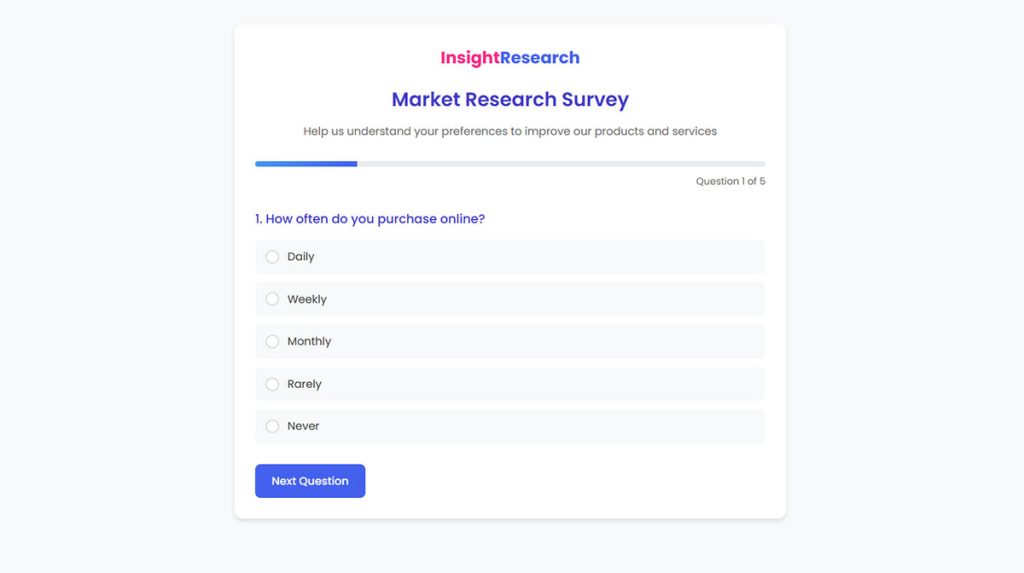
See the Pen
Market Research Survey by Bogdan Sandu (@bogdansandu)
on CodePen.
Net Promoter Score asks how likely someone is to recommend you to a friend or colleague, scored 0 to 10. Scores of 9 and 10 count as promoters, 0 to 6 as detractors, and the result is the percentage of promoters minus the percentage of detractors (Frederick Reichheld, Harvard Business Review, 2003).
CSAT, the Customer Satisfaction Score, measures short-term satisfaction with one purchase or interaction. That makes it the default for post-support and post-event templates.
Customer Effort Score (CES) goes at it from another side and asks how much effort the customer had to put in to get a request handled, originally on a 1 to 5 scale (Dixon, Freeman and Toman, Harvard Business Review, 2010).
Scholars have questioned whether one survey item can carry a whole loyalty program, so pair NPS with a follow-up comment box. Browsing sample NPS questions helps you choose that follow-up wording.
The NPS field shows 0 to 10 buttons with a label at each end, and the stored scores read directly as promoters, passives and detractors. The Customer loyalty and recommendation form template is built around that question.
Open-ended and matrix questions
Open-ended questions explain the numbers. They also take the longest to answer, so put one or two at the end, after the closed questions. A Paragraph field is the usual home for that comment.
Matrix questions stack several rating items into a single grid. On a phone that grid becomes a long scroll, and respondents often click straight down one column.
Which Platform or File Format Should You Use for Survey Templates?
Free tiers decide most platform choices before features do. Google Forms comes free with a Google account and Tally’s free plan allows unlimited forms and responses within fair use, while Jotform, Typeform and SurveyMonkey ration responses on their lower tiers.
| Platform | Free tier | Logic | Best for |
|---|---|---|---|
| Google Forms | Free with a Google account | Shows questions by earlier answers | Quick surveys, Google Sheets users |
| Microsoft Forms | Free tier, more templates with Microsoft 365 | Branching available | Teams and Outlook users |
| Jotform | 5 forms, 100 submissions a month | Included on free plan | Widest template choice |
| SurveyMonkey | Basic plan, limited viewable responses | Fuller logic on paid plans | Formal customer and employee surveys |
| Typeform | Limited monthly responses | Conditional logic from Basic | Conversational, design-led forms |
| Tally | Unlimited forms and responses, fair use | Conditional logic on free plan | Free, logic-heavy forms |
Online builders
Jotform’s Starter plan is free and includes 5 active forms, 100 monthly submissions and Jotform branding (Jotform pricing page, October 2026). Typeform’s Basic plan includes 100 responses per month and one user, and every plan carries a monthly response cap (Typeform pricing page, October 2026).
SurveyMonkey costs more. Team plans start at $30 per user per month on annual billing, with a 3-user minimum, 50,000 responses a year and $0.15 for each extra response (SurveyMonkey pricing page, October 2026).
Tally offers unlimited forms and submissions on the free plan, subject to its fair use guidelines (Tally help center).
Per-response pricing is the trap. A survey that does well can push you onto a paid tier mid-campaign.
Teams that outgrow the basics can compare alternatives to Google Forms before committing to a paid plan.
If the survey lives on your own site, a survey plugin for WordPress keeps the form inside that site instead of sending visitors to a third-party page.
A plugin such as IvyForms stores every response as an entry in your own WordPress dashboard, with search and date filters, and the form embeds with a shortcode, the Gutenberg block or Elementor.
Word and PDF files
Word and PDF templates work offline and print cleanly, and Microsoft Create offers templates for both web forms and paper forms (Microsoft Support, 2026). They capture no data on their own, so every answer gets re-keyed into a spreadsheet.
They suit in-person events, signed paper forms and audiences without reliable internet. Beyond a few dozen responses they fall apart, and they can’t handle anonymous collection or any survey that needs logic or live results.
The RSPCA moved processes ranging from basic forms to recruitment approvals off emails, paper forms and PDFs and into Google Forms (Google Workspace customer story).
How Long Should a Survey Form Template Be?
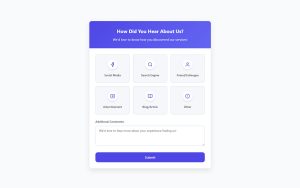
See the Pen
Academic & Educational Survey by Bogdan Sandu (@bogdansandu)
on CodePen.
Set a completion-time budget first, then count questions. For general audiences, abandonment climbs once a survey runs past 7 to 8 minutes, so keep a template under that line unless the respondents are motivated.
The numbers worth knowing:
- 34% response rate for a 50-minute questionnaire versus 38% for a 35-minute version, in a 2021 European Social Survey experiment in Austria (Hanson et al., Survey Research Methods, 2025)
- Abandonment rises past 7 to 8 minutes, with completion rates dropping 5% to 20% (SurveyMonkey)
- 77.2% completion rate for micro-surveys of 1 to 5 questions (Survicate)
- 41 seconds median completion time for surveys with no open-text questions (Survicate)
The sources do not fully agree. Survicate’s benchmark found its highest response and completion rates in the 101 to 150 question bucket and explains it by respondent commitment, since people who start a survey that long are already invested.
Hanson et al. found the shorter questionnaire drew slightly more responses, while data quality indicators stayed generally comparable across both versions. A questionnaire that counts as lengthy for self-completion can still yield acceptable data.
My read is that length hurts most with cold audiences, like website visitors and one-time customers. It matters least with invested ones, such as event attendees or employees in a required review.
Announcing the length upfront helps too, because Survicate found that warning respondents about a long survey raised completion. The form description, shown under the title, is a natural place for a line like “Takes about 3 minutes.”
Trimming a template mostly means deleting. Remove any question the decision does not depend on, and turn open-text items into closed ones while keeping one open comment at the end. Drop duplicate rating items that measure the same thing, and skip demographic fields you already hold.
Cutting is also the first defense against respondent burnout, and these tactics to avoid survey fatigue cover the repeat-survey side of the problem.
When a longer survey is unavoidable, multi-page forms split it into short pages with a progress bar or rootline, and conversational forms show one question at a time with a welcome step.
How to Customize a Survey Form Template
Customize in this order: cut, reword, route, brand, test. Branding comes late because it changes nothing about the data.
- Rewrite the intro to state the purpose, who reads the results and how long the survey takes.
- Delete every question that does not feed the decision, before adding anything new.
- Reword what remains: one idea per question, no leading adjectives, no double negatives.
- Add skip logic so each respondent sees only the questions that apply.
- Apply the logo, colors and fonts, then set the language version.
- Preview on a phone, walk through every answer path, and check the estimated completion time.
Step 4 differs by platform. In Google Forms you split the form into sections, then use “Go to section based on answer” on a multiple choice or dropdown question.
Typeform is fussier about order. Rules are evaluated in sequence and the first condition met triggers the jump, so later rules never run for that respondent (Typeform Help Center). Logic is also unavailable in Typeform’s mobile builder.
The mechanics are the same across tools, and this explainer on how conditional logic works in WordPress forms helps if you build on your own site. With conditional logic on a field’s Smart Logic tab, a follow-up question appears only when an earlier answer calls for it, and rules compare the stored option value, not the visible label.
Google Forms lets you choose colors, images and fonts to match your organization’s branding (Google Workspace). Form customization in WordPress covers the same ground, from layouts and colors to labels, spacing and styles.
Languages are a separate decision. Typeform supports multi-language forms, and SurveyMonkey lists multilingual surveys on its Team Premier plan (SurveyMonkey pricing page, October 2026).
For step 6, the live preview in the builder shows the form as respondents will see it, and a test submission confirms each answer path saves as expected. If you would rather start from a rough draft, the AI form builder generates a form from a plain-language description, which you then edit.
How to Collect, Export and Protect Survey Responses
Before launch, work out where responses land and whether names get recorded. Consent and accessibility rules come into it too. None of this needs a redesign, just a few settings changes.
Google Forms exports raw data into Google Sheets (Google Workspace). Typeform downloads XLSX or CSV files and syncs to Google Sheets as results come in (Typeform pricing page), while Microsoft Forms shows built-in analytics as responses arrive (Microsoft Support).
Export before you downgrade. When a SurveyMonkey account falls back to the free plan, responses over the Basic limit that are older than 365 days are deleted (SurveyMonkey pricing page FAQ, October 2026).
For WordPress surveys, entries can be searched, filtered by date and exported from the entries table. The wpDataTables integration turns entries into tables and charts, and the Google Sheets integration sends each new submission to a spreadsheet, where the usual cross-tabs apply.
Anonymity
Google Forms does not collect email addresses by default, and the Limit to 1 response setting does not record usernames unless email collection is switched on (Google Docs Editors Help). In Microsoft Forms, clear the Record name box, which is available on Microsoft 365 work or school accounts.
The University of Toronto’s FASE support team warns that Quercus surveys can be de-anonymized by the teaching team. It recommends Microsoft Forms with Record name cleared for anonymous feedback.
No setting rescues a small group. A “department” question in a four-person team identifies the respondent, whatever the form says.
Whoever can open the results matters as much as what the form records. In WordPress, permissions grant entry access by role or by user and can be limited to specific forms, so a survey’s answers stay with the people who need them.
Consent under GDPR
The European Data Protection Board’s Guidelines 05/2020 (adopted 4 May 2020) require consent to be freely given, specific, informed and unambiguous. It must come from a clear affirmative action, and scrolling or swiping does not qualify.
Each purpose needs its own consent. A survey that also asks permission to follow up needs a separate, unticked checkbox for that purpose.
When you rely on consent, the controller must be able to demonstrate it was given, and respondents can withdraw it at any time (GDPR Articles 7(1) and 7(3)). Walkthroughs on building GDPR compliant forms show how that looks on the page.
The GDPR field adds a required consent checkbox with agreement text that accepts a link to your privacy policy. Add the follow-up permission as a separate optional Checkbox with no default selection, and each entry keeps its submission date and time next to the answer.
Accessibility under WCAG
WCAG 2.2 Success Criterion 3.3.2 (Level A) requires labels or instructions whenever content asks for user input. It covers presence only, so correct markup falls under 1.3.1 and label clarity under 2.4.6 (W3C).
Check each template field for a visible label and a required marker, plus a format hint where one helps, such as date order. A checklist like these form accessibility best practices goes further than the minimum.
In the builder, keep each field’s label visible, use the Description option for format hints, and set a custom Required message so the error says what to fix.
When a Ready-Made Survey Template Is the Wrong Choice
Skip the template when the survey must measure something precisely or the audience is small enough to be identified. Skip it too when the stock questions were written for a different goal.
Templates do fine for routine feedback after an event or support contact, and for first drafts you plan to cut and test. Internal pulse checks work as well, as long as the group is big enough.
They fail in a few specific places.
- Academic or regulated research that needs validated instruments
- Trend surveys, because Pew Research Center advises keeping wording and placement constant when measuring change over time
- Audiences of a few dozen people, where anonymity cannot hold
- Goals the stock questions were never written to measure
Wording is where stock templates break most often. Pew Research Center’s guidance flags questions that evaluate more than one concept (double-barreled) and double negatives.
The SAGE Encyclopedia of Survey Research Methods adds that double-barreled items take longer to answer and draw more requests for clarification. The usual repair is two separate questions.
Order is the second problem. Pew notes that earlier questions can shape answers to later ones, and it randomizes many response sets so options do not appear in the same order for every respondent.
Randomization can be a paid feature: SurveyMonkey lists block randomization under Team Premier (SurveyMonkey pricing page, October 2026). Fields with selectable options, such as Radio buttons, Checkboxes and Dropdowns, have a shuffle option that randomizes the answer order.
The workable alternative is to start from a template, then cut, reword and pretest. Cognitive interviewing shows how respondents interpret each question, while a pilot test checks length and flow (American Evaluation Association, AEA365).
More Survey Templates
Academic & Educational Survey Template
See the Pen
Academic & Educational Survey by Bogdan Sandu (@bogdansandu)
on CodePen.
Event Feedback Survey Template
See the Pen
Modern Event Feedback Survey with Pastel Theme by Bogdan Sandu (@bogdansandu)
on CodePen.
Patient Satisfaction Survey Template
See the Pen
Modern Patient Satisfaction Survey by Bogdan Sandu (@bogdansandu)
on CodePen.
Usability Feedback Survey Template
See the Pen
Usability Feedback Survey by Bogdan Sandu (@bogdansandu)
on CodePen.
Survey Form Templates FAQ
How do you embed a survey form on a website?
Most builders generate an embed code under their Share or Send menu, and you paste it into an HTML block on the page.
Google Forms supports embedding in a webpage, while Typeform adds launch options that open the form after a delay, a scroll or a page exit (Typeform pricing page, October 2026).
On WordPress there is no embed code to paste. A form goes onto any page with a shortcode, the Gutenberg block or the Elementor widget, and the embed forms feature page lists the options.
What raises the response rate of a survey that is already live?
Send it right after the experience it asks about, and follow up once with the people who have not answered.
Pew Research Center’s questionnaire guidance suggests opening with simple questions that respondents find interesting. Serving the survey as a widget or mobile prompt, instead of a link to a separate page, also shortens completion time.
How do you write good survey questions from scratch?
Work backwards from the decision. List what you need to know, write one closed question for each item, and add a single open comment at the end.
Pretest the draft on a handful of people before sending. Pew Research Center treats pretesting as a standard step in questionnaire design.
What counts as a good NPS or CSAT score?
NPS runs from -100 to +100, and any positive score means promoters outnumber detractors. Beyond that, a good number depends on your industry, audience and survey channel, so track your own trend first.
CSAT reflects satisfaction with one interaction, so judge it against earlier scores for the same touchpoint.
Is a survey the same as a questionnaire?
No. A questionnaire is one instrument inside a survey, which also covers who you ask, how you collect answers and how you analyze them.
A template supplies the questionnaire and the form page, not the sampling plan.
Can I build a survey in WordPress without code?
Yes. In IvyForms you start from a feedback template or a blank form, drag in Radio, Rating, Likert, NPS and Paragraph fields, set the confirmation message, and embed the form with a shortcode or block. The creating forms guide walks through the builder step by step.
Testing Survey Form Templates Before Full Launch
Run a two-stage test before the full send. Cognitive interviews come first and check wording, then a pilot checks length and flow.
Wording fixes are cheap and must come first, so the pilot measures timing and drop-off on questions respondents actually understand (CASRAI questionnaire design guide). Run the pilot in the real channel with the target profile, review drop-off against the clock, and only then send to everyone.
Testing has a cost. Pilot participants leave the main sample, so recruit them from outside the audience being counted.
Pilot and test answers also need to leave the dataset. In the entries table, select them and use the bulk delete action before the full send, so the launch starts from zero.
Plan limits move. SurveyMonkey and Typeform response caps and prices were verified in October 2026, and deserve a re-check before any large send.
Once responses arrive, the work shifts to analyzing survey data, which is where the test results pay off.