



You built the form. You set up the notifications. You check the entries every week. And every time something needs to change, like a new field, a different email address,…
Table of contents
Version numbers are usually just numbers. Pro 1.0 is different.
Getting to 1.0 means something. It means the product has grown into something stable, capable, and ready to be taken seriously. IvyForms Pro 1.0 arrives with conversational forms, a REST API, Google Sheets integration, conditional confirmation messages, and a set of features that, taken together, make IvyForms feel like a different product than it was six months ago.
On the Lite side, IvyForms 1.3 adds Google Sheets for free users, HTML support in field descriptions, and a new form theme to get started faster.
Here is everything that is new.
What’s New in IvyForms Lite 1.3
Google Sheets integration
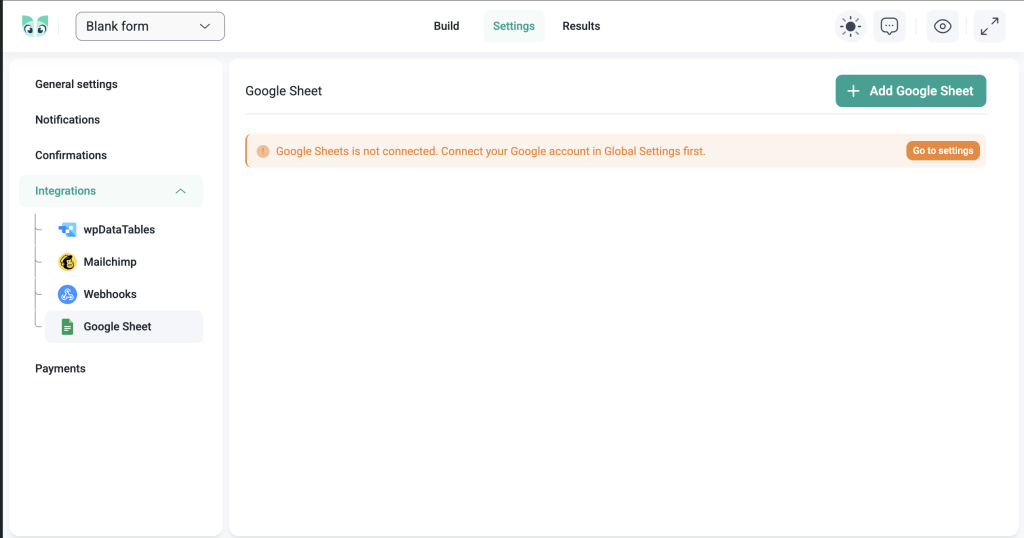
Every time someone submits a form, IvyForms can now send that data directly to a Google Sheets spreadsheet.
The Google Sheets integration is available to all IvyForms users. Set it up once, map your form fields to the columns you want, and your entries start flowing in automatically. No exports, no copy-pasting, no manual data entry.
Note: The Lite version allows you to connect one form to one Google sheet. If you need to connect your form with more than one Google sheet, check out the Pro version.
Why it matters
You can use the Google Sheets integration to:
- Collect leads from a contact form and track them in a shared team spreadsheet
- Feed event registration data into a sheet your team is already using
- Automatically log support requests or bug reports for review
- Build a simple CRM by piping form entries into a structured sheet
- Share form data with clients or teammates who do not have WordPress access
- Combine multiple forms into one master spreadsheet for reporting
For most teams, Google Sheets is already where data goes to get organized and acted on. This integration removes the step of getting it there.
Applications & careers form templates
IvyForms now includes a dedicated Applications & Careers category in the template library, with free templates for job applications, internship applications, contractor agreements, and rental applications.
Each template is ready to use out of the box and fully customizable. Add fields, remove what you do not need, and publish directly to your WordPress site.
Why it matters
Application forms are some of the most detail-heavy forms to build from scratch. Getting the structure right, like the right fields, the right order, the right validation, takes time. These templates give you a solid starting point so you can focus on customizing rather than constructing.
New form theme template
IvyForms now ships with an additional pre-built form theme, giving you another starting point for your form’s visual design.
Apply it in one click and adjust from there, or use it as-is if it already fits your site.
Why it matters
Starting from a blank canvas is slower than starting from something close. More theme options mean more users can get to a finished design faster, without reaching for custom CSS.
HTML support in field descriptions
Field descriptions can now contain HTML.
That means you can add links, bold text, or any other basic HTML formatting to the helper text that appears below a field. Link to a privacy policy, bold a key instruction, or add a note that includes a clickable URL, all directly inside the form builder.
Why it matters
Plain text descriptions have limits. Sometimes you need to link to a document, highlight a requirement, or give users a way to get more information without leaving the form. HTML support makes that possible without workarounds.
What’s New in IvyForms Pro 1.0
Conversational forms
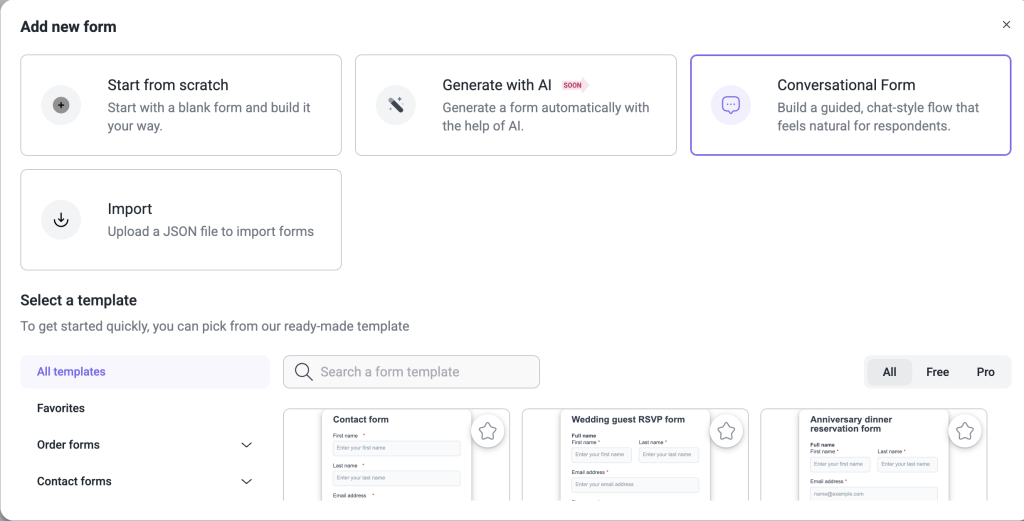
This is the biggest change to the form experience IvyForms has introduced so far.
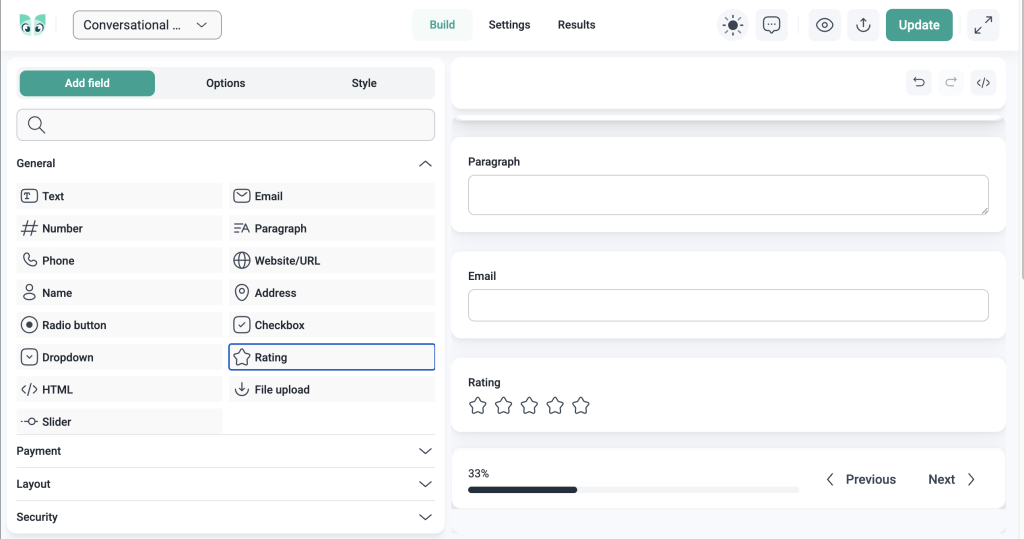
Conversational forms present one question at a time. Instead of seeing every field at once, users move through the form step by step. One field, one answer, and one forward motion. It feels less like filling out a form and more like having a conversation (hence the name).
You do not build a separate form. You take any existing IvyForms form and switch it to conversational mode. Your fields, your conditional logic, and your settings simply carry over. The only thing that changes is how it looks and feels to the person filling it in.
Aiming for a specific look and feel of the form? Style it just like you would any other form in no time, with plenty of styling options available.
Why it matters
You can use conversational forms for:
- Lead capture forms where you want to keep users engaged
- Client intake or discovery forms
- Job application forms where each question deserves attention
- Onboarding questionnaires
- Product recommendation or quiz flows
- Survey and research forms
- Consultation request forms
- Event registration forms with multiple steps
The format works because it reduces cognitive load. Users see one thing at a time, respond, and move on. Completion rates go up. Drop-offs go down. And the experience feels considered rather than overwhelming.
REST API
IvyForms Pro now has a REST API.
That means you can access your forms, entries, and data programmatically from external applications, custom scripts, or any tool that can make an HTTP request.
For example, imagine you are running marketing campaigns across several landing pages that are not hosted on WordPress. Each campaign has its own form. A webinar signup here, a lead magnet download there, a free trial request somewhere else. With the REST API, you can connect all of those forms to IvyForms and have every submission delivered straight to you, centralized, no matter where the form was filled in.
Your campaigns live outside WordPress, but you can keep your data right where you want it.
Why it matters
You can use the REST API to:
- Pull form entries into a custom reporting tool or internal dashboard
- Sync IvyForms data with your own CRM or database
- Trigger workflows in external systems when a new entry is submitted
- Build custom integrations with tools IvyForms does not natively support
- Access form data from a headless or decoupled WordPress setup
- Automate entry management from outside WordPress
The API is what turns IvyForms from a self-contained plugin into something that fits inside a larger technical stack. For developers and teams with custom setups, this is a significant unlock.
Google Sheets multi-integration support
Pro users can now connect a single form to multiple Google Sheets at the same time.
That means one form submission can write to several spreadsheets simultaneously, like a master log, a team-specific sheet, a client-facing report, or any other combination you need. Each connection is configured independently, so you can map different fields to different sheets.
Why it matters
One form often serves multiple audiences. A client intake form might need to go to your project tracker, your billing sheet, and your client records at once. Multi-integration support makes that possible in a single setup, without duplicating forms or writing any code.
Multiple confirmation messages
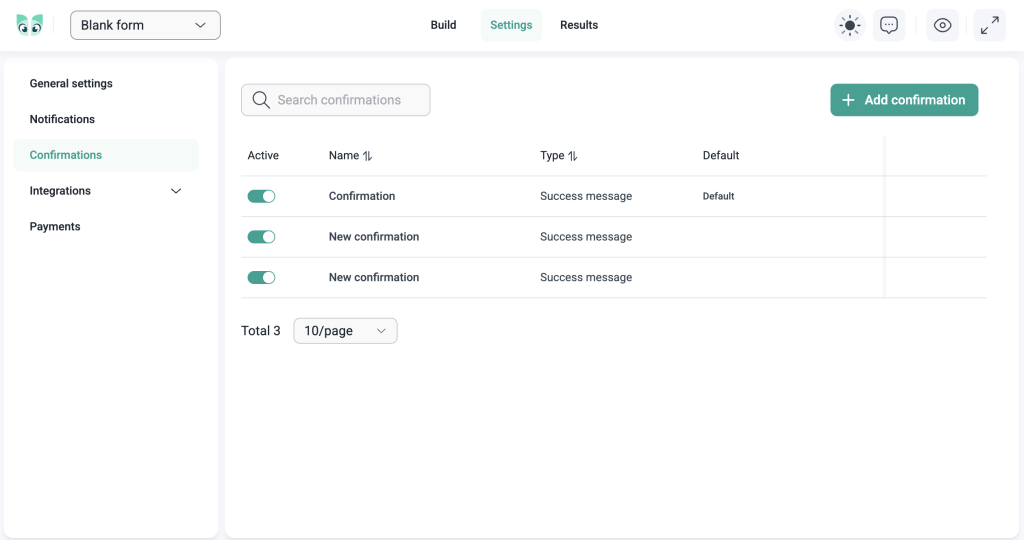
Until now, every form had one confirmation message and it was the same thank-you text shown to everyone who submitted.
With multiple confirmation messages, you can create as many confirmation messages as you need and decide which one gets shown based on what the user submitted. Set up the conditions by using conditional logic, write the messages, and IvyForms takes care of the rest.
Why it matters
You can use multiple confirmation messages to:
- Show a different message to users who selected different services or products
- Give leads with a large budget a different next step than general inquiries
- Confirm job applicants with the appropriate message based on the role they applied for
- Thank event registrants with session-specific details
- Display different instructions based on the user’s location, language, or preference
A generic confirmation message is a missed opportunity. When you know what a user submitted, you can give them a response that is actually relevant to them.
Section field
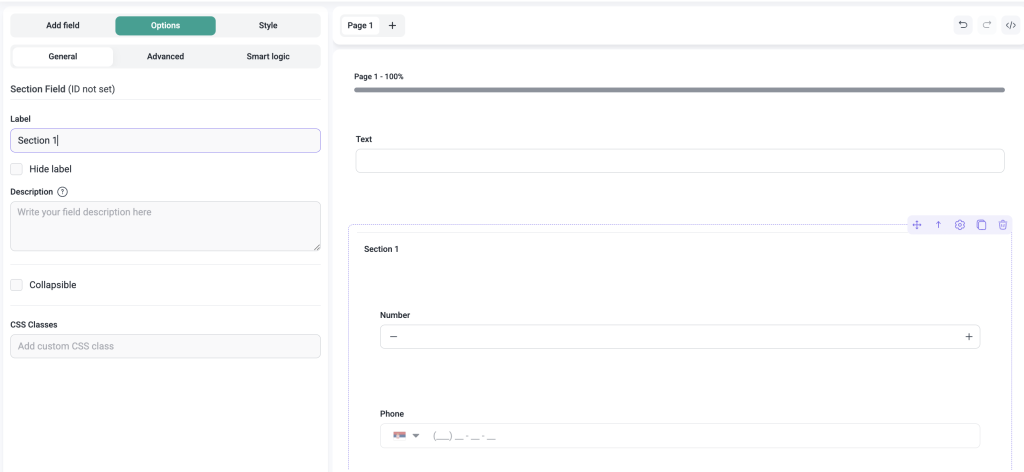
The section field lets you divide a long form into clearly labeled sections.
Add a section heading wherever you need one, and IvyForms will display it as a visual divider with a title and optional description. It does not collect any data; it just gives structure to forms that have a lot going on.
Why it matters
You can use the section field in:
- Long application forms with distinct parts (personal info, experience, references)
- Multi-topic contact forms where questions are grouped by subject
- Client intake forms with separate sections for each part of the engagement
- Survey forms where different question sets need clear separation
A well-organized form feels easier to complete. Section fields help users understand where they are in the form and what is coming next, which keeps them moving forward.
Entries add & edit functionality
You can now add new entries manually and edit existing ones directly from the WordPress admin.
Inside the Entries screen, you can create a brand new entry without anyone submitting the form, which is especially useful when you need to log something on a user’s behalf. And if an existing entry needs a fix, you can open it, update the values, and save, without having to delete and resubmit.
Why it matters
You can use entry editing to:
- Add an entry manually when a booking or request came in through a phone call, email, or in-person conversation
- Correct a typo or error in a submitted application
- Update contact details when a user reaches out with new information
- Add notes or status fields to entries as part of your review process
- Fix data quality issues before exporting or reporting
Data is rarely perfect on the first submission. Being able to add and edit entries in the backend keeps your records accurate and complete, no matter how the information arrived.
What’s next?
The team is already working on the next round of updates. Here is a preview of what we are working on:
- Zapier integration
- Square integration
- Calculation field
- Additional field options
- More form theme templates
- More native integrations
Pro 1.0 is not a finish line. It is a foundation. The product is more capable, more connected, and more ready for real-world use than it has ever been and we are not slowing down.
Thanks for building with us. There is a lot more to come.