


You built the form. You set up the notifications. You check the entries every week. And every time something needs to change, like a new field, a different email address,…
Table of contents
A form is more than a box to fill in. It’s the start of your next conversation with a customer.
IvyForms 1.5.3 is about what happens after someone clicks Submit. New entries can go straight to the Slack channel where your team already works. The same form can greet visitors in their own language. And a new What’s New page inside the plugin shows you what to try next.
Here’s what’s new:
- Slack integration: send new form submissions to the right Slack channel, with only the fields your team needs
- WPML and Polylang support: translate one form into every language your site uses instead of rebuilding it
- What’s New page: the latest IvyForms updates, tutorials, and blog posts, right inside the plugin
Send form submissions to Slack
When inquiries wait in an inbox, your team starts the conversation without context. Someone has to open the entry in WordPress, copy the details, and pass them on.
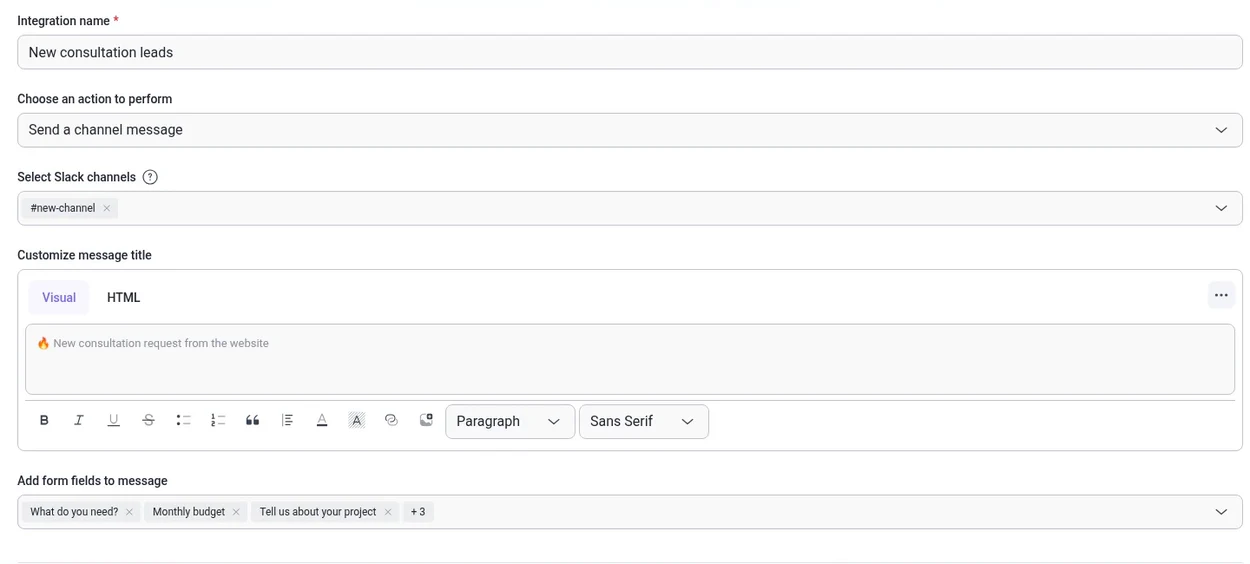
With the new Slack integration, each new submission arrives as a message in the Slack channel you choose. You decide what goes in it:
- Name the integration and choose Send a channel message.
- Pick the Slack channel.
- Write a custom message title, such as “New consultation request from the website”.
- Choose which form fields to include, so the team sees the answers that matter and not every field.

Where it helps
- Agencies: a consultation request arrives in the sales channel with the project type and budget. Add conditional logic, and only budgets above €5,000 go to a dedicated sales channel.
- Clinics: appointment requests go straight to the front desk with the preferred day and contact details, so the receptionist can call back. (This is a request, not a confirmed booking.)
- Online shops: a complaint form posts the order reference and the issue to the support channel, so nobody has to open every entry.
- Hiring: a job application appears in the hiring channel with the role, portfolio link, and availability.
- Events: RSVPs notify the organizing team with the session and attendance type.
The Slack integration is available on all plans, including the free version. Sending only some submissions to a channel uses conditional logic, which is on paid plans.
Multilingual forms with WPML and Polylang
A translated website shouldn’t end with an English-only form. Until now, the workaround was to build a separate copy of the form for each language and keep them all in sync.
IvyForms 1.5.3 works with WPML and Polylang, so you translate the same form instead of rebuilding it. Labels, choices, the submit button, and the confirmation message all follow the language of the page, while every entry still lands in one place.
Translation is configured, not automatic: you add the translated text in WPML or Polylang, the same way you translate the rest of your site.
Where it helps
- European shops: a product inquiry form switches from English to German with the site, so shoppers can ask in their own language.
- Canadian service businesses: one contact form in English and French, with labels, choices, and the button that feel local.
- Agencies in the Balkans: local clients see the form in Serbian, international clients in English, and the confirmation is translated too.
- International schools: one inquiry form in English and Spanish, with program choices that match the page.
Multilingual support is available on all plans, including the free version.
Combine them: route by region
The two features work together. A translated consultation form can ask which region should follow up, and conditional logic sends only Balkan requests to the Balkan team’s Slack channel. The region is a field the visitor fills in, not an automatic guess based on the language.
Find what to try next, inside the plugin
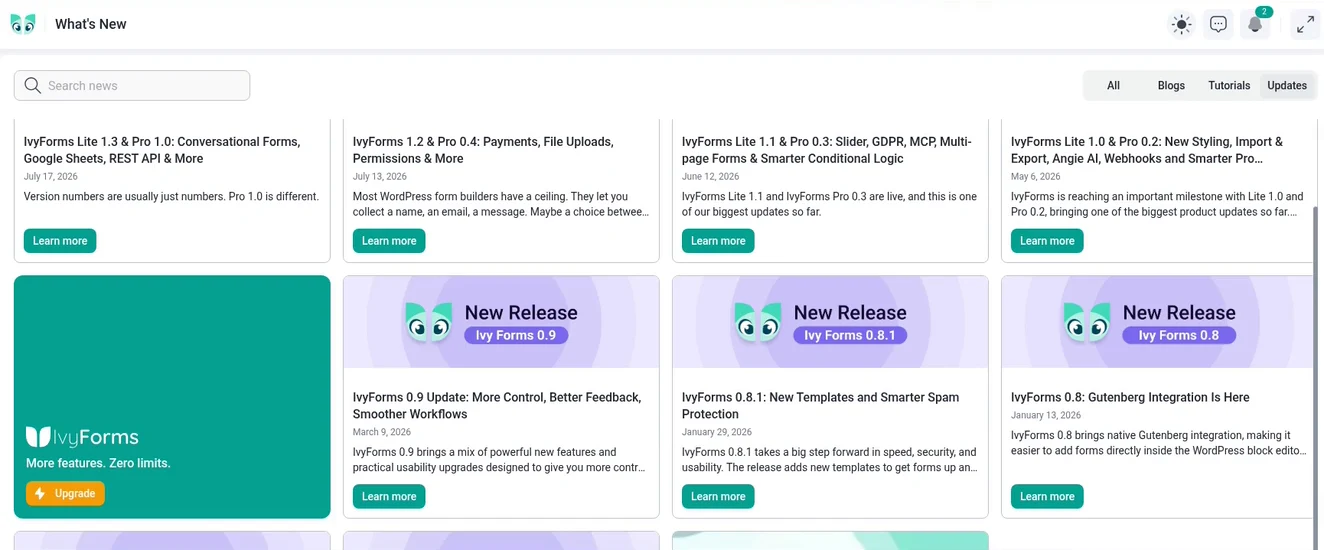
After you update, open the new What’s New page in IvyForms. It brings together the latest updates, tutorials, and blog posts, so ideas for your next form are one click away instead of somewhere outside the plugin.
Fixes
- Fixed a security issue in the payment integration connection flow.
- The Gutenberg block preview no longer gets stuck loading after you switch forms.
- Sitemaps no longer fail with a memory error on sites with many forms.
- CC and BCC recipients are now saved in notification settings.
Because this release includes a security fix, we recommend updating right away. See the full changelog on WordPress.org.
What’s next?
We’re already working on the next big IvyForms update! IvyForms 1.6 and Pro 1.4 will bring even more ways to create smarter forms and manage submissions with less effort.
Coming soon: Save and Continue Later, Repeater Fields, built-in Survey Results with visual charts, form scheduling, live calculations, and a brand-new Dashboard. Plus, more flexibility, smarter conditional logic, and better control over your forms and entries.
Stay tuned, there’s plenty more on the way!
And in the meantime, give IvyForms a try, download for free or upgrade to Pro.