



Choose a template
Pick a ready-made form template from our library to get started instantly. Whether it’s a contact form, registration, or order form, you’ll have a solid foundation in seconds.Drag, drop, and you're done.
A blood transfusion consent form records that a patient (or guardian) understands the purpose, benefits, and risks of receiving blood and agrees to the procedure. This IvyForms template captures patient and procedure details, the risk explanation, and a signature online, storing each record in WP.
Get Template Available exclusively in IvyForms Pro.


Pick a ready-made form template from our library to get started instantly. Whether it’s a contact form, registration, or order form, you’ll have a solid foundation in seconds.Drag, drop, and you're done.

Edit your form visually — add, remove, or rearrange fields, adjust layouts, and configure logic. No coding required, just drag, drop, and you’re done.Drag, drop, and you're done.

Publish your form anywhere on your site in minutes. Our templates work seamlessly with WordPress themes and page builders, so collecting submissions is effortless.Drag, drop, and you're done.
| Field | Purpose |
|---|---|
| Patient name, ID, date of birth | Identifies the patient on the record |
| Procedure & ordering physician | What is being consented to and by whose order |
| Purpose, benefits & risks acknowledgment | Confirms the risks (allergic/transfusion reaction) were explained |
| Blood type / component (optional) | Notes the product where relevant |
| Consent statement | The explicit agreement to proceed |
| Patient or guardian e-signature + date | Makes the consent a dated record |
| Witness signature | Optional second signature |
Best for: hospitals, clinics, and blood banks documenting informed consent before a transfusion.
A general medical consent form covers treatment broadly; this template names the specific risks and acknowledgments particular to receiving blood, so the consent is procedure-specific.
This is a template to help you collect consent, not medical or legal advice. Confirm your wording meets your institution’s and jurisdiction’s requirements.
Add this form to your site — customize it in the drag-and-drop builder and embed it on any WordPress page. Submissions are stored and searchable in your dashboard.
Use this form to support patient communication, meet consent requirements, and maintain organized medical records. You can customize it to include hospital policies, alternative treatment options, specific medical notes, physician details, and guardian consent when applicable.
With IvyForms, managing consent forms is simple, secure, and efficient. Add digital signatures, conditional fields for different scenarios, attach informational documents, and style the form to match your healthcare branding. Submissions can be securely stored, shared with authorized staff, and integrated into your workflow, helping your team stay compliant, organized, and prepared to provide safe patient care.
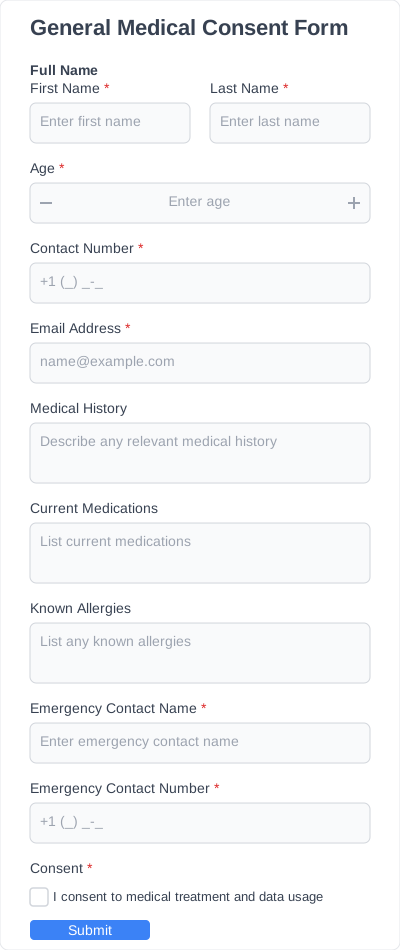
Form for general consent for medical treatment, procedures, and data usage.
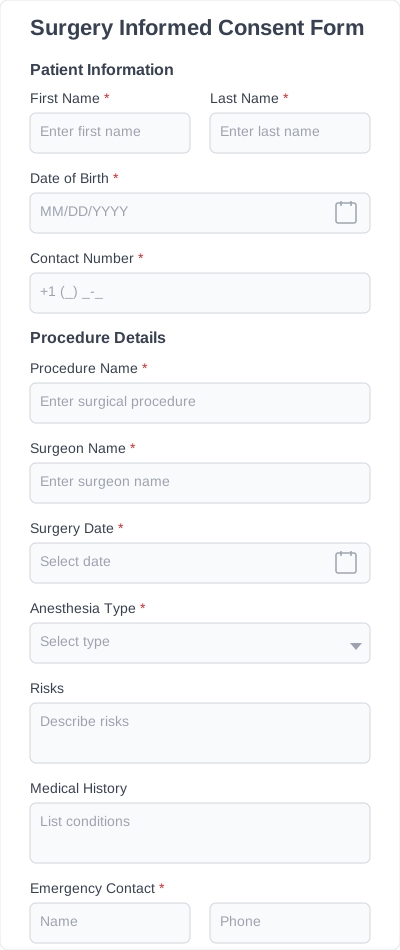
Form for obtaining informed consent for surgical procedures, including patient details, procedure specifics, anesthesia, etc.
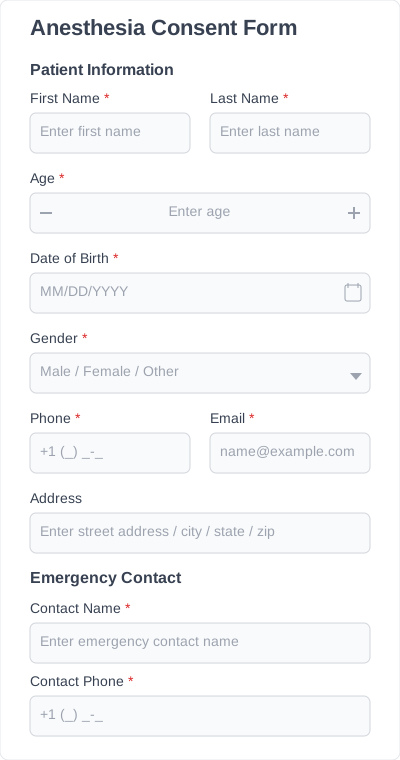
Form to obtain informed consent for anesthesia during medical procedures, including patient details, anesthesia type, risks, and signatures.
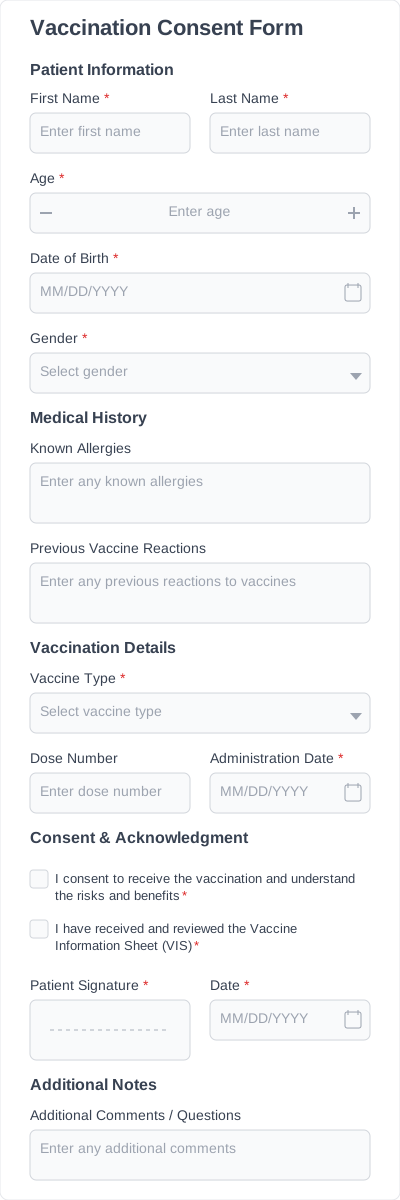
Form to obtain patient or guardian consent for vaccination, including medical history, vaccine details, and acknowledgment of risks.
Patient identification, the procedure and ordering physician, an acknowledgment that the purpose, benefits, and risks were explained, a consent statement, and a signature with date. The IvyForms template includes these fields.
Yes. The template has an e-signature field, so the patient or guardian signs on-screen and the dated record is stored in your WordPress dashboard.
Try IvyForms Lite or go Pro. Either way, you’ll love how effortless it feels.