



What you get with centralized form entry management
Keep submissions organized, searchable, and easy to manage. Get the data you need faster, without changing the way you already work.
Keep every form entry organized inside WordPress. View submissions from all forms, review individual entries in detail, filter responses, and manage your data without switching between tools.
gets messy
Form submissions are easy to collect, but harder to manage once they start coming in from different forms, pages, and workflows. Without a clear system, important entries can get buried, and finding the right submission takes more time than it should.
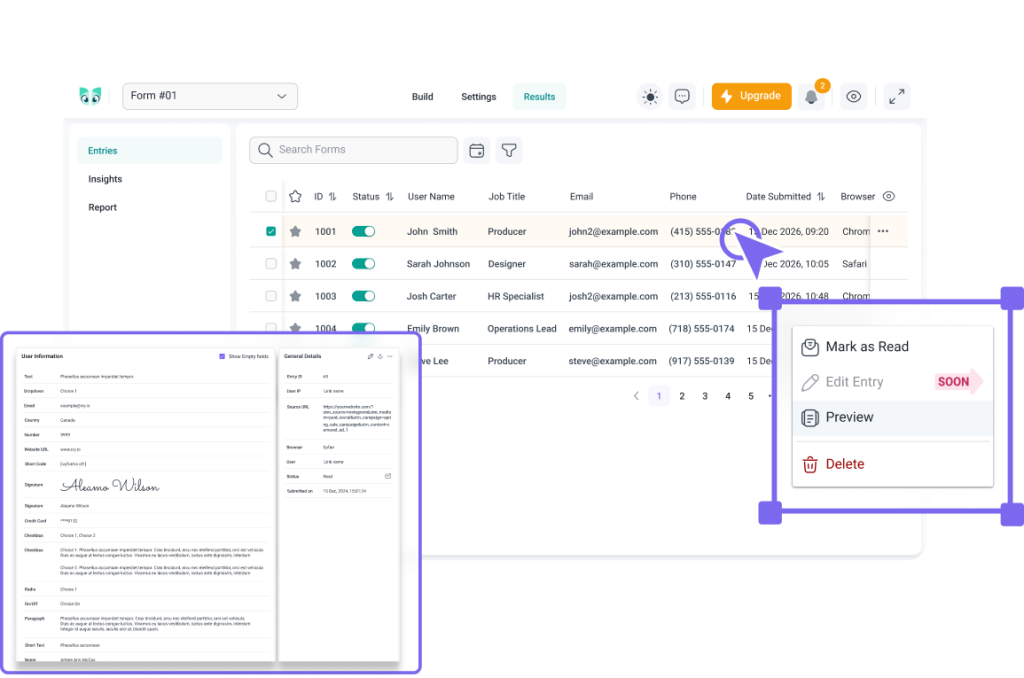
IvyForms gives you a cleaner way to view, filter, prioritize, and review form entries inside WordPress. From a high-level overview of all submissions to detailed form-specific results, every entry stays easy to find and manage.
With IvyForms, you can see which entries are unread at a glance, so new submissions do not get buried in long lists. This is especially useful for workflows where timing matters, such as customer inquiries, support requests, job applications, event registrations, or lead forms.
Use the All Entries table to view submissions from every form, with key details like ID, form name, submission date, browser, and IP address.
IvyForms lets you narrow submissions by date, read or unread status, starred status, and the form each submission belongs to. This helps you move from “Where is that entry?” to “Here it is” in just a few clicks.
Open the Results Table inside a specific form builder to review the submitted field values for that form. Use Column Visibility to choose which fields appear in the table and open the Entry Details page to review the full submission before taking action.
Some submissions need extra attention. With IvyForms, you can star important entries and keep them easy to find later. You can also filter entries by starred status, so priority responses do not get buried in the full list.
Review, star, filter, and manage submissions directly from your WordPress dashboard, without moving between disconnected tools.
Keep submissions organized, searchable, and easy to manage. Get the data you need faster, without changing the way you already work.

Unread entry indicators help you quickly see what still needs attention, so new requests, applications, messages, or registrations do not get overlooked.
Move between a complete overview, form-specific results, and full entry details depending on what you need to check. Review submissions faster without losing context.
Choose which fields appear in the Results Table using Column Visibility, so each form shows the information that matters most to your workflow.
Star important submissions and filter them later, so high-priority entries stay visible when you need to come back to them.
IvyForms helps you manage form entries across different use cases, keep submissions organized, and find the data you need faster.
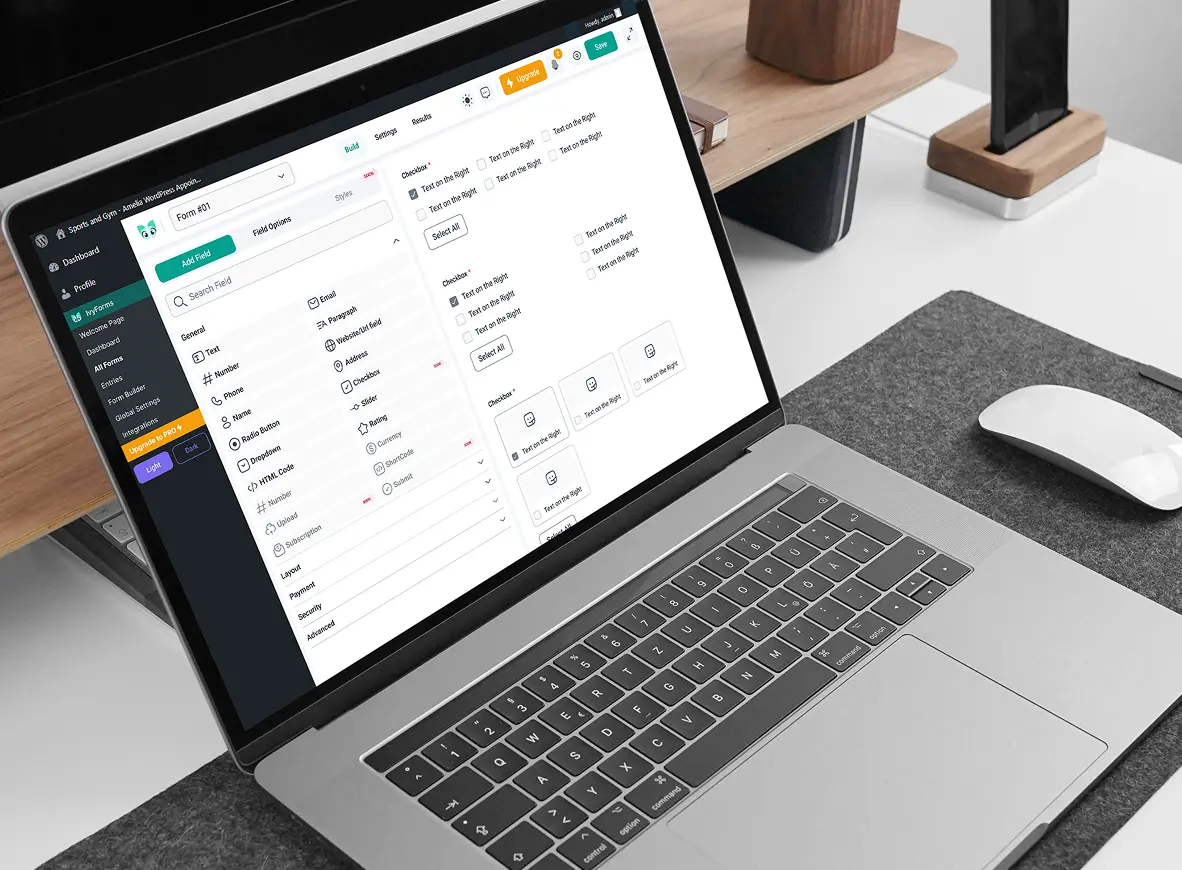
IvyForms is part of the Melograno family — the creators of Amelia, Trafft, and wpDataTables — trusted by over 170,000 WordPress professionals and businesses worldwide.
When you choose IvyForms, you’re backed by years of proven experience and a community that values quality, performance, and innovation.

Yes, by default. IvyForms automatically saves entries in WordPress unless automatic entry saving is turned off in the form settings.
Entry management lets you view, search, filter, and manage form submissions in one place. It helps you keep every form entry organized and easy to review.
The All Entries table shows submissions from all forms in one centralized view, along with general entry information such as ID, form name, submission date, browser, and IP address.
The Results Table is available inside the builder of a specific form and shows the submitted values from that form’s fields. You can also choose which fields appear in the table using Column Visibility.
IvyForms submissions are stored in your site’s database. IvyForms gives you a clean WordPress forms database view, so entries are easier to manage.
Yes. IvyForms lets you search entries and narrow the list by date, read or unread status, starred entries, or the form each submission belongs to.
Yes. You can star important entries and filter them later, making it easier to keep priority submissions visible.
Yes. IvyForms includes an Entry Details page where you can open and review the full submission before taking action.
Yes. With Column Visibility, you can control which form fields are displayed in the Results Table, so each form view stays focused on the information you actually need.
Yes. Entry management is available in the free version, so you can view and manage submissions inside your WordPress dashboard.
Not yet. Entry export is planned for an upcoming update, where you’ll be able to export a form together with its entries for easier sharing, backup, or analysis.
Yes. IvyForms stores submissions from your forms in one place, whether you use a contact form, registration form, intake form, or another form type.
No. IvyForms is built to keep form entry storage lightweight and reliable, so your WordPress form database stays easy to manage.
Try IvyForms Lite or go Pro. Either way, you’ll love how effortless it feels.