



Choose a template
Pick a ready-made form template from our library to get started instantly. Whether it’s a contact form, registration, or order form, you’ll have a solid foundation in seconds.Drag, drop, and you're done.
A trainer feedback form gathers participants' ratings of a trainer's clarity, engagement, and session value after a training. This free IvyForms template collects rated and open-ended feedback online and stores every response in your WordPress dashboard, so you can compare trainers and sessions.
Get Template

Pick a ready-made form template from our library to get started instantly. Whether it’s a contact form, registration, or order form, you’ll have a solid foundation in seconds.Drag, drop, and you're done.

Edit your form visually — add, remove, or rearrange fields, adjust layouts, and configure logic. No coding required, just drag, drop, and you’re done.Drag, drop, and you're done.

Publish your form anywhere on your site in minutes. Our templates work seamlessly with WordPress themes and page builders, so collecting submissions is effortless.Drag, drop, and you're done.
| Field | Purpose |
|---|---|
| Trainer name & session/course | Ties feedback to the right session |
| Clarity of instruction (rating) | How well material was explained |
| Engagement (rating) | Whether the trainer held attention |
| Knowledge & responsiveness (rating) | Command of the topic and Q&A handling |
| Overall satisfaction (rating) | A single headline score |
| Strengths & suggestions (open text) | What to keep and what to improve |
Best for: L&D teams, training providers, and course facilitators measuring trainer performance after sessions.
A training feedback form rates the whole program — content, materials, logistics; this template focuses on the trainer, so scores are attributable to a specific instructor.
Share this form after each session — embed it on a WordPress page or link it in a follow-up email; responses collect in your dashboard for comparison.
This template typically includes fields for trainer name, session or course title, clarity of instruction, engagement, knowledge, responsiveness to questions, and overall satisfaction. It can also include sections for suggestions, strengths, and areas for improvement.
Using a trainer feedback form allows HR and learning teams to assess trainer effectiveness, identify development opportunities, and enhance the learning experience. IvyForms ensures easy submission, organized data collection, and actionable reporting.
Ideal for corporate training, workshops, seminars, and e-learning sessions, this template helps you maintain high-quality instruction and continuous improvement.
Rated questions on clarity, engagement, knowledge, responsiveness, and overall satisfaction, plus open-text prompts for strengths and suggestions. The IvyForms template includes these and ties each response to a named trainer and session.
Embed the form on a WordPress page or link it after the session; participants complete it online and responses are stored and searchable in your dashboard.
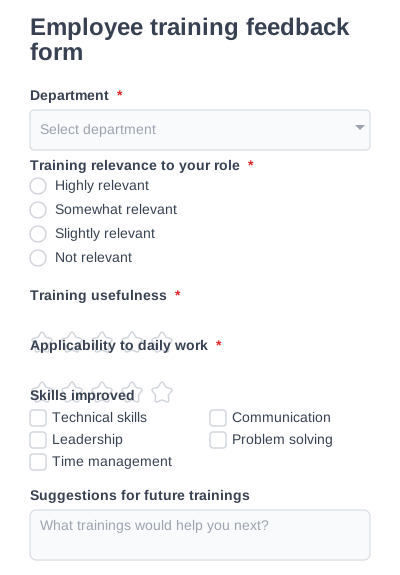
Collect internal feedback on employee training effectiveness and skill development.
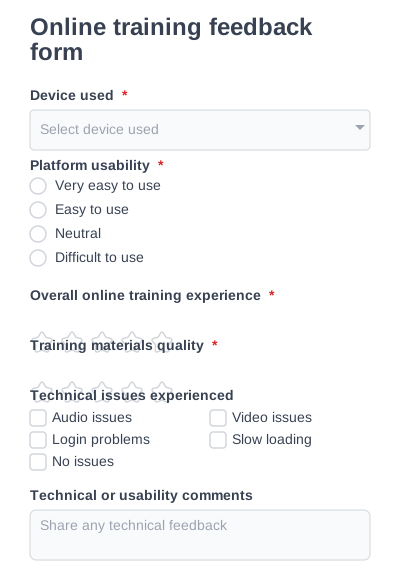
Measure user experience, platform usability, and materials in online training programs.
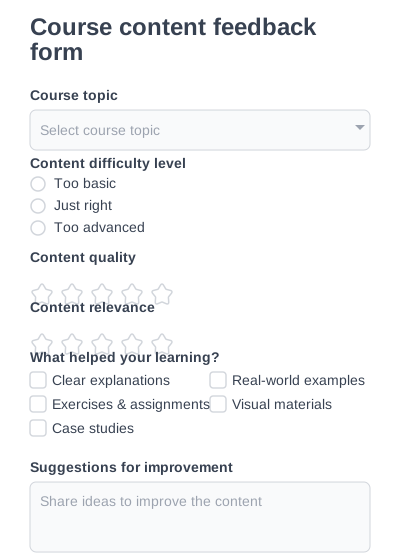
Evaluate course structure, content relevance, and learning outcomes.
Try IvyForms Lite or go Pro. Either way, you’ll love how effortless it feels.